Free Macsoftware One click Download

Posts by Jameskarke
Download for Mac app GraphicConverter 12.0.7
02 years

Name : GraphicConverter
Size : 248 MB
Download for Mac app GraphicConverter 12.0.7
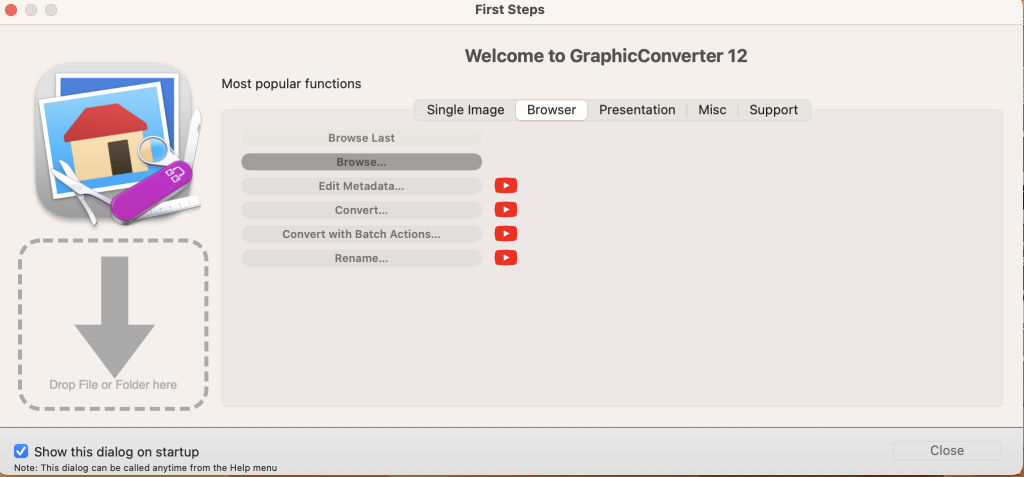
GraphicConverter is a versatile image-editing program for macOS that provides a wide range of features for importing, editing, and exporting images. It supports a broad array of graphic-based formats, allowing users to manipulate images and export them in various file formats. The program offers high-end editing tools, compatibility with Photoshop-compatible plug-ins, batch conversion capabilities, a slideshow window, batch renaming, and both batch and individual editing of metadata (EXIF, IPTC, XMP). Here are some key features and details about GraphicConverter:
Key Features of GraphicConverter:
- Image Import: GraphicConverter can import over 200 different graphic-based formats, making it a versatile tool for working with various image types.
- Image Editing: The program offers high-end image editing tools that are perfect for graphic manipulation. Users can perform various image editing tasks to enhance and modify their images.
- Export Options: GraphicConverter allows users to export images to any of the 80 available file formats, providing flexibility in saving and sharing edited images.
- RAW Developer: GraphicConverter 11 includes features for working with RAW images. It offers full-screen dialogs with controls for Exposure, Contrast, Color Corrections, and picture noise reduction.
- Archive Unpacking: The program can unpack archive files, including Zip, TAR, TGZ, and other formats. It allows users to see the contents of archives without the need for additional software.
- Wide Equalization: Wide-angle shooting can lead to distortion at the edges of images. GraphicConverter 11 offers a wide-angle equalization feature to reduce this distortion.
- Gradients: Users can create color gradients with up to 10 colors using the program’s gradient creation dialog. This feature is helpful for creating background gradients for collages and other projects.
- Duo-Tone: Duo-Tone allows users to color their images with two colors, creating a striking effect. Lighter shades are colored with one color, while darker shades are colored with another.
- Apple Finder Tags: If you use Finder Tags from Apple to organize your work, GraphicConverter offers support for displaying and changing these tags directly in the browser, simplifying your workflow.
Compatibility:
GraphicConverter is compatible with macOS 10.13 or later, ensuring that it can run on Mac computers running macOS High Sierra and newer versions.
Official Homepage:
For more detailed information about GraphicConverter, including pricing and download options, you can visit the official GraphicConverter page on the Lemkesoft website: GraphicConverter Official Homepage.
GraphicConverter is a comprehensive image-editing program for macOS users, offering a wide range of features for image import, editing, and export. It can be a valuable tool for users working with various image formats and seeking to enhance and manipulate their images.
Download Gemini for Mac V-2.9.11
02 years

Name : Gemini
Size : 48 MB
Download Gemini for Mac V-2.9.11
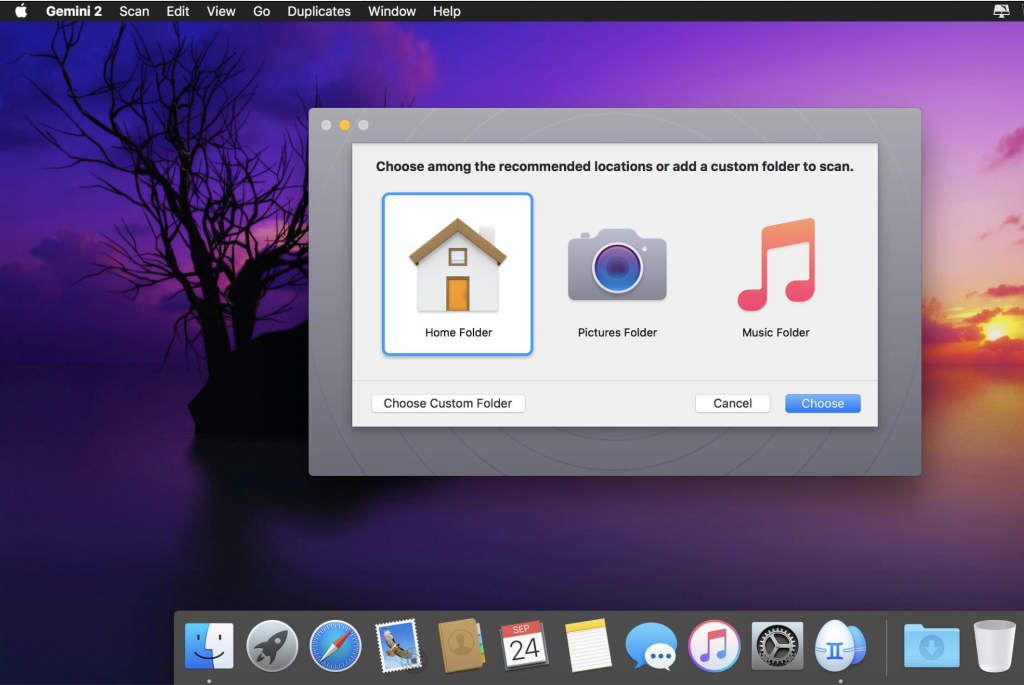
Gemini 2 is a utility application for macOS designed to help users free up disk space by identifying and removing duplicate and similar files on their Mac. The app is capable of scanning various file types and locations, including Photos, iTunes, external drives, and even cloud storage services like Google Drive and Dropbox. It employs a Smart Selection algorithm to ensure that duplicates are removed correctly and safely. Here are some key features and information about Gemini 2:
Key Features of Gemini 2:
- Duplicate File Detection: Gemini 2 is designed to find duplicate files of various types, including pictures, music, documents, and more. It can also identify duplicate folders.
- External Drives and Network Volumes: The app allows you to delete duplicates not only on your Mac’s internal drive but also on external drives and network volumes.
- Cloud Storage: Gemini 2 can identify and remove duplicates in cloud storage services like Google Drive and Dropbox.
- Organize Music and Photos: It helps you find duplicate photos in your Photos library and identifies pictures that are similar but not identical. You can also spot duplicates in your iTunes library, including similar music files differing only by format or bit rate.
- Smart Selection: The Smart Selection algorithm automatically selects duplicate files for removal while keeping the original files intact. It provides handy icons to help you understand how similar files differ.
- Custom Rules: You can add your own Smart Selection rules, such as deleting the older duplicates.
- Data Recovery: If you accidentally remove the wrong duplicate, you can restore it with a single click.
- Exclusions: You can exclude certain files and folders from the scan to avoid deleting important files.
- Move Duplicates: Gemini 2 allows you to move duplicates to a separate folder or onto a USB drive for safekeeping.
- Hardlinks: The app can replace copies with hardlinks to save space without deleting the files.
- User-Friendly Design: Gemini 2 features a space-themed design and offers achievements, ranks, and even an Easter Egg for a fun user experience.
System Requirements:
Gemini 2 is compatible with macOS, although specific macOS versions are not mentioned. Users can check the app’s system requirements on the official website or the App Store listing.
Official Homepage:
For more detailed information about Gemini 2, including pricing and download options, you can visit the official Gemini 2 page on the MacPaw website: Gemini 2 Official Homepage.
Gemini 2 is a handy tool for macOS users looking to free up storage space by identifying and removing duplicate files. Its Smart Selection algorithm simplifies the process, and the app offers a visually appealing and user-friendly experience.
Download Allavsoft Video Downloader Converter 3.25.9.8679
02 years

Name : Allavsoft Video Downloader Converter
Size : 88 MB
Download Allavsoft Video Downloader Converter 3.25.9.8679
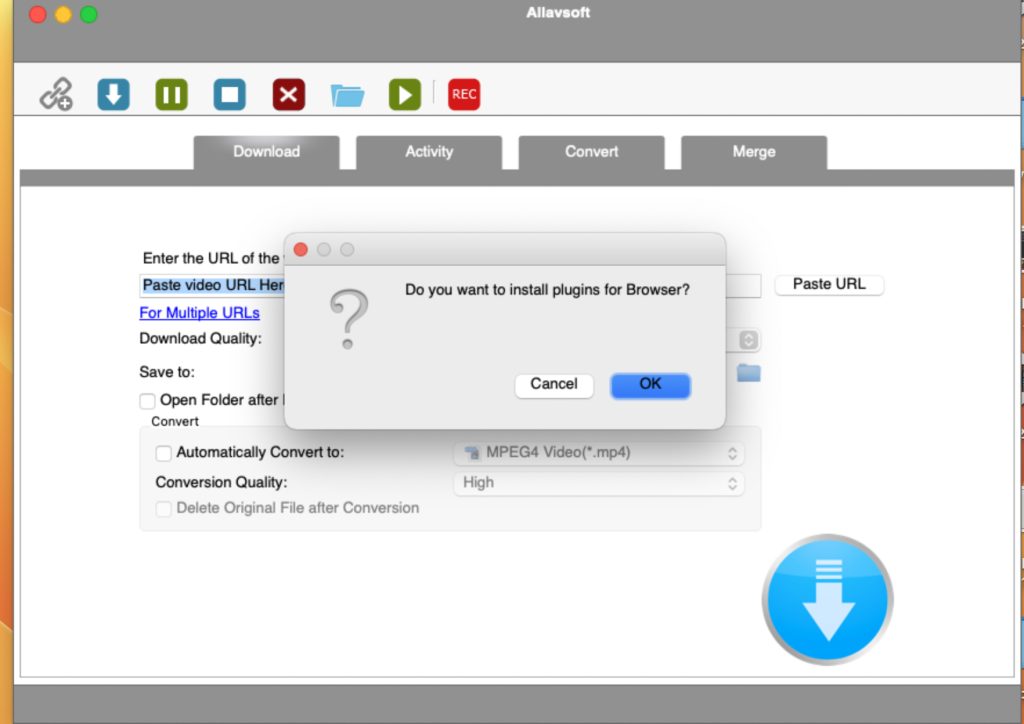
Allavsoft is a versatile video downloader application for macOS that provides a powerful solution for downloading videos from various online sources, including video-sharing websites such as Facebook, Dailymotion, and more than 100 other platforms. It offers a range of features, including the ability to download videos in their original format, convert downloaded videos to popular video formats, choose from various video qualities, extract audio from online videos, and perform batch downloads and conversions. Here are some key features and information about Allavsoft based on the details you provided:
Key Features of Allavsoft:
- Wide Video Source Compatibility: Allavsoft supports downloading videos from a wide range of video-sharing websites, making it versatile for various video sources.
- Video Download Formats: You can download videos in their original format, preserving their quality.
- Video Format Conversion: Allavsoft allows one-click download and conversion of downloaded videos to popular video formats, such as MP4, AVI, WMV, MOV, MPEG-1, MPEG-2, VOB, ASF, RMVB, DV, TS, Apple ProRes, WebM, FLV, OGV, and more.
- Video Quality Options: Users can choose from various video qualities, including ultra-high definition (4K), 3D video, HD 2k, HD 1080p, HD 720p, and standard definition 480p, 360p, and 240p.
- Audio Extraction: The tool helps extract audio from online music videos or movies and allows conversion to popular audio formats like MP3, WMA, WAV, AAC, AAC, Apple Lossless M4A, AIFF, RA, FLAC, OGG, AU, and more.
- Batch Download and Conversion: Allavsoft supports adding multiple video URLs and batch downloading and converting multiple videos at once.
- Ad Detection: The software automatically detects advertisements and prevents their download.
- Video Preview and Playback: It includes a built-in video player for previewing and playing downloaded video files.
- Pause and Resume: Users can pause and resume downloads at any time, making it convenient for managing large download tasks.
- Automatic Shutdown: You can set the application to automatically shut down your computer after all download tasks are completed.
- Download History: Allavsoft keeps a record of your download history for reference.
Compatibility:
Allavsoft is compatible with macOS 10.10 or later, ensuring that it can run on Mac computers running Yosemite and later versions.
Official Homepage:
For more detailed information about Allavsoft, including pricing and download options, you can visit the official Allavsoft website using the provided link: Allavsoft Official Homepage.
Allavsoft is a useful tool for users who need to download videos from various online sources and convert them to different formats. It provides a comprehensive set of features to facilitate video downloading and conversion tasks.
Mac software Valentina Studio Pro 13.5.0
02 years
by Jameskarke
in Application

Name : Valentina Studio Pro
Size : 166 MB
Mac software Valentina Studio Pro 13.5.0
Valentina Studio is a powerful data management tool for database administrators, providing a wide range of database administration tools to help with database design, modeling, query building, and more. There is a Valentina Studio PRO version available as an in-app purchase, which unlocks additional advanced features, such as report design and editing. Here are some key features and information about Valentina Studio:
Key Features of Valentina Studio:
- Schema Editor: Create and modify all schema objects in supported databases, including tables, views, fields, enums, links, constraints, triggers, indexes, and stored procedures.
- Diagram Editor: Design new diagrams or perform reverse engineering to explore existing databases visually.
- Data Editor: Easily browse table records in a grid, modify records, perform inline edits, sort and filter records, save favorite filters, preview images, and use hex editors for binary values.
- Related Data Editor: Manage linked records between two tables, link/unlink records with a mouse click, and perform set operations over linked records.
- SQL Editor: Features color syntax, auto-completion, recent and saved favorite queries, templates, and a console with error/warning reporting.
- Query Editor: Build SQL queries visually with just a few mouse clicks.
- Server Admin: Manage users, review logs, and access other server parameters.
- Open Multiple Editors: You can open as many editors as you like simultaneously for different databases and servers in tab-panels.
- DB Utilities: Access various database-related utilities, including import/export, dumps, diagnose, clone, and reindex.
Valentina Studio Pro Features (In-App Purchase):
Valentina Studio Pro adds several advanced features to the software, including:
- Report Editor: A visual editor for creating Valentina Reports, which can use various databases as data sources.
- Form Editor: A visual editor for creating Valentina Forms, which can use supported databases as data sources.
- Data Editor Enhancements: Includes the ability to go to the parent record, save data editor layouts, perform multiple updates, and transfer data between different databases.
- Diagram Editor Enhancements: Allows forward engineering, i.e., the generation of SQL scripts for new or changed database objects.
- Additional Features: Includes features like the Dump Wizard, error lookup, keyboard shortcuts customization, object coloring, SQL search, and more.
Compatibility:
Valentina Studio is compatible with macOS 10.13 or later, making it suitable for Mac computers running macOS High Sierra and newer versions.
Official Homepage:
For more detailed information about Valentina Studio and access to the app, including pricing and download options, you can visit the official Valentina Studio page on the Mac App Store using the provided link: Valentina Studio on Mac App Store.
Valentina Studio is a comprehensive tool for database administrators and professionals, offering a wide range of features for database design, management, and reporting. Users who need advanced database capabilities may find it a valuable tool for their work.
Mac player zFuse Pro 1.7.30
02 years
by Jameskarke
in Application

Name : zFuse Pro
Size : 56 MB
Mac player zFuse Pro 1.7.30
zFuse Pro is a media player application for macOS that offers a range of features for video playback, including the ability to simultaneously open multiple instances, video rotation, hardware acceleration, and support for various video formats and audio formats. It also includes features like HDR Tone Mapping, media preview during seeking, audio enhancement, multi soundtrack selection, subtitle support, and more. Here are some key characteristics and details about zFuse Pro based on the information you provided:
Key Features of zFuse Pro:
- Simultaneously Open Multiple Instances: Users can open and run multiple instances of the zFuse Pro media player simultaneously, which can be useful for multitasking and managing different media files.
- Video Rotation: The app allows users to rotate videos, making it convenient for watching movies or videos in different orientations, such as when lying down.
- Hardware Acceleration: zFuse Pro supports hardware acceleration, which can enhance video playback performance on compatible systems.
- HDR Tone Mapping: This feature enables HDR Tone Mapping on non-HDR displays, enhancing the quality of high dynamic range content.
- Media Preview in Seeking: Users can preview media content while seeking through a video, making it easier to find specific scenes or moments.
- Built-in Audio Enhancement: The app includes built-in audio enhancement features to improve the audio quality of media playback.
- Multi Soundtrack Selection: Users can select from multiple soundtracks when available in media files.
- Subtitle Support: zFuse Pro supports embedded and external subtitle-track selection, subtitle synchronization, and external subtitle font selection.
- Playback Speed Control: Users can adjust the playback speed from 0.5x to 3.0x for flexible viewing.
- Zoom Screen: The app allows users to zoom in and out of the screen, providing customization for the viewing experience.
- Blu-ray ISO Playback: Users can directly load Blu-ray ISO files for playback.
- Audio Output Settings: zFuse Pro supports audio output format switching, sample rate switching, and channels switching.
- Function/Shortcut Keys: Various function and shortcut keys are available for easy navigation and control, including full-screen mode, pause/play, and more.
Compatibility:
zFuse Pro is compatible with macOS 10.15 or later, which means it can run on Mac computers running macOS Catalina and newer versions.
Mac App Store:
For more detailed information about zFuse Pro, including pricing and download options, you can visit the official zFuse Pro page on the Mac App Store using the provided link: zFuse Pro on Mac App Store.
zFuse Pro appears to be a feature-rich media player for macOS, offering various tools and options for advanced video playback, audio enhancement, and subtitle support. Users looking for a versatile media player may find it useful for their media playback needs.

Mac software Pro Microphone 1.5.1
02 years
by Jameskarke
in Application

Name : Pro Microphone
Size : 51 MB
Mac software Pro Microphone 1.5.1
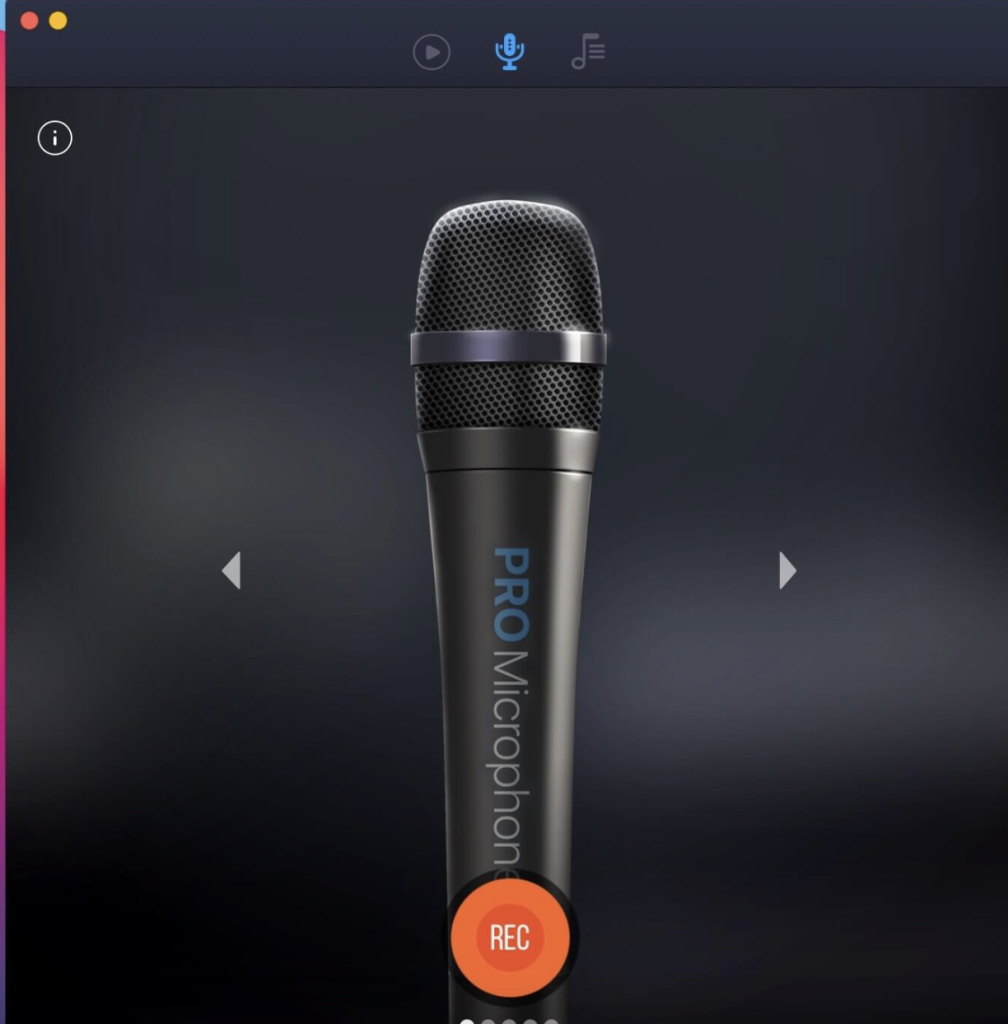
The “Voice & Music Recording Studio” app, also referred to as “Pro Microphone,” is designed to provide beginner singers and anyone interested in recording their voice with a versatile and user-friendly recording studio experience on macOS. This app offers various microphone types and sound effects, enabling users to create recordings and loops with multiple slots. Here are some key features and information about this app based on the details you provided:
Key Features of Voice & Music Recording Studio:
- Various Microphone Types: The app offers different microphone types, including dynamic, stage, valve, condenser, and others. Each microphone type is designed to provide its unique sound effects. Users can choose the microphone that suits their preference and style.
- Microphone Information: The app provides detailed information about each microphone type, including its frequency response. This information can help users select the right microphone for their recording needs.
- Recording and Looping: Users can record their voice or music and create loops using multiple slots. This feature allows for creative recording and layering of audio tracks.
- Backing Tracks: The app offers various backing tracks that users can use in their recordings. This can be particularly useful for singers who want to sing along to music or create music tracks.
- Custom Backing Tracks: Users can easily add their own backing tracks by dragging and dropping files into the app. They can also edit the backing tracks as needed to match their preferences.
- New Version Updates: The app’s new version includes several updates, such as a how-to-use tutorial, cloud storage, and bug fixes to improve user experience and functionality.
Compatibility:
Voice & Music Recording Studio is compatible with macOS 10.12 or later, which means it can be used on Mac computers running macOS Sierra and newer versions.
Official Homepage:
For more detailed information about Voice & Music Recording Studio and to access the app, you can visit the official app page on the iTunes App Store using the provided link: Voice & Music Recording Studio on iTunes.
This app can be a valuable tool for beginner singers and music enthusiasts who want to record their voices and create music tracks on their Mac computers. It offers a variety of microphone options and recording features to help users get started with their musical projects.
Download Audio Editor Mac v-1.6.2
02 years
by Jameskarke
in Graphic and Design
Name: Audio Editor
Size : 199 MB
Download Audio Editor Mac v-1.6.2
Audio Editor – Merge, Split And Edit is a sound editing software designed for macOS, providing users with the ability to edit audio files easily. This software offers various features and tools for manipulating audio waveforms. Here are some key features and information about Audio Editor based on the details you provided:
Key Features of Audio Editor:
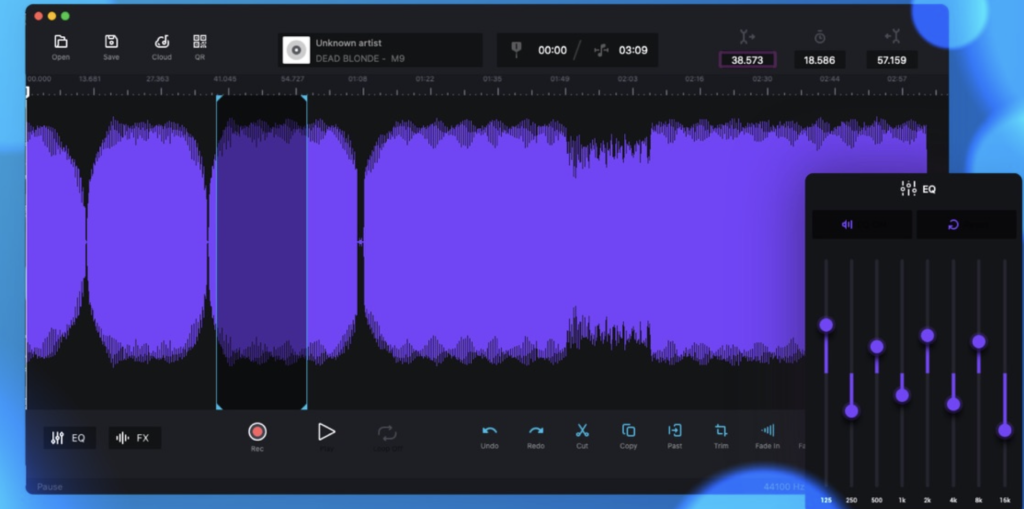
- Audio Editing: Audio Editor allows users to edit audio files by cutting, copying, pasting, and deleting selected areas within the audio waveform. This makes it easy to trim, rearrange, and edit audio content.
- Open and Save Audio Files: Users can open and save audio files in various formats, enabling them to work with a wide range of audio sources.
- Waveform Editing: The software provides a visual representation of the audio waveform, allowing for precise and visual editing of audio content. This makes it easier to make accurate edits.
- Ringtone and Jingle Creation: Users can use Audio Editor to create custom ringtones and jingles by editing and arranging audio clips as needed.
- Fine Selection: The software allows for fine selection on the waveform, ensuring that users can make precise edits and selections within the audio file.
- Timeline Navigation: Users can zoom in and out of the timeline to find and navigate to specific moments within the audio file, making it convenient for editing tasks.
- In-App Purchase: The full version of Audio Editor is available as an in-app purchase.
Compatibility:
Audio Editor – Merge, Split And Edit is compatible with macOS 10.13.2 or later, which means it can run on Mac computers with macOS High Sierra and later versions.
Official Homepage:
For more detailed information about Audio Editor, including pricing and download options, you can visit the official Audio Editor page on the iTunes App Store using the provided link: Audio Editor on iTunes.
Audio Editor can be a useful tool for individuals who need to edit and manipulate audio files on their Mac computers. It provides a user-friendly interface and essential audio editing features for tasks like trimming, cutting, and pasting audio clips.
Mac ABBYY FineReader PDF 15.2.13
02 years
by Jameskarke
in Application

Name : ABBYY FineReader PDF
Size : 900 MB
Mac ABBYY FineReader PDF 15.2.13
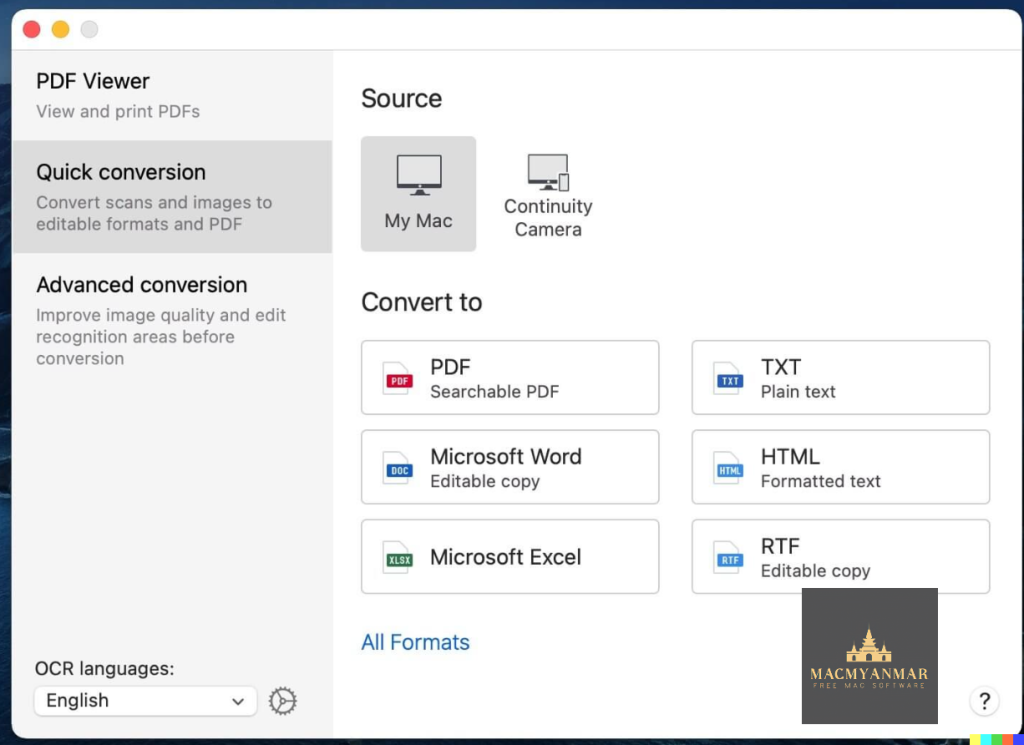
ABBYY FineReader PDF for Mac is a versatile software tool designed to help users transform paper documents, PDFs, and digital photos of text into editable and searchable files. It utilizes Optical Character Recognition (OCR) technology to accurately convert text from various sources into digital formats. Here are some key features and information about ABBYY FineReader PDF for Mac based on the details you provided:
Key Features of ABBYY FineReader PDF for Mac:
- Text Recognition: ABBYY FineReader PDF for Mac employs advanced OCR technology to recognize text from scanned documents, PDFs, and images. This allows you to convert printed or handwritten text into digital and editable formats.
- Edit and Search: Once the text is recognized, you can easily edit, search, share, archive, and copy the information from your documents. This saves time and effort compared to manual retyping.
- Optimize Document Tasks: The software is designed to streamline document management tasks, making it easier to perform various document-related operations in digital workflows.
- PDF Handling: ABBYY FineReader PDF for Mac allows you to work with PDF documents effectively. You can convert various types of PDFs into editable and searchable formats, such as Microsoft Word, Excel, RTF, ODT, and more.
- Make PDFs Searchable: It offers PDF-to-PDF conversion, enabling you to make all your PDF documents searchable and properly prepared for archiving.
- Create PDFs: You can create industry-standard PDFs from document images, scanned PDFs, or paper documents. This ensures effective collaboration, archiving, and accessibility.
- PDF Viewer: The software includes a built-in PDF Viewer that allows you to read and review PDF documents before converting them, making it convenient to check the content.
- Language Support: ABBYY FineReader PDF for Mac supports recognition in up to 198 languages and works with image files and PDFs in various languages and scripts, including Gothic (Fractur) scripts for old European printed documents.
- Enhanced User Experience: The software offers an improved user interface, supports Dark Mode on macOS, and is optimized for the Mac environment. It also integrates with iPhone for document capture using Continuity Camera.
- PDF/A and PDF/UA Support: You can convert documents to industry-standard PDF/A and PDF/UA formats to ensure long-term storage and accessibility.
- Compatibility: ABBYY FineReader PDF for Mac is compatible with macOS 10.15 or later.
Official Homepage:
For more detailed information about ABBYY FineReader PDF for Mac, including pricing and download options, you can visit the official ABBYY website provided in your message: ABBYY FineReader PDF for Mac.
This software can be a valuable tool for individuals and businesses that need to convert paper documents, scanned images, and PDFs into editable and searchable formats, enhancing document management and productivity.
Download iFunia Video Converter Pro for Mac V-7.4.0
02 years
by Jameskarke
in Application
Name : iFunia Video Converter Pro
Size : 91 MB
Download iFunia Video Converter Pro for Mac V-7.4.0
iFunia Video Converter is a video conversion software designed for Mac users, allowing them to convert video and audio files between various formats. Here are some key features and information about iFunia Video Converter based on the details you provided:
Key Features of iFunia Video Converter:
- Video and Audio Conversion: iFunia Video Converter is designed to convert both video and audio files. It supports a wide range of video and audio formats, making it versatile for different media conversion needs.
- Support for HD Video: The software supports HD video conversion, including formats like AVCHD MTS, M2TS, H.264/AVC, and HD MOV, among others.
- DVD Conversion: You can also use iFunia Video Converter to convert homemade DVDs into video and audio files, allowing you to digitize your DVD collection.
- High-Quality Output: iFunia Video Converter aims to maintain high video conversion quality while providing fast conversion speeds.
- Audio Extraction: It can extract audio from video files, allowing you to enjoy audio in formats like MP3 on various devices.
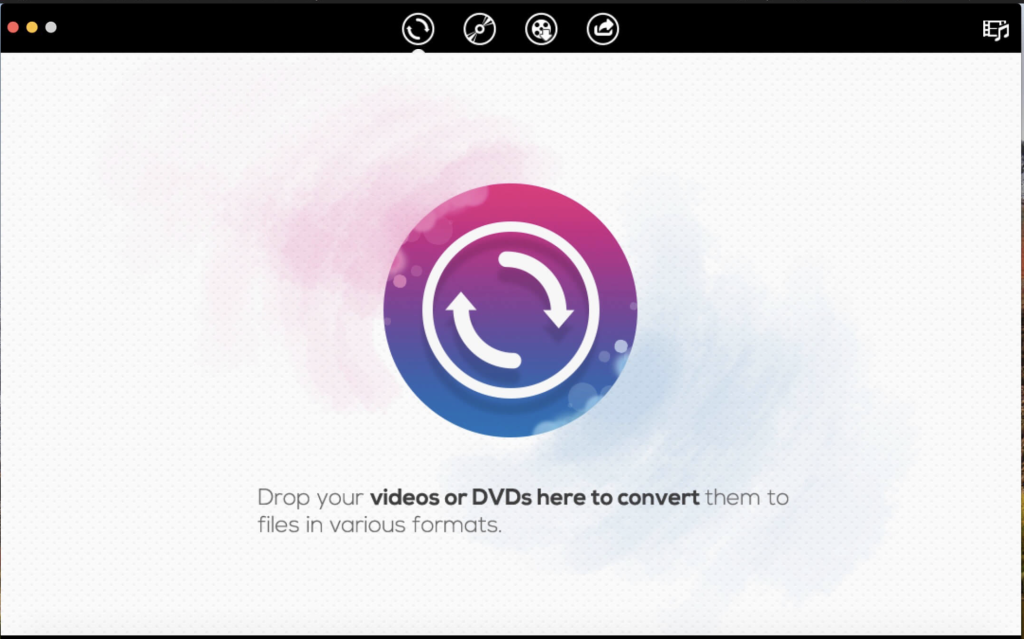
- User-Friendly: The software is designed to be user-friendly, with a straightforward interface. You can simply drag and drop your video or DVD files, select an output preset, and start the conversion process.
- Built-in Media Player: iFunia Video Converter includes a built-in media player, allowing you to preview your videos before and after conversion.
- Fast Conversion Speed: It claims to offer fast video conversion speeds, with up to 30X faster conversion compared to some other software.
- Presets for Various Devices: iFunia Video Converter includes presets for popular devices, making it easier to choose the appropriate output format for your specific device.
- Video Download: You can also use it to download video clips from popular video-sharing websites like YouTube, Vimeo, and Dailymotion.
- Video Editing: The software includes basic video editing features like adding watermarks, subtitles, and effects to your videos.
System Compatibility:
iFunia Video Converter is compatible with macOS 10.10 or later and requires a 64-bit processor.
Official Homepage:
For more detailed information about iFunia Video Converter, including pricing and download options, you can visit the official iFunia website provided in your message: iFunia Official Homepage.
iFunia Video Converter can be a useful tool for Mac users who need to convert, edit, and manage video and audio files for various purposes, including playback on different devices and digitizing DVDs. If you’re interested in using this software, you can explore its features and options on their official website.
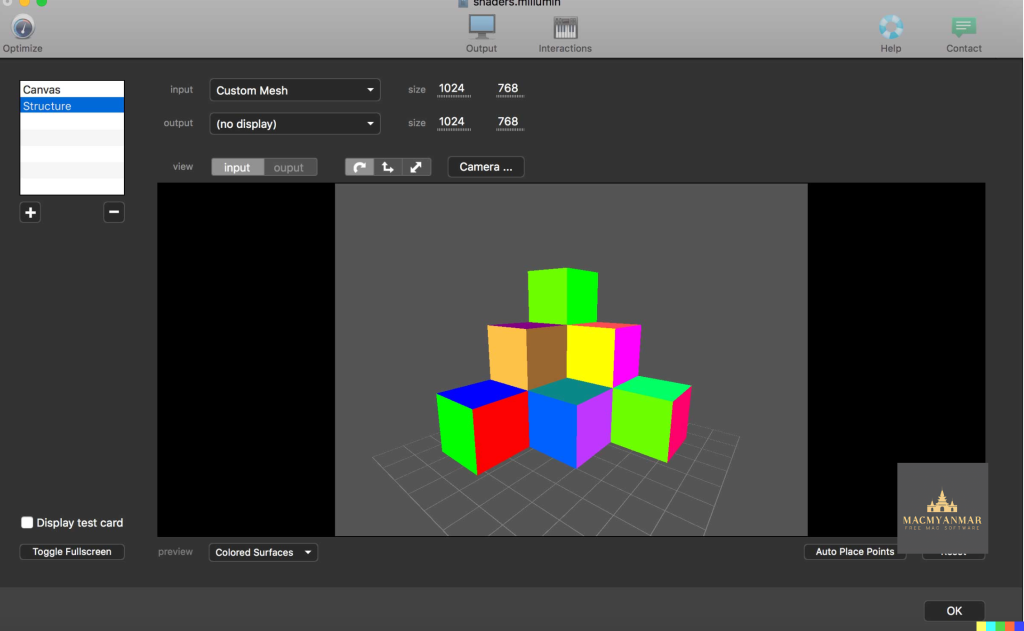
For Download Millumin 4 v4.16.g
02 years
by Jameskarke
in Application

Name : Millumin 4
Size : 83 MB
For Download Millumin 4 v4.16.g
Millumin is a software solution designed for creating audiovisual and interactive shows, making it suitable for various creative applications such as theater, dance, videomapping, and interactive installations. Here’s some information about Millumin based on the details you provided:
Key Features of Millumin:
- Audiovisual and Interactive Shows: Millumin is designed to help artists and creators bring their ideas to life by enabling the creation and execution of audiovisual and interactive shows.
- Tailored for Live Shows: The software is tailored to play live shows and effectively convey your story or artistic vision.
- Versatile Creative Tool: Millumin can be used across a range of creative fields, including theater, dance, videomapping (projection mapping), and interactive installations. This versatility makes it suitable for a wide variety of artistic and multimedia projects.
What’s New in Version 4 v4.16.g:
Unfortunately, the provided release notes do not contain specific details about the changes or updates included in this version. Users typically refer to release notes to understand the improvements, bug fixes, and new features introduced in software updates.
System Compatibility:
Millumin requires macOS 10.14 or later, which means it is compatible with Mac computers running macOS Mojave and later versions.
Official Homepage:
For more detailed information about Millumin, including its features, pricing, and downloading options, you can visit the official Millumin website provided in your message: Millumin Official Homepage.
Millumin appears to be a valuable tool for artists, designers, and performers looking to create immersive and interactive multimedia experiences for their audiences. If you’re interested in using Millumin, I recommend visiting their official website for the most up-to-date information and access to the software.