Free Macsoftware One click Download
Posts tagged Photography
Download Artstudio Pro for Mac V- 5.1.19
02 years
by Jameskarke
in Application
Name : Artstudio Pro
Size : 243 MB
Download Artstudio Pro for Mac V- 5.1.19
Artstudio Pro is a powerful painting and photo editing application available for macOS and iOS. It offers a wide range of features and tools for artists, photographers, and creative professionals. Here are some of the key features and capabilities of Artstudio Pro:
New Engine:
- Artstudio Pro is powered by the GPU-accelerated ArtEngine, which is 5-10 times faster than the previous engine.
- It supports working with multiple documents, large canvas sizes (up to 256 megapixels), and an unlimited number of layers.
- The application is highly optimized, ensuring a smooth workflow even with large canvases.
Multiple Open Documents:
- Artstudio Pro allows you to work with multiple open documents simultaneously.
- You can create and edit images with canvas sizes of up to 256 megapixels.
- There are no limits on the number of layers you can use in your projects.
Layer System:
- Artstudio Pro introduces a new layer system with grouping, non-destructive layer effects, and adjustment layers.
- You can organize your layers into groups, apply masks, and use clipping masks.
- The application offers nine layer effects, including bevel/emboss, stroke, inner shadow, outer glow, and more.
- Choose from 27 blending modes to control how layers interact.
Advanced Brush Engine:
- Artstudio Pro features a powerful and highly optimized brush engine that generates smooth and realistic brush strokes.
- You can create brushes with sizes of up to 4000×4000 pixels.
- The brush editor provides over 80 customizable settings, allowing you to create your own unique brushes.
- The application includes over 100 built-in brushes divided into categories like painting, sketching, markers, inking, and more.
Professional Photo Editing:
- Artstudio Pro offers a range of photo editing tools and adjustments designed in collaboration with professional photographers.
- You can apply 15 different adjustments as non-destructive layers or simple adjustments, including brightness/contrast, levels, curves, and more.
- Four auto adjustments are available: auto contrast, levels, lightness, and saturation.
- The application includes dozens of filters with real-time previews and the ability to generate seamless patterns.
- Other retouching tools such as heal, dodge, burn, and sponge are also available.
Import/Export:
- Artstudio Pro supports the import of various image formats, including PNG, JPEG, PSD, HEIC, TIFF, GIF, and most raw formats.
- The application can parse ABR and TPL files, importing not only brush stamps and patterns but also most settings converted to Artstudio Pro brush engine values.
- Export options include images (PNG, JPEG, PSD, TIFF, PDF) and other supported formats for different asset types.
Other Features:
- Full iCloud integration for seamless synchronization across macOS, iPad, and iPhone.
- Screen recording capabilities.
- Selection tools for creating marching ants, quick masks, or invisible selections.
- Snapping to guidelines, dynamic guidelines, and grids.
- Perspective grid assist for precise drawing.
- Mirror (flipped) view for symmetry.
- Canvas rotation for comfortable working angles.
Artstudio Pro is a versatile and feature-rich application that caters to artists, photographers, and creative enthusiasts looking for a powerful tool for painting and photo editing. It takes advantage of the latest technologies and offers a wide range of tools to boost creativity and bring ideas to life quickly and easily.

Download Topaz Photo AI for Mac V-2.0.0
02 years

Name : Topaz Photo AI
Size : 227 MB
Download Topaz Photo AI for Mac V-2.0.0
Topaz Photo AI is a software tool designed to enhance the quality of your photos by using artificial intelligence (AI) technology. It focuses on sharpening images, removing noise, and increasing resolution. Here are some key features and capabilities based on the provided information:
- Image Enhancement: Topaz Photo AI uses AI algorithms to enhance the quality of your photos. It specifically aims to make your photos sharper, clearer, and more detailed.
- Noise Reduction: The software includes noise reduction capabilities, which can be especially useful for improving the quality of photos taken in low-light conditions or with high ISO settings.
- Resolution Enhancement: It has the ability to increase the resolution of your photos. This can be beneficial when you want to upscale an image while preserving as much detail as possible.
- Creative Freedom: Topaz Photo AI is designed to empower photographers to focus on their creative aspects rather than spending extensive time and effort on technical image processing. The AI tools help enhance image quality.
- AI-Based Sharpening: The Sharpen AI module in the software is claimed to work differently from traditional sharpening techniques. It aims to naturally address issues like camera shake, motion blur, and misfocus to produce more realistic and artifact-free results.
- Compatibility: The software’s compatibility details are not specified, but it’s likely to work with popular operating systems and image formats.
- Human Creativity: The software emphasizes that AI can enhance image quality but cannot replace the artistic vision and creativity of a human photographer. It’s meant to be a tool that complements the photographer’s skills.
As with any image enhancement software, it’s important to exercise caution and use these tools judiciously to avoid overprocessing images. The software’s website, provided as “https://topazlabs.com/,” should offer more information on its features, compatibility, and user guides to help you get the most out of this AI-powered photo enhancement tool.
Download Pixelmator Pro 3.4.2 for Mac free
03 years
by Jameskarke
in Application

Name : Pixelmator Pro
Size : 602 MB
Download Pixelmator Pro 3.4.2 for Mac free
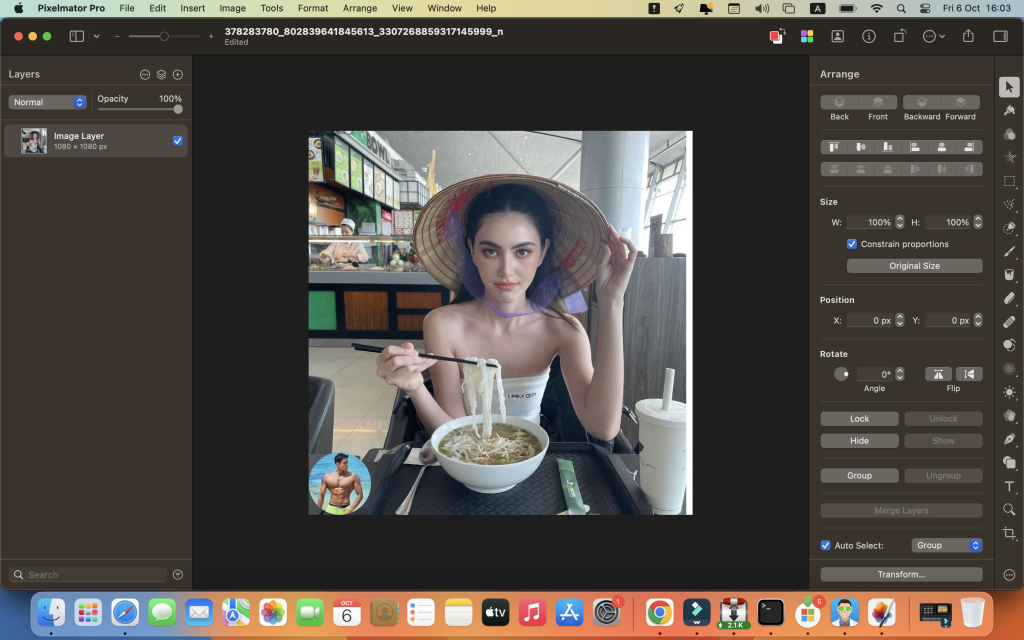
Pixelmator Pro is a powerful, user-friendly image editing software designed exclusively for macOS. It offers a wide range of professional-grade tools and features for image editing, composition, design, painting, and more. Here are some key aspects of Pixelmator Pro:
- Modern Interface: Pixelmator Pro features a single-window interface designed specifically for Mac users. It offers a clean and intuitive design that makes image editing accessible for both beginners and experienced users.
- Adaptive Appearance: The app adapts to your Mac’s light and dark modes, ensuring a seamless experience in different environments.
- Customizable Interface: Users can customize the interface to suit their preferences and workflows. Workspace presets are available for various creative tasks, such as photography, design, illustration, and painting.
- Photos Extension: Pixelmator Pro includes a full-featured Photos extension, allowing you to edit images directly within the Photos app. Edits made in Pixelmator Pro are saved as layered, nondestructive edits in your Photos library.
- Professional Editing Tools: It offers a comprehensive set of image editing tools, supporting nondestructive editing. You can move, resize, arrange, and adjust objects in your compositions. The app also includes advanced color adjustment tools powered by machine learning.
- RAW Support: Pixelmator Pro provides excellent support for RAW image files, allowing you to edit them with access to their extended range data.
- Painting: Create digital or traditional paintings using customizable dual-texture brushes. The app fully supports digital graphics tablets, making it suitable for digital artists.
- Effects and Presets: Combine built-in effects to create artistic or special effects. Save your adjustment, effect, and layer style combinations as presets for future use.
- Retouching: The app includes retouching tools for removing imperfections, objects, or retouching specific areas of your photos.
- Text and Typography: Design text with a full set of typography tools. You can create curved, circular, and path text easily.
- Vector Graphics: Pixelmator Pro includes customizable vector graphics designed by the Pixelmator Team, and you can create your own vector graphics using the Pen tool.
- Web Optimization: Optimize and save images for the web with advanced compression options to reduce file sizes.
- Machine Learning Enhancements: The app employs machine learning to perform tasks like object removal, image enhancement, resolution boosting, color matching, and noise reduction.
- Compatibility: Pixelmator Pro supports a wide range of image formats, including PSD (Photoshop), SVG, PDF, HEIF, GIF, and more.
- AppleScript Support: You can automate workflows using AppleScript support.
- macOS Integration: Pixelmator Pro is designed exclusively for macOS and seamlessly integrates with macOS Big Sur.
Pixelmator Pro is a versatile image editor that caters to various creative needs, from basic photo enhancements to complex digital art projects. Its user-friendly interface and extensive feature set make it an excellent choice for Mac users looking to edit and create stunning images.
Download Artstudio Pro for Mac V-5.1.18
03 years
by Jameskarke
in Application
Name : Artstudio Pro
Size : 243 MB
Download Artstudio Pro for Mac V-5.1.18
Artstudio Pro is a powerful digital painting and photo editing application available for both macOS and iOS. It is designed to provide artists, designers, and photographers with a wide range of creative tools and features. Here are some key features and capabilities of Artstudio Pro:
Key Features:
- New Engine: Artstudio Pro utilizes a powerful GPU-accelerated ArtEngine, which is significantly faster than previous engines. This results in smoother workflow, even with large canvas sizes and an unlimited number of layers.
- Multiple Open Documents: You can work on multiple documents simultaneously, and the canvas size can go up to 256 megapixels, allowing for high-resolution artwork.
- Flexible Layer System: Artstudio Pro introduces a new layer system with grouping, non-destructive layer effects, and adjustment layers. This offers greater control over your artwork.
- Advanced Brush Engine: The application features an advanced brush engine optimized for lag-free, real-looking strokes. It includes over 100 built-in brushes, customizable settings, and support for large brush sizes.
- Professional Photo Editing: Artstudio Pro includes a comprehensive set of photo editing tools developed in collaboration with professional photographers. These tools allow you to make non-destructive adjustments, apply filters, retouch images, and more.
- Import/Export: The app supports a wide range of import and export formats, including popular image formats, brushes, color swatches, patterns, gradients, and fonts. It can read settings from ABR and TPL brushes, making them compatible with Artstudio Pro’s brush engine.
- iCloud Integration: Full iCloud integration ensures seamless synchronization of your work across macOS, iPad, and iPhone devices.
- Additional Features: Artstudio Pro includes selection tools, snapping to guidelines, dynamic guidelines, grids, perspective grid assist, canvas rotation, and more.
Whether you’re a digital artist, illustrator, designer, or photographer, Artstudio Pro offers a comprehensive set of tools and features to enhance your creative workflow on macOS and iOS devices.
Please note that Artstudio Pro requires macOS 11.0 or later for macOS compatibility.
Mac Software ACDSee Photo Studio 9.3.2859
03 years

Name : ACDSee Photo Studio
Size : 182 MB
Mac Software ACDSee Photo Studio 9.3.2859
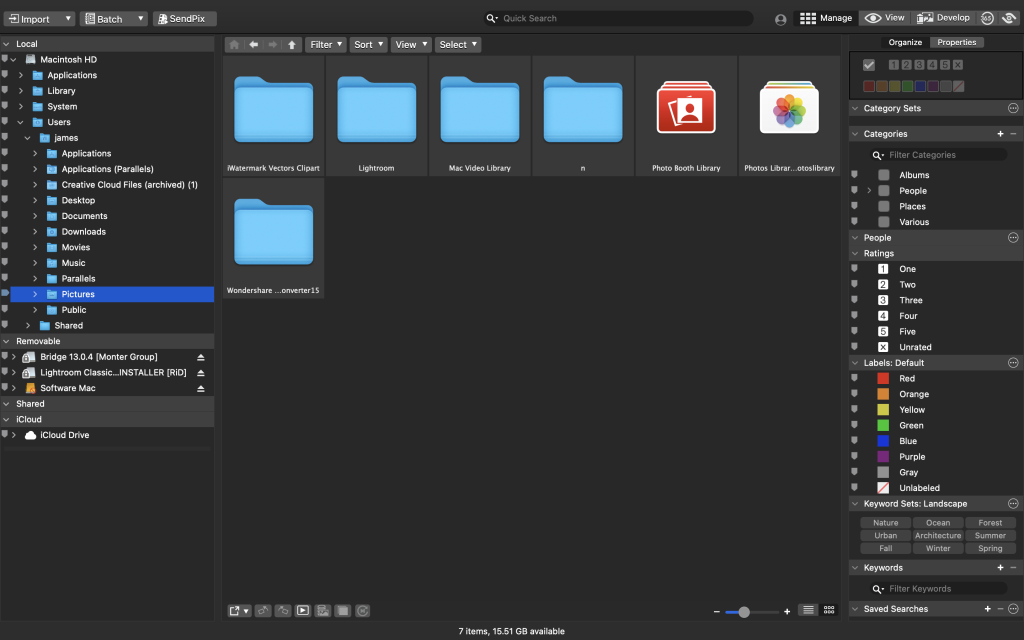
ACDSee Photo Studio for Mac is a digital asset manager and RAW processor designed to help photographers efficiently manage, organize, and edit their image collections. It offers a range of features and tools to streamline the photography workflow. Here are some key highlights of ACDSee Photo Studio for Mac:
1. Digital Asset Management:
- ACDSee Photo Studio allows you to manage your image collection efficiently with one-click searches, drag-and-drop searching, and saved searches.
- It provides import-free access to your images, making it convenient to organize and access your photos.
2. Speed and Performance:
- The software offers faster launching, browsing, scrolling, and searching for a smoother user experience.
- It is optimized for speed and efficiency in handling large image libraries.
3. Organizational Tools:
- ACDSee Photo Studio includes sleek organizational tools to help you sort and categorize your photos.
- Easy-Select Tabs allow you to select or deselect multiple folders and subfolders in your file tree.
4. iCloud Integration:
- Users can access iCloud Drive directly through ACDSee to easily backup and share files.
5. Keyword Management:
- The software provides improved keyword management, with frequently-used keyword sets pre-loaded.
- Users can import and export established keyword lists for convenience.
6. Saved Searches:
- ACDSee Photo Studio allows you to create and save searches based on specific criteria, providing quick access to search results with a single click.
7. RAW Support:
- The software supports over 550 camera models, offering RAW processing capabilities for a wide range of cameras.
8. Non-Destructive Adjustments:
- A full toolkit of non-destructive adjustments is available for editing photos without compromising image quality.
ACDSee Photo Studio for Mac is designed to be a valuable resource for photographers, providing tools for image management, organization, and editing. Whether you’re a professional photographer or an enthusiast, this software aims to enhance your photography workflow and productivity.
Please note that the specific features and improvements in version 9.3.2859 are not provided in the description, as release notes were unavailable at the time of the listing update. Users can refer to the official website or documentation for detailed information on the latest version’s enhancements and bug fixes.
Download Pixea Plus 5.1 Mac
03 years
by Jameskarke
in Application

Name : Pixea Plus
Size : 140 MB
Download Pixea Plus 5.1 Mac
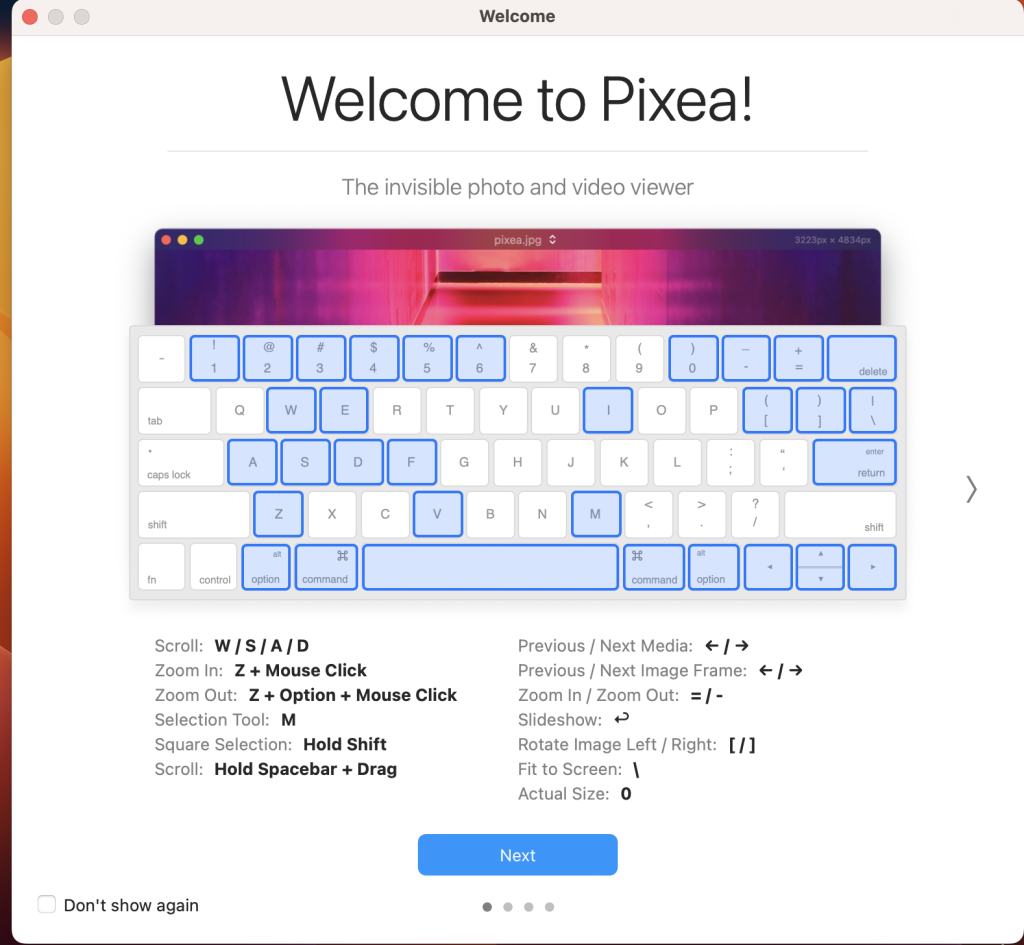
Pixea is a versatile image viewer for macOS that offers a sleek and modern user interface. It’s designed to provide users with a simple and intuitive way to view images, including support for a wide range of image formats. Pixea is also capable of basic image processing tasks, such as flipping and rotating images. Here are some key features and capabilities of Pixea:
Supported Image Formats:
- Pixea supports a variety of image formats, including JPEG, HEIC, GIF, PNG, TIFF, Photoshop (PSD), BMP, fax images, macOS and Windows icons, Radiance images, Google’s WebP, and more.
- It also supports various RAW formats from different camera manufacturers, such as Leica DNG and RAW, Sony ARW, Olympus ORF, Minolta MRW, Nikon NEF, Fuji RAF, Canon CR2 and CRW, Hasselblad 3FR.
- Additionally, Pixea can preview Sketch files, although it doesn’t provide full editing capabilities for Sketch files.
Basic Image Processing:
- Pixea offers basic image processing features, allowing you to flip and rotate images as needed.
- It also provides information about images, including color histograms and EXIF data.
User-Friendly Interface:
- Pixea’s user interface is designed to be minimal and modern, providing an uncluttered and pleasant viewing experience.
- The application supports keyboard shortcuts and trackpad gestures for easy navigation and interaction with images.
Archive Support:
- Pixea can display images contained within ZIP archives without the need to extract them, making it convenient for browsing archived image collections.
Export Options:
- The application allows you to export images in various formats, including JPEG, JPEG-2000, PNG, TIFF, and BMP.
System Compatibility:
- Pixea is compatible with macOS 10.12 or later.
Whether you need a simple and efficient image viewer or want to quickly browse images within archives, Pixea provides a user-friendly solution for macOS users. You can download Pixea from the Mac App Store to explore its features and capabilities further.
Download Image Resizer – Resize Photos 2.5
03 years
by Jameskarke
in Application
Name : Image Resizer – Resize Photos
Size : 5 MB
Download Image Resizer – Resize Photos 2.5
We capture our precious moments in the form of images and always want to share them with our family and friends. But a lot many times, we are unable to do so due to large image sizes. A perfect solution to this problem is Image Resizer.
It is a useful and effective tool to resize single and multiple images, without compromising with image resolution and its quality. Using this tool, you can select photos from Photos Library, Photos or from any folder on your machine.
Get the all new Image Resizer app and be assured that you have the best tool to resize, crop, rotate, flip any image to any direction or convert it to any other format.
Awesome tool for photo resizing.
Key functions
• Resize single or batch of photos
• High quality results and great speed
• Easy image compression
• Predefined settings option
• Easily convert pictures into different formats
• Resize and convert
• User friendly UI
• Easy selection of output resolution, rename files or compress, choose a specific destination to save resized images.
• Rotate image to 90 degrees clockwise, anti-clockwise, rotate 180 degrees, Flip Horizontal and Vertical.
• Custom size can be chosen and photo can be resized percentage wise
• Resized images do not lose quality
Compatibility: macOS 10.13 or later
Mac App Store https://apps.apple.com/app/id1188274404

Download SILKYPIX Developer Studio Pro 11.0.11.0
03 years
by Jameskarke
in Application

Name : SILKYPIX Developer Studio Pro
Size : 414 MB
Download SILKYPIX Developer Studio Pro 11.0.11.0
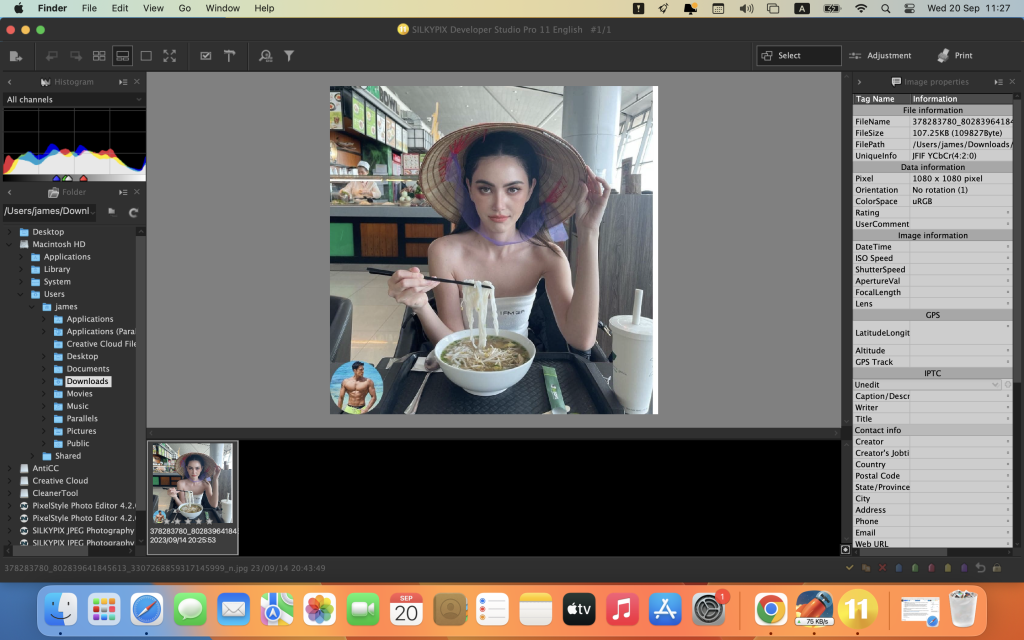
SILKYPIX Developer Studio Pro is a professional-grade RAW development software that provides advanced features and tools for photographers to process and enhance their RAW image files. Here are some key features and information about SILKYPIX Developer Studio Pro:
Key Features:
- Compositing Multiple RAWs: SILKYPIX Developer Studio Pro allows users to composite multiple RAW images, enabling creative photographic expression by combining different shots into one.
- Fine Detail Mode: The software offers a “Fine detail” mode for optimal noise reduction, ensuring high-quality image processing with minimal noise.
- Tone-Dehaze Slider: This slider allows you to adjust the tone and dehaze your images, improving clarity and reducing atmospheric haze or fog in photos.
- Exposure Bias-Highlight/Shadow Slider: You can make precise adjustments to exposure and control highlights and shadows using these sliders.
- Lens Aberration Correction: The software includes lens aberration correction features, including distortion correction based on lens profiles and simultaneous recording with JPEGs for distortion correction.
- Effect Options: SILKYPIX offers options for adding effects, such as blurring or sharpening the periphery of your images.
- Partial Correction Tools: You can perform partial corrections using tools like curve adjustments, polygon area selection, and color selection for targeted editing.
- Automatic Adjustment Button: There is an automatic adjustment button that can quickly apply automated adjustments to your images.
- Noise Reduction: You can control the level of noise reduction, particularly for shadow areas in your photos.
- Thumbnail Search: The software allows you to search for images in the thumbnail view, making it easier to find specific images in your library.
- Customization: SILKYPIX Developer Studio Pro provides customization options, including the ability to add user mark colors, arrange initialization buttons, and customize the toolbar.
- Control Palette: The control palette gives you easy access to various image adjustments and settings.
Compatibility: SILKYPIX Developer Studio Pro is compatible with macOS 10.13 (High Sierra) or later versions of the operating system.
Homepage: You can find more information about SILKYPIX Developer Studio Pro and explore its features on the official website at https://silkypix.isl.co.jp/en/product/dsp8/.
SILKYPIX Developer Studio Pro is designed for photographers who work with RAW image files and require advanced tools and features for processing and enhancing their photos. It offers a wide range of adjustments and customization options to meet the needs of professional photographers and enthusiasts alike.
Mac software SILKYPIX JPEG Photography 11.2.11.0
03 years
by Jameskarke
in Application

Name : SILKYPIX JPEG Photography
Size : 101 MB
Mac software SILKYPIX JPEG Photography 11.2.11.0
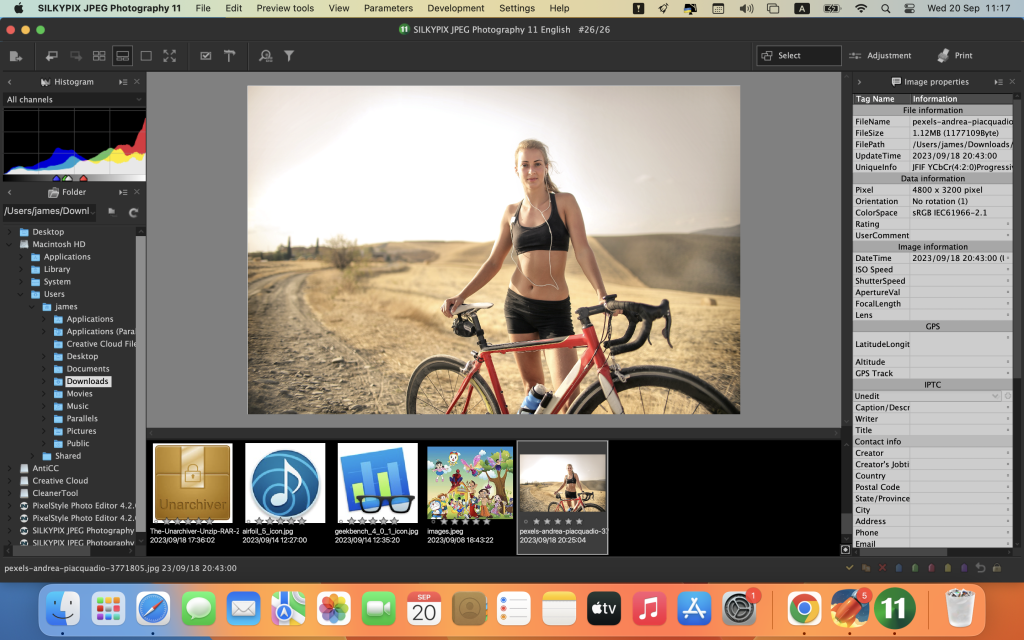
SILKYPIX JPEG Photography is a photo editing software designed to improve and enhance JPEG photos taken with digital cameras, smartphones, and other devices. It provides a range of tools and features to help you adjust and refine your images. Here are some key features and information about SILKYPIX JPEG Photography:
Key Features:
- Clarity Tools: SILKYPIX JPEG Photography offers clarity tools to adjust the sharpness of your photos. You can enhance the clarity and sharpness of your images to achieve the desired look.
- Freehand Selection Brush: The software provides a freehand selection brush and other selection tools to make precise selections in your photos. This allows you to apply adjustments to specific areas of the image.
- 16-Bit Gradation: While JPEG images are typically 8-bit (256 gradations), SILKYPIX JPEG Photography automatically expands them to 16-bit (65,536 gradations) using SILKYPIX RAW Bridge. This high gradation adjustment helps improve image quality.
- Tastes Presets: The software includes “tastes,” which are presets that incorporate various styles and forms. You can choose a taste that matches your desired image style, such as “Landscape” or “Portrait,” to quickly enhance your photos. You can also save your custom parameters as taste presets for future use.
- Spotting Tool: SILKYPIX JPEG Photography includes a Spotting Tool that allows you to remove unwanted objects or imperfections in your photos. This is useful for dust spots or sensor contamination that may appear in images.
- Rotation and Cropping: You can adjust and apply rotation and cropping to your photos as needed to achieve the desired composition and framing.
- Batch Processing: If you have multiple images that require similar adjustments, you can apply corrections and adjustments to all selected images simultaneously. This is especially useful for images shot in continuous shooting mode.
Compatibility: SILKYPIX JPEG Photography is compatible with macOS 10.10 (Yosemite) or later versions of the operating system.
Homepage: You can find more information about SILKYPIX JPEG Photography and explore its features on the official website at https://silkypix.isl.co.jp/en/product/jp8/.
SILKYPIX JPEG Photography is designed to help photographers and enthusiasts improve the quality of their JPEG images by offering a range of editing and enhancement tools. Whether you want to adjust sharpness, remove imperfections, or apply preset styles, this software can be a useful tool for enhancing your photos.
Download PixelStyle Photo Editor for Mac v-4.2.0
03 years
by Jameskarke
in Application
Name : PixelStyle Photo Editor
Size : 71 MB
Download PixelStyle Photo Editor for Mac v-4.2.0
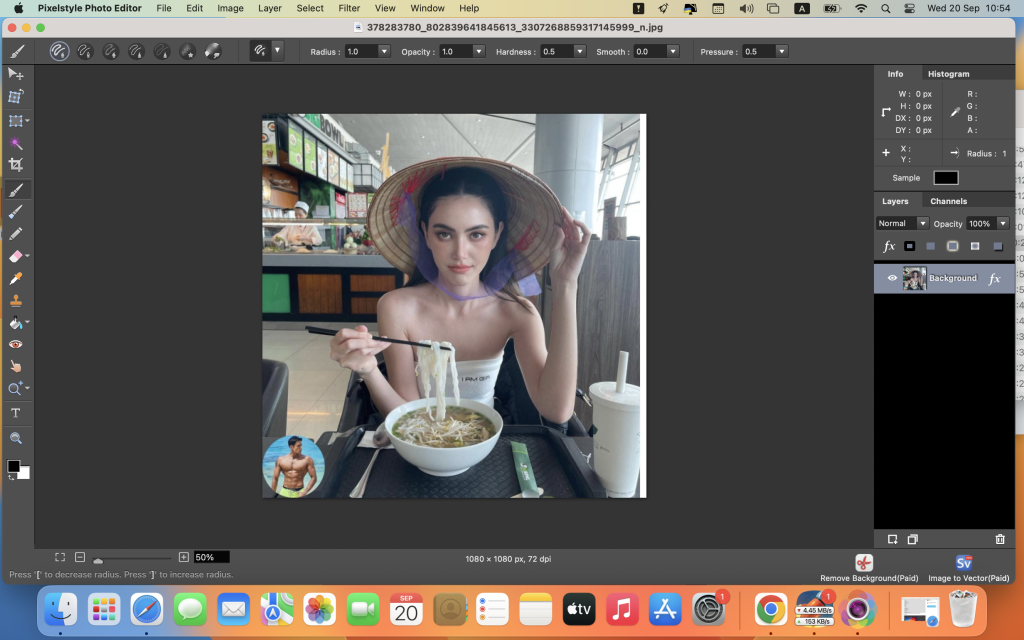
PixelStyle Photo Editor is a feature-rich photo editing software designed for macOS. It offers a wide range of tools and features for editing photos and creating original artworks. Here are some of the key features and functions of PixelStyle Photo Editor:
Useful Photo Editing Tools:
- Text Tool: Allows you to add and customize text with options like bold, italics, and kerning.
- Image Editing Tools: Includes features such as cloning, smudging, alpha channel editing, cropping, paint bucket, gradient filling, and more.
- Red-Eye Removal Tool: Helps you remove red-eye effects from photos.
- RGBalpha and Alpha Channel Editing Tools: Allows for advanced color and transparency adjustments.
- Drawing Tools: Offers various drawing tools with adjustable pressure sensitivity, including basic drawing, pixel drawing, and texture painting.
- Free Transformation Tools: Includes zoom, move, resize, rotate, skew, align, and free perspective transformation options.
- Multipath Selection and Editing Tool: Enables complex selections and editing of multiple paths.
Photo Adjustments:
- Various adjustment options like brightness, contrast, hue, saturation, white point, monochrome, color ramp, invert, curve, gamma adjust, and more.
- Posterize, sepia, threshold, and other adjustment filters.
Layers System:
- Non-destructive layer effects such as strokes, inner glow, outer glow, shadows, and fills.
- Layer adjustments like sharpen, blur, exposure, saturation, brightness, contrast, and more.
- Single layer manipulation with options for rotation, resizing, moving, aligning, and more.
- Multi-layer management including duplication and batch operations.
Flexible Compatibility:
- Supports a wide range of image formats, including png, jpg, gif, bmp, pdf, svg, raw, heic, jpeg, tiff, pict, and more.
- Allows exporting images to svg, pdf, bmp, png, tiff, jpeg, jpg, gif, jp2, and other formats.
- You can save your project files for future editing.
Dozens of High-quality Filters:
- Offers a variety of filters for tasks like blurring, distortion effects, enhancing, noise reduction, generating patterns, stylizing, halftoning, and applying tile effects.
Compatibility: PixelStyle Photo Editor is compatible with macOS 10.12 (Sierra) or later versions.
Mac App Store: You can find and download PixelStyle Photo Editor from the Mac App Store at http://apps.apple.com/app/photo-image-editor-pixelstyle/id1244649277.
PixelStyle Photo Editor provides a comprehensive set of tools and filters for photo editing and creative artwork creation on macOS. It’s suitable for users looking for an alternative to Adobe Photoshop and offers a wide range of features for image manipulation and enhancement.