Free Macsoftware One click Download
Application
Download Adobe Character Animator 2024 v24.0
02 years

Name : Adobe Character Animator 2024
Size : 3.24 GB
Download Adobe Character Animator 2024 v24.0
Adobe Character Animator 2024 is an innovative software that allows you to create animated characters in real-time. It uses your facial expressions and movements to animate your characters, making the animation process more intuitive and interactive. Here are some key features and capabilities of Adobe Character Animator:
1. Real-time Animation: With Character Animator, you can create and animate characters in real-time. It uses your webcam and microphone to capture your facial expressions, lip-syncing, and movements to bring your characters to life as you perform.
2. Character Creation: The software offers multiple ways to create characters. You can use the Characterizer feature powered by Adobe Sensei AI to turn artwork into animated characters. Additionally, you can modify built-in character templates or import art from Adobe Illustrator or Photoshop.
3. Expressive Characters: Character Animator matches your expressions in real-time, making your characters mimic your emotions. Whether you smile, nod, or show surprise, your characters will react accordingly.
4. Gestures and Movements: You can control gestures and movements with your keyboard or MIDI device. Character Animator simplifies the animation process by allowing you to save movements as buttons for easy access.
5. Replays Feature: The Replays feature lets you capture your best moments and create triggers that you can reuse in live performances or future recordings. It helps streamline your animation workflow.
6. Magnets for Interactivity: Characters can interact with static objects, allowing them to pick up items, throw objects, or perform actions like drinking from a cup. This feature adds interactivity to your animations.
7. Improved Walking Behavior: Character Animator includes improved walking behavior with the addition of right and left shoulder and hip tags. This enhances the realism of three-quarter drawn characters when walking.
8. Integration with Adobe Apps: Character Animator seamlessly integrates with other Adobe applications like Premiere Pro and After Effects, allowing you to incorporate your animated characters into larger projects.
9. Multilingual Support: Character Animator is available in multiple languages, making it accessible to a global user base.
Adobe Character Animator 2024 is a powerful tool for animators, video content creators, and anyone interested in bringing animated characters to life. Its real-time animation capabilities and integration with other Adobe apps make it a valuable addition to the Adobe Creative Cloud suite. It’s designed for macOS 10.15 or later and supports both Apple Silicon and Intel Core processors.
Download Adobe Lightroom Classic 2024 V-13.0.1
02 years

Name : Adobe Lightroom Classic 2024
Size : 3.58 GB
Download Adobe Lightroom Classic 2024 V-13.0.1
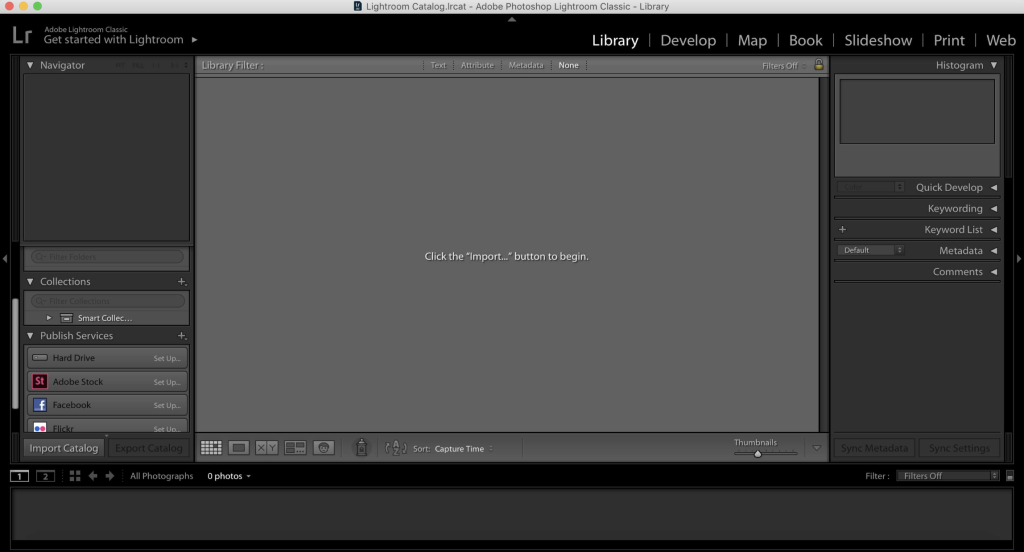
Adobe Lightroom Classic CC is a powerful and widely used photo editing and organization software. It is designed for both amateur and professional photographers, offering a comprehensive set of tools and features for enhancing and organizing photos. Here’s an overview of its features and capabilities:
1. Photo Editing: Lightroom Classic CC provides a wide range of editing tools to adjust and enhance photos. You can make color corrections, remove blemishes, straighten crooked images, and apply various creative effects. The software offers a non-destructive editing process, meaning your original photos remain unchanged.
2. Performance Improvements: Adobe has worked on improving the software’s performance, making tasks like photo import, generating previews, and moving between the Library and Develop modules faster.
3. Range Masking: The range masking feature allows you to select specific areas in your photos for editing based on their color, luminance, or depth. This enables more precise and controlled adjustments.
4. HDR Panorama Creation: Lightroom Classic now enables you to merge multiple bracketed exposures into HDR photos and then stitch them into a panorama in a single step. This simplifies the process of creating stunning, high-dynamic-range panoramic images.
5. GPU Support: The software supports GPU acceleration, which leverages your computer’s graphics card to accelerate image editing, resulting in faster processing.
6. Cloud Integration: Adobe offers cloud-based features that allow you to store and access full-resolution photos in the cloud. You can access your photos from anywhere, automatically tag your images for easier organization, and edit them on any device with an intuitive, streamlined interface.
7. Color Labels: You can use color labels to organize and categorize your photo collections, making it easier to find and manage your images.
8. Camera and Lens Support: Adobe frequently updates Lightroom Classic to add support for new cameras and lens profiles, ensuring compatibility with the latest photography equipment.
9. System Requirements: Lightroom Classic CC is available for both Windows and macOS. The minimum requirements include an Intel or AMD processor, 4 GB of RAM (12 GB recommended), and 2 GB of available hard-disk space. A monitor with a resolution of 1024 x 768 pixels and an internet connection are also required.
Compatibility: The software is compatible with macOS 10.15 or later and supports both Apple Silicon and Intel Core processors.
Adobe Lightroom Classic CC is a valuable tool for photographers who need advanced photo editing capabilities and efficient photo organization. Its integration with the Adobe Creative Cloud ecosystem makes it easier to access and work on your photos from various devices.
Download Software Debit & Credit Premium 6.2.1
02 years
by Jameskarke
in Application

Name : Debit & Credit Premium
Size : 12 MB
Download Software Debit & Credit Premium 6.2.1
Debit & Credit is a personal finance app designed for macOS that offers convenient, easy-to-use features to help you manage your finances effectively. Whether you want to keep track of your accounts, create budgets, generate financial reports, or plan for the future, Debit & Credit has you covered. Here are some of the key features and functions of Debit & Credit:
All Accounts in One App: You can manage all your financial accounts in one place, making it easy to keep track of your everyday finances.
Super Fast: Debit & Credit is designed for speed and efficiency. Creating a new transaction takes just seconds, and the app aims to simplify the financial record-keeping process.
Companion iOS & Apple Watch App: Debit & Credit offers companion apps for iPhone and iPad, allowing you to add transactions on the go. Data is synchronized via iCloud, ensuring that you have access to your financial information across all your devices.
Importing Data: The app supports importing transactions from financial institutions in various file formats, including CSV, QIF, QMTF, OFX, and QFX. You can choose which specific transactions to import from a file, offering flexibility and control.
Budgets & Scheduled Transactions: Debit & Credit enables you to create budgets for expense categories and schedule future transactions, ensuring that you stay on top of your financial commitments.
Financial Plans: You can plan for the future by creating a financial plan for the upcoming year. Compare your financial performance against your plan and project your future net wealth.
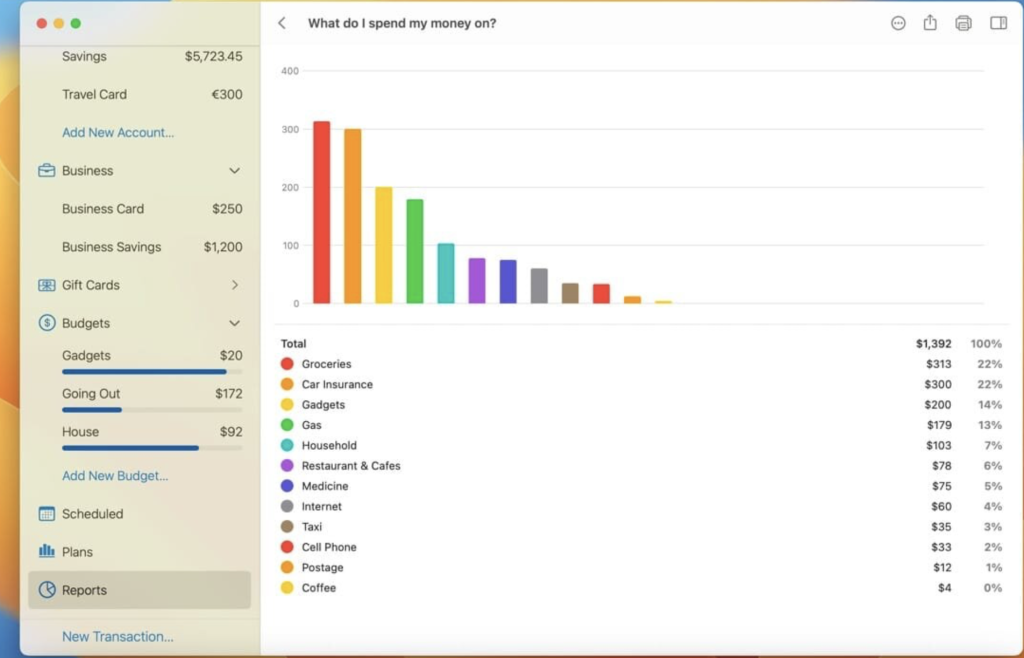
Reports: Debit & Credit offers clear and concise reports to help you understand your spending patterns. You can visualize your expenses and income, among other types of reports.
Shared Accounts: If you want to share specific accounts with a family member, Debit & Credit allows you to do so via iCloud, while keeping other accounts private. This is ideal for managing family finances.
Bank Reconciliation Mode: You can reconcile your accounts with bank statements within the app, helping you identify and resolve any discrepancies.
Transaction Attachments: Debit & Credit allows you to attach files to transactions, such as receipts or invoices. You can even use Continuity Camera to scan documents or take photos with your iPhone and have them appear in the Mac app.
Powerful Features: The app includes features like split categories, Touch ID support, pending transactions, transaction export, transaction tags, printing reports, and saving reports as PDF files.
iCloud Sync: All your data is stored in iCloud, ensuring privacy and easy access across your devices.
What’s New in Version 6.0.1:
- Bug fixes and improvements related to report layouts.
- Various language support: English, Dutch, French, German, Italian, Portuguese, Russian, Simplified Chinese, Spanish, Turkish, Ukrainian.
Debit & Credit offers both free and premium versions, with the premium version available as an in-app purchase.
System Requirements: Debit & Credit is compatible with macOS 10.14.5 or later.
Whether you want to manage your personal finances, budget effectively, or keep track of expenses, Debit & Credit is a versatile and user-friendly solution for macOS users.
Download Movie Thumbnails Maker for Mac V-4.4.0
02 years
by Jameskarke
in Application

Name : Movie Thumbnails Maker
Size : 39 MB
Download Movie Thumbnails Maker for Mac V-4.4.0
Movie Thumbnails Maker is a tool designed to create visually appealing movie thumbnails that offer a quick overview of the content of the latest movies. It helps you generate captivating thumbnails for your movie collection or for showcasing the latest films. Here are the key features and functions of Movie Thumbnails Maker:
Key Features:
- Format Support: Movie Thumbnails Maker supports a wide range of video formats, including AVI, WMV, RM, MPG, TS, MKV, MOV, FLV, MP4, RMVB, and more. You can create thumbnails for various types of video files.
- Fast and Easy: The software offers a fast and user-friendly solution for generating movie thumbnails. With a single click, you can create an appealing overview of a movie without any guesswork.
- Customization: Movie Thumbnails Maker provides customization options for your thumbnails. You can adjust settings such as background color, border color, and the position of metadata. This allows you to tailor the thumbnail appearance to your preferences.
- Batch Processing: The software supports batch processing, enabling you to create thumbnails for multiple movie files simultaneously. You can apply the same settings to each movie in the batch, streamlining the process.
- Output Formats: Movie Thumbnails Maker offers flexibility in choosing the output image format. You can save the movie thumbnails in formats such as BMP, PNG, TIFF, and JPEG.
System Requirements: Movie Thumbnails Maker is compatible with macOS 10.10 or later.
With Movie Thumbnails Maker, you can quickly and effortlessly generate captivating thumbnails for your movie collection. Whether you want to create a visually appealing overview of the latest movies or enhance your movie library, this software provides an efficient solution.

Download Project Office X Pro for Mac V-1.1.10
02 years
by Jameskarke
in Application

Name : Project Office X Pro
Size : 16 MB
Download Project Office X Pro for Mac V-1.1.10
Project Office is a project management software designed to assist you in managing, creating, and monitoring your projects. It provides a range of features to help you organize your work efficiently, from Gantt charts and schedules to task management and resource allocation. Here are some of the key features and functions of Project Office:
Main Features:
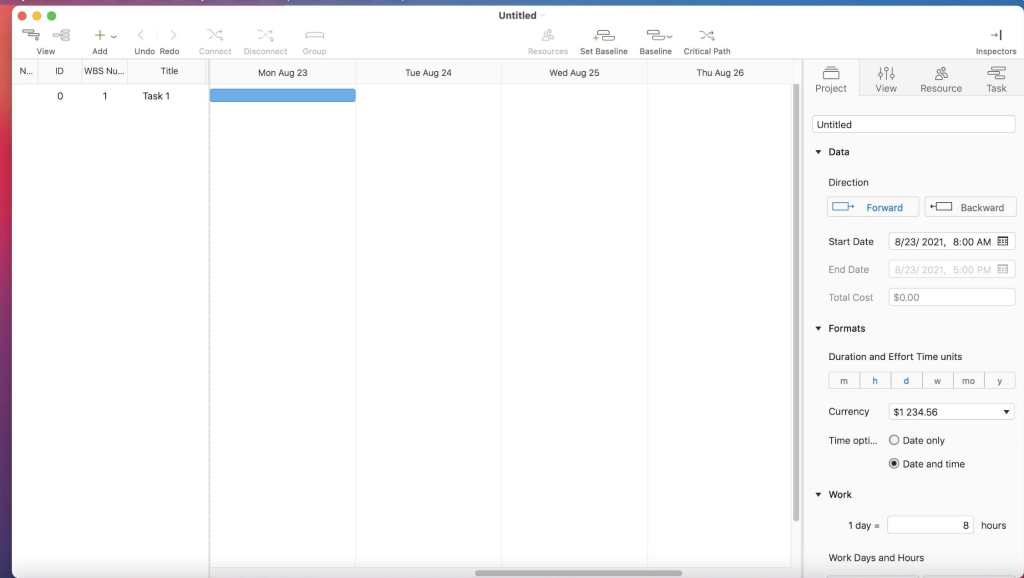
- Gantt Chart: Project Office includes a Gantt chart view that allows you to monitor your entire project plan at a glance. Tasks are visually displayed on a timeline, showing details such as task duration, start and due dates, completion percentage, dependencies, and assigned resources. You can also edit tasks directly within the Gantt chart view.
- Intuitive Interface: The software offers a friendly and intuitive interface that is easy to navigate. It streamlines your project management tasks and helps you get things done efficiently.
- Resource Management: You can add resources to your projects, including people or materials, to ensure that the necessary elements are in place for project completion. This feature helps you identify potential bottlenecks and distribute workloads effectively.
- Change Tracking: Project Office allows you to set a baseline for your project plan and track changes by comparing the baseline with the actual progress. This feature helps you monitor and manage deviations from the original plan.
- Customized Calendar: Modify work hours for the entire project, taking into account off-time and weekends to create a more realistic project schedule.
- Smart Filters: Use filters to focus on specific tasks and hide those that are not currently relevant. This feature helps you manage your tasks more efficiently by reducing clutter.
- Sharing Projects: You can share your projects with colleagues or email Gantt charts as PDFs. Additionally, you can create task and resource reports and send them as HTML for convenience.
- iCloud Backup: Project Office offers iCloud backup support, allowing you to back up your projects and keep all your project-related information safe.
- Critical Path: The software displays the critical path of your project, which is the sequence of tasks essential for finishing your project on schedule.
System Requirements: Project Office is compatible with macOS 10.13 or later.
Project Office is designed to help you manage your projects effectively, whether they are simple or complex. With features like Gantt charts, resource management, and change tracking, it provides the tools you need to keep your projects organized and on track.
Download Folder-Factory for Mac 7.5.0
02 years
by Jameskarke
in Application

Name : Folder-Factory
Size : 14 MB
Download Folder-Factory for Mac 7.5.0
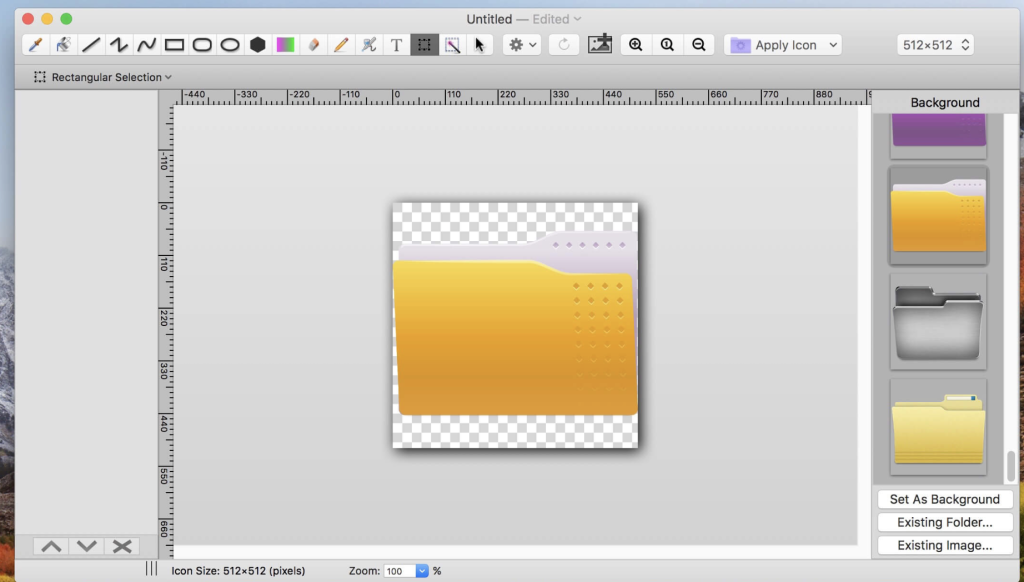
Folder-Factory is a versatile icon customization tool for macOS that allows you to personalize, design, and enhance your folder icons. This app provides a wide range of features to help you improve your system’s appearance, keep your Mac organized, and enhance your productivity by easily identifying and locating folders. Here are the key features and functions of Folder-Factory:
Main Features:
- Retina Display Support: Folder-Factory is optimized for Retina displays, ensuring that your customized folder icons will look sharp and high-quality.
- Customize Folder Icons: You can customize, design, and enhance your folder icons in various ways. The app provides multiple tools, including eyedropper, fill, line, rectangle, ellipse, pen, eraser, text, image, round rectangle, and more.
- Tools Customization: Configure tools like line width, pen color, fill color, and other settings to create folder icons that match your preferences and style.
- Transparency Support: Folder-Factory fully supports transparency, allowing you to create icons with a transparent background for a clean and modern look.
- Add Text to Images: You can add text to your folder icons directly within the app, enabling you to label and identify folders more easily.
- Undo/Redo Functionality: The app provides undo and redo capabilities, so you can make changes and corrections to your icons without worries.
- Cut, Copy, and Paste: Folder-Factory allows you to cut, copy, and paste elements and designs, simplifying the customization process.
- Drag and Drop: Easily drag and drop files and folders directly into the app to customize their icons quickly.
System Requirements: Folder-Factory is compatible with macOS 10.10 or later.
Folder-Factory is a user-friendly and efficient tool for customizing and enhancing your folder icons on macOS. With its range of customization options and tools, you can create personalized icons that help improve your Mac’s organization and appearance, making it easier to work and navigate through your files and folders.
Download Trimma for Mac V- 1.6.879
02 years
by Jameskarke
in Application

Name : Trimma
Size : 5 MB
Download Trimma for Mac V- 1.6.879
Trimma is a straightforward video editing tool that allows you to quickly cut videos without the need for complex project setups or export settings. It simplifies the video trimming process with an easy-to-use interface. Here are the key features and steps to using Trimma:
Key Features:
- Simple Video Trimming: Trimma is designed for easy and quick video trimming. You can remove unwanted parts from your videos with minimal effort.
- User-Friendly Interface: The application features a user-friendly interface that makes video editing accessible to users without the need for complex settings or project creation.
- Insert Cuts: You can insert cuts in your video to define the parts you want to keep and remove. Quickly scroll through your video or use cursor keys for precision steps. The toolbar buttons or hotkeys “A” and “S” help you add and remove cuts efficiently. Inserting a cut in the red area will end the red area at the current position.
- Export Presets: Trimma offers different export presets to choose from based on your needs:
- Passthrough: This preset keeps the original encoding, allowing small video files to stay small. The export process is incredibly fast.
- HEVC (High Efficiency Video Codec): This preset uses the power of h.265 encoding to create small video files. It’s ideal for sharing with other Mac and iOS users.
- AVC (Advanced Video Codec): The AVC preset uses h.264 encoding, creating smaller video files compared to passthrough. While files are not as small as with HEVC, compatibility with older systems is better.
- Thumbnail: This is the only free preset and generates a small video with low quality. It’s a fast export option that provides an idea of what to expect from the export.
How to Use Trimma:
- Open the video you want to edit.
- Insert cuts to quickly remove unwanted parts:
- Quickly scroll through your video or use cursor keys for precision steps.
- Use the toolbar buttons or hotkeys “A” and “S” to add or remove cuts.
- Inserting a cut in the red area will end the red area at the current position.
- Choose an export preset based on your requirements (Passthrough, HEVC, AVC, or Thumbnail).
- Click the “Export” button to start the export process.
Trimma simplifies video editing by focusing on the essential task of cutting and trimming videos without the need for complex configurations. It’s an ideal tool for users who want to quickly remove unwanted portions from their videos with ease.
System Requirements: macOS 10.14.6 or later.
Download Artstudio Pro for Mac V- 5.1.19
02 years
by Jameskarke
in Application

Name : Artstudio Pro
Size : 243 MB
Download Artstudio Pro for Mac V- 5.1.19
Artstudio Pro is a powerful painting and photo editing application available for macOS and iOS. It offers a wide range of features and tools for artists, photographers, and creative professionals. Here are some of the key features and capabilities of Artstudio Pro:
New Engine:
- Artstudio Pro is powered by the GPU-accelerated ArtEngine, which is 5-10 times faster than the previous engine.
- It supports working with multiple documents, large canvas sizes (up to 256 megapixels), and an unlimited number of layers.
- The application is highly optimized, ensuring a smooth workflow even with large canvases.
Multiple Open Documents:
- Artstudio Pro allows you to work with multiple open documents simultaneously.
- You can create and edit images with canvas sizes of up to 256 megapixels.
- There are no limits on the number of layers you can use in your projects.
Layer System:
- Artstudio Pro introduces a new layer system with grouping, non-destructive layer effects, and adjustment layers.
- You can organize your layers into groups, apply masks, and use clipping masks.
- The application offers nine layer effects, including bevel/emboss, stroke, inner shadow, outer glow, and more.
- Choose from 27 blending modes to control how layers interact.
Advanced Brush Engine:
- Artstudio Pro features a powerful and highly optimized brush engine that generates smooth and realistic brush strokes.
- You can create brushes with sizes of up to 4000×4000 pixels.
- The brush editor provides over 80 customizable settings, allowing you to create your own unique brushes.
- The application includes over 100 built-in brushes divided into categories like painting, sketching, markers, inking, and more.
Professional Photo Editing:
- Artstudio Pro offers a range of photo editing tools and adjustments designed in collaboration with professional photographers.
- You can apply 15 different adjustments as non-destructive layers or simple adjustments, including brightness/contrast, levels, curves, and more.
- Four auto adjustments are available: auto contrast, levels, lightness, and saturation.
- The application includes dozens of filters with real-time previews and the ability to generate seamless patterns.
- Other retouching tools such as heal, dodge, burn, and sponge are also available.
Import/Export:
- Artstudio Pro supports the import of various image formats, including PNG, JPEG, PSD, HEIC, TIFF, GIF, and most raw formats.
- The application can parse ABR and TPL files, importing not only brush stamps and patterns but also most settings converted to Artstudio Pro brush engine values.
- Export options include images (PNG, JPEG, PSD, TIFF, PDF) and other supported formats for different asset types.
Other Features:
- Full iCloud integration for seamless synchronization across macOS, iPad, and iPhone.
- Screen recording capabilities.
- Selection tools for creating marching ants, quick masks, or invisible selections.
- Snapping to guidelines, dynamic guidelines, and grids.
- Perspective grid assist for precise drawing.
- Mirror (flipped) view for symmetry.
- Canvas rotation for comfortable working angles.
Artstudio Pro is a versatile and feature-rich application that caters to artists, photographers, and creative enthusiasts looking for a powerful tool for painting and photo editing. It takes advantage of the latest technologies and offers a wide range of tools to boost creativity and bring ideas to life quickly and easily.

MacFamilyTree Download V-10.2.2
02 years
by Jameskarke
in Application

Name : MacFamilyTree
Size : 140.9 MB
MacFamilyTree Download V-10.2.2
MacFamilyTree 9 is genealogy software designed specifically for Mac users. It offers a range of features for exploring your family history and creating visual representations of your family tree. Here are some of the key features and capabilities of MacFamilyTree 9:
Modern Genealogy:
- Designed for Mac with a clear and user-friendly interface.
- Real-time sync and collaboration with CloudTree Sync&Share.
- MobileFamilyTree app available for iPhone and iPad (sold separately) for on-the-go research.
Research and Publish:
- Access billions of genealogical entries on FamilySearch.
- Conduct web research by searching popular genealogy portals from within the application.
- Create websites using MacFamilyTree.com.
- Generate family books as a unique gift for family members.
- Import and export genealogical data in the GEDCOM format for compatibility with other genealogy applications.
- Export charts and reports in various formats.
Wide Range of Reports and Lists:
- Create person, family, and kinship reports.
- Generate narrative reports.
- Compile lists of places, events, anniversaries, and more.
- Explore maps, person analyses, and source lists.
- View descendancy reports and more.
Wide Range of Charts and Views:
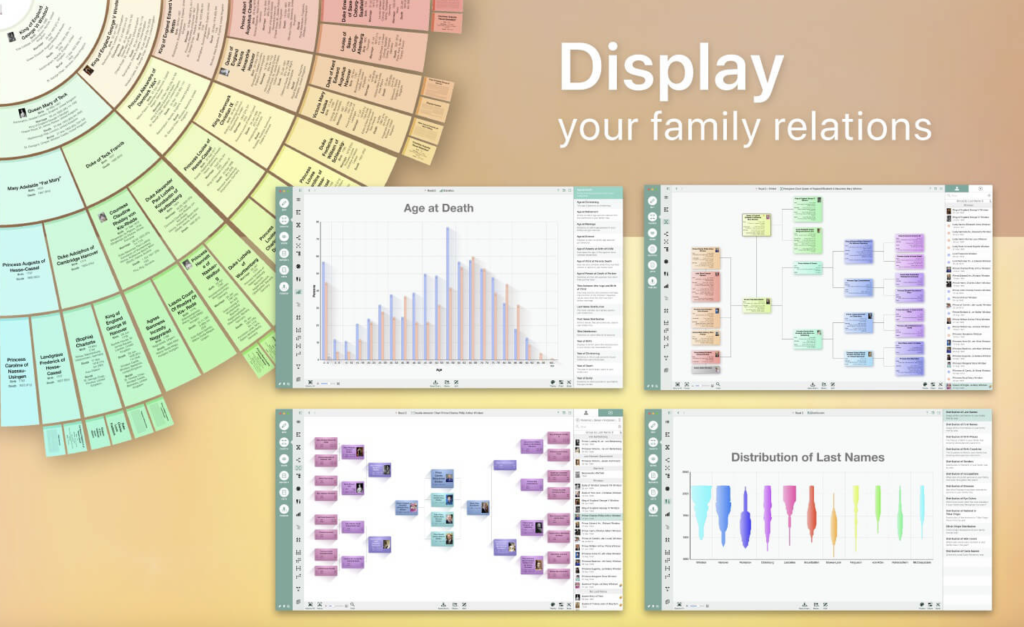
- Visualize your family tree using various charts, including hourglass, Ahnentafel, timeline, fan chart, relationship chart, and more.
- Access virtual globe and statistical maps.
- Analyze name distribution and create genogram charts.
Highest Level of Data Privacy:
- Choose to store your data locally or encrypt and store it on iCloud.
- Set password protection for websites and control the visibility of persons and entries during export.
New User Interface:
- Enjoy a modern and more logical user interface with improved usability.
Completely New Charts:
- Customize charts to your preferences.
- Choose from a wide range of display templates.
- Benefit from faster rendering with optimized GPU performance.
- Improved tree charts with better content distribution across pages.
Completely New Reports:
- Select from style templates and adapt them to your needs.
- Export reports in various formats, including CSV, plain text, RTF, or PDF.
- Convert reports into books.
Supports DNA Tests:
- Store and manage DNA test results, including yDNA, mtDNA, and atDNA tests.
CloudTree Sync & Share 2.0:
- Share databases of any size with friends, family, or between your own devices.
- Sync efficiently and invite others more quickly.
More:
- Various database upgrades, such as specifying birth order without a date of birth and mapping adoptive and step relationships.
- Support for family crests and author information.
- Store alternative names for places.
- New help guide system for instant instructions.
- Support for Apple’s latest technologies, including Dark Mode, Handoff between MacFamilyTree and MobileFamilyTree, and Core Animation for charts.
MacFamilyTree 9 provides a comprehensive suite of tools and features for genealogy enthusiasts who want to explore their family history, create detailed family trees, and visualize their genealogical data. It offers both advanced functionality and a user-friendly interface, making it a valuable resource for genealogical research and documentation.
Download Music Tag Editor for Mac 7.5.1
02 years
by Jameskarke
in Application
Name : Music Tag Editor
Size : 29 MB
Download Music Tag Editor for Mac 7.5.1
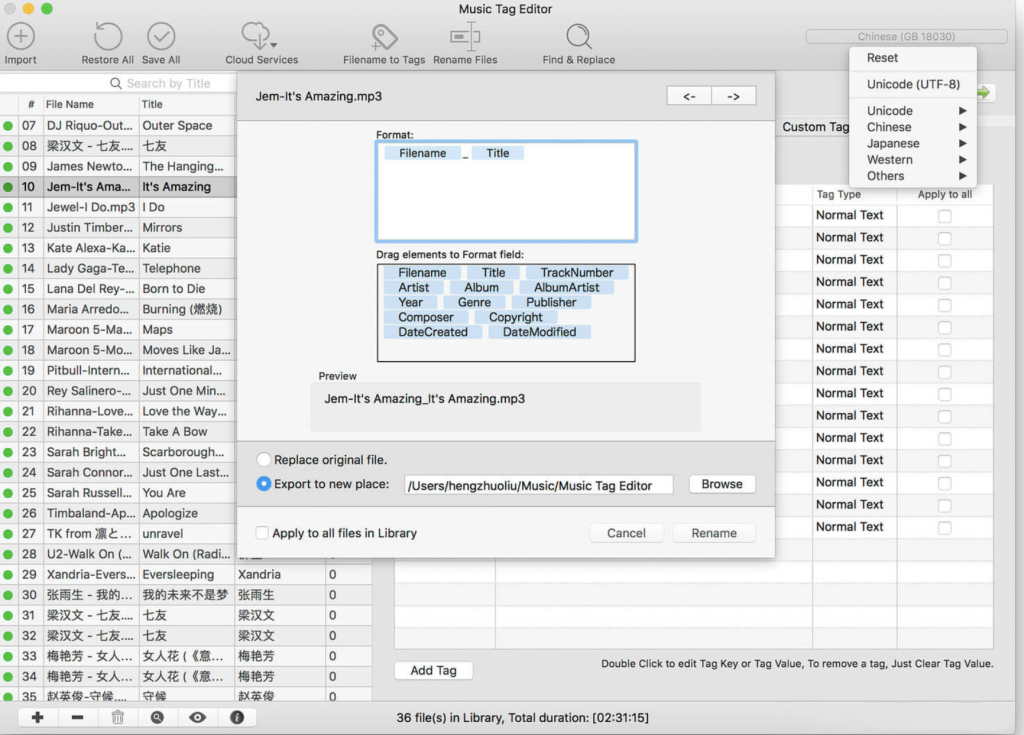
Music Tag Editor Pro is a macOS application designed to help you manage and edit music tags efficiently. It allows you to make various modifications to your music’s metadata, including editing, batch editing, and batch renaming. Here are the main features of Music Tag Editor Pro:
Supported Music Formats: The application supports various music formats, including MP3, M4A (Apple Lossless), MP4, FLAC, APE, AIFF, WAV, Ogg files, asf, mkv, dsf, dsd, and more.
Supported Tag Types: Music Tag Editor Pro supports a wide range of tag types, such as ID3V1, ID3V2.3, ID3V2.4, xiphComments, APE Tag, Ogg Vorbis, Ogg Speex, Ogg Flac, and iTunes tags. You can edit and customize tag information, including Title, Artist, Album, Genre, Copyright, Comments, Artwork, Lyrics, and more.
Batch Editing: The application allows you to perform batch editing on multiple music files simultaneously, making it easy to update the metadata for your music library efficiently.
Lyrics Support: You can save lyrics to music files, and these lyrics will be displayed correctly in your iPhone or iPod music player.
iTunes Integration: Music Tag Editor Pro supports iTunes importing, making it easy to manage your music library alongside your iTunes library.
Online Album Image Download: You can download album artwork for your MP3 files from the internet. The application supports multiple album images.
Batch Renaming: Music Tag Editor Pro enables you to batch rename audio files based on their metadata, helping you organize your music files more effectively.
Text Encoding Conversion: You can convert the text encoding of music tags and repair messy code in tag information.
Music Player: The application includes a built-in music player that supports all audio formats, allowing you to preview your music.
Pro Version Features: In the Pro version, you get additional and advanced tag editing features. You can customize and edit any tags you want, perform batch find and replace operations for all tag fields, and use MusicBrainZ Cloud services for tagging.
Music Tag Editor Pro is a versatile tool for managing your music library, making it easier to organize, edit, and enhance the metadata of your music files. Whether you’re looking to update tags, batch rename files, or download album artwork, this application provides the features you need to keep your music collection organized and well-tagged.