Free Macsoftware One click Download
Graphic and Design
Download Pixelmator Pro 3.4 for Mac
03 years

Name : Pixelmator Pro
Size : 594 MB
Download Pixelmator Pro 3.4 for Mac
Pixelmator Pro is a powerful image editor designed exclusively for Mac users. It offers a wide range of professional-grade image editing tools and features, making it suitable for both beginners and seasoned professionals. Here are some key highlights of Pixelmator Pro:
- Modern Interface: Pixelmator Pro features a modern, single-window interface that is tailored for working with images on a Mac. The interface is intuitive and user-friendly, making it accessible even for beginners.
- Dark and Light Modes: The app supports both dark and light modes of macOS, adapting its appearance to match your system preferences.
- Customizable Interface: Users can customize their creative environment by arranging tools and panels to suit their workflow. Workspace presets are available for various creative tasks, including photography, design, illustration, and painting.
- Photos Extension: Pixelmator Pro offers a full-featured Photos extension, allowing you to edit images directly within the macOS Photos app. Edits are saved as layered, nondestructive adjustments.
- Professional Editing Tools: The software provides a comprehensive set of image editing tools, allowing you to enhance existing images and create new ones. These tools are nondestructive, enabling you to make adjustments at any time.
- RAW File Support: Pixelmator Pro offers excellent support for RAW image files, allowing you to work with the extended range of data in RAW images.
- Painting Tools: It includes fully customizable, dual-texture brushes for digital or traditional painting, with support for digital graphics tablets.
- Layer Styles and Effects: You can combine built-in effects to create a wide range of artistic and special effects. Save combinations as presets for easy reuse.
- Retouching Tools: The software provides a set of retouching tools for removing imperfections, cloning parts of photos, and fine-tuning specific areas.
- Vector Graphics: You can add customizable vector graphics or create your own vector graphics using the Pen tool.
- Typography Tools: Pixelmator Pro offers a full set of typography tools for designing text, including curved, circular, and path text.
- Web Optimization: Easily optimize and save images for the web with advanced compression options to reduce file sizes.
- Batch Processing: The app supports batch processing of images using built-in Automator actions, streamlining repetitive tasks.
- AppleScript Support: Automation enthusiasts can take advantage of full-featured AppleScript support to automate workflows.
- Machine Learning Enhancements: Pixelmator Pro leverages machine learning for tasks like object removal, photo enhancement, super resolution, color matching, denoising, and quick selections.
- Compatibility: It supports various image formats, including JPEG, TIFF, PNG, PSD, SVG, PDF, GIF, BMP, TGA, WebP, and more. You can also open and edit Photoshop images with layers and SVG vector images.
- macOS Integration: Pixelmator Pro is designed exclusively for macOS and seamlessly integrates with macOS features, making it compatible with macOS Big Sur.
Overall, Pixelmator Pro is a versatile and feature-rich image editing application for Mac users, offering an array of tools and capabilities for creating and enhancing images and graphics. It provides a balance between professional-grade features and an intuitive user experience.
Download Acorn For Mac V-7.4.1
03 years
Name : Acorn
Size : 20 MB
Download Acorn For Mac V-7.4.1
Acorn is an image editor designed for simplicity and efficiency. Here are some of its key features and highlights:
- Simplicity: Acorn is built with a focus on simplicity. It offers a streamlined user interface to make image editing tasks fast and easy.
- Screenshot Capture: You can use Acorn to capture screenshots and start editing them immediately within the application.
- Image Filters: Acorn allows you to apply a variety of image filters to create stunning visual effects. You can chain these filters together to achieve your desired result.
- Layer-Based Editing: It follows the industry-standard approach of layer-based image editing, allowing you to work with different layers to compose and edit images.
- Built-in iSight Camera: You can create new images and layers using your Mac’s built-in iSight camera, making it convenient for capturing images on the spot.
- Resizable Canvas: Acorn makes it easy to resize both the image and canvas by simply changing the size of your application window.
- Full-Screen Editing: Take advantage of your entire monitor’s screen real estate for full-screen image editing.
- Tablet Support: Acorn is tablet-sensitive and supports pressure strokes and tablet erasers for precise drawing and editing.
- Vector Shape and Text Layers: It offers the capability to work with vector shape and text layers, which is useful for creating and editing graphics and adding text to your images.
- Selection Tools: Acorn provides various selection tools, including freeform, elliptical, rectangular, and magic wand selections.
- Gradients: You can create and apply gradients to your images, adding depth and visual interest.
- Custom Text Styles: Acorn allows you to create and apply custom text styles, giving you control over the appearance of text in your images.
- Layer Control: You can adjust the opacity and blending modes for each layer, enabling you to fine-tune the composition of your images.
- Scripting Support: Acorn supports scripting in both Python and Objective-C, allowing you to write custom plugins to extend its functionality.
- GPU Acceleration: It leverages the power of your computer’s graphics card for smooth and efficient graphics operations.
- System Requirements: Acorn is compatible with macOS 10.14 or later.
- Website: You can find more information and download Acorn from its official homepage at https://flyingmeat.com/acorn/.
Overall, Acorn is designed to provide a user-friendly image editing experience with a focus on simplicity and efficiency, making it a valuable tool for macOS users looking to perform a wide range of image editing tasks.
For Mac Sketch 98.1 free Download
03 years

Name : Sketch
Size : 71 MB
For Mac Sketch 98.1 free Download
The graphic design software Sketch offers a seamless and elegant experience for digital creatives. With a host of powerful tools and an intuitive interface, it has earned numerous awards for its capabilities. Here’s a sketch of the key features and benefits:
Powerful Features:
- Multiple Fills, Borders, and Shadows: Sketch supports multiple fills, borders, and shadows per layer, allowing for versatile and creative design possibilities.
- Non-destructive Boolean Operations: Perform advanced boolean operations without altering the original shapes, enabling flexible editing in the future.
- Smart Pixel Alignment: Ensure precise alignment of design elements for pixel-perfect results.
- Effortless Exporting: Simplify the exporting process with automatic slicing and support for multiple resolutions, streamlining asset creation.
- Vector Tools and Basic Shapes: Sketch’s foundation lies in vector tools and basic shapes, ideal for creating icons, websites, interfaces, and more.
- Layer Style Options: Apply advanced layer styles like multiple shadows, fills, gradients, noise, blending, background blurring, and more to enhance your designs.
- Image Manipulation: Import images and manipulate them with ease through rotation, scaling, cropping, and masking options.
- Typography Excellence: Utilize the best-in-class text tool with native font rendering for precise and beautiful typography in your designs.
Symbols for Efficiency:
- Symbols: Introduced in Sketch 3, Symbols allow you to reuse entire content groups throughout your design, ensuring consistency. Make changes once, and they propagate across your document, making interface elements like buttons, headers, and footers easy to manage.
Mac-Centric Experience:
- Mac Compatibility: Sketch is built for macOS 11.0, providing optimal performance on Apple’s operating system.
- Seamless Mac Integration: Take advantage of macOS features like Versions and Auto Save, allowing you to focus on your work without constant saving.
- iCloud Sync: Keep your work in sync across multiple Mac computers using iCloud, ensuring accessibility and continuity.
- Full-Screen Mode: Maximize your canvas by going full-screen, enhancing your workspace and creativity.
User-Friendly Interface:
- Single-Window Interface: Sketch’s single-window interface offers easy access to powerful tools, keeping everything neatly tucked away until needed.
Get Started:
- Homepage: Visit the Sketch homepage to learn more about the software and access updates.
In summary, Sketch is a top-notch graphic design software tailored for the Mac ecosystem, offering an array of features that streamline the design process and foster creativity. Its elegant interface and user-friendly design make it a go-to choice for digital designers and creatives.
Download SketchUp Pro 2023 v23.1.314 Mac
13 years

Name : SketchUp Pro 2023
Size : 908 MB
Download SketchUp Pro 2023 v23.1.314 Mac
SketchUp is a versatile 3D modeling program that makes it easy to create and explore 3D models for various purposes. Whether you’re designing buildings, woodworking projects, or even spaceships, SketchUp offers a range of tools and features to help you bring your ideas to life. Here are some key highlights and features of SketchUp:
- 3D Modeling: SketchUp allows you to create 3D models quickly and easily using a set of intuitive tools. You can design houses, sheds, decks, home additions, woodworking projects, and more.
- Design Development: SketchUp is a versatile tool that can be used for programming, diagramming, design development, detailing, and documentation. It provides a comprehensive solution for various design and modeling needs.
- SketchUp Pro for Desktop: The desktop version of SketchUp Pro offers fast and efficient 3D modeling capabilities. It’s the core application for creating and editing 3D models.
- SketchUp for Web: SketchUp for Web is a powerful web-based modeler that allows you to work on your designs from anywhere with an internet connection. It provides essential features for turning your designs into reality.
- Cloud Storage: SketchUp offers unlimited cloud storage through Trimble Connect, enabling you to share, collaborate, and store your projects in the cloud. This feature provides flexibility and easy access to your work.
- 2D Design Documentation: With LayOut, a companion application, you can create scaled drawing sets in 2D. This is useful for producing detailed design documentation and presentations.
- VR Model Viewing: SketchUp supports VR model viewing, allowing you to present your projects in immersive virtual reality environments on devices like Microsoft HoloLens, HTC Vive, Oculus, smartphones, and tablets.
- Customization: You can customize your projects with unique Styles, Materials, and Outliner features. Dynamic Components make it easy to create interactive and responsive models.
- Compatibility: SketchUp is compatible with macOS 10.15 (Catalina) or later versions of the operating system.
- Homepage: For more information about SketchUp and to explore its features and offerings, you can visit the official SketchUp website: SketchUp Homepage.
SketchUp is a valuable tool for architects, designers, artists, and anyone who needs to create and visualize 3D models. Its user-friendly interface and rich feature set make it a popular choice for both professionals and hobbyists in various fields of design and modeling.
GlueMotion for Mac v-2.2.0
03 years

Name : GlueMotion
Size : 14 MB
GlueMotion for Mac v-2.2.0
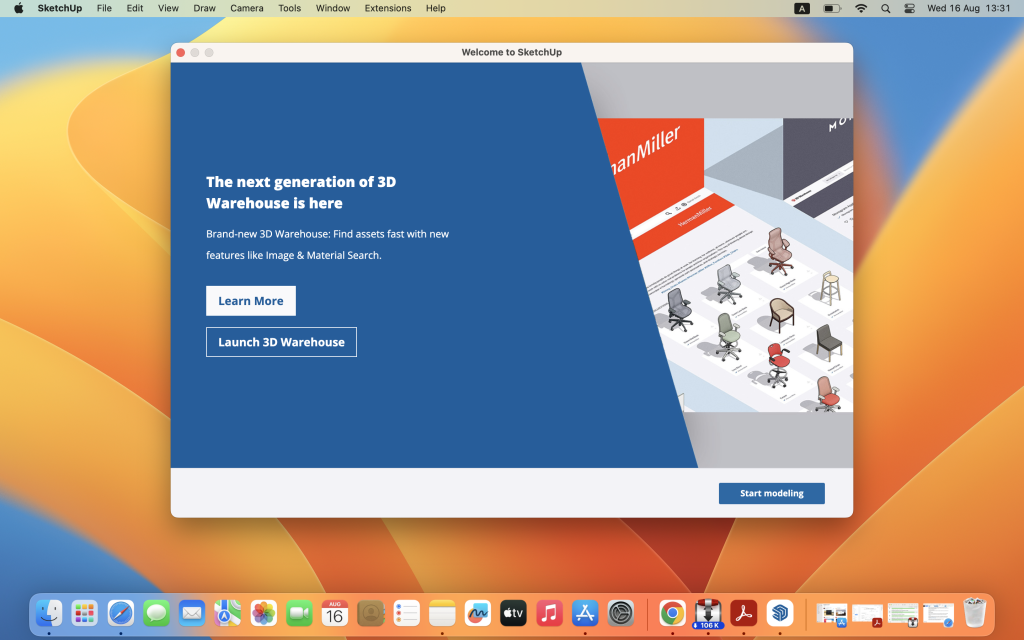
GlueMotion is a specialized macOS application designed for time-lapse photographers. This tool simplifies the process of batch editing, deflickering, and assembling sequences of images into time-lapse movies. Here are some of the key features and functionalities of GlueMotion:
- Batch Editing: GlueMotion includes a batch editing tool that allows users to edit multiple images simultaneously. This tool can perform actions such as cropping, rotating, flipping, and adjusting image parameters like exposure, saturation, and brightness.
- Automatic Deflickering: GlueMotion analyzes sequences of photos and automatically selects optimal brightness corrections for each image to mitigate flickering issues common in time-lapse photography.
- Professional Handling: The application is designed to meet the needs of professional photographers and can efficiently handle large quantities of images, including several hundreds of thousands.
- Image Format Support: GlueMotion supports all industry-standard image formats, including PNG, JPEG, and all RAW image formats that macOS supports.
- Movie Export: Users can create time-lapse movies from their edited image sequences, and GlueMotion supports movie encoding in formats such as H.264, Apple ProRes, and HEVC.
- Multi-Language Support: GlueMotion is available in seven languages, including English, French, German, Spanish, Italian, Japanese, and Simplified Chinese, ensuring accessibility for a diverse user base.
- Feedback Mechanism: Users can provide feedback directly from the application, allowing them to share suggestions and request improvements with the developers.
- Compatibility: GlueMotion is optimized for macOS 11 (Big Sur) or later versions of the operating system.
- Homepage: For more information about GlueMotion and to download the application, you can visit its official homepage at GlueMotion by NeededApps.
GlueMotion is a valuable tool for time-lapse photographers, offering a range of features to streamline the creation of time-lapse movies from image sequences. Its batch editing and automatic deflickering capabilities make it a practical choice for professionals looking to enhance the quality and efficiency of their time-lapse projects.
Raya Pro 5.0 – The Ultimate Luminosity Mask Plugin For Photoshop Free Download
03 years
Name : Raya Pro 5.0 – The Ultimate Luminosity Mask Plugin For Photoshop
Size : 27 MB
Raya Pro 5.0 – The Ultimate Luminosity Mask Plugin For Photoshop Free Download
Raya Pro is a Photoshop panel that serves as a powerful post-processing tool for photographers. It simplifies the post-processing workflow and offers various features to enhance and transform your photos into works of art. Here’s an overview of Raya Pro’s capabilities and its official website:
Key Features:
- Luminosity Mask Software: Raya Pro initially gained recognition as one of the most powerful luminosity mask software tools available. Luminosity masks allow for advanced and precise adjustments to different tonal areas of your photos.
- Streamlined Workflow: The panel is designed to simplify the post-processing workflow in Photoshop, making it more efficient and user-friendly.
- Digital Blending: Raya Pro includes features for digital blending, which is a technique used to merge multiple exposures or images into a single composite with improved dynamic range and visual impact.
- Enhancement Tools: The panel provides tools for enhancing photos, such as sharpening, contrast adjustments, and color grading.
- Artistic Effects: Raya Pro can be used to apply artistic effects to your images, allowing you to achieve specific looks and styles.
- Masking: The panel offers advanced masking capabilities, enabling precise selections and adjustments.
- HDR and Panorama Support: You can use Raya Pro for High Dynamic Range (HDR) and panorama processing, helping you create stunning panoramic images with improved dynamic range.
Compatibility:
- Raya Pro is designed to work with Adobe Photoshop.
Official Website:
- You can learn more about Raya Pro and access the panel from the official website: Raya Pro Homepage
Download Imagenomic Professional Plugin Suite For Adobe Photoshop 2003
03 years

Name : Imagenomic Professional Plugin Suite For Adobe Photoshop
Size : 70 MB
Download Imagenomic Professional Plugin Suite For Adobe Photoshop 2003
Imagenomic offers a set of three plugins designed to enhance your photo editing workflow and improve the quality of your images. Here’s an overview of these plugins:
1. Portraiture:
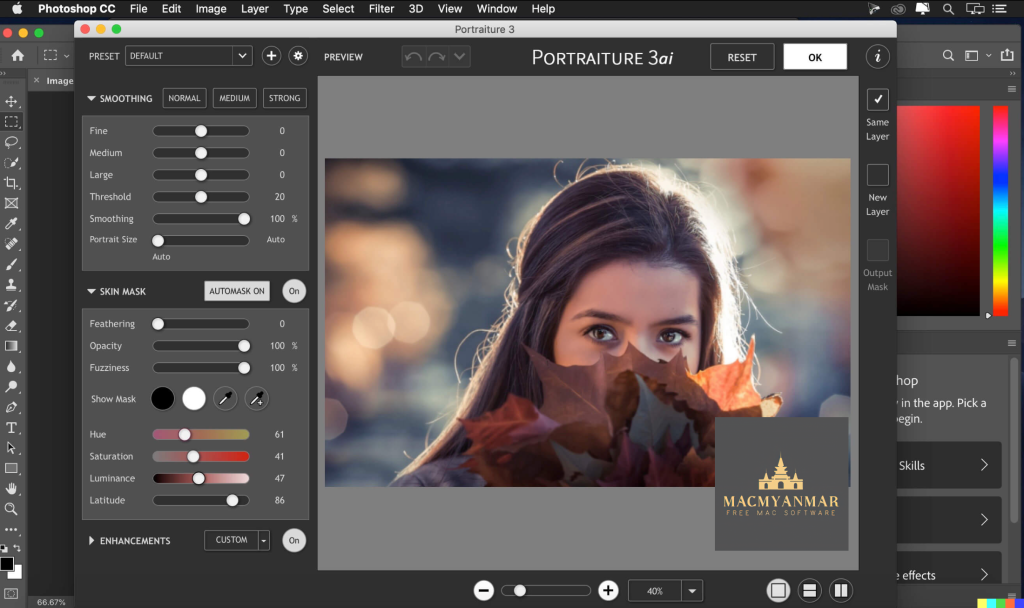
- Portraiture is a plugin that specializes in skin retouching. It provides automatic skin smoothing, healing, and enhancement effects to improve the appearance of portrait photos. This tool is particularly useful for achieving a polished and flawless look in portrait photography.
2. Noiseware:
- Noiseware is an award-winning plugin and standalone application for noise reduction in photos. It helps eliminate unwanted noise, such as grain or digital artifacts, to enhance the overall image quality. This is especially valuable for reducing noise in low-light or high-ISO photos.
3. Realgrain:
- Realgrain is a versatile plugin that offers a range of effects for black and white photography, toning, and simulating film grain. It allows you to apply unique toning and film effects to your images, giving them a distinctive and vintage look.
Compatibility:
- macOS 10.15 or later.
- Adobe Photoshop CC 2015.5 and newer versions.
These plugins are compatible with Adobe Photoshop CC 2015.5 and above, and they can be used with macOS 10.15 or later.
For more information and access to these plugins, you can visit the official website: Imagenomic Homepage.
Mac Exposure Software Blow Up 3.1.6.0 Download
03 years

Name : Exposure Software Blow Up
Size : 88 MB
Mac Exposure Software Blow Up 3.1.6.0 Download
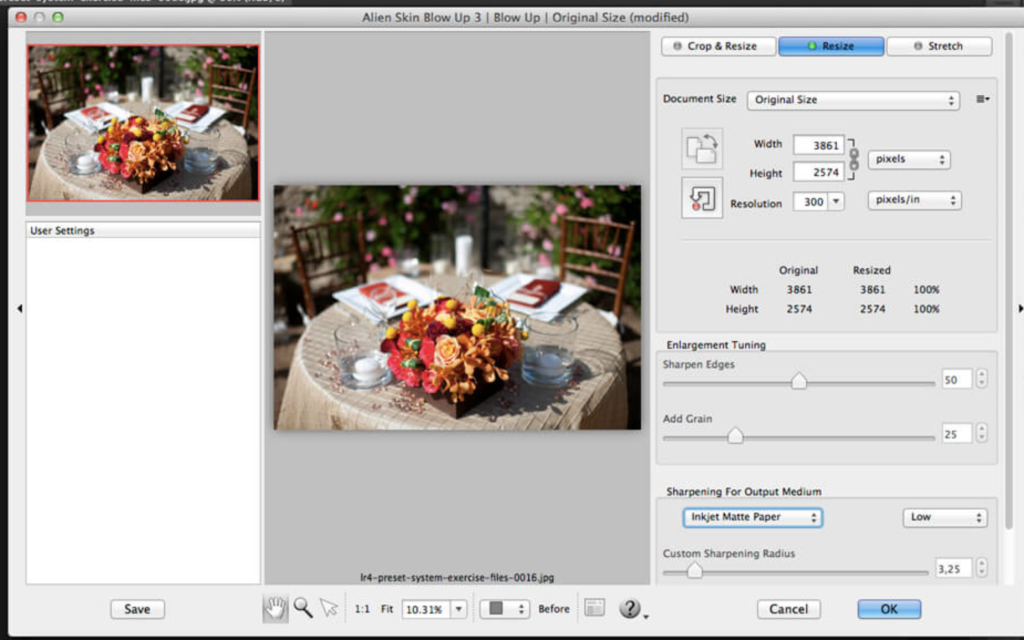
Blow Up 3 is a specialized photo enlargement plugin designed to maintain the clarity and quality of your images even when they are enlarged significantly. Here are some key features and details about Blow Up 3:
Key Features:
- Crystal Clear Enlargements: Blow Up 3 is optimized to ensure that your photos remain sharp and clear when enlarged, especially in the context of large prints. It is particularly effective for images that will be displayed on walls.
- Improved Sharpness: Version 3 of Blow Up enhances picture sharpness while minimizing computer artifacts, resulting in even sharper enlargements.
- Ease of Use: If you are familiar with Photoshop’s resize command, you will find Blow Up easy to use. It includes a library of standard paper sizes to simplify the enlargement process.
- Lightroom and CMYK Support: Blow Up 3 is compatible with Adobe Lightroom 6 or Adobe Lightroom CC 2015 and newer versions, making it suitable for professional workflows. It also supports CMYK color mode.
Host Application Requirements:
Blow Up 3 is a plugin and requires one of the following host applications:
- Alien Skin Exposure X or newer
- Adobe Photoshop CS6 or Adobe Photoshop CC 2015 and newer
- Adobe Lightroom 6 or Adobe Lightroom CC 2015 and newer
Compatibility:
- Operating System: macOS 10.10 or later.
- 64-bit processor.
Version 3.1.5.0: Unfortunately, the release notes for this version were not available at the time of the update.
For more information and access to Blow Up 3, you can visit the official website: Blow Up 3 Homepage.
Download Exposure X7 v7.1.8.9 for Mac
03 years
Name : Exposure X7
Size : 551 MB
Download Exposure X7 v7.1.8.9 for Mac
Exposure X7 is a versatile photo editor designed for creative photographers who want to craft artistic and unique images. Here are some of the key features and enhancements in Exposure X7:
Key Features:
- Inspiring Looks Library: Exposure X7 comes with a vast library of stunning looks that serve as creative starting points for your photo editing. You can customize these looks to match your artistic vision.
- Unique Creative Tools: This photo editor offers creative tools that set it apart from other editing software, allowing you to make your photos stand out and express your unique style.
- Efficient Workflow: Exposure X7 is designed to keep you in the creative zone with an efficient and intuitive workflow, making it easy to achieve your desired results.
New Enhancements in Exposure X7:
- Masking Tool: Exposure X7 introduces a new masking tool that simplifies the process of separating your subject from the background. You can draw a rough border with just a few clicks, and the intelligent algorithm creates a precise mask automatically.
- Selectable Workspaces: Workspaces are available to organize the panels needed for specific tasks, such as culling, editing, and retouching. You can use built-in layouts or create custom workspaces tailored to your workflow.
- Unified Crop and Transform Interface: The crop and transform panels have been combined into a single, user-friendly interface, making it easier to make adjustments to your photos.
- Composition Guides: Exposure X7 includes new composition guides, including the golden ratio, golden spiral, golden triangle, and diagonal guides, helping you achieve balanced and visually pleasing compositions.
- Defective Pixel Removal: This feature allows you to remove defective pixels from RAW photos, improving the overall quality of your images.
- Color Reproduction: Exposure X7 offers more faithful color reproduction when using custom DCP color profiles, ensuring accurate and vibrant colors in your photos.
- Improved Color Fidelity: DNG files benefit from improved color fidelity, enhancing the overall color accuracy in your edits.
- Fine Texture Noise: You can add fine texture noise to recover detail in photos that have undergone aggressive noise reduction, preserving important image details.
Exposure X7 can be used both as a standalone photo editor and as a plugin for Adobe Photoshop CS6 or Adobe Photoshop CC 2015 and Adobe Lightroom 6 or Adobe Lightroom CC 2015 and newer versions. It is compatible with macOS 10.11 (El Capitan) or later.
For more information and access to Exposure X7, you can visit the official website: Exposure X7 Homepage.

Mac Exposure X7 Bundle 7.1.8.4 free Download
03 years
Name : Exposure X7 Bundle
Size : 649 MB
Mac Exposure X7 Bundle 7.1.8.4 free Download
The Exposure X Bundle is a comprehensive photo editing and organizing software package that combines several award-winning photo editing applications developed by Alien Skin into a single product. Here are the main components and features of the Exposure X Bundle:
- Exposure X7 (Non-Destructive RAW Photo Editor): Exposure X7 is the core photo editing and organizing application in the bundle. It provides powerful tools for editing RAW photos while maintaining non-destructive editing capabilities. This means you can make adjustments to your images without permanently altering the original files. Exposure X7 offers a wide range of creative tools to enhance your photos.
- Snap Art 4 (Integrated Natural Media): Snap Art 4 is an integrated component of the bundle that allows you to transform your photos into stunning, handcrafted paintings and other artistic styles. It offers various artistic filters and styles to give your photos a unique and artistic look.
- Blow Up 3 (High-Quality Photo Enlargement): Blow Up 3 is another integrated application that specializes in high-quality photo enlargement. It utilizes advanced resizing technology to enlarge your photos without sacrificing image quality, making it suitable for creating large prints and posters.
- Plug-Ins for Lightroom and Photoshop: Exposure X7, Snap Art, and Blow Up are available as plug-ins for Adobe Photoshop CS6, Adobe Photoshop CC 2015, or newer versions, as well as Adobe Lightroom 6, Adobe Lightroom CC 2015, or newer versions. This integration allows you to use these powerful editing tools seamlessly within your preferred Adobe photo editing software.
System Requirements:
- Operating System: macOS 10.11 (El Capitan) or later.
You can learn more about the Exposure X Bundle and access additional information or updates on their official website: Exposure X Bundle Homepage.