Free Macsoftware One click Download
Graphic and Design
Download Rhino 7 for Mac v7.34.23267.11002
02 years
Name : Rhino 7
Size : 449 MB
Download Rhino 7 for Mac v7.34.23267.11002
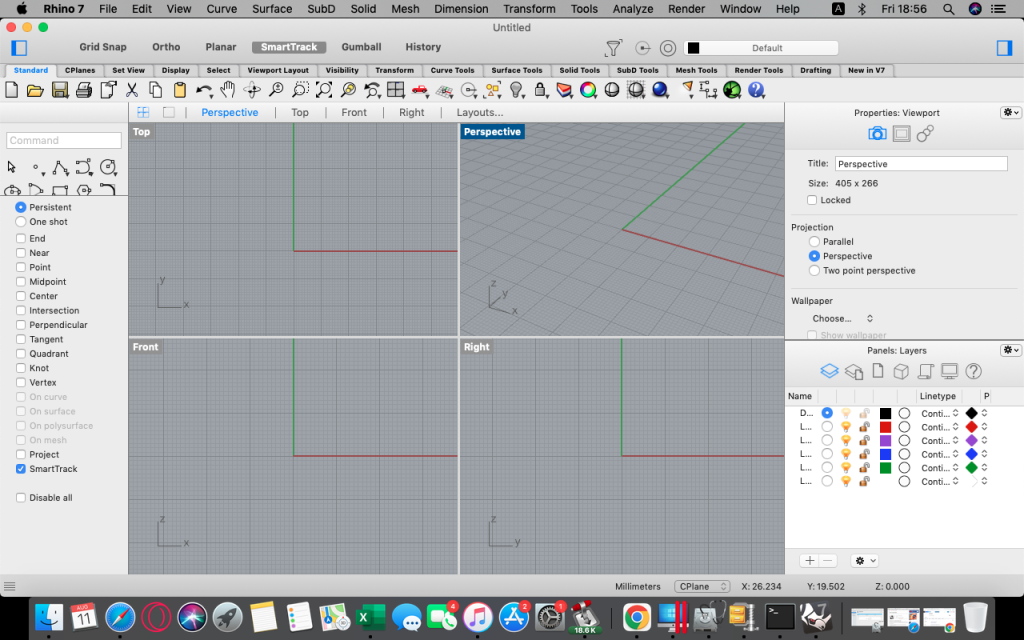
Rhinoceros, commonly referred to as Rhino, is a 3D computer-aided design (CAD) software that provides a wide range of features for creating, editing, analyzing, documenting, rendering, animating, and translating 3D models. It is particularly known for its support of NURBS (Non-Uniform Rational B-Splines) modeling, which allows for the creation of complex, smooth, and precise 3D shapes. Here are some of the key features and capabilities of Rhinoceros:
- Versatile 3D Modeling: Rhino offers powerful and uninhibited free-form 3D modeling tools, enabling users to create a wide variety of shapes and designs, making it suitable for tasks like architectural design, industrial design, and more.
- High Accuracy: The software provides the accuracy needed for tasks ranging from design and prototyping to engineering, analysis, and manufacturing. This precision is crucial for projects like aircraft design and jewelry creation.
- Interoperability: Rhino is compatible with a wide range of design, drafting, CAM (Computer-Aided Manufacturing), engineering, analysis, rendering, animation, and illustration software. It supports various file formats for seamless data exchange.
- Mesh and IGES File Handling: The software can read and repair meshes, as well as handle complex and challenging IGES files, which is essential for interoperability and working with data from different sources.
- User-Friendly: Rhino is designed to be accessible and easy to learn, allowing users to focus on the design and visualization process without being overly distracted by the software’s complexity.
- Hardware Compatibility: It runs efficiently on ordinary laptop computers and doesn’t require specialized hardware, making it accessible to a broad range of users.
- Development Platform: Rhino serves as a development platform for hundreds of specialty modeling products, although this feature is available on Windows only.
- Affordability: Rhino is known for its affordability, both in terms of the purchase price and the absence of ongoing maintenance fees.
System Requirements:
- macOS 10.14 or later
Rhino is a widely used CAD software that appeals to a broad user base, including architects, industrial designers, engineers, and artists. The provided homepage link (https://www.rhino3d.com) offers more information about the software, updates, and resources for users interested in 3D modeling and design.
Download Autodesk Flame for Mac V-2024.1.1
02 years

Name : Autodesk Flame
Size : 3.1 GB
Download Autodesk Flame for Mac V-2024.1.1
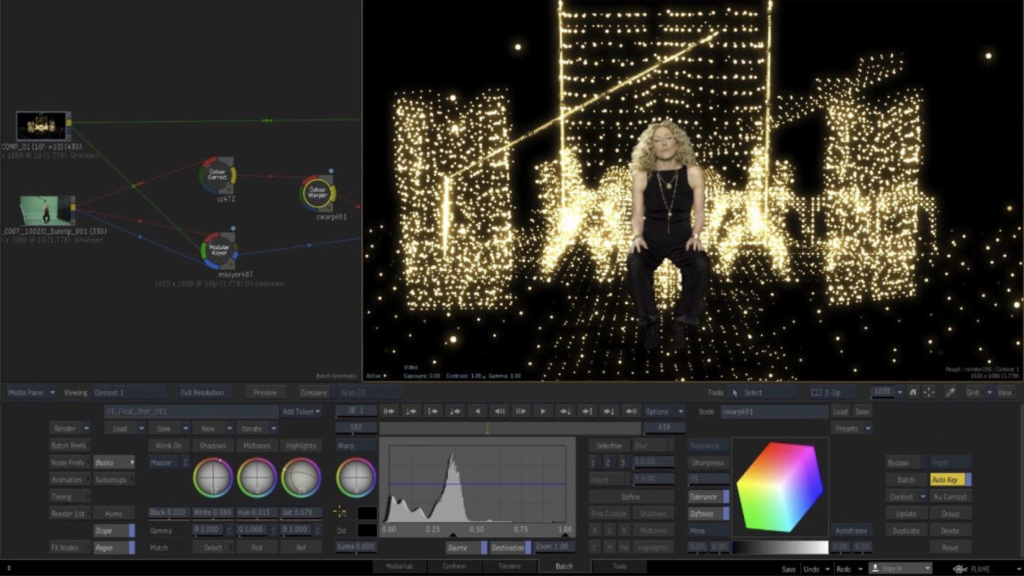
Flame® software is an advanced 3D visual effects tool developed by Autodesk. It is primarily used for fast, interactive 3D visual effects, finishing, compositing, advanced graphics, color grading, conforming, editorial work, and look development in the realm of film and video post-production. Here are some of the key features and components of Flame® software:
- 3D Compositing (Action): Flame® offers a feature called “Action,” which combines the interactivity of traditional 2D compositing with the power of 3D visual effects. It allows artists to create complex visual effects and composites in a fast and interactive manner. It includes a “What You See Is What You Get” (WYSIWYG) preview for artists during the session.
- Node-Based Compositing (Batch): Batch is a node-based procedural compositing environment that seamlessly integrates with the timeline and desktop. This environment is designed for combining 2D and 3D elements in a flexible and non-linear way.
- Editorial Timeline: Flame® provides an editorial timeline, allowing users to manage projects, create consistent looks, and ensure accurate matching of graded and 3D VFX shots. It also includes scene detection to aid in the editing process.
- Matchbox API: Flame® supports the Matchbox API, which enables the use of GPU-accelerated GLSL shaders to solve challenges within the 3D compositing environment, Action.
- Action Projection Tracking: This feature allows you to turn a projection into a UV set for the geometry, which is useful for mapping textures onto 3D objects.
- Connected Conform Smart Merge: Flame® facilitates the dynamic merging of new editorial cuts with work-in-progress shots late in a project. This is essential for maintaining project consistency during the editing and post-production process.
- Python API: Flame® offers a Python API that allows users to drive the Batch environment using scriptable commands. This provides flexibility and automation in the compositing workflow.
- Pybox: Pybox is a scriptable handler that enables the processing of images through external renderers, further enhancing the customization and extensibility of the software.
System Requirements:
- Operating System: macOS Mojave v10.14.x, Catalina v10.15.x, Big Sur v11.1, or later.
- GPU: Mac-native installed graphics cards with a minimum of 8GB VRAM. Recommended: Radeon Pro Vega II.
- CPU: Recommended Intel Core i7 or higher. Note that Apple M1 CPUs are currently not supported.
- RAM: 32GB or 64GB.
- Display: A display with a resolution of 1920 x 1200 and a 60Hz refresh rate.
Flame® is a powerful and versatile software package used in the film and video post-production industry, particularly in the field of visual effects, editing, and color grading. The provided homepage link (https://www.autodesk.com/products/flame/overview) offers more detailed information, including updates and additional resources for users.
Download Topaz Photo AI for Mac V-2.0.0
02 years

Name : Topaz Photo AI
Size : 227 MB
Download Topaz Photo AI for Mac V-2.0.0
Topaz Photo AI is a software tool designed to enhance the quality of your photos by using artificial intelligence (AI) technology. It focuses on sharpening images, removing noise, and increasing resolution. Here are some key features and capabilities based on the provided information:
- Image Enhancement: Topaz Photo AI uses AI algorithms to enhance the quality of your photos. It specifically aims to make your photos sharper, clearer, and more detailed.
- Noise Reduction: The software includes noise reduction capabilities, which can be especially useful for improving the quality of photos taken in low-light conditions or with high ISO settings.
- Resolution Enhancement: It has the ability to increase the resolution of your photos. This can be beneficial when you want to upscale an image while preserving as much detail as possible.
- Creative Freedom: Topaz Photo AI is designed to empower photographers to focus on their creative aspects rather than spending extensive time and effort on technical image processing. The AI tools help enhance image quality.
- AI-Based Sharpening: The Sharpen AI module in the software is claimed to work differently from traditional sharpening techniques. It aims to naturally address issues like camera shake, motion blur, and misfocus to produce more realistic and artifact-free results.
- Compatibility: The software’s compatibility details are not specified, but it’s likely to work with popular operating systems and image formats.
- Human Creativity: The software emphasizes that AI can enhance image quality but cannot replace the artistic vision and creativity of a human photographer. It’s meant to be a tool that complements the photographer’s skills.
As with any image enhancement software, it’s important to exercise caution and use these tools judiciously to avoid overprocessing images. The software’s website, provided as “https://topazlabs.com/,” should offer more information on its features, compatibility, and user guides to help you get the most out of this AI-powered photo enhancement tool.
Download for Mac app GraphicConverter 12.0.7
02 years

Name : GraphicConverter
Size : 248 MB
Download for Mac app GraphicConverter 12.0.7
GraphicConverter is a versatile image-editing program for macOS that provides a wide range of features for importing, editing, and exporting images. It supports a broad array of graphic-based formats, allowing users to manipulate images and export them in various file formats. The program offers high-end editing tools, compatibility with Photoshop-compatible plug-ins, batch conversion capabilities, a slideshow window, batch renaming, and both batch and individual editing of metadata (EXIF, IPTC, XMP). Here are some key features and details about GraphicConverter:
Key Features of GraphicConverter:
- Image Import: GraphicConverter can import over 200 different graphic-based formats, making it a versatile tool for working with various image types.
- Image Editing: The program offers high-end image editing tools that are perfect for graphic manipulation. Users can perform various image editing tasks to enhance and modify their images.
- Export Options: GraphicConverter allows users to export images to any of the 80 available file formats, providing flexibility in saving and sharing edited images.
- RAW Developer: GraphicConverter 11 includes features for working with RAW images. It offers full-screen dialogs with controls for Exposure, Contrast, Color Corrections, and picture noise reduction.
- Archive Unpacking: The program can unpack archive files, including Zip, TAR, TGZ, and other formats. It allows users to see the contents of archives without the need for additional software.
- Wide Equalization: Wide-angle shooting can lead to distortion at the edges of images. GraphicConverter 11 offers a wide-angle equalization feature to reduce this distortion.
- Gradients: Users can create color gradients with up to 10 colors using the program’s gradient creation dialog. This feature is helpful for creating background gradients for collages and other projects.
- Duo-Tone: Duo-Tone allows users to color their images with two colors, creating a striking effect. Lighter shades are colored with one color, while darker shades are colored with another.
- Apple Finder Tags: If you use Finder Tags from Apple to organize your work, GraphicConverter offers support for displaying and changing these tags directly in the browser, simplifying your workflow.
Compatibility:
GraphicConverter is compatible with macOS 10.13 or later, ensuring that it can run on Mac computers running macOS High Sierra and newer versions.
Official Homepage:
For more detailed information about GraphicConverter, including pricing and download options, you can visit the official GraphicConverter page on the Lemkesoft website: GraphicConverter Official Homepage.
GraphicConverter is a comprehensive image-editing program for macOS users, offering a wide range of features for image import, editing, and export. It can be a valuable tool for users working with various image formats and seeking to enhance and manipulate their images.
Download Audio Editor Mac v-1.6.2
02 years
by Jameskarke
in Graphic and Design
Name: Audio Editor
Size : 199 MB
Download Audio Editor Mac v-1.6.2
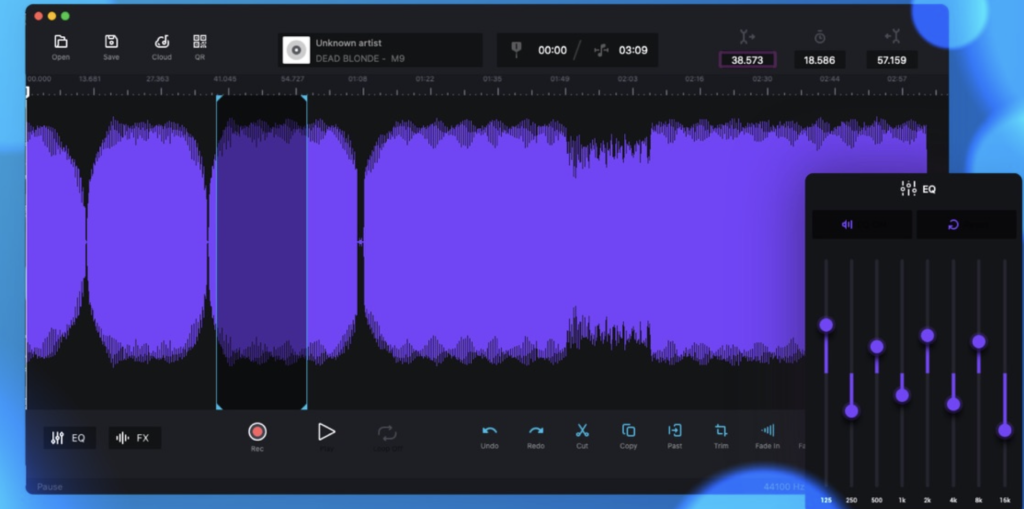
Audio Editor – Merge, Split And Edit is a sound editing software designed for macOS, providing users with the ability to edit audio files easily. This software offers various features and tools for manipulating audio waveforms. Here are some key features and information about Audio Editor based on the details you provided:
Key Features of Audio Editor:
- Audio Editing: Audio Editor allows users to edit audio files by cutting, copying, pasting, and deleting selected areas within the audio waveform. This makes it easy to trim, rearrange, and edit audio content.
- Open and Save Audio Files: Users can open and save audio files in various formats, enabling them to work with a wide range of audio sources.
- Waveform Editing: The software provides a visual representation of the audio waveform, allowing for precise and visual editing of audio content. This makes it easier to make accurate edits.
- Ringtone and Jingle Creation: Users can use Audio Editor to create custom ringtones and jingles by editing and arranging audio clips as needed.
- Fine Selection: The software allows for fine selection on the waveform, ensuring that users can make precise edits and selections within the audio file.
- Timeline Navigation: Users can zoom in and out of the timeline to find and navigate to specific moments within the audio file, making it convenient for editing tasks.
- In-App Purchase: The full version of Audio Editor is available as an in-app purchase.
Compatibility:
Audio Editor – Merge, Split And Edit is compatible with macOS 10.13.2 or later, which means it can run on Mac computers with macOS High Sierra and later versions.
Official Homepage:
For more detailed information about Audio Editor, including pricing and download options, you can visit the official Audio Editor page on the iTunes App Store using the provided link: Audio Editor on iTunes.
Audio Editor can be a useful tool for individuals who need to edit and manipulate audio files on their Mac computers. It provides a user-friendly interface and essential audio editing features for tasks like trimming, cutting, and pasting audio clips.
Download OmniGraffle Pro v-7.22 Mac
03 years
Name : OmniGraffle Pro
Size : 58 MB
Download OmniGraffle Pro v-7.22 Mac
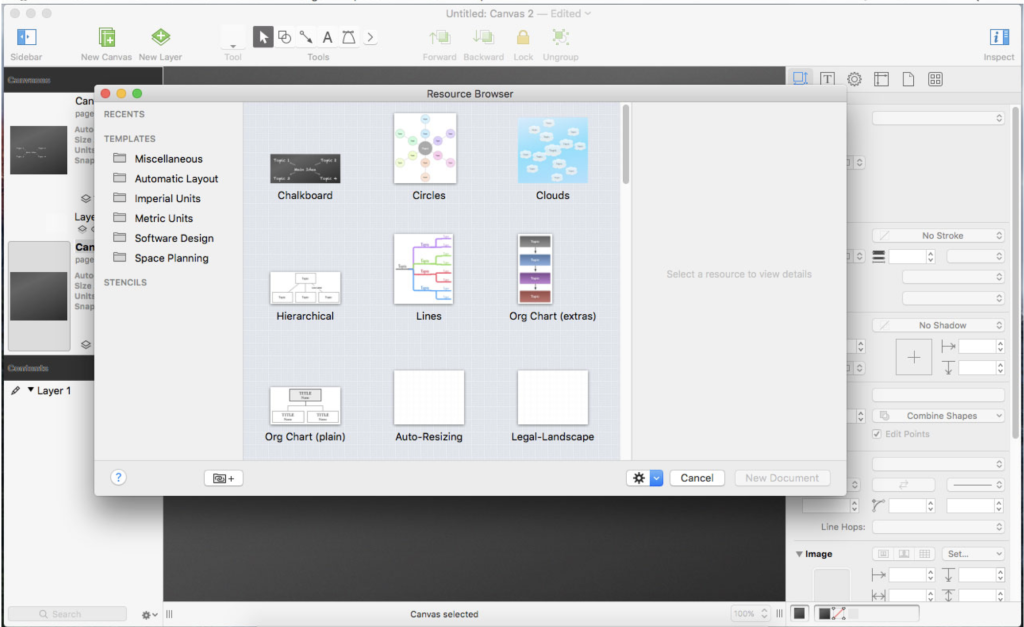
OmniGraffle Pro is a versatile diagramming and graphing tool that allows you to create a wide range of visual representations, including diagrams, family trees, flowcharts, org charts, layouts, and more. It’s designed to help users draw and organize their ideas, projects, and data in a visually appealing and structured manner. Here are some key features and uses of OmniGraffle Pro:
- Diagram Creation: OmniGraffle Pro provides a wide range of tools for creating various types of diagrams and graphs. You can create flowcharts, organizational charts, network diagrams, floor plans, and more.
- Graphical Representation: Use boxes, shapes, lines, and connectors to visually represent relationships, processes, and structures. Customize the appearance of objects and lines to convey your ideas effectively.
- Family Trees: Easily create family trees and genealogy charts to visualize your family history and relationships.
- Project Planning: Plan and organize projects by creating diagrams that outline project workflows, task dependencies, and timelines.
- Education: OmniGraffle Pro can be used for educational purposes, such as creating concept maps, mind maps, and educational diagrams to enhance learning and understanding.
- Scientific Illustrations: Create scientific diagrams and illustrations to explain complex concepts, experiments, and research findings.
- Customization: Customize shapes, colors, fonts, and styles to match your specific needs and design preferences.
- Stencil Library: Access a wide variety of stencils and templates for different diagram types, saving you time and effort in creating diagrams from scratch.
- Pro Features: OmniGraffle Pro includes advanced features like shared layers, artboards, Visio import/export, advanced shape recognition, automation with AppleScript, and more.
- Integration: Seamlessly integrate your diagrams with other applications and workflows. OmniGraffle Pro supports import/export of various file formats, including PDF, SVG, Visio, and more.
- Cross-Platform Compatibility: OmniGraffle is available for macOS and iOS, allowing you to work on your diagrams across multiple devices.
- Professional Use: OmniGraffle Pro is tailored for professional users who require advanced diagramming capabilities, making it a cost-effective alternative to other diagramming software.
Whether you’re a professional designer, project manager, educator, or anyone who needs to create organized visual representations, OmniGraffle Pro offers a versatile and user-friendly solution. It’s a valuable tool for brainstorming, planning, and presenting ideas in a clear and visually appealing manner.
Download SketchUp Pro 2023 v23.1.328 For Mac
03 years

Name : SketchUp Pro 2023
Size : 908 MB
Download SketchUp Pro 2023 v23.1.328 For Mac
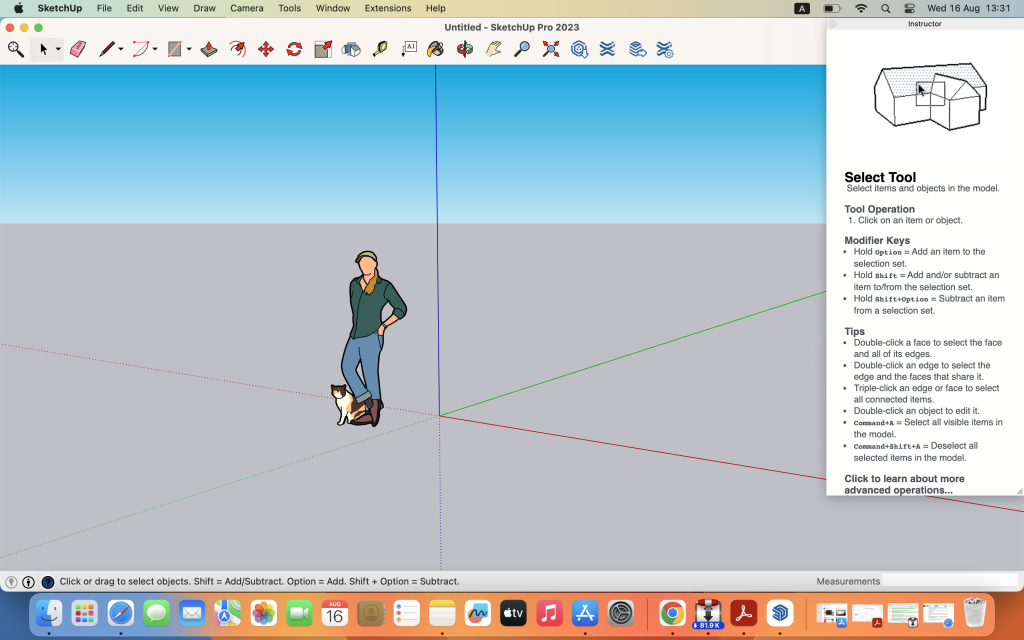
SketchUp is a versatile 3D modeling program that allows users to create, explore, and visualize 3D models of various objects and structures. It offers a range of tools and features that make it suitable for a variety of applications, from architectural design and woodworking projects to creating 3D models of almost anything you can imagine. Here are some key aspects of SketchUp:
3D Modeling: SketchUp provides a user-friendly and intuitive interface for creating 3D models. You can use simple tools to design houses, buildings, interiors, landscapes, furniture, and more. It’s known for its ease of use, making it accessible to beginners and professionals alike.
SketchUp for Web: In addition to the desktop version, SketchUp offers a web-based modeler known as SketchUp for Web. This allows you to create and edit 3D models directly in your web browser, making it accessible from various devices.
Cloud Storage: SketchUp Pro includes unlimited cloud storage through Trimble Connect. This enables users to store, share, collaborate on, and access their projects from anywhere with an internet connection.
2D Design Documentation: LayOut, a companion tool to SketchUp Pro, allows you to create scaled 2D drawing sets, including plans, elevations, sections, and more. It’s a valuable tool for creating design documentation and presentations.
VR Model Viewing: SketchUp supports virtual reality (VR) model viewing, allowing you to immerse yourself in your 3D models and provide clients with walkthroughs using devices like Microsoft HoloLens, HTC Vive, Oculus, or even a smartphone or tablet.
Customization: SketchUp offers customization options with the ability to create custom Styles, Materials, and Outliner, allowing you to give your projects a unique look and feel.
Dynamic Components: SketchUp includes Dynamic Components, which are interactive 3D models that can change in response to user input. This feature is especially useful for creating parametric designs.
SketchUp is widely used in various industries, including architecture, interior design, woodworking, construction, and more. Its versatility and accessibility make it a valuable tool for both professionals and hobbyists who want to bring their 3D design ideas to life. Whether you’re designing buildings or creating 3D models for personal projects, SketchUp provides the tools you need to visualize your ideas in 3D.
Amadine for Mac V-1.5.2
03 years
Name : Amadine
Size : 44 MB
Amadine for Mac V-1.5.2
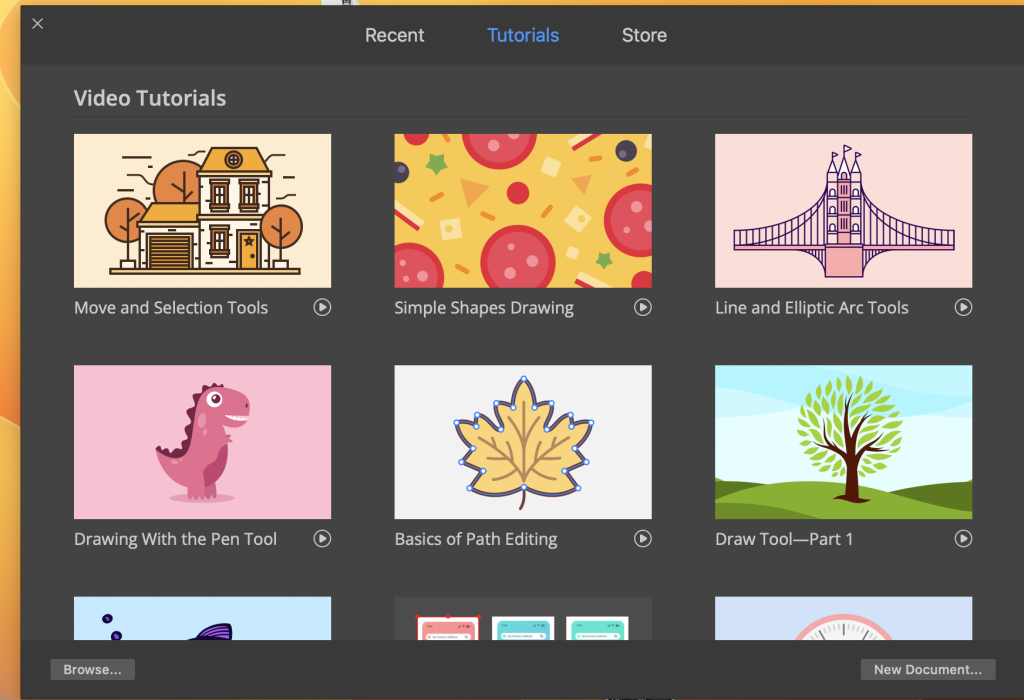
Amadine is a vector drawing software designed to provide users with a powerful and intuitive tool for creating illustrations, web designs, user interfaces, flyers, brochures, logos, icons, and more. It is characterized by a balanced user interface, making it easy to use while offering a wide range of creative tools and features. Here are some key aspects of Amadine:
User Interface:
- Amadine features a user-friendly and well-balanced interface that prioritizes smooth workflow and quick learning. It is designed to cater to the needs of both beginners and experienced designers.
Versatile Toolset:
- The software offers more than 30 tools for various tasks such as selecting, drawing, editing, slicing, and typing. These tools cover a wide range of creative possibilities.
Selection and Modification:
- You can select and modify objects using tools like Move, Selection, Lasso, Eyedropper, Scissors, Eraser, and Zoom.
Drawing and Editing Paths:
- Create and edit paths with tools like Pen, Convert, Draw (combines Pencil and Brush), Width, Gradient, Rectangle, Rounded Rectangle, Ellipse, Polygon, Star, Line, and Arc.
Shape Transformation:
- Transform shapes with options like Free Transform, Symmetrical Distortion, and Free Distortion.
Artboard Organization:
- Use artboard sheets to organize your work effectively.
Text Handling:
- Add and edit text using Text tools, including Text (combines text in place and text in box), Text on Path, and Text in Shape.
Compatibility:
- Amadine is compatible with macOS 10.12 or later, ensuring that it can run on a wide range of Mac computers.
Amadine’s combination of a smooth user interface and a comprehensive toolset makes it suitable for a variety of design tasks. Whether you’re creating intricate illustrations or designing user interfaces, Amadine offers the creative tools you need to bring your ideas to life. It’s a versatile vector drawing software that can cater to the needs of both amateur and professional designers.
Download Sketch for Mac v-98.3
03 years

Name : Sketch
Size : 71 MB
Download Sketch for Mac v-98.3
Sketch is a powerful graphic design software designed for the digital world. It offers a range of tools and features to help designers create beautiful and innovative designs for a variety of purposes, including web design, interface design, icons, and more. Here are some key features and capabilities of Sketch:
1. Multiple Fills, Borders, and Shadows:
- Sketch allows you to apply multiple fills, borders, and shadows to each layer, providing flexibility in design and styling.
2. Non-Destructive Boolean Operations:
- The software supports non-destructive boolean operations, allowing designers to combine shapes and objects without losing the ability to edit them later.
3. Smart Pixel Alignment:
- Sketch includes smart pixel alignment features, ensuring that elements align perfectly for crisp and precise designs.
4. Exporting Made Easy:
- Exporting designs is simplified with automatic slicing and support for exporting multiple resolutions, making it convenient for web and app development.
5. Vector Tools and Basic Shapes:
- Sketch provides a foundation for design with vector tools and basic shapes, making it suitable for designing icons, websites, interfaces, and more.
6. Advanced Layer Styles:
- Designers can apply advanced layer styles, including multiple shadows, fills, gradients, noise, blending, background blurring, and more.
7. Text Tool:
- The software features a best-in-class text tool that allows users to add typography to their designs with native font rendering, ensuring accurate text representation.
8. Symbols:
- Symbols in Sketch enable designers to reuse entire groups of content in multiple places within a design. Changes made to symbols are automatically reflected throughout the document.
9. Mac Integration:
- Sketch is built for the Mac and supports macOS features like Versions and Auto Save. It also offers iCloud integration for syncing work across multiple Mac computers.
10. Single-Window Interface:
– Sketch’s user-friendly interface is designed for efficiency, providing access to powerful tools within a single window.
Sketch is a go-to choice for designers who want to create visually stunning and efficient designs in a digital environment. It offers a versatile set of tools for design professionals working on various projects, and its focus on an elegant and streamlined interface ensures an enjoyable design experience.
Mac Software ACDSee Photo Studio 9.3.2859
03 years

Name : ACDSee Photo Studio
Size : 182 MB
Mac Software ACDSee Photo Studio 9.3.2859
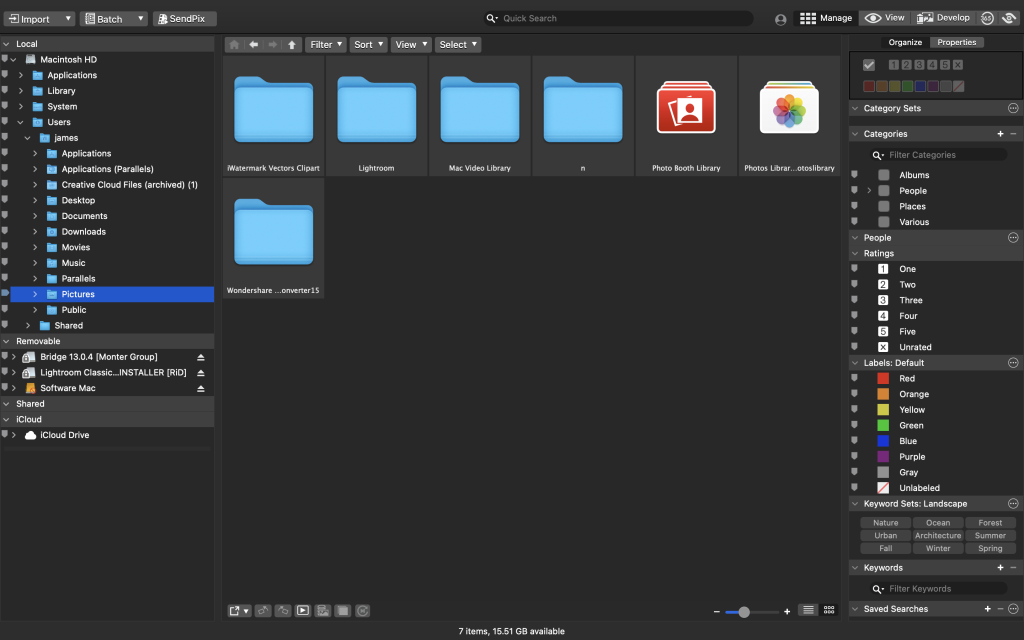
ACDSee Photo Studio for Mac is a digital asset manager and RAW processor designed to help photographers efficiently manage, organize, and edit their image collections. It offers a range of features and tools to streamline the photography workflow. Here are some key highlights of ACDSee Photo Studio for Mac:
1. Digital Asset Management:
- ACDSee Photo Studio allows you to manage your image collection efficiently with one-click searches, drag-and-drop searching, and saved searches.
- It provides import-free access to your images, making it convenient to organize and access your photos.
2. Speed and Performance:
- The software offers faster launching, browsing, scrolling, and searching for a smoother user experience.
- It is optimized for speed and efficiency in handling large image libraries.
3. Organizational Tools:
- ACDSee Photo Studio includes sleek organizational tools to help you sort and categorize your photos.
- Easy-Select Tabs allow you to select or deselect multiple folders and subfolders in your file tree.
4. iCloud Integration:
- Users can access iCloud Drive directly through ACDSee to easily backup and share files.
5. Keyword Management:
- The software provides improved keyword management, with frequently-used keyword sets pre-loaded.
- Users can import and export established keyword lists for convenience.
6. Saved Searches:
- ACDSee Photo Studio allows you to create and save searches based on specific criteria, providing quick access to search results with a single click.
7. RAW Support:
- The software supports over 550 camera models, offering RAW processing capabilities for a wide range of cameras.
8. Non-Destructive Adjustments:
- A full toolkit of non-destructive adjustments is available for editing photos without compromising image quality.
ACDSee Photo Studio for Mac is designed to be a valuable resource for photographers, providing tools for image management, organization, and editing. Whether you’re a professional photographer or an enthusiast, this software aims to enhance your photography workflow and productivity.
Please note that the specific features and improvements in version 9.3.2859 are not provided in the description, as release notes were unavailable at the time of the listing update. Users can refer to the official website or documentation for detailed information on the latest version’s enhancements and bug fixes.