Free Macsoftware One click Download
Graphic and Design
Download EazyDraw 11.2.3 for Mac
02 years
by Jameskarke
in Graphic and Design

Name : EazyDraw
Size : 151 MB
Download EazyDraw 11.2.3 for Mac
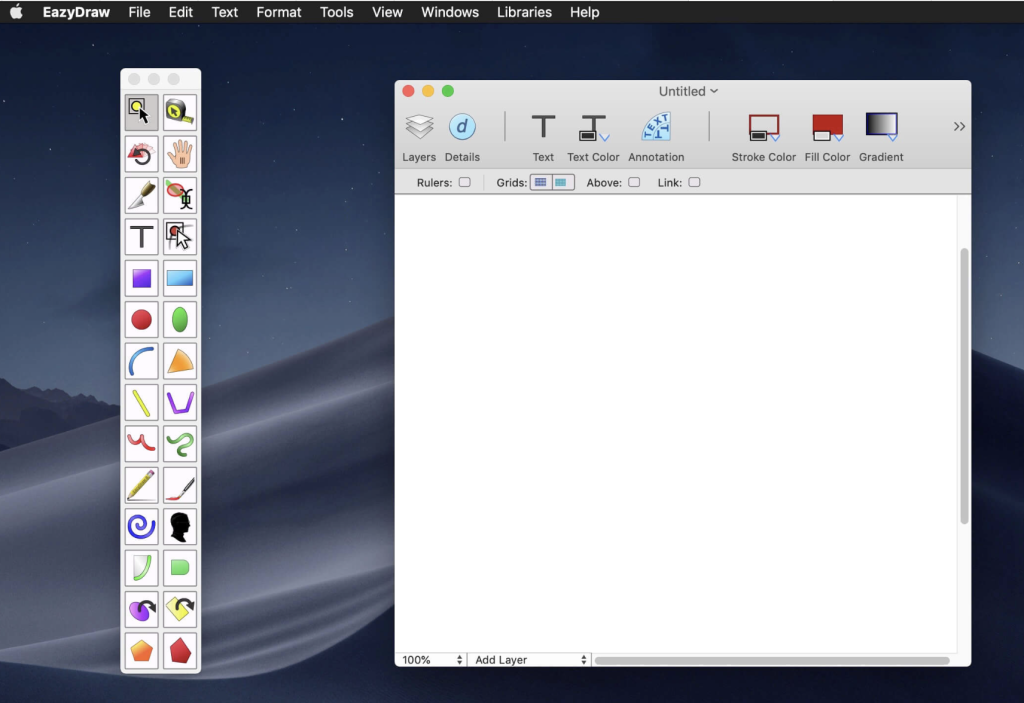
EazyDraw is a vector drawing application for macOS. It has been a pioneering app in the world of vector drawing on Mac, supporting various macOS versions from Jaguar to El Capitan. EazyDraw is designed to offer a balanced feature set that caters to a wide range of graphic design needs, including technical drawing, web and app graphic design, print publishing, logo creation, page layout with text, and more. It is suitable for users with varying levels of experience, from beginners to professionals.
Key features of EazyDraw include support for both bitmap and vector graphic formats. It allows you to import and ungroup PDF and EPS files for editing. Additionally, you can import and export SVG and DXF files, preview and publish to EPS and TIFF with RGB or CMYK process colors, exchange scaled CAD drawings using DXF, create graphics and icons for Mac, iPhone, and iPad app development, and more.
EazyDraw is available for macOS 10.13 or later, and it comes with a Full Version in-app purchase that includes all the features.
You can visit the official website of EazyDraw for more information: EazyDraw Official Website
Download Topaz Photo AI Mac V-2.0.7
02 years

Name : Topaz Photo AI
Size : 2.4 GB
Download Topaz Photo AI Mac V-2.0.7
Topaz Photo AI is an image enhancement tool powered by artificial intelligence (AI) that elevates the quality of your photos, focusing on sharpening, noise reduction, and resolution enhancement. Here’s an overview of its features:
Key Features:
- AI-Powered Image Enhancement: Utilizes AI to enhance image quality, enabling photographers to concentrate on the creative aspects of photography rather than spending time on technical tools. It emphasizes the idea that exceptional photography arises from the synergy of artistic vision and cutting-edge tools.
- Sharper Images: Enhances image sharpness, particularly beneficial when dealing with blurry photos. The AI technology in Sharpen AI module addresses the root causes of blurriness (e.g., camera shake, motion blur, misfocus), resulting in clearer and crisper details without introducing unwanted artifacts or edge haloes.
- Noise Reduction: Includes the capability to reduce noise, ensuring cleaner and smoother images by eliminating unwanted pixelated artifacts, especially visible in low-light conditions or high ISO settings.
- Resolution Enhancement: Employs advanced technology to upscale and improve the resolution of images, allowing users to increase the size of photos without losing quality or introducing pixelation.
Creative Vision and AI Empowerment:
- Focus on Creativity: Emphasizes that while AI is proficient in enhancing image quality, it cannot replicate human creativity. The tool aims to empower photographers by improving image quality, leaving the creative vision and decision-making in the hands of the photographer.
System Compatibility:
- Compatibility: Topaz Photo AI’s compatibility details would typically be available on their homepage. Unfortunately, the specific compatibility details aren’t provided in the available information.
Where to Find Topaz Photo AI:
- Homepage: Topaz Photo AI
Topaz Photo AI is designed to refine and enhance the quality of images by leveraging AI-driven sharpening, noise reduction, and resolution improvement. This tool is ideal for photographers seeking to optimize their photo quality and details through advanced technology and image enhancement algorithms. The provided information offers an overview of its capabilities and the emphasis on the synergy between AI-based enhancements and human creative vision.
Download Autodesk Flame V-2024.2
02 years

Name : Autodesk Flame 2024.2
Size : 3.1 GB
Download Autodesk Flame V-2024.2
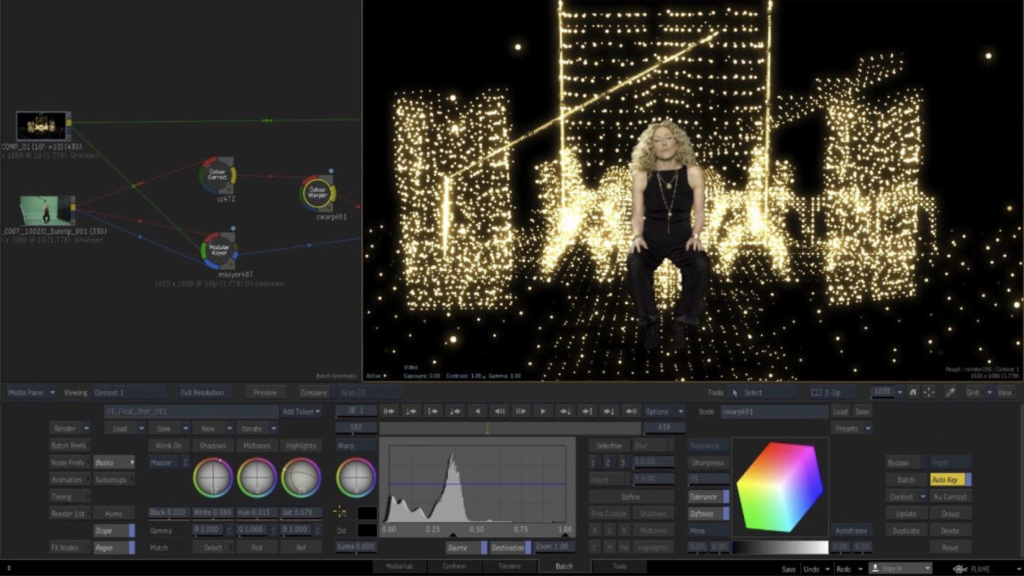
Flame® software is an advanced 3D visual effects tool that serves various purposes including fast 3D visual effects, finishing, compositing, advanced graphics, color grading, conform, editorial, and look development. Here are the notable features and functionalities of Flame®:
Key Features:
3D Compositing (Action):
- Interactive 3D Effects: Action combines the interactive speed of traditional 2D compositing with powerful 3D visual effects. It offers a WYSIWYG preview for artists during sessions.
Node-Based Compositing (Batch):
- Procedural Environment: Batch provides a node-based procedural compositing environment that integrates with the timeline and desktop. It’s designed to combine both 2D and 3D elements for versatile composition work.
Editorial Timeline:
- Project Oversight: Manage projects, ensure consistent looks, and properly match graded and 3D VFX shots. It also includes scene detection capabilities.
Matchbox API:
- GPU-Accelerated Shaders: Utilize Lightbox, Matchbox, and PBR shaders to tackle challenges in Action’s 3D compositing environment using GPU-accelerated GLSL shaders.
Action Projection Tracking:
- Projection to UV Set: Turn a projection into a UV set for the geometry, enhancing tracking capabilities in the 3D space.
Connected Conform Smart Merge:
- Dynamic Editing: Merge new editorial cuts dynamically with work-in-progress shots late in a project, facilitating an efficient workflow.
Python API:
- Scriptable Commands: Drive the Batch environment using scriptable commands, enhancing the flexibility and automation of the compositing process.
Pybox:
- External Renderer Processing: Utilize Pybox, a scriptable handler, to process images via external renderers, offering additional flexibility in rendering pipelines.
System Requirements:
- Operating System: Apple® macOS® Mojave v10.14.x/Catalina v10.15.x/Big Sur v11.1+
- GPU: Mac-native installed graphics cards with a minimum of 8GB VRAM. Recommended: Radeon Pro vega II
- CPU: Recommended Intel Core i7 or higher. Apple M1 CPU is currently not supported.
- RAM: 32GB/64GB
- Display: 1920 x 1200 display with a 60Hz refresh rate.
Where to Find Flame® Software:
- Official Homepage: For more information, access to the software, and details on features, you can visit the Autodesk Flame® Homepage.
Flame® software stands out for its 3D compositing, node-based environment, and its comprehensive suite of tools designed for professionals in the visual effects, finishing, and compositing space.
Download Luminar Neo for Mac 1.15.0 (16133)
02 years
Name : Luminar Neo 1.15.0
Size : 4.7 GB
Download Luminar Neo for Mac 1.15.0 (16133)
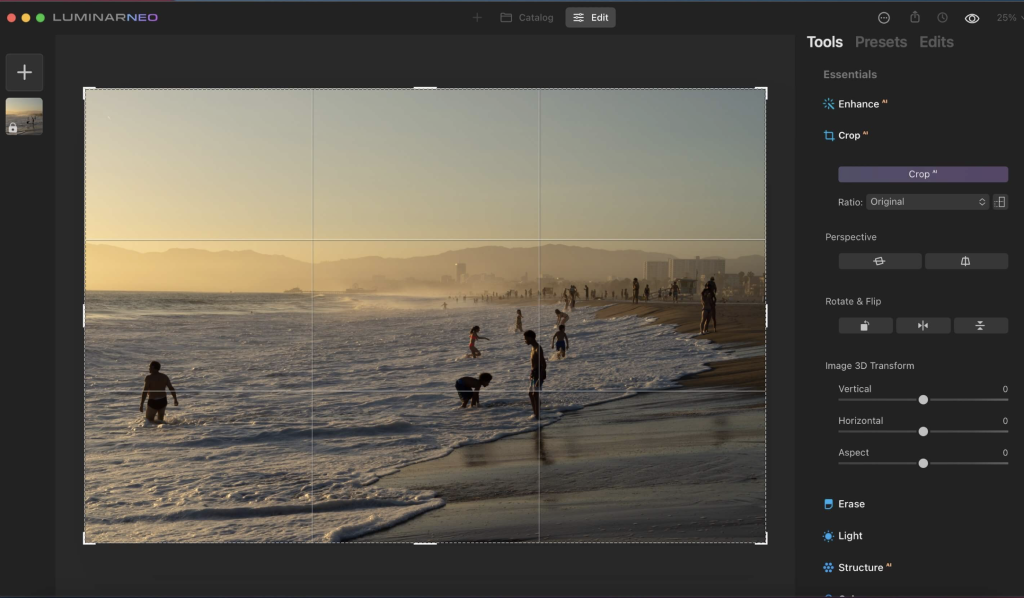
The Luminar Neo software is an advanced and innovative image editing tool that harnesses the power of AI technologies to streamline complex editing processes and empower creators to manifest their most daring ideas. Here are the key features and functionalities of Luminar Neo:
Feature Highlights:
RelightAI:
- Control Light in 3D Space: Utilize RelightAI to adjust the light in three-dimensional space across a 2D image. It calculates depth and creates a 3D map for precise lighting adjustments.
- Separate Foreground and Background Lighting: Enable separate adjustment of the foreground and background lighting, enabling creative relighting for your artistic vision.
AI-Powered Editing:
- Remove Elements with AI: Automatically remove distracting elements like power lines or clutter from your photos using AI.
- Layers and AI Masking: Combine MaskAI and Layers for limitless creativity. MaskAI automates masking while Layers allow for the addition of various objects and graphics.
Sky Replacement:
- Sky Replacement: Seamlessly replace the sky in images using advanced technology, including water reflections and human-aware relighting to match the new sky.
Image Engine Enhancements:
- Lightning-Fast Editing: The updated image engine offers faster performance, optimized module-based processing, and specific enhancements to achieve complex creative results.
Additional Features:
- Innovative User Experience: Aimed at simplifying complex image editing and maximizing creativity.
- Fine Control Over Light: Adjust exposure based on distance from the lens, enabling independent background and foreground exposure control.
- Sensor and Lens Cleaning: Automatically remove spots caused by dust and dirt on your lens or sensor.
New Tools and AI-Powered Solutions:
- Expanded Toolbox: Luminar Neo features new and enhanced AI-powered tools designed to solve photography-related challenges and offer unprecedented creative freedom.
- Mobile App in Development: A new mobile app is being developed to facilitate the easy transfer of photos between mobile devices and computers.
Compatibility:
- Supported Platforms: macOS 10.14.6 or later, compatible with both Apple Silicon and Intel-based Macs.
Skylum’s Commitment:
- Cutting-Edge Features: Additional updates and cutting-edge features are promised to be shipped as free updates after the official release.
Where to Find Luminar Neo:
- Official Homepage: For more details, information, and download options, you can visit the Luminar Neo Homepage.
Luminar Neo stands out for its AI-driven editing capabilities, fast performance, and innovative features designed to cater to photographers looking to take their editing experience to new heights.
Download Mac software Swift Publisher 5.6.8
02 years

Name : Swift Publisher
Size : 459 MB
Download Mac software Swift Publisher 5.6.8
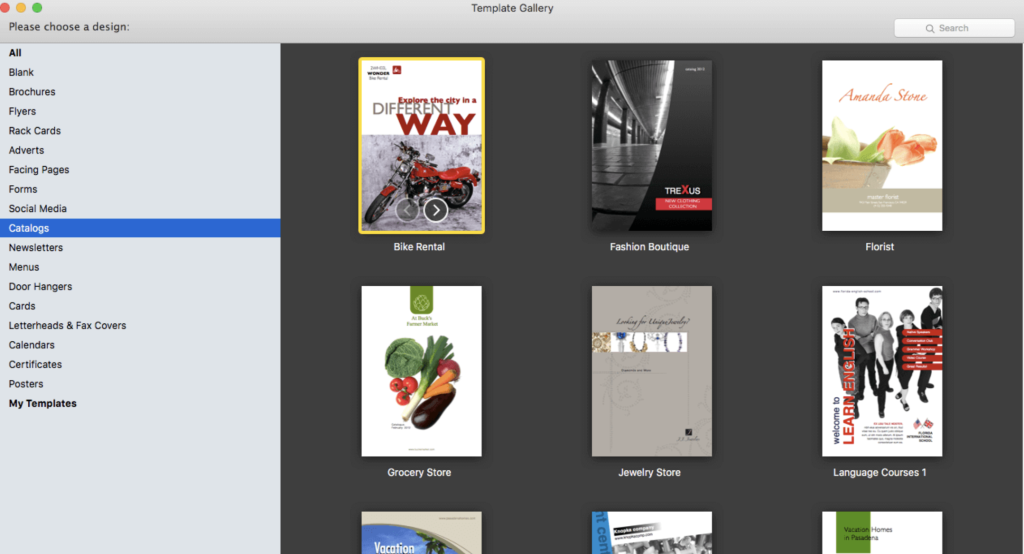
Swift Publisher is a user-friendly desktop publishing tool that simplifies the creation of a wide range of print materials, including flyers, newsletters, brochures, letterheads, and more. Here are some key features and highlights:
User-Friendly Interface: It’s an accessible digital drawing board for those not familiar with complex design apps, making the process of creating publications straightforward and easy to learn.
Text Customization: Swift Publisher offers a comprehensive text toolkit allowing users to customize text styles, link text boxes, and create wrap-around effects for visually engaging content.
Templates and Resources: The software provides a collection of images, designs, and masks, offering a range of templates and resources to inspire and facilitate the design process.
Personalization Options: Swift Publisher enables detailed personalization of publications. Users can tint, tile, group, rotate, or adjust the opacity of objects within the tool.
Compatibility: The software is compatible with macOS 10.12 and later versions, ensuring that users can access its features across different Mac operating systems.
Homepage: To learn more about Swift Publisher and its capabilities, you can visit the official homepage at Swift Publisher.
Swift Publisher provides an accessible and versatile solution for users who need to create professional-looking print materials without the complexity of high-end design software.
Download Native Instruments Reaktor for Mac 6.5.0 Rev2
02 years
by Jameskarke
in Graphic and Design

Name : Native Instruments Reaktor
Size : 150.64 MB
Download Native Instruments Reaktor for Mac 6.5.0 Rev2
REAKTOR 6 is a powerful and versatile audio software application developed by Native Instruments. It serves as a creative toolkit for sound designers, musicians, and producers, allowing them to build custom synths, samplers, effects, and sound design tools. With REAKTOR 6, you can experiment with modular patching, use Blocks for rack-style modular synthesis, and explore a vast library of included instruments and user-contributed sounds.
Here are some of the key features and functionalities of REAKTOR 6:
1. Modular DSP Lab: Create custom instruments and effects using a modular approach. Experiment with different modules and routing to design unique sounds and processing chains.
2. Blocks: REAKTOR 6 features Blocks, which are sound-generating and sound-shaping modules that allow you to create modular synthesizers, effects chains, sequencers, and more. The ecosystem is expandable with additional modules from various developers.
3. Unrivaled Sound Quality: REAKTOR is known for its high-quality sound. It offers anti-aliased oscillators, zero-delay feedback filters, granular synthesis engines, and more, all designed with precision to achieve exceptional sound quality.
4. MIDI, OSC, and CV/Gate Connectivity: REAKTOR provides extensive options for connecting to other devices, including MIDI, OSC, and CV/Gate connections. This enables you to connect hardware modular systems, standalone hardware, and other software instruments.
5. Hardware Control: You can control REAKTOR directly from a KOMPLETE KONTROL keyboard or MASCHINE. The REAKTOR API allows you to design fully-integrated performance setups, customize parameter mappings, and more.
6. User Community: REAKTOR has a thriving user community with thousands of artists, sound designers, and instrument builders who contribute to the user library, share their creations, and collaborate on sound design projects.
System Requirements:
- macOS 10.15 or later
- Apple Silicon or Intel Core processor
REAKTOR 6 is a versatile tool for sound experimentation, synthesis, and sound design. Whether you’re looking to create innovative instruments, effects, or entire soundscapes, REAKTOR provides the platform and tools to bring your sonic ideas to life. It’s used by musicians, sound designers, and enthusiasts to push the boundaries of sound and music.
Download PDF Expert v-3.6.0
02 years
by Jameskarke
in Graphic and Design
Name : PDF Expert
Size :107 MB
Download PDF Expert v-3.6.0
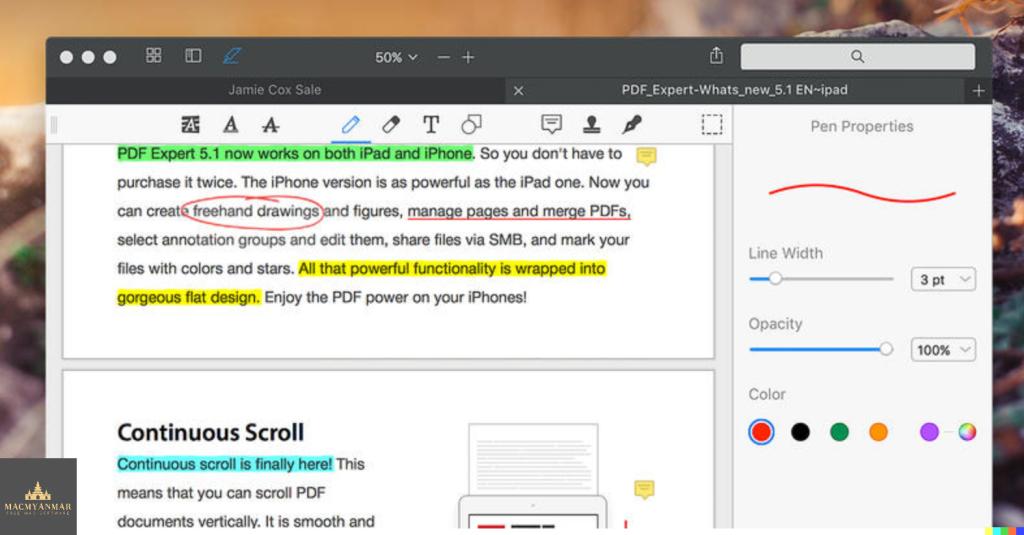
PDF Expert is a powerful PDF viewer and editor for macOS that offers a range of features to help you efficiently work with PDF documents. It’s designed for smooth navigation, annotation, form filling, and document signing. Here are some of the key features and functions of PDF Expert:
Main Features:
- Fast and Smooth PDF Viewing: PDF Expert provides a fast and smooth viewing experience for PDFs, whether they are small email attachments or large 2,000-page reports. Documents open instantly, allowing for efficient navigation.
- Professional Annotation Tools: PDF Expert is equipped with a range of annotation tools that make it easy to mark up and edit PDF documents. Whether you need to make simple changes or engage in extensive editing sessions, the tools are easily accessible.
- Tabbed Document Viewer: PDF Expert offers a tabbed document viewer that allows you to work with multiple PDFs simultaneously. This feature is ideal for productivity and makes it easy to switch between documents.
- Form Filling: PDF Expert excels in form filling, providing a user-friendly experience for filling out PDF forms. Text fields, checkboxes, radio buttons, and other form elements work as expected, and all the information you enter is saved within the form. This includes complex interactive forms with JavaScript functions.
- Digital Signatures: PDF Expert simplifies the process of signing documents on your Mac. You can type your name on the keyboard, and the app will convert it into beautiful handwriting. Alternatively, you can use your MacBook’s trackpad to write with your finger. PDF Expert also supports signatures created in PDF Expert for iOS.
- Sharing Options: PDF Expert offers wide-ranging sharing options. You can easily send documents to clients, colleagues, and others using the Mac’s system-wide share sheet and other apps. PDF Expert is compatible with various sharing methods.
- Cross-Device Compatibility: PDF Expert is available on multiple Apple devices, including Mac, iPad, and iPhone. You can use Apple’s Continuity and Handoff features to seamlessly transfer documents from one device to another and continue editing where you left off.
System Requirements: PDF Expert is compatible with macOS 10.13 or later.
PDF Expert is a versatile and user-friendly PDF tool that helps streamline your PDF-related tasks, from simple viewing to advanced editing and annotation. Whether you need to make annotations, fill out forms, or sign documents, PDF Expert offers a solution for your PDF needs.
Download DxO PhotoLab 7 ELITE Edition V-7.0.2.32 for Mac
02 years

Name : DxO PhotoLab 7 ELITE Edition
Size : 753 MB
Download DxO PhotoLab 7 ELITE Edition V-7.0.2.32 for Mac
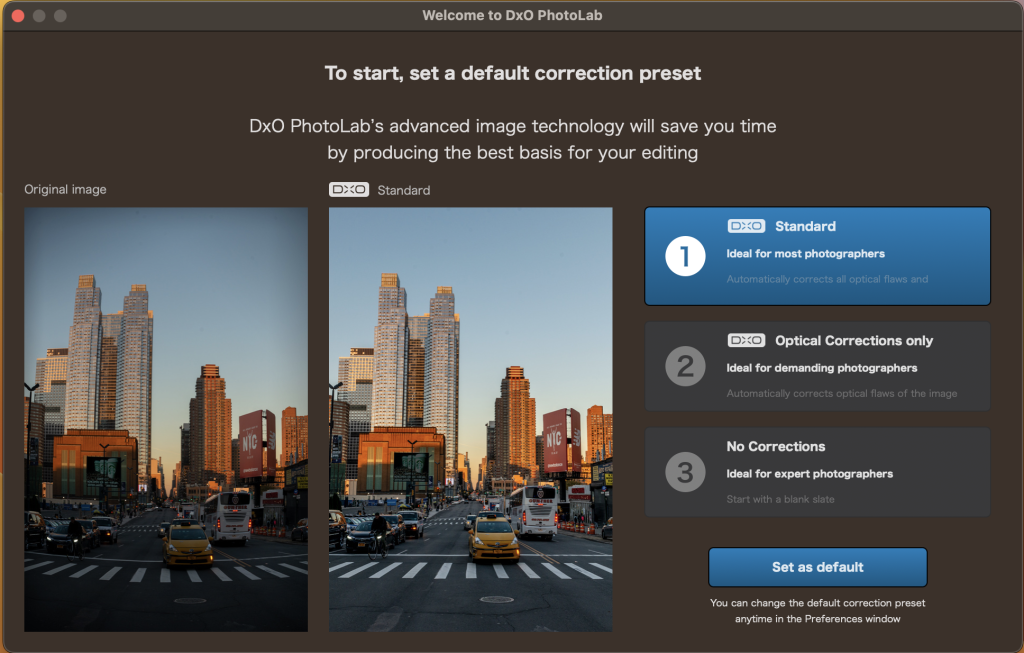
DxO PhotoLab is a comprehensive photo editing software that offers a range of smart-assisted corrections, as well as manual fine-tuning options. It is designed to help photographers enhance their photos by providing tools for noise reduction, exposure adjustment, color correction, optical corrections, and detail enhancement. Here are some of the key features and capabilities of DxO PhotoLab:
Smart Assisted Corrections: DxO PhotoLab provides a set of smart-assisted corrections that can be manually fine-tuned. These corrections allow users to effectively remove noise, eliminate exposure constraints, recover color details, apply sophisticated optical corrections, and enhance image details.
DxO DeepPRIME Noise Reduction: DxO PhotoLab introduces DxO DeepPRIME, an artificial intelligence-based technology designed to reduce digital noise in RAW images. It simultaneously handles demosaicing and denoising to achieve better results. DxO DeepPRIME is known for its ability to remove noise while preserving color detail, resulting in smoother transitions and a significant improvement in image quality.
High ISO Sensitivity: DxO DeepPRIME is particularly beneficial for expert photographers who need to shoot at high sensitivities. It compensates for the drawbacks of small sensors in compact and bridge cameras, allowing for noise reduction even at low ISO sensitivities. It can also improve image quality from older-generation cameras with significant digital noise.
Key Features:
- DxO Smart Lighting: Adjust exposure and contrast intelligently.
- DxO ClearView: Eliminate haze and enhance local contrast.
- DxO PRIME: High-quality noise reduction.
- Optical Corrections: Correct distortion, chromatic aberration, and vignetting.
- U Point: A selective editing tool for precise adjustments.
- And more.
System Requirements:
- macOS 12.6.0 or later
DxO PhotoLab is a powerful and versatile photo editing software that appeals to both amateur and professional photographers. It provides a range of features for improving image quality, reducing noise, and enhancing the overall visual appeal of photos. You can find more information and download the software from the provided homepage link (http://www.dxo.com).
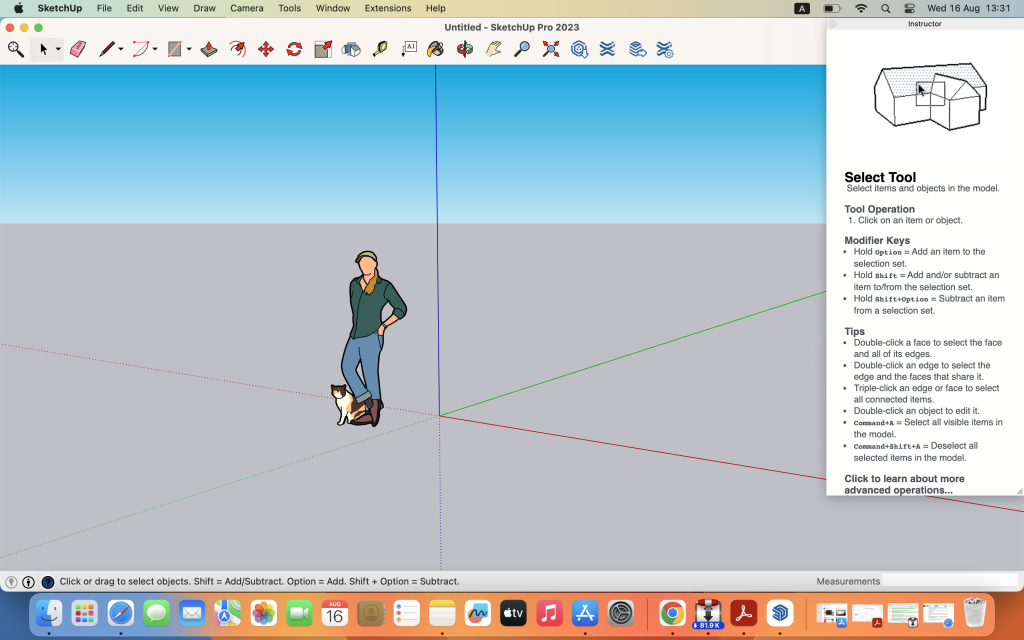
Download SketchUp Pro 2023 v23.1.341 for Mac
02 years

Name : SketchUp Pro 2023
Size : 908 MB
Download SketchUp Pro 2023 v23.1.341 for Mac
SketchUp is a 3D modeling program that is known for its user-friendly interface and versatility. It is designed to help users create 3D models for a wide range of applications, from architectural design and woodworking projects to more creative endeavors. Here are some key features and uses of SketchUp:
3D Modeling: SketchUp offers an intuitive and easy-to-learn interface that allows users to create 3D models of various objects and structures. It’s commonly used for designing houses, sheds, decks, home additions, furniture, and more.
Design Development: SketchUp is a valuable tool for design development. It enables users to explore and refine their design concepts in 3D, making it easier to visualize and communicate ideas.
Documentation: The software provides tools for creating detailed design documentation, including scaled 2D drawings, annotations, and more. LayOut, a companion application, allows users to create presentation-quality documents.
Collaboration: SketchUp Pro includes Trimble Connect, which offers cloud-based collaboration and storage. This allows users to publish, share, and store their projects in the cloud, making it easier to work with others and access projects from different devices.
VR Model Viewing: SketchUp Pro supports virtual reality (VR) model viewing, enabling users to provide immersive project walkthroughs to clients using devices like Microsoft HoloLens, HTC Vive, Oculus, and mobile devices.
Customization: Users can create custom Styles and Materials to give their projects a unique look. The Outliner feature helps organize and manage complex models. Dynamic Components make it easy to create interactive and parametric models.
Compatibility: SketchUp Pro is compatible with macOS 10.15 or later.
SketchUp is a versatile tool used by architects, designers, artists, woodworkers, and many other professionals for 3D modeling, design, and visualization. Whether you’re designing a new structure or creating 3D models for various applications, SketchUp offers the tools and flexibility to bring your ideas to life. You can find more information about SketchUp and download it from the provided homepage link (https://www.sketchup.com/).
Download Pixelmator Pro v-3.4.3 for Mac
02 years

Name : Pixelmator Pro
Size : 602 MB
Download Pixelmator Pro v-3.4.3 for Mac
Pixelmator Pro is a powerful and user-friendly image editor designed exclusively for macOS. It offers a wide range of professional-grade, nondestructive image editing tools, making it a versatile option for a variety of image editing tasks. Here are some of the key features and functions of Pixelmator Pro:
Exceptional Design and Functionality:
- The modern, single-window interface is optimized for image editing on a Mac.
- An intuitive and refined design makes image editing accessible, even for beginners.
- Native dark and light appearances adapt to the light and dark modes of macOS.
- Customizable interface allows you to organize your creative environment according to your preferences.
- Choose from workspace presets tailored for photography, design, illustration, and painting.
- A full-featured Photos extension allows you to edit images using Pixelmator Pro without leaving the Photos app, saving layered, nondestructive edits directly to your library.
Professional Tools:
- Offers a wide array of image editing tools for enhancing existing images and creating new ones.
- Supports nondestructive editing, allowing you to adjust individual changes at any time.
- Easily move, resize, and arrange objects to create stunning compositions.
- Includes nondestructive, machine learning-powered color adjustments for precise color control.
- Superior support for RAW files, enabling editing of RAW images with extended range data.
- Provides fully-customizable, dual-texture brushes for digital or traditional paintings, with support for digital graphics tablets.
- Combines built-in effects for creating artistic and special effects.
- Save adjustment, effect, and layer style combinations as presets for reuse and sharing.
- Includes hundreds of presets for color adjustments, effects, layer styles, and shapes to speed up image editing.
- Offers retouching tools for removing imperfections, cloning, and lightening/darkening specific areas.
- Features reshaping tools for changing the shape of objects or areas in your images.
- Supports vector graphics designed by the Pixelmator Team, as well as creating your own vector graphics using the Pen tool.
- Offers a full set of typography tools for designing text.
- Allows quick creation of curved, circular, and path text.
- Provides advanced optimization and saving options for web images with file size reduction.
- Offers batch processing using built-in Automator actions.
- Supports automation through AppleScript.
Image Editing Enhanced by Machine Learning:
- Includes machine learning-powered tools like the Repair tool for removing objects and enhancing images.
- Utilizes ML Enhance for intelligent photo enhancements based on professional photos.
- Offers ML Super Resolution for zooming and enhancing image resolution.
- Allows ML Match Colors to copy the look of one photo to another.
- Provides ML Denoise for noise and compression artifact removal while preserving details.
- Quick Selection tool for easy and accurate selections.
Compatibility:
- Opens and edits images in popular formats, including JPEG, TIFF, PNG, PSD, HEIF, SVG, PDF, GIF, BMP, TGA, WebP, and JPEG-2000.
- Supports Photoshop images with layers.
- Opens and edits SVG vector images.
- Easily shares images via Photos, Mail, AirDrop, and other locations.
Built Exclusively for Mac:
- Designed exclusively for macOS, Pixelmator Pro integrates seamlessly with macOS features and supports macOS Big Sur.
System Requirements:
- macOS 11.0 or later
Pixelmator Pro is a versatile image editing tool that caters to both beginners and professionals, providing a wide range of features for various creative tasks. You can find more information and download it from the provided homepage link (https://apps.apple.com/pk/app/pixelmator-pro/id1289583905).
