Free Macsoftware One click Download
Graphic and Design
Download Free JixiPix Watercolor Studio Pro for Mac V-1.4.15
02 years

Name : JixiPix Watercolor Studio Pro
Size : 496 MB
Download Free JixiPix Watercolor Studio Pro for Mac V-1.4.15
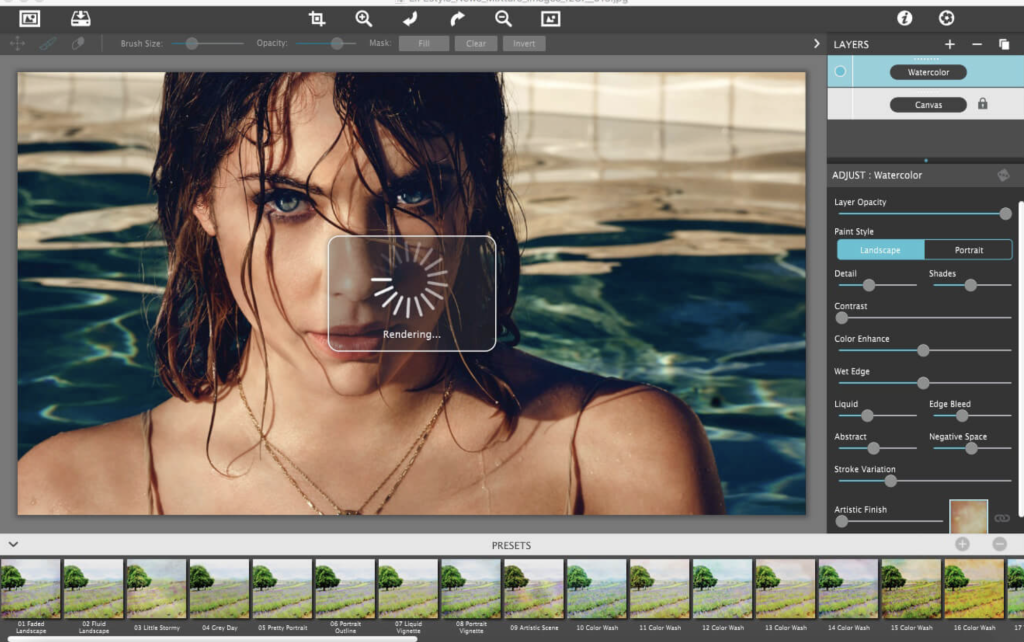
Watercolor Studio by JixiPix offers a unique approach to digital watercolor painting. Here are some key features and highlights:
- Fluid and Translucent Watercolors:
- Create fluid, liquidy, translucent watercolors with paint that flows naturally.
- Real-world Rendering System:
- Built on an incredible rendering system that uses real-world techniques for authentic watercolor effects.
- Instant Watercolor Rendering:
- The application does the initial work, producing a watercolor instantly from your photos.
- Customization Tools:
- Customize your watercolor paintings using an array of sliders, layers, brushes, color washes, and artistic finishes.
- AI and Image Recognition:
- Utilizes artificial intelligence and image recognition for rendering the initial watercolor, providing quick variations.
- Infinite Variations:
- Change paintings into an ink wash, add artistic finishes, brush in details, and spatter with liquid spots for infinite variations.
- Liquid Slider:
- Control the transparency and wetness of the paint with the Liquid slider, creating ultra-wet styles.
- Wet Edge Slider:
- Define edges with built-up pigment and natural color bleeding using the Wet Edge slider.
- Paint Layers:
- Create unique watercolors by stacking layers, blending color washes, and brushing in details with Paint Layers.
- Watercolor—Portrait Style:
- Create wet-on-dry paintings with portrait detail, shades, and smooth color using the Liquid slider.
- Watercolor—Landscape Style:
- Achieve abstract, free-flowing wet-in-wet paint styles, ideal for landscapes with color bleeding.
- Ink Wash Style:
- Render photos into soft, subtle paintings with one-to-three colors, offering inky or monotone effects.
- Liquefy Layer:
- Transparent layer to dilute and bleed color, providing a subtle effect similar to a paint brush dipped in water.
- Color Wash:
- Blend handmade color washes and textures into the painting, adding warmth, coolness, or dappled light.
- Experimentation:
- Encourages experimentation for beautiful effects, allowing users to have fun without needing advanced artistic skills.
Compatibility:
- macOS 10.12 or later
For more information and to explore Watercolor Studio, visit the official website.
Download Live Home 3D Pro Mac V-4.8.3
02 years

Name : Live Home 3D Pro
Size : 496 MB
Download Live Home 3D Pro Mac V-4.8.3
Elevate your home design experience with Live Home 3D Pro, the premier app catering to both homeowners and professional designers. A successor to Live Interior 3D, this feature-packed design tool offers unparalleled intuitiveness and advanced functionalities for creating stunning home designs. The Pro edition, in particular, stands out with superior export quality and the exclusive Elevation View mode.
Key Features:
- Comprehensive Design Tools:
- Craft detailed 2D floor plans effortlessly.
- Experience beautiful real-time 3D rendering for a vivid preview of your designs.
- Enjoy unlimited floor levels exclusively in the Pro edition.
- Access a wealth of in-depth video tutorials for guidance.
- User-Friendly Interface:
- Draw complete rooms with precision using the Room tool.
- Utilize Arc and Straight Wall tools for accurate wall designs.
- Explore the Elevation View mode for an enhanced perspective (Pro edition only).
- Benefit from the ‘Auto outline’ vector-based 2D representation for furniture.
- Real-time measurements for walls, ceilings, and floors in 2D Plan view.
- Real-Time 3D Environment:
- Adjust lighting, add and move objects, and apply materials directly in 3D.
- Changes made in 3D or 2D are rendered in real time, providing instant feedback.
- Walk through your 3D interior with a natural feel.
- Configure FOV and parallel camera projection for advanced visuals (Pro edition only).
- Set multiple cameras for diverse viewpoints.
- Extensive 3D Models and Materials:
- Access a library of 2,000+ furniture and models.
- Seamlessly import models from Trimble 3D Warehouse™.
- Edit furniture in SketchUp with the Pro edition.
- Choose from 2,100+ supplied materials or customize with the advanced material editor (Pro edition only).
- Import objects in various formats such as SketchUp, COLLADA, KMZ, FBX, OBJ, or 3DS.
- Roofs and Dormers:
- Utilize the Roof Assistant with 12 customizable roof templates.
- Create custom-shaped roofs exclusively in the Pro edition.
- Add custom segments for full roof customization.
- Explore 16 customizable dormers for architectural variety.
- Export and Share:
- Share your designs on social media or video platforms like Facebook, Twitter, Vimeo, and YouTube.
- Export 3D views to high-resolution images (JPEG, TIFF, PNG, BMP).
- Share 360° Panorama JPEG images on Facebook.
- Render realistic video walkthroughs up to Ultra HD.
- Create Stereo 3D Video, 360° Video, and even Stereo 3D 360° Video.
- Versatile Compatibility:
- Compatible with macOS 10.14 or later.
Transform your design projects with Live Home 3D Pro. Visit our homepage at https://www.livehome3d.com/ to unlock a world of creativity and design excellence. Redefine your home design journey with Live Home 3D Pro today.
Download Autodesk Maya Mac V-2024.2
02 years

Name : Autodesk Maya
Size : 3.5 GB
Download Autodesk Maya Mac V-2024.2
Explore the limitless possibilities of 3D animation and modeling with Autodesk Maya, a leading software renowned for its extensive creative features. Tailored for professionals in the realms of 3D computer animation, modeling, simulation, rendering, and compositing, Maya stands as a pinnacle on a highly adaptable production platform.
Key Features of Autodesk Maya:
- Cutting-Edge 3D Animation: Maya boasts a comprehensive feature set for 3D computer animation, incorporating next-generation display technology that delivers unparalleled visual experiences. Accelerated modeling workflows and tools for managing complex data contribute to a seamless creative process.
- Environmental Simulation: Dive into the world of realistic simulations with Maya’s capabilities to model natural elements. Simulate climate changes, water and liquids, fire, plants, and more, bringing authenticity to your virtual environments.
- Robust Modeling Tools: Maya excels in advanced design for three-dimensional models, providing a diverse array of tools for precise modeling and efficient data management. Transfer properties effortlessly from one object to another, streamlining your design workflow.
- Creative Flexibility: Unleash your creativity by designing clothing, hair, diverse scenarios, and even intricate scenes. Maya enables artists to explore a broad spectrum of creative possibilities in the realm of 3D design.
- Interoperability: Maya facilitates seamless collaboration with other software for modeling and animation, ensuring compatibility with various tools to enhance your creative workflow.
- NURBS Modeling Support: Maya supports mathematical model NURBS (Non-uniform rational B-spline), providing a powerful tool for creating complex and organic shapes with precision.
- Integration of Scripting Languages: Enhance the software’s functionality using scripting programming languages such as MEL (Maya embedded language), C++, and Python. This opens up avenues for extensive customization and development.
- System Compatibility: Autodesk Maya is optimized for macOS 11.0 or later, ensuring compatibility with the latest operating systems.
Discover the limitless potential of Autodesk Maya by visiting our homepage at https://www.autodesk.com/. Elevate your 3D animation and modeling experience with the industry-standard software that empowers your creative vision.
Download Overlay Mac V-4.28
02 years
Name : Overlay
Size : 5 MB
Download Overlay Mac V-4.28
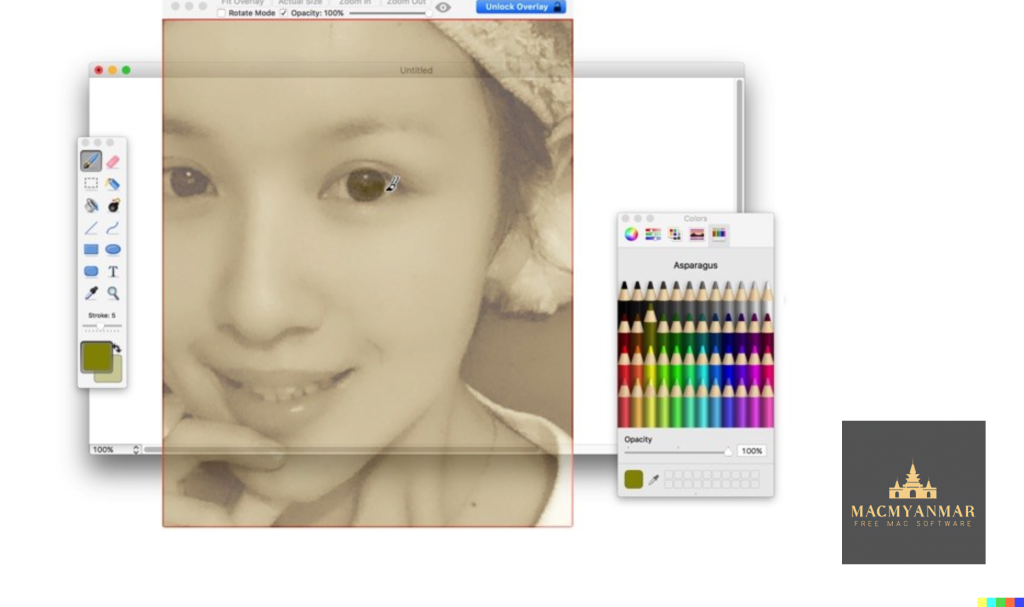
Introducing Overlay, a cutting-edge application designed for macOS 10.15 and later, offering a unique frame feature that revolutionizes your digital workspace. This innovative tool allows users to seamlessly display images or PDFs in a semi-transparent overlay, creating a versatile workspace for a range of tasks.
With Overlay, you can effortlessly copy, trace, or compare designs, images, and documents without disrupting your workflow. The frame can be locked, ensuring stability and preventing interference from mouse gestures, providing a smooth and undisturbed user experience.
Imagine having a transparent overlay of an image or document on your screen, functioning like a digital sticker that you can click through. This feature is especially valuable for artists, designers, and students, offering a dynamic platform to create art, design, or reference photos and screenshots with unparalleled ease.
Explore the possibilities with Overlay and enhance your creative process. Visit our homepage at https://apps.apple.com/us/app/overlay/id653092846 to unlock a new level of productivity and creativity on your macOS device. Elevate your digital workspace with Overlay today.
Download 4K Image Compressor Pro Mac 1.1.0
02 years
by Jameskarke
in Graphic and Design

Name : 4K Image Compressor Pro
Size : 32 MB
Download 4K Image Compressor Pro Mac 1.1.0
The software allows users to easily resize images in JPEG, PNG, and WEBP formats, providing a convenient solution to adjust the file size to meet specific requirements. This not only helps save storage space but also makes it easier to share images on social media platforms and enhance website loading times. It optimizes image file sizes without compromising on image quality.
Compatibility:
macOS 10.13 or later
Download Yoink Mac V-3.6.89
02 years
by Jameskarke
in Graphic and Design

Name : Yoink
Size : 22 MB
Download Yoink Mac V-3.6.89
Yoink Overview:
Yoink is a utility application designed to simplify and enhance the drag-and-drop experience on macOS. It provides a convenient solution for users who frequently move or copy files between different Spaces, full-screen apps, or locations on their Mac.
Key Features:
- Shelf for Dragged Items:
- Yoink creates a virtual “shelf” at the edge of the screen where users can drag files or content for temporary storage. This shelf remains accessible across different spaces, full-screen apps, and windows.
- Simplified Dragging:
- When users start dragging a file, Yoink displays a small window on the screen’s left edge. This allows users to temporarily store the dragged item, freeing up the mouse for easy navigation to the desired drop location.
- Accessibility Everywhere:
- Yoink is designed to follow the user seamlessly across various contexts, including different windows, spaces, and full-screen applications. This ensures that the shelf is always accessible, regardless of the active environment.
- QuickLook Icons:
- Icons for files in Yoink are generated using QuickLook, providing a visual representation for easy identification. This feature enhances the user experience by making it clear which items are stored in the virtual shelf.
- Stacking Multiple Files:
- When multiple files are dragged to Yoink simultaneously, they are stacked together. This stacking feature simplifies the process of dragging out multiple files as a group, maintaining organization.
- System Services and Extensions:
- Yoink supports macOS system services, Quick Action, and Share extensions, enabling users to store files in Yoink without relying solely on drag-and-drop.
- Clipboard History:
- Yoink includes a Clipboard History feature that allows users to store previously copied content. This feature adds a layer of convenience by providing quick access to historical clipboard items.
- Customization:
- Users have the flexibility to customize Yoink’s appearance, behavior, and visibility according to their preferences. The app adapts to individual workflows and user requirements.
- Cross-Device Compatibility:
- Yoink supports Handoff, allowing users to transfer files seamlessly between Macs, iPads, and iPhones where Yoink is in use.
- Multilingual Support:
- Yoink is available in multiple languages, including English, French, German, Italian, Japanese, Korean, Portuguese, and Simplified Chinese.
- Workflow Integration:
- The app integrates with Shortcuts, enabling users to build workflows and automate tasks using Yoink.
Compatibility:
Yoink is compatible with macOS 10.10 or later.
Conclusion:
Yoink simplifies the drag-and-drop process on macOS, offering a practical solution for users who frequently work with files across different contexts. The virtual shelf, QuickLook icons, and other features contribute to a more streamlined and organized user experience. With customization options and cross-device compatibility, Yoink caters to a wide range of user preferences and workflows.
Download VectorWorks 2022 SP3 for Mac
02 years
by Jameskarke
in Graphic and Design

Name : VectorWorks 2022
Size : 4.1 GB
Download VectorWorks 2022 SP3 for Mac
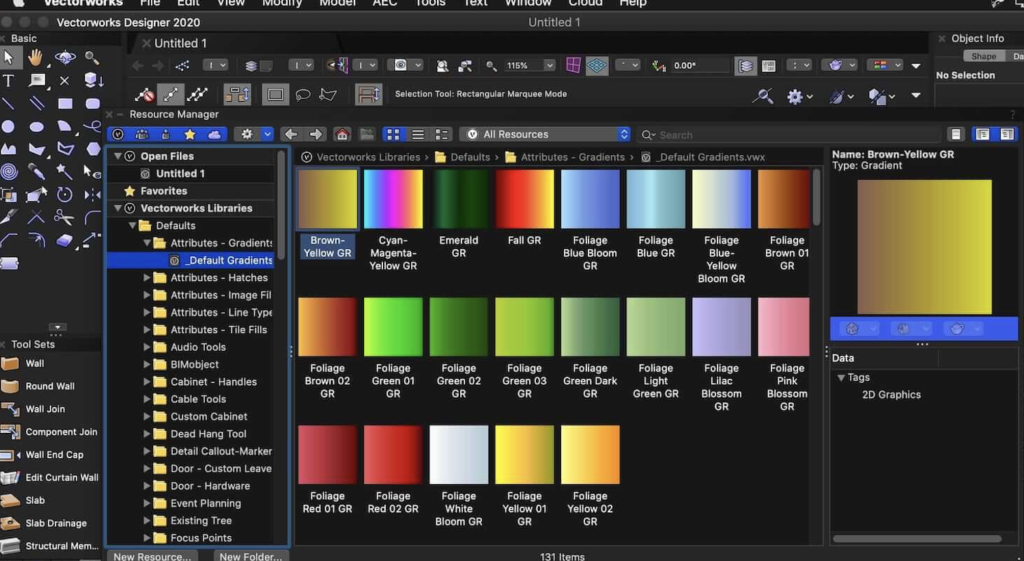
Vectorworks is a comprehensive software solution in the CAD (Computer-Aided Design) industry, empowering designers, architects, interior designers, landscape designers, product designers, and furniture designers. It offers a versatile environment for two and three-dimensional modeling, making it suitable for professionals and students alike. Here are some key features and details about Vectorworks:
Key Features:
- Wide Range of Users: Vectorworks caters to various design professionals, including architects, interior designers, landscape designers, and product designers. It is also suitable for students entering the field of design.
- Engineering Design: It is widely used in engineering design for creating maps, and its two and three-dimensional modeling capabilities make it a popular choice.
- CAD Software: Vectorworks is considered one of the significant engineering design software programs. It competes with tools like AutoCAD and provides a user-friendly environment for learning.
- Modeling: The software allows both two-dimensional and three-dimensional modeling, offering simplicity and a friendly interface, making it an excellent choice for beginners.
- Collaboration: Vectorworks facilitates collaboration by allowing users to work on architectural and design projects, meeting the needs of architects and designers in Europe.
- Specialized Versions: The software is available in different versions tailored for specific purposes, including Architect, Landmark, Spotlight, Fundamentals, and Renderworks.
- Customization: Users can customize the software environment according to their needs, choosing from various packages, tools, and settings to complete their projects.
- Simulation and Rendering: Vectorworks includes features for creating three-dimensional simulations, renderings, and animations. It provides a comprehensive environment for architects and designers.
- System Requirements (macOS 2022):
- Operating System: macOS 12 (Monterey), macOS 11 (Big Sur), macOS 10.15 (Catalina).
- Processor: 64-bit Intel Core i7 (or AMD equivalent) of 3GHz or better. Apple M1 Max or better.
- RAM: 32GB or more.
- Graphics Card: Dedicated OpenGL 2.1 compatible with 8GB VRAM or more. No built-in graphics card with RAM. Metal GPUFamily2 or later.
- Display Resolution: 1920×1080 or better.
Vectorworks is known for its versatility, collaboration features, and the ability to meet the specific needs of designers and architects. It is widely used in the design and engineering industries for creating detailed and accurate models.
Download Sketch for Mac V-99
02 years

Name : Sketch
Size : 71 MB
Download Sketch for Mac V-99
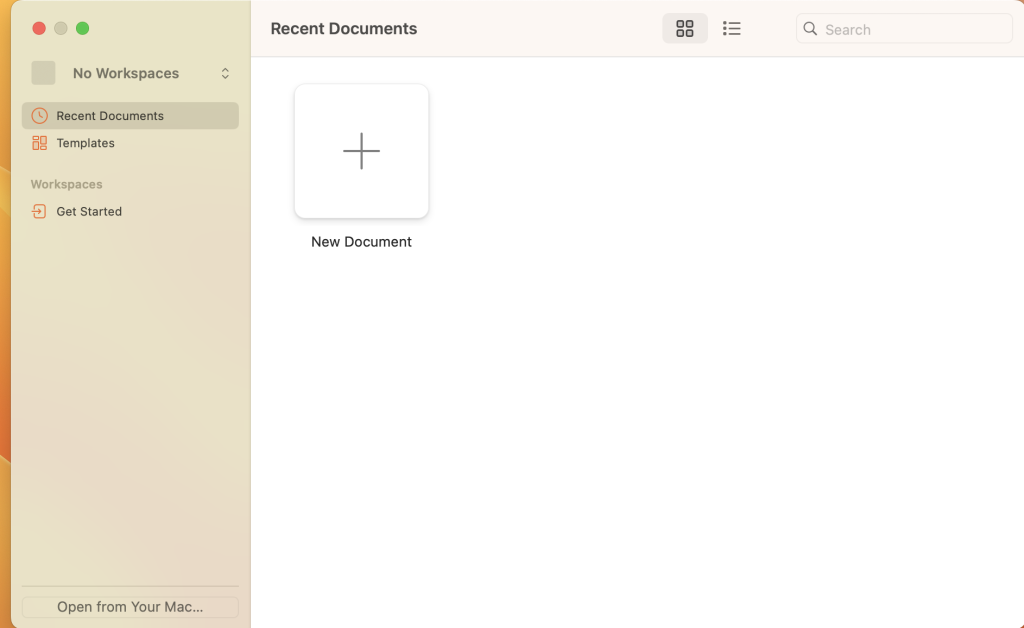
Sketch is a professional graphic design software designed specifically for the digital realm. It offers powerful tools, an elegant interface, and a wide range of features for creating stunning designs. Here are some of the key highlights of Sketch:
Design Features:
- Multiple fills, borders, and shadows per layer.
- Powerful non-destructive boolean operations.
- Smart pixel alignment and automatic slicing for easy export.
- Tools for vector creation and basic shapes, suitable for designing icons, websites, interfaces, and more.
Complex Shape Creation:
- Combine shapes with non-destructive boolean operations.
- Apply advanced layer style options such as multiple shadows, fills, gradients, noise, blending, background blurring, and more.
Image Manipulation:
- Allows rotation, scaling, cropping, and masking of imported images.
Text Tool:
- Best-in-class text tool with native font rendering for accurate text representation.
Symbols:
- Symbols feature enables reuse of entire groups of content in multiple places within a design. Changes to a symbol update it everywhere it’s used in the document.
Mac Optimization:
- Takes advantage of Mac features like Versions, Auto Save, and iCloud for seamless and secure work management across multiple devices.
- Full-screen mode for maximizing the canvas.
Interface:
- Single-window interface with a simple design housing a wide array of powerful tools.
Compatibility:
- Supports macOS 12.0 or later.
For more information and updates, you can visit the Sketch website here.
Download Rhino 8 for Mac free v8.0.23304.09002
02 years

Name : Rhino 8
Size : 853 Mb
Download Rhino 8 for Mac free v8.0.23304.09002
Rhino, known as Rhinoceros, is a highly versatile 3D modeling software. It offers a wide array of functionalities, allowing users to create, edit, analyze, document, render, animate, and translate NURBS curves, surfaces, solids, point clouds, and polygon meshes. It boasts unparalleled flexibility without limitations on complexity, degree, or size, restricted only by hardware specifications.
Key Features:
- Unrestricted Free-Form Modeling: Provides powerful and uninhibited free-form 3D modeling tools that are usually available in products substantially more expensive.
- Precision and Accuracy: Offers the accuracy necessary for designing, prototyping, engineering, analyzing, and manufacturing a wide range of objects, from airplanes to jewelry.
- Compatibility: Seamless integration with various design, drafting, CAM, engineering, analysis, rendering, animation, and illustration software.
- Mesh Handling: Can read and repair meshes and handle highly intricate IGES files.
- User-Friendly: Features an accessible interface, making it easy to learn and use, allowing users to concentrate on design and visualization without software distraction.
- Performance: Provides fast performance, even on standard laptop computers, without requiring specialized hardware.
- Affordability: Offers an affordable purchase price without additional maintenance fees, running efficiently on standard hardware.
Compatibility: macOS 12.4 or later
Homepage: Rhino 3D
Rhino stands out as a comprehensive and accessible 3D modeling tool, offering a wide range of functionalities, accuracy, and performance without the need for high-end hardware, making it a valuable resource for professionals and enthusiasts alike.
Download CorelDRAW Graphics Suite for Mac 2023 24.4.0.636
02 years
by Jameskarke
in Graphic and Design
Name : CorelDRAW Graphics Suite 2023
Size : 1.99 GB
Download CorelDRAW Graphics Suite for Mac 2023 24.4.0.636
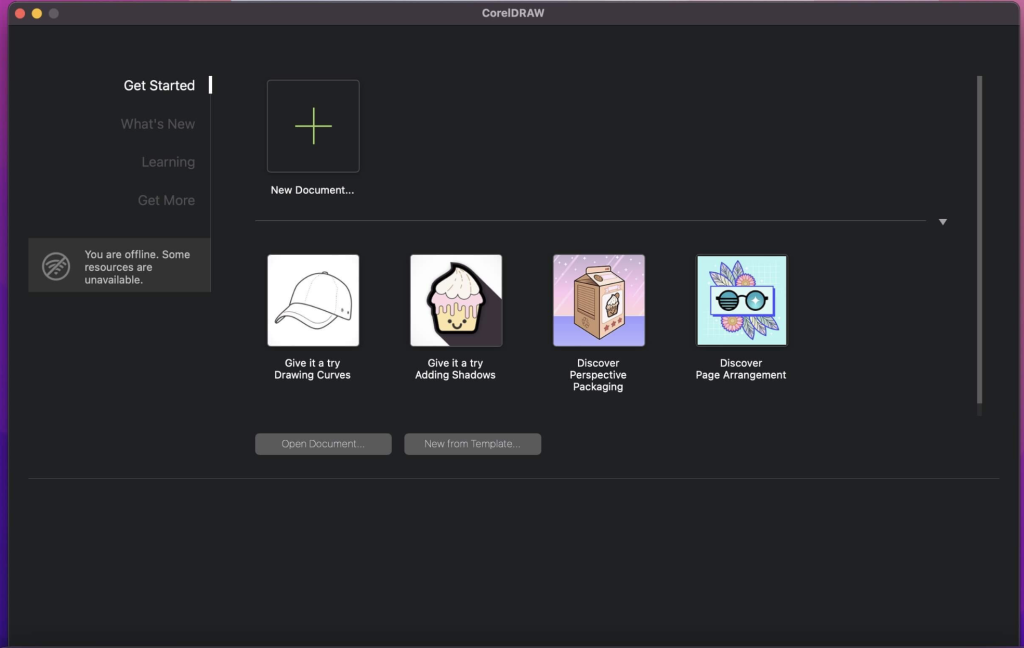
CorelDRAW is professional graphic design software tailored for vector illustration, layout design, and various other creative purposes. It’s equipped with an array of intuitive tools, learning resources, sample files, and project templates, ensuring a quick and seamless start for users.
Key Features:
Vector Illustration: Employs powerful vector illustration tools to transform basic lines and shapes into intricate works of art.
Page Layout: Offers a comprehensive set of tools for creating layouts for brochures, newsletters, multi-page documents, and more.
Typography: Provides a complete suite of typography tools to beautifully arrange type, adjust font, size, leading, kerning, and add effects like block shadows and contours to text.
Color & Transparency: Enables easy application of color to fills and outlines, alteration of object transparency, and filling objects with patterns, gradients, mesh fills, and more.
Styles: Facilitates the management of styles and style sets for consistent formatting across multiple objects and quick formatting of entire documents.
Tracing: Saves time by converting bitmap images into vectors with the built-in Corel® PowerTRACE™ engine, ensuring high-quality vector objects.
Non-Destructive Editing: Edit bitmaps and vectors without harming the original image or object. Enjoy non-destructive features like the Block Shadow tool, Symmetry Drawing mode, Impact tool, and more.
Web Graphics Tools: Offers a collection of tools and presets for developing captivating web content and graphics.
Professional Print Output: With a robust color management engine, ensures color consistency across different media, providing accurate colors before printing.
File Compatibility: Allows publishing to various file formats such as AI, PSD, PDF, JPG, PNG, SVG, DWG, DXF, EPS, TIFF, and more.
Recent Update Information:
Version 2023 24.4.0.636:
- Unfortunately, specific release notes for this version were unavailable at the time of the listing update.
Compatibility: macOS 10.15 or later.
For more details and access to the software, visit the official homepage at CorelDRAW.