Free Macsoftware One click Download
Application
Download DJ Mix Pads Mac V- 2 v6.0.0
02 years
by Jameskarke
in Application
Name : DJ Mix Pads 2
Size : 148 MB
Download DJ Mix Pads Mac V- 2 v6.0.0
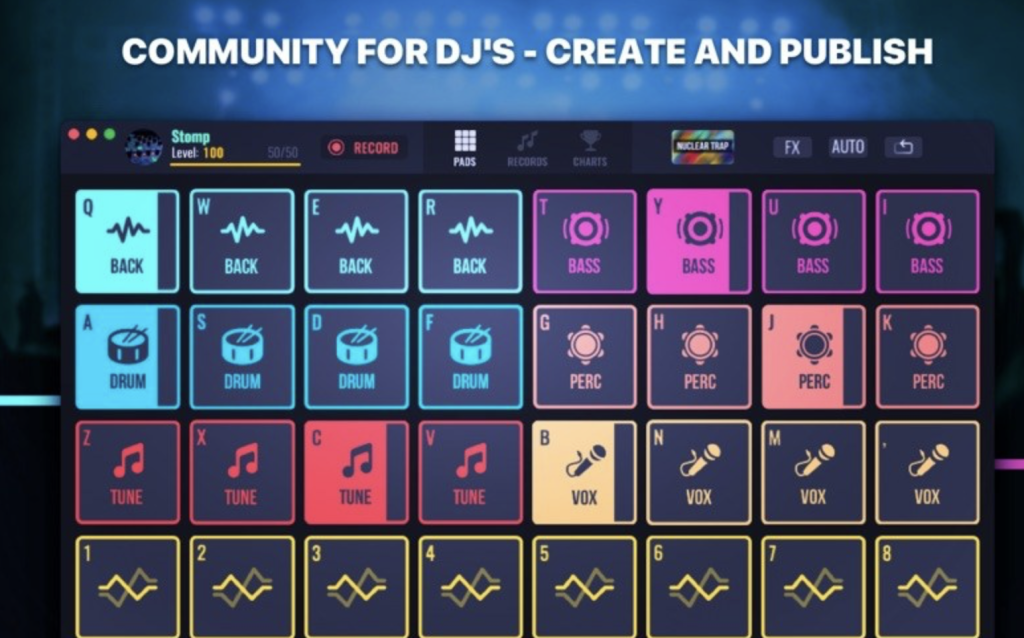
DJ Mix Pads 2 – Remix Version is a music creation application that provides users with the tools to create beats and remix tracks. Here are some key features of this app:
- Music Making Board:
- The app includes a sound board with various beats, allowing users to create music without requiring special skills.
- Professional Sound Effects:
- DJ Mix Pads 2 offers professional sound effects to enhance the music creation process.
- MIC Recording:
- Users can record custom sounds using the microphone, adding a personalized touch to their tracks.
- Music Genres:
- The app supports various essential music genres, including Dubstep, EDM, Future Bass, and more.
- Interesting Features:
- Upload and mix favorite music.
- Hotkeys for each pad, turning the keyboard into an instrument.
- Collection of oneshots to spice up tracks.
- In-App Purchases:
- The app may offer in-app purchases, and the full version is included.
- Compatibility:
- DJ Mix Pads 2 is compatible with macOS 10.15 or later.
Note: Before using the application, ensure that your system meets the specified compatibility requirements. Additionally, for the best experience, explore the app’s features and experiment with creating different music genres. If you encounter any issues or have questions about specific functionalities, you can refer to the app’s documentation or support resources.
Keep in mind that the information provided here is based on the details available at the time of the response, and there may have been updates or changes to the app since then.
Download AnyMP4 iPhone Transfer Pro Mac 9.0.70
02 years
by Jameskarke
in Application

Name : AnyMP4 iPhone Transfer Pro
Size : 57 MB
Download AnyMP4 iPhone Transfer Pro Mac 9.0.70
AnyMP4 Mac iPhone Transfer Pro is a software designed for Mac users to facilitate the transfer of various types of data between iOS devices (iPhone, iPad, iPod) and Mac computers. Here are some key features of this application:
- iOS Data Transfer:
- The software enables users to transfer various types of data between iOS devices (iPhone, iPad, iPod) and Mac computers. Supported file types include Music, Photos, Videos, Voice Memos, Notes, Camera Shot, Movies, TV Shows, Podcasts, iTunes U, Ringtones, Audio Books, Playlists, Albums, ePub, PDF, and more.
- Transfer without iTunes:
- Users can transfer files between iOS devices and Mac without the need for iTunes. This provides a direct and efficient method for managing iOS data.
- View and Copy Photos, Videos, and More:
- The application allows users to view and copy photos, videos, ringtones, voice memos, and other types of data from iOS devices to the iTunes library on their Mac.
- Fast Transfer Speed:
- AnyMP4 Mac iPhone Transfer Pro is designed to transfer data at a fast speed, ensuring efficient and quick file transfers.
- Compatibility:
- The software is compatible with macOS 10.10 or later.
Note: When using any third-party software to manage iOS data, it’s important to ensure that the software is obtained from a reputable source, and users should follow the terms and conditions outlined by the software developer. Additionally, make sure to have a backup of your data before performing any transfers or modifications to prevent data loss.
If you have specific data management needs or face challenges during the transfer process, consider reaching out to the software’s support or referring to its documentation for assistance.

Download Apeaksoft iOS Unlocker v- 1.0.50
02 years
by Jameskarke
in Application

Name :Apeaksoft iOS Unlocker
Size : 52 MB
Download Apeaksoft iOS Unlocker v- 1.0.50
Apeaksoft iOS Unlocker is a tool designed to address various scenarios where an iPhone is locked or inaccessible due to forgotten passcodes, disabled screens, or Screen Time restriction passwords. Here are some key features of Apeaksoft iOS Unlocker:
- Wipe iPhone Passcode:
- If your iPhone is locked due to entering the wrong passcode multiple times, Apeaksoft iOS Unlocker can help you wipe the passcode, allowing you to access your device again.
- Remove Forgotten Apple ID:
- If you’ve forgotten your Apple ID, this tool can remove the Apple ID associated with the device, allowing you to activate the iPhone as a new one.
- Recover and Remove Screen Time Restriction Password:
- If you have set up Screen Time restrictions and forgot the password, Apeaksoft iOS Unlocker can help you recover or remove the Screen Time restriction password.
- Ease of Use:
- The software is designed to be user-friendly, providing a simple and straightforward process to unlock your iPhone.
- Compatibility:
- Apeaksoft iOS Unlocker is compatible with macOS 10.10 or later, and it is Apple M1 compatible, ensuring support for newer Mac systems.
Important Note:
- Using tools to remove passcodes or Apple ID from devices raises security and privacy concerns. Ensure that you have the legal right to access the device, and be aware that certain actions, such as removing an Apple ID, may result in the loss of data and services associated with that ID.
Always use such tools responsibly and in accordance with the terms and conditions set by Apple. Additionally, make sure to have a backup of your data whenever possible. If you are unsure about the process or face difficulties, consider reaching out to Apple Support for assistance.
Download Capture One 23 Pro for Mac V- 16.3.1.23
02 years
by Jameskarke
in Application

Name : Capture One Pro
Size : 962 MB
Download Capture One 23 Pro for Mac V- 16.3.1.23
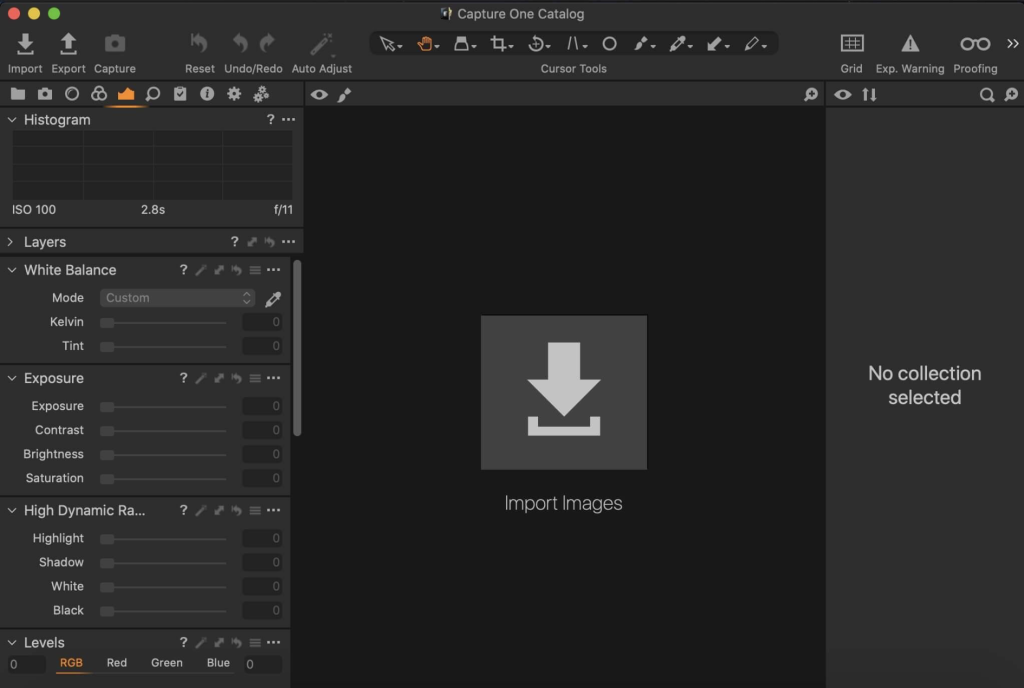
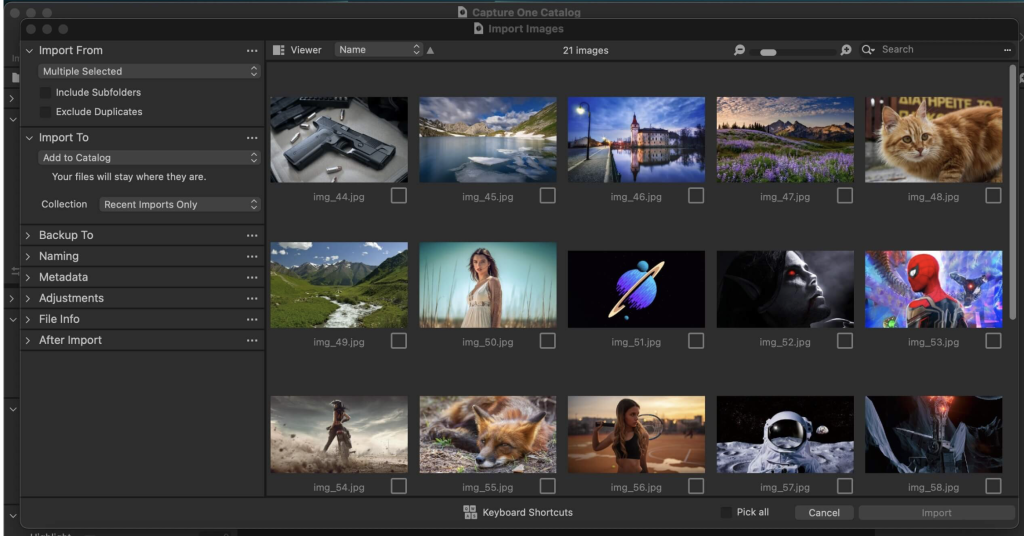
Capture One 23 is a professional RAW converter designed to provide photographers with ultimate image quality, beautiful colors, and incredible detail. It supports more than 500 high-end cameras and offers state-of-the-art tethered capture, robust digital asset management, extensive adjustment tools, and a flexible workflow through customizable workspaces.
Key Features:
- RAW Conversion: Capture One 23 excels in RAW conversion, ensuring that photographers achieve the highest image quality from their camera’s RAW files. It supports over 500 high-end cameras.
- Tethered Capture: The software provides a state-of-the-art tethered capture feature, allowing photographers to connect their camera to a computer and capture images directly into the software. This is particularly useful for studio photography.
- Digital Asset Management (DAM): Capture One includes powerful digital asset management tools, enabling users to organize, categorize, and manage their photo library efficiently.
- Adjustment Tools: The software offers a wide range of adjustment tools for precise control over image editing. Users can adjust exposure, color balance, sharpness, and more.
- Customizable Workspaces: Capture One provides a flexible workflow with customizable workspaces, allowing photographers to tailor the interface to their specific needs and preferences.
- Speed Edit: The Speed Edit feature enhances the responsiveness of precision tools, providing a faster and more efficient editing experience.
- Dehaze: The Dehaze feature helps to reduce or eliminate the haziness or fog in photos, enhancing clarity and contrast.
- Improved Importer: The importer functionality has been improved for a smoother and more user-friendly experience.
- HEIF Support: Capture One 23 supports High Efficiency Image Format (HEIF), providing compatibility with this modern image format.
- Easy Brush Adjusting: Brush adjustments have been simplified for easier and more intuitive editing.
- Performance Improvements: The software includes performance enhancements to optimize its speed and responsiveness.
- Colored Gradients on White Balance Sliders: White balance sliders now include colored gradients for better visualization and control.
- Enhanced Tooltips: Tooltips have been improved to provide users with more informative and helpful guidance.
- Easy Access to Tutorials: Users can easily access tutorials within the software to enhance their skills and understanding.
System Requirements:
- Compatibility: macOS 10.15 or later
Capture One 23 is positioned as a professional choice for imaging software, offering advanced features, market-leading performance, and a customizable workflow to meet the demands of photographers working with RAW files.
Download Capture One Enterprise v- 16.3.1.23
02 years
by Jameskarke
in Application

Name : Capture One Enterprise
Size : 962 MB
Download Capture One Enterprise v- 16.3.1.23
Capture One 23 Enterprise is a photo editing solution designed for image production studios and e-commerce platforms. It provides authentic, true-to-life color processing, a seamless editing experience, and fast tethering, making it a popular choice in studios worldwide. The Enterprise version is tailored to the needs of studio photography, offering features and workflows that enhance collaboration, standardization, and efficiency.
Key Features:
- Built for Business: Capture One Enterprise is designed to address the challenges faced by photography studios, offering features aligned with the workflows of studio photography. It caters to the needs of various roles within a studio, including photographers, managers, retouchers, quality assurance managers, and project leaders.
- Value Creation: The software focuses on value creation for studio photography by optimizing key performance indicators (KPIs) such as “Time to Market,” “Cost per Image,” and “Reduce Risk.” Enterprise-exclusive features include Barcode scanner tool, Advanced Guides, Next Capture Backup, Next Capture Keywords, Next Capture Metadata, Tool Locks, Capture Pilot with Enterprise enhancements, and Dedicated Studio workspaces.
- Automated Workflows: Capture One Enterprise enables automated workflows within the studio. It includes features like Barcode scanning, Advanced Guides, and Next Capture options, streamlining the image production process from planning to publishing.
- Workflow Enhancement: The software offers workflow enhancement features for automation within Capture One. It allows studios to optimize processes and improve efficiency.
- Integrations: Capture One Enterprise supports integrations with other applications or systems, providing extension and automation interfacing. This helps studios integrate Capture One into their IT infrastructure seamlessly.
- Customized Solutions: For studios with specialized needs, Capture One offers customized solutions to maximize value. For example, ultra-accurate color profiling can reduce product returns by ensuring true color reproduction.
- Compatibility: Capture One 23 Enterprise is compatible with macOS 10.15 or later.
Capture One Enterprise is positioned as a comprehensive solution for image production studios and e-commerce photography, providing tools and features that address the unique challenges and requirements of studio workflows.
Download JixiPix Artista Impresso Pro V.1.8.22
02 years
by Jameskarke
in Application

Name : JixiPix Artista Impresso Pro
Size : 121 MB
Download JixiPix Artista Impresso Pro V.1.8.22
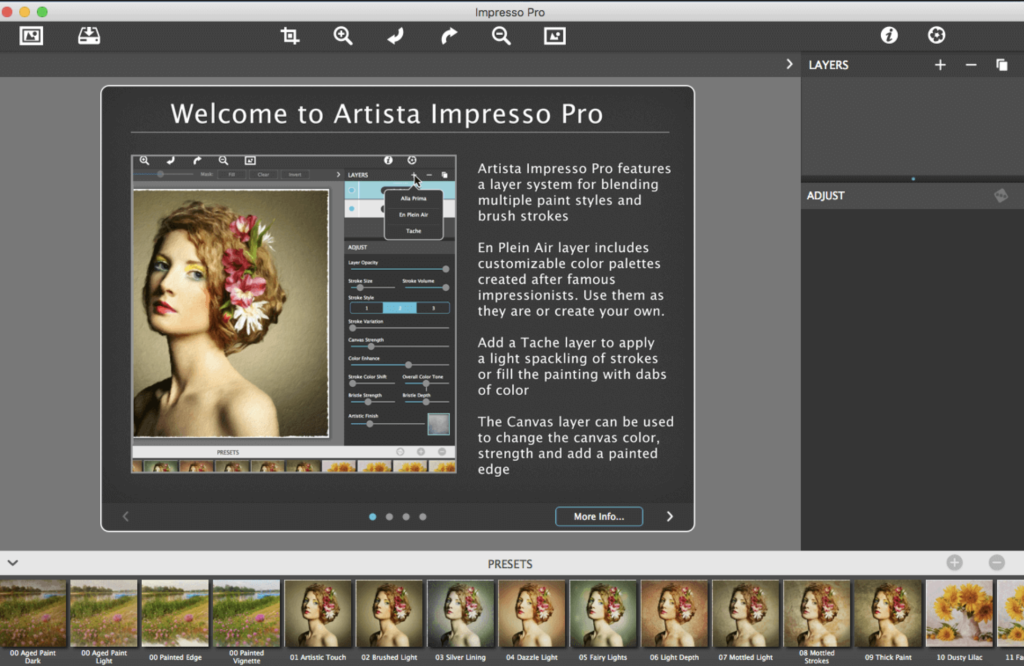
Impresso is a software tool designed for professionals who appreciate creative control, offering features to blend multiple paint styles and brushes. It allows users to paint on and off impressionism strokes, providing a variety of effects for transforming photos into multi-textured, stroke-filled Impressionist masterpieces. Here are some key features of Impresso:
Key Features:
- Layers for Creative Control: Impresso includes layers for blending multiple paint styles. Users can apply brushes to paint on or off areas in the painting, giving them creative control over the impressionism styles.
- Ultra-Impressionism Effect – Tache: Impresso introduces an ultra-impressionism effect called ‘Tache.’ It covers the painting with broken brush strokes or dabs of color that can be applied sparsely or to the entire painting.
- Elliptical Detail Tool: The software includes a powerful Ellipse Detail tool, allowing users to add finely painted details to faces, flowers, or create focal points in landscapes. Users can resize and apply small brushstrokes inside the ellipse.
- Pro Workflow with Layers: A professional workflow allows users to add impressionism styles per layer. Layers can be blended using brushes, and the Ellipse Detail tool enhances details. The ‘Apply’ button renders small brushstrokes inside the ellipse.
- Impressionism Styles:
- Alla Prima: Great for portraits, filling the painting with an abundance of brushstrokes. It offers a library of artistic finishes with controls over strength.
- En Plein Air: Ideal for landscapes, providing eight artists’ palettes created by famous impressionists. Users can edit colors or create custom palettes.
- Tache: Applies broken brushstrokes throughout the image, creating a spackling effect. Users can choose to apply a light spackling or fill the painting with dabs of color.
- Canvas Layer: A canvas layer is added to each painting, providing the option to turn it on or off for viewing strokes created on previous layers. The canvas is an integral part of the painting.
- Includes Stroke Styles: Three stroke styles are provided, each offering a unique set of strokes. The Tache effect has its own custom set of brushes designed for depth.
- Artistic Finishes: Impresso includes 70 artistic finishes, allowing users to enhance and customize the final look of their paintings.
- Compatibility: Impresso is compatible with macOS 10.9 or later. It can be used as a plugin for Photoshop CS3+, Lightroom, and Elements for both Mac and Windows.
Impresso provides a wide range of tools and features for creating captivating paintings with an impressionistic style. It’s suitable for professional artists and photographers looking to add a unique touch to their digital artwork.
Mac DxO PhotoLab 6 ELITE Edition V- 6.11.0.59
12 years
by Jameskarke
in Application

Name : DxO PhotoLab 6 ELITE Edition
Size : 700 MB
Mac DxO PhotoLab 6 ELITE Edition V- 6.11.0.59
DxO PhotoLab, formerly known as DxO Optics Pro, offers an array of advanced, intelligent corrections to empower users in fine-tuning and perfecting their photos. Here are the prominent features available in DxO PhotoLab:
DxO DeepPRIME:
- Introduces cutting-edge AI technology to reduce digital noise in RAW images, combining demosaicing and denoising processes. This breakthrough technology preserves color detail while efficiently removing noise, providing significantly improved results.
Smart Corrections:
- Enables users to eliminate noise, fix light constraints, recover color details, apply advanced optical corrections, and enhance fine details in their images. This feature set grants full control over every aspect of photo editing.
Optical Corrections:
- Provides an array of corrections for lens-related issues, including distortion, vignetting, chromatic aberrations, and lens softness. These tools ensure your images maintain their natural quality with accurate corrections.
DxO Smart Lighting & ClearView:
- DxO Smart Lighting aids in optimizing exposure and contrast adjustments, while DxO ClearView effectively reduces haze, enhancing overall image clarity.
U Point Technology:
- Offers the U Point technology, allowing users to perform selective adjustments to specific areas of an image without affecting the entire photo. This precise control facilitates fine-tuning for optimal results.
Compatibility:
- DxO PhotoLab is compatible with macOS 11.6 or later.
For more information or updates, you can visit the DxO PhotoLab homepage at http://www.dxo.com.

Download DxO PhotoLab 7 ELITE Edition Mac v-7.1.0.33
02 years
by Jameskarke
in Application
Name : DxO PhotoLab 7 ELITE Edition
Size : 753 MB
Download DxO PhotoLab 7 ELITE Edition Mac v-7.1.0.33
DxO PhotoLab is a comprehensive photo-editing software that provides smart, assisted corrections while offering manual fine-tuning options for complete control over your photos. Here are some of its key features:
DxO DeepPRIME Technology:
- Breaks new ground by introducing artificial intelligence-based technology that combines demosaicing and denoising, significantly reducing digital noise in RAW images. DeepPRIME provides smoother transitions, enhances color detail, and allows shooting at higher sensitivities, providing outstanding results.
Smart Corrections:
- Empowers users with smart corrections for noise reduction, removal of light constraints, color detail recovery, optical corrections, and enhancement of fine details. This feature ensures precision and flexibility in post-processing your images.
Optical Corrections:
- Offers sophisticated optical corrections to rectify various issues such as distortions, vignetting, chromatic aberrations, and lens softness, ensuring images maintain their natural visual quality.
DxO Smart Lighting & ClearView:
- DxO Smart Lighting feature allows for optimized exposure and contrast adjustments, while DxO ClearView provides haze reduction, enhancing overall image clarity.
U Point Technology:
- Introduces U Point technology, enabling selective adjustments to specific areas of the photo without affecting the entire image. This precise control facilitates fine-tuning for optimal results.
Compatibility:
- Compatible with macOS 12.6.0 or later.
For additional details or updates, you can visit the DxO PhotoLab homepage at http://www.dxo.com.
Download DxO FilmPack Mac V-7.1.0.481
02 years
by Jameskarke
in Application

Name : DxO FilmPack
Size : 1.7 GB
Download DxO FilmPack Mac V-7.1.0.481
DxO FilmPack 7.1.0.481 for macOS is a software tool designed to infuse your RAW image files with the timeless characteristics of various historical film stocks. It allows users to experience the qualities of traditional film photography while working in a digital format, preserving the essence and nostalgia of classic film processing techniques.
Here are some key features and highlights of DxO FilmPack:
Preservation of Film Characteristics:
- Offers instant access to historic film stocks, reproducing their unique color responses, grain structures, and the distinctive essence of traditional film.
High-Fidelity Film Emulations:
- Based on extensive research into hundreds of films and prints, FilmPack aims to deliver high-fidelity film emulations that faithfully recreate the characteristics of the originals.
Embrace Imperfections:
- Allows users to appreciate and enhance the inherent imperfections that are part of the charm of traditional chemical processes, including effects such as blurring, vignetting, and grain.
Compatibility:
- Compatible with macOS 10.14 or later.
For more information or updates, you can visit the DxO FilmPack homepage at http://www.dxo.com.
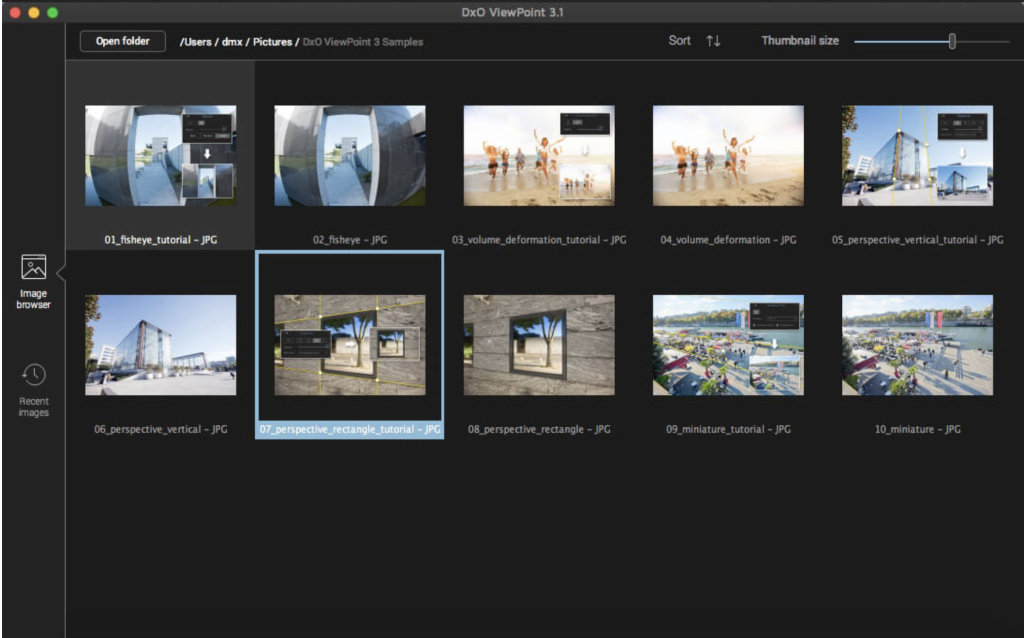
Download DxO ViewPoint Mac V-4.11.0.260
02 years
by Jameskarke
in Application

Name : DxO ViewPoint
Size : 723 MB
Download DxO ViewPoint Mac V-4.11.0.260
DxO ViewPoint is a software tool specifically designed to complement wide-angle lenses. It seamlessly corrects skewed perspectives, restores natural shapes, and neutralizes distortions with ease, catering to a wide range of complex photo corrections. Here are some of its key features:
Correction of Skewed Perspectives:
- Offers manual use of anchor points or an automatic feature to correct skewed perspectives in wide-angle photos.
Restoration of Proportions:
- Automatically corrects volume deformation at the edges of photos, ensuring natural shapes of faces, bodies, and objects taken with wide-angle lenses.
Distortion Neutralization:
- Utilizes DxO’s Optics Module database to address various types of distortion, including barrel, pincushion, and fisheye effects.
Horizon Straightening:
- Automatically straightens slanted horizon lines to rebalance landscape photos, ensuring a visually pleasing composition.
System Compatibility:
- Compatible with OS X 10.14 or later.
For more information and updates, you can visit the DxO ViewPoint homepage here.