Free Macsoftware One click Download
Application
Downie for Mac Download 4.7.11
02 years

Name : Downie
Size : 50 MB
Download Downie for Mac free
Downie is a simple yet powerful download manager designed specifically for Mac users who want to save videos from various websites directly to their disk drive. It’s particularly useful for individuals with poor internet connections, as it allows them to download videos for offline viewing without experiencing streaming issues.
One of the standout features of Downie is its user-friendly interface, making it easy for users to download videos with just a few clicks. You can simply drag and drop the video URL onto the app’s main window or Dock icon, and Downie will add it to your downloads list. From there, you can initiate the download process with the click of a button, and even remove items from the list as needed.
By default, Downie downloads videos in MP4 format and saves them to your default Downloads folder. However, you have the flexibility to customize these settings through the Preferences window. Additionally, Downie offers notifications and post-processing actions, such as converting videos to MP4 format or extracting audio only.
With support for over 400 different websites hosting video content, including popular platforms like YouTube, Vimeo, and BBC, Downie ensures compatibility with a wide range of sources. If a website is not supported out of the box, you can request support directly from the developers within the app.
Furthermore, Downie provides browser extensions for Firefox, Safari, Google Chrome, and Chromium, allowing for seamless integration and easier downloading directly from your web browser.
Overall, Downie offers a straightforward solution for downloading online video content, making it a valuable tool for Mac users who want to enjoy videos offline. It’s compatible with macOS 10.12.6 or later. For more information and to download Downie, visit the homepage at https://software.charliemonroe.net/downie/.
FoneDog Toolkit for Android for Mac 2.1.18
02 years

Name : FoneDog Toolkit for Android
Size : 55 MB
FoneDog Toolkit for Android for Mac free Download
FoneDog Android Data Recovery is a specialized tool designed to retrieve a wide range of lost data from Android devices. Whether it’s deleted contacts, text messages, call history, WhatsApp messages/attachments, photos, videos, audio files, or documents, this software offers comprehensive recovery solutions.
Even if you forget to back up your device or encounter backup failures, FoneDog Android Data Recovery ensures that your data can still be recovered effortlessly. The process involves connecting your device, selecting the files you want to recover, scanning the data, and initiating the recovery process.
Supported by many popular Android brands including Samsung, LG, HTC, Motorola, Sony, Google Nexus, Huawei, ZTE, and Xiaomi, FoneDog Android Data Recovery offers broad compatibility. It boasts a 100% secure operation and boasts one of the highest success rates in data recovery within the industry.
Whether your device is rooted or not, FoneDog Android Data Recovery can help you find lost and deleted data, providing peace of mind and a reliable solution for data retrieval on Android devices.
For users with macOS systems, the software is compatible with OS X 10.10 or later 64-bit systems. For more information and to access the software, visit the homepage at https://www.fonedog.com.
Download PopChar for Mac 10.1
02 years
by Jameskarke
in Application

Name : PopChar
Size : 8 MB
PopChar for Mac free Download
PopChar is a versatile tool designed to streamline font-related tasks across a multitude of modern applications supporting Unicode. It simplifies the process of navigating through fonts containing extensive character sets, facilitating the search for specific characters by their names. Additionally, users can easily identify fonts that contain desired characters and explore font character sets effortlessly.
PopChar X, presented as a pop-up window, offers a convenient table displaying various characters that users can seamlessly insert into any document. Beyond standard letters and numbers, it provides access to a plethora of symbols, eliminating the need to memorize complex key combinations. This ease of access enhances productivity, allowing users to insert special characters on the fly using a simple mouse click.
With full Unicode support, PopChar accommodates fonts with thousands of characters, presenting them in a grid-like character table organized according to Unicode standards and custom layouts. The magnifier tool enhances visibility by offering an enlarged view of characters, particularly beneficial for intricate details. Users can locate characters by drawing their shapes, simplifying the insertion process even when the Unicode name is unknown.
PopChar’s ability to find similar characters based on keyboard equivalents is particularly useful for typing accented letters in foreign languages efficiently. The software offers various insertion modes, allowing users to insert selected characters as plain text or formatted text, including font information and specified font sizes.
Compatibility with macOS 11.0 or later ensures seamless integration into modern systems. Overall, PopChar proves to be an indispensable tool for users navigating complex character sets, offering unparalleled convenience and efficiency in font-related tasks across diverse applications. For more information, visit the homepage at http://www.ergonis.com/products/popcharx/.
Download Ableton Live 12 Suite for Mac 12.0.2
02 years
by Jameskarke
in Application

Name : Ableton Live 12 Suite
Size : 2.90 GB
Ableton Live 12 Suite for Mac free Download
Ableton Live is your go-to software for music creation and performance, offering a seamless experience with its fast, fluid, and flexible interface. Whether you’re a seasoned pro or just starting out, Ableton Live provides everything you need to bring your musical ideas to life. Here’s what’s new in Live 12:
MIDI Transformations: Customize your MIDI clips with simple or complex variations, including ornaments, accelerations, decelerations, chord connections, and more.
MIDI Generators: Generate melodies, chords, and rhythms with new MIDI Generators, then customize them to suit your creative vision.
Max for Live MIDI Tools: Experiment further with MIDI Transformations and Generators using Max for Live, allowing for even greater creativity.
MIDI Editing Improvements: Arrange notes by pitch, velocity, or duration, and utilize new editing tools to stretch, split, chop, or join notes in various ways.
Keys and Scales: Easily set the scale for your clips and edit them using scale highlighting, sync MIDI devices and instruments to the clip’s scale, and more.
Expanded Probability: Assign probability rules to groups of notes, allowing for randomized playback within a chord or note group.
Tuning Exploration: Explore different tuning systems and work outside the 12-tone equal temperament system for unique sonic possibilities.
New Instruments:
- Meld: A bi-timbral, MPE-capable instrument for deep sound shaping.
- Granulator III: Robert Henke’s granular instrument with MPE capability for expressive control.
- Roar: A coloring and saturation effect with three saturation stages and extensive modulation options.
New Modulation Behavior: Enjoy more control over modulation sources and destinations, enabling faster workflows and continuous real-time parameter control.
New Packs:
- Lost and Found: A collection of sounds made from unusual materials and expressive objects.
- Performance Pack: Innovative devices for live performance, including snapshot capture, layered macros, looping, and pre-arranged performance structures.
Stacked Detail Views: View devices and the Clip Editor or automation and device parameters simultaneously for a streamlined workflow.
View Styling: Live 12 features a cleaner, more minimal look to keep the focus on your music.
Mixer in Arrangement: The Mixer, previously available only in Session View, is now accessible in Arrangement View.
Mixer Improvements: Enjoy visual enhancements for more accurate mixing decisions and improved control.
Browser Enhancements: Tagging, filtered searches, sound similarity search, browser history, and accessibility improvements make finding and organizing sounds easier than ever.
New Themes: Choose from new themes with cool, neutral, or warm tones, as well as a high contrast mode.
Upgrade to Ableton Live 12 today and experience a new level of creativity and productivity in music production and performance!
System Requirements: macOS 11.0 or later, Apple Silicon or Intel Core processor
Visit the homepage to learn more and get started: Ableton Live Homepage
Download Pro Zooms For Final Cut Pro
02 years
by Jameskarke
in Application
Name : Pro Zooms For Final Cut Pro
Size : 165 MB
Pro Zooms For Final Cut Pro free Download
Tired of dealing with Final Cut Pro’s cumbersome keyframe system? Upgrade your editing experience with the ProZooms plugin! This powerful tool is designed to enhance your workflow with simplicity and efficiency in mind. Here’s what you can expect:
- Easy-to-Use On-Screen Controls: Say goodbye to complex controls. ProZooms features intuitive on-screen controls that make adjusting settings a breeze.
- Complete Control Over Speed Settings: Take full control of the speed settings for your zoom effects, allowing you to create dynamic and engaging visuals with ease.
- Flexible Zoom and Pan Modes: Customize your zoom and pan effects exactly the way you want. ProZooms offers a variety of zoom modes and pan modes to suit your editing style.
- Optimized for Square and Vertical Video Formats: Whether you’re working with square or vertical video formats, ProZooms is optimized to deliver flawless results every time.
This plugin is a game-changer for Final Cut Pro editors looking to streamline their workflow and create stunning visual effects. Upgrade your editing experience today with ProZooms!
System Requirements:
ProZooms requires Final Cut Pro 10.4 or later.
Visit the homepage to learn more and get started: ProZooms Homepage
Download PDF Expert for Mac 3.10
02 years
Name : PDF Expert
Size : 109 MB
PDF Expert for Mac free Download
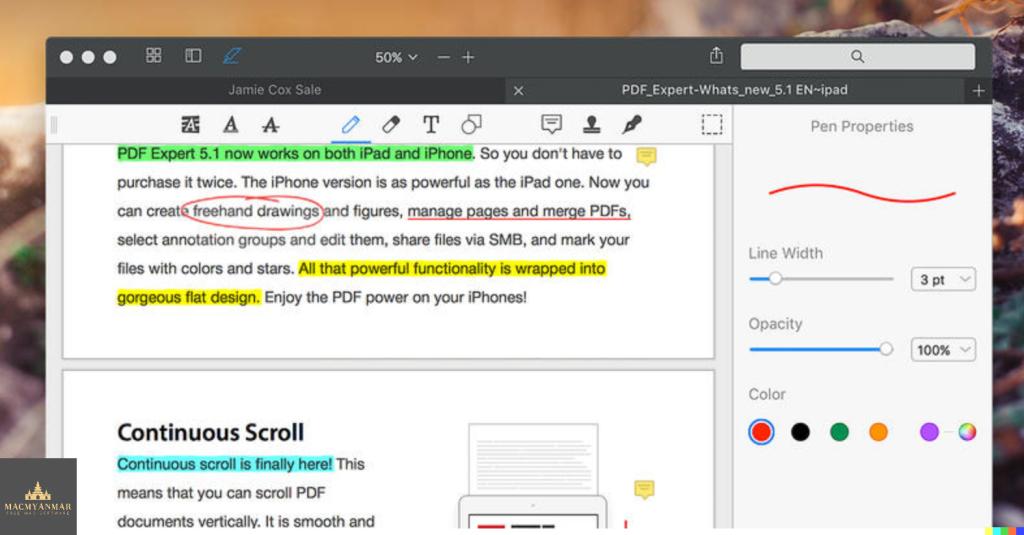
PDF Expert is your go-to tool for effortlessly handling PDF documents on your Mac. Here’s what it offers:
- Instant Document Opening: PDFs open swiftly, whether they’re small email attachments or lengthy 2000-page reports.
- Professional Annotation: From simple edits to extensive editing sessions, PDF Expert provides powerful yet user-friendly tools for efficient annotation.
- Lightning-Fast Document Viewer: With an award-winning tabbed document viewer, you can breeze through multiple PDFs quickly and easily.
- Form Filling: PDF Expert offers an excellent experience for filling out PDF forms, supporting text fields, checkboxes, radio buttons, and more. Even complex interactive forms with JavaScript function seamlessly.
- Easy Document Signing: Signing documents is made simple – type your name on the keyboard and PDF Expert transforms it into beautiful handwriting, or use your MacBook’s trackpad or your finger on a touch-enabled device.
- Wide Sharing Options: Share documents effortlessly with clients, coworkers, and others using PDF Expert’s top-notch support for macOS’s system-wide share sheet and other apps. If an app accepts PDFs, PDF Expert can send them there.
- Cross-Device Compatibility: PDF Expert works seamlessly across all your Apple devices – Mac, iPad, and iPhone. Utilize Apple’s Continuity and Handoff features to transfer documents effortlessly between devices and continue editing where you left off.
Compatibility:
PDF Expert is compatible with macOS 10.13 or later.
Explore more on the homepage: PDF Expert Homepage
Download DxO PhotoLab 7 ELITE Edition 7.6.0.53
02 years

Name : DxO PhotoLab 7 ELITE Edition
Size : 758 MB
DxO PhotoLab 7 ELITE Edition for Mac free Download
DxO PhotoLab offers a comprehensive set of intelligent corrections that empower you to fine-tune every aspect of your photos. From noise reduction to color recovery, optical corrections, and detail enhancement, DxO PhotoLab provides advanced tools to enhance your images.
Key Features:
- DxO DeepPRIME:
- Utilizes artificial intelligence-based (AI) technology to demosaic and denoise images simultaneously, resulting in exceptional noise reduction without sacrificing color detail.
- Achieves smoother transitions and preserves more natural details compared to previous versions like DxO PRIME.
- Enables shooting at high sensitivities for expert photographers and compensates for noise in compact and bridge cameras, as well as older-generation cameras.
- DxO Smart Lighting:
- Optimizes exposure and contrast while preserving details in highlights and shadows for balanced and natural-looking results.
- DxO ClearView:
- Removes haze and enhances local contrast to improve clarity and visual impact in images.
- DxO PRIME:
- Advanced noise reduction technology that effectively reduces digital noise while maintaining image details and color accuracy.
- Optical Corrections:
- Corrects lens distortions, vignetting, and chromatic aberrations to ensure optical precision in your photos.
- U Point Technology:
- Allows for precise and selective editing using control points for localized adjustments.
What’s New in Version 7.6.0.53:
- Unfortunately, release notes were unavailable at the time of this listing update.
Compatibility:
DxO PhotoLab is compatible with macOS 12.6.0 or later.
Homepage:
For more information and to explore DxO PhotoLab, visit the official homepage at http://www.dxo.com.
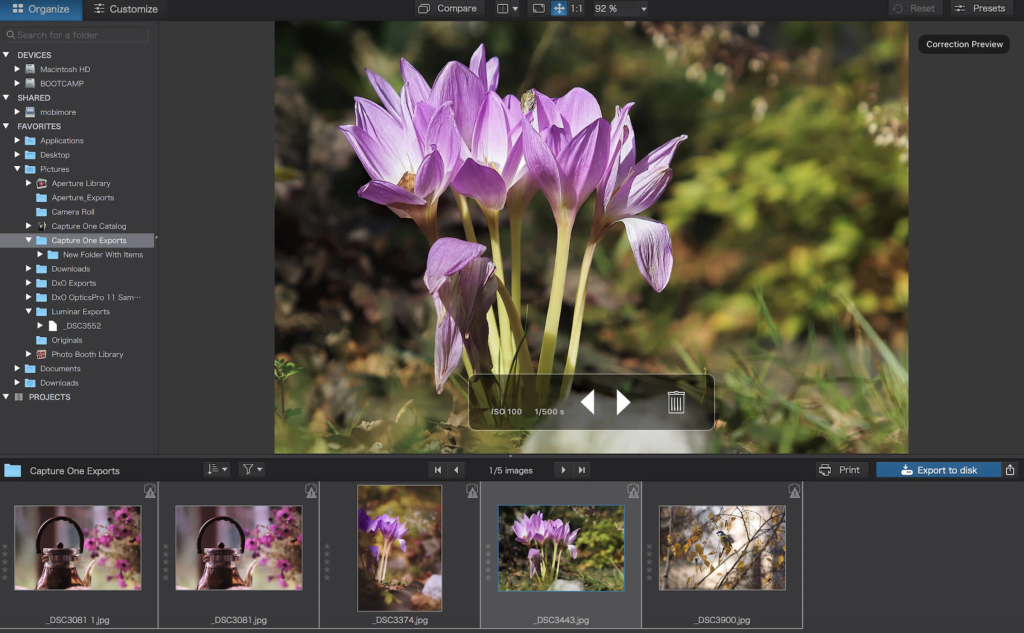
DxO PhotoLab 6 ELITE Edition v-6.16.0.70
02 years
Name : DxO PhotoLab 6 ELITE Edition
Size : 700 MB
DxO PhotoLab 6 ELITE Edition for Mac free Download
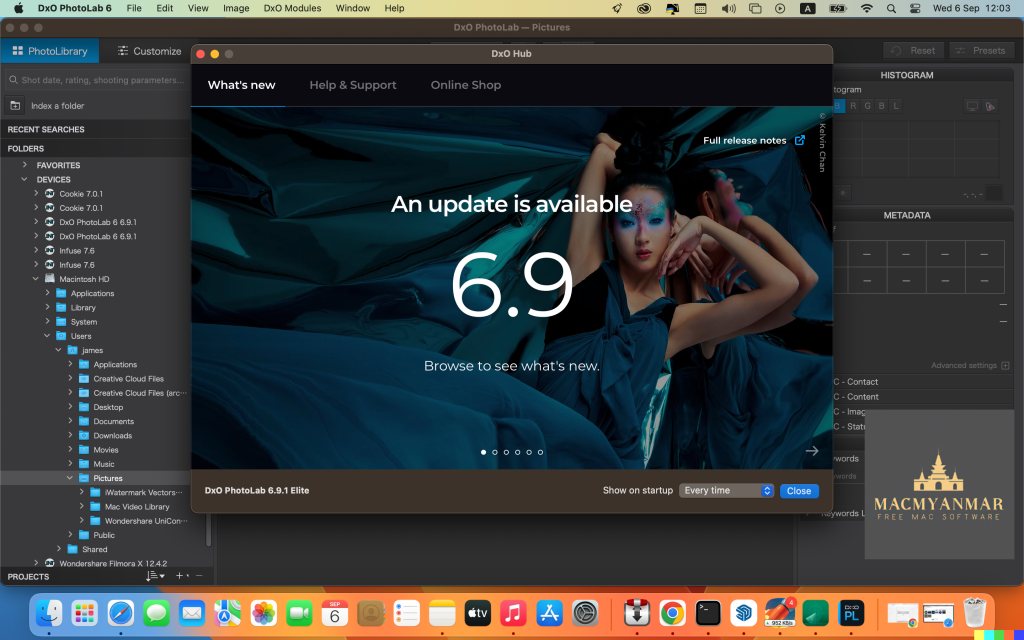
DxO PhotoLab (formerly DxO Optics Pro) offers a comprehensive suite of intelligent corrections that can be fine-tuned manually to your preference. With DxO PhotoLab, you can take control of every aspect of your photos, from noise reduction and light constraints to color detail recovery and sophisticated optical corrections.
Key Features:
- DxO DeepPRIME:
- Breaks new ground with the first artificial intelligence-based (AI) technology for demosaicing and denoising images simultaneously.
- Achieves spectacular results by removing noise while preserving color detail, resulting in smoother transitions and nearly two ISO sensitivity values improvement compared to previous versions.
- Opens up new possibilities for expert photographers to shoot at very high sensitivities and compensates for noise in compact and bridge cameras, as well as older-generation cameras.
- DxO Smart Lighting:
- Intelligent lighting adjustment tool that optimizes exposure and contrast while preserving details in both highlights and shadows.
- DxO ClearView:
- Enhances local contrast and removes haze from images to improve clarity and visual impact.
- DxO PRIME:
- Advanced noise reduction technology that effectively reduces digital noise while preserving image details and color accuracy.
- Optical Corrections:
- Corrects lens distortion, vignetting, and chromatic aberrations to ensure optical precision in your photos.
- U Point Technology:
- Introduces precise and selective editing capabilities with U Point control points for localized adjustments.
Compatibility:
DxO PhotoLab is compatible with macOS 11.6 or later.
Homepage:
For more information and to explore DxO PhotoLab, visit the official homepage at http://www.dxo.com.
Download GraphicConverter for Mac 12.1.1
02 years

Name : GraphicConverter
Size : 261 MB
GraphicConverter for Mac free Download
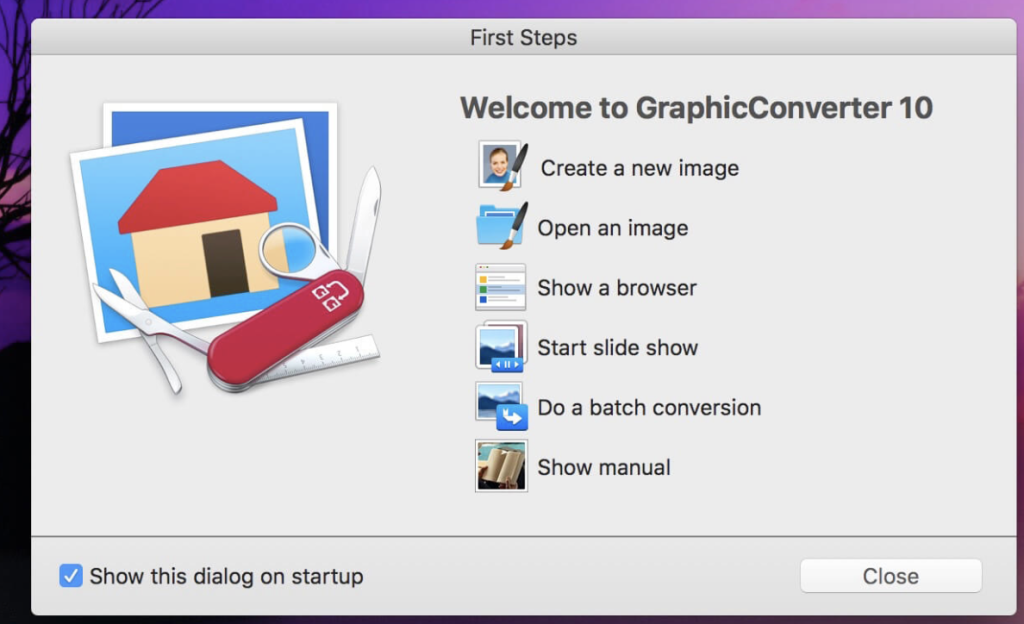
GraphicConverter is an indispensable image-editing tool designed to handle a wide range of graphic formats. With support for over 200 different graphic-based formats, it empowers users to import, edit, and export images in any of 80 available file formats.
Key Features of GraphicConverter 11:
- RAW Developer:
RAW images are easier to edit due to their extensive data depth. GraphicConverter provides a full-screen dialog for RAW files, offering controls for Exposure, Contrast, and Color Corrections. It also includes controllers for reducing picture noise. - Unpack Archives:
GraphicConverter allows users to easily view the content of archive files with a double-click. Supported formats include Zip, TAR, TGZ, and more. - Wide Equalization:
Correct distortions in wide-angle shots by reducing width distortion on the edges of the image. - Gradients:
Easily create color gradients with up to 10 colors using the new gradient dialog. - Duo-Tone:
Apply duo-tone effects to images by coloring lighter shades with one color and darker shades with another, resulting in captivating images. - Apple Finder Tags Integration:
Organize your work more efficiently by directly displaying and changing Finder Tags from within GraphicConverter’s browser using the context menu.
Compatibility:
GraphicConverter is compatible with macOS 10.13 or later.
Homepage:
For more information, visit the official homepage of GraphicConverter at https://www.lemkesoft.de.
Download Musify for Mac 3.6.0
02 years
by Jameskarke
in Application

Name : Musify
Size : 51 MB
Download Musify for Mac
Musify is a top-tier YouTube Music converter, empowering you to download music from over 1000 music sharing platforms, ensuring offline listening without compromising audio quality. With Musify, you can effortlessly convert mp3 music files for playback on iPhone, iPad, iPod, Samsung, and other iOS & Android devices at high speeds and exceptional quality.
Efficient YouTube Conversion:
Musify stands out as a highly effective and rapid YouTube conversion tool, supporting seamless conversion to MP3 formats. You can convert mp3 files in bulk quickly and easily, with Musify preserving metadata to streamline your music library organization, making your music collection more efficient and time-saving.
Comprehensive Solution for Download and Conversion:
Musify offers a comprehensive solution for mp3 download and conversion, delivering the optimal method for downloading and converting YouTube, Spotify music, or playlists for offline playback. The high-quality conversion ensures better compatibility with iPhone, iPad, iPod, iTunes, Android, and more.
YouTube Music Downloader:
Musify’s YouTube Converter automatically extracts music files from YouTube videos and playlists, downloading them to your computer. By converting YouTube to mp3, m4a, wav format, you can effortlessly create music collections, mobile ringtones, audiobooks, and more.
Spotify Music Downloader:
With Musify’s Spotify Music Downloader, you can download Spotify audio tracks without the need to log in to a Spotify account or subscribe to Spotify premium. Simply input URLs of artists, music, albums, playlists, etc., and convert Spotify to mp3, m4a, wav format hassle-free.
Support for 1000+ Music/Video Websites:
Musify doesn’t limit you to YouTube and Spotify; it enables you to download MP3 music from a wide range of major social websites, including SoundCloud, MixCloud, Bandcamp, Facebook, Freesound, Audioboom, Veojam, and more.
Music Playlist Downloader:
As the ultimate music playlist downloader, Musify can download entire playlists from YouTube, Spotify, SoundCloud, Bandcamp, and other platforms with just one click. Convert the playlist to mp3, m4a, wav format while maintaining the original sound quality.
Music Converter:
Musify’s versatile music converter eliminates compatibility concerns by supporting dozens of audio and video formats. Convert to MP3, M4A, WAV effortlessly and enjoy high-quality music on various players such as iTunes, Quicktime, Windows Media Player, Roxio Popcorn, Toast, or mobile devices.
Compatibility: macOS 10.12 or later
Homepage: Musify