Jameskarke

Jameskarke

This user hasn't shared any profile information

Home page: http://macmyanmar.com

Posts by Jameskarke

Mac PDF Expert 3.5.2 Download

0

Name : PDF Expert

Size : 158 MB

Mac PDF Expert 3.5.2 Download

PDF Expert is a powerful and versatile PDF editing and viewing application for macOS. It offers a wide range of features that make it an excellent choice for working with PDF documents. Here are some of the key features of PDF Expert:

  1. Fast PDF Viewing: PDF Expert is designed for speed. It opens PDF documents quickly, regardless of their size or complexity. You can navigate through documents with smooth scrolling and perform lightning-fast searches.
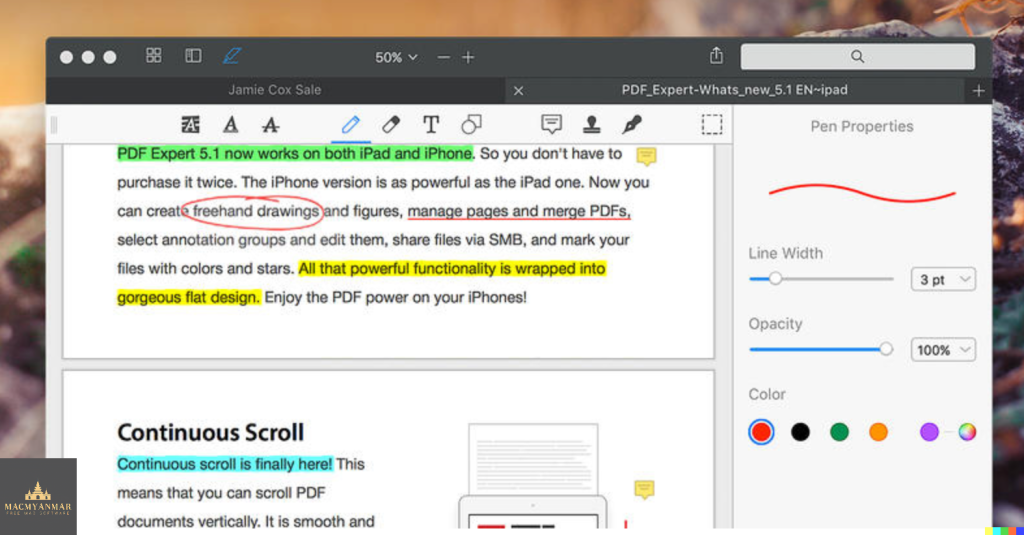
  2. Professional Annotation Tools: PDF Expert provides a comprehensive set of annotation tools that allow you to mark up and edit PDFs with ease. You can highlight text, add comments, draw shapes, underline or strike through text, and more. This makes it an excellent tool for reviewing and editing PDF documents.
  3. Form Filling: PDF Expert excels at filling out PDF forms. It supports text fields, checkboxes, radio buttons, and other form elements. You can fill out forms, sign them, and save the information directly within the PDF.
  4. Digital Signatures: Signing documents in PDF Expert is straightforward. You can type your name, and the app will transform it into a beautiful handwritten signature. Alternatively, you can use your Mac’s trackpad or import existing signatures created in PDF Expert for iOS.
  5. Wide Sharing Options: PDF Expert offers seamless integration with macOS’s system-wide share sheet. You can easily share PDFs with clients, colleagues, or other apps that accept PDF files.
  6. Cross-Platform Compatibility: PDF Expert works across all your Apple devices, including Mac, iPad, and iPhone. It supports Apple’s Continuity and Handoff features, allowing you to start working on one device and continue on another.

PDF Expert is suitable for a wide range of tasks, from reading and annotating PDFs to editing and filling out forms. Its user-friendly interface and robust feature set make it a valuable tool for professionals and individuals who frequently work with PDF documents. Whether you need to review contracts, sign agreements, or collaborate on PDF files, PDF Expert simplifies the process and enhances your productivity.

Download SketchUp Pro 2023 v23.1.328 For Mac

0

Name : SketchUp Pro 2023

Size : 908 MB

Download SketchUp Pro 2023 v23.1.328 For Mac

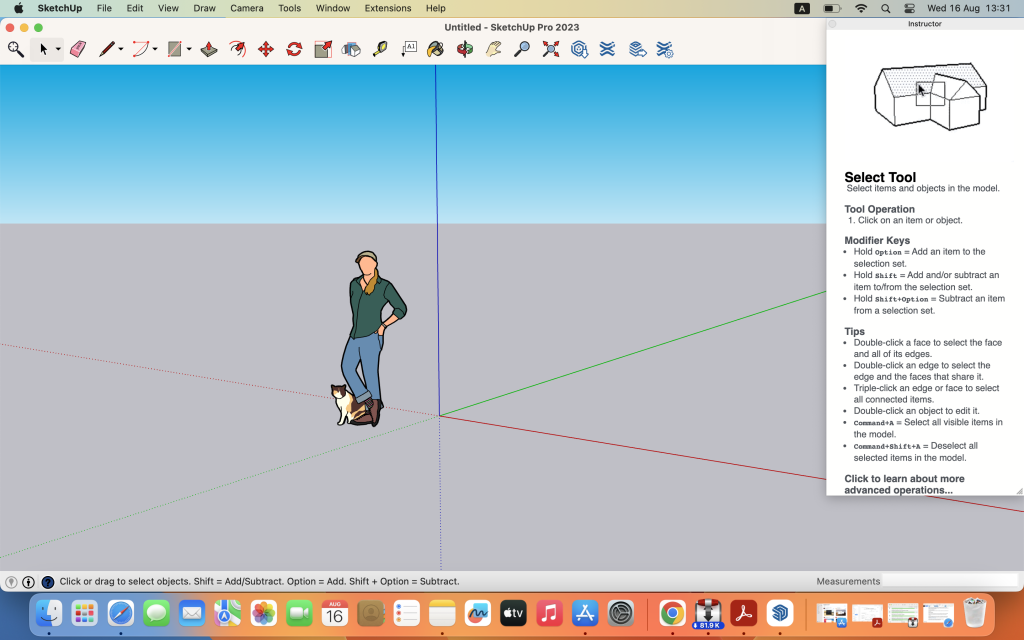
SketchUp is a versatile 3D modeling program that allows users to create, explore, and visualize 3D models of various objects and structures. It offers a range of tools and features that make it suitable for a variety of applications, from architectural design and woodworking projects to creating 3D models of almost anything you can imagine. Here are some key aspects of SketchUp:

3D Modeling: SketchUp provides a user-friendly and intuitive interface for creating 3D models. You can use simple tools to design houses, buildings, interiors, landscapes, furniture, and more. It’s known for its ease of use, making it accessible to beginners and professionals alike.

SketchUp for Web: In addition to the desktop version, SketchUp offers a web-based modeler known as SketchUp for Web. This allows you to create and edit 3D models directly in your web browser, making it accessible from various devices.

Cloud Storage: SketchUp Pro includes unlimited cloud storage through Trimble Connect. This enables users to store, share, collaborate on, and access their projects from anywhere with an internet connection.

2D Design Documentation: LayOut, a companion tool to SketchUp Pro, allows you to create scaled 2D drawing sets, including plans, elevations, sections, and more. It’s a valuable tool for creating design documentation and presentations.

VR Model Viewing: SketchUp supports virtual reality (VR) model viewing, allowing you to immerse yourself in your 3D models and provide clients with walkthroughs using devices like Microsoft HoloLens, HTC Vive, Oculus, or even a smartphone or tablet.

Customization: SketchUp offers customization options with the ability to create custom Styles, Materials, and Outliner, allowing you to give your projects a unique look and feel.

Dynamic Components: SketchUp includes Dynamic Components, which are interactive 3D models that can change in response to user input. This feature is especially useful for creating parametric designs.

SketchUp is widely used in various industries, including architecture, interior design, woodworking, construction, and more. Its versatility and accessibility make it a valuable tool for both professionals and hobbyists who want to bring their 3D design ideas to life. Whether you’re designing buildings or creating 3D models for personal projects, SketchUp provides the tools you need to visualize your ideas in 3D.

Amadine for Mac V-1.5.2

0

Name : Amadine

Size : 44 MB

Amadine for Mac V-1.5.2

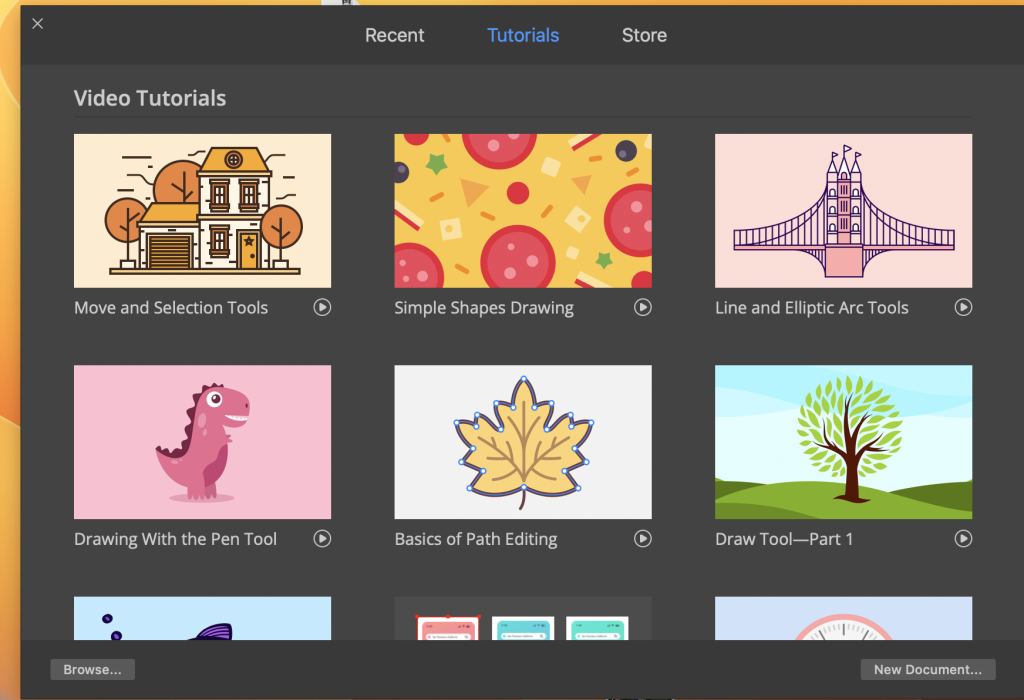
Amadine is a vector drawing software designed to provide users with a powerful and intuitive tool for creating illustrations, web designs, user interfaces, flyers, brochures, logos, icons, and more. It is characterized by a balanced user interface, making it easy to use while offering a wide range of creative tools and features. Here are some key aspects of Amadine:

User Interface:

  • Amadine features a user-friendly and well-balanced interface that prioritizes smooth workflow and quick learning. It is designed to cater to the needs of both beginners and experienced designers.

Versatile Toolset:

  • The software offers more than 30 tools for various tasks such as selecting, drawing, editing, slicing, and typing. These tools cover a wide range of creative possibilities.

Selection and Modification:

  • You can select and modify objects using tools like Move, Selection, Lasso, Eyedropper, Scissors, Eraser, and Zoom.

Drawing and Editing Paths:

  • Create and edit paths with tools like Pen, Convert, Draw (combines Pencil and Brush), Width, Gradient, Rectangle, Rounded Rectangle, Ellipse, Polygon, Star, Line, and Arc.

Shape Transformation:

  • Transform shapes with options like Free Transform, Symmetrical Distortion, and Free Distortion.

Artboard Organization:

  • Use artboard sheets to organize your work effectively.

Text Handling:

  • Add and edit text using Text tools, including Text (combines text in place and text in box), Text on Path, and Text in Shape.

Compatibility:

  • Amadine is compatible with macOS 10.12 or later, ensuring that it can run on a wide range of Mac computers.

Amadine’s combination of a smooth user interface and a comprehensive toolset makes it suitable for a variety of design tasks. Whether you’re creating intricate illustrations or designing user interfaces, Amadine offers the creative tools you need to bring your ideas to life. It’s a versatile vector drawing software that can cater to the needs of both amateur and professional designers.
Download QLab Pro 5.2.4 Mac

0

Name : QLab Pro

Size : 38 MB

Download QLab Pro 5.2.4 Mac

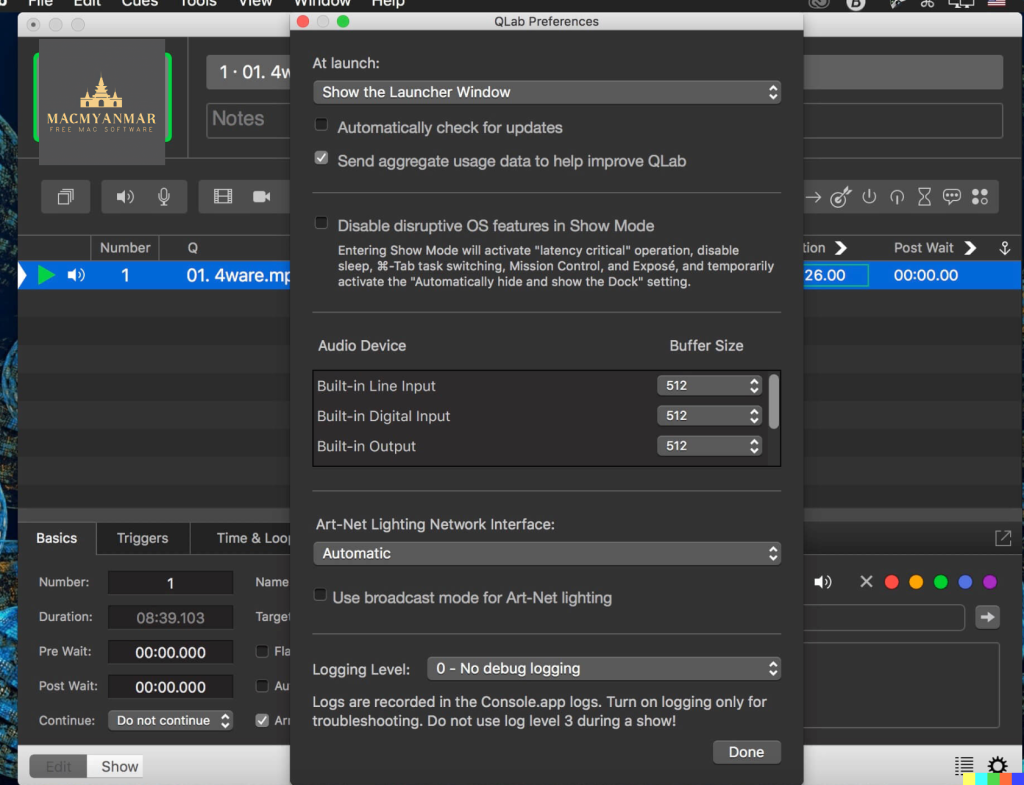
QLab is a versatile multimedia design and show control software for creating immersive and dynamic live performances and installations. It is widely used in various settings, including theaters, concert halls, churches, museums, and storefronts, to bring audio and video elements to life. Here are some key features and capabilities of QLab:

Key Features:

  1. Multimedia Show Control: QLab allows you to design and operate multimedia performances on your macOS computer. It can control audio, video, MIDI, OSC, and more within a single workspace.
  2. Cue-Based Design: QLab uses cues as building blocks for designing multimedia presentations. You can create cues for audio, video, and other elements, making it easy to create complex designs.
  3. Ease of Use: Getting started with QLab is straightforward. Simply drag and drop media files, add cues, and press “GO” to start your performance. You can control various parameters such as volume, video animations, and audio effects.
  4. Advanced Features: QLab offers advanced features for power users, including scripting, video corner pinning, multi-projector edge blending, audio localization, and the ability to control multiple QLab machines on the same network.
  5. Industry Standard: QLab is widely recognized and used by professionals in the industry. It has been battle-tested in a variety of venues, from small to large.
  6. Audio Effects: QLab allows you to apply live audio effects to your cues, including EQ, pitch shift, reverb, and more. You can add audio effects to individual cues or across all cue outputs.
  7. Dynamic Effects: The Fade Cue in QLab can adjust audio effect parameters in real time. It can also change playback rates dynamically, allowing for speed variations with or without pitch shifting.
  8. Live Audio Inputs: The Mic Cue feature provides up to 24 channels of live audio inputs. You can apply routing, fading, and audio effects to Mic Cues, similar to Audio Cues.

QLab is a powerful and versatile tool for creating multimedia-rich live performances and installations. It offers both beginner-friendly features and advanced capabilities for experienced users. QLab is compatible with macOS 11.0 or later, making it suitable for modern Mac systems.

Whether you’re working on a theater production, a concert, or an interactive installation, QLab can help you bring your creative vision to life and control multimedia elements with precision.
Download Adobe After Effects 2023 23.5

0

Name : Adobe After Effects 2023

Size : 5.1 GB

Download Adobe After Effects 2023 23.5

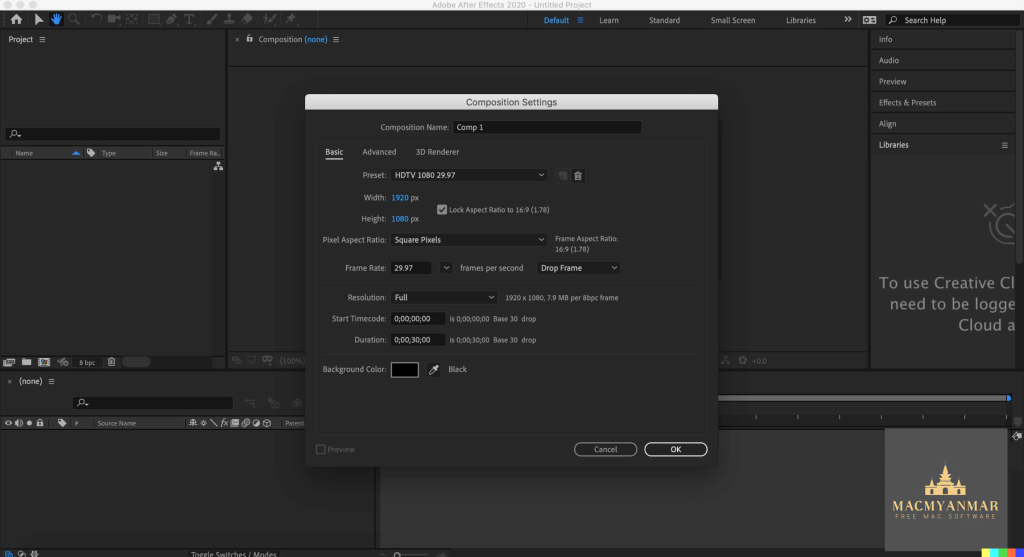
Adobe After Effects is an industry-standard motion graphics and visual effects software used by animators, designers, and compositors to create captivating animations, cinematic movie titles, intros, transitions, and stunning visual effects for film, TV, video, and the web. Here are some key features and capabilities of Adobe After Effects:

Key Features:

  1. Motion Graphics: After Effects allows you to create animated titles, credits, lower thirds, and motion graphics. You can start from scratch or use animation presets to achieve the desired effects.
  2. Visual Effects: Combine videos and images to create impressive visual effects, such as explosions, UFO sightings, and more. You can also remove unwanted objects or elements from your footage using features like Content-Aware Fill.
  3. Animation: Animate logos, shapes, characters, and more with precision using keyframes or expressions. After Effects provides powerful animation tools for creating fluid and dynamic animations.
  4. Integration: After Effects seamlessly integrates with other Adobe Creative Cloud applications. You can import assets from Photoshop, Illustrator, Adobe XD, Character Animator, and Animate. Adobe Dynamic Link allows you to see how compositions look in Adobe Premiere Pro without rendering.
  5. Collaboration: Collaborate with editors using Team Projects, even if they are located in different locations. After Effects also offers integration with over 300 software and hardware partners.
  6. Depth Effects: Apply depth effects like Depth of Field, Fog 3D, and Depth Matte to achieve realistic 3D looks. You can also work with depth data from native 3D elements.
  7. Performance: After Effects includes a JavaScript expression engine that delivers up to a 6x performance boost. The new Expressions Editor makes writing code easier and faster, with automatic error identification.
  8. Content-Aware Fill: Easily remove unwanted objects or people from video clips using Content-Aware Fill, eliminating the need for manual frame-by-frame masking.
  9. VR Video: Create immersive virtual reality (VR) videos to engage your audience and transport them into the center of the action.

Adobe After Effects is a versatile tool for creating captivating animations and stunning visual effects. It offers a wide range of features and capabilities that empower motion graphic designers and visual effects artists to bring their creative visions to life.

Please note that Adobe After Effects requires macOS v10.15 or later and is compatible with both Intel and Apple silicon-based Macs.
Download Adobe Media Encoder 2023 v23.4

0

Name :Adobe Media Encoder 2023

Size 1.9 GB

Download Adobe Media Encoder 2023 v23.4

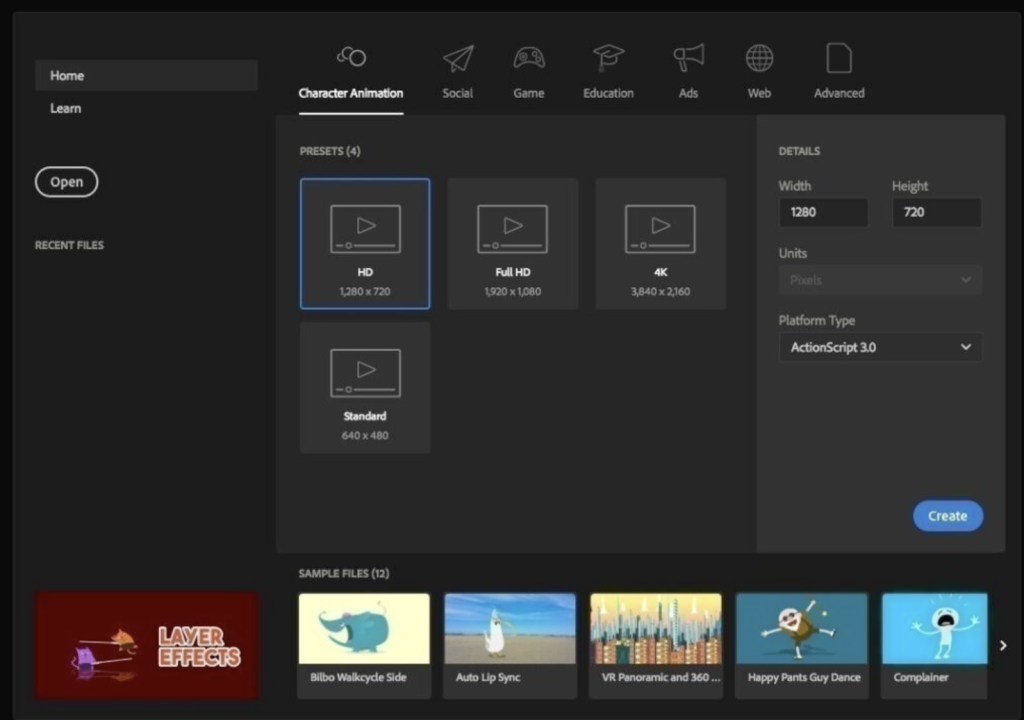
Adobe Media Encoder is a powerful media management and encoding tool that allows you to ingest, transcode, create proxies, and output media files in various formats. It is designed to work seamlessly with other Adobe applications, such as Adobe Premiere Pro and After Effects, providing a unified and efficient workflow for media professionals. Here are some key features of Adobe Media Encoder:

Key Features:

  1. Wide Format Support: Adobe Media Encoder supports a wide range of video and audio formats, making it a versatile tool for media professionals. You can export media files in any format you can imagine.
  2. Hardware Acceleration: It takes advantage of hardware acceleration for encoding and decoding on both Windows and macOS systems. This can significantly speed up the encoding process, especially when using compatible hardware.
  3. Integration with Adobe Applications: Adobe Media Encoder is tightly integrated with Adobe Premiere Pro CC, After Effects CC, and other Adobe applications. This integration allows for a seamless transfer of media files and projects between applications.
  4. Export Presets: The software includes a variety of export presets optimized for different platforms and devices. You can choose from these presets or create custom export settings to meet your specific requirements.
  5. Social Media Publishing: Adobe Media Encoder offers destination publishing options for popular social media platforms like YouTube, Vimeo, and Facebook. You can customize titles, thumbnails, and other settings for social media publishing.
  6. HDR Support: It provides support for High Dynamic Range (HDR) content, including Hybrid LOG Gamma (HLG) and HDR in HEVC (H.265) export.
  7. Encoding Queue: You can add multiple media files to the encoding queue and process them sequentially. The software also provides notifications for missing items in the queue before encoding.
  8. Ambisonic Audio Export: Adobe Media Encoder supports ambisonic audio export in the H.264 format, making it suitable for immersive audio experiences.
  9. Team Projects Support: It offers support for Adobe Team Projects, allowing collaboration on media projects within the Adobe ecosystem.
  10. Adobe Stock Contributor: You can directly publish your media files to Adobe Stock as a contributor.

Adobe Media Encoder is an essential tool for media professionals and video editors who need to encode, transcode, and export media files efficiently. It simplifies the process of preparing media for various distribution channels and platforms.

Please note that Adobe Media Encoder requires macOS v10.15 or later and is compatible with both Intel and Apple silicon-based Macs.
Download Artstudio Pro for Mac V-5.1.18

0

Name : Artstudio Pro

Size : 243 MB

Download Artstudio Pro for Mac V-5.1.18

Artstudio Pro is a powerful digital painting and photo editing application available for both macOS and iOS. It is designed to provide artists, designers, and photographers with a wide range of creative tools and features. Here are some key features and capabilities of Artstudio Pro:

Key Features:

  1. New Engine: Artstudio Pro utilizes a powerful GPU-accelerated ArtEngine, which is significantly faster than previous engines. This results in smoother workflow, even with large canvas sizes and an unlimited number of layers.
  2. Multiple Open Documents: You can work on multiple documents simultaneously, and the canvas size can go up to 256 megapixels, allowing for high-resolution artwork.
  3. Flexible Layer System: Artstudio Pro introduces a new layer system with grouping, non-destructive layer effects, and adjustment layers. This offers greater control over your artwork.
  4. Advanced Brush Engine: The application features an advanced brush engine optimized for lag-free, real-looking strokes. It includes over 100 built-in brushes, customizable settings, and support for large brush sizes.
  5. Professional Photo Editing: Artstudio Pro includes a comprehensive set of photo editing tools developed in collaboration with professional photographers. These tools allow you to make non-destructive adjustments, apply filters, retouch images, and more.
  6. Import/Export: The app supports a wide range of import and export formats, including popular image formats, brushes, color swatches, patterns, gradients, and fonts. It can read settings from ABR and TPL brushes, making them compatible with Artstudio Pro’s brush engine.
  7. iCloud Integration: Full iCloud integration ensures seamless synchronization of your work across macOS, iPad, and iPhone devices.
  8. Additional Features: Artstudio Pro includes selection tools, snapping to guidelines, dynamic guidelines, grids, perspective grid assist, canvas rotation, and more.

Whether you’re a digital artist, illustrator, designer, or photographer, Artstudio Pro offers a comprehensive set of tools and features to enhance your creative workflow on macOS and iOS devices.

Please note that Artstudio Pro requires macOS 11.0 or later for macOS compatibility.

Mac software ScreenFloat 1.5.21

0

Name : ScreenFloat

Size : 7 MB

Mac software ScreenFloat 1.5.21

ScreenFloat is a versatile macOS app that enhances your screenshot capabilities by allowing you to create floating screenshots that stay on top of all other windows. It’s designed to provide quick and easy access to information from your screenshots without the need to constantly resize or move windows. Here are some key features and uses of ScreenFloat:

Key Features:

  1. Floating Screenshots: ScreenFloat allows you to capture screenshots and have them appear as floating windows on top of all other open applications and windows. This means you can reference information from your screenshots without switching between windows.
  2. Quick Access: With ScreenFloat, you can quickly access information from your screenshots, making it a convenient tool for referencing data, copying and pasting information, or taking notes.
  3. Organization: The app includes a “Shots Browser” that enables you to organize your screenshots efficiently. You can tag and name your shots, creating a structured system for storing and categorizing your screenshots.
  4. Collections: ScreenFloat allows you to create “Collections” and “Smart Collections” to further organize your shots based on criteria you specify. This feature helps you keep your screenshots well-organized for easy retrieval.

Use Cases:

  • Research: ScreenFloat is perfect for researchers who need to reference information from multiple sources while working on a project. You can keep relevant screenshots floating above your research documents for quick access.
  • Data Entry: If you need to input data from a screenshot into another application, you can simply keep the screenshot floating while you work on the data entry task.
  • Note-taking: ScreenFloat can be used for taking notes based on information from screenshots. You can create a floating screenshot of a reference material and add notes alongside it.
  • Comparisons: When comparing data or visuals from multiple sources, you can capture screenshots and float them side by side for easy comparison.
  • Documentation: If you’re creating documentation or tutorials, you can use ScreenFloat to capture screenshots and keep them visible as you write or create content.

ScreenFloat is a valuable tool for users who frequently work with screenshots and need a more efficient way to reference, organize, and use screenshot information in their daily tasks.
Download Soulver 3.9.1 for Mac

0

Name : Soulver

Size : 26 MB

Download Soulver 3.9.1 for Mac

Soulver 3 is a versatile notepad and calculator app for macOS that allows you to perform calculations and work with numbers in a natural and intuitive way. It combines the functionality of a text editor and a calculator to simplify various mathematical tasks. Here are some key features and capabilities of Soulver 3:

Math Features:

  • Instant calculations: You can perform calculations without the need for the equals sign, making it more intuitive.
  • Use words alongside numbers to create human-readable calculations.
  • Calculate totals and subtotals of multiple lines.
  • Calendar calculations, such as adding or subtracting dates and times.
  • Easily calculate percentages, unit conversions, and currency conversions.
  • Access to live real-world and cryptocurrency exchange rates for up-to-date calculations.
  • Line references allow you to build documents with interconnected calculations.
  • Support for variables and auto-completion for variable names.
  • Global variables and custom units for customized calculations.

App Features:

  • Dark mode support for a comfortable interface in low-light environments.
  • A sidebar for organizing and managing your sheets and calculations.
  • Support for headings, comments, and labels to structure your documents.
  • Customize syntax coloring and fonts to suit your preferences.
  • Automatic number formatting with spaces around operators and thousand separators.
  • Number scrubbing: Hold Shift and hover over a number to adjust it.
  • Integration with macOS features, including Touch Bar support, Quick Look, and Calculate anywhere services.
  • Automation tools: Command-line interface, Alfred workflow, and Automator action for integrating Soulver into your workflow.

What’s New in Version 3.00:
Soulver 3 introduces numerous new features and improvements, including:

  • Redesigned user interface with dark mode support and a sidebar for managing sheets.
  • Enhanced calculator capabilities, including calendar calculations, proportion functions, and Unix time calculations.
  • Improved organization with folder support, trash for recovering deleted files, and sorting options.
  • Variables enhancements, including auto-complete, variable redeclaration, and shift-hover for variable values.
  • Editing improvements like scrubbable numbers, auto-thousands separator insertion, and QuickOperators.
  • Touch Bar support for quick access to operators and functions.
  • Custom unit support, additional scientific units, and better answer formatting.
  • Support for 16 popular cryptocurrencies and improved unit calculations.
  • Enhanced lines and references management, including rearranging and deleting lines.
  • Automation tools like the command-line interface, URL schemes, and Automator actions.
  • Various miscellaneous improvements, including locale conversion, JSON-based file format, and more.

Soulver 3 is designed to provide an efficient and user-friendly way to perform calculations and work with numbers, making it a valuable tool for various tasks, including financial calculations, conversions, and more.

Download Sketch for Mac v-98.3

0

Name : Sketch

Size : 71 MB

Download Sketch for Mac v-98.3

Sketch is a powerful graphic design software designed for the digital world. It offers a range of tools and features to help designers create beautiful and innovative designs for a variety of purposes, including web design, interface design, icons, and more. Here are some key features and capabilities of Sketch:

1. Multiple Fills, Borders, and Shadows:

  • Sketch allows you to apply multiple fills, borders, and shadows to each layer, providing flexibility in design and styling.

2. Non-Destructive Boolean Operations:

  • The software supports non-destructive boolean operations, allowing designers to combine shapes and objects without losing the ability to edit them later.

3. Smart Pixel Alignment:

  • Sketch includes smart pixel alignment features, ensuring that elements align perfectly for crisp and precise designs.

4. Exporting Made Easy:

  • Exporting designs is simplified with automatic slicing and support for exporting multiple resolutions, making it convenient for web and app development.

5. Vector Tools and Basic Shapes:

  • Sketch provides a foundation for design with vector tools and basic shapes, making it suitable for designing icons, websites, interfaces, and more.

6. Advanced Layer Styles:

  • Designers can apply advanced layer styles, including multiple shadows, fills, gradients, noise, blending, background blurring, and more.

7. Text Tool:

  • The software features a best-in-class text tool that allows users to add typography to their designs with native font rendering, ensuring accurate text representation.

8. Symbols:

  • Symbols in Sketch enable designers to reuse entire groups of content in multiple places within a design. Changes made to symbols are automatically reflected throughout the document.

9. Mac Integration:

  • Sketch is built for the Mac and supports macOS features like Versions and Auto Save. It also offers iCloud integration for syncing work across multiple Mac computers.

10. Single-Window Interface:
– Sketch’s user-friendly interface is designed for efficiency, providing access to powerful tools within a single window.

Sketch is a go-to choice for designers who want to create visually stunning and efficient designs in a digital environment. It offers a versatile set of tools for design professionals working on various projects, and its focus on an elegant and streamlined interface ensures an enjoyable design experience.
Jameskarke's RSS Feed
Go to Top