Jameskarke

Jameskarke

This user hasn't shared any profile information

Home page: http://macmyanmar.com

Posts by Jameskarke

Download Motion 5.6.7 for Mac Free

0

Name : Motion

Size : 2.4 GB

Download Motion 5.6.7 for Mac Free

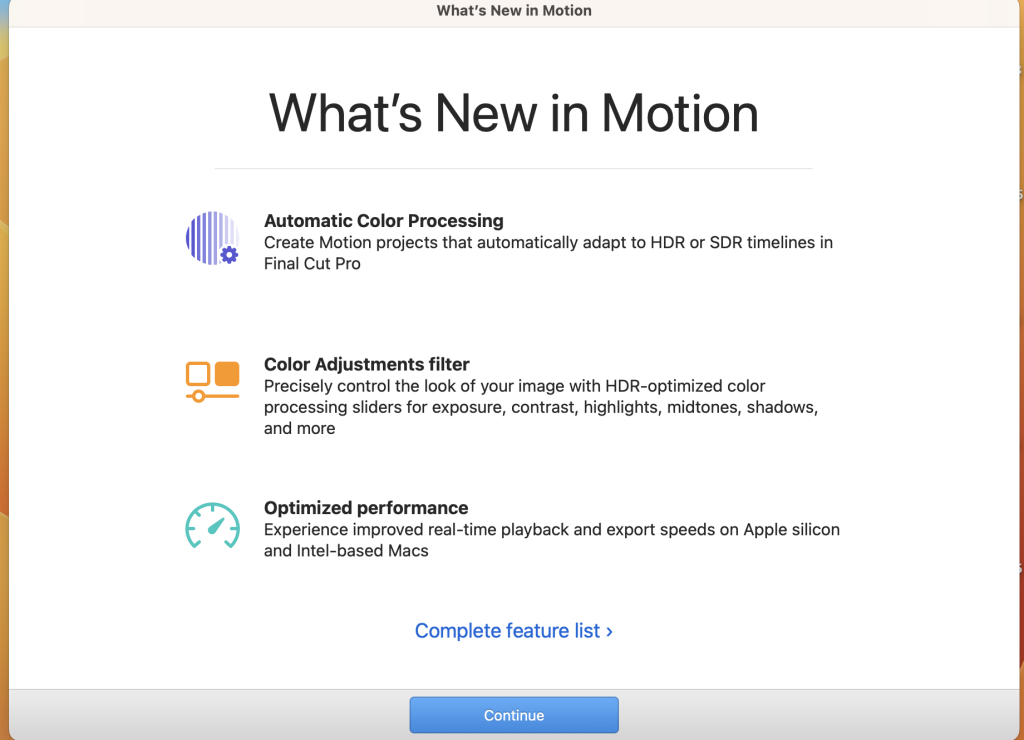
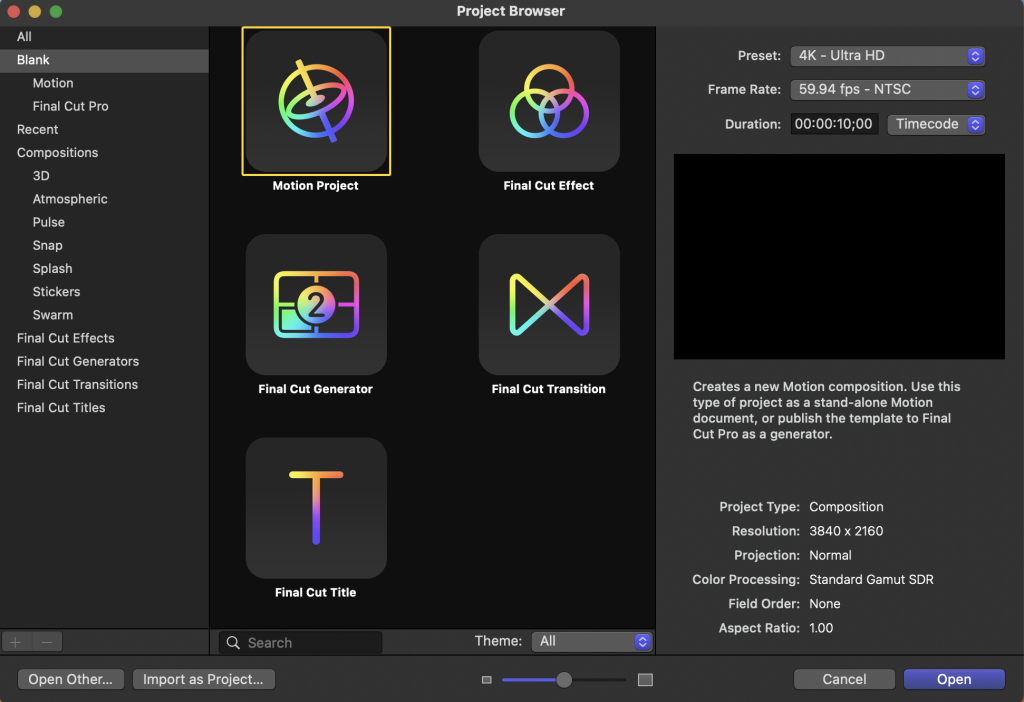
Motion is a powerful motion graphics software designed primarily for video editors. It provides a wide range of features for creating cinematic 2D and 3D titles, smooth transitions, and realistic effects in real-time. Below are some of the key features and functionalities of Motion:

2D and 3D Titles:

  • Import 360° media and create 360° titles, generators, and effects.
  • Generate 3D titles from scratch or modify existing 2D titles into 3D.
  • Customize 3D titles using over 90 Apple-designed 3D materials.
  • Utilize drag-and-drop behaviors and text animation tools for animating titles.

Motion Graphics for Final Cut Pro:

  • Seamlessly integrate Motion with Final Cut Pro.
  • Customize Final Cut Pro titles, effects, and transitions within Motion.
  • Create Motion Templates with parameter controls for Final Cut Pro.
  • Support for Display Aspect Ratio snapshots for templates.

Stunning Effects:

  • Choose from a library of over 230 behaviors for animation without keyframes.
  • Achieve accurate chroma keying with the Keying filter.
  • Adjust focus points and depth effects for video shot in Cinematic mode on iPhone (requires macOS Monterey or later).
  • Create custom particle emitters or use 200 presets for realistic effects.
  • Professional masking tools for rotoscoping.
  • Face and object tracking using machine learning.

Effortless 3D:

  • Add cameras to transition from 2D to 3D space.
  • Create 3D scenes within 360° projects.
  • Realistic shadow animations that respond to camera and light movement.
  • Convert shapes, video planes, or paint strokes into reflective surfaces.
  • Import third-party USDZ objects or choose from Motion Library objects.

Breakthrough Speed, Quality, and Output:

  • Support for importing wide color HDR images and exporting in various color spaces.
  • Improved performance and efficiency on Mac computers with Apple silicon.
  • Optimized for M1 Pro, M1 Max, and M1 Ultra chips on Mac Studio and MacBook Pro.
  • System requirements include macOS 12.6 or later, 4GB of RAM (8GB recommended for specific tasks), Metal-capable graphics card, and 1GB of VRAM (recommended for certain editing tasks).

This software is compatible with macOS 13.4 or later and is available on the Mac App Store. Motion is a valuable tool for video editors and motion graphics professionals looking to create dynamic visual content.
Ableton Live 11 Suite 11.3.11 Intel base Mac

0

Name : Ableton Live 11 Suite

Size : 3 GB

Ableton Live 11 Suite 11.3.11 Intel base Mac

The description you’ve provided appears to be a detailed overview of Ableton Live, a renowned digital audio workstation (DAW) software designed for music production and live performance. Here’s a summary of the key features and highlights mentioned:

  1. Flexible Music Creation and Performance: Ableton Live is a versatile DAW that provides various tools, instruments, effects, and creative features for making music. It offers both linear and non-linear (Session View) approaches to music creation.
  2. Perfect Takes and Comp Recording: Live organizes multiple audio or MIDI takes into individual segments, allowing users to select the best parts and combine them to create a perfect take.
  3. Linked-Track Editing: This feature enables the simultaneous editing of multiple tracks, which is especially useful for multi-tracked instruments or performances with multiple musicians. It ensures that all tracks stay in sync.
  4. MPE Support: MIDI Polyphonic Expression (MPE) support allows for expressive instrumental performances by controlling multiple parameters of each note in real time. It enhances musical expression.
  5. New Devices: Live introduces new audio effects devices, including Hybrid Reverb, Spectral Resonator, Spectral Time, and PitchLoop89, offering unique sound design possibilities.
  6. Live Performance: Live is well-suited for live performances, with features like Tempo Following, Macro Snapshots, and Rack improvements, providing flexibility and creativity on stage.
  7. Randomization and Probability: Live offers the ability to introduce randomness and probability to compositions, including note chance and velocity chance, resulting in evolving and dynamic patterns.
  8. Follow Actions: Follow Actions can be linked to clip length, allowing for the creation of interesting sequences of clips. Scene Follow Actions facilitate evolving arrangements.

It’s important to note that this software requires macOS 10.13 or later and is designed for Intel-based Macs. Additionally, Ableton Live is available in multiple languages, including English, Français, Deutsch, Italiano, 日本語, and Español.

This software is widely used by musicians, producers, and performers across various musical genres due to its user-friendly interface and powerful music production capabilities.

Mac software Ableton Live 11 Suite 11.3.11 Download

0

Name : Ableton Live 11 Suite

Size : 3.23 GB

Mac software Ableton Live 11 Suite 11.3.11 Download

Ableton Live is a versatile software for music creation and performance, offering a wide range of tools and features for musicians, producers, and DJs. It’s known for its fast and flexible workflow, making it a popular choice for electronic music production and live performances. Here are some key features and aspects of Ableton Live:

  1. Creative Music Making: Ableton Live provides a platform for musicians to create music in various styles. It includes a rich collection of virtual instruments, audio effects, and MIDI effects to help you shape your sound.
  2. Session View: Live’s unique Session View allows for non-linear music creation and improvisation. It’s perfect for sketching out ideas, arranging tracks, and performing live. You can trigger clips, loops, and scenes on the fly, creating dynamic arrangements.
  3. Arrangement View: In contrast to Session View, Arrangement View is a linear timeline for traditional music arrangement. You can arrange, edit, and refine your music in this view, making it suitable for recording and producing full songs.
  4. Multi-Track Recording: Live supports multi-track audio and MIDI recording, making it easy to capture performances and create complex compositions.
  5. Live Performance: Many artists and DJs use Live for live performances due to its flexible nature. It offers features like tempo following, macro snapshots, and rack improvements for on-stage creativity.
  6. MPE Support: Live supports MIDI Polyphonic Expression (MPE), allowing you to control multiple parameters of every note in real time. This feature enhances the expressiveness of your MIDI-capable controller.
  7. New Audio Effects: Live includes new audio effects such as Hybrid Reverb, Spectral Resonator, Spectral Time, and PitchLoop89. These effects offer unique sound design possibilities.
  8. Tempo Following: Live can dynamically adjust its tempo based on incoming audio in real time. This feature makes Live a dynamic part of your performance, especially when DJing.
  9. Macro Snapshots: You can store the state of your Macros for later recall, enabling instant variations in your sounds or performances.
  10. Rack Improvements: Configure your Racks with up to 16 Macros and use randomization for creative sound manipulation.
  11. Probability-Based Composition: Live introduces features like Note Chance and Velocity Chance, allowing you to add unpredictability to your music by setting the probability of note and velocity events.
  12. Follow Actions: Create evolving arrangements and sequences of clips using Follow Actions. You can link Follow Actions to clip length and control them globally.

Ableton Live is used by musicians, producers, and performers across various genres, from electronic dance music to experimental and beyond. Its intuitive interface, powerful tools, and real-time performance capabilities make it a valuable tool for music creation and live shows.
Download Pixelmator Pro 3.4.2 for Mac free

0

Name : Pixelmator Pro

Size : 602 MB

Download Pixelmator Pro 3.4.2 for Mac free

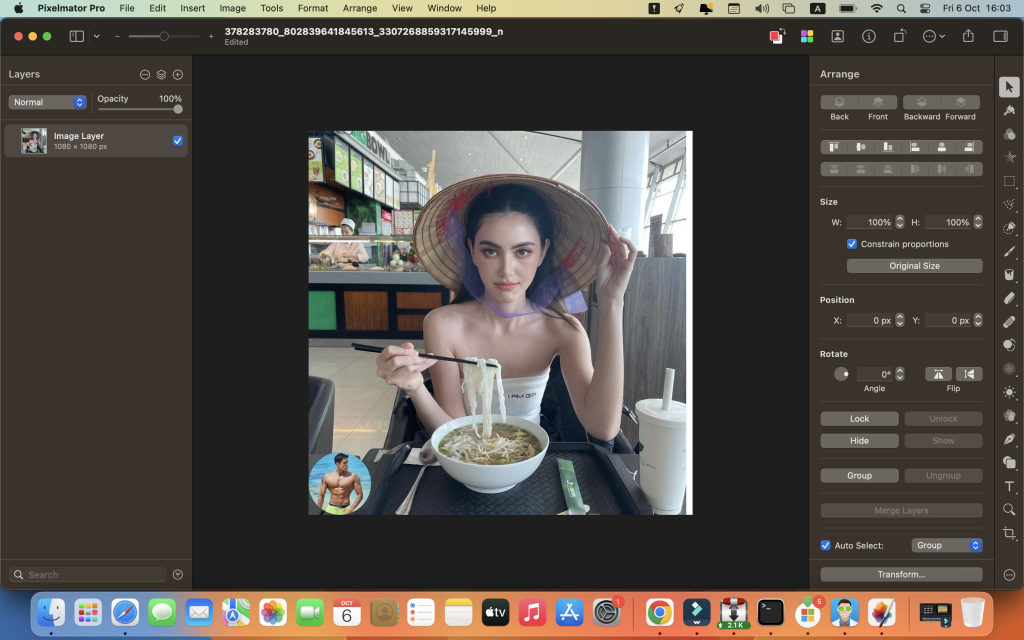
Pixelmator Pro is a powerful, user-friendly image editing software designed exclusively for macOS. It offers a wide range of professional-grade tools and features for image editing, composition, design, painting, and more. Here are some key aspects of Pixelmator Pro:

  1. Modern Interface: Pixelmator Pro features a single-window interface designed specifically for Mac users. It offers a clean and intuitive design that makes image editing accessible for both beginners and experienced users.
  2. Adaptive Appearance: The app adapts to your Mac’s light and dark modes, ensuring a seamless experience in different environments.
  3. Customizable Interface: Users can customize the interface to suit their preferences and workflows. Workspace presets are available for various creative tasks, such as photography, design, illustration, and painting.
  4. Photos Extension: Pixelmator Pro includes a full-featured Photos extension, allowing you to edit images directly within the Photos app. Edits made in Pixelmator Pro are saved as layered, nondestructive edits in your Photos library.
  5. Professional Editing Tools: It offers a comprehensive set of image editing tools, supporting nondestructive editing. You can move, resize, arrange, and adjust objects in your compositions. The app also includes advanced color adjustment tools powered by machine learning.
  6. RAW Support: Pixelmator Pro provides excellent support for RAW image files, allowing you to edit them with access to their extended range data.
  7. Painting: Create digital or traditional paintings using customizable dual-texture brushes. The app fully supports digital graphics tablets, making it suitable for digital artists.
  8. Effects and Presets: Combine built-in effects to create artistic or special effects. Save your adjustment, effect, and layer style combinations as presets for future use.
  9. Retouching: The app includes retouching tools for removing imperfections, objects, or retouching specific areas of your photos.
  10. Text and Typography: Design text with a full set of typography tools. You can create curved, circular, and path text easily.
  11. Vector Graphics: Pixelmator Pro includes customizable vector graphics designed by the Pixelmator Team, and you can create your own vector graphics using the Pen tool.
  12. Web Optimization: Optimize and save images for the web with advanced compression options to reduce file sizes.
  13. Machine Learning Enhancements: The app employs machine learning to perform tasks like object removal, image enhancement, resolution boosting, color matching, and noise reduction.
  14. Compatibility: Pixelmator Pro supports a wide range of image formats, including PSD (Photoshop), SVG, PDF, HEIF, GIF, and more.
  15. AppleScript Support: You can automate workflows using AppleScript support.
  16. macOS Integration: Pixelmator Pro is designed exclusively for macOS and seamlessly integrates with macOS Big Sur.

Pixelmator Pro is a versatile image editor that caters to various creative needs, from basic photo enhancements to complex digital art projects. Its user-friendly interface and extensive feature set make it an excellent choice for Mac users looking to edit and create stunning images.
Download SoundSource for Mac V-5.6.2

0

Name : SoundSource

Size : 31 MB

Download SoundSource for Mac V-5.6.2

SoundSource is an audio utility application designed to provide you with fast and convenient access to a wide range of audio settings on your Mac. Here are some of its key features and functions:

  1. Menu Bar Access: SoundSource resides in your menu bar, allowing for quick and easy access to various audio controls. You can access essential audio settings directly from the menu bar, which makes it convenient to adjust audio inputs, outputs, and sound effects.
  2. System Device Control: You can control settings for your Mac’s output, input, and sound effects devices right from the menu bar. This includes adjusting volume levels, input levels, balance, and sample rates for these devices.
  3. Per-Application Audio Control: SoundSource enables you to control the volume levels of individual applications separately. This means you can make one app louder or softer than others or mute it entirely. You can also route the audio from specific apps to different audio outputs.
  4. Audio Effects: SoundSource includes built-in audio effects, including a 10-band equalizer and support for Audio Units. These effects allow you to enhance the sound quality of individual applications.
  5. System-Wide Audio Effects: You can apply audio effects to all audio on your system, thanks to the built-in 10-band equalizer and support for advanced Audio Unit plugins.
  6. Super Volume Keys: SoundSource ensures that volume keys on Mac keyboards work seamlessly with all audio outputs, even those that don’t typically support these keys, like HDMI and DisplayPort audio outputs.
  7. Floating Access: If you frequently adjust audio settings, you can pin SoundSource’s main window, which will float on your screen for instant access.
  8. Headphone EQ: SoundSource includes a Headphone EQ effect that optimizes audio output for various headphone models, ensuring the best sound quality.
  9. Magic Boost 2: The Magic Boost 2 feature enhances audio quality, particularly for small speakers, to provide richer and fuller sound.
  10. Compact View: SoundSource offers a streamlined main window for quick access to essential audio controls while minimizing screen space.
  11. Menu Bar Meters: You can add optional meters to the menu bar for your output device, input device, and active applications, allowing you to monitor and control audio more easily.

Compatibility: SoundSource is compatible with macOS 11.0 (Big Sur) or later.

In summary, SoundSource is a versatile audio control utility that simplifies the management of audio settings on your Mac. Whether you need to adjust system-wide audio or fine-tune settings for individual applications, SoundSource offers a user-friendly interface and various features to meet your audio needs.

Download Screen Wonders for Mac V-2.1.9

0

Name : Screen Wonders

Size : 265 MB

Download Screen Wonders for Mac V-2.1.9

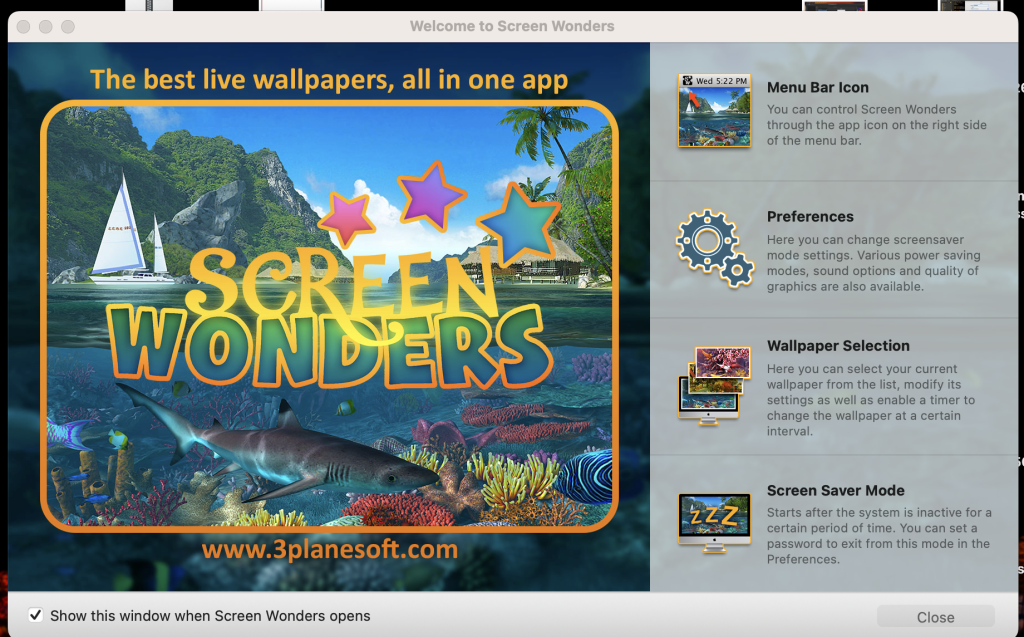
This app offers a collection of live wallpapers designed to enhance your desktop experience. Unlike traditional static wallpapers, these live wallpapers feature dynamic, animated scenes that can bring your desktop to life. Here are some key features of the app:

  1. High-Quality 3D Graphics and Effects: The live wallpapers in this app are crafted with high-quality 3D graphics and special effects to create visually stunning and immersive desktop backgrounds.
  2. Retina 5K Display Support: The wallpapers are optimized for Retina 5K displays, ensuring crisp and detailed visuals on compatible Mac screens.
  3. Multi-Monitor Support: If you use multiple monitors, the app offers support for extending the live wallpaper across all your screens for a seamless and cohesive look.
  4. Automatic Wallpaper Rotation: You can set the app to automatically change the wallpaper at predefined intervals. This feature keeps your desktop fresh with new scenes without manual intervention.
  5. Screen Saver Mode: The app can also function as a screen saver, activating dynamic wallpapers when your computer is idle. You can optionally enable password protection for added security.
  6. Original Soundtrack: Some live wallpapers come with an original soundtrack that complements the visual experience, creating an immersive atmosphere.
  7. Dock Icon Customization: You have the option to hide the app’s dock icon for a cleaner desktop appearance.
  8. Language Support: The app is available in multiple languages, including English, French, German, Italian, Russian, and Spanish.
  9. Compatibility: The app is compatible with macOS 10.10 and later, ensuring a wide range of Mac users can enjoy these live wallpapers.

In summary, this app offers a collection of visually appealing and dynamic live wallpapers to enhance your desktop. Whether you want to add a touch of nature, travel to different locations, or experience festive scenes, these live wallpapers provide an engaging and interactive desktop experience. Plus, with energy-saving settings, you can customize the level of animation based on your preferences and system resources.

Download MediaInfo 23.10 for Mac OS

0

Name : MediaInfo

Size : 16 MB

Download MediaInfo 23.10 for Mac OS

MediaInfo is a versatile and informative tool for analyzing and displaying technical and tag data for video and audio files. It’s particularly useful for media professionals, enthusiasts, and anyone who needs detailed information about multimedia files. Here’s an overview of what you can do with MediaInfo:

  1. File Format Information: MediaInfo provides comprehensive details about the container format of media files. This includes the format type, profile, duration, overall bit rate, writing application, title, author, director, album, track number, and date.
  2. Video Details: For video files, you can access information such as the format, codec ID, aspect ratio, frame rate, bit rate, color space, chroma subsampling, bit depth, scan type, and scan order.
  3. Audio Information: MediaInfo displays audio-related data, including the audio format, codec ID, sample rate, number of channels, bit depth, bit rate, and language.
  4. Subtitle Data: If a media file contains subtitles, MediaInfo can reveal details about the subtitle format, codec ID, and language.
  5. Chapter Information: For media files with chapters, you can find details about the number of chapters and access a list of chapter names.
  6. Supported Containers: MediaInfo supports a wide range of container formats, including MPEG-4, QuickTime, Matroska, AVI, MPEG-PS, MPEG-TS, MXF, GXF, WMV, FLV, Real, and more.
  7. Tag Information: The tool can extract tag data from multimedia files, including Id3v1, Id3v2, Vorbis comments, APE tags, and others.
  8. Video and Audio Codec Support: MediaInfo recognizes various video codecs such as MPEG-1/2 Video, H.263, MPEG-4 Visual, H.264/AVC, Dirac, and numerous audio codecs like MPEG Audio, AC3, DTS, AAC, FLAC, Vorbis, and more.
  9. Subtitle Formats: MediaInfo can identify subtitle formats such as CEA-608, CEA-708, DTVCC, SCTE-20, SCTE-128, ATSC/53, CDP, DVB Subtitle, Teletext, SRT, SSA, ASS, SAMI, and others.
  10. User-Friendly Interface: MediaInfo offers a user-friendly graphical interface, making it easy to access and interpret media file information.
  11. Command-Line Interface and Library: In addition to the graphical user interface, MediaInfo provides a command-line interface and library versions for more advanced users and developers.
  12. Integration: You can integrate MediaInfo with your macOS shell, allowing for drag-and-drop functionality and context menu options.

Overall, MediaInfo is a powerful and versatile tool for inspecting multimedia files, making it an essential utility for professionals and enthusiasts working with video and audio content. Whether you need to troubleshoot media-related issues or gather detailed information about your media library, MediaInfo is a valuable asset.

Download OmniGraffle Pro v-7.22 Mac

0

Name : OmniGraffle Pro

Size : 58 MB

Download OmniGraffle Pro v-7.22 Mac

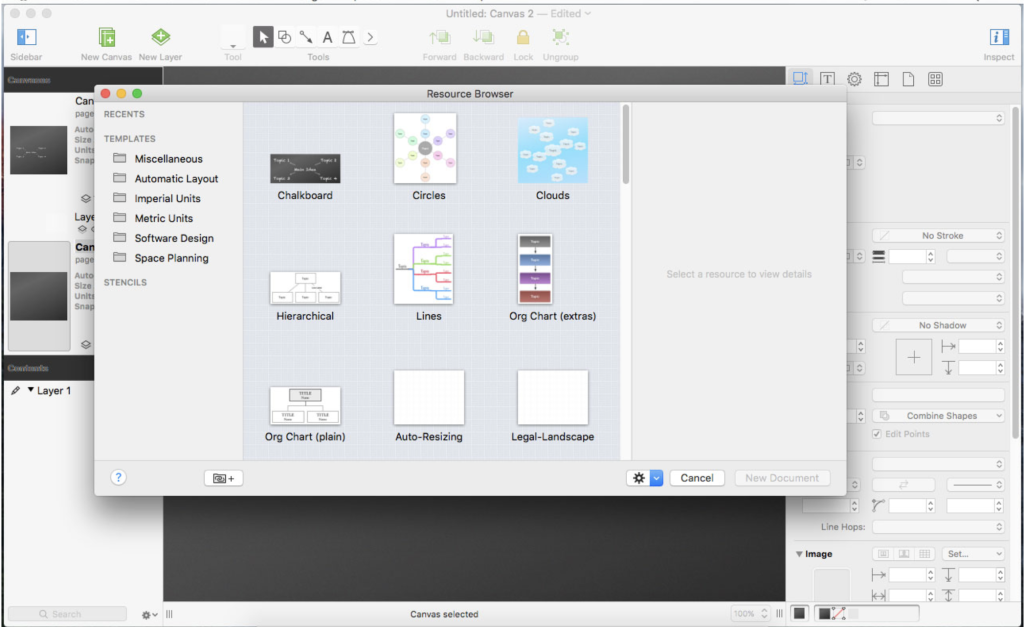
OmniGraffle Pro is a versatile diagramming and graphing tool that allows you to create a wide range of visual representations, including diagrams, family trees, flowcharts, org charts, layouts, and more. It’s designed to help users draw and organize their ideas, projects, and data in a visually appealing and structured manner. Here are some key features and uses of OmniGraffle Pro:

  1. Diagram Creation: OmniGraffle Pro provides a wide range of tools for creating various types of diagrams and graphs. You can create flowcharts, organizational charts, network diagrams, floor plans, and more.
  2. Graphical Representation: Use boxes, shapes, lines, and connectors to visually represent relationships, processes, and structures. Customize the appearance of objects and lines to convey your ideas effectively.
  3. Family Trees: Easily create family trees and genealogy charts to visualize your family history and relationships.
  4. Project Planning: Plan and organize projects by creating diagrams that outline project workflows, task dependencies, and timelines.
  5. Education: OmniGraffle Pro can be used for educational purposes, such as creating concept maps, mind maps, and educational diagrams to enhance learning and understanding.
  6. Scientific Illustrations: Create scientific diagrams and illustrations to explain complex concepts, experiments, and research findings.
  7. Customization: Customize shapes, colors, fonts, and styles to match your specific needs and design preferences.
  8. Stencil Library: Access a wide variety of stencils and templates for different diagram types, saving you time and effort in creating diagrams from scratch.
  9. Pro Features: OmniGraffle Pro includes advanced features like shared layers, artboards, Visio import/export, advanced shape recognition, automation with AppleScript, and more.
  10. Integration: Seamlessly integrate your diagrams with other applications and workflows. OmniGraffle Pro supports import/export of various file formats, including PDF, SVG, Visio, and more.
  11. Cross-Platform Compatibility: OmniGraffle is available for macOS and iOS, allowing you to work on your diagrams across multiple devices.
  12. Professional Use: OmniGraffle Pro is tailored for professional users who require advanced diagramming capabilities, making it a cost-effective alternative to other diagramming software.

Whether you’re a professional designer, project manager, educator, or anyone who needs to create organized visual representations, OmniGraffle Pro offers a versatile and user-friendly solution. It’s a valuable tool for brainstorming, planning, and presenting ideas in a clear and visually appealing manner.
RAW Power for Mac Free Download V-3.4.16

0

Name : RAW Power

Size: 57 MB

RAW Power for Mac Free Download V-3.4.16

RAW Power is a versatile photo editing and management application for macOS that offers advanced RAW editing capabilities and seamless integration with the macOS ecosystem, including Finder, Photos, and iCloud. It serves as a fast and non-destructive image editor, an Apple Photos library manager, and a Photos editing extension.

Here are some of the key features and functions of RAW Power:

  1. Advanced RAW Editing: RAW Power leverages Apple’s RAW engine, previously found in Aperture, to provide powerful and unique adjustments that can significantly improve your photos. This includes adjustments like Boost, which were previously only available in Aperture.
  2. Organize and Manage Photos Library: RAW Power can organize and manage your Photos Library, and it’s fully compatible with iCloud Photo Library. This means that changes you make to your Photos Library using RAW Power will sync across your other Macs and iOS devices.
  3. Finder Support: As a standalone image editor, RAW Power allows you to quickly browse any folder on your disk without the need for importing. It provides excellent non-destructive RAW processing directly from Finder.
  4. Rate and Filter: You can rate and flag your photos, and these ratings and flags sync seamlessly with iCloud Photos. The app also offers filtering options based on file type, rating, edit state, and flags.
  5. Edit Cross-Platform: RAW Power is available on iOS as well (separate purchase required), which allows you to start editing on one device and continue on another. It also functions as a Photos editing extension with all the same adjustments.
  6. Batch Processing: The app supports batch processing, enabling you to apply presets, paste adjustments, and export multiple images simultaneously. You can also apply auto-enhancements or auto-white balance to multiple images at once.
  7. Real-Time Editing: RAW Power is compatible with a wide range of cameras, including iPhone RAW images. It provides real-time control over Apple’s RAW adjustments, such as noise reduction, black point, gamut mapping, and more. Histograms, LUTs (Look Up Tables), cropping, white balance adjustments, and various filters are also available in real time.
  8. Customizable Presets: You can create and apply custom presets to streamline your editing workflow. Camera presets allow you to create a starting point for each camera model.
  9. High-Performance Engine: RAW Power utilizes a Metal-based image processing engine for improved performance and high-precision color imaging.
  10. Non-Destructive Editing: All changes made within RAW Power are stored non-destructively in sidecar files, preserving the original image.

RAW Power is a comprehensive tool for photographers who want more control over their RAW images and seamless integration with their macOS and iCloud-based workflows. It offers professional-grade editing features and can be used as both a standalone application and a Photos extension.

Download SponsorBlock for YouTube 5.4.22 for Mac

0
SponsorBlock for YouTube

Name : SponsorBlock for YouTube

Size : 5 MB

Download SponsorBlock for YouTube 5.4.22 for Mac

SponsorBlock is a browser extension that allows you to skip over unwanted segments in YouTube videos, such as sponsors, intros, outros, subscription reminders, and more. It works by crowdsourcing information about the start and end times of these segments, and once someone submits this information, everyone else with the extension can automatically skip over those segments when watching the same video.

Key features of SponsorBlock include:

  1. Skip Annoying Segments: SponsorBlock helps you skip over parts of YouTube videos that you find annoying or irrelevant, allowing you to get straight to the content you want to watch.
  2. Crowdsourced Data: The extension relies on a community of users to submit information about the start and end times of various segments in videos. This means that as more people use the extension, it becomes more effective at skipping over unwanted content.
  3. Customization: You can customize which types of segments you want to skip, such as sponsors, intros, outros, credits, and more. This allows you to tailor the extension to your preferences.
  4. Music Video Support: SponsorBlock also works for music videos, allowing you to skip over non-music sections and get to the songs faster.
  5. Easy to Use: Once you have the extension installed, it seamlessly integrates with YouTube, so you don’t need to perform any additional actions. When a skip segment is available, it will automatically skip over it.
  6. Cross-Platform: While the macOS version of SponsorBlock is available in the Mac App Store, it’s primarily a browser extension that can be used on various web browsers like Chrome, Firefox, and Edge. It’s not limited to macOS and can be used on other operating systems as well.

SponsorBlock can significantly enhance your YouTube viewing experience by saving you time and skipping over content you’re not interested in. It’s a community-driven tool that relies on users’ contributions to improve and expand its database of skip segments, making it more effective over time.

Jameskarke's RSS Feed
Go to Top