We rank the best UK-licensed online casinos for real money and live craps in 2026, comparing bonuses, games, payouts, and mobile play. read the best online craps casino guide
Posts by Jameskarke
Pixelmator Pro for Mac 3.6.0
0
Name : Pixelmator Pro
Size : 656 MB
Pixelmator Pro for Mac free Download
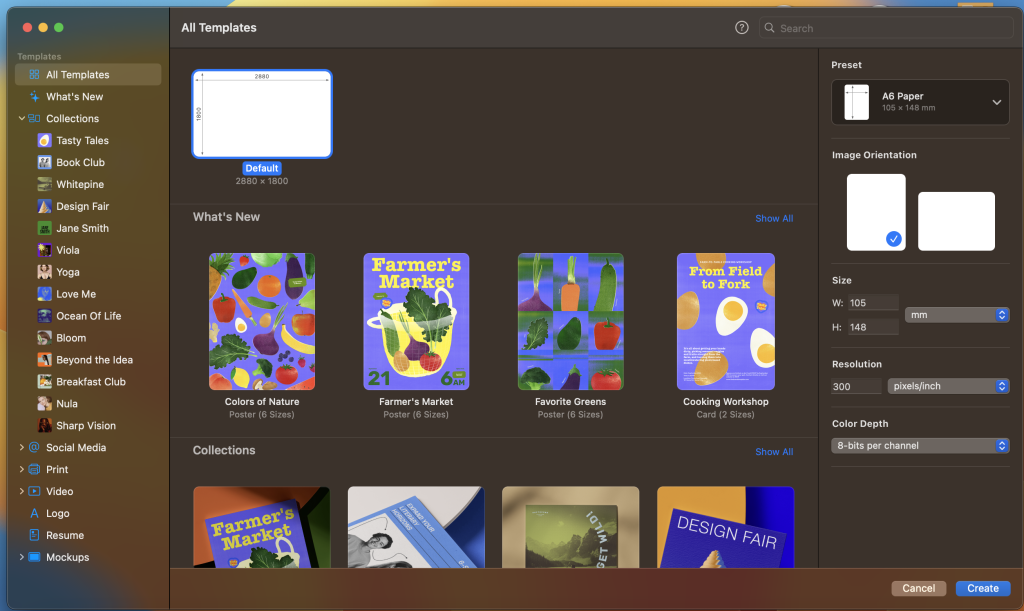
Pixelmator Pro is a comprehensive image editing software tailored exclusively for Mac users. With its wide range of professional-grade tools and an intuitive design, Pixelmator Pro enables you to enhance photos, create stunning designs, and carry out detailed image editing effortlessly.
Exceptional Design and Functionality
- Modern Interface:
- Single-window design optimized for Mac.
- Native dark and light modes adapt to macOS settings.
- Customizable workspace for personalized workflows.
- Ease of Use:
- Intuitive and accessible, suitable for both beginners and professionals.
- Workspace presets for photography, design, illustration, and painting.
- Full-featured Photos extension for seamless integration with the Photos app.
Professional Tools
- Comprehensive Editing:
- Nondestructive editing with the ability to adjust changes anytime.
- Tools for moving, resizing, and arranging objects.
- Machine learning-powered color adjustments for precise control.
- Advanced Features:
- Superior RAW file support, leveraging extended range data.
- Handcrafted, customizable brushes for digital and traditional painting.
- Extensive collection of built-in effects for creative possibilities.
- Presets for adjustments, effects, and layer styles to streamline workflows.
- Retouching and Reshaping:
- Tools for removing imperfections and cloning parts of photos.
- Reshaping tools to alter object shapes and areas in images.
- Vector graphics and Pen tool for creating custom designs.
- Full set of typography tools for designing text, including curved and path text.
- Optimization and Automation:
- Advanced compression for optimizing images for the web.
- Batch processing via built-in Automator actions.
- AppleScript support for automating workflows.
Machine Learning Enhancements
- AI-Powered Tools:
- Repair Tool: Magically remove objects and recreate image areas.
- ML Enhance: Automatically enhance photos using a machine learning algorithm.
- ML Super Resolution: Enhance image resolution intelligently.
- ML Match Colors: Copy the look of one photo to another.
- ML Denoise: Reduce noise and compression artifacts while preserving details.
- Quick Selection Tool: Make accurate selections effortlessly.
Compatibility
- Formats Supported:
- Open and edit popular formats like JPEG, TIFF, PNG, PSD, HEIF, SVG, PDF, GIF, BMP, TGA, WebP, and JPEG-2000.
- Full support for layered Photoshop images and SVG vector images.
- Share images via Photos, Mail, AirDrop, and more.
Built Exclusively for Mac
- macOS Integration:
- Seamless integration with macOS Big Sur.
- Support for major macOS features.
What’s New in Version 2.5.0
- Release Notes: Specific updates were not available at the time of this listing.
Compatibility
- Operating System: macOS 12.0 or later
Homepage
For more information and to download Pixelmator Pro, visit the Pixelmator Pro Homepage.
Summary
Pixelmator Pro stands out as an advanced and user-friendly image editor designed for Mac. It combines professional-grade tools with machine learning enhancements to deliver exceptional performance and results. Whether you are enhancing photos, creating intricate designs, or performing detailed retouching, Pixelmator Pro provides a powerful and intuitive platform to bring your creative visions to life.
Affinity Designer for Mac Download 2.5.0
0
Name : Affinity Designer
Size : 767 MB
Affinity Designer for Mac free Download
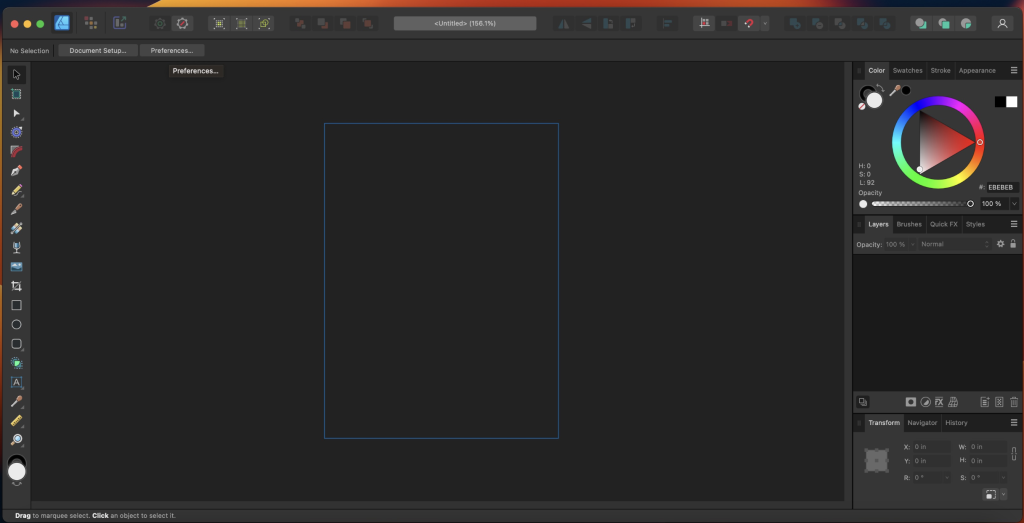
Affinity Designer is a professional graphic design application that caters to a wide range of creative needs, from web graphics and interface design to icons and concept art. It provides a robust set of tools within a versatile and customizable workspace, making it a powerful choice for Mac users seeking precision and flexibility in their design projects.
Key Features of Affinity Designer
- Customizable Workspace:
- Offers a docked or floating UI that integrates seamlessly with macOS features such as iCloud, Full Screen, and Spaces.
- Allows you to tailor your workspace to fit your workflow preferences.
- Comprehensive Design Tools:
- Includes node, pen, crop, pencil, and vector brush tools.
- Provides a gradient fill tool, text, alignment guides, and more.
- Accurate pixel control with real-time pixel preview, enabling pixel-level editing.
- Advanced Raster Tools:
- Equipped with lasso, pixel and paint brush, eraser, blur, dodge, burn, smudge, selection brush, and sharpen tools.
- Supports pressure and velocity sensitivity for stylus use, offering smooth and editable strokes.
- Vector and Raster Integration:
- Enables non-destructive painting inside vectors, allowing for precise addition of shadows, textures, and highlights.
- Combines the benefits of vector editing with the flexibility of raster tools.
- Versatile Shape Tools:
- Provides a wide range of customizable shapes.
- Features smart-snapping indicators and Boolean geometry operations for shape adjustments.
- Support for Popular File Formats:
- Compatible with RGB, LAB, CMYK, and Greyscale color spaces.
- Full support for AI, PSD, PDF, and SVG files.
- Ability to export areas, layers, or objects independently, including standard and retina versions.
What’s New in Version 2.5.0
- Release Notes: Specific details for the updates in version 2.5.0 were not available at the time of this listing.
Compatibility
- Operating System: macOS 10.15 or later
Homepage
For more information and to download Affinity Designer, visit the Affinity Designer Homepage.
Why Choose Affinity Designer?
Affinity Designer stands out as a comprehensive graphic design tool, offering both vector and raster capabilities within a single application. Its highly customizable workspace, extensive toolset, and support for a wide range of file formats make it an ideal choice for professional designers and illustrators. Whether you are creating detailed vector graphics or incorporating raster textures, Affinity Designer provides the precision, flexibility, and performance needed to bring your creative visions to life.
Affinity Photo for Mac Download 2.5.0
0
Name : Affinity Photo
Size : 772 MB
Affinity Photo for Mac free Download
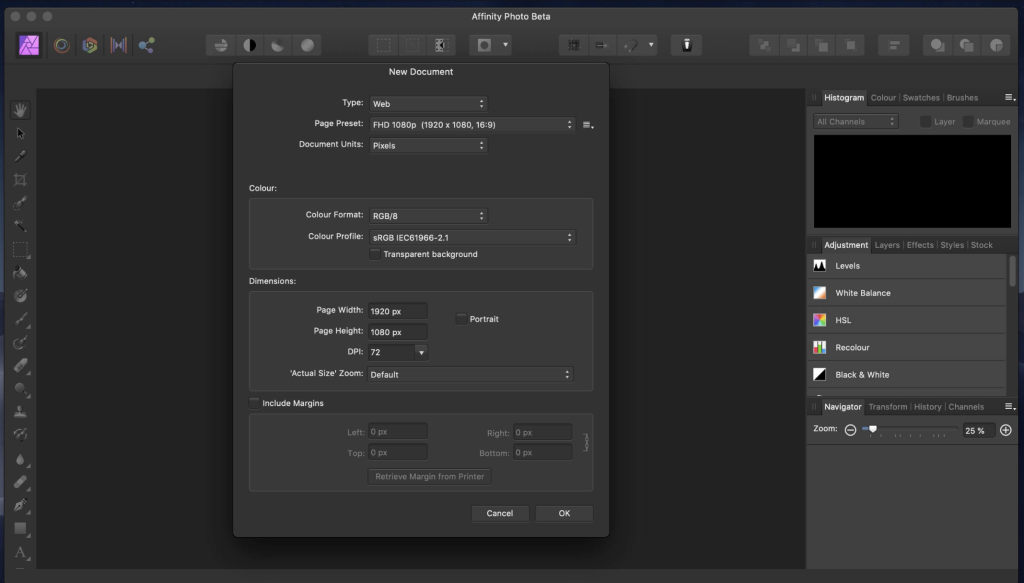
Affinity Photo is a professional-grade photo editing software that redefines the standards for image editing on macOS. Designed with a strong emphasis on workflow efficiency, it provides an extensive suite of tools for enhancing, editing, and retouching images within an intuitive and powerful interface.
Key Features of Affinity Photo
- Professional Compatibility:
- Open, edit, and save Photoshop® PSD files seamlessly.
- Supports RGB, CMYK, Greyscale, and LAB color spaces for versatile color management.
- End-to-end CMYK workflow with ICC color management for professional print production.
- Full 16-bit and 32-bit per channel editing for high-fidelity image processing.
- Compatible with all standard image formats including PNG, TIFF, JPG, GIF, SVG, EPS, EXR, HDR, and PDF.
- Performance and Efficiency:
- Smooth panning and zooming at 60fps with live previews and real-time editing tools.
- Handles large images efficiently without compromising performance or memory.
- Sophisticated Editing Tools:
- Offers a comprehensive set of tools for photo enhancement, precise selection, intricate retouching, and artistic edits.
- Includes advanced features such as frequency separation, live blend modes, inpainting, and more.
What’s New in Version 2.5.0
- Release Notes: Specific details for version 2.5.0 updates were not available at the time of this listing.
Compatibility
- Operating System: macOS 10.15 or later
Homepage
For more information and to download Affinity Photo, visit the Affinity Photo Homepage.
Why Choose Affinity Photo?
Affinity Photo is engineered to meet the needs of professional photographers and image editors, providing a robust and efficient platform for all kinds of photo editing tasks. Whether you are working on complex multi-layered files or performing quick retouching, Affinity Photo offers the performance and tools required to achieve high-quality results. Its compatibility with a wide range of file formats and advanced color management options make it a versatile choice for professionals seeking a comprehensive photo editing solution.
Affinity Publisher for Mac Download 2.5.0
0
Name : Affinity Publisher
Size : 766 MB
Affinity Publisher for Mac free Download
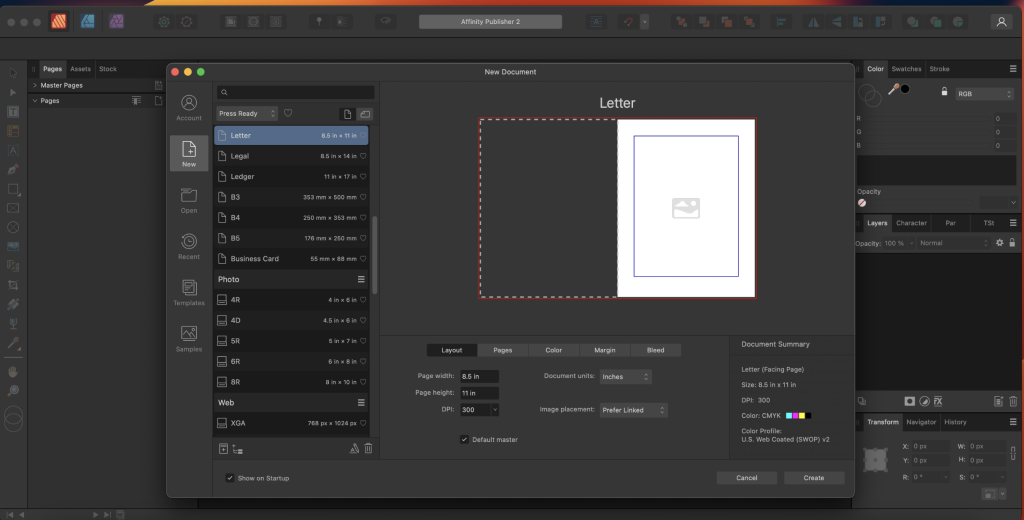
Affinity Publisher is a cutting-edge professional publishing software that empowers you to bring your creative visions to life. It is ideal for designing a variety of printed and digital materials, including magazines, books, brochures, posters, reports, and stationery. The software is known for its smooth and intuitive user experience, allowing you to seamlessly integrate images, graphics, and text to produce stunning layouts ready for publication.
Key Features of Affinity Publisher
- Master Pages: Create consistent layouts with master pages, including nested master pages.
- Facing Page Spreads: Design across double page spreads for more dynamic layouts.
- Image Frames: Use intelligent scaling options to manage your images within frames.
- Text Wrapping: Control text flow around images and shapes with fine padding adjustments.
- Custom Shaped Text Frames: Create unique text frames that fit your design needs.
- Linked Text Frames: Link multiple text frames across your document to manage large amounts of text seamlessly.
- Advanced Guides and Grids: Utilize sophisticated guides, grids, and snapping for precise alignment and layout.
- Tables: Insert tables and apply custom table formats for organized data presentation.
What’s New in Version 2.5.0
- Release Notes: The specific updates for version 2.5.0 were not available at the time of this listing.
Compatibility
- Operating System: macOS 10.15 or later
- Language: Multilingual
Homepage
For more information and to download Affinity Publisher, visit the Affinity Publisher Homepage.
Why Choose Affinity Publisher?
Affinity Publisher stands out due to its comprehensive set of professional-grade tools and features that cater to both novice and experienced designers. Whether you are creating detailed multi-page documents or simple one-page designs, Affinity Publisher provides all the necessary tools to ensure your layouts are polished and print-ready. Its versatility and powerful features make it an essential tool for anyone involved in the creation of professional publications.
Audio Hijack for Mac Download 4.4.2
0
Name : Audio Hijack
Size : 33 MB
Audio Hijack for Mac free Download
Audio Hijack is a powerful application that allows you to record any audio on your Mac, from applications to hardware devices. Whether you’re capturing VoIP calls, streaming audio, or system-wide sound, Audio Hijack provides a flexible and user-friendly solution. Here’s a detailed overview of its features and compatibility:
Key Features of Audio Hijack
- Application Audio:
- Capture Any App’s Audio: Set any application as your source and hit record to save its audio.
- Device Audio:
- Record from Devices: Capture and record audio from microphones, mixers, and other input devices.
- All System Audio:
- System-Wide Capture: Use the System Audio source to capture all the audio heard on your Mac at once.
More Great Features
- Record to All Major Formats:
- Save recordings in popular formats like MP3 and AAC, or in high-fidelity formats such as AIFF, WAV, ALAC, or FLAC.
- Reusable Sessions:
- Configure and save Sessions to reuse them for consistent recording setups.
- Easy File Organization:
- Quickly find and manage recordings sorted by Session, and easily pass files to an audio editor, add to iTunes, or share them.
- Timed Recordings:
- Schedule recordings to automatically start and stop, even when you’re not around.
- Silence Monitoring:
- Automatically handle silence by stopping recording, splitting to a new file, or removing silent sections.
- Bulletproof Recording:
- Ensures your recordings are safe, even in the event of a power outage or system crash.
- Thoughtful Interface:
- Intuitive audio grid provides a clear view of your audio flow for easy understanding and configuration.
- Gorgeous Audio Effects:
- User-friendly and visually appealing audio effects that are easy to apply.
- Time Shift Your Audio:
- Pause, delay, and rewind live audio, perfect for tasks like transcribing.
Compatibility
- Operating System: macOS 10.14.4 or later.
Homepage
For more information and to download Audio Hijack, visit the Audio Hijack Homepage.
Why Choose Audio Hijack?
Audio Hijack is ideal for anyone needing a versatile and reliable audio recording tool. Its ability to capture audio from virtually any source, combined with robust features like timed recordings, silence monitoring, and bulletproof recording, makes it a standout choice. Whether you’re a podcaster, musician, or just need to record system audio, Audio Hijack provides the tools and flexibility to get the job done efficiently and effectively.

Wondershare Recoverit for Mac free 2.5.15.16
0
Name : Wondershare Recoverit
Size : 125 MB
Wondershare Recoverit for Mac free Download
Wondershare Recoverit is a comprehensive data recovery suite designed to help you recover lost data on your Mac due to various reasons such as accidental deletion, formatting, virus infection, improper operation, unexpected power failure, and other unknown reasons. Here’s an overview of its features and compatibility:
Key Features of Wondershare Recoverit
- Comprehensive Data Recovery:
- Versatile Recovery Options: Recovers data from lost, deleted, logically corrupted, and formatted Mac hard drives, as well as from iPods, USB drives, SD cards, digital cameras, mobile phones, MP3 players, and MP4 players.
- Multiple File Systems Supported: Compatible with HFS+, FAT16/32, and NTFS file system volumes.
- Safe and Non-Destructive:
- Data Integrity: Ensures safe Mac file recovery without modifying the original data on your Mac or other storage media.
- Versatile Preview:
- Preview Before Recovery: Allows you to preview files before recovery, ensuring you recover the correct data.
- User-Friendly Interface:
- Easy to Use: Simple interface makes data recovery straightforward, even for non-technical users.
- Advanced Recovery Algorithms:
- Deep Scan: Utilizes advanced algorithms to perform deep scans, enhancing the ability to recover deeply buried or fragmented files.
Compatibility
- Operating System: macOS 10.14 or later.
Homepage
For more information and to download Wondershare Recoverit, visit the Recoverit Homepage.
Why Choose Wondershare Recoverit?
Wondershare Recoverit is ideal for anyone needing a reliable data recovery solution for their Mac. Its comprehensive recovery capabilities, support for various storage devices and file systems, and non-destructive approach make it a trustworthy tool for recovering lost data. The user-friendly interface and versatile preview feature further enhance its usability, making data recovery a stress-free experience.
Whether you’ve lost data due to accidental deletion, formatting, or more severe issues like virus infections or logical corruption, Wondershare Recoverit provides a robust solution to retrieve your valuable files efficiently and securely.

Capture One Pro for Mac 16.4.2.1
0
Name : Capture One Pro
Size : 1 GB
Capture One Pro for Mac free Download
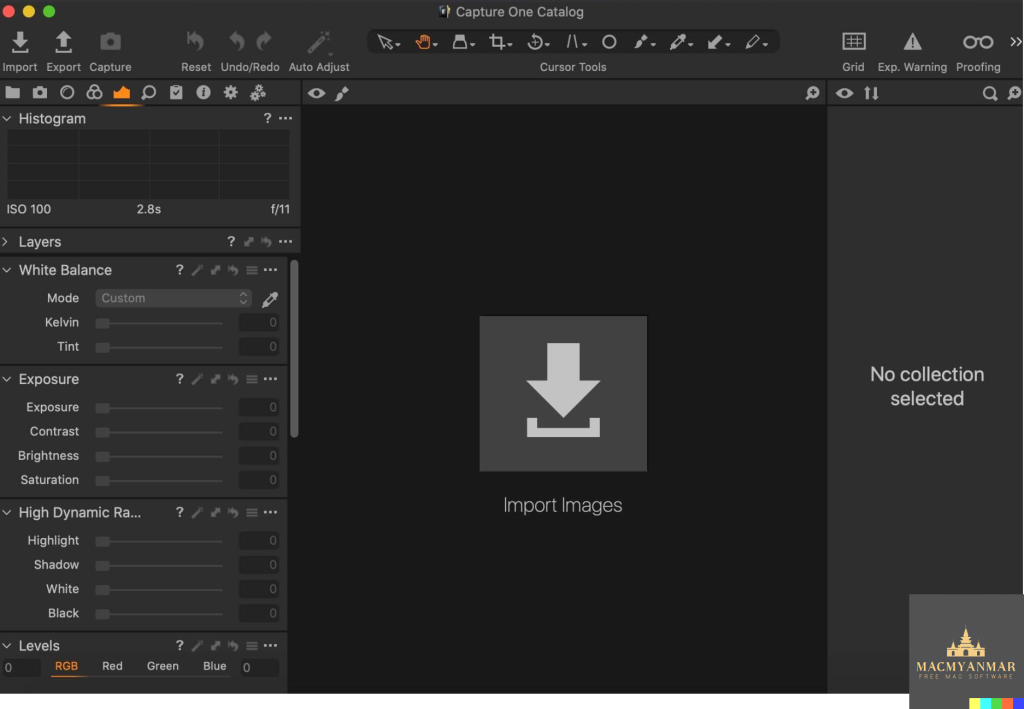
Capture One is a professional RAW converter and image editing software designed to deliver ultimate image quality with beautiful colors and incredible detail for over 500 high-end cameras. Here’s a detailed overview of what Capture One offers and why it is a top choice for photographers:
Key Features of Capture One
- Ultimate Image Quality:
- RAW Processing: Renowned for its exceptional RAW image processing.
- True-to-Life Colors: Tailored profiles for nearly 600 camera models and lenses ensure accurate and vibrant colors.
- Tethered Capture:
- State-of-the-Art Tethering: Industry-leading tethered capture for instant image transfer and review.
- Lightning-Fast Performance: Real-time viewing and adjustments during shoots to ensure the perfect shot.
- Digital Asset Management:
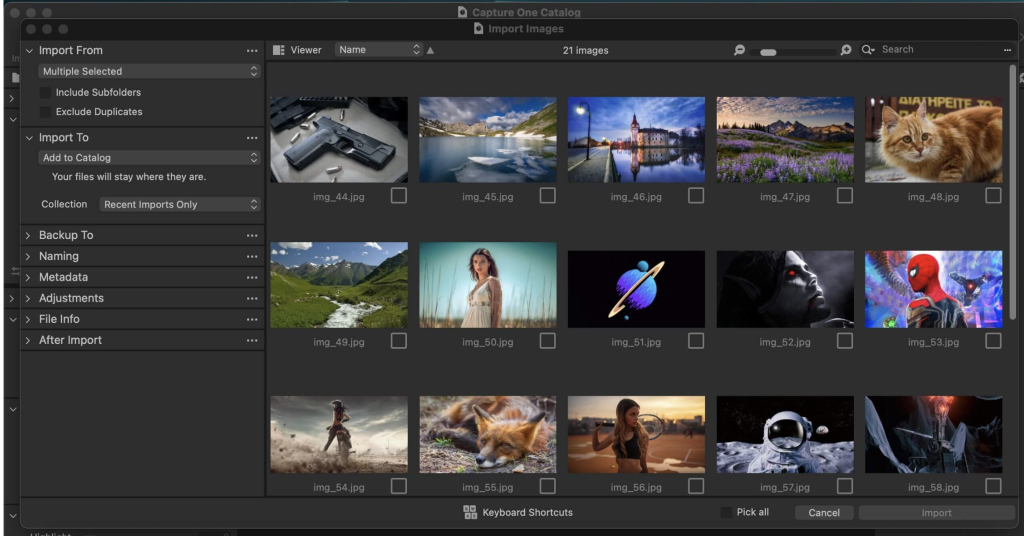
- Organize and Manage: Powerful tools to organize, cull, and manage a large volume of images efficiently.
- Metadata and Keywords: Comprehensive metadata editing and keywording options for better file management.
- Extensive Adjustment Tools:
- Precision Editing: Highly responsive tools for detailed and precise image adjustments.
- Creative Control: A wide range of adjustment options, including color correction, exposure adjustments, and retouching tools.
- Flexible Workflow:
- Customizable Interface: Personalize your workspace to fit your workflow needs with customizable workspaces.
- Batch Processing: Efficiently process large numbers of images with batch processing capabilities.
- Capture One Studio:
- Enhanced Studio Features: Includes all features of Capture One Pro, plus additional tools tailored for studio photographers.
- Workflow Enhancements: Tools for barcode scanner integration, advanced guides, and capture backup.
What’s New in Capture One
- Updated Processing Engine: Enhanced performance and new features for more efficient and powerful image processing.
- Market-Leading Performance: Improvements in speed and responsiveness for a smoother editing experience.
- New Tools and Features: Continued development of new features and tools to keep up with the evolving needs of professional photographers.
Compatibility
- Operating System: macOS 12.0 or later.
Homepage
For more information and to explore Capture One further, visit the Capture One Homepage.
Why Choose Capture One?
Capture One is ideal for professional photographers seeking high-quality image processing, efficient workflow management, and precise editing tools. Whether working in a studio or on location, Capture One’s robust features and customizable interface help photographers bring their creative vision to life quickly and efficiently. The addition of Capture One Studio further enhances its capabilities, making it a comprehensive solution for professional and studio photographers alike.
Capture One Studo for Mac 16.4.2.1
0
Name : Capture One Studo
Size : 1 GB
Capture One Studo for Mac free Download
Capture One is a professional RAW converter and image editing software designed to deliver ultimate image quality with beautiful colors and incredible detail for over 500 high-end cameras. Here’s a detailed overview of what Capture One offers and why it is a top choice for photographers:
Key Features of Capture One
- Ultimate Image Quality:
- RAW Processing: Renowned for its exceptional RAW image processing.
- True-to-Life Colors: Tailored profiles for nearly 600 camera models and lenses ensure accurate and vibrant colors.
- Tethered Capture:
- State-of-the-Art Tethering: Industry-leading tethered capture for instant image transfer and review.
- Lightning-Fast Performance: Real-time viewing and adjustments during shoots to ensure the perfect shot.
- Digital Asset Management:
- Organize and Manage: Powerful tools to organize, cull, and manage a large volume of images efficiently.
- Metadata and Keywords: Comprehensive metadata editing and keywording options for better file management.
- Extensive Adjustment Tools:
- Precision Editing: Highly responsive tools for detailed and precise image adjustments.
- Creative Control: A wide range of adjustment options, including color correction, exposure adjustments, and retouching tools.
- Flexible Workflow:
- Customizable Interface: Personalize your workspace to fit your workflow needs with customizable workspaces.
- Batch Processing: Efficiently process large numbers of images with batch processing capabilities.
- Capture One Studio:
- Enhanced Studio Features: Includes all features of Capture One Pro, plus additional tools tailored for studio photographers.
- Workflow Enhancements: Tools for barcode scanner integration, advanced guides, and capture backup.
What’s New in Capture One
- Updated Processing Engine: Enhanced performance and new features for more efficient and powerful image processing.
- Market-Leading Performance: Improvements in speed and responsiveness for a smoother editing experience.
- New Tools and Features: Continued development of new features and tools to keep up with the evolving needs of professional photographers.
Compatibility
- Operating System: macOS 12.0 or later.
Homepage
For more information and to explore Capture One further, visit the Capture One Homepage.
Why Choose Capture One?
Capture One is ideal for professional photographers seeking high-quality image processing, efficient workflow management, and precise editing tools. Whether working in a studio or on location, Capture One’s robust features and customizable interface help photographers bring their creative vision to life quickly and efficiently. The addition of Capture One Studio further enhances its capabilities, making it a comprehensive solution for professional and studio photographers alike.

Capture One Enterprise for Mac 16.4.2.1
0
Name : Capture One Enterprise
Size : 1 GB
Capture One Enterprise for Mac free Download
Capture One 23 Enterprise is an advanced photo editing solution tailored for image production studios and e-commerce platforms. This software is renowned for its true-to-life color processing, seamless editing experience, and industry-leading tethering capabilities, making it a staple for photographers and studios around the globe.
Key Features of Capture One 23 Enterprise
- World-Class Tethering:
- Fastest Tethering: Industry-leading speed for instant image capture and transfer.
- Reliable Connection: Ensures a stable and uninterrupted workflow during shoots.
- High-Quality RAW Processing:
- True-to-Life Colors: Authentic color processing for accurate and vivid images.
- State-of-the-Art Tools: Advanced tools for detailed and precise editing.
- Enterprise-Specific Features:
- Barcode Scanner Tool: Streamline the organization and management of photos.
- Advanced Guides: Enhance composition and alignment during shoots.
- Next Capture Backup: Automatically back up images to prevent data loss.
- Next Capture Keywords and Metadata: Simplify tagging and data entry for better organization.
- Tool Locks: Secure specific tool settings to maintain consistency across shoots.
- Capture Pilot Enhancements: Improved collaboration with real-time image review and feedback.
- Optimized Workflows:
- Automated Workflows: Automate repetitive tasks to save time and increase efficiency.
- Integration with IT Infrastructure: Seamlessly integrate with barcode scanners, PIM systems, digital asset management systems, and e-commerce platforms.
- Custom Solutions:
- Color Profiling: Custom color profiles for accurate color reproduction, reducing product returns due to color discrepancies.
- Dedicated Workspaces: Tailored workspaces for different roles (photographers, retouchers, etc.) to optimize workflow and collaboration.
Value Creation with Capture One Enterprise
- Time to Market: Speeds up the image production process, from planning to publishing.
- Cost Per Image: Increases efficiency and reduces costs at each step of the workflow.
- Reduce Risk: Secures image production with features like Image Backup, License Management, and MDM support.
What’s New in Capture One 23 Enterprise
- New Instruments and Tools: Enhanced features and tools for improved performance and creativity.
- Enhanced Effects: New effects for greater modulation and realism in images.
- Resizable Browser: Easier navigation and sound selection with a new, resizable browser interface.
Compatibility
- Operating System: macOS 12.0 or later.
Learn More
For more information and to explore specific tools, visit the Capture One Enterprise Homepage. You can also check out the Tools and Functionality white paper and Barcode Reader white paper for detailed insights into specific features.
Capture One 23 Enterprise is designed to meet the rigorous demands of studio photography, providing tools and features that optimize workflows, improve efficiency, and ensure high-quality results. Whether for large-scale image production or specialized e-commerce photography, Capture One Enterprise offers a comprehensive solution for professional photographers and studios.

Native Instruments Kontakt 7.10.2 for Mac Download WORKiNG
0
Name : Native Instruments Kontakt
Size : 1.11 GB
Native Instruments Kontakt 7.10.2 WORKiNG for Mac free Download
KONTAKT 7 is an advanced and comprehensive sampling platform used by musicians and producers for creating, editing, and playing sampled instruments. With its seventh generation, KONTAKT continues to build on its 20-year legacy, offering new features, an updated factory library, and enhanced audio capabilities. Here’s an overview of its key features and what’s new in this version:
Key Features of KONTAKT 7
- Versatile Sampling Platform:
- Sampling Capabilities: Record sounds ranging from individual instruments to entire orchestras.
- Sample Library: Includes a factory library with over 55 GB of detailed, creative, and expressive instruments.
- Easy-to-Use Interface:
- Resizable Browser: Find sounds easily with a new, resizable browser interface.
- Drag and Drop Samples: Import your own samples directly into the instrument interface for custom sound creation.
- Instrument Building and Editing:
- Powerful Tools: Create your own instruments with robust sample-editing and instrument-building tools.
- Wavetable Synthesis Module: Build hybrid instruments to create entirely new sounds.
- Enhanced Effects and Modulation:
- New Effects: Includes effects from the MOD PACK (Choral, Flair, Phasis) for added modulation and sound shaping.
- Advanced Effects: Additional effects for greater expression and realism in your creations.
- Creator Tools:
- Standalone Application: Dedicated tools to streamline the library creation and editing process.
- KONTAKT Play Series:
- Three New Instruments:
- Analog Dreams: Features legendary analog and digital synths from the 1970s, 1980s, and 1990s.
- Ethereal Earth: Combines live instrumentation from around the world with digital synthesis.
- Hybrid Keys: A modern twist on acoustic piano, electric piano, synth, and analog keys, suitable for contemporary styles.
- Macro Controls: Each instrument in the Play Series includes eight macro controls mapped to various parameters for dynamic sound manipulation.
What’s New in KONTAKT 7
- New Instruments and Features:
- KONTAKT Play Series: Introducing three new instruments with contemporary sounds and a streamlined interface.
- Wavetable Synthesis Module: Allows the creation of hybrid instruments for unique sound design.
- Enhanced Effects: New effects for greater modulation and realism.
- Improved User Experience:
- Resizable Browser: Easier sound navigation and selection.
- Enhanced Audio Improvements: Under-the-hood updates for better performance and sound quality.
- Expanded Ecosystem:
- Licensed and Indie Instruments: Access to around 600 licensed instruments from other manufacturers and thousands of indie instruments, making KONTAKT the go-to platform for a vast collection of sampled sounds.
Compatibility
- OS Requirement: Compatible with macOS 11.0 or later.
- Processor: Supports Apple Silicon and Intel Core processors.
Availability
- Homepage: More information and the option to download can be found on the official Native Instruments website.
Summary
KONTAKT 7 is a leading sampling platform that offers extensive tools for musicians and producers to create, edit, and play high-quality sampled instruments. With new instruments, enhanced effects, and improved usability, it continues to be a powerful tool for both instant inspiration and intricate instrument building. Whether you’re looking to create detailed soundscapes or just need a reliable sampler for your music production, KONTAKT 7 provides the flexibility and capability to meet a wide range of creative needs.