Jameskarke

Jameskarke

This user hasn't shared any profile information

Home page: http://macmyanmar.com

Posts by Jameskarke

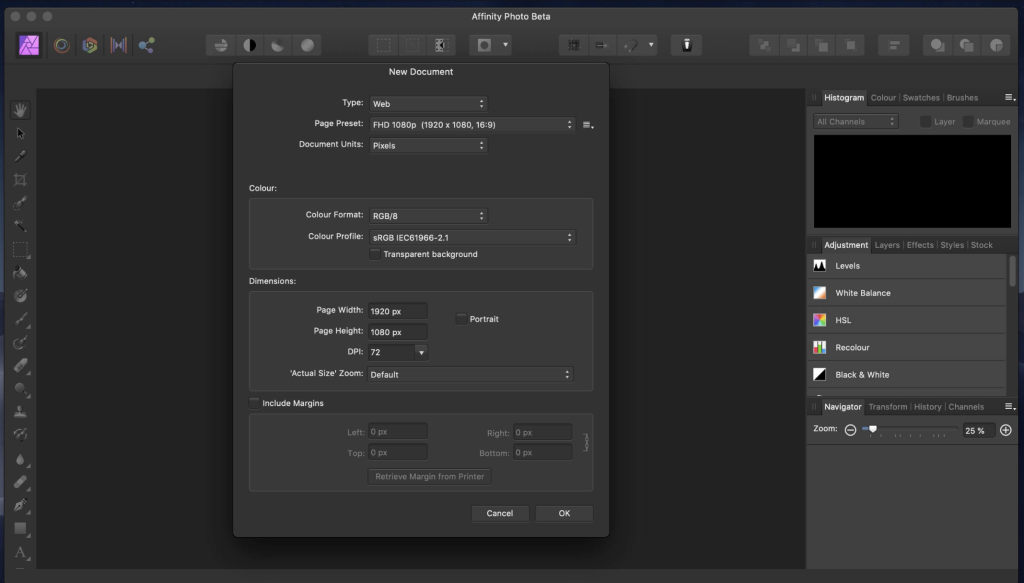
Affinity Photo for Mac Download 2.5.2

0

Name : Affinity Photo

Size : 772 MB

Affinity Photo for Mac free Download

Affinity Photo: Professional Photo Editing Software for Mac

Affinity Photo redefines professional photo editing on the Mac, providing sophisticated tools for enhancing, editing, and retouching images within an intuitive interface. Designed for both professional photographers and photo enthusiasts, Affinity Photo ensures you have all the power and performance needed for high-end photo editing.

Key Features

Engineered for Professionals:

  • Photoshop Compatibility: Open, edit, and save Photoshop® PSD files, ensuring seamless integration with existing workflows.
  • Color Spaces: Work with RGB, CMYK, Greyscale, and LAB color spaces for versatile editing capabilities.
  • CMYK Workflow: End-to-end CMYK workflow with ICC color management for precise color reproduction.
  • High Bit-Depth Editing: Full support for 16-bit and 32-bit per channel editing for maximum color accuracy and range.
  • Standard Formats: Work with all standard image formats, including PNG, TIFF, JPG, GIF, SVG, EPS, EXR, HDR, and PDF.
  • Performance: Enjoy live panning and zooming at 60fps with live previews, live tools, and real-time editing.
  • Large File Handling: Open and edit massive images without compromising performance or running out of memory.

Advanced Editing Tools:

  • Retouching and Correction: Use advanced tools for retouching and correcting images, including healing brushes, dodge, burn, and more.
  • Layers and Masks: Work with layers, masks, and blending modes for non-destructive editing.
  • Filters and Effects: Apply a wide range of filters and effects with real-time previews.
  • Selection Tools: Utilize precise selection tools, including lasso, marquee, and brush-based selections.
  • Adjustment Layers: Make non-destructive adjustments with a comprehensive set of adjustment layers.

Workflow Enhancements:

  • Batch Processing: Automate repetitive tasks with batch processing capabilities.
  • Macros: Record and apply macros for common tasks to speed up your workflow.
  • Customizable Interface: Tailor the workspace to suit your editing style with a customizable interface.
  • Performance Optimization: Optimized for macOS to ensure smooth and efficient performance, even with complex tasks.

What’s New in Version 2.5.2

  • Release notes were unavailable at the time of this listing update.

Explore More

For more details and to download Affinity Photo, visit the official Affinity Photo homepage.
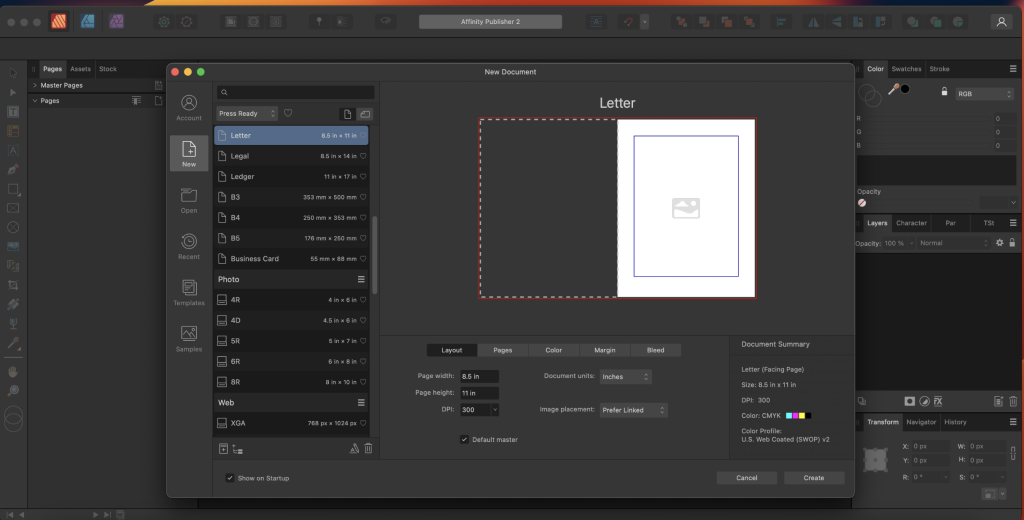
Affinity Publisher for Mac Free Download 2.5.2

0

Name : Affinity Publisher

Size : 766 MB

Affinity Publisher for Mac free Download

Affinity Publisher: Professional Publishing Software for Mac

Affinity Publisher is a cutting-edge publishing software designed to help you bring your creative vision to life. Perfect for creating magazines, books, brochures, posters, reports, and stationery, this application offers a smooth, intuitive experience that allows you to combine images, graphics, and text into beautiful layouts ready for publication.

Key Features

Layout Essentials:

  • Double Page Spreads: Easily manage and design layouts with double page spreads.
  • Live Master Pages: Utilize master pages for consistent layout designs, including nested master pages for more complex documents.
  • Image Frames: Use image frames with intelligent scaling options to fit your images perfectly.
  • Text Wrapping: Control text wrapping with fine padding adjustments to flow around images and objects smoothly.
  • Custom Text Frames: Create text frames in custom shapes for unique designs.
  • Linked Text Frames: Link multiple text frames across your document for seamless text flow.
  • Guides and Grids: Advanced guides, grids, and snapping tools ensure precise alignment and layout.
  • Tables: Design tables with custom formats for organized and professional-looking data presentation.

Advanced Typography:

  • Professional Print Output: Prepare your documents for print with full professional print output capabilities.
  • Typography Tools: Access advanced typography features to enhance the appearance of your text.

Workflow and Compatibility:

  • Smooth Workflow: Experience an incredibly smooth and intuitive workflow designed to handle complex documents with ease.
  • Multilingual Support: Available in multiple languages for a global user base.
  • Compatibility: Requires macOS 10.15 or later.

What’s New in Version 2.5.2

  • Release notes were unavailable at the time of this listing update.

Explore More

For more details and to download Affinity Publisher, visit the official Affinity Publisher homepage.

Affinity Designer for Mac Download 2.5.2

0

Name : Affinity Designer

Size : 767 MB

Affinity Designer for Mac free Download

Affinity Designer: Advanced Graphic Design Application for Mac

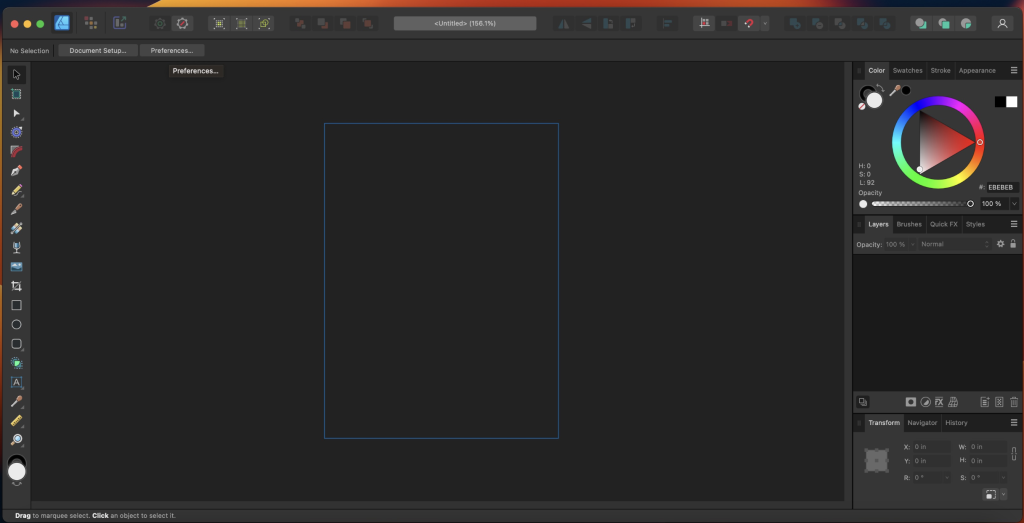
Affinity Designer is a powerful and professional-grade graphic design application tailored for Mac users. It is ideal for creating various graphic materials, including website graphics, interface designs, icons, and concept art.

Key Features

Customizable Workspace:

  • Versatile UI: Choose between a docked or floating interface that integrates seamlessly with macOS features like iCloud, Full Screen, and Spaces.
  • Tool Access: Instantly access a wide range of design tools such as node, pen, crop, pencil, vector brushes, gradient fill tool, text, and alignment guides from the main window.

Powerful Design Tools:

  • Pixel Control: Offers accurate pixel control with real-time pixel preview, allowing for pixel editing when vector results are not sufficient.
  • Raster Tools: Includes lasso tool, pixel and paint brush, eraser, blur, dodge, burn, smudge, selection brush, and sharpen tools.
  • Stylus Support: Utilize stylus pressure and velocity for smooth, editable strokes, enabling natural-looking artwork with the benefits of vector editing.

Advanced Vector and Pixel Integration:

  • Non-Destructive Editing: Paint inside vectors using pixel brush tools non-destructively, perfect for adding shadows, textures, and highlights with precision.
  • Customizable Shapes: Use a broad collection of shapes, smart-snapping indicators, and a full set of Boolean geometry operations for precise adjustments.

File Format Support:

  • Popular Formats: Supports most popular file formats, including AI, PSD, PDF, and SVG.
  • Color Spaces: Work in various color spaces like RGB, LAB, CMYK, or Greyscale.
  • Export Options: Export areas, layers, or objects independently in standard or retina versions.

What’s New in Version 2.5.2

  • Release notes were unavailable at the time of this listing update.

Compatibility

  • macOS Compatibility: Requires macOS 10.15 or later.

For more information and to download Affinity Designer, visit the official Affinity Designer homepage.
ForkLift for Mac Download 4.1.3

0

Name : ForkLift

Size : 13 MB

ForkLift for Mac free Download

ForkLift: Powerful File Manager and FTP Client for Mac

ForkLift is a robust file manager and an exceptionally fast FTP client designed for Mac users. With its clean and versatile user interface, it combines simplicity with powerful features, making it an ideal tool for managing files and remote connections.

Key Features

Comprehensive Connectivity:

  • Remote Server Connections: Connect to a wide range of remote servers including SFTP, FTP, WebDAV, Amazon S3, Backblaze B2, Google Drive, Rackspace CloudFiles, SMB, AFP, and NFS.
  • Local Network Shares: Access and manage local network shares easily.

File Management Tools:

  • Folder Synchronization: Sync folders between different locations.
  • Multi-Rename: Rename multiple files efficiently with advanced options.
  • Archive Handling: Manage and extract archives directly within ForkLift.
  • Application Deleter: Uninstall applications completely, removing all associated files.
  • Remote File Editing: Edit files over remote connections without needing to download them first.

User Interface:

  • Dual-Pane Interface: Work with two directories side-by-side, enhancing workflow and file management efficiency. The panes can be split vertically or horizontally.
  • Finder-like Experience: The interface is intuitive and familiar, incorporating features like Quick Look and Spotlight search.
  • Dark Mode: Supports dark mode for comfortable usage in low-light environments.
  • Tabs and Workspaces: Organize your workflow with tabs and customizable workspaces.

Advanced Functionalities:

  • ForkLift Mini: Access ForkLift’s capabilities from the menu bar for quick tasks.
  • Two-Way Sync: Synchronize files in both directions between two locations.
  • Quick Open: Quickly access files and applications.
  • Favorite Sync: Sync your favorites using Dropbox.
  • Disklet: Mount remote servers as local drives.
  • Sync Browsing: Browse synchronized directories simultaneously.
  • Transfer Bandwidth Throttling: Control the speed of file transfers to manage network usage.
  • Tags Support: Utilize macOS tags for organizing files.

Integration and Support:

  • Dropbox Integration: Directly support and manage files on Dropbox.
  • Search and Selection: Search by name, extension, kind, tags, or content, and use Quick Select to manage files.
  • App Deleter: Cleanly uninstall applications.
  • Archive Management: Handle various archive formats.
  • Keyboard Control: Efficiently manage files using keyboard shortcuts.
  • FXP Copy: Directly transfer files between servers.
  • Tools Integration: Support for Git and opening terminals like Terminal, iTerm, or Hyper.
  • File Compare: Compare files using FileMerge, Kaleidoscope, Beyond Compare, and Araxis Merge.

Additional Features:

  • Hidden Files: Show or hide hidden files.
  • Multilingual Support: Available in multiple languages including English, German, Hungarian, Polish, Russian, and Ukrainian.
  • Set as Default File Viewer: Option to set ForkLift as the default file manager.

Compatibility

  • macOS Compatibility: Requires macOS 12.0 or later.
  • Latest Version: Version 4.1.3 (release notes unavailable at the time of listing).

System Requirements

  • Disable System Integrity Protection (SIP): To perform certain operations, SIP needs to be disabled.

For more information and to download ForkLift, visit the official ForkLift homepage.

Pixelmator Pro for Mac 3.6.2

0

Name : Pixelmator Pro

Size : 656 MB

Pixelmator Pro for Mac free Download

Pixelmator Pro: Powerful and Intuitive Image Editing for Mac

Pixelmator Pro is a comprehensive image editor designed exclusively for Mac users, offering a blend of professional-grade tools and user-friendly design. It caters to a wide range of image editing needs, from basic adjustments to advanced creative compositions.

Exceptional Design and Functionality

User Interface:

  • Modern Single-Window Interface: Tailored for an optimal Mac experience, offering a streamlined and intuitive workspace.
  • Light and Dark Modes: Adapts seamlessly to macOS’s light and dark modes.
  • Customizable Interface: Allows users to organize their workspace according to their preferences, with presets for photography, design, illustration, and painting.

Integration:

  • Photos Extension: Edit images within the Photos app, maintaining nondestructive edits that save directly to your library.

Professional Tools

Editing Capabilities:

  • Nondestructive Editing: Adjust individual changes at any time without losing quality.
  • Object Manipulation: Easily move, resize, and arrange objects for stunning compositions.
  • Color Adjustments: Utilize machine learning-powered tools for precise color adjustments.

Support for RAW Files:

  • Superior RAW Editing: Leverage the full range of data from RAW files for detailed edits.

Painting and Effects:

  • Customizable Brushes: Create digital or traditional paintings with dual-texture brushes and graphics tablet support.
  • Built-in Effects: Combine effects to achieve any artistic or special effect imaginable.

Presets and Automation:

  • Adjustment and Effect Presets: Save and share combinations of adjustments, effects, and layer styles.
  • Batch Processing: Automate repetitive tasks with built-in Automator actions and AppleScript support.

Retouching and Reshaping:

  • Retouching Tools: Magically remove imperfections, clone parts of photos, and precisely lighten or darken areas.
  • Reshaping Tools: Easily alter the shape of any object or area in your images.

Vector Graphics and Text:

  • Vector Tools: Add or create custom vector graphics with the Pen tool.
  • Typography Tools: Design text with a complete set of typography tools, including options for curved, circular, and path text.

Web Optimization:

  • Advanced Compression: Optimize images for the web, reducing file sizes without sacrificing quality.

Machine Learning Enhancements

AI-Powered Tools:

  • ML Enhance: Intelligently improve photos with a machine learning algorithm.
  • ML Super Resolution: Enhance image resolution effectively.
  • ML Match Colors: Automatically match the color palette of one photo to another.
  • ML Denoise: Reduce noise and compression artifacts while preserving details.
  • Quick Selection Tool: Make precise selections effortlessly with machine learning assistance.

Compatibility

Supported Formats:

  • Image Formats: Open and edit JPEG, TIFF, PNG, PSD, HEIF, SVG, PDF, GIF, BMP, TGA, WebP, and JPEG-2000.
  • Photoshop and SVG Files: Full support for Photoshop images with layers and SVG vector images.

Sharing:

  • Integration: Share images to Photos, Mail, AirDrop, and other locations directly from the app.

Built Exclusively for Mac

macOS Integration:

  • Seamless Compatibility: Designed to integrate flawlessly with macOS Big Sur and later versions, leveraging all major macOS features.

System Requirements:

  • macOS 12.0 or later

For more information, visit the Pixelmator Pro homepage.
Cockos REAPER for Mac Download 7.16

0

Name : Cockos REAPER

Size : 49.9 MB

Cockos REAPER for Mac free Download

REAPER: Comprehensive Digital Audio Workstation

REAPER is a powerful digital audio workstation (DAW) that transforms your computer into a full-featured multitrack audio and MIDI recording, editing, processing, mixing, and mastering environment. It is designed to cater to a wide range of users, from solo artists to large orchestras, making it a versatile choice for any audio project.

Key Features

Multitrack Recording and Editing:

  • Recording: Supports direct multitrack recording in various formats, including WAV, BWF, W64, AIFF, WavPack, FLAC, OGG, and MIDI.
  • Editing: Offers fast, tool-less editing with features like drag-and-drop importing, easy splitting, moving, and resizing of items, configurable crossfading, and more.
  • Non-destructive Processing: Apply real-time effects and adjustments without altering the original tracks.

Powerful Audio Engine:

  • 64-bit Audio Engine: Ensures high-quality audio processing.
  • Low-Latency Performance: Optimized for excellent low-latency performance.
  • Multiprocessor Capable: Leverages multiple CPU cores for efficient processing.

Flexible and Efficient Workflow:

  • No Track Types or Busses: Simplifies the workflow by eliminating predefined track types or busses. Use folder tracks for grouping and routing.
  • Flexible Routing: Allows for complex signal routing with ease.
  • Tool-less Interface: Reduces the need for excessive clicking and menu navigation.

Advanced Features:

  • Automation Envelopes: Create detailed automation for volume, pan, and other parameters.
  • Per-Item Effects: Apply pitch shift, time stretch, and other effects to individual items.
  • Markers and Regions: Use markers for navigation and regions for defining and editing sections of your project.
  • Multiple Tempos and Time Signatures: Manage projects with varying tempos and time signatures seamlessly.
  • Ripple Editing: Optionally affect later items when moving or deleting items.

Compatibility and Support:

  • Wide Range of Hardware Support: Compatible with nearly any audio interface, outboard hardware, and many control surfaces.
  • Plugin Support: Supports VST, VSTi, DX, DXi effects, and comes with the ReaPlugs suite of high-quality 64-bit effects.
  • Portable Installation: Can run from USB keys or other removable media for portable use.

Editing Features

  • Drag and Drop: Instantly import files into a project.
  • Fade and Volume Control: Easily manipulate fades and volumes for each item.
  • Transient Detection: Tab to transient support for quick editing.
  • Grouping and Sync: Group items and maintain sync with markers and envelopes.
  • Per-Item Adjustments: Apply pitch shifts and time stretches on a per-item basis.
  • Automation and Regions: Define, edit, and automate project sections with regions and envelopes.

System Requirements

  • Operating System: OS X 10.5 or higher
  • Installation Size: Installer is just over 2MB, ensuring a lightweight and tightly coded application.

Homepage

For more information and to download, visit the REAPER homepage.

Conclusion

REAPER is an exceptional DAW that offers comprehensive features for recording, editing, mixing, and mastering audio projects. Its flexibility, powerful audio engine, and efficient workflow make it suitable for a wide range of users, from beginners to professional audio engineers. Whether you are working on a simple solo project or a complex multi-track production, REAPER provides the tools you need to achieve professional results.

Topaz Photo AI for Mac 3.0.3

0

Name : Topaz Photo AI

Size : 350 MB

Topaz Photo AI for Mac free Download

Topaz Photo AI: Enhance Your Photos with Cutting-Edge AI Technology

Topaz Photo AI leverages advanced artificial intelligence to elevate the quality of your photos by sharpening, reducing noise, and enhancing resolution. Designed to allow photographers to focus on the artistic aspects of their work, Topaz Photo AI provides powerful tools to enhance image quality effortlessly.

Key Features

  1. Sharpening:
  • Corrects the root causes of blurriness, such as camera shake, motion blur, and misfocus.
  • Produces natural and authentic results without artificially boosting edge contrast.
  1. Noise Reduction:
  • Uses AI to accurately distinguish between noise and detail, preserving image integrity while reducing noise.
  • Suitable for both high ISO and long-exposure shots, ensuring clean and clear images.
  1. Resolution Enhancement:
  • Increases the resolution of your images without introducing artifacts.
  • Ideal for enlarging photos for prints or cropping without losing quality.
  1. AI-Powered Adjustments:
  • Automatically enhances images using advanced AI models trained on thousands of images.
  • Saves time by quickly applying the best corrections for each photo.
  1. User-Friendly Interface:
  • Easy-to-use interface designed for both beginners and professionals.
  • Allows photographers to focus on creativity rather than technical adjustments.

Benefits

  • Unleash Your Creativity:
  • With technical adjustments handled by AI, you can focus on the artistic aspects of your photography.
  • Achieve high-quality results that were previously unattainable with older tools.
  • Reliable Sharpening:
  • Ensure your photos are at their sharpest, even if the original shot had issues with blurriness.
  • AI-driven sharpening provides more natural results compared to traditional methods.
  • Enhanced Image Quality:
  • Elevate the overall quality of your photos, making them suitable for professional use, printing, and sharing.

System Requirements

  • Operating System: macOS and Windows
  • Processor: Intel or AMD multi-core processor
  • RAM: 8 GB (16 GB or more recommended)
  • Graphics Card: DirectX 12 compatible GPU with 4 GB VRAM

Homepage

For more information and to download, visit the Topaz Photo AI homepage.

Conclusion

Topaz Photo AI is an essential tool for photographers looking to enhance their images with advanced AI technology. By automating the sharpening, noise reduction, and resolution enhancement processes, Topaz Photo AI allows photographers to concentrate on their creative vision, producing high-quality photos effortlessly. Whether you are a professional photographer or a hobbyist, Topaz Photo AI empowers you to achieve stunning results with ease.

Wondershare PDFelement Pro 10.3.7 for Mac (OCR)

0

Name : Wondershare PDFelement Pro

Size : 756 MB

Wondershare PDFelement Pro for Mac free Download

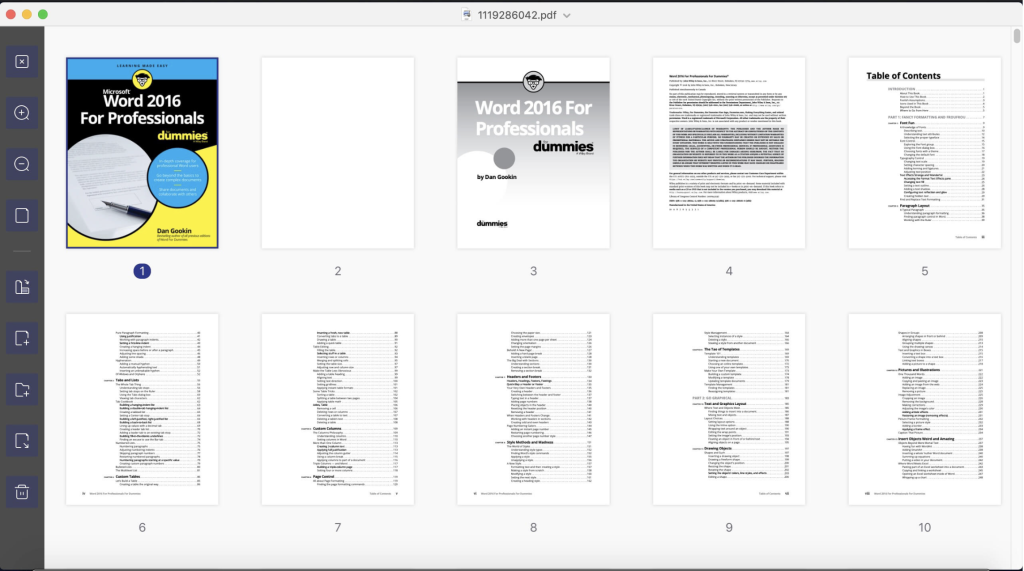
PDFelement 10 is a robust and user-friendly application designed to create, edit, convert, and sign PDF documents. The latest version, PDFelement 10.3.7, introduces an enhanced UI, advanced writing tools, improved team collaboration features, powerful conversion tools, and a user management console, making it a versatile tool for handling all your PDF needs.

Key Features

  1. OCR (Optical Character Recognition) – Pro Version:
  • Edit and convert characters in scanned PDF files or images.
  • Supports recognition of 29 languages.
  1. Create & Sign Forms – Pro Version:
  • Create fillable PDF forms using interactive field objects like buttons, checkboxes, radio buttons, list boxes, and drop-down lists.
  • Add digital signatures to forms.
  1. Merge PDF – Pro Version:
  • Combine files of different formats into a new PDF.
  1. Convert PDF – Pro Version:
  • Convert PDF files to various output formats such as EPUB, HTML, Text, RTF.
  • Supports PDF/A output format for long-term archiving (ISO Standard).
  1. Batch Processing of PDF Files – Pro Version:
  • Process multiple PDFs simultaneously.
  • Add backgrounds, watermarks, headers, and footers in batches.
  1. Bates Numbering – Pro Version:
  • Apply Bates Numbering with advanced formatting options.
  1. Redact PDF – Pro Version:
  • Redact sensitive text and images to protect confidential information.
  1. Additional Features:
  • Redesigned user interface for improved user experience.
  • Enhanced team collaboration tools.
  • Advanced writing tools for better document management.
  • User management console for enterprise-level control.

System Requirements

  • Operating System: macOS 10.15 or later

Homepage

For more information and to download, visit the PDFelement homepage.

Conclusion

PDFelement 10 is a comprehensive tool for managing PDFs, offering a wide range of features suitable for both individual and professional use. Its Pro version unlocks additional capabilities like OCR, form creation, batch processing, and advanced conversion options, making it an excellent choice for those who require extensive PDF management functionalities. Whether you need to edit, convert, sign, or secure your PDFs, PDFelement 10 provides all the tools necessary to streamline your workflow.

Live Home 3D Pro for Mac 4.9.1

0

Name : Live Home 3D Pro

Size : 593 MB

Live Home 3D Pro for Mac Free Download

Live Home 3D Pro is an advanced home design application that caters to both homeowners and professional designers. It is the successor to Live Interior 3D and offers a robust set of features for creating detailed home designs, rendering real-time 3D visualizations, and exporting high-quality images and videos.

Key Features

  1. General Features:
  • Create detailed 2D floor plans.
  • Real-time 3D rendering with beautiful visuals.
  • Support for unlimited floor levels (Pro edition only).
  • Includes in-depth video tutorials and a built-in Help Assistant.
  • Native support for Live Interior 3D projects.
  • Project Gallery with various house projects and sample rooms.
  1. Floor Plan Tools:
  • Draw complete rooms using the Room tool.
  • Use Arc and Straight Wall tools for wall drawing.
  • Elevation view for detailed interior planning (Pro edition only).
  • Auto outline vector-based 2D representation for furniture.
  • Real-time measurements for walls, ceilings, and floors.
  • Smart Dimension tool for precise distance settings.
  • Smart guides and object snapping for accurate positioning.
  1. Real-Time 3D Environment:
  • Adjust lighting, move objects, and apply materials in 3D.
  • Real-time rendering of changes made in 3D or 2D.
  • Walkthrough your 3D interior.
  • FOV and parallel camera projection (Pro edition only).
  • Multiple camera setups for various viewpoints.
  • True Geo position, daytime, and overcast settings for natural lighting.
  • Light editor to add light sources to imported objects (Pro edition only).
  • Create corner windows and complex openings.
  • Professional Shadow Map technique for realistic shadows.
  1. 3D Models and Materials:
  • Access to 2,000+ furniture and other models.
  • Import models from Trimble 3D Warehouse™.
  • Edit furniture in SketchUp (Pro edition only).
  • Use 2,100+ supplied materials or create custom materials.
  • Advanced material editor for precise material settings (Pro edition only).
  • Import objects in various formats including SketchUp, COLLADA, KMZ, FBX, OBJ, or 3DS.
  • Polygonal-based Block tool for custom structures (Pro edition only).
  1. Roofs and Dormers:
  • Roof Assistant with 12 customizable roof templates.
  • Custom shaped roofs (Pro edition only).
  • Add custom segments for full roof customization.
  • 16 customizable dormers.
  1. Export and Sharing:
  • Share designs on Facebook, Twitter, Vimeo, or YouTube.
  • Export 3D views to JPEG, TIFF, PNG, and BMP (up to 16000 x 16000 resolution).
  • Share 360° Panorama JPEG images to Facebook.
  • Render realistic video walkthroughs (up to Ultra HD).
  • Create Stereo 3D Video, 360° Video, and Stereo 3D 360° Video.
  • Send project copies via Mail, Messages, or AirDrop.
  • Export projects to various formats including COLLADA, SketchUp, VRML, X3D, 3DS, FBX, USDZ, and OBJ (Pro edition only).

System Requirements

  • Operating System: macOS 10.14 or later

Homepage

For more information, visit the Live Home 3D homepage.

Conclusion

Live Home 3D Pro stands out as a powerful and intuitive home design software, ideal for both novice and professional users. With its comprehensive toolset, real-time 3D rendering, and extensive export options, it offers a complete solution for home design projects. Whether you are designing a simple room or an entire multi-level home, Live Home 3D Pro provides the necessary features and flexibility to bring your vision to life.

RAW Power for Mac Download 3.4.21

0

Name : RAW Power

Size : 62 MB

RAW Power For Mac free Download

RAW Power: Advanced RAW Photo Editing and Management for macOS

RAW Power is a versatile photo editing tool for macOS, offering advanced RAW editing capabilities, seamless integration with Finder and Apple Photos, and powerful organization features. Designed to cater to both professional photographers and photo enthusiasts, RAW Power combines the best of Apple’s RAW engine with a user-friendly interface and extensive editing tools.

Key Features

  1. Advanced RAW Editing:
  • Unlocks the power of Apple’s RAW engine, previously available only in Aperture.
  • Offers unique adjustments like Boost, Noise Reduction, Black Point, and Gamut Mapping.
  • Real-time editing with unparalleled highlight recovery and control over RAW processing parameters.
  1. Comprehensive Image Management:
  • Acts as both a standalone image editor and a Photos library app, compatible with iCloud Photos.
  • Allows for rating, flagging, and filtering images, with changes synced across devices via iCloud.
  • Supports batch processing for applying presets, adjustments, and exporting images.
  1. Integration with Finder and Photos:
  • Can browse any folder on your disk without the need for importing.
  • Fully compatible with Photos Library, enabling organization and management directly within the app.
  • Functions as a Photos editing extension, providing the same editing capabilities within Apple Photos.
  1. Extensive Editing Tools:
  • Includes adjustments for Highlights, Shadows, Vibrancy, Local Contrast, Curves, Levels, and more.
  • Features LUTs (Look Up Tables) with built-in looks and film simulations, plus the ability to add custom LUTs.
  • Offers cropping, straightening, rotating, flipping, white balance, perspective correction, and more.
  1. Advanced Organization and Display:
  • Zoom up to 800% for precise adjustments.
  • Create and manage Photo library albums, view metadata, and browse folders or albums with ease.
  • Supports multiple windows and tabs to view different parts of your disk or library simultaneously.
  • Thumbnail grid with badges indicating edit state, file type, rating, and flags.
  1. Cross-Platform Editing:
  • Start editing on one device and continue on another using RAW Power 3 for iOS (separate purchase required).
  • Sync ratings and flags over iCloud Photos for a cohesive editing workflow across all your devices.

System Requirements

  • Operating System: macOS 10.14 or later

Homepage

For more information, visit the RAW Power homepage.

Conclusion

RAW Power is an indispensable tool for photographers looking to leverage the full potential of RAW images. With its advanced editing capabilities, seamless integration with Finder and Apple Photos, and robust organization features, RAW Power provides a comprehensive solution for both editing and managing your photo library. Whether you need to make quick adjustments or perform detailed editing, RAW Power equips you with the tools necessary to achieve professional-quality results.

Jameskarke's RSS Feed
Go to Top