Free Macsoftware One click Download

Posts by Jameskarke
Download Tipard FixMP4 for Mac 1.0.8
02 years
by Jameskarke
in Application

Name : Tipard FixMP4
Size : 39 MB
Tipard FixMP4 for Mac free Download
Tipard FixMP4 is a video repair tool designed to fix corrupted video files that cannot be played due to various reasons. It addresses issues such as downloading mistakes, transfer errors, editing problems, false compression codecs, broken recordings, and more. The software supports the repair of MP4, MOV, and 3GP video formats, covering a wide range of resolutions, including 4K, 1080p, and 720p.
Key Features:
- Repair Corrupted Video Files:
- Fix damaged videos caused by various issues.
- Repair videos in MP4, MOV, and 3GP formats.
- Support for videos in different resolutions, including 4K, 1080p, and 720p.
- Easy-to-Use Solution:
- User-friendly interface for effortless video repair.
- Repair videos in all situations, regardless of the cause of corruption.
- Enjoy repaired videos in their original quality.
- Compatibility:
- Compatible with macOS 10.10 or later.
Homepage:
Note: For more detailed information, users are advised to visit the official Tipard website.
Download Tipard Video Converter Ultimate10.2.52
02 years
by Jameskarke
in Application

Name : Tipard Video Converter Ultimate
Size : 136 MB
Tipard Video Converter Ultimate for Mac
Tipard Mac Video Converter Ultimate is an all-in-one solution for downloading, editing, and converting videos on Mac. It offers the convenience of performing multiple tasks related to video management without the need for different tools. The software allows users to download videos from popular platforms, convert DVD and video files to various formats, and even convert videos to 3D formats. It supports a wide range of output video/audio formats and provides ready-to-use profiles for popular devices such as iPhone, iPad, iPod, Samsung Galaxy, and more.
Key Features:
- Download Online Videos:
- Download videos from video sharing websites, including YouTube, Vimeo, Facebook, Metacafe, Dailymotion, Vevo, and more.
- Save favorite YouTube videos for offline viewing.
- Video Conversion:
- Convert DVD and 4K videos to popular video formats like 4K H.265/HEVC, 4K H.264 FLV, AVI, MKV, WMV, and MOV.
- Extract audio tracks from video files and convert between audio formats such as MP3, OGG, WMA, and WAV.
- Support five 3D modes: Anaglyph 3D, Side by Side (Half-Width) 3D, Side by Side (Full) 3D, Top and Bottom (Half-Height) 3D, and Top and Bottom (Full) 3D.
- Edit Video Files:
- Built-in video editor to modify brightness, saturation, contrast, hue, and volume.
- Clip function to split a video into several parts.
- Crop function to remove letterboxing, pillarboxing, and windowboxing.
- Personalize videos by adding text or image watermark.
- Enhance Video Effect:
- Rotate video direction to accommodate different display screens.
- Enhance video quality by optimizing brightness, contrast, and removing noise.
- Reduce shaking motion in videos for clearer playback.
- Personalization:
- Support for adding external audio tracks and subtitles to videos.
- Multiple customization options for audio and video settings.
- Ready-to-use profiles for various devices.
- Compatibility:
- Requires macOS 10.12 or later.
What’s New in Version 10.2.52:
- Release notes were unavailable when this listing was updated.
Homepage:
Download Duplicate Manager Pro for Mac 1.4.4
02 years
by Jameskarke
in Graphic and Design

Name : Duplicate Manager Pro
Size : 7 MB
Duplicate Manager Pro for Mac free
Duplicate Manager Pro is a Mac application designed to efficiently clean up duplicate files on your system, saving time and optimizing storage space. The app is built on the principles of ease of use and operational speed, making it a convenient tool for managing duplicates on your Mac.
Key Features:
- Pre-installed Scan Jobs:
- Automatically scans on a schedule with pre-installed scan jobs.
- Scans folders when your Mac is not in use.
- Automatic Selection of Duplicates:
- Automatically selects all duplicates without the need for manual selection.
- Keeps one original for all scan folders.
- Offers multi-variance of auto-selection.
- Folder Priority:
- Ability to set folder priority and define which folder will keep the original.
- External Drives and Network Volumes:
- Works with external drives and network volumes.
- Scan Results Management:
- Saves scan results for later use.
- Resumes working with scan results at any convenient time.
- Settings Persistence:
- Saves all scan jobs settings for future use.
- File Finding Modes:
- Find duplicate files.
- Find large files.
- File Comparison Modes:
- Content (Checksum SHA1).
- Content and name.
- Name, date, and size.
- Name and date.
- Name.
- Large files.
- Large files grouped by name.
- Optimized for Large Volumes:
- Optimized to work with huge volumes of files with minimum memory usage.
- Scheduled Scans:
- Automatic scheduled scans daily, weekly, or at a specified time.
- Advanced Search and Sorting:
- Advanced search for duplicate groups and items with various search criteria.
- Sorting for duplicate groups and items.
- Settings for Each Scan Job:
- Move duplicates to Trash or remove them permanently.
- Create an alias in the place of removed duplicates.
- Define minimum file size to scan.
- Editable exclusion list for files, folders, and file types.
- File Preview:
- Preview files using built-in or external “QuickLook.”
- User-Friendly Interface:
- Compact indicator of the scan process.
- Quick jump to any file or folder in the file path.
- Compatibility:
- Requires macOS 10.9 or later.
Homepage:
Download Be Focused Pro – Focus Timer for Mac
02 years
by Jameskarke
in Application

Name : Be Focused Pro – Focus Timer
Size : 27 MB
Download Be Focused Pro for Mac
Be Focused Pro is a task management and productivity application designed to help users stay focused, manage tasks efficiently, and improve productivity by implementing the Pomodoro Technique. The app utilizes intervals of focused work and short breaks to enhance motivation and concentration. Be Focused Pro is available for macOS, iPhone, and iPad, ensuring synchronization across devices.
Key Features:
- Task Management:
- Create and manage tasks effectively using the app.
- Progress Tracking:
- Track your progress throughout the day, week, or custom period.
- Goal Tracking:
- Set and track goals to maximize productivity.
- Customization:
- Customize work interval duration, short break duration, long break duration, and the number of intervals between long breaks.
- Set a target number of intervals per day.
- Option to start, pause, or skip work intervals.
- Auto-start the next timer (optional).
- Edit the number of intervals.
- Export and Import:
- Export data to a CSV file.
- Paste a task list from other applications.
- Global Hotkeys:
- Use global hotkeys for quick access.
- Sound Options:
- Choose ticking sounds or customize alarm sounds.
- Launch at Startup:
- Option to launch the app at startup.
- Sync Across Devices:
- Synchronize tasks and progress between iPad, iPhone, and Mac.
Compatibility:
- Requires macOS 10.13 or later.
Mac App Store:

Download OmniFocus Pro for Mac 3.15.5
02 years
by Jameskarke
in Application

Name : OmniFocus Pro
Size : 64 MB
OminiFocus Pro for Mac free Download
OmniFocus is a powerful task management application designed to help users organize their projects and tasks efficiently. With features catering to a variety of needs, OmniFocus is a comprehensive solution for users looking to enhance their productivity and manage their to-do lists effectively. The application is available in Standard and Pro versions as in-app purchases, and discounts are offered for users who bought earlier versions of OmniFocus for Mac through the Mac App Store.
Key Features:
- Project and Task Management:
- Create projects and tasks to organize your workload effectively.
- Tags: Organize tasks using tags, such as people, energy levels, priorities, and locations.
- Forecast View:
- View tasks and calendar events in order to get a handle on your day.
- Enhanced Repeating Tasks:
- Set up repeating tasks easily, including real-world examples like the first weekday of the month.
- Modern Design:
- Fresh and familiar design for a focused and intuitive user experience.
- Inbox:
- Quickly add tasks to the Inbox for later organization.
- Syncing:
- Supports end-to-end encryption to ensure the safety of your data.
- Notes and Attachments:
- Attach notes and various file types to tasks for additional information and context.
- Custom Perspectives (Pro):
- Create custom perspectives to filter and group projects and tags based on your preferences.
- Use powerful filtering rules to customize your perspectives.
- Choose icons and tint colors for custom perspectives.
- Today’s Forecast (Pro):
- Customize Today’s Forecast to include items with specific tags and reorder tasks as needed.
- Customizable Sidebar (Pro):
- Organize perspectives in the sidebar according to your preferences for quick access.
- Today Widget:
- Display a perspective of your choice in the Notification Center Today Widget.
- AppleScript Support (Pro):
- Automate tasks and workflows using AppleScript.
Compatibility:
- Requires macOS 10.13 or later.
Homepage:

Download MacLoggerDX for Mac 6.49
02 years

Name : MacLoggerDX
Size : 57.6 MB
MacLoggerDX for Mac free Download
MacLoggerDX is a comprehensive application designed for organizing, filtering, and managing spots from your favorite DX Cluster for DXing, contesting, or casual rag-chewing. It supports nearly a hundred radios, automatically tuning to the spots you are interested in, helping you swing your beam around. The application alerts you to rare contacts, band openings, and provides features for looking up, displaying on 2D, 3D, and Satellite Maps, as well as logging your contacts to a fast SQL database. With features such as awards tracking, band activity display, schedules, memories, QSL generation, ADIF import/export, Club Log integration, eQSL, LoTW confirmations, and more, MacLoggerDX is a versatile tool for amateur radio enthusiasts.
Key Features:
- DXCluster Spot Management:
- Organize and filter spots from your favorite DX Cluster for DXing, contesting, or casual communication.
- Radio Support:
- Supports close to a hundred radios, automatically tuning to the spots you are interested in.
- Alerts and Notifications:
- Provides alerts for rare contacts, band openings, and other specified conditions.
- Mapping and Logging:
- Displays spots on 2D, 3D, and Satellite Maps and logs your contacts to a super-fast SQL database.
- Propagation Display:
- 2D and 3D display of DX Cluster propagation by band, aiding in understanding radio wave conditions.
- Awards Tracking:
- Tracks awards, band activity, schedules, memories, QSL generation, and more.
- Data Export and Import:
- Exports and imports ADIF files, supports Cabrillo files, and offers ADIF 3.0 compatibility.
- Club Log Integration:
- Integrated Real-Time Club Log QSO upload and support for other services like eQSL and LoTW.
- Automation and Scripting:
- AppleScriptable, allowing automation of various tasks.
- QRZ XML Support:
- Supports QRZ XML, HamCall, HamQTH, QRZCQ, and WM7D Call Books.
- Contest Helper:
- Contest Helper with features like call completion, by-band dupe checking, and more.
- Radio Control:
- Rig control and memory scanning capabilities.
- Compatibility:
- Requires OS X 10.6.8+ and Intel 64-bit Processor. Ready for Yosemite.
Version 5.57 Updates:
- Ready for Yosemite.
- Added SKCC to Log, ADIF, and Reports. Log updated to v6 db.
- Support for QRZ XML Secondary Calls (OS X 10.9+).
- Support for K9JM CI-V Router.
- Support for Kenwood TS-590SG.
- Various bug fixes and improvements.
Homepage:
Download Micromat Lifespan for Mac 2.0.2
02 years

Name : Micromat Lifespan
Size : 17.2 MB
Micromat Lifespan for Mac free Download
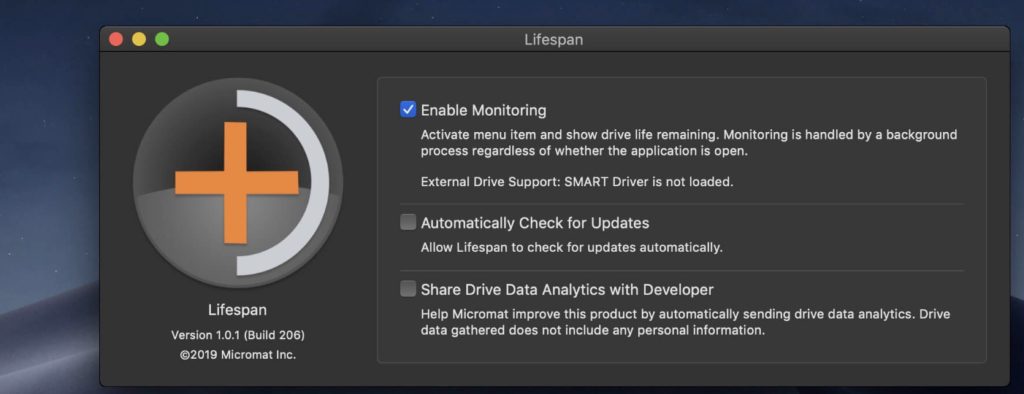
Lifespan is a macOS Menu Bar application designed to monitor the remaining useful life of flash-based storage devices. As the use and reliance on flash-based storage increase, understanding the remaining lifespan of these devices becomes crucial. Flash-based storage, such as solid-state drives (SSDs), has a finite life, and once it exceeds this lifespan, performance degradation or complete failure may occur. Lifespan helps users track and be aware of the available life remaining on their flash-based storage devices.
Key Features:
- Flash-Based Storage Monitoring:
- Monitors the remaining useful life for flash-based storage devices, especially SSDs.
- NAND Solid State Memory:
- Tracks the program erase cycles (p/e cycles) of non-volatile NAND solid-state memory used in flash-based storage.
- Life Expectancy:
- Flash-based storage devices have a limited number of program erase cycles, and Lifespan helps users estimate the remaining useful life.
- Drive Variability:
- Takes into account the variability in program erase cycles based on the type and quality of NAND chips used in the flash-based storage.
- Middle of the Road SSD:
- Provides estimates, and for a typical solid-state drive, this translates to about 100 TB of useful life.
- Alerts and Notifications:
- Displays current life usage and alerts users when the device is approaching or falls below the threshold of useful life remaining.
- Data Safety:
- Helps users make informed decisions about retiring flash-based storage devices before the risk of data loss becomes likely.
Compatibility:
- Mac OS X 10.10 or greater, including macOS 10.15 ‘Catalina.’
Homepage:
Download Final Draft for Mac 13.0.1
02 years
by Jameskarke
in Application

Name : Final Draft
Size : 110 MB
Final Draft for Mac free Download
Final Draft is a leading application designed for writing movie scripts, television episodics, and stage plays. It provides a powerful word processing environment combined with professional script formatting, allowing writers to focus on content while Final Draft takes care of the style. With automatic pagination and industry-standard formatting, Final Draft streamlines the scriptwriting process.
Top Writing Features:
- Scene View:
- Outline and reorder scenes using a simple drag-and-drop interface.
- Navigator:
- View, sort, and filter important details of scenes, script notes, and characters.
- Index Cards:
- Outline and restructure the script scene by scene.
- ScriptNotes:
- Add color-coded general or element-specific notes without affecting pagination.
- Templates:
- Over 100 classic and current templates for television shows, screenplays, stage plays, and graphic novels.
- Pagination:
- Automatically paginates the script to industry standards for OSX, PC, or iPad.
- Watermarking in Printing and PDF Options:
- Print watermarked scripts to any printer with standardized paper size or save to PDF in flawless script format.
- Panels System:
- Split screen to view scene outlines while writing the script.
- Final Draft Courier Font:
- Screenwriting font designed for readability and industry requirements.
- Writing Management:
- Check and manage written content to track writing goals.
- Format Assistant:
- Identify and correct formatting errors after completing the first draft.
- Retina and Full Screen Support:
- Distraction-free writing in full-screen mode with retina display compatibility.
- Mac OSX Dictation Support:
- Use Mac’s built-in dictation for hands-free and fast writing.
Top Production Features:
- Title Page:
- Create a professional Title Page with your script.
- Revision Mode:
- Revise scripts as needed and save different revisions for production purposes.
- Page Locking:
- Omit scenes, lock pages, and set revision colors.
- Colored Production Pages for Revisions:
- Colored border for writing ease with solid color production pages in PDF for distribution.
- Character Highlighting:
- Highlight specific characters’ lines for table reads or tracking dialogue.
- Customizable Reporting:
- Seven different reports for production, including Scene, Character, and Location reports.
Compatibility:
- macOS 10.15 or later.
Homepage:
Download Pixelmator Pro for Mac 3.5.6
02 years

Name : Pixelmator Pro
Size : 612 MB
Pixelmator Pro for Mac Free Download
Pixelmator Pro is an advanced image editor designed exclusively for Mac users, providing a wide range of professional-grade, nondestructive image editing tools. With an intuitive and accessible interface, Pixelmator Pro aims to make image editing easy for users at all levels of expertise. Whether you’re a beginner or a seasoned professional, Pixelmator Pro offers tools for enhancing photos, creating compositions and designs, drawing, painting, applying effects, designing text, and more.
Key Features:
- Exceptional Design and Functionality:
- Modern, single-window interface exclusively designed for Mac.
- Intuitive and refined design for easy accessibility.
- Native dark and light appearances adapting to macOS modes.
- Customizable interface with workspace presets for various creative tasks.
- Full-featured Photos extension for nondestructive edits directly in Photos.
- Professional Tools:
- Comprehensive image editing tools for enhancing and creating images.
- Nondestructive editing with the ability to adjust changes individually.
- Object manipulation for moving, resizing, and arranging objects.
- Machine learning-powered color adjustments for precise color control.
- Superior RAW file support for editing images with extended range data.
- Digital and traditional painting with customizable dual-texture brushes.
- Built-in effects for creating artistic or special effects.
- Presets for color adjustments, effects, layer styles, and shapes.
- Advanced retouching tools for removing imperfections or objects.
- Speed and Automation:
- Magically remove imperfections or objects with the Repair tool.
- ML Enhance for intelligent enhancement using machine learning.
- ML Super Resolution for zooming and enhancing image resolution.
- ML Match Colors to copy the look of one photo to another.
- ML Denoise for removing noise and compression artifacts.
- Quick Selection tool for making accurate selections.
- Compatibility:
- Open and edit images in popular formats, including JPEG, TIFF, PNG, PSD, HEIF, SVG, PDF, GIF, BMP, TGA, WebP, and JPEG-2000.
- Open and edit Photoshop images with layers.
- Open and edit SVG vector images.
- Share images to various locations, including Photos, Mail, and AirDrop.
- Built Exclusively for Mac:
- Designed exclusively for macOS, integrating seamlessly with macOS Big Sur.
- Supports almost every major macOS feature.
Compatibility:
- macOS 12.0 or later.
Mac App Store:

Download SQLPro for SQLite for Mac 2024.10
02 years
by Jameskarke
in Application

Name : SQLPro for SQLite
Size : 26 MB
Download SQLPro for SQLite for Mac free
SQLPro for SQLite is an advanced SQLite editor that offers an easy-to-navigate interface for performing basic to advanced database tasks. It features syntax highlighting, query intellisense/auto-complete, advanced multi-query execution, theme customization, and more.
Key Features:
- Syntax Highlighting and Query Intellisense:
- Provides syntax highlighting for improved code readability.
- Query intellisense and auto-complete features enhance query writing efficiency.
- Advanced Multi-Query Execution:
- Supports the execution of multiple queries simultaneously.
- Streamlines the execution of complex database operations.
- Theme Customization:
- Offers multiple included themes.
- Allows users to design and customize their own themes for a personalized experience.
- Automatic External Change Detection:
- Reloads a database automatically when modified outside of SQLPro.
- Ensures real-time synchronization with external changes.
- Version Integration:
- Supports version control, allowing users to rollback to a previous database version.
- Provides flexibility in managing and reverting changes.
- Runtime Loadable Extension Support:
- Enables the loading of runtime extensions for additional functionalities.
- Export Options:
- Export data to CSV, MySQL, XML, or JSON formats.
- Facilitates sharing and analyzing data in different formats.
- Backwards Compatibility with SQLite 2:
- Ensures compatibility with SQLite 2 for legacy applications.
- Fullscreen Support:
- Supports fullscreen mode for an immersive working environment.
- Column Reordering:
- Allows users to rearrange columns for better organization.
- Inline Filters:
- Customizable inline filters to display data according to user preferences.
Compatibility:
- macOS 10.13 or later.
Mac App Store:
