Free Macsoftware One click Download

Posts by Jameskarke
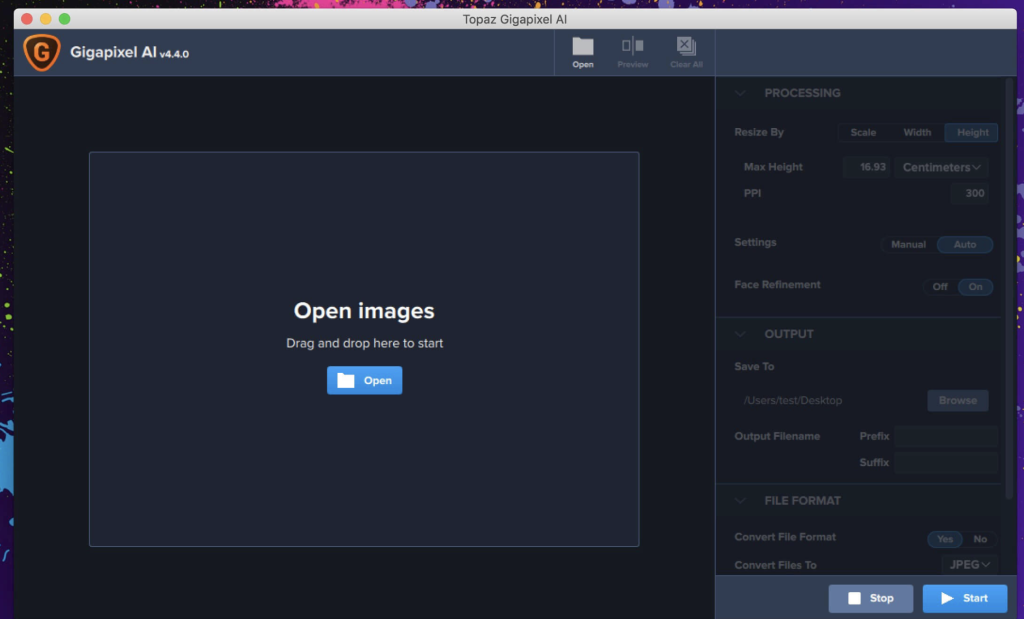
Topaz Gigapixel AI for Mac 7.1.4
02 years

Name : Topaz Gigapixel ai
Size : 236 MB
Topaz Gigapixel Ai for Mac free Download
Gigapixel AI redefines photo enlargement by using machine learning to upscale images up to 600% while preserving and enhancing detail. This revolutionary technology transforms ordinary photos into high-resolution masterpieces, suitable for professional use and large-format prints.
Key Features
- Enlarge Images by up to 600%:
- Create stunningly detailed large prints from small images, such as transforming a basic iPhone photo into a sharp 80 x 60 inch print.
- Truly Intelligent Upscaling:
- Trained with millions of sample images, Gigapixel AI uses deep learning to deliver superior quality enlargements that retain detail and clarity.
- Crisp and Clear Results:
- Gigapixel AI performs around 2 million operations per pixel to achieve the highest possible detail and sharpness, ensuring your enlarged photos look crisp and clear.
- Recover Real Details:
- Unlike traditional methods that simply increase edge contrast, Gigapixel AI recovers real details lost during the original capture, providing actual sharpness and detail.
- High-Quality Output:
- Whether for breathtakingly sharp prints, high-resolution cropping, or enhancing photos from smartphones to look like DSLR outputs, Gigapixel AI ensures the best possible quality for all your enlargements.
How It Works
- Machine Learning vs. Interpolation:
- Traditional interpolation-based enlargement algorithms approximate new pixels from surrounding ones, smoothing transitions but not adding detail.
- Gigapixel AI’s neural network learns from thousands of photo pairs, effectively adding new detail by filling in lost information based on learned patterns.
Use Cases
- Professional Photography:
- Used by leading photographers to create high-resolution, detail-rich images from lower resolution captures.
- Video Game Modding:
- Enhances textures and elements in video games for sharper, more detailed graphics.
- Motion Picture Studios:
- Employed by major studios to upscale and enhance visual elements in films.
Technical Details
- Latest Version:
- Version 7.1.4 (release notes were unavailable at the time of this listing).
- Compatibility:
- macOS 10.14 or later.
- Homepage:
- For more information and to download Gigapixel AI, visit Topaz Labs.
Summary
Gigapixel AI is the leading photo enlargement software that leverages advanced machine learning to upscale images while preserving and even adding detail. Its intelligent upscaling capabilities make it an essential tool for professionals needing high-quality, large-format prints or detailed image enhancements. With its state-of-the-art technology, Gigapixel AI sets a new standard in image enlargement, far surpassing traditional interpolation methods.
Boxy SVG for Mac Download 4.32.2
02 years
Name : Boxy SVG
Size : 182 MB
Boxy SVG for Mac free Download
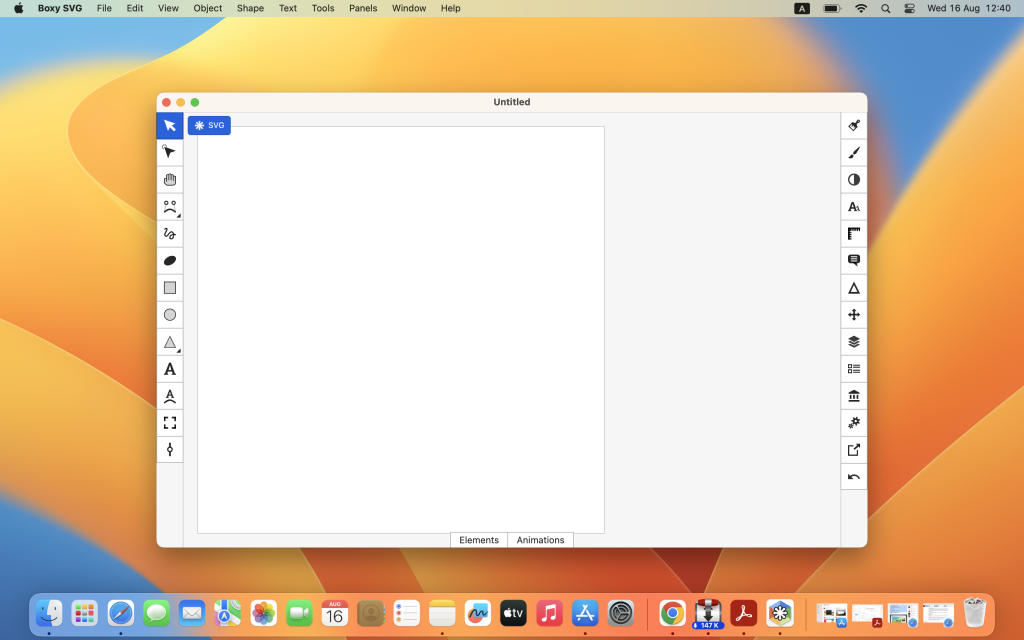
Boxy SVG is designed to be the best SVG editor for both non-technical users and professional designers and developers. It provides an intuitive interface and a comprehensive set of tools for creating and editing SVG files, which are the standard format for vector graphics such as icons, banners, charts, and illustrations.
Core Features
- Clean and Intuitive UI:
- Inspired by popular tools like Inkscape, Sketch, and Adobe Illustrator.
- User-friendly interface suitable for beginners and professionals alike.
- On-Canvas Editing:
- Extensive support for editing object geometry, transform, paint, and other properties directly on the canvas.
- File Formats:
- Save projects in SVG and SVGZ formats.
- Export options include PNG, JPG, WebP, PDF, and HTML5.
- Integrations:
- Open Clip Art Library integration offers thousands of free vector arts.
- Google Fonts integration provides access to hundreds of free fonts.
- Customization and Precision:
- Configurable keyboard shortcuts for over 100 commands.
- Manual guides, smart guides, and grid for precise alignment and measurement.
- Advanced Operations:
- Path operations such as unite, intersect, subtract, exclude, close, and reverse.
- Arrangement operations include aligning, rotating, flipping, ordering, and grouping objects.
Features for Web Developers
- Chromium-Based Rendering Engine:
- Ensures accurate and reliable rendering of SVG graphics.
- SVG and CSS Code Inspector:
- Similar to Chrome Dev Tools, allows for in-depth inspection and editing of SVG and CSS code.
- Clean SVG Output:
- Preserves IDs, classes, titles, and other metadata for clean and organized SVG files.
- SVG Sprites Editing Support:
- Facilitates efficient management and editing of SVG sprite sheets.
Compatibility
- Operating System: macOS 10.15.0 or later
Homepage
For more information and to download Boxy SVG, visit the Boxy SVG Homepage.
Summary
Boxy SVG stands out as a versatile and accessible tool for creating and editing SVG graphics. Its user-friendly interface, combined with powerful features and integrations, makes it suitable for a wide range of users from beginners to seasoned professionals. Whether you are designing icons, banners, or complex illustrations, Boxy SVG provides the tools and flexibility you need to bring your vector graphics to life efficiently.
Pixelmator Pro for Mac 3.6.0
02 years

Name : Pixelmator Pro
Size : 656 MB
Pixelmator Pro for Mac free Download
Pixelmator Pro is a comprehensive image editing software tailored exclusively for Mac users. With its wide range of professional-grade tools and an intuitive design, Pixelmator Pro enables you to enhance photos, create stunning designs, and carry out detailed image editing effortlessly.
Exceptional Design and Functionality
- Modern Interface:
- Single-window design optimized for Mac.
- Native dark and light modes adapt to macOS settings.
- Customizable workspace for personalized workflows.
- Ease of Use:
- Intuitive and accessible, suitable for both beginners and professionals.
- Workspace presets for photography, design, illustration, and painting.
- Full-featured Photos extension for seamless integration with the Photos app.
Professional Tools
- Comprehensive Editing:
- Nondestructive editing with the ability to adjust changes anytime.
- Tools for moving, resizing, and arranging objects.
- Machine learning-powered color adjustments for precise control.
- Advanced Features:
- Superior RAW file support, leveraging extended range data.
- Handcrafted, customizable brushes for digital and traditional painting.
- Extensive collection of built-in effects for creative possibilities.
- Presets for adjustments, effects, and layer styles to streamline workflows.
- Retouching and Reshaping:
- Tools for removing imperfections and cloning parts of photos.
- Reshaping tools to alter object shapes and areas in images.
- Vector graphics and Pen tool for creating custom designs.
- Full set of typography tools for designing text, including curved and path text.
- Optimization and Automation:
- Advanced compression for optimizing images for the web.
- Batch processing via built-in Automator actions.
- AppleScript support for automating workflows.
Machine Learning Enhancements
- AI-Powered Tools:
- Repair Tool: Magically remove objects and recreate image areas.
- ML Enhance: Automatically enhance photos using a machine learning algorithm.
- ML Super Resolution: Enhance image resolution intelligently.
- ML Match Colors: Copy the look of one photo to another.
- ML Denoise: Reduce noise and compression artifacts while preserving details.
- Quick Selection Tool: Make accurate selections effortlessly.
Compatibility
- Formats Supported:
- Open and edit popular formats like JPEG, TIFF, PNG, PSD, HEIF, SVG, PDF, GIF, BMP, TGA, WebP, and JPEG-2000.
- Full support for layered Photoshop images and SVG vector images.
- Share images via Photos, Mail, AirDrop, and more.
Built Exclusively for Mac
- macOS Integration:
- Seamless integration with macOS Big Sur.
- Support for major macOS features.
What’s New in Version 2.5.0
- Release Notes: Specific updates were not available at the time of this listing.
Compatibility
- Operating System: macOS 12.0 or later
Homepage
For more information and to download Pixelmator Pro, visit the Pixelmator Pro Homepage.
Summary
Pixelmator Pro stands out as an advanced and user-friendly image editor designed for Mac. It combines professional-grade tools with machine learning enhancements to deliver exceptional performance and results. Whether you are enhancing photos, creating intricate designs, or performing detailed retouching, Pixelmator Pro provides a powerful and intuitive platform to bring your creative visions to life.

Affinity Designer for Mac Download 2.5.0
02 years

Name : Affinity Designer
Size : 767 MB
Affinity Designer for Mac free Download
Affinity Designer is a professional graphic design application that caters to a wide range of creative needs, from web graphics and interface design to icons and concept art. It provides a robust set of tools within a versatile and customizable workspace, making it a powerful choice for Mac users seeking precision and flexibility in their design projects.
Key Features of Affinity Designer
- Customizable Workspace:
- Offers a docked or floating UI that integrates seamlessly with macOS features such as iCloud, Full Screen, and Spaces.
- Allows you to tailor your workspace to fit your workflow preferences.
- Comprehensive Design Tools:
- Includes node, pen, crop, pencil, and vector brush tools.
- Provides a gradient fill tool, text, alignment guides, and more.
- Accurate pixel control with real-time pixel preview, enabling pixel-level editing.
- Advanced Raster Tools:
- Equipped with lasso, pixel and paint brush, eraser, blur, dodge, burn, smudge, selection brush, and sharpen tools.
- Supports pressure and velocity sensitivity for stylus use, offering smooth and editable strokes.
- Vector and Raster Integration:
- Enables non-destructive painting inside vectors, allowing for precise addition of shadows, textures, and highlights.
- Combines the benefits of vector editing with the flexibility of raster tools.
- Versatile Shape Tools:
- Provides a wide range of customizable shapes.
- Features smart-snapping indicators and Boolean geometry operations for shape adjustments.
- Support for Popular File Formats:
- Compatible with RGB, LAB, CMYK, and Greyscale color spaces.
- Full support for AI, PSD, PDF, and SVG files.
- Ability to export areas, layers, or objects independently, including standard and retina versions.
What’s New in Version 2.5.0
- Release Notes: Specific details for the updates in version 2.5.0 were not available at the time of this listing.
Compatibility
- Operating System: macOS 10.15 or later
Homepage
For more information and to download Affinity Designer, visit the Affinity Designer Homepage.
Why Choose Affinity Designer?
Affinity Designer stands out as a comprehensive graphic design tool, offering both vector and raster capabilities within a single application. Its highly customizable workspace, extensive toolset, and support for a wide range of file formats make it an ideal choice for professional designers and illustrators. Whether you are creating detailed vector graphics or incorporating raster textures, Affinity Designer provides the precision, flexibility, and performance needed to bring your creative visions to life.
Affinity Photo for Mac Download 2.5.0
02 years

Name : Affinity Photo
Size : 772 MB
Affinity Photo for Mac free Download
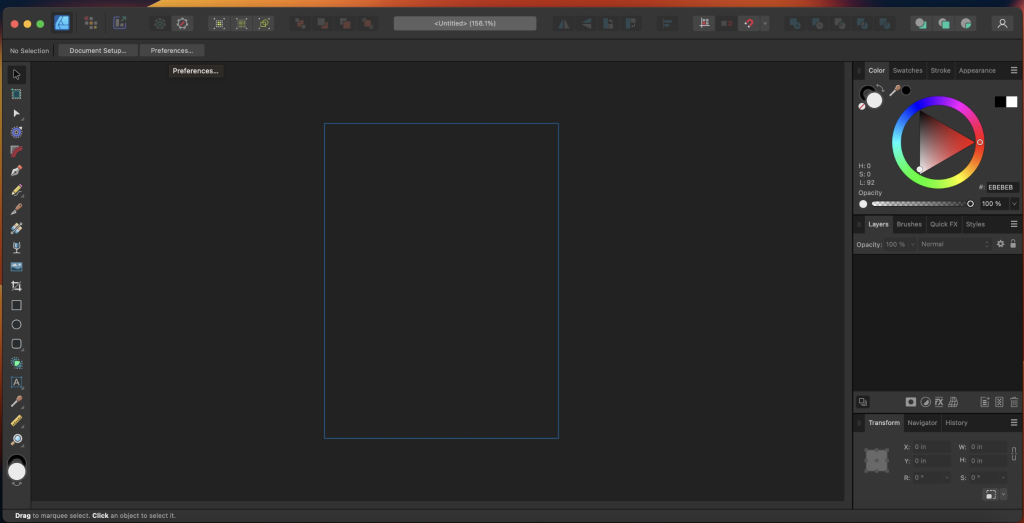
Affinity Photo is a professional-grade photo editing software that redefines the standards for image editing on macOS. Designed with a strong emphasis on workflow efficiency, it provides an extensive suite of tools for enhancing, editing, and retouching images within an intuitive and powerful interface.
Key Features of Affinity Photo
- Professional Compatibility:
- Open, edit, and save Photoshop® PSD files seamlessly.
- Supports RGB, CMYK, Greyscale, and LAB color spaces for versatile color management.
- End-to-end CMYK workflow with ICC color management for professional print production.
- Full 16-bit and 32-bit per channel editing for high-fidelity image processing.
- Compatible with all standard image formats including PNG, TIFF, JPG, GIF, SVG, EPS, EXR, HDR, and PDF.
- Performance and Efficiency:
- Smooth panning and zooming at 60fps with live previews and real-time editing tools.
- Handles large images efficiently without compromising performance or memory.
- Sophisticated Editing Tools:
- Offers a comprehensive set of tools for photo enhancement, precise selection, intricate retouching, and artistic edits.
- Includes advanced features such as frequency separation, live blend modes, inpainting, and more.
What’s New in Version 2.5.0
- Release Notes: Specific details for version 2.5.0 updates were not available at the time of this listing.
Compatibility
- Operating System: macOS 10.15 or later
Homepage
For more information and to download Affinity Photo, visit the Affinity Photo Homepage.
Why Choose Affinity Photo?
Affinity Photo is engineered to meet the needs of professional photographers and image editors, providing a robust and efficient platform for all kinds of photo editing tasks. Whether you are working on complex multi-layered files or performing quick retouching, Affinity Photo offers the performance and tools required to achieve high-quality results. Its compatibility with a wide range of file formats and advanced color management options make it a versatile choice for professionals seeking a comprehensive photo editing solution.

Affinity Publisher for Mac Download 2.5.0
02 years

Name : Affinity Publisher
Size : 766 MB
Affinity Publisher for Mac free Download
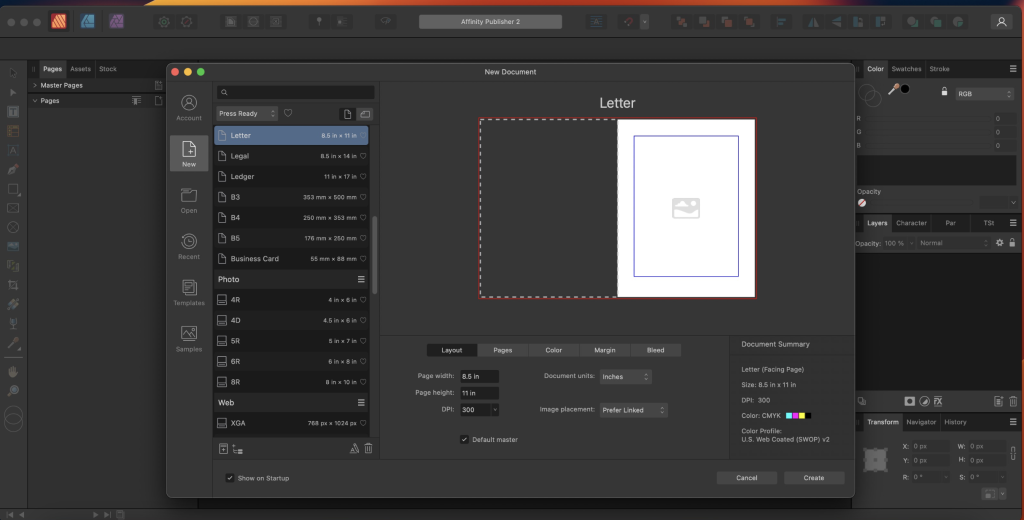
Affinity Publisher is a cutting-edge professional publishing software that empowers you to bring your creative visions to life. It is ideal for designing a variety of printed and digital materials, including magazines, books, brochures, posters, reports, and stationery. The software is known for its smooth and intuitive user experience, allowing you to seamlessly integrate images, graphics, and text to produce stunning layouts ready for publication.
Key Features of Affinity Publisher
- Master Pages: Create consistent layouts with master pages, including nested master pages.
- Facing Page Spreads: Design across double page spreads for more dynamic layouts.
- Image Frames: Use intelligent scaling options to manage your images within frames.
- Text Wrapping: Control text flow around images and shapes with fine padding adjustments.
- Custom Shaped Text Frames: Create unique text frames that fit your design needs.
- Linked Text Frames: Link multiple text frames across your document to manage large amounts of text seamlessly.
- Advanced Guides and Grids: Utilize sophisticated guides, grids, and snapping for precise alignment and layout.
- Tables: Insert tables and apply custom table formats for organized data presentation.
What’s New in Version 2.5.0
- Release Notes: The specific updates for version 2.5.0 were not available at the time of this listing.
Compatibility
- Operating System: macOS 10.15 or later
- Language: Multilingual
Homepage
For more information and to download Affinity Publisher, visit the Affinity Publisher Homepage.
Why Choose Affinity Publisher?
Affinity Publisher stands out due to its comprehensive set of professional-grade tools and features that cater to both novice and experienced designers. Whether you are creating detailed multi-page documents or simple one-page designs, Affinity Publisher provides all the necessary tools to ensure your layouts are polished and print-ready. Its versatility and powerful features make it an essential tool for anyone involved in the creation of professional publications.
Audio Hijack for Mac Download 4.4.2
02 years
by Jameskarke
in Application

Name : Audio Hijack
Size : 33 MB
Audio Hijack for Mac free Download
Audio Hijack is a powerful application that allows you to record any audio on your Mac, from applications to hardware devices. Whether you’re capturing VoIP calls, streaming audio, or system-wide sound, Audio Hijack provides a flexible and user-friendly solution. Here’s a detailed overview of its features and compatibility:
Key Features of Audio Hijack
- Application Audio:
- Capture Any App’s Audio: Set any application as your source and hit record to save its audio.
- Device Audio:
- Record from Devices: Capture and record audio from microphones, mixers, and other input devices.
- All System Audio:
- System-Wide Capture: Use the System Audio source to capture all the audio heard on your Mac at once.
More Great Features
- Record to All Major Formats:
- Save recordings in popular formats like MP3 and AAC, or in high-fidelity formats such as AIFF, WAV, ALAC, or FLAC.
- Reusable Sessions:
- Configure and save Sessions to reuse them for consistent recording setups.
- Easy File Organization:
- Quickly find and manage recordings sorted by Session, and easily pass files to an audio editor, add to iTunes, or share them.
- Timed Recordings:
- Schedule recordings to automatically start and stop, even when you’re not around.
- Silence Monitoring:
- Automatically handle silence by stopping recording, splitting to a new file, or removing silent sections.
- Bulletproof Recording:
- Ensures your recordings are safe, even in the event of a power outage or system crash.
- Thoughtful Interface:
- Intuitive audio grid provides a clear view of your audio flow for easy understanding and configuration.
- Gorgeous Audio Effects:
- User-friendly and visually appealing audio effects that are easy to apply.
- Time Shift Your Audio:
- Pause, delay, and rewind live audio, perfect for tasks like transcribing.
Compatibility
- Operating System: macOS 10.14.4 or later.
Homepage
For more information and to download Audio Hijack, visit the Audio Hijack Homepage.
Why Choose Audio Hijack?
Audio Hijack is ideal for anyone needing a versatile and reliable audio recording tool. Its ability to capture audio from virtually any source, combined with robust features like timed recordings, silence monitoring, and bulletproof recording, makes it a standout choice. Whether you’re a podcaster, musician, or just need to record system audio, Audio Hijack provides the tools and flexibility to get the job done efficiently and effectively.
Wondershare Recoverit for Mac free 2.5.15.16
02 years
by Jameskarke
in Application

Name : Wondershare Recoverit
Size : 125 MB
Wondershare Recoverit for Mac free Download
Wondershare Recoverit is a comprehensive data recovery suite designed to help you recover lost data on your Mac due to various reasons such as accidental deletion, formatting, virus infection, improper operation, unexpected power failure, and other unknown reasons. Here’s an overview of its features and compatibility:
Key Features of Wondershare Recoverit
- Comprehensive Data Recovery:
- Versatile Recovery Options: Recovers data from lost, deleted, logically corrupted, and formatted Mac hard drives, as well as from iPods, USB drives, SD cards, digital cameras, mobile phones, MP3 players, and MP4 players.
- Multiple File Systems Supported: Compatible with HFS+, FAT16/32, and NTFS file system volumes.
- Safe and Non-Destructive:
- Data Integrity: Ensures safe Mac file recovery without modifying the original data on your Mac or other storage media.
- Versatile Preview:
- Preview Before Recovery: Allows you to preview files before recovery, ensuring you recover the correct data.
- User-Friendly Interface:
- Easy to Use: Simple interface makes data recovery straightforward, even for non-technical users.
- Advanced Recovery Algorithms:
- Deep Scan: Utilizes advanced algorithms to perform deep scans, enhancing the ability to recover deeply buried or fragmented files.
Compatibility
- Operating System: macOS 10.14 or later.
Homepage
For more information and to download Wondershare Recoverit, visit the Recoverit Homepage.
Why Choose Wondershare Recoverit?
Wondershare Recoverit is ideal for anyone needing a reliable data recovery solution for their Mac. Its comprehensive recovery capabilities, support for various storage devices and file systems, and non-destructive approach make it a trustworthy tool for recovering lost data. The user-friendly interface and versatile preview feature further enhance its usability, making data recovery a stress-free experience.
Whether you’ve lost data due to accidental deletion, formatting, or more severe issues like virus infections or logical corruption, Wondershare Recoverit provides a robust solution to retrieve your valuable files efficiently and securely.
Capture One Pro for Mac 16.4.2.1
02 years

Name : Capture One Pro
Size : 1 GB
Capture One Pro for Mac free Download
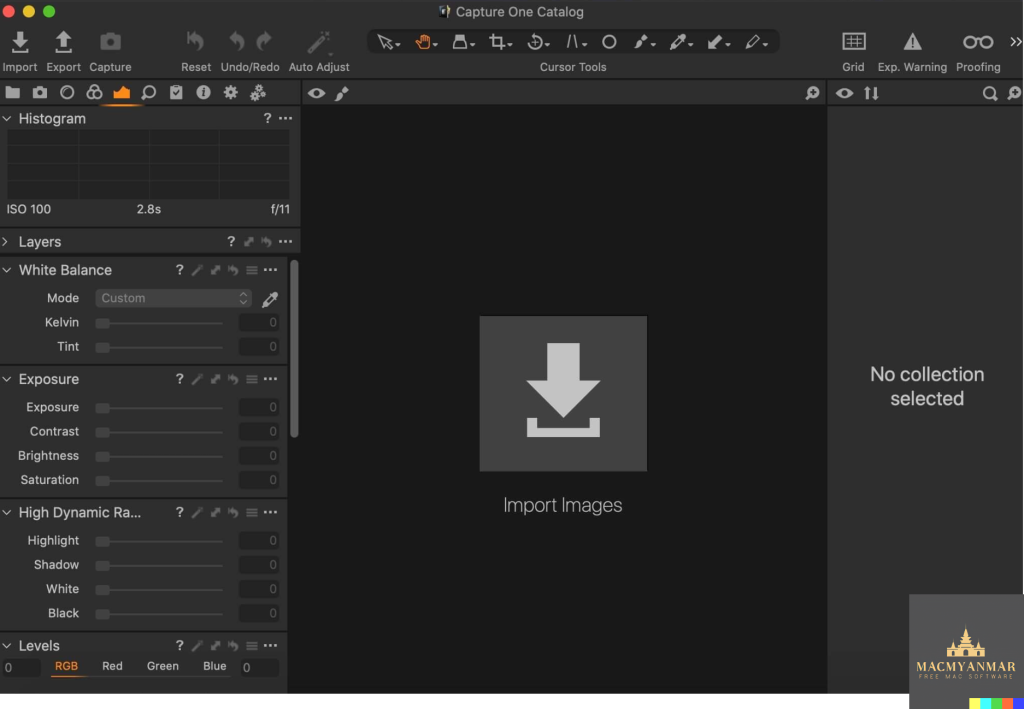
Capture One is a professional RAW converter and image editing software designed to deliver ultimate image quality with beautiful colors and incredible detail for over 500 high-end cameras. Here’s a detailed overview of what Capture One offers and why it is a top choice for photographers:
Key Features of Capture One
- Ultimate Image Quality:
- RAW Processing: Renowned for its exceptional RAW image processing.
- True-to-Life Colors: Tailored profiles for nearly 600 camera models and lenses ensure accurate and vibrant colors.
- Tethered Capture:
- State-of-the-Art Tethering: Industry-leading tethered capture for instant image transfer and review.
- Lightning-Fast Performance: Real-time viewing and adjustments during shoots to ensure the perfect shot.
- Digital Asset Management:
- Organize and Manage: Powerful tools to organize, cull, and manage a large volume of images efficiently.
- Metadata and Keywords: Comprehensive metadata editing and keywording options for better file management.
- Extensive Adjustment Tools:
- Precision Editing: Highly responsive tools for detailed and precise image adjustments.
- Creative Control: A wide range of adjustment options, including color correction, exposure adjustments, and retouching tools.
- Flexible Workflow:
- Customizable Interface: Personalize your workspace to fit your workflow needs with customizable workspaces.
- Batch Processing: Efficiently process large numbers of images with batch processing capabilities.
- Capture One Studio:
- Enhanced Studio Features: Includes all features of Capture One Pro, plus additional tools tailored for studio photographers.
- Workflow Enhancements: Tools for barcode scanner integration, advanced guides, and capture backup.
What’s New in Capture One
- Updated Processing Engine: Enhanced performance and new features for more efficient and powerful image processing.
- Market-Leading Performance: Improvements in speed and responsiveness for a smoother editing experience.
- New Tools and Features: Continued development of new features and tools to keep up with the evolving needs of professional photographers.
Compatibility
- Operating System: macOS 12.0 or later.
Homepage
For more information and to explore Capture One further, visit the Capture One Homepage.
Why Choose Capture One?
Capture One is ideal for professional photographers seeking high-quality image processing, efficient workflow management, and precise editing tools. Whether working in a studio or on location, Capture One’s robust features and customizable interface help photographers bring their creative vision to life quickly and efficiently. The addition of Capture One Studio further enhances its capabilities, making it a comprehensive solution for professional and studio photographers alike.
Capture One Studo for Mac 16.4.2.1
02 years
by Jameskarke
in Graphic and Design
Name : Capture One Studo
Size : 1 GB
Capture One Studo for Mac free Download
Capture One is a professional RAW converter and image editing software designed to deliver ultimate image quality with beautiful colors and incredible detail for over 500 high-end cameras. Here’s a detailed overview of what Capture One offers and why it is a top choice for photographers:
Key Features of Capture One
- Ultimate Image Quality:
- RAW Processing: Renowned for its exceptional RAW image processing.
- True-to-Life Colors: Tailored profiles for nearly 600 camera models and lenses ensure accurate and vibrant colors.
- Tethered Capture:
- State-of-the-Art Tethering: Industry-leading tethered capture for instant image transfer and review.
- Lightning-Fast Performance: Real-time viewing and adjustments during shoots to ensure the perfect shot.
- Digital Asset Management:
- Organize and Manage: Powerful tools to organize, cull, and manage a large volume of images efficiently.
- Metadata and Keywords: Comprehensive metadata editing and keywording options for better file management.
- Extensive Adjustment Tools:
- Precision Editing: Highly responsive tools for detailed and precise image adjustments.
- Creative Control: A wide range of adjustment options, including color correction, exposure adjustments, and retouching tools.
- Flexible Workflow:
- Customizable Interface: Personalize your workspace to fit your workflow needs with customizable workspaces.
- Batch Processing: Efficiently process large numbers of images with batch processing capabilities.
- Capture One Studio:
- Enhanced Studio Features: Includes all features of Capture One Pro, plus additional tools tailored for studio photographers.
- Workflow Enhancements: Tools for barcode scanner integration, advanced guides, and capture backup.
What’s New in Capture One
- Updated Processing Engine: Enhanced performance and new features for more efficient and powerful image processing.
- Market-Leading Performance: Improvements in speed and responsiveness for a smoother editing experience.
- New Tools and Features: Continued development of new features and tools to keep up with the evolving needs of professional photographers.
Compatibility
- Operating System: macOS 12.0 or later.
Homepage
For more information and to explore Capture One further, visit the Capture One Homepage.
Why Choose Capture One?
Capture One is ideal for professional photographers seeking high-quality image processing, efficient workflow management, and precise editing tools. Whether working in a studio or on location, Capture One’s robust features and customizable interface help photographers bring their creative vision to life quickly and efficiently. The addition of Capture One Studio further enhances its capabilities, making it a comprehensive solution for professional and studio photographers alike.