Free Macsoftware One click Download
Posts tagged Photography
Lyn for Mac Free V-2.3.4
03 years
Name : Lyn for Mac Free V-2.3.4
Size : 38 MB
Lyn for Mac Free V-2.3.4
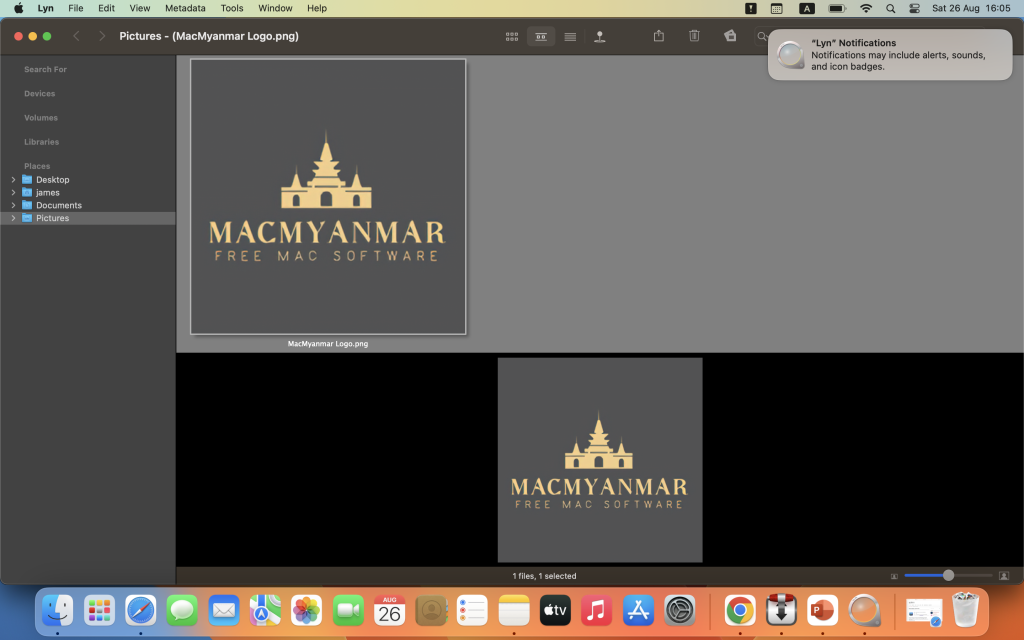
Lyn is an image browser and viewer designed primarily for photographers, graphic artists, and web designers. It offers a lightweight and fast way to browse, view, and manage images on macOS. Lyn comes with an aesthetically pleasing interface and various features for image handling and sharing. Here are the main features and details about Lyn:
Key Features:
- Image Format Support: Lyn natively supports a wide range of popular image formats, including JPEG, TIFF, JPEG 2000, PNG, PPM, TGA, RAW, HDR, OpenEXR, animated GIF, and any other image format supported by macOS.
- Movie Player: Lyn includes a movie player that allows you to watch camera recordings and videos.
- Image Editing: Lyn provides a built-in image editing inspector that lets you enhance and adjust your photos. You can modify exposure, color temperature, brightness, contrast, and apply various effects like black and white, sepia tone, and vignette.
- Progressive Display: Lyn can efficiently display images of virtually any size, and it supports single- or multiple-monitor configurations.
- Multi-threading: The application takes advantage of multi-core CPUs for faster image processing.
- Color Correction: Lyn can display color-corrected images and offers a soft-proofing function for accurate color representation.
- Metadata Handling: It supports common metadata parsing, including EXIF, camera makernote, GPS, GeoTIFF, and IPCT. This is especially useful for photographers who want to manage and access image information.
- Image Navigation: Lyn allows image navigation using Apple Remote Control or Magic Trackpad, providing convenience in browsing your image collection.
- Thumbnails Cache: You can switch between user-defined thumbnails caches for efficient image browsing.
- Filtering and Searching: Lyn offers filtering options based on tags and metadata, making it easier to find specific images in your collection.
- Slideshow: It supports fullscreen viewing and slideshow functionality with music.
- IPTC Editing: You can perform full IPTC editing with user-defined presets.
- Batch Operations: Lyn allows batch operations like conversion and renaming of images.
- Geotagging: You can geotag your photographs and edit locations using a drag-and-drop interface.
- Integration: Lyn can easily browse iPhoto, Aperture, and Lightroom libraries. It also supports sharing to platforms like Facebook, Flickr, Dropbox, SmugMug, 500px, and Picasa Web Albums.
- Maps Layout: Lyn features a maps layout that lets you geotag photos and edit locations.
- QuickTime Video Player: It includes an integrated QuickTime video player for playing videos within the application.
Compatibility:
Lyn is compatible with macOS 10.11 or later.
Homepage:
For more information about Lyn and to download the application, you can visit the official homepage via the provided link.
Lyn is a versatile image management and viewing tool that caters to the needs of photographers and designers. Its support for various image formats, editing capabilities, metadata handling, and integration with popular image libraries and sharing platforms make it a comprehensive solution for organizing and working with images on macOS.
Pixelmator Pro 3.3.12 For Mac Free Download
03 years
by Jameskarke
in Graphic and Design

Name : Pixelmator Pro 3.3.12
Size : 580 MB
Pixelmator Pro 3.3.12 For Mac Free Download
Pixelmator Pro is a powerful image editing application designed specifically for macOS. It offers a wide range of professional-grade, non-destructive image editing tools to help users enhance their photos, create compositions and designs, draw and paint, apply effects, design text, and edit images in various ways. Here are some key features and information about Pixelmator Pro:
Exceptional Design and Functionality:
- Modern Interface: Pixelmator Pro features a modern, single-window interface designed exclusively for image editing on Mac.
- Intuitive Design: It has an intuitive and refined design, making image editing accessible even for beginners.
- Dark and Light Mode Support: The app adapts to macOS light and dark modes, providing a native experience.
- Customizable Interface: Users can customize their workspace to suit their creative needs, with presets available for photography, design, illustration, and painting.
- Photos Extension: Pixelmator Pro offers a full-featured Photos extension, allowing users to edit images within the Photos app and save non-destructive edits directly to their library.
Professional Tools:
- Non-destructive Editing: Users can edit non-destructively, making it easy to adjust individual changes at any time.
- Object Manipulation: The application enables users to move, resize, and arrange objects to create compositions.
- Color Adjustments: It offers a collection of non-destructive, machine learning-powered color adjustments.
- RAW Support: Pixelmator Pro provides strong support for RAW files, allowing users to edit images with extended range data.
- Brushes: Users can create digital or traditional paintings with customizable dual-texture brushes, compatible with digital graphics tablets.
- Effects and Presets: The app includes a variety of built-in effects and allows users to save adjustment, effect, and layer style combinations as presets.
- Retouching Tools: There are retouching tools for removing imperfections, cloning parts of photos, and more.
- Vector Graphics: Users can add customizable vector graphics or create their own using the Pen tool.
- Typography: Pixelmator Pro offers a full set of typography tools for designing text, including curved and path text.
- Web Optimization: It can optimize and save images for the web, using advanced compression to reduce file sizes.
- Batch Processing: The app supports batch processing with built-in Automator actions.
- Automation: Users can automate workflows using AppleScript support.
Image Editing Enhanced by Machine Learning:
- Pixelmator Pro leverages machine learning for tasks like object removal, photo enhancement, super resolution, color matching, denoising, and quick selections.
Compatibility:
- Pixelmator Pro can open and edit images in various popular formats, including JPEG, TIFF, PNG, PSD, HEIF, SVG, PDF, GIF, BMP, TGA, WebP, and JPEG-2000.
- It can also open and edit Photoshop images with layers and SVG vector images.
Built Exclusively for Mac:
- Designed exclusively for macOS, Pixelmator Pro integrates seamlessly with macOS features and supports macOS Big Sur.
Compatibility:
- Requires macOS 11.0 or later.
Homepage:
You can learn more about Pixelmator Pro and download it from its homepage at https://apps.apple.com/pk/app/pixelmator-pro/id1289583905.
Pixelmator Pro is a versatile and professional image editing application for Mac users, suitable for both beginners and experienced image editors
Adobe Creative Suit 2021 Pre crack Free Download
93 years
Name : Adobe Adobe Creative Suit 2021 Pre crack Free Download
Adobe Creative Suit 2021 Pre crack Free Download
Introducing Adobe Creative Suite 2021: Unleash Your Creative Potential
In the ever-evolving world of digital creativity, one name stands tall as the paragon of innovation and excellence: Adobe Creative Suite 2021. This suite is not just software; it’s a portal into a universe of limitless artistic possibilities. Whether you’re a professional designer, photographer, filmmaker, or a creative enthusiast, Adobe Creative Suite 2021 is your toolkit for turning imagination into reality.
A Symphony of Creative Tools
At the heart of Adobe Creative Suite 2021 lies a symphony of meticulously crafted tools, each catering to a specific facet of the creative process. From graphic design to video editing, web development to digital artistry, this suite empowers you to bring your ideas to life with unprecedented finesse.
Adobe Photoshop 2021 pre Crack for Mac
Adobe Photoshop, the crown jewel of image manipulation, redefines the boundaries of digital artistry. With an arsenal of brushes, filters, and effects, you can transform mundane images into jaw-dropping visual masterpieces. Whether you’re retouching photos, creating intricate designs, or painting from scratch, Photoshop’s prowess is unrivaled.
Adobe illustrator 2021 pre Crack for Mac
For those who dream in vectors, Adobe Illustrator is the canvas of choice. Craft intricate logos, stunning illustrations, and captivating typography with precision and flair. The Pen tool becomes an extension of your creativity, allowing you to sculpt shapes that defy imagination.
Adobe InDesign 2021 pre Crack for Mac
Bringing stories to life through captivating layouts is the essence of Adobe InDesign. Design stunning brochures, magazines, and digital publications that seamlessly blend aesthetics with readability. With a suite of typographic tools at your disposal, you can create designs that command attention.
Adobe Media Encoder 2021: Elevating Video Encoding
Adobe Media Encoder 2021 simplifies video encoding and delivery. Batch processing, presets, and customization options optimize workflow. Seamlessly integrate with Adobe tools for efficient output. It ensures your videos look great on various platforms, making it a crucial part of your video production toolkit.
Adobe Premiere Pro 2021 Pre Crack for Mac
Adobe Premiere Pro is the realm of filmmakers and storytellers. Edit videos with finesse, apply breathtaking transitions, and color-grade scenes to evoke emotions. With seamless integration with other Adobe tools, your vision unfolds flawlessly on the screen.
After Effects 2021 Pre Crack for Mac
Enter the realm of dynamic visual effects with Adobe After Effects. Craft motion graphics, kinetic typography, and visual extravaganzas that push the boundaries of possibility. Every frame becomes a canvas, and every composition is a journey into innovation.
Adobe Dreamweaver 2021 pre Crack Download
For those who shape the digital landscape, Adobe Dreamweaver is your gateway. Craft responsive websites that adapt to every screen size, and bring your coding dreams to life with an intuitive interface. Design meets functionality in a harmonious symphony.
And More: The Suite of Dreams
The Future of Creativity Awaits
As the sun sets on yesterday’s ideas, Adobe Creative Suite 2021 dawns as the harbinger of tomorrow’s artistic evolution. It’s not just software; it’s your passport to innovation, your vessel for self-expression, and your partner in pushing boundaries. Unleash your imagination, and let Adobe Creative Suite 2021 do the rest. Your masterpiece is waiting to be born.
For Download Anti Cloud CC
Lightroom Classic 2021 in Brief: Perfecting Photography with Ease
Adobe Lightroom Classic 2021 is a powerhouse for photographers. It offers efficient photo management, non-destructive editing, and precise enhancements. With presets, profiles, and local adjustments, it caters to diverse styles. Seamlessly integrate with Adobe’s ecosystem, experience enhanced speed, and connect with the cloud. Lightroom Classic 2021 is your creative partner, refining images and immortalizing moments in the blink of an eye.
How To install
- if your using apple M Chip than you have to install Anti Cloud CC (if intel Chip you can Skit this Step)
- open Terminal and Type ( Sudo spctl –master-disable )hit enter and type your password
- after than turn off Internet and install
- Note ** For Lightroom you have to Right click install file and click and Click show package content click on Mac OS Folder and click on install
Artstudio Pro 5.1.16 macOS for Free Download
03 years
by Jameskarke
in Graphic and Design

Name: Artstudio Pro 5.1.16 macOS
Size :234 MB
Artstudio Pro 5.1.16 macOS
Artstudio Pro is a comprehensive painting and photo editing application available for both macOS and iOS platforms. This app is designed to offer powerful creative tools and features, taking advantage of the latest technologies to provide a seamless and efficient workflow for artists and photographers. Here’s an overview of the key features you’ve described:
- Redesigned and Optimized: Artstudio Pro is a successor to the original ArtStudio app, with a redesigned interface and improvements. It’s optimized to make use of Metal, iCloud Drive, and 64-bit multi-core processors, ensuring a smooth and efficient workflow.
- Extensive Asset Support: The app comes with hundreds of included assets, and users can import resources in popular formats such as ABR, TPL, PAT, GRD, ASE, and ACO. This provides access to a wide range of brushes, patterns, gradients, color swatches, and fonts.
- New Engine: Artstudio Pro features a GPU-accelerated ArtEngine that’s significantly faster than the previous engine. It supports multiple documents, large canvas sizes (up to 256Mpix), and an unlimited number of layers, ensuring smooth performance even with complex projects.
- Layer System: The app introduces a new layer system with grouping, non-destructive layer effects, and adjustment layers. This allows for more advanced and flexible editing.
- Advanced Brush Engine: The brush engine is optimized for lag-free performance and produces realistic strokes. It supports brush sizes up to 4000×4000 and includes over 100 built-in brushes across various categories.
- Professional Photo Editing: Artstudio Pro includes a range of photo editing options developed in collaboration with professional photographers. These adjustments can be applied as non-destructive layers, ensuring flexible editing.
- Import/Export Options: The app supports a wide variety of import and export formats for images, brushes, color swatches, patterns, gradients, and fonts.
- Other Notable Features: Artstudio Pro offers features like iCloud integration, screen recording, compatibility across macOS, iPad, and iPhone devices, selection tools, snapping to guidelines, dynamic guidelines, grid, perspective grid assist, mirror view, canvas rotation, and more.
If you’re interested in learning more about Artstudio Pro or downloading the app, you can visit its official iTunes page at the following link: Artstudio Pro on iTunes
Please note that my knowledge is based on information available up until September 2021, and there might have been further developments or updates since then.

Adobe Photoshop v25 Free Download Mac (Beta)
03 years

Name : Adobe Photoshop v25 (beta) macOS
Size : 5.4Gb
Adobe Photoshop v25 (beta) macOS
Welcome to the era of generative AI powered by Adobe’s suite of creative tools. With the full power of generative artificial intelligence, you can now harness your creativity and productivity like never before. This new era is marked by Adobe’s range of products and the capabilities of generative AI, enabling you to create, design, and bring your ideas to life in innovative ways.
Key Features:
- Wide Range of Tools: Adobe offers a variety of tools, from photo editing and compositing to digital painting, animation, and graphic design. Whatever your creative endeavor, Adobe has the tools to support it.
- Photoshop’s Versatility: Adobe Photoshop, in particular, is a powerhouse that allows you to perform photo editing, compositing, digital painting, animation, and graphic design. It empowers you to transform your ideas into reality on both desktop and iPad platforms.
- AI-Powered Fast Editing: The integration of artificial intelligence technology enhances the speed and efficiency of your editing tasks. With AI-powered tools, you can retouch photos, adjust facial expressions, replace backgrounds, remove objects, and more.
- Retouch and Enhance: Photoshop offers advanced retouching capabilities, allowing you to make portraits brighter, retouch details, and enhance facial expressions. You can also easily replace skies in the background or change colors to achieve desired effects.
- Graphic Design: Photoshop serves as an all-in-one graphic design tool, enabling you to create posters, packaging, banners, websites, and more. Combine photos, graphics, and text to design engaging visuals.
- Vast Brush Collection: Explore thousands of brushes, both custom and pre-made, for your painting needs. Photoshop offers the world’s largest collection of brushes to enhance your creative projects.
- Artistic Expression: Unleash your artistic expression by blending photos, graphics, effects, and neural filters. With one-click selections, auto-masking, and layers, you can create artworks that go beyond the capabilities of your camera.
Language Support:
Adobe products, including Photoshop, support a wide range of languages, such as English, German, Arabic, Hungarian, Danish, Hebrew, Spanish, Italian, Traditional Chinese, Simplified Chinese, Korean, Dutch, Norwegian, Polish, Portuguese, Turkish, Ukrainian, Finnish, French, Czech, Swedish, and Japanese.
Compatibility:
Adobe’s software suite is compatible with macOS 11.2 and later for both ARM and x86 (64-bit) architectures.
With Adobe’s generative AI and creative tools at your disposal, you can take your creative projects to new heights, unleash your imagination, and share your work with a vibrant community of creators.
For more information about features, updates, system requirements, and language options, you can visit the official homepage: https://www.adobe.com/products/photoshop.html.
Affinity Photo For Mac Free Download
03 years
by Jameskarke
in Graphic and Design

Name : Affinity Photo 2.1.1
Size : 909.34 MB
Affinity Photo 2.1.1
Affinity Photo is a powerful and comprehensive photo editing software designed for professional photographers and visual artists. It offers a multi-platform solution for powerful photo editing and stands as an appealing alternative to other more expensive and widely known similar applications. With a focus on performance, speed, and resource efficiency, Affinity Photo provides a versatile and efficient environment for editing and enhancing photos.
Key Features:
- Five “Personas”: Affinity Photo offers five built-in design environments called “Personas”: Photo, Liquify, Develop, Macro, and Export. Each persona serves a specific purpose, such as basic photo editing, special warping effects, RAW photo processing, macro preset building, and image exporting.
- Photo Persona: This mode includes essential tools for basic photo editing tasks, making it the most frequently used mode. It provides access to main editing tools for adjustments, retouching, overlays, lens corrections, chromatic aberration fixes, and more.
- Liquify Persona: Offers special warping effects and useful retouching tools for creative editing and enhancements.
- Develop Persona: Designed for RAW photo processing, offering full control over adjusting tones and colors in your images.
- Macro Persona: Allows you to build and apply macro presets for repetitive tasks and effects.
- Export Persona: Facilitates easy export of images, layers, or image slices to various formats.
- User Interface: While Affinity Photo’s interface follows a common layout for photo editing applications, it organizes its features efficiently into panels on the left and right sides of the main window. However, some users may find the small buttons on the interface to be a downside, especially on Retina displays.
- Comprehensive Editing Tools: Affinity Photo provides a plethora of powerful editing tools for overlays, basic adjustments, lens corrections, chromatic aberration fixes, working with layers, retouching effects, applying filters, performing local adjustments using versatile brushes, and more.
- Continued Development: Affinity Photo is an evolving software, and future updates are expected to bring more additions, improvements, and enhancements.
What’s New in Version 2.1.1:
The release notes for version 2.1.1 were unavailable at the time of this listing update.
Affinity Photo aims to provide a fast and efficient photo editing solution for a wide range of Mac users. Its blend of performance, powerful tools, and intuitive design makes it an appealing choice for professionals and enthusiasts alike.
For more information about features, updates, system requirements, and language options, you can visit the official homepage: https://affinity.serif.com.
Iridient Developer 4.0.0 For Mac Free Download
03 years
by Jameskarke
in Utility
Name: Iridient Developer 4.0.0
Size : 35.0 MB
Iridient Developer 4.0.0 Mac OS
Iridient Developer is a powerful RAW image conversion application designed exclusively for macOS. It empowers advanced photographers with full control over their digital photographs while still providing an easy-to-use interface for batch conversion and basic adjustments for casual users. Here’s an overview of the key features and capabilities of Iridient Developer:
- Advanced Sharpening and Noise Reduction: The application offers six advanced sharpening methods, including unique algorithms like “Iridient Reveal” that combine edge enhancement and deconvolution techniques, traditional unsharp masking, high pass, difference of Gaussians, a hybrid algorithm, and a Richardson-Lucy Deconvolution based method. These methods operate in a special 32-bit/channel floating point color space to prevent color artifacts and retain incredible detail. Advanced hot/dead pixel filters and state-of-the-art noise reduction techniques help eliminate noise, especially in images with long exposures or high ISO settings.
- High-Quality Image Resizing: Iridient Developer provides a variety of resizing methods for web use or gallery-sized prints. These methods allow users to fine-tune output sharpness and detail levels to achieve the desired results without introducing artifacts.
- Flexible Camera Color Specification: The application supports a wide range of camera color specifications, from industry-standard ICC color profiles to DNG color matrix values and the latest DNG v1.4 camera profile (DCP) specification. This allows users to set the ideal color starting point, matching camera manufacturer presets or other RAW processing software.
- Extensive Image Adjustment Options: Users have complete control over the conversion process, including editable tone curves in RAW, RGB, and LAB color spaces, advanced highlight recovery, white balancing, noise reduction, sharpening, exposure compensation, brightness, contrast, saturation, and more.
- Monochrome Conversion Options: Iridient Developer provides high-quality black and white conversion options, offering direct access to RAW image color planes, standard RGB channel mixers, LAB lightness-based conversion, custom duotones, and toning options.
- Fast, High-Quality Image Previews: The software allows users to make image adjustments while viewing a full-resolution, 16-bit per channel preview that’s fully color managed.
- Advanced Histogram View: The histogram view supports a wide range of levels (256, 512, or 1024) and viewing modes, including RGB and individual color channels, CIE lightness, luminance, chroma, hue, and saturation.
- Configurable Color Management: Iridient Developer supports Apple’s ColorSync and LittleCMS 2.6 color management engines. Users can specify camera or image-specific input profiles, working space profiles, and final output profiles.
- Batch Processing: The application supports unlimited batch processing, allowing users to make adjustments while other images are converted in the background. Drag-and-drop image conversion is supported, and the software offers various file formats including JPEG, TIFF, PNG, and JPEG2000.
- Optimized for macOS Technologies: Iridient Developer is optimized for multi-core and multi-processor systems, making use of Intel processors’ advanced vector processing capabilities. It’s compatible with macOS technologies such as Grand Central Dispatch, 64-bit processing, Core Image, Quartz Extreme, and more.
- Metadata Support: The application supports IPTC, XMP, and EXIF v2.3 metadata when exporting to TIFF, PNG, or JPEG formats.
- “Processing Disabled” Output Mode: This mode allows for the export of linear files without any image adjustments or color matching operations. It’s useful for further processing with other image software or RAW workflows.
Compatibility: Iridient Developer requires macOS 10.13 or later.
For more information and detailed feature explanations, you can visit the official homepage of Iridient Developer: https://www.iridientdigital.com/products/rawdeveloper.html.