Free Macsoftware One click Download
Posts tagged Photography
Free Download JixiPix Premium Pack for Mac 1.2.9
02 years
by Jameskarke
in Application

Name : JixiPix Premium Pack
Size : 745 MB
Free Download JixiPix Premium Pack for Mac 1.2.9
The Premium Pack is a comprehensive bundle that includes 18 creative apps, each offering unique artistic effects. This powerful package provides a range of tools for transforming photos and creating captivating images. Here are some highlights of the included apps:
- Simply HDR:
- Creates stunning high dynamic range (HDR) images from ordinary photos.
- Snow Daze:
- Adds snow and frosty effects to photos, creating beautiful snowy scenes.
- Vintage Scene:
- Ages photos with a unique algorithm and classic photo filters for a vintage look.
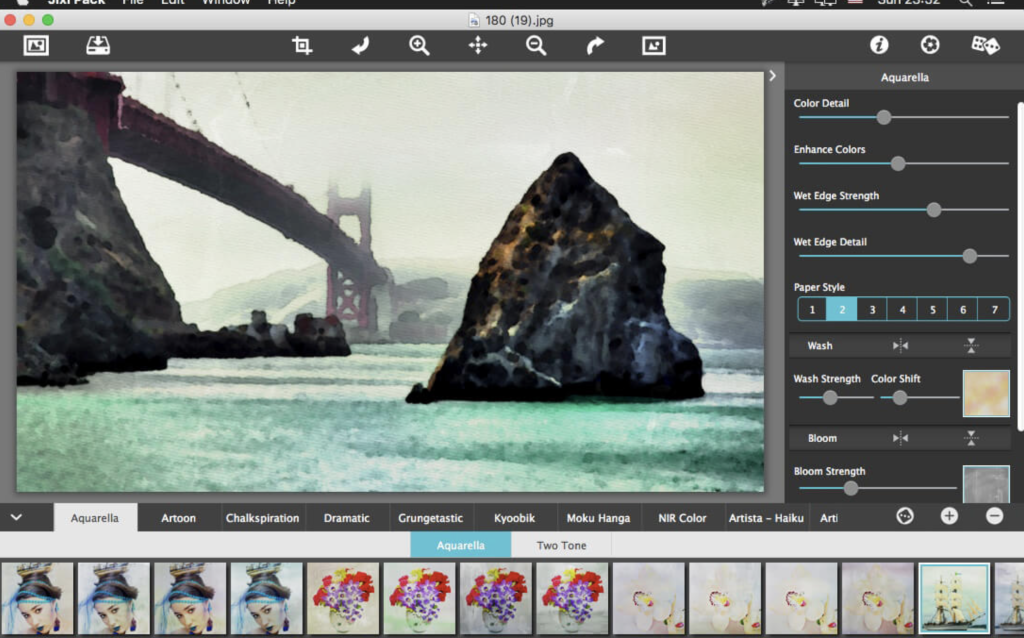
- Aquarella:
- Transforms images into luminous watercolors with delicate details.
- Artista Haiku:
- Creates whimsical watercolor-style images using digital photography and vintage papers.
- Artista Oil:
- Turns photos into oil painting masterpieces with no effort required.
- Artista Sketch:
- Converts photos into sketches with wispy lines and delicate shading.
- Artoon:
- Produces professional-looking cartoons and colorful illustrations.
- Chalkspiration:
- Converts images into chalky outlines with light shading.
- Dramatic B&W:
- Turns photos into gorgeous black and white images with extraordinary light and contrast.
- Grungetastic:
- Applies aggressive grunge styles to photos for a distressed and textured look.
- Kyoobik Photo:
- Adds 3D popping geometric shapes to photos for a creative composition.
- Moku Hanga:
- Transforms photos into Japanese wood-carved scenes with hand-chiseled outlines.
- NIR Color:
- Uses near-infrared light technology to create surreal photos with vibrant colors.
- Pop Dot Comics:
- Creates comic-book style illustrations with thick outlines and bold colors.
- Portrait Painter:
- Adds color, light, and texture to photos to create gallery-style portraits.
- Rainy Daze:
- Applies a stunning rain effect to photos, simulating the feel of a rainy day.
- Romantic Photo:
- Creates a romantic mood in photos with exquisite lighting and photography filters.
Plugin Host Requirements:
- Adobe Photoshop CS3+, CC, CC 2014, CC 2015, CC 2017, CC 2018, CC 2019, Photoshop Elements 10+, and Lightroom 4+
Compatibility:
- macOS 10.12 or later
For more information and to explore the Premium Pack, visit the official website.
Download free PhotoLine for Mac V- 24.00
02 years
by Jameskarke
in Application

Name : PhotoLine
Size :48 MB
Download free PhotoLine for Mac V- 24.00
PhotoLine is a comprehensive image editor equipped with advanced features, making it suitable for professional image processing. Here are some key functionalities and features:
Professional Image Processing:
- Supports 16 bits per color channel.
- CMYK and Lab color space.
- Color management with ICC profiles.
Lossless Image Processing:
- Adds functions to an image without changing the original data.
- Preserves all information and provides access to unmodified image data.
Digital Photo Enhancement:
- Imports raw image data (raw-files) from nearly every digital camera.
- Functions for enhancing photos, including adjustments for brightness errors, combining differently exposed photos, white point correction, color temperature adjustment, chromatic aberration correction, image noise reduction, red-eye removal, lenses correction, and perspective distortion correction.
PDF Support:
- Saves documents as PDF without reducing text and vector graphics to pixel graphics.
- Can convert all color information in a document to CMYK on saving.
- Imports PDF files, maintaining the structure with text as text layers and vector graphics as vector layers.
Multi-Page Documents:
- Capable of working with documents containing more than one page.
- Enables the creation of booklets and flyers.
- Supports the creation of empty pages for placing images, text, and vector graphics.
Additional Features:
- Color correction, retouching, and image manipulation tools.
- IPTC and EXIF data handling.
- Lossless rotation of images.
- Batch processing for renaming, cataloging, and creating HTML galleries.
- Rich text functions.
- Flash and GIF animation creation.
- Web export capabilities.
- Multipage document printing.
- USB-Stick support.
- Multiprocessor support.
System Requirements:
- macOS 10.7 or later.
PhotoLine offers a versatile set of tools for image editing, retouching, and enhancement, making it a valuable tool for both professional users and those looking for advanced image processing capabilities. For more details, you can visit the official website: PhotoLine.
Download JixiPix Photo Formation Pro Mac V-1.0.20
02 years
by Jameskarke
in Application

Name :JixiPix Photo Formation Pro
Size : 132 MB
Download JixiPix Photo Formation Pro Mac V-1.0.20
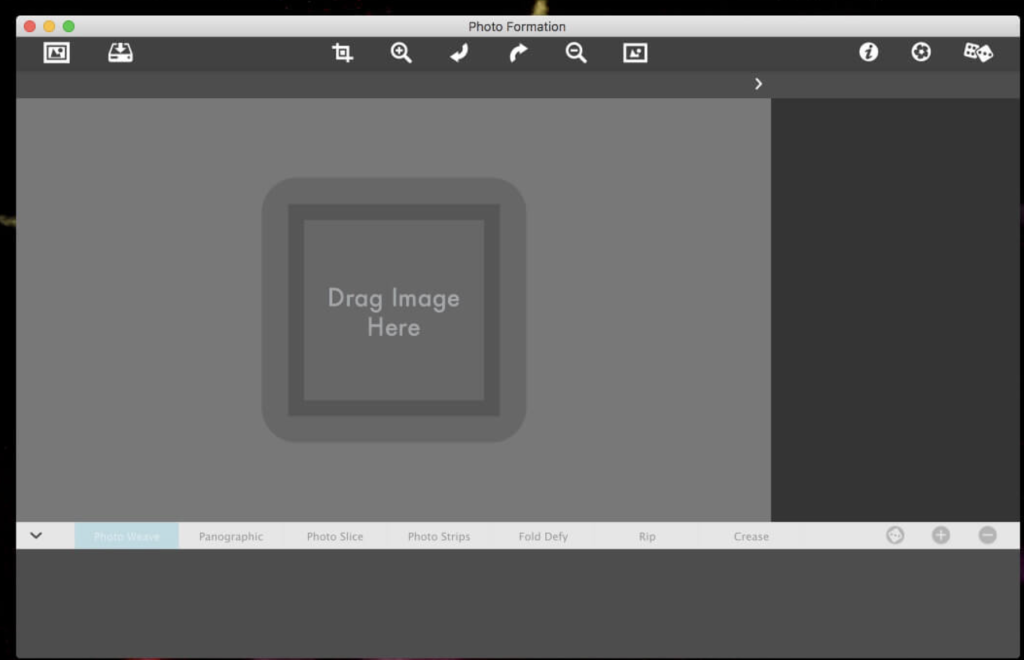
Photo Formation is a distinctive photo effect that seamlessly blends creative paper manipulations with a sophisticated 3D lighting engine, resulting in captivating images with dynamic shadows. Here are the key features and details:
Auto-Transformation:
- Effortlessly convert images into intricate paper formations.
- Utilize a 3D light engine to create dynamic shadows, enhancing visual impact.
Creative Manipulations:
- Fragment, join, weave, slice, and fold photos for eye-catching compositions.
- Capture subtle creases, curls, and bends, giving images a handmade appearance.
One-Touch Presets:
- Access a library of one-touch presets for a quick start.
- Randomize button automatically renders diverse paper creations.
Customization Tools:
- Move, rotate, and scale tools for personalized compositions.
- Explore limitless creative possibilities with easy-to-use controls.
Auto Generate:
- Auto Generate button provides hands-on control for initiating the initial paper effect.
- Customize the composition by specifying strips, tiles, folds, curl, crinkle, depth, exposure, opacity, texture, and grain.
Powerful Lighting System:
- 2D-oriented lighting system for true 3D popping folds and creases.
- Realistic perspective distortions with adjustable lighting for dynamic shadows.
- Set up multiple light sources for fantastic double and triple shadows.
Versatile Integration:
- Standalone application for standard use.
- Plugin integration for Photoshop, Elements, Lightroom, PaintShop Pro, and Affinity Photo.
Compatibility:
- macOS 10.9 or later.
Experience the Power of Photo Formation:
Unleash your creativity with Photo Formation and elevate your photo editing experience. Transform ordinary photos into extraordinary paper formations by exploring the unique blend of creative manipulations and advanced 3D lighting effects. Visit the official website at JixiPix for more information and to discover the full potential of this innovative photo editing tool.
Download JixiPix Artista Impresso Pro V.1.8.22
02 years
by Jameskarke
in Application
Name : JixiPix Artista Impresso Pro
Size : 121 MB
Download JixiPix Artista Impresso Pro V.1.8.22
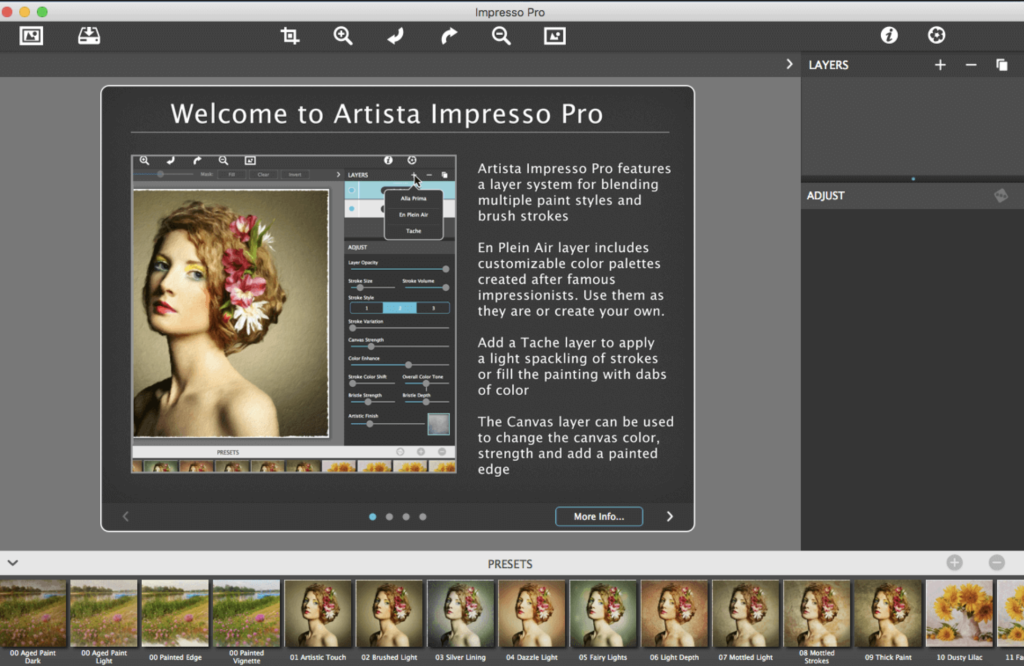
Impresso is a software tool designed for professionals who appreciate creative control, offering features to blend multiple paint styles and brushes. It allows users to paint on and off impressionism strokes, providing a variety of effects for transforming photos into multi-textured, stroke-filled Impressionist masterpieces. Here are some key features of Impresso:
Key Features:
- Layers for Creative Control: Impresso includes layers for blending multiple paint styles. Users can apply brushes to paint on or off areas in the painting, giving them creative control over the impressionism styles.
- Ultra-Impressionism Effect – Tache: Impresso introduces an ultra-impressionism effect called ‘Tache.’ It covers the painting with broken brush strokes or dabs of color that can be applied sparsely or to the entire painting.
- Elliptical Detail Tool: The software includes a powerful Ellipse Detail tool, allowing users to add finely painted details to faces, flowers, or create focal points in landscapes. Users can resize and apply small brushstrokes inside the ellipse.
- Pro Workflow with Layers: A professional workflow allows users to add impressionism styles per layer. Layers can be blended using brushes, and the Ellipse Detail tool enhances details. The ‘Apply’ button renders small brushstrokes inside the ellipse.
- Impressionism Styles:
- Alla Prima: Great for portraits, filling the painting with an abundance of brushstrokes. It offers a library of artistic finishes with controls over strength.
- En Plein Air: Ideal for landscapes, providing eight artists’ palettes created by famous impressionists. Users can edit colors or create custom palettes.
- Tache: Applies broken brushstrokes throughout the image, creating a spackling effect. Users can choose to apply a light spackling or fill the painting with dabs of color.
- Canvas Layer: A canvas layer is added to each painting, providing the option to turn it on or off for viewing strokes created on previous layers. The canvas is an integral part of the painting.
- Includes Stroke Styles: Three stroke styles are provided, each offering a unique set of strokes. The Tache effect has its own custom set of brushes designed for depth.
- Artistic Finishes: Impresso includes 70 artistic finishes, allowing users to enhance and customize the final look of their paintings.
- Compatibility: Impresso is compatible with macOS 10.9 or later. It can be used as a plugin for Photoshop CS3+, Lightroom, and Elements for both Mac and Windows.
Impresso provides a wide range of tools and features for creating captivating paintings with an impressionistic style. It’s suitable for professional artists and photographers looking to add a unique touch to their digital artwork.
Mac DxO PhotoLab 6 ELITE Edition V- 6.11.0.59
12 years
by Jameskarke
in Application

Name : DxO PhotoLab 6 ELITE Edition
Size : 700 MB
Mac DxO PhotoLab 6 ELITE Edition V- 6.11.0.59
DxO PhotoLab, formerly known as DxO Optics Pro, offers an array of advanced, intelligent corrections to empower users in fine-tuning and perfecting their photos. Here are the prominent features available in DxO PhotoLab:
DxO DeepPRIME:
- Introduces cutting-edge AI technology to reduce digital noise in RAW images, combining demosaicing and denoising processes. This breakthrough technology preserves color detail while efficiently removing noise, providing significantly improved results.
Smart Corrections:
- Enables users to eliminate noise, fix light constraints, recover color details, apply advanced optical corrections, and enhance fine details in their images. This feature set grants full control over every aspect of photo editing.
Optical Corrections:
- Provides an array of corrections for lens-related issues, including distortion, vignetting, chromatic aberrations, and lens softness. These tools ensure your images maintain their natural quality with accurate corrections.
DxO Smart Lighting & ClearView:
- DxO Smart Lighting aids in optimizing exposure and contrast adjustments, while DxO ClearView effectively reduces haze, enhancing overall image clarity.
U Point Technology:
- Offers the U Point technology, allowing users to perform selective adjustments to specific areas of an image without affecting the entire photo. This precise control facilitates fine-tuning for optimal results.
Compatibility:
- DxO PhotoLab is compatible with macOS 11.6 or later.
For more information or updates, you can visit the DxO PhotoLab homepage at http://www.dxo.com.

Download DxO PhotoLab 7 ELITE Edition Mac v-7.1.0.33
02 years
by Jameskarke
in Application
Name : DxO PhotoLab 7 ELITE Edition
Size : 753 MB
Download DxO PhotoLab 7 ELITE Edition Mac v-7.1.0.33
DxO PhotoLab is a comprehensive photo-editing software that provides smart, assisted corrections while offering manual fine-tuning options for complete control over your photos. Here are some of its key features:
DxO DeepPRIME Technology:
- Breaks new ground by introducing artificial intelligence-based technology that combines demosaicing and denoising, significantly reducing digital noise in RAW images. DeepPRIME provides smoother transitions, enhances color detail, and allows shooting at higher sensitivities, providing outstanding results.
Smart Corrections:
- Empowers users with smart corrections for noise reduction, removal of light constraints, color detail recovery, optical corrections, and enhancement of fine details. This feature ensures precision and flexibility in post-processing your images.
Optical Corrections:
- Offers sophisticated optical corrections to rectify various issues such as distortions, vignetting, chromatic aberrations, and lens softness, ensuring images maintain their natural visual quality.
DxO Smart Lighting & ClearView:
- DxO Smart Lighting feature allows for optimized exposure and contrast adjustments, while DxO ClearView provides haze reduction, enhancing overall image clarity.
U Point Technology:
- Introduces U Point technology, enabling selective adjustments to specific areas of the photo without affecting the entire image. This precise control facilitates fine-tuning for optimal results.
Compatibility:
- Compatible with macOS 12.6.0 or later.
For additional details or updates, you can visit the DxO PhotoLab homepage at http://www.dxo.com.
Download DxO ViewPoint Mac V-4.11.0.260
02 years
by Jameskarke
in Application

Name : DxO ViewPoint
Size : 723 MB
Download DxO ViewPoint Mac V-4.11.0.260
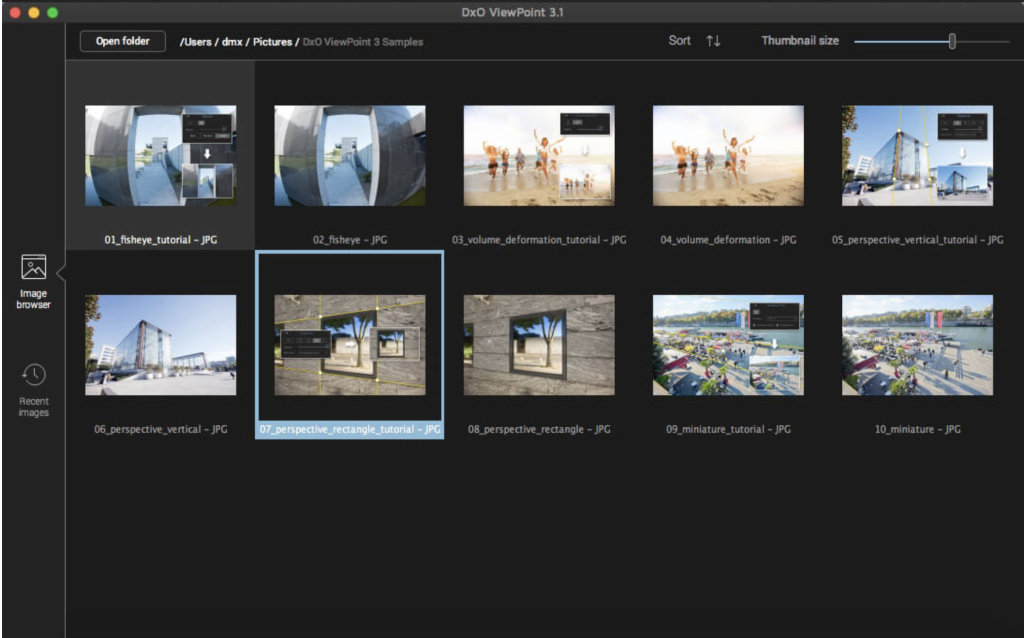
DxO ViewPoint is a software tool specifically designed to complement wide-angle lenses. It seamlessly corrects skewed perspectives, restores natural shapes, and neutralizes distortions with ease, catering to a wide range of complex photo corrections. Here are some of its key features:
Correction of Skewed Perspectives:
- Offers manual use of anchor points or an automatic feature to correct skewed perspectives in wide-angle photos.
Restoration of Proportions:
- Automatically corrects volume deformation at the edges of photos, ensuring natural shapes of faces, bodies, and objects taken with wide-angle lenses.
Distortion Neutralization:
- Utilizes DxO’s Optics Module database to address various types of distortion, including barrel, pincushion, and fisheye effects.
Horizon Straightening:
- Automatically straightens slanted horizon lines to rebalance landscape photos, ensuring a visually pleasing composition.
System Compatibility:
- Compatible with OS X 10.14 or later.
For more information and updates, you can visit the DxO ViewPoint homepage here.
Download CollageIt 3 Pro for Mac v- 3.6.12
02 years
by Jameskarke
in Application
Name : CollageIt 3 Pro
Size : 33 MB
Download CollageIt 3 Pro for Mac v- 3.6.12
CollageIt 3 for Mac is a user-friendly and automatic application designed to simplify the creation of stunning photo collages on Mac OS X. It caters to users of all experience levels, enabling the transformation of a collection of photos into impressive collages effortlessly in just a few seconds.
Key Features:
Automatic Collage Creation:
- Three-step process for quick and automatic photo collage creation, making it user-friendly for everyone.
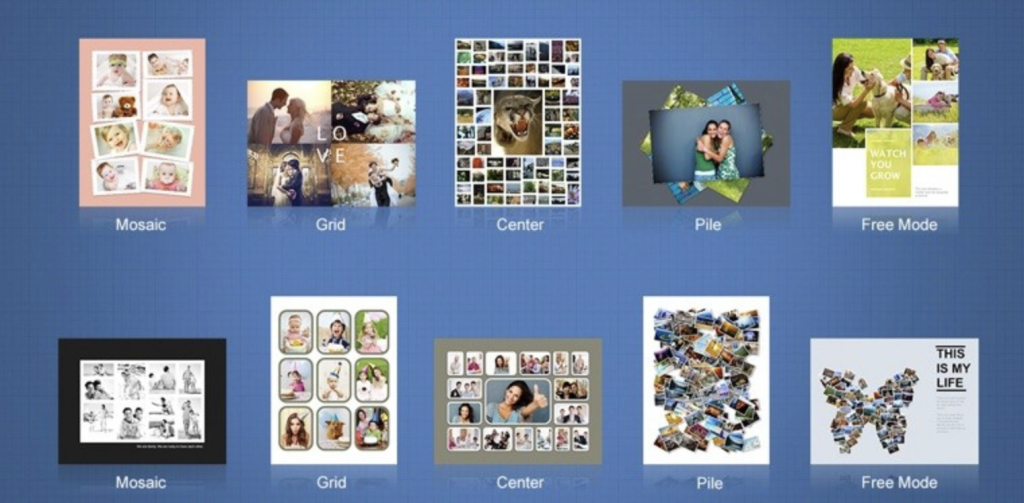
- Supports 5 collage styles: Mosaic, Grid, Center, Pile, and Free Mode, providing versatile collage-making options.
- Utilizes face recognition to intelligently fit photos to the collage layout, enhancing the overall presentation.
- Real-time preview with high-speed processing ensures an efficient workflow.
- Large photo capacity, allowing the addition of up to 200 photos for comprehensive collages.
Rich Resources and Effects:
- Includes 60 brand new templates to offer a variety of collage styles and options.
- Apply photo effects, filters, frames, masks, text, stickers, and more to embellish your collages creatively.
- Choose from 50 background patterns or upload custom images for personalized backgrounds.
- Photo border and shadow options for further decoration.
Personalized Collage Editing:
- Direct photo import from iPhoto and the ability to arrange photos in order under Grid mode.
- Switch to Free Mode for manual adjustments, enabling movement, resizing, and rotation of each photo as needed.
- Crop or uncrop photos to match specific preferences and needs.
- Allows the selection of multiple objects for simultaneous editing.
Collage Sharing and Export:
- Save collages in various image formats such as JPEG, TIFF, BMP, PNG, or GIF, suitable for printing.
- Set collages as desktop images or save them as PDF files.
- Share collages directly on social media platforms like Facebook, or via E-mail, iMessage, AirDrop, Twitter, and Flickr.
- Save collages as projects for future editing sessions.
Compatibility: macOS 10.10 or later
Homepage: CollageIt by PearlMountain
CollageIt 3 for Mac offers an intuitive and efficient way to create, customize, and share stunning photo collages, catering to a wide range of user preferences and needs.
Download ON1 Photo RAW MAX 2024 for Mac v18.0.3.14689
02 years
by Jameskarke
in Application

Name : ON1 Photo RAW MAX 2024
Size : 4.47 GB
Download ON1 Photo RAW MAX 2024 for Mac v18.0.3.14689
ON1 Photo RAW is a standalone application for macOS designed to enhance photo collections through the quick application of effects, image layers, masks, retouching tools, and resizing options.
Key Features:
- Stylish Interface: The software offers a stylish and organized user interface. You can browse your image collection, add new source folders, and use the built-in image browser to preview and send photos to different workspaces.
- Workspace Functionality: Different workspaces like develop, layers, resize, etc., allow easy navigation. However, switching between these workspaces might have slight delays and some functionality issues in non-full-screen mode.
- Enhancement and Effects: ON1 Photo RAW enables enhancing image quality, applying various effects, working with layers, masks, and resizing. It provides tools for color and tone adjustments, cleaning unwanted elements, and diverse effects, including black and white styles.
- Portrait Retouching: The software automates portrait retouching tasks, such as blemish removal and teeth cleaning, streamlining the editing process.
- Processing and Intensifying Features: It offers tools to handle common photo editing problems, automate face retouching, resize images, and work with multiple layers and masks.
What’s New in Version 2024 (v18.0):
- The specific release notes for the new version were not provided in the details.
- Compatibility: macOS 10.15 or later.
For more information and access to ON1 Photo RAW, visit the official homepage: ON1 Photo RAW
ON1 Photo RAW presents a range of editing tools and functionalities to enhance, retouch, and stylize images within a comprehensive interface, tailored for photography enthusiasts and professionals.

Download Topaz Photo AI Mac V-2.0.7
02 years

Name : Topaz Photo AI
Size : 2.4 GB
Download Topaz Photo AI Mac V-2.0.7
Topaz Photo AI is an image enhancement tool powered by artificial intelligence (AI) that elevates the quality of your photos, focusing on sharpening, noise reduction, and resolution enhancement. Here’s an overview of its features:
Key Features:
- AI-Powered Image Enhancement: Utilizes AI to enhance image quality, enabling photographers to concentrate on the creative aspects of photography rather than spending time on technical tools. It emphasizes the idea that exceptional photography arises from the synergy of artistic vision and cutting-edge tools.
- Sharper Images: Enhances image sharpness, particularly beneficial when dealing with blurry photos. The AI technology in Sharpen AI module addresses the root causes of blurriness (e.g., camera shake, motion blur, misfocus), resulting in clearer and crisper details without introducing unwanted artifacts or edge haloes.
- Noise Reduction: Includes the capability to reduce noise, ensuring cleaner and smoother images by eliminating unwanted pixelated artifacts, especially visible in low-light conditions or high ISO settings.
- Resolution Enhancement: Employs advanced technology to upscale and improve the resolution of images, allowing users to increase the size of photos without losing quality or introducing pixelation.
Creative Vision and AI Empowerment:
- Focus on Creativity: Emphasizes that while AI is proficient in enhancing image quality, it cannot replicate human creativity. The tool aims to empower photographers by improving image quality, leaving the creative vision and decision-making in the hands of the photographer.
System Compatibility:
- Compatibility: Topaz Photo AI’s compatibility details would typically be available on their homepage. Unfortunately, the specific compatibility details aren’t provided in the available information.
Where to Find Topaz Photo AI:
- Homepage: Topaz Photo AI
Topaz Photo AI is designed to refine and enhance the quality of images by leveraging AI-driven sharpening, noise reduction, and resolution improvement. This tool is ideal for photographers seeking to optimize their photo quality and details through advanced technology and image enhancement algorithms. The provided information offers an overview of its capabilities and the emphasis on the synergy between AI-based enhancements and human creative vision.