Free Macsoftware One click Download
Posts tagged Music
Download FabFilter Total Bundle v2023.10.31
02 years
by Jameskarke
in Application

Name : FabFilter Total Bundle
Size : 285 MB
Download FabFilter Total Bundle v2023.10.31
The FabFilter Total Bundle is a comprehensive collection of all FabFilter plug-ins, encompassing professional-grade EQ, reverb, compression, multiband dynamics, limiting, de-essing, gate/expander, multiband distortion, delay, filtering, and synthesizer tools.
Here’s a breakdown of the plug-ins included in the FabFilter Total Bundle:
- FabFilter Pro-Q 3: An all-purpose EQ plug-in designed for mixing and mastering. It features up to 24 bands and an intuitive interface for precise editing.
- FabFilter Pro-C 2: A professional compressor plug-in offering high-quality sound, flexible side-chain options, diverse compression styles, and a user-friendly interface.
- FabFilter Pro-R 2: High-end algorithmic reverb plug-in with natural, vintage, and plate algorithms, intuitive controls, and surround sound support.
- FabFilter Pro-L 2: A feature-rich true peak limiter, suitable for transparent mastering and individual instrument limiting.
- FabFilter Pro-MB: A versatile multiband dynamics plug-in with exceptional signal processing capabilities and a unique workflow.
- FabFilter Pro-DS: An intelligent and transparent de-essing plug-in, ideal for single vocal tracks or entire mixes.
- FabFilter Pro-G: High-quality gate/expander plug-in for mixing and mastering, featuring flexible side-chain options and a well-designed interface.
- FabFilter Saturn 2: Creative multiband distortion and saturation plug-in with extensive modulation options and an innovative interface.
- FabFilter Timeless 3: Vintage-sounding delay plug-in with impressive modulation options and a modern interface.
- FabFilter Twin 3: Analog-sounding synthesizer plug-in with extensive modulation options, an effects section, and an easy-to-use interface.
- FabFilter Volcano 3: Versatile filter effect plug-in offering smooth, vintage filters and endless modulation possibilities.
- FabFilter Simplon: Basic and user-friendly filter plug-in featuring two high-quality multi-mode filters and an interactive filter display.
- FabFilter One: A basic synthesizer plug-in with finely-tuned controls and excellent sound and filter quality.
- FabFilter Micro: Lightweight filter plug-in, making the renowned FabFilter sound accessible to everyone.
Homepage: FabFilter
The FabFilter Total Bundle provides an extensive range of professional tools for audio processing, mixing, and mastering, featuring a user-friendly interface and top-notch sound quality.
Download Native Instruments Traktor Pro Plus V-3.10.1.16
02 years
by Jameskarke
in Application

Name : Native Instruments Traktor Pro Plus
Size : 504.07 MB
Download Native Instruments Traktor Pro Plus V-3.10.1.16
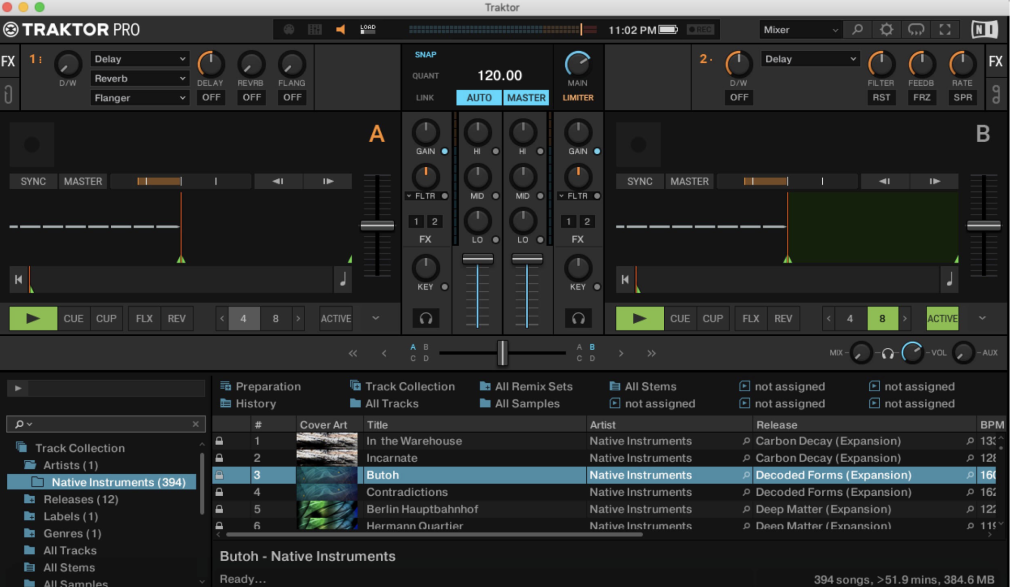
TRAKTOR PRO stands as the premier software for DJs, offering a powerful range of features tailored for professionals, including four decks and a diverse array of creative tools. This industry-leading 4-deck DJ software presents innovative Stem decks for creative mixing alongside compatible hardware. With powerful looping, over 40 effects, and user-friendly 1-knob Macro control, it’s designed to enhance the DJ experience.
Here are some key features and updates:
A Layout for the Club:
TRAKTOR’s interface has been redesigned for clarity, streamlining, and visibility even in club environments. The new metering and fader designs improve mix accuracy, while a redesigned master panel offers instant access to clock, quantization, and master output controls.
A New Kind of Sound:
Every step of signal processing in TRAKTOR has been refined for high-fidelity sound. Features such as Elastique 3 time-stretching offer confident tempo shifting, and the software includes classic warm TRAKTOR limiter alongside a new transparent master limiter.
New Mixer FX:
Mixer FX on each channel offer one-touch control over club-grade effects, allowing easy sonic experimentation. Users have access to eight new Mixer FX and three filters, assignable to dedicated slots for modulation.
Hop, Skip, and Land On-Beat:
Introducing the Reverse button which, coupled with Flux Mode, lets DJs play a deck backwards and return seamlessly to the original track. This feature allows for shifted percussion, hidden-message vocals, and unique effects in perfect sync with the decks.
Made for DVS:
TRAKTOR PRO 3 integrates TRAKTOR SCRATCH capability as a standard feature. Scratch DJs can use timecode vinyl with any sound card, connecting turntables or CD players without compromising their vinyl collection.
Compatibility: macOS 11.0 or later • Apple Silicon or Intel Core processor
For more information and access to the software, visit the official homepage at Native Instruments – TRAKTOR PRO 3.
Download Acon Digital Acoustica Premium V-7.5.1
02 years
by Jameskarke
in Application

Name : Acon Digital Acoustica Premium
Size : 1.1 GB
Download Acon Digital Acoustica Premium V-7.5.1
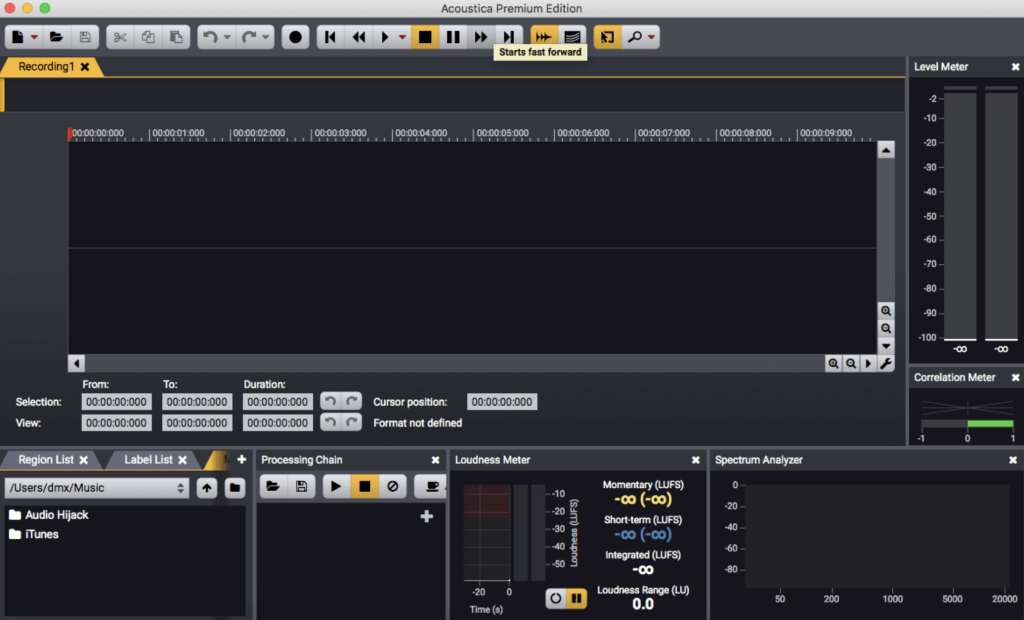
Acoustica is a comprehensive software solution designed for professional audio recording, editing, mixing, and mastering. Its intuitive interface prioritizes speed, accuracy, and ease of use, providing access to a wide array of powerful tools to enhance the quality of your recordings. From recording and editing to batch processing, sound design, and CD burning, Acoustica ensures a streamlined production workflow.
Key Features:
Ultimate Audio Quality
- Support for High Resolutions: Acoustica supports audio resolutions up to 32-bit and sampling rates up to 384 kHz, ensuring the highest quality of audio output.
- Multichannel Audio: The Premium Edition supports multichannel audio recording and editing, including 5.1 and 7.1 surround sound.
Audio Restoration
- Impaired Recording Correction: Integrated tools help restore recordings affected by background noise, clicks, crackles, clipping, or missing high-frequency content.
Multitrack Editing
- Real-time Mixing: Edit multitrack audio, mixing from different tracks, adding effects, and creating cross-fades in real-time.
- Time Stretching and Looping: The software allows looping or time-stretching clips directly from the multitrack timeline.
Processing Tools
- Audio Effects: Offers dynamic processing, limiter, equalizing, reverb, convolution reverb, chorus, flanger, and more.
- Tempo and Key Modification: Modify the tempo and key of recordings independently using time-stretching and transpose tools.
Effect Chains and Plug-In Support
- Custom Processing Chains: Create complete processing chains, including external plug-ins, and save settings for later use.
- VST and DirectX Support: Access a wide range of free and commercial third-party audio processing plug-ins directly from Acoustica.
Analysis Tools
- Offline and Real-time Analysis: Spectrum, spectrogram, wavelet analysis, K-System level meters, phase correlation meters, and spectrum analyzers to monitor audio output visually during playback.
Compatibility:
- Platform: macOS 10.10 or later
Where to Find Acoustica:
- Homepage: Acoustica Audio Editor
Acoustica offers a comprehensive set of tools for audio professionals, ensuring high-quality audio, restoration, multitrack editing, various processing tools, effect chains, and analysis tools.
Download Native Instruments Komplete Kontrol 3.0.1
02 years
by Jameskarke
in Application

Name : Native Instruments Komplete Kontrol
Size : 402.70 MB
Download Native Instruments Komplete Kontrol 3.0.1
The KOMPLETE KONTROL software by Native Instruments is a comprehensive tool designed to streamline music production workflows. It organizes a wide array of instruments, effects, presets, loops, and samples, mapping them efficiently to your hardware for simplified access, playback, and tweaking of sounds within a single interface. Here’s an overview of its features and recent updates:
Key Features:
- Unified Workflow: Organizes various instruments, effects, presets, loops, and samples into an intuitive workflow. It supports integration with various MIDI controllers and mouse/keyboard setups.
- Support for Multiple Instruments and Effects: Includes a wide array of instruments and effects, covering NI’s KOMPLETE range, over 750 plug-ins from 90+ leading creators (such as Waves, Spitfire Audio, Softube, Arturia, and Output), and many more. Utilizes the Native Kontrol Standard (NKS) format for seamless integration.
- Loops and Samples Organization: Extends NKS compatibility to loops and samples. Syncs Collections from Sounds.com, tags them for efficient browsing in your DAW, and supports integration with MASCHINE’s library and Expansions. Also includes a built-in sampler and the ability to use loops and one-shots in sample-based instruments like BATTERY, TRK-01, and FLESH.
- Efficient Sound Browsing: Tags sounds for easy browsing, allowing users to quickly find and audition sounds by keywords and descriptions. Provides instant previews of sounds while scrolling for easier selection without needing to load individual plug-ins.
- Smart Play Features: Allows for versatile performance control by mapping keyboards to over 100 scales and modes. One-finger chord playing, expressive arpeggios, and more creative options are available. Offers visual feedback directly on compatible S-Series keyboards through the Light Guide.
- Pre-Mapped Controls: NKS instantly maps all instruments and effects to hardware, providing direct access to essential parameters like filter cutoffs and envelope controls. The mapping is done by the instrument designers themselves for optimal user interaction.
What’s New:
- Compatibility: macOS 12.0 or later, supporting both Apple Silicon and Intel Core processors.
Where to Find KOMPLETE KONTROL:
- Homepage: Native Instruments KOMPLETE KONTROL
KOMPLETE KONTROL brings together an extensive library of instruments, effects, loops, and samples, facilitating easy access, sound browsing, and performance control within a unified environment. The recent update ensures compatibility with the latest macOS versions and processors, offering an optimized experience for music producers and creators.
Download Native Instruments Guitar Rig 6 Pro 6.4.0 for free
02 years
by Jameskarke
in Application

Name : Native Instruments Guitar Rig 6 Pro
Size : 771.23 MB
Download Native Instruments Guitar Rig 6 Pro 6.4.0 for free
GUITAR RIG 6 PRO is a comprehensive audio processing software designed for guitarists, bassists, and music producers. It serves as a multi-effects rack and amp simulator, allowing users to create, experiment, and shape their audio in a creative and intuitive way. With a wide range of amps, effects, and a revamped interface, GUITAR RIG 6 PRO provides the tools and flexibility to craft unique tones and sonic landscapes.
Key features of GUITAR RIG 6 PRO include:
1. New Amps and Effects: GUITAR RIG 6 PRO features three newly modeled boutique and vintage amps, along with 16 additional effects from Native and Softube. These additions provide a variety of sonic options for guitar and bass processing.
2. Revamped Interface: The software comes with a redesigned, scalable interface that is clean and user-friendly. The intuitive interface enhances the overall user experience and creativity in audio processing.
3. Machine Learning Technology: GUITAR RIG 6 PRO utilizes machine learning technology to model state-of-the-art hardware accurately. This technology enables the software to emulate the warmth, grit, crunch, fuzz, and various effects faithfully.
4. Custom Processing Chains: Users can design custom processing chains to shape and customize their tones. This flexibility allows for the creation of unique sounds for various instruments, including guitar, bass, strings, drums, and synths.
5. Community-Driven Development: Native Instruments encourages its user community to contribute by suggesting the types of amps and effects they’d like to see in future updates. This approach ensures that the software continues to evolve based on user preferences and needs.
System Requirements:
- macOS 10.15 or later
- Apple Silicon or Intel Core processor
GUITAR RIG 6 PRO is an all-in-one solution for guitarists, bassists, and music producers looking to explore new sonic possibilities, fine-tune their tones, and experiment with a wide range of amps and effects. With its intuitive interface and community-driven development approach, it offers an extensive toolkit for creative audio processing.
Download Native Instruments FM8 1.4.6 free
02 years
by Jameskarke
in Application

Name : Native Instruments FM8
Size : 153.57 MB
Download Native Instruments FM8 1.4.6 free
FM8 is a software synthesizer developed by Native Instruments that leverages the power of FM (Frequency Modulation) synthesis to produce stunning, dynamic, and pristine-quality FM sounds. Here are some key features and information about FM8:
Key Features:
1. Digital Brilliance: FM8 boasts a powerful audio engine that generates sharp, crystal-clear FM sounds. It offers a wide range of 960 presets that showcase the brilliance of FM synthesis.
2. Advanced Features: The synthesizer includes an FM matrix, arpeggiator, and flexible envelopes, allowing you to shape and manipulate sound in innovative ways.
3. Classic FM Hardware Emulation: FM8 is capable of loading patches from classic FM hardware units, making it a versatile tool for both classic and contemporary FM synthesis.
4. User-Friendly Interface: Despite the intricacies of FM synthesis, FM8 features a user-friendly interface that simplifies the process, making it accessible to both beginners and advanced users.
5. Compatibility: The software is available for macOS 11.0 or later and is compatible with both Apple Silicon and Intel Core processors.
Updates in Version 1.5.8 (As of February 25, 2021):
- Removed 32-bit plugin targets on Windows.
- Fixed compatibility with macOS Big Sur.
- Fixed AU version crashes when loading in Ableton Live 11.
- Fixed an issue where the last item in the plugin File Browser wasn’t displayed when the list exceeded available space.
- Fixed an issue where the Plugin File Browser didn’t display external HDs.
- Fixed UI glitches when adjusting autoscaling in specific DAWs.
FM8 is a powerful tool for creating a wide range of FM synthesis-based sounds. It combines the strengths of digital sound generation with a user-friendly interface and advanced features. Whether you’re a sound designer, musician, or producer, FM8 offers the flexibility and sonic capabilities to help you craft unique and stunning FM sounds.
Download Music Tag Editor for Mac 7.5.1
02 years
by Jameskarke
in Application
Name : Music Tag Editor
Size : 29 MB
Download Music Tag Editor for Mac 7.5.1
Music Tag Editor Pro is a macOS application designed to help you manage and edit music tags efficiently. It allows you to make various modifications to your music’s metadata, including editing, batch editing, and batch renaming. Here are the main features of Music Tag Editor Pro:
Supported Music Formats: The application supports various music formats, including MP3, M4A (Apple Lossless), MP4, FLAC, APE, AIFF, WAV, Ogg files, asf, mkv, dsf, dsd, and more.
Supported Tag Types: Music Tag Editor Pro supports a wide range of tag types, such as ID3V1, ID3V2.3, ID3V2.4, xiphComments, APE Tag, Ogg Vorbis, Ogg Speex, Ogg Flac, and iTunes tags. You can edit and customize tag information, including Title, Artist, Album, Genre, Copyright, Comments, Artwork, Lyrics, and more.
Batch Editing: The application allows you to perform batch editing on multiple music files simultaneously, making it easy to update the metadata for your music library efficiently.
Lyrics Support: You can save lyrics to music files, and these lyrics will be displayed correctly in your iPhone or iPod music player.
iTunes Integration: Music Tag Editor Pro supports iTunes importing, making it easy to manage your music library alongside your iTunes library.
Online Album Image Download: You can download album artwork for your MP3 files from the internet. The application supports multiple album images.
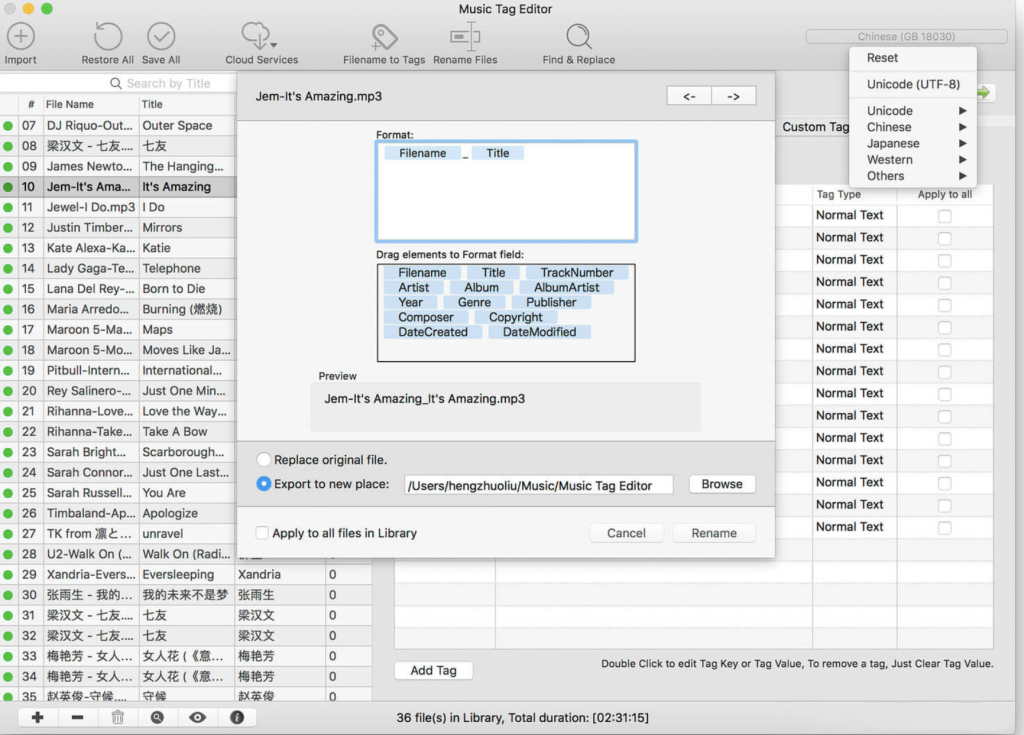
Batch Renaming: Music Tag Editor Pro enables you to batch rename audio files based on their metadata, helping you organize your music files more effectively.
Text Encoding Conversion: You can convert the text encoding of music tags and repair messy code in tag information.
Music Player: The application includes a built-in music player that supports all audio formats, allowing you to preview your music.
Pro Version Features: In the Pro version, you get additional and advanced tag editing features. You can customize and edit any tags you want, perform batch find and replace operations for all tag fields, and use MusicBrainZ Cloud services for tagging.
Music Tag Editor Pro is a versatile tool for managing your music library, making it easier to organize, edit, and enhance the metadata of your music files. Whether you’re looking to update tags, batch rename files, or download album artwork, this application provides the features you need to keep your music collection organized and well-tagged.
Download Avid Sibelius Ultimate v2023.8 Mac
02 years
by Jameskarke
in Application

Name : Avid Sibelius Ultimate
Size : 833.8 MB
Download Avid Sibelius Ultimate v2023.8 Mac
Sibelius is renowned as the world’s best-selling music notation software, designed for composers, arrangers, educators, students, and anyone involved in the creation and publishing of sheet music. Whether you’re a seasoned composer or just starting with music notation, Sibelius offers a comprehensive set of tools for composing, arranging, and notating your music with professional-level precision and detail.
Key Features of Sibelius:
- Compose, Arrange, and Engrave: Sibelius | Ultimate provides an advanced toolset, allowing you to work with an unlimited number of instrument parts and customize every aspect of your score. Create complex sheet music using an expanded set of notation tools, customizable notes, instruments, and film scoring workflows.
- Polish Your Score: Refine your score to perfection using the full suite of desktop publishing tools and the Score Inspector. Control and finesse every score element with ease, from lyrics and dynamics to text formatting and alignment. Customize fonts, add graphics, and create unique house styles and manuscript papers.
- Write Music Quickly: Sibelius | Ultimate offers a task-based interface that guides you through the score creation process. Enter notes from the onscreen notation, keyboard, or fretboard windows, or via your MIDI keyboard. Add notational elements, dynamics, custom symbols, and text. Easily navigate large scores using the timeline.
- Share Your Work: Collaborate and share your music with others effortlessly. Use Sibelius | Cloud Sharing to share an unlimited number of scores online and invite collaborators to view, play, and comment on your work. You can also collaborate through MusicXML, print scores, and export music as MP3, MIDI, or PDF files.
- Create Beautiful Scores Fast: Save time and let Magnetic Layout automatically adjust the spacing of your notations while avoiding collisions, resulting in beautifully formatted scores.
- Add Comments Directly on Scores: Use the Annotate feature to draw freeform annotations directly on a score to communicate edits, instructions, and feedback. Annotations remain attached to the corresponding bars, and they can be hidden when printing.
- Turn Music into Scores: Sibelius includes companion applications, AudioScore Lite and PhotoScore & NotateMe Lite, which allow you to turn recorded, performed, printed, or handwritten music into notations. AudioScore Lite lets you input notes by singing or playing a monophonic instrument through a microphone, while PhotoScore & NotateMe Lite can convert printed, PDF, and JPEG sheet music into editable scores.
- Practice and Perform with Your iPad: Sibelius integrates with Avid Scorch, an iOS app for iPad that turns your device into an interactive music stand and score library for practice and performance.
Sibelius offers a comprehensive solution for music composers and arrangers, streamlining the composition and notation process. Whether you are a professional musician or a student, Sibelius provides the tools to bring your musical creations to life with precision and creativity. You can learn more about Sibelius on the Avid website (https://www.avid.com/sibelius).
Download Piezo for Mac V- 1.8.1
02 years
by Jameskarke
in Application
Name : Piezo
Size : 26 MB
Download Piezo for Mac V- 1.8.1
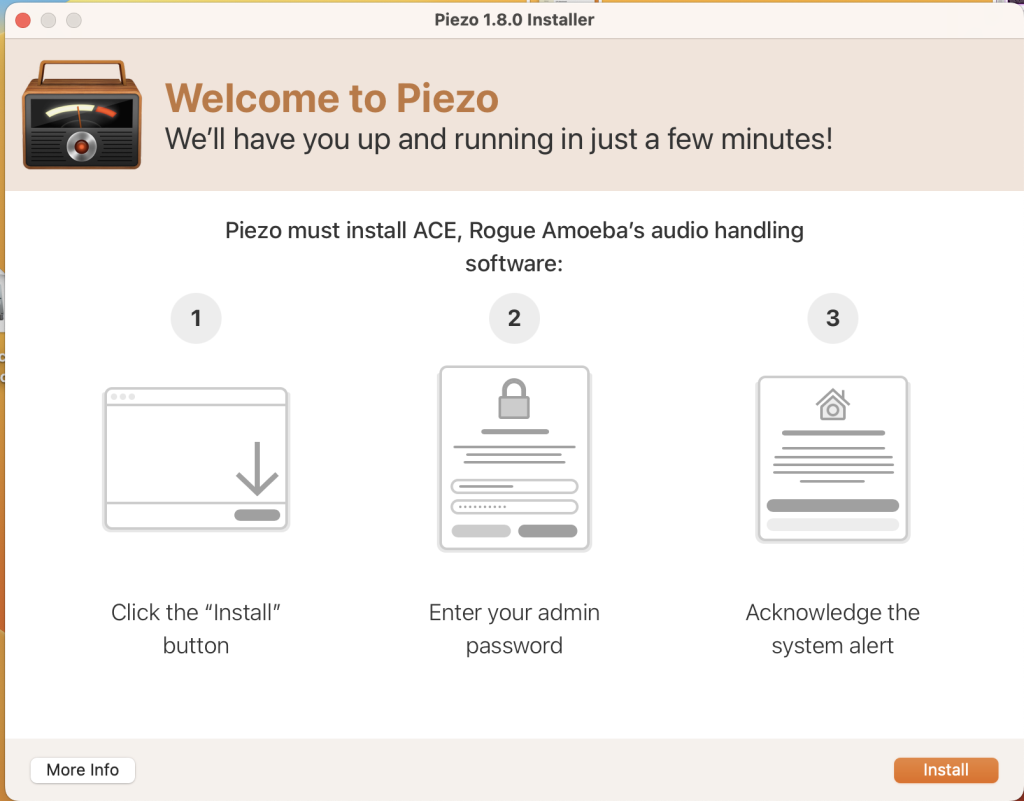
Piezo is a convenient audio recording tool for macOS that allows you to easily capture audio from various applications and devices on your computer. Whether you want to record audio from applications, capture sound from your built-in microphone for podcasts or audio notes, or save streaming music, Piezo simplifies the recording process.
Key Features of Piezo:
- Record from Apps and Devices: Select an application or audio device in Piezo, then click the Record button to save the audio.
- Easy Podcast Recording: Piezo records from applications like Skype and other VoIP apps with ease. It even saves audio to distinct channels for easy editing.
- Settings Customization: Open the settings popover to choose your recording quality, name your clip, and add comments. Piezo’s simple presets make it easy to configure your recording settings.
- Grab Audio from Any App: Piezo can capture audio from almost any application playing on your Mac, making it versatile for various recording needs.
- Super Simple Recording: With one click, you can start recording audio on your Mac, and Piezo simplifies the entire process.
- Recording from the Web: You can save audio from web pages by setting a browser such as Safari or Chrome as your audio source.
- Archive Skype Calls: Piezo makes recording Skype calls a breeze with a single click.
- Save Streaming Music: Record audio from streaming services like Spotify, Rdio, MOG, and more.
- Record from Audio Devices: Connect any microphone, including your Apple headset, and start recording instantly.
- Get Sound Bites: Capture audio from movies playing in any video player, such as QuickTime Player, VLC, and many more.
System Requirements:
- macOS 10.14 or later
Piezo is a user-friendly tool that simplifies the process of recording audio from various sources on your Mac. It is especially handy for capturing audio from applications, podcasts, web audio, and streaming services. For more information and to download Piezo, you can visit the Rogue Amoeba website (http://rogueamoeba.com/piezo).
Download for Mac Native Instruments Kontakt 7.6.1
12 years
by Jameskarke
in Application

Name : Native Instruments Kontakt
Size : 918.82
Download for Mac Native Instruments Kontakt 7.6.1
KONTAKT 6 is a powerful and versatile software sampler by Native Instruments, which has been a cornerstone of music production for over 20 years. With its HiDPI browsing experience, an updated Factory Library, creative effects, and audio improvements, it offers an extensive feature set for musicians and producers. KONTAKT 6 is a go-to tool for creating sampled instruments, effects, and music.
Key Features of KONTAKT 6:
- KONTAKT Play Series: KONTAKT 6 introduces a series of sample libraries known as the KONTAKT Play Series. These libraries offer a balance between powerful sound design and user-friendly playability. Each library features eight intelligently mapped macro knobs for intuitive control. The Play Series includes:
- Analog Dreams: This library captures the essence of iconic 20th-century hardware synthesizers with intricate detail. The hybrid instrument combines analog and digital sources, providing a modern take on classic electro and synthwave sounds.
- Ethereal Earth: Ethereal Earth is a hybrid organic/electronic instrument that blends acoustic instruments from around the world with digital synthesis, organic foley layers, and effects processing. It offers a wide range of sounds, from traditional instruments to textural ambiences.
- Hybrid Keys: Hybrid Keys reimagines keys and piano sounds using inventive techniques such as re-amping, creative mic positioning, and vari-speed experiments. This library takes a contemporary and creative approach to keyboard and piano sounds.
- New Effects: KONTAKT 6 introduces a range of new effects:
- Replika Delay: Based on the Native Instruments plug-in REPLIKA XT, it provides various delay modes with distinct sound characteristics.
- Room Reverb: This high-quality algorithmic room reverb offers real-time modulation options.
- Hall Reverb: A high-quality algorithmic reverb tailored for hall sounds.
- Plate Reverb: Emulates the sound of vintage metallic plate reverbs.
- Cry Wah: This wah-wah effect module is based on a classic wah pedal.
- Wavetable Module: KONTAKT 6 introduces wavetable synthesis, enhancing the software’s sound creation capabilities. The new Play Series instruments incorporate this wavetable module for versatile sound design.
- Creator Tools: Creator Tools is a standalone application designed to improve the workflow for instrument creators and library builders. It includes a Debugger for identifying and fixing issues in KONTAKT scripts, and an Instrument Editor for automapping samples, batch renaming groups, and copying settings.
System Requirements:
- macOS 11.0 or later
- Apple Silicon or Intel Core processor
KONTAKT 6 is a versatile and powerful tool for musicians, composers, and sound designers. It simplifies sound creation and manipulation, providing an extensive library of instruments and effects. The KONTAKT Play Series offers inspiring new sounds and creative potential for users. You can find additional details and download KONTAKT 6 from the Native Instruments website (https://www.native-instruments.com/en/products/komplete/samplers/kontakt-7/).