Free Macsoftware One click Download
Utility
Mac software Magic Battery 7.9.1
03 years

Name : Magic Battery
Size : 6 MB
Mac software Magic Battery 7.9.1
Magic Battery is a handy macOS application that provides information about the battery levels of various Apple input devices, headphones, and even some other Apple products. It’s designed to help you keep track of your device’s battery life, offering a range of features and a modern graphical user interface. Here’s an overview of what Magic Battery offers:
Supported Devices:
- Input Devices:
- Apple Magic Mouse
- Apple Magic Mouse 2
- Apple Magic Trackpad 2
- Apple Wireless Keyboard
- Apple Wireless Trackpad
- Logitech MX Anywhere 3
- Headphones:
- AirPods
- AirPods Pro
- AirPods Max
- Beats Solo 3
- Beats X
- Beats Studio 3 Wireless
- Other Devices:
- Apple iPad (all models)
- Apple iPhone (all models)
Key Features:
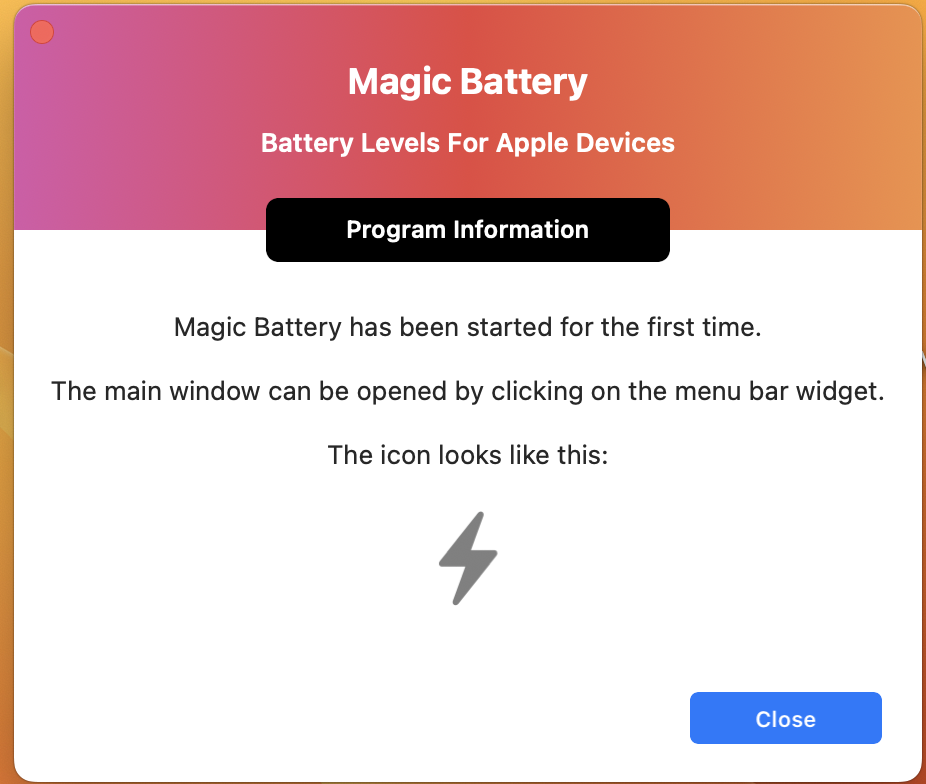
- Battery Level Display: Magic Battery shows the battery level of your supported devices in the macOS menu bar for quick access.
- Internal Battery Information: It also displays the percentage of the internal battery, along with an estimate of how long the battery will last.
- View Options: You can choose between different views, including a detailed view with battery levels next to device icons, a compact view that conserves space, and an icon-only view where battery levels are displayed when you open the app’s menu.
- Apple Silicon Support: Magic Battery is compatible with Apple Silicon-based Macs.
- Automatic Device Detection: The app automatically detects when supported devices are connected or disconnected, adjusting the view accordingly.
- Battery Notifications: You can receive notifications when a device’s battery level reaches 20%.
- Auto-Start: Magic Battery can be configured to start automatically when you log in.
Magic Battery provides a convenient way to monitor the battery levels of your Apple devices and receive timely notifications to ensure you’re never caught with a dead battery. It’s available on the Mac App Store and compatible with macOS 11.5 or later.
Mac Network Radar 3.0.4 Download
03 years

Name : Network Radar
Size : 28 MB
Mac Network Radar 3.0.4 Download
Network Radar is a macOS application designed for advanced network scanning and management. It offers a range of features to help users scan and configure network devices, monitor network changes, and access detailed information about their network. Network Radar is designed with a user-friendly interface and modern Mac application design principles. Here are some key features and details about Network Radar:
Main Features:
- Network Scanning: Network Radar allows users to scan their network to retrieve detailed information about network devices.
- Network Tools: The application provides a set of useful network tools and commands that can be executed with a simple click, making it easy to troubleshoot network issues.
- Monitoring: Network Radar offers a monitoring feature that notifies users about changes in their network. This is helpful for detecting network changes and responding to them promptly.
- Access to Previous Scans: You can access devices from previous scans, even if they are in different networks, providing historical network data for reference.
- Rules and Actions: Network Radar includes a rules/actions system for automatic processing of devices. You can set up rules to perform specific actions based on predefined criteria.
- Device Connectivity: To connect to a device, simply double-click it in the list, making it easy to access and manage network devices.
- Custom Names and Icons: You can assign custom names to devices and choose from provided icons or import your own icons for better organization.
- Host Organization: Network Radar allows users to organize hosts in folders and smart folders for efficient network management.
- Custom IP Ranges: Create scans with custom IP ranges to focus on specific parts of your network.
- Export Options: The application supports exporting scan results to various formats, including XML, CSV, TXT, PDF, and NETRADR.
Supported Network Interfaces:
- Built-in WiFi
- Built-in Ethernet
- Apple’s USB to Ethernet Adapter
- Apple’s Thunderbolt to Ethernet Adapter
- Apple’s Thunderbolt Display Ethernet
Please note that the amount of information Network Radar can retrieve depends on the network it scans.
Compatibility:
- Network Radar is compatible with macOS 10.13 or later.
Network Radar provides a comprehensive set of tools for network scanning and management, making it easier for users to monitor and configure their network devices. Its intuitive interface and robust feature set cater to both casual users and network professionals who need to maintain and optimize their networks.
Download NetWorker Pro for Mac V-8.7.0
03 years

Name : NetWorker Pro
Size : 7 MB
Download NetWorker Pro for Mac V-8.7.0
NetWorker is a macOS application that provides network information conveniently in the menu bar. It offers various widgets and features to help users monitor and customize network-related data. Whether you want to keep track of your network activity, check your external IP address, or adjust network settings, NetWorker can be a useful tool. Here are the key features and details about NetWorker:
Main Features:
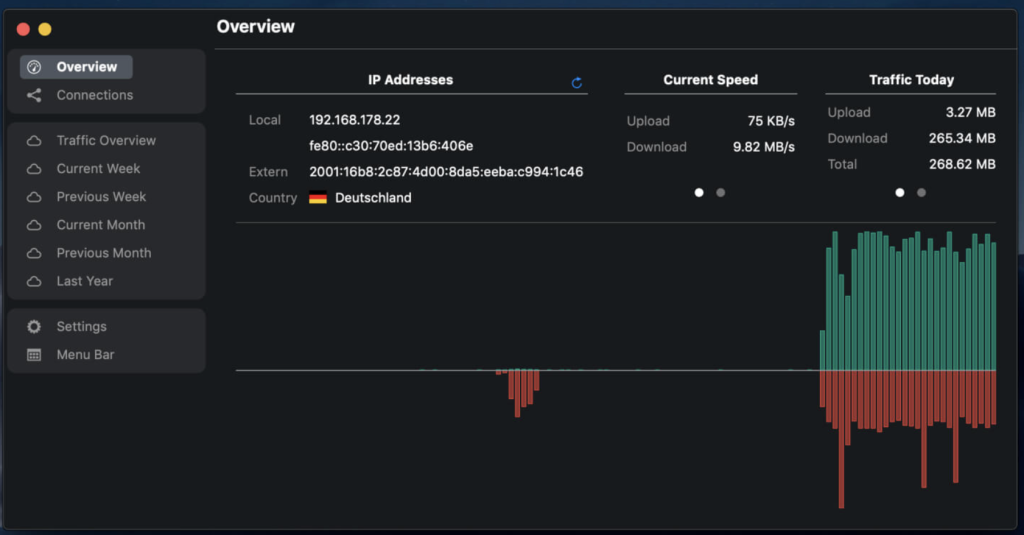
- Customizable View: NetWorker allows users to fully customize the view in the menu bar. You can choose which network-related information is displayed and select from many different pre-defined widgets.
- Automatic Network Adapter Detection: The application automatically detects and displays information about the currently active network adapter, making it easy to monitor your network status.
- Overlay Window: NetWorker offers an optional overlay window that can stay on top of other windows, including fullscreen apps or games. This is useful for keeping an eye on network data while using other applications.
- Adjustable Refresh Interval: Users can configure the refresh interval to control how frequently network data is updated.
- External IP Address: NetWorker provides the option to check your external IP address directly from the menu bar.
- Byte or Bit Mode: You can choose between byte or bit mode to display network data in your preferred unit of measurement.
- Auto Start: The application supports auto-start, ensuring that it launches automatically when you start your Mac.
- Traffic Overview: NetWorker includes a Traffic Overview feature, which is helpful if you are on a volume-limited data plan. It allows you to monitor your network usage and avoid exceeding your data limits.
- Dark Mode: NetWorker supports Dark Mode for users who prefer a darker user interface.
Compatibility:
- NetWorker is compatible with macOS 11.0 or later.
NetWorker is a versatile tool for monitoring and customizing network-related information on your Mac. Whether you need to keep track of network activity, check your IP address, or customize the way network data is displayed, NetWorker provides a range of features and customization options to meet your needs.
Mac WiFi Scanner 3.1 Download
03 years

Name : WiFi Scanner
Size : 16 MB
Mac WiFi Scanner 3.1 Download
WiFi Scanner is a macOS application designed to help users discover nearby wireless access points and gather detailed information about them. It provides valuable insights into Wi-Fi networks, making it useful for both home and office environments. Here are the key features and details about WiFi Scanner:
Main Features:
- Wireless Network Discovery: WiFi Scanner offers a simple and fast way to discover 802.11 a/b/g/n/ac access points in your vicinity.
- Network Details: For each detected access point, the application provides detailed information, including network name (SSID), signal level (RSSI), MAC address (BSSID), signal quality, channel, maximum data rate, encryption, and more.
- Channel Analysis: You can analyze the channels of nearby access points to determine the optimal channel to use for your Wi-Fi network, which can improve Wi-Fi speeds.
- Frequency Bands: WiFi Scanner supports both 2.4 GHz and 5 GHz networks, ensuring comprehensive coverage of available Wi-Fi options.
- Channel Bandwidths: It supports all channel bandwidths, including 20 MHz, 40 MHz, 80 MHz, and 160 MHz, giving you flexibility in analyzing Wi-Fi networks.
- Signal Level History: The application displays changes in signal level over time in graphical form, helping you assess the stability of Wi-Fi networks.
- Filtering: You can filter the list of detected wireless networks based on specific parameters, such as SSID/network name, channel, channel band, and signal strength.
- Statistics: WiFi Scanner provides wireless connection statistics in the form of graphs and tables, giving you insights into network performance.
- Custom Labels: You can assign custom labels to each access point for better organization.
- Export and Reports: The results can be exported to comma-separated value (CSV) files, and summary reports can be generated in HTML format.
- WiFi Speed Testing: The application includes upload and download speed testing to measure and troubleshoot Wi-Fi network performance issues.
- IP Scanner: WiFi Scanner includes an IP scanner that detects unknown devices connected to your Wi-Fi network. It can identify hostnames, MAC addresses, and, in some cases, device types.
- Advanced Features: For certain access points, WiFi Scanner can display additional information, such as access point names, the number of devices connected to each access point, channel utilization, and whether 802.11r is enabled.
Compatibility:
- WiFi Scanner is compatible with macOS 10.8 or later.
WiFi Scanner is a valuable tool for individuals and professionals who need to manage and optimize Wi-Fi networks. Whether you’re troubleshooting network issues, analyzing signal strength, or planning Wi-Fi deployments, this application provides the necessary tools and insights to make informed decisions about your Wi-Fi infrastructure.

Download Data Guardian V- 7.6.4 for Mac
03 years

Name : Data Guardian
Size : 51 MB
Download Data Guardian V- 7.6.4 for Mac
Data Guardian is a secure database application for macOS that prioritizes data privacy and security. It offers robust encryption and a range of features to help users manage and protect sensitive information. Whether you need to store passwords, manage contacts, create lists, or maintain a journal, Data Guardian provides a secure and organized solution. Here are some key features and details about Data Guardian:
Main Features:
- Secure Database: Data Guardian uses strong encryption with up to 448-bits of Blowfish encryption to safeguard your data. This ensures that even highly sensitive information remains protected.
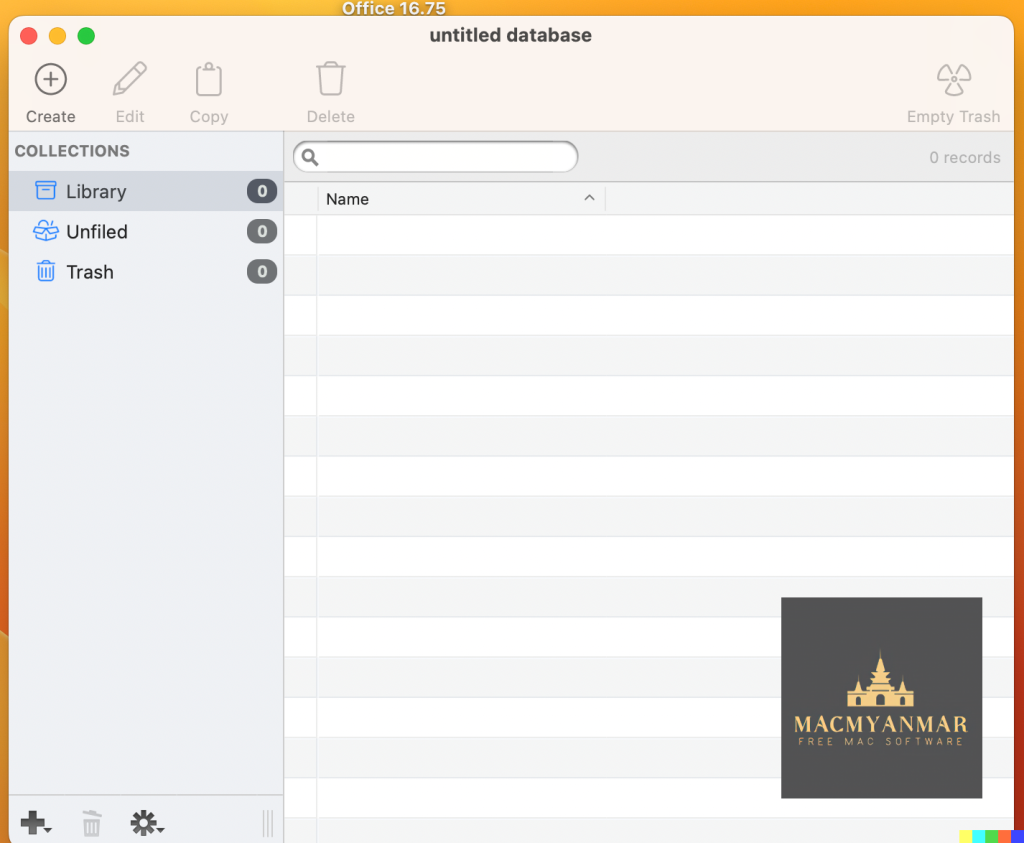
- Multiple Databases: Create multiple databases within Data Guardian for various purposes. You can have separate databases for your address book, customer database, shopping list, journal, password manager, notepad, and more.
- Custom Categories: Easily create categories to organize and store your records. You can also apply custom color labels and icons to make categorization and identification more intuitive.
- Custom Data Fields: Data Guardian allows you to add your own custom data fields, ensuring that you can input the specific information you need. You are not limited to predefined fields.
- Keychain Integration: The app integrates with the macOS Keychain, making it easy to autofill passwords on websites, enhancing your web security.
- Additional Tools and Features: Data Guardian offers various tools to enhance your records. You can dial phone numbers through your modem with a single click, create new email messages, generate secure passwords (based on your chosen algorithm), and synchronize two databases.
Compatibility:
- Data Guardian is compatible with macOS 10.14.0 or later.
Data Guardian provides a secure and versatile solution for managing and protecting your sensitive information. Whether you’re organizing passwords, contacts, notes, or other types of data, this application prioritizes data privacy and security through strong encryption. It offers a user-friendly interface and customization options to cater to your specific needs.
Mac OS App Tamer 2.8.1 free Download
03 years
Name : App Tamer
Size : 11 MB
Mac OS App Tamer 2.8.1 free Download
App Tamer is a macOS application designed to optimize the performance and power consumption of your Mac by managing the CPU usage of running applications. It provides a solution for taming apps that consume excessive CPU time and can drain your battery life. Here are some key features and details about App Tamer:
Main Features:
- AutoStop: App Tamer features a unique AutoStop feature that stops each application when you switch away from it. When you return to that app, it automatically restarts. This helps prevent apps from monopolizing CPU resources when they are not in use, thereby saving energy and improving performance.
- User-Friendly Interface: The app is built around an attractive and clear user interface that is designed for managing running applications with minimal distraction. It provides a straightforward way to monitor and control CPU usage.
- CPU Usage Monitoring: App Tamer displays the average percentage of CPU usage for each running application, allowing you to see which apps are consuming the most CPU resources.
- Graphical History: You can access a graphical history of CPU usage, providing insights into how CPU resources have been utilized over time.
- Customizable CPU Limits: Easily enable AutoStop for any application or set specific CPU usage limits for individual apps. This gives you control over how much CPU time an app is allowed to consume.
- Efficient CPU Management: App Tamer helps you manage CPU usage without the need for manual intervention. It automatically adjusts CPU usage for running applications based on your settings.
- Optimize Energy Efficiency: By reducing CPU usage of background apps, App Tamer can help extend your Mac’s battery life and keep your system running cooler.
Compatibility:
- App Tamer is compatible with macOS 13.3 or later.
App Tamer is a useful tool for Mac users who want to optimize their system’s performance and extend battery life by preventing apps from using excessive CPU resources when they are not in use. It offers a user-friendly interface and convenient CPU management features to make your Mac run more efficiently.

Download Mac software Dropshare 5.36
03 years

Name : Dropshare
Size : 47 MB
Download Mac software Dropshare 5.36
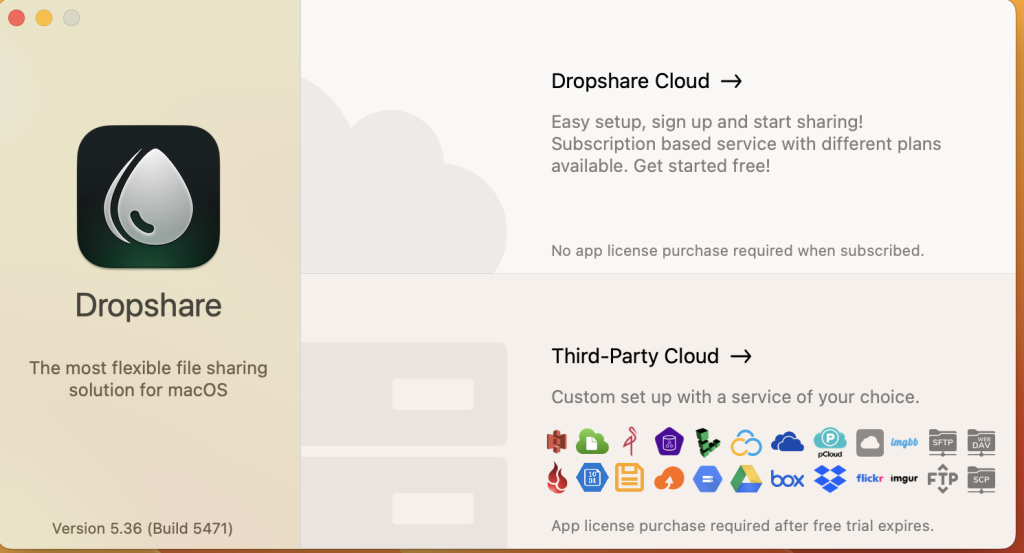
Dropshare is a macOS application that provides a secure and convenient way to share files and data with others. It is a versatile tool for uploading and sharing various types of content, including files, folders, text, screenshots, screen recordings, and more. Dropshare supports multiple destinations, such as your own server, Amazon S3, Rackspace Cloud Files, or Google Drive. Here are some of the key features and capabilities of Dropshare:
Main Features:
- Drag-and-Drop Uploads: Dropshare allows you to easily drag and drop files, folders, text, and screenshots into the app for quick uploading to your chosen destination.
- Secure File Sharing: The application supports SCP over SSH, ensuring secure and encrypted file transfers. It also supports uploads to Amazon Simple Storage Service (S3) and Rackspace Cloud Files, both of which are secure cloud hosting services.
- Multiple Upload Destinations: You can set up and switch between different upload destinations, such as your own server or cloud storage, using user-defined keyboard shortcuts.
- Automatic Screenshot Uploads: Dropshare can be configured to automatically upload fullscreen or selection-based screenshots, simplifying the sharing of screen captures.
- Screen Recordings: You can capture and upload screen recordings directly within Dropshare, offering both fullscreen and selection-based recording options.
- Access-Restricted URLs: Create access-restricted URLs for your uploads with options for setting lifetimes and passwords, ensuring that your shared files remain secure.
- Customizable Landing Pages: Choose from a variety of free designs or create your own landing page using HTML, CSS, and JavaScript. You can embed previews for various file types, such as images, text, or video files.
- URL Shorteners: Dropshare supports URL shorteners, allowing you to use natively supported URLs or configure your own URL shortener service, such as bit.ly or YOURLS.
- Sync Across Devices: Dropshare offers synchronization of your upload history across all devices where Dropshare is installed.
- 1-Click Deletion: Easily remove shared files from your server or chosen destination with a single click within Dropshare.
- Markdown to HTML: If enabled, Dropshare can automatically convert Markdown files to HTML for easier sharing and viewing.
- Services Integration: Dropshare integrates with the macOS Services Menu, enabling you to create custom keyboard shortcuts for specific actions.
- IPv6 Ready: The application is compatible with IPv6 environments, ensuring smooth operation in modern network setups.
Compatibility:
- Dropshare is compatible with macOS 10.10 or later.
Dropshare is a versatile and secure tool for file sharing and collaboration, offering a range of features to simplify the process of sharing content with others. Whether you need to share files with colleagues, clients, or friends, Dropshare provides a straightforward and customizable solution for macOS users.
Download CHM Viewer Star for Mac v-6.3.2
03 years

Name : CHM Viewer Star
Size : 7 MB
Download CHM Viewer Star for Mac v-6.3.2CHM Viewer Star is a
CHM Viewer Star is a specialized macOS application designed for reading CHM (Compiled HTML Help) files. CHM files are often used for software documentation and help manuals. This app provides a convenient and user-friendly way to access and navigate CHM documents. Here are some of the key features and details about CHM Viewer Star:
Main Features:
- CHM File Reader: CHM Viewer Star allows users to open and read CHM files with ease. This makes it a handy tool for accessing software documentation, help files, and manuals that are typically stored in CHM format.
- Text Zoom: Users can zoom in and out of the text within CHM files, allowing for better readability and customization of the viewing experience.
- Navigation: The app provides navigation options to move back and forth between different sections or pages within the CHM document.
- Bookmarking: Users can add bookmarks to mark specific pages or sections within a CHM file for quick reference.
- FullScreen Mode: For macOS versions 10.9 and later, CHM Viewer Star offers a full-screen mode, providing an immersive reading experience.
- Text Encoding: You have the option to modify the text encoding to ensure that the text within the CHM file is displayed correctly.
- Printing: The app allows you to print the currently viewed topic or section from the CHM file, which can be useful for creating physical copies of documentation.
- Search Functionality: You can search within the CHM file for specific keywords or phrases. The app supports searching across the entire document, and you can use the Command+F shortcut to find text on the current viewing page.
Compatibility:
- CHM Viewer Star is compatible with macOS 10.10 or later.
CHM Viewer Star is a dedicated CHM file viewer that simplifies the process of accessing and reading CHM documents on macOS. It offers essential features for navigating, searching, and customizing the viewing experience of CHM files, making it a valuable tool for users who need to access help manuals and documentation in this format.
Dato for Mac free Download V- 5.0.10
03 years

Name : Dato
Size : 17 MB
Dato for Mac free Download V- 5.0.10
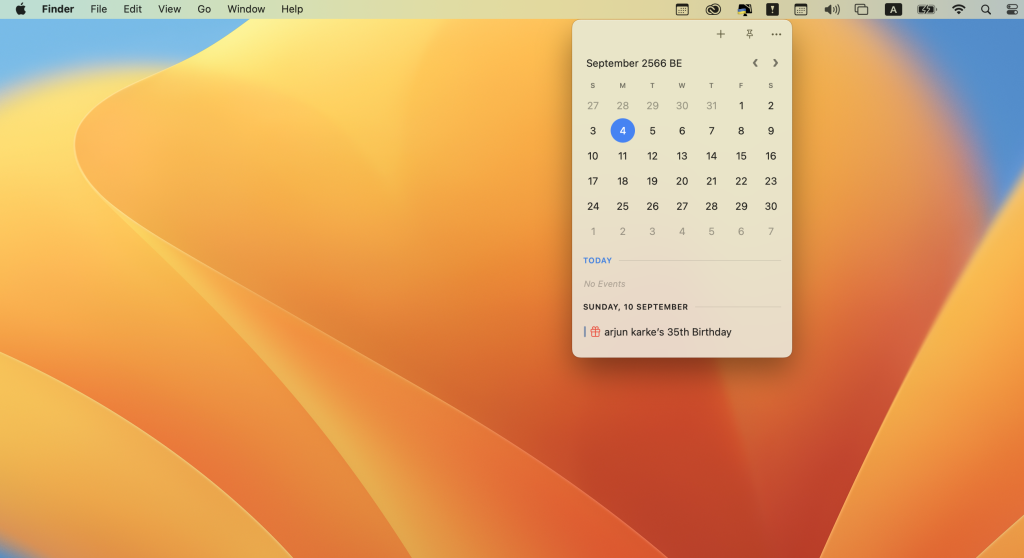
Dato is a macOS application designed to provide users with a highly customizable menu bar clock and calendar tool. It offers a range of features and options to help you manage your schedule and stay organized. Here are some of the key features and details about Dato:
Main Features:
- Menu Bar Display: Dato displays a clock and date in your macOS menu bar, allowing you to quickly access this information at a glance.
- Multiple World Clocks: You can view multiple world clocks in the menu bar, which is useful for keeping track of time zones in different locations.
- Calendar Integration: Dato provides a calendar view that allows you to see your upcoming events and appointments. It supports various calendar services, including iCloud, Google Calendar, and Outlook.
- Customization: The app is highly customizable. You can choose how many calendar events to display and for how many days. You can also customize the date and time format in the menu bar.
- Event Details: Dato displays event details in the calendar, including event names, times, and any notes associated with the events. You can click on an event to reveal it in your default calendar app.
- Week Numbers: The calendar view includes week numbers, which can be helpful for planning and scheduling.
- World Clocks: You can set up custom world clocks with names for different cities. Dato also provides offline support for searching 15,000 cities.
- Integration with Meeting Apps: Dato integrates with video conferencing apps like Zoom, Google Meet, and Microsoft Teams. It shows icons on events and provides a button for quick access to join meetings.
- Global Keyboard Shortcuts: The app supports global keyboard shortcuts for opening and closing the app, creating events, and more. This can be handy for power users who want to access features quickly.
- Custom Menu Bar Icons: Dato offers various menu bar icons, allowing you to choose the one that suits your preferences.
- macOS 11 and 10.15 Features: Some features are specific to macOS versions 11 and 10.15. For example, on macOS 11, you can show the upcoming event in the menu bar, create events, and use widgets. On macOS 10.15, there’s a Today widget in the Notification Center for time zones.
- One-Time Purchase: Dato follows a one-time purchase model with free upgrades forever, meaning you won’t have to subscribe for ongoing updates.
- Language Support: While Dato supports all the locales and languages that macOS supports for menu bar text, dates, times, and calendars, its menus and preferences are available in English only.
It’s worth noting that Dato is compatible with macOS 13.3 or later and can be downloaded from the Mac App Store.
Dato is designed to enhance your Mac’s menu bar with useful time and calendar features, providing a range of customization options to suit your needs and preferences.
Mac Duplicate File Finder Pro V- 7.3.0 free
03 years

Name : Duplicate File Finder Pro
Size : 39 MB
Mac Duplicate File Finder Pro V- 7.3.0 free
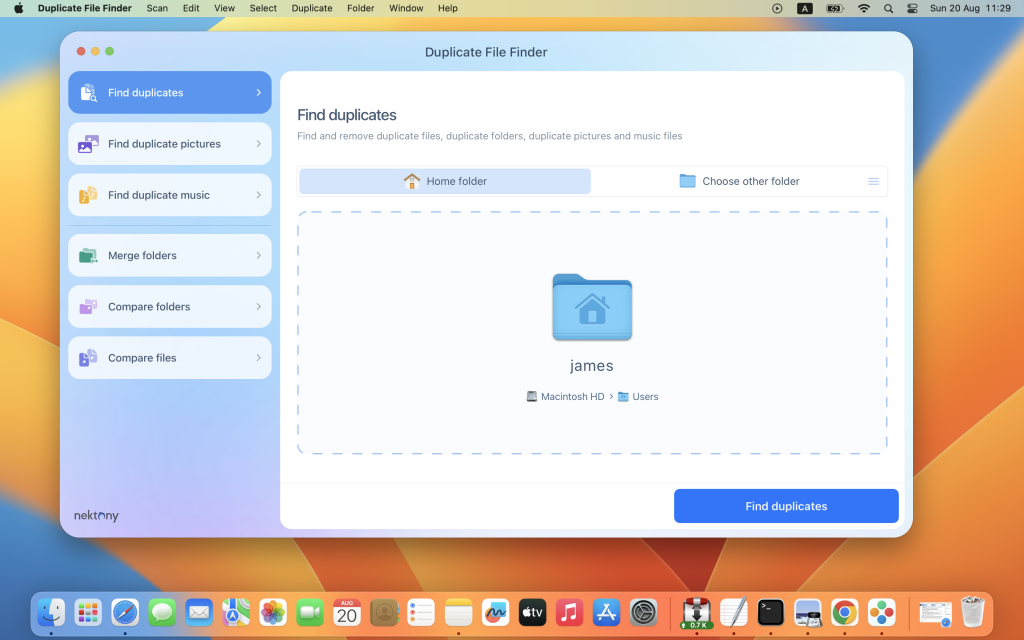
PrimeFile is a free utility designed for macOS that helps you find and manage duplicate files on your Mac quickly and efficiently. Here are some of its key features:
Scanning:
- Utilizes a fast scanning algorithm to identify duplicate files.
- Allows you to scan multiple folders or drives for duplicates.
- Supports external drives and mounted network folders.
- Offers a “Recent Folders List” for easy access to previously scanned folders.
- Provides an animated scanning process for user feedback.
- Allows you to create a skip list to exclude specific files or folders from the scan.
Results Overview:
- Presents a visual chart report during the scanning process.
- Generates a list of duplicate files.
- Categorizes duplicate files by types, such as images, videos, music, archives, documents, and other specific extensions.
- Offers an easy-to-understand overview of how much space each duplicate file occupies.
Duplicates Management:
- Includes a built-in duplicates search feature.
- Provides a preview and quick look option for every file, allowing you to inspect duplicates before taking action.
- Offers various sorting options for duplicate files, including name, size, total size, type, and duplicates count.
Removing Duplicates:
- Displays a visual progress bar when selecting files for removal.
- Allows for one-click selection of multiple duplicate files.
- Offers smart duplicates autoselection for convenience.
- Provides options to mark files as “always select” or “never select” during autoselection.
- Presents a confirmation list of deleted files, giving you control over the removal process.
- Allows you to choose between moving duplicate files to Trash or permanently deleting them.
Upgrade to Pro:
- Offers an in-app purchase option to upgrade to the Pro version, which includes additional features.
- Pro features include the ability to preview and use the visual report on duplicates scan, find duplicates in hidden folders, locate duplicate folders, find similar folders (those containing both unique and duplicate files), and use intelligent cleanup hints.
Compatibility:
- PrimeFile is compatible with macOS 10.12 or later.
You can learn more about PrimeFile and download it from its official homepage on the Mac App Store: PrimeFile on the Mac App Store.
PrimeFile can be a valuable tool for organizing your files, saving disk space, and improving the overall performance of your Mac by removing unnecessary duplicate files.