Free Macsoftware One click Download
Graphic and Design
Download Image2icon Pro for Mac 2.18 fix
02 years

Name : Image2icon Pro 2.18 fix
size : 59 MB
Image2icon Pro for Mac free Download
Image2icon is a macOS application that simplifies the process of creating custom icons for files, folders, and applications. Version 2.0 introduces features such as image to icon conversion and a variety of icon templates for customization.
Key Features:
- Image to Icon Conversion:
- Easily convert images into icons by dragging and dropping an image to Image2icon.
- Apply the generated icon to files or folders effortlessly.
- Icon Templates:
- Choose from over 20 retina-ready icon templates to customize your icons.
- Templates are available via in-app purchase and cover various themes like folders, external drives, documents, app icons, and more.
- Template Variety:
- Templates include options for Light and Dark Mode folders, engraved folders, external drives, USB drives, SD cards, document icons, and more.
- Each template can be applied with just one click for quick customization.
- Professional Features (In-App Purchase):
- Unlock all professional (PRO) features via in-app purchase for advanced customization.
- Access additional templates and features to enhance icon design.
- Compatibility:
- Compatible with macOS 10.11 or later.
In-App Purchases:
- PRO (all) features unlocked.
Availability:
Download Topaz Gigapixel AI for Mac 6.3.3
02 years

Name : Topaz Gigapixel AI
Size : 1.1 GB
Download Topaz Gigapixel AI for Mac free
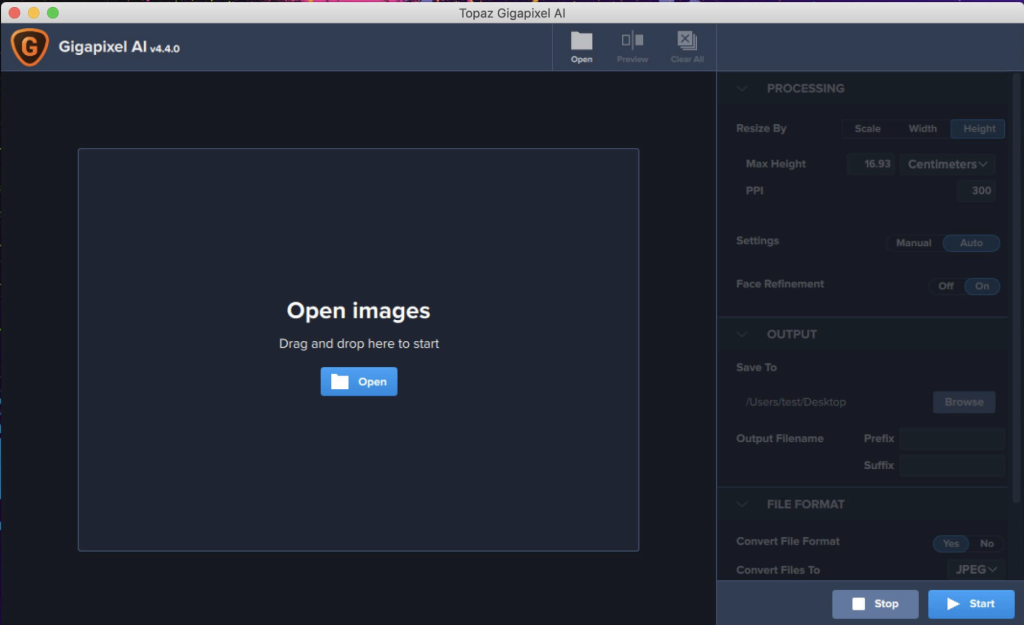
Topaz Gigapixel AI is a powerful photo enlargement tool that utilizes machine learning to upscale images by up to 600%, while preserving and enhancing image quality. It offers a revolutionary approach to photo enlargement, allowing users to create detailed and sharp prints, transform DSLR photos into ultra-detailed images, and more.
Key Features:
- High-Quality Enlargement:
- Enlarge images by up to 600% without losing detail.
- Ideal for creating large prints, high-resolution cropping, and enhancing photo quality.
- Intelligent Upscaling:
- Trained with millions of sample images, Gigapixel AI performs intelligent upscaling with a high level of quality.
- Uses around 2 million operations per pixel to preserve detail and sharpness.
- Detail Recovery:
- Gigapixel AI recovers real details in the image, providing actual sharpness rather than just increasing edge contrast.
- Adds detail back to the upscaled photo for crisp and clear results.
- Noise Suppression:
- Suppresses noise in the upscaled photo while accentuating and recovering detail.
- Achieves crisp photos that look natural and sharp.
- Versatile Applications:
- Used by photographers, video game modders, and major motion studios for a wide range of applications.
- Offers the highest-quality image upscaling for various creative projects.
- Machine Learning vs. Interpolation:
- Utilizes machine learning (neural network) for image enlargement, adding new details based on learning from thousands of photo pairs.
- Contrasts with interpolation-based methods that approximate new pixels from surrounding colors without adding detail.
System Requirements:
- macOS 10.14 or later
Homepage: Topaz Gigapixel AI
Download Pixelmator Pro for Mac 3.5.0
02 years

Name : Pixelmator Pro
Size : 608 MB
Download Pixelmator Pro for Mac free 3.5.0
Pixelmator Pro is a powerful, intuitive, and versatile image editor designed exclusively for Mac. Tailored for both beginners and seasoned professionals, it provides a wide range of nondestructive image editing tools, allowing users to enhance photos, create stunning compositions, draw, paint, apply effects, design text, and edit images with ease. The software features an exceptional design, professional-grade tools, and integrates seamlessly with macOS.
Key Features:
- Exceptional Design and Functionality:
- Modern, single-window interface designed exclusively for Mac.
- Intuitive and refined design for easy and accessible image editing.
- Native dark and light appearances adapting to macOS modes.
- Customizable interface with workspace presets for various purposes.
- Full-featured Photos extension for nondestructive edits directly in Photos.
- Professional Tools:
- Wide range of image editing tools for various creative needs.
- Nondestructive editing with individual change adjustments.
- Move, resize, and arrange objects to create stunning compositions.
- Machine learning-powered color adjustments for precise control.
- Superior support for RAW files with editing of extended range data.
- Digital and traditional painting with customizable brushes.
- Built-in effects for artistic and special effects with presets.
- Magical Image Editing with Machine Learning:
- Repair tool for seamlessly removing objects with realistic recreation.
- ML Enhance for intelligent enhancement based on professional photos.
- ML Super Resolution for zooming and enhancing image resolution.
- ML Match Colors to copy the look of one photo to another.
- ML Denoise for noise and compression artifact removal.
- Compatibility:
- Open and edit images in popular formats: JPEG, TIFF, PNG, PSD, HEIF, SVG, PDF, GIF, BMP, TGA, WebP, and JPEG-2000.
- Open and edit Photoshop images with layers.
- Open and edit SVG vector images.
- Built Exclusively for Mac:
- Designed for macOS with seamless integration with macOS Big Sur features.
Compatibility: macOS 11.0 or later
Mac App Store: Pixelmator Pro

Download Transfer for Mac V- 2.2.0
02 years
by Jameskarke
in Graphic and Design

Name : Transfer
Size : 8 MB
Download Transfer for Mac free V- 2.2.0
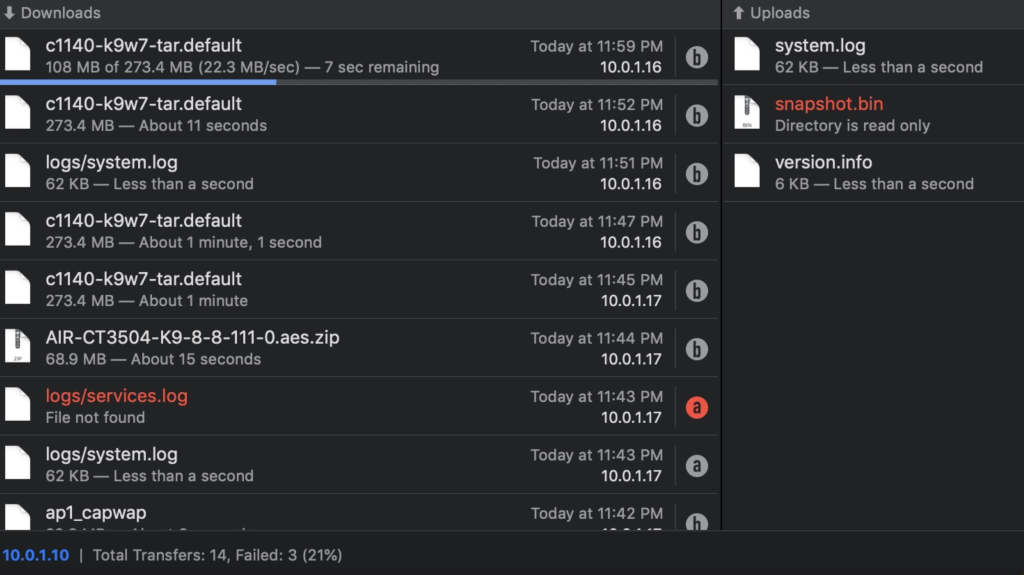
Transfer is a reliable and fully RFC-compliant TFTP (Trivial File Transfer Protocol) server application designed as an alternative to the built-in TFTP server on Mac. It provides a feature-rich TFTP server with real-time updates of ongoing transfers, support for broadcast requests, transfer history, and basic root directory access control and file management. With a simple and modern user interface, Transfer offers total control over file transfers while ensuring compatibility with existing TFTP clients.
Key Features:
- Real-Time Updates:
- Get real-time updates on current transfers in progress.
- File Management:
- Basic file management for the root TFTP directory.
- Broadcast Transfer Requests:
- Support for broadcast transfer requests.
- TFTP Extensions and Options:
- Supports common TFTP extensions and options.
- Transfer History:
- Keeps a history of file transfers.
- Compatibility:
- Compatible with macOS 10.14.6 or later, 64-bit processor.
Homepage: Transfer – TFTP Server
Download Rhino 8 for Mac v8.2.23346.13002
12 years

Name : Rhino 8
Size : 664 MB
Download Rhino 8 for Mac free v8.2.23346.13002
Rhino 3D Modeler Overview:
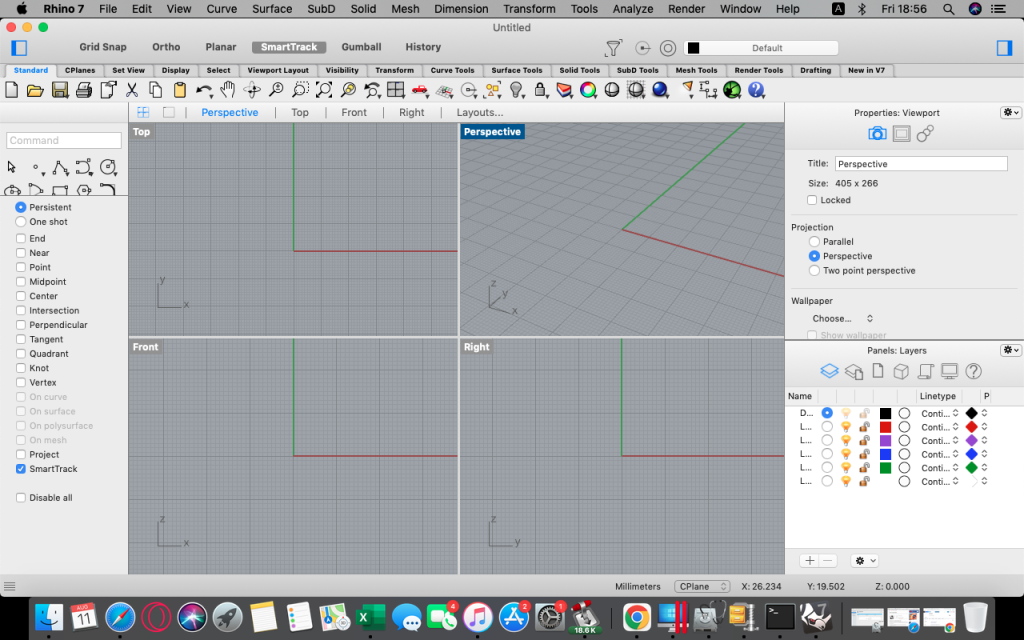
Rhinoceros (Rhino) is a versatile 3D modeler designed to perform a wide range of tasks, including creating, editing, analyzing, documenting, rendering, animating, and translating NURBS curves, surfaces, solids, point clouds, and polygon meshes. It offers unparalleled free-form 3-D modeling tools, providing users with the ability to model any shape they can imagine. Rhino stands out for its accuracy, compatibility with various design software, and accessibility.
Key Features:
- Free-Form 3-D Modeling:
- Uninhibited free-form 3-D modeling tools for creating complex shapes.
- Comparable to tools found in products costing significantly more.
- Accuracy and Versatility:
- Precision and accuracy for designing, prototyping, engineering, analyzing, and manufacturing.
- Compatibility with a wide range of design, drafting, CAM, engineering, analysis, rendering, animation, and illustration software.
- Mesh Handling:
- Read and repair meshes.
- Handle challenging IGES files.
- Accessibility and Ease of Use:
- User-friendly interface with a short learning curve.
- Focus on design and visualization without software distractions.
- Performance:
- Fast performance, even on ordinary laptop computers.
- No special hardware requirements.
- Affordability:
- Affordable purchase price with no maintenance fees.
System Requirements:
- macOS 12.4 or later
Homepage: Rhino 3D
Download Microsoft Office 2021 v16.80 VL
02 years
by Jameskarke
in Graphic and Design

Name : Microsoft Office 2021 for Mac LTSC
Size : 2.1 GB
Microsoft Office 2021 for Mac LTSC free Download v16.80 VL
Microsoft Office 2021 for Mac is a productivity suite designed specifically for Mac users, integrating seamlessly with the latest Mac features such as Retina display, full-screen view support, and scroll bounce. This version of Office includes familiar applications like Word, Excel, PowerPoint, OneNote, and Outlook, tailored to provide a productive and user-friendly experience on the macOS platform.
Key Features:
- Word:
- Create and share professional-looking documents.
- State-of-the-art editing, reviewing, and sharing tools.
- Design tab for quick access to features.
- Smart Lookup for relevant contextual information from the web within Word.
- Excel:
- Analyze and visualize data in new and intuitive ways.
- Fresh user interface with favorite keyboard shortcuts.
- Features like Analysis Toolpak, Slicers, and Formula Builder for efficiency.
- PowerPoint:
- Create, collaborate, and present ideas effectively.
- New slide transitions and improved Animations task pane.
- Threaded comments for feedback incorporation.
- Presenter View displays current and next slides, speaker notes, and timer.
- OneNote:
- Digital notebook for notes, ideas, web pages, photos, audio, and video.
- Accessibility across different devices for seamless sharing and collaboration.
- Ideal for various purposes, including school assignments, work projects, and more.
- Outlook:
- Easily manage email, calendar, contacts, and tasks.
- Push email support to keep the inbox up to date.
- Conversation view groups related messages.
- Side-by-side calendar view for efficient planning.
System Requirements:
- macOS 10.15 or higher
- Disk Space: 9 GB free
Supported Languages:
- English, العربية, 中文, Čeština, Dansk, Nederlands, Suomi, Français, Deutsch, Ελληνικά, עברית, Magyar, Bahasa Indonesia, Italiano, 日本語, 한국어, Norsk, Polski, Português, Русский, Slovenčina, Español, Svenska, ภาษาไทย, Türkçe
Homepage: Microsoft
Download Cartographica for Mac 1.7.1
02 years
Name : Cartographica
Size : 811 MB
Download Cartographica for Mac free 1.7.1
Cartographica: Geographic Information System (GIS) Overview:
Cartographica is a Geographic Information System (GIS) designed for Mac users, allowing them to explore, refine data, create maps, and export information for the web. It offers versatile features for merging data from various sources, including government data, satellite imagery, topographical information, street data, and more.
Key Features:
- Merge Data from Multiple Sources:
- Combine data from different sources, including government data in CSV format, satellite imagery, topographical information, and street data from sources like the US Census Bureau TIGER.
- Flexible File Import:
- Supports a wide range of file formats for raster, vector, and tabular data.
- Rapid Filtering with Search Bar:
- Quickly filter data using the search bar for efficient data exploration.
- Map Layout Capabilities:
- Create visually appealing maps with sophisticated map layout capabilities for both printed and PDF maps.
- Flexible Styles:
- Apply flexible styles to represent data in an easy-to-understand manner.
- Direct Editing:
- Edit or add data directly, providing more control over your geospatial information.
- Pervasive Undo Support:
- Offers extensive undo support, allowing users to experiment with operations safely.
- Synchronized Data/Map Browsing:
- View data and maps simultaneously in a synchronized manner.
- Geocoding:
- Convert addresses into map data through geocoding.
- Direct Database Access via ODBC:
- Access databases directly using ODBC for enhanced data retrieval.
- Google Maps and Google Earth Export:
- Export data seamlessly to Google Maps and Google Earth using Cartographica’s KML exporter.
- Adobe Illustrator Export:
- Export maps, scales, legends, and imagery to Adobe Illustrator.
- WMS and WFS Support:
- Support for Web Map Services (WMS) and Web Feature Services (WFS) for retrieving geospatial data from the internet.
- Intelligent Projection Management:
- Automatically manages Coordinate Reference Systems (CRS) for data, simplifying the projection process.
- GPS Import:
- Import data from GPS devices.
System Requirements:
- macOS 10.15 or later
Homepage: MacGIS
Download FxFactory for Mac 8.0.11 (7691)
02 years

Name : FxFactory
Size : 32 MB
Download FxFactory for Mac free 8.0.11 (7691)
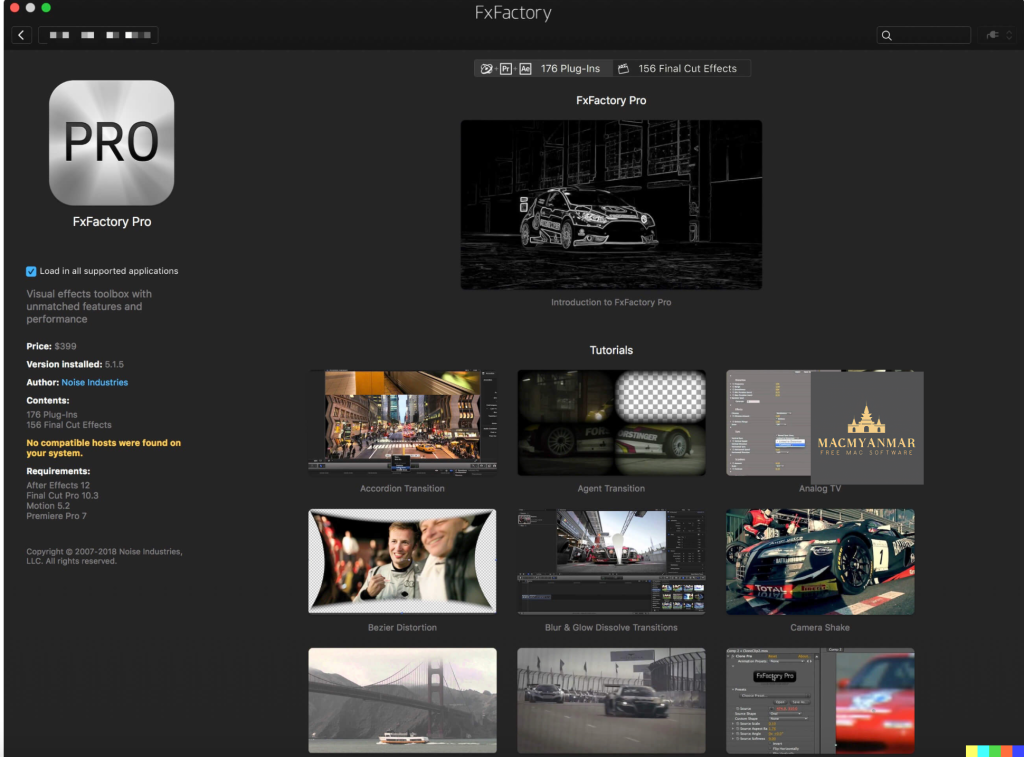
FxFactory Pro: Your Ultimate Visual Effects Toolbox
FxFactory Pro stands out as a revolutionary visual effects package that empowers the most extensive collection of plugins for popular video editing and motion graphics software such as Final Cut Pro, Motion, After Effects, and Premiere Pro.
Key Features:
- Extensive Plugin Collection:
- Provides quick access to a vast collection of visual effects designed for Adobe After Effects, Final Cut Pro, or Motion.
- Intuitive Interface:
- User-friendly interface for browsing and managing all installed effects on your system.
- Free and Commercial Products:
- Allows the use of free products without purchasing, with support for purchasing and registering commercial products.
- FxFactory Pro Version:
- Enables users to create their visual effects without coding.
- Plugin Configuration:
- Users can check and configure all plugins for their projects, create new ones based on existing ones.
- Seamless Integration:
- Seamless integration with FxPlug, making the plugins immediately usable in Final Cut Pro, Motion, After Effects, and more.
- Pro Pack Support:
- Pro Pack plugins support the creation of 16-bit and 32-bit moving images.
- Environment Management:
- Offers a complete environment for managing plugins, connecting modules to projects, applying them to content, previewing, and rendering.
System Requirements:
- Compatible with Apple Final Cut Pro X 10.2+, Motion 5.2+, Adobe After Effects CC+, Adobe Premiere Pro CC+
What’s New in Version 8.0.11 (7691):
- Release notes were unavailable when this listing was updated.
Homepage: FxFactory Pro
Download HitPaw Photo Enhancer for Mac 2.7.0
02 years
Name : HitPaw Photo Enhancer
Size : 1 GB
Download HitPaw Photo Enhancer for Mac free 2.7.0
HitPaw Photo Enhancer for Mac: Clear and Enlarge Your Photos
HitPaw Photo Enhancer is a tool designed to make your photos clearer and allow you to enlarge them without losing quality. Whether you have a blurry photo, a screenshot that needs enhancement, or you want to enlarge images for better clarity, HitPaw Photo Enhancer aims to improve the quality of your pictures.
Key Features:
- Clear Landscape Photos:
- Enhance the clarity of your landscape photos to preserve memorable moments.
- Enlarge Anime Images:
- Enlarge anime images as much as you want with the best effect and no quality loss.
- Fix Blurry Building Footage:
- Correct blurry images of buildings and increase photo size for better clarity.
- Upscale Print Resolution:
- Improve print resolution for a better overall experience.
What’s New in Version 2.7.0:
- Unfortunately, release notes were unavailable when this listing was updated.
Compatibility:
- macOS 10.12 or later.
Homepage: HitPaw Photo Enhancer
HitPaw Photo Enhancer for Mac is designed to address common issues with photos, offering clarity enhancement and the ability to enlarge images without compromising quality. Whether it’s landscapes, anime images, or building footage, this tool aims to make your photos look better and more detailed.

Download HitPaw Photo Object Remover 1.2.1
02 years

Name :HitPaw Photo Object Remover
Size : 331 MB
Download HitPaw Photo Object Remover for Mac free 1.2.1
HitPaw Photo Object Remover for Mac: AI-Powered Object Removal
HitPaw Photo Object Remover for Mac leverages cutting-edge AI technology to automatically track and identify objects in your photos, allowing you to remove unwanted elements with ease. Here’s a rundown of its key features:
World-Class AI Photo Object Remover:
- Remove objects from photos with a simple 1-2-3 process.
- AI-powered technology ensures swift and accurate removal of unwanted objects.
- Effortlessly retouch photos by eliminating humans, clutter, and even shadows.
- Fastest and most intuitive object remover.
AI-Powered Technology for Portrait Photo Enhancement:
- Locate and remove facial blemishes for stunning portrait photos.
- Eliminate wrinkles, erase acnes, freckles, and remove defects seamlessly.
Strong Neural Networks for General Photo Object Removal:
- Remove strangers, tourists, or unwanted elements from vacation and travel photos effortlessly.
- Clear clutter and intelligently remove texts or watermarks from your images.
Inpainting Algorithm for Old Photo Restoration:
- Utilize the fastest AI-powered object remover to efficiently repair old photos.
- Remove creases, stains, grain, and perform spot removal to restore old photos to their original glory.
One-Click Object Removal with AI Eraser:
- Streamlined and user-friendly interface for a hassle-free object removal experience.
Compatibility:
- macOS 10.12 or later.
Homepage: HitPaw Photo Object Remover
Whether you’re a professional photographer looking to enhance portrait photos or someone wanting to remove unwanted elements from vacation pictures, HitPaw Photo Object Remover for Mac offers an efficient and AI-powered solution.
