Free Macsoftware One click Download
Graphic and Design
Topaz Gigapixel AI for Mac 7.3.2
02 years

Name : Topaz Gigapixel AI
Size : 282 MB
Topaz Gigapixel AI for Mac free Download
Gigapixel AI by Topaz Labs is a cutting-edge software that uses advanced machine learning to enlarge images without losing quality. Traditional methods of enlarging images often lead to blurry and pixelated results, but Gigapixel AI employs state-of-the-art AI technology to upscale images up to 600% while preserving, and even enhancing, details.
Key Features:
- Enlarge Images by up to 600%:
- Create high-quality, large-scale prints, such as an 80 x 60 inch photo from a simple iPhone image.
- Transform DSLR photos into ultra-detailed, sharp 100MP images.
- Intelligent Upscaling:
- Trained with millions of sample images, Gigapixel AI intelligently enlarges images with an impressive level of detail.
- Crisp and Clear Results:
- Gigapixel AI performs around 2 million operations per pixel to ensure high levels of detail and sharpness.
- The software uniquely adds detail back to upscaled images, making them look sharp and realistic.
- Recover Real Details:
- Unlike traditional software that only increases edge contrast to mimic sharpness, Gigapixel AI recovers real details by learning from millions of test images.
- Preserve Quality:
- Produces crisp, high-quality photos that maintain their sharpness and detail, even after being upscaled by 4x or more.
- Deep Learning vs. Interpolation:
- Traditional interpolation algorithms only smooth out transitions between pixels without adding detail.
- Gigapixel AI uses neural networks to learn how details are lost during enlargement and effectively adds those details back.
Target Audience:
- Photographers looking to create large prints from small images.
- Designers who need high-resolution cropping in post-production.
- Video Game Modders and Motion Studios requiring high-quality image enlargements.
System Requirements:
- Compatibility: macOS 10.14 or later.
Homepage:
Gigapixel AI is an ideal solution for anyone who needs to upscale images without sacrificing detail and quality. Its machine learning capabilities set it apart from traditional interpolation-based software, making it a powerful tool for professionals and enthusiasts alike.
Photomatix Pro for Mac 7.1.2
02 years

Name : Photomatix Pro
Size : 29.8 MB
Photomatix Pro for Mac free Download
Photomatix Pro is a specialized image editing software that enhances the dynamic range of photographs, making it ideal for high-contrast scenes. The application allows users to process multiple exposures of the same scene into a single image that retains details in both the highlights and shadows. Photomatix Pro offers two primary methods for increasing dynamic range: HDR Tone Mapping and Exposure Blending. These methods provide different results, allowing users to experiment and choose the one that best suits their images.
Key Features:
- HDR Generation:
- Create HDR images by combining multiple differently exposed photos.
- Convert single RAW files into pseudo-HDR images for enhanced detail.
- Tone Mapping:
- A tool designed to reveal details in both highlights and shadows of HDR images.
- HDR Viewer allows users to see local HDR data at the appropriate exposure.
- Includes a logarithmic HDR histogram to help visualize the dynamic range.
- Batch Processing:
- Batch tone mapping for processing multiple HDR images efficiently.
- Automatic batch processing for repetitive tasks.
- Exposure Blending:
- Four different algorithms for Exposure Blending to create dynamic images.
- Preview and Loupe tools available for all exposure blending methods.
- Automatic alignment options for hand-held images, with two methods available.
- Large Image File Processing:
- Tone map large HDR files with a preview feature, ensuring precision even with bigger projects.
- File Format Support:
- Read and write support for formats such as Radiance RGBE (.hdr), OpenEXR (.exr), and Floating Point TIFF.
- Supports JPEG, TIFF, Radiance RGBE, OpenEXR, PNG, PSD, and RAW files from various camera models.
- Color Management:
- Color managed HDR workflow with ICC color profile passthrough from source to tone-mapped images.
- Color-managed display for accurate color representation.
- Automatic Alignment:
- Automatic image alignment for hand-held shots, ensuring perfect blending without a tripod.
- Preview Tools:
- Preview and Loupe tools to fine-tune exposure blending results before finalizing edits.
System Requirements:
- Compatibility: macOS 10.11 through macOS 14 Sonoma – compatible with both Apple silicon chips and Intel processors.
Homepage:
Photomatix Pro is a versatile tool for photographers who want to enhance their images by expanding the dynamic range and bringing out details that would otherwise be lost in traditional photography. Its combination of HDR Tone Mapping, Exposure Blending, and batch processing tools make it ideal for both casual photographers and professionals looking to automate and enhance their workflows.
Perfectly Clear WorkBench for Mac 4.6.1.2690
02 years

Name : Perfectly Clear WorkBench
Size : 197 MB
Perfectly Clear WorkBench for Mac free Download
Perfectly Clear Workbench is a powerful application designed to demonstrate and utilize Athentech’s Perfectly Clear image correction libraries. Ideal for photographers and developers, this application provides a platform to fine-tune image corrections and settings, which can be easily exported for use in other applications through its API. With a user-friendly interface and advanced tools, Perfectly Clear Workbench enables users to make precise adjustments to their images and export these settings to integrate them into custom software solutions using the image correction SDK.
Key Features:
- Image Correction Tools:
- Preprocessing Section: Includes Input Looks and “Image Ambulance” for manual exposure adjustments.
- Face-Aware Exposure: Automatically adjusts exposure for better accuracy in portraits and group photos.
- Black Point Tool: Enhances depth in blacks for richer contrast.
- Color Vibrancy Tool: Complements the existing Color Restoration (formerly known as Vibrancy) for improved color enhancement.
- Sky and Foliage Enhancements: Enhances natural elements for vivid, realistic photos.
- Improved Tools:
- Light Diffusion and Vibrancy: New strength sliders offer more granular control.
- Color Pickers: Enhanced pickers for precise Skin Tone and Blush adjustments.
- Face Detection and Manual Adjustments:
- Manual Face Identification: Allows users to mark faces not automatically detected by the software.
- Zoom to Faces: One-click zoom to specific faces for focused editing.
- Facial Region Modification: Customize facial regions to ensure the best possible corrections.
- Histogram Tool: Offers a visual representation of exposure and tonal distribution.
- Preset Management: Enhanced management of presets for easy access and organization.
Developer Integration:
- Export to API: Save image corrections as presets and export them to a text file. This file can be copy-pasted directly into source code for use with the image correction SDK, streamlining the workflow for developers.
Supported Image Formats:
- RGB Images: Perfectly Clear supports both 8-bit and 16-bit RGB-formatted images.
- RAW Files: RAW images must be opened via Adobe Camera RAW and imported into Photoshop before being processed in Perfectly Clear.
- Conversion Required: Monochrome and CMYK images need to be converted to RGB format before use.
What’s New in Perfectly Clear Workbench 4:
- Updated interface with a sleek, modern design.
- Expanded and improved image correction tools.
- Better control over existing tools with new adjustment sliders and enhanced color pickers.
- New facial recognition features and enhanced facial region modifications.
- New and improved histogram and preset management tools.
Latest Version:
- Version: 4.6.1.2690
- Compatibility: macOS 10.10 or later
- Homepage: Perfectly Clear Workbench
Perfectly Clear Workbench 4 offers a complete solution for photographers and developers looking to enhance images and integrate those enhancements into their software with ease. The combination of intuitive tools, powerful adjustments, and seamless API export makes it a versatile and essential tool for professional image processing.
Pixelmator Pro for Mac 3.6.7
02 years

Name : Pixelmator Pro
Size : 656 MB
Pixelmator Pro For Mac free Download
Pixelmator Pro is a powerful, beautifully designed, and user-friendly image editor created exclusively for Mac users. It provides an extensive suite of professional-grade tools that allow users to edit, enhance, and create stunning images with ease. Whether you’re a beginner or a seasoned professional, Pixelmator Pro is designed to be intuitive and accessible, making it an excellent choice for anyone looking to improve their photos or create digital art.
Key Features:
- Exceptional Design and Functionality:
- Pixelmator Pro features a modern, single-window interface designed specifically for image editing on a Mac.
- The interface is intuitive and refined, making it easy to navigate for both beginners and experienced users.
- It supports native dark and light appearances that adapt to the macOS light and dark modes.
- The interface is customizable, allowing users to organize their workspace according to their needs, with presets for photography, design, illustration, and painting.
- A full-featured Photos extension lets you edit images directly within the Photos app, with nondestructive edits saved directly to your library.
- Professional Tools:
- Pixelmator Pro offers a wide range of tools for enhancing and creating images, all of which are nondestructive, allowing you to adjust changes at any time.
- The software provides advanced color adjustments powered by machine learning, offering precise control over your images.
- It includes superior support for RAW files, allowing you to edit RAW images using all their extended range data.
- The app features handcrafted, customizable brushes for digital and traditional painting, with full support for digital graphics tablets.
- It offers powerful effects and layer style combinations, with the ability to save and share presets.
- A complete set of retouching tools allows for seamless object removal, cloning, and selective lightening or darkening of areas in your images.
- The reshaping tools make it easy to adjust the shape of any object or area.
- Vector graphic design is supported with tools like the Pen tool and customizable vector graphics created by the Pixelmator Team.
- The app also includes robust typography tools, allowing for easy design of text elements, including curved, circular, and path text.
- Advanced web optimization features are available, including image compression to reduce file sizes.
- Batch processing is supported, with built-in Automator actions and AppleScript support for workflow automation.
- Machine Learning Enhancements:
- The Repair tool uses machine learning to remove objects and recreate image areas with stunning realism.
- ML Enhance intelligently improves photos using a machine learning algorithm trained on millions of professional photos.
- ML Super Resolution allows for zooming and enhancing image resolution with incredible detail.
- ML Match Colors automatically matches the color tone of one photo to another.
- ML Denoise removes image noise and compression artifacts while preserving details.
- The Quick Selection tool makes it easy to make accurate selections with minimal effort.
- Compatibility:
- Pixelmator Pro supports all major image formats, including JPEG, TIFF, PNG, PSD, HEIF, SVG, PDF, GIF, BMP, TGA, WebP, and JPEG-2000.
- It allows for the opening and editing of Photoshop images with layers and SVG vector images.
- The app supports sharing images to Photos, Mail, AirDrop, and other locations seamlessly.
- Built Exclusively for Mac:
- Pixelmator Pro is designed specifically for macOS, integrating seamlessly with macOS Big Sur and supporting almost every major macOS feature.
Compatibility:
- macOS Version: macOS 12.0 or later
Availability:
- Homepage: Pixelmator Pro
Pixelmator Pro stands out as a versatile and powerful image editor, combining ease of use with professional-grade tools, making it an excellent choice for Mac users looking to enhance their creative projects.
Rhino 8.10.24226.13002 for Mac download
02 years
by Jameskarke
in Graphic and Design

Name : Rhino 8
Size : 662 MB
Rhino 8 for Mac free Download
Rhino (Rhinoceros) is a versatile 3D modeler known for its powerful NURBS-based modeling capabilities. Rhino excels in creating, editing, analyzing, documenting, rendering, animating, and translating NURBS curves, surfaces, and solids, as well as point clouds and polygon meshes. It’s widely used in various industries such as architecture, industrial design, jewelry design, and more.
Key Features:
- Uninhibited Free-Form 3D Modeling: Rhino provides advanced free-form 3D modeling tools, offering capabilities often found only in more expensive software.
- High Accuracy: Designed to meet the needs of professionals in industries ranging from aerospace to jewelry design, ensuring precision in every project.
- Extensive Compatibility: Rhino integrates with other design, drafting, CAM, engineering, analysis, rendering, animation, and illustration software, enhancing workflow efficiency.
- Mesh and IGES Repair: It can handle complex mesh files and repair challenging IGES files, making it a versatile tool in various modeling scenarios.
- User-Friendly: Rhino’s interface is intuitive and easy to learn, allowing users to focus on design and visualization rather than the software itself.
- High Performance: Rhino runs efficiently on regular laptops without the need for specialized hardware, delivering fast results on standard machines.
- Affordable: With an accessible purchase price and no maintenance fees, Rhino offers powerful 3D modeling without breaking the bank.
Compatibility:
- macOS Version: macOS 12.4 or later
Availability:
- Homepage: Rhino 3D
Rhino’s flexibility, affordability, and powerful toolset make it a go-to solution for professionals and designers who require precise and creative 3D modeling capabilities.
Live Home 3D Pro for Mac 4.9.5
02 years

Name : Live Home 3D Pro
Size : 596 MB
Live Home 3D Pro for Mac free Download
Live Home 3D Pro is a comprehensive home design app ideal for both homeowners and professional designers. As a successor to Live Interior 3D, the Pro edition provides enhanced tools for advanced home design, superior export quality, and an exclusive Elevation View mode.
General Features:
- 2D Floor Plans: Create detailed 2D floor plans effortlessly.
- 3D Rendering: Enjoy beautiful real-time 3D rendering.
- Unlimited Floors: Add unlimited floor levels (Pro edition only).
- Tutorials & Support: Access in-depth video tutorials, built-in Help Assistant, and free, quick tech support.
- Project Gallery: Utilize house projects and sample rooms from the gallery.
- Live Interior 3D Compatibility: Seamlessly work with Live Interior 3D projects.
Floor Plan Tools:
- Room Tool: Draw complete rooms efficiently.
- Wall Tools: Use Arc and Straight Wall tools for drawing walls.
- Elevation View: Visualize your project in Elevation View (Pro edition only).
- Real-Time Measurements: View measurements for walls, ceilings, and floors in 2D Plan view.
- Dimension Tool: Set distances between objects or walls precisely.
- Object Snapping: Ensure precise positioning with smart guides.
Real-Time 3D Environment:
- 3D Adjustments: Modify lighting, move objects, apply materials, and more in real time.
- Walkthroughs: Explore your interior in a virtual walkthrough.
- Multiple Cameras: Set different camera angles to view the project from various perspectives.
- Lighting: Achieve natural lighting with true Geo positioning, daylight settings, and light fixtures.
- Light Editor: Add light sources to imported objects (Pro edition only).
- Complex Openings: Create corner windows and complex openings.
- Shadow Maps: Enhance realism with professional shadow mapping.
3D Models and Materials:
- Extensive Library: Access over 2,000 furniture models and 2,100 materials.
- Model Import: Import models from Trimble 3D Warehouse™ or SketchUp, and use formats like COLLADA, FBX, OBJ, and more.
- Custom Materials: Apply custom materials and edit them with advanced tools (Pro edition only).
- Polygonal Tools: Draw balconies, porches, and more using the polygonal-based Block tool (Pro edition only).
Roofs and Dormers:
- Roof Assistant: Choose from 12 customizable roof templates.
- Custom Roofs: Design custom-shaped roofs and add segments (Pro edition only).
- Dormers: Customize 16 different dormer styles.
Export and Share:
- Social Sharing: Share your designs on Facebook, Twitter, Vimeo, or YouTube.
- Image Export: Export 3D views in formats like JPEG, TIFF, PNG, and BMP.
- 360° Panoramas: Create 360° Panorama JPEG images and share them on Facebook.
- Video Walkthroughs: Render realistic video walkthroughs, including Stereo 3D and 360° video formats.
- Project Export: Export projects or objects in various formats such as COLLADA, SketchUp™, VRML, X3D, 3DS, FBX, USDZ, and OBJ (Pro edition only).
Compatibility:
- macOS: 10.14 or later
Homepage:
Live Home 3D Pro offers a robust toolset for detailed home design, making it an ideal choice for both amateur and professional designers seeking to create visually stunning and highly accurate projects.
CADintosh X for Mac free 8.8.7
02 years

Name : CADintosh X
Size : 63 MB
CADintosh X for Mac free Download
CADintosh is a 2D-CAD software tailored for technical and architectural drawings, providing users with a comprehensive set of tools and features to meet all their design needs. The program is designed to be both user-friendly and highly functional, making it suitable for professionals who require precision and flexibility in their work.
Key Features:
Drawing and Editing:
- Interactive Window Redrawing: Allows you to continue working while the window redraws, improving workflow efficiency.
- Unlimited Elements: The number of drawing elements is only limited by the memory available on your system.
- Pen-Oriented Mode: Offers 8 line widths, colors, and pens, allowing for consistent and detailed drawing.
- Individual Mode: Provides customizable line widths from 0.0 to 99.99 mm, along with pattern and color options.
- Comprehensive Toolset: Includes tools for lines, arcs, dimensions, splines, hatching, and more.
File Import and Export:
- Supported Formats: Import and export drawings in HPGL, DXF, and PICT formats, ensuring compatibility with other CAD software.
Line Types and Layers:
- Line Types: Choose from 6 line types, including solid, dash, dot-dash, phantom, zigzag, and dotted.
- Layer Management: Supports up to 32,000 groups and 1,024 layers, allowing for detailed and organized designs.
- Alternative Units: Offers the ability to work in inches or freely definable units for greater flexibility.
Symbols and Filters:
- Internal Symbols: The shareware version supports internal symbols, with the number only limited by available memory.
- External Symbol Libraries: The registered version allows the use of external symbol libraries, enhancing the ease of symbol management.
- Layer Filters: The shareware version provides a simple layer filter, while the registered version includes an extended layer filter with named filter sets and a palette for filter names.
User Preferences and Compatibility:
- Preferences: User preferences are saved directly in the drawing, making it easy to maintain consistency across projects.
- Native macOS Support: Runs natively on macOS X, ensuring seamless integration with your operating system.
Compatibility:
- Operating System: macOS 10.11 or later.
Availability:
- Homepage: CADintosh on Lemkesoft
CADintosh is a robust and versatile tool for anyone involved in technical and architectural drawing, offering a range of professional features that cater to both simple and complex design tasks.
iCalamus for Mac Download 2.27
02 years

Name : iCalamus
Size : 19.5 MB
iCalamus for Mac free Download
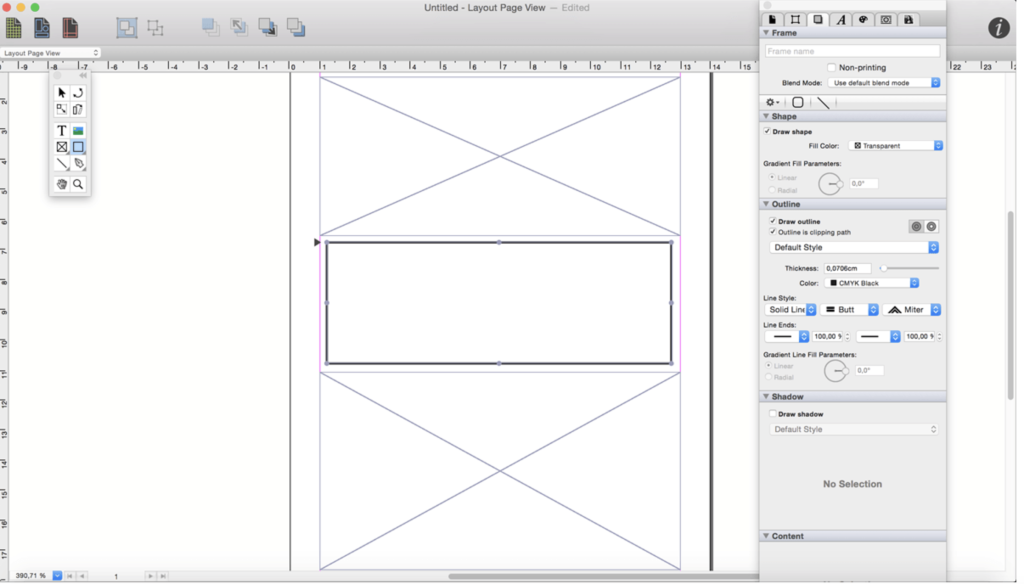
iCalamus is a powerful desktop publishing software designed for macOS, offering a versatile platform for creating and managing various types of documents, including text, photos, and other visual elements. Whether you’re working on a simple poster, a business letter, or complex publications like magazines, books, and scientific works, iCalamus provides the tools you need to bring your creative vision to life.
Key Features:
Comprehensive Layout Capabilities:
- Versatile Document Creation: Create a wide range of documents, from simple to complex, using text, images, and other visual elements.
- Photo Books & Calendars: Even in the unregistered version, users can create professional photo books and calendars and order high-quality prints from the Photographerbook company. iCalamus also supports iPhoto calendars and will soon support iPhoto books for printing.
- Full Unicode Support: Ensures compatibility with a wide range of characters and languages, making it ideal for multilingual projects.
- PDF Import and Editing: Smart PDF import allows easy access to content for further editing and layout work.
User Interface & Ease of Use:
- Intuitive Interface: Designed with a low learning curve, the user interface is both reasoned and user-friendly, allowing for quick and efficient layout work.
- Customizable Layouts: Unlike other programs that offer pre-set layouts, iCalamus provides tools that allow for complete creative freedom, enabling users to design their own unique layouts.
Modular Design:
- Expandable with Modules: iCalamus is a modular program, with future growth possible through external modules, including those developed by third-party developers. An Open Development Area (ODA) will be created to facilitate this expansion.
- Objective-C and Cocoa-Based: The software is developed in Objective-C with extensive use of Apple’s Cocoa library, ensuring a robust and reliable experience.
Extensive Format Support:
- Image & Text Import: Supports a wide range of image and text formats, including those from digital cameras, scanners, and iPhoto libraries. It also supports importing whole web page content and PDF documents.
- Masking & Frame Shapes: Offers advanced masking options and dynamically changeable frame shapes for enhanced creativity.
- Virtual Copies: Allows for easy duplication of document elements, with the ability to make changes to multiple instances with just a few clicks.
Output Options:
- Printing: Supports all printers compatible with macOS.
- PDF Output: Provides options to output documents in various PDF formats, including PDF-X, encrypted PDFs, and PDF for faxing.
Language Support:
- Multilingual Interface: Available in English, Czech, Danish, Dutch, French, German, Italian, Latvian, Polish, Spanish, and Swedish.
Compatibility:
- Operating System: macOS 10.11 or later, 64-bit processor.
Availability:
- Homepage: iCalamus
iCalamus is an excellent choice for anyone needing a powerful and flexible desktop publishing solution, with the added benefit of expanding capabilities through its modular design. Whether you’re a professional designer or someone working on personal projects, iCalamus offers the tools and flexibility to meet your needs.
GraphicConverter for Mac 12.2.0 (6570)
02 years

Name : GraphicConverter
Size : 261 MB
GraphicConverter for Mac free Download
GraphicConverter is a versatile image-editing program designed to handle a wide range of graphic formats and editing tasks. Known for its ability to import over 200 different graphic formats and export to 80 formats, GraphicConverter is a go-to tool for graphic manipulation, offering powerful editing features and support for Photoshop-compatible plug-ins.
Key Features:
Comprehensive Format Support:
- Import and Export: Supports importing from 200 graphic formats and exporting to 80 formats, making it a highly versatile tool for any image editing or conversion task.
- Batch Conversion: Capable of converting multiple images in a batch process, saving time and effort.
Advanced Editing Tools:
- High-End Editing: Offers a variety of advanced editing tools suitable for both basic and complex image manipulation.
- Photoshop Plug-ins: Compatible with Photoshop plug-ins, extending its functionality with additional effects and features.
RAW Image Developer:
- Enhanced RAW Editing: Provides a full-screen dialog for editing RAW images, offering controls for Exposure, Contrast, and Color Corrections. The tool also allows for significant noise reduction, making it ideal for working with high-detail RAW images.
- No Gray Haze: Unlike some JPG edits, RAW images edited in GraphicConverter maintain clarity and avoid gray haze, even when brightening.
Unpack Archives:
- Archive Content Preview: Easily preview or extract content from various archive formats, including Zip, TAR, and TGZ. This feature is particularly useful for managing image archives.
Specialized Tools:
- Wide-Angle Equalization: Corrects distortion in wide-angle photos, particularly useful for reducing the stretching effect at the edges of images.
- Gradient Creation: Allows the creation of gradients with up to 10 colors, ideal for backgrounds or creative design projects.
- Duo-Tone Effects: Apply duo-tone effects by coloring lighter and darker shades with two different colors, adding a unique and artistic touch to images.
Metadata Management:
- Batch and Individual Editing: Offers tools for both batch and individual editing of metadata, including EXIF, IPTC, and XMP data.
Apple Finder Tags:
- Finder Tag Integration: Integrates with Apple’s Finder Tags, allowing users to organize and manage images efficiently. Tags can be viewed and edited directly within the browser via the context menu.
Additional Features:
- Slide-Show Window: Conveniently view and manage images in a slide-show format.
- Batch Rename: Rename multiple files simultaneously with batch processing, enhancing workflow efficiency.
Compatibility:
- Operating System: macOS 10.13 or later
Availability:
- Homepage: GraphicConverter
GraphicConverter is an all-in-one image editing and conversion tool that caters to both beginners and professionals. With its broad format support, advanced editing capabilities, and specialized tools, it’s a powerful resource for anyone working with images on macOS.
Pixelmator Pro for Mac Download 3.6.6
02 years
Name : Pixelmator Pro
Size : 656 MB
Pixelmator Pro for Mac free Download
Pixelmator Pro is a powerful, beautiful, and easy-to-use image editor designed exclusively for Mac. This software provides a comprehensive set of professional-grade, nondestructive image editing tools, making it ideal for both beginners and seasoned professionals. Whether you want to enhance photos, create intricate designs, draw, paint, apply stunning effects, or design beautiful text, Pixelmator Pro offers everything you need to bring your creative visions to life.
Key Features:
Exceptional Design and Functionality:
- Modern Interface: A single-window interface designed specifically for Mac, offering an intuitive experience.
- Ease of Use: Accessible design that makes image editing straightforward, even for beginners.
- Adaptable Appearance: Native dark and light modes that adapt to your macOS theme.
- Customizable Workspace: Organize your workspace with presets tailored for photography, design, illustration, and painting.
- Photos Extension: A full-featured extension that allows you to edit images within the Photos app while maintaining nondestructive edits.
Professional Tools:
- Nondestructive Editing: Adjustments can be modified or removed at any time without losing quality.
- Comprehensive Image Editing: Tools for moving, resizing, arranging objects, and more to create stunning compositions.
- Advanced Color Adjustments: Machine learning-powered tools for color correction and enhancement.
- RAW Support: Full support for editing RAW files, taking advantage of their extended range data.
- Customizable Brushes: Digital and traditional painting tools with handcrafted, dual-texture brushes, and tablet support.
- Artistic Effects: Combine built-in effects to create limitless artistic possibilities.
- Presets: Save and reuse combinations of adjustments, effects, and layer styles, with options to share them with others.
- Retouching Tools: Tools for removing imperfections, cloning, lightening, darkening, and reshaping areas of your images.
- Vector Graphics: Add or create vector graphics using the Pen tool, with designs provided by the Pixelmator Team.
- Typography Tools: Full set of tools for designing great-looking text, including options for curved, circular, and path text.
- Web Optimization: Advanced compression tools for optimizing and saving images for the web.
- Automation: Batch process images with Automator actions and automate workflows with AppleScript support.
Image Editing Enhanced by Machine Learning:
- Repair Tool: Magically remove objects and recreate image areas with stunning realism.
- ML Enhance: Intelligently enhance photos using a machine learning algorithm trained on millions of professional photos.
- ML Super Resolution: Zoom and enhance image resolution with machine learning.
- ML Match Colors: Automatically copy the look of one photo to another.
- ML Denoise: Remove noise and compression artifacts while preserving image details.
- Quick Selection: Easily make accurate selections with the Quick Selection tool.
Compatibility:
- Supported Formats: Open and edit images in popular formats like JPEG, TIFF, PNG, PSD, HEIF, SVG, PDF, GIF, BMP, TGA, WebP, and JPEG-2000.
- Photoshop Integration: Open and edit Photoshop images with layers.
- SVG Support: Open and edit SVG vector images.
- Sharing Options: Share images to Photos, Mail, AirDrop, and more.
Built Exclusively for Mac:
- Seamless macOS Integration: Designed for macOS, Pixelmator Pro supports most macOS features and integrates seamlessly with macOS Big Sur.
Compatibility:
- Operating System: macOS 12.0 or later.
Availability:
- Homepage: Pixelmator Pro
Pixelmator Pro combines powerful tools with a user-friendly interface, making it a versatile choice for anyone looking to edit images professionally or casually on a Mac. Its integration with macOS, advanced machine learning features, and extensive customization options ensure that it meets the needs of both beginners and experienced professionals.
