Free Macsoftware One click Download
Application
PhotoMill X for Mac Download 2.6.0
02 years
by Jameskarke
in Application

Name : PhotoMill X
Size : 54 MB
PhotoMill X for Mac free Download 2.6.0
PhotoMill: Advanced Batch Image Processing for Mac
PhotoMill is a comprehensive tool designed to streamline the bulk processing of images, including conversion, renaming, metadata editing, resizing, and watermarking. With its wide array of features, PhotoMill is ideal for photographers, designers, and anyone who needs to manage large collections of photos efficiently.
Key Features:
- Image Conversion:
- Supports conversion to popular formats: BMP, GIF, JPEG, JPEG 2000, PDF, PNG, TIFF.
- Handles various color models: RGB, Gray, CMYK.
- Offers color depth options: 8/16/32 bits, with or without alpha channel.
- Metadata Editor:
- Correct EXIF/IPTC tags: add GPS coordinates, remove private data, correct capture dates, add copyrights, keywords, or ratings.
- Photo Browser:
- Image Info Panel: Displays detailed information about selected photos.
- Groups Panel: Organizes photos into groups based on criteria like capture dates.
- Search Panel: Allows multi-criteria search of photos.
- Batch Renaming:
- Construct meaningful file names using text and tags (index, capture date, original name, image dimensions, etc.).
- Rename photos without conversion if needed.
- Image Resizing:
- Multiple geometry actions: scale, crop, add borders, trim, rotate, flip, auto rotate (by EXIF orientation), and change resolution.
- Watermarking:
- Text Watermarks: Use metadata tags (capture date, keywords, camera maker) or custom text. Options for font size, multiline text, stroke, shadow, rotation, tiling, and more.
- Image Watermarks: Size can be fixed or relative to main image. Tiling available.
- Rectangle Watermarks: Backgrounds for text with options for square or rounded shapes, fill, and stroke colors with transparency.
- Color Adjustments:
- Filters include auto contrast, auto white balance, gamma, contrast, exposure, sharpness, grayscale, sepia, colorize, temperature, and channel adjustments (HSL, HSV, RGB).
- Transparency options: alpha mask, color to alpha, alpha to color.
- Color matching: assign profiles, convert to profiles, and proof with profiles.
What’s New in Version 2.6.0:
- Release notes were not available at the time of this update.
Compatibility:
- macOS: Requires macOS 10.12.2 or later.
Explore More:
For additional details and to download PhotoMill, visit the official PhotoMill homepage.
PhotoSweeper X for Mac 4.9.0
02 years

Name : PhotoSweeper X
Size : 51 MB
PhotoSweeper X for Mac free Download
PhotoSweeper: Efficiently Eliminate Duplicate and Similar Photos on Mac
PhotoSweeper is a powerful tool designed to help you quickly and efficiently identify and remove similar or duplicate photos from your Mac. It integrates seamlessly with popular photo management applications like iPhoto, Aperture, and Adobe Lightroom, and can also handle photos stored in various locations on your Mac.
Key Features:
- Wide Compatibility:
- Supports photos from iPhoto, Aperture, and Adobe Lightroom libraries.
- Works with photos stored in folders on your local disk and external drives.
- Flexible Photo Comparison:
- Utilizes six different methods to find similar or duplicate photos, including those edited in external programs like Photoshop.
- Compares photos regardless of their size or format, ensuring a thorough search.
- Fast and Efficient:
- Optimized for speed, even when handling large photo libraries.
- Efficient caching allows for quicker comparisons during subsequent searches.
- Easy Photo Management:
- Review results using “Face-to-Face” or “Groups” mode to easily compare photos.
- Use the “Box” feature to temporarily store photos before deciding whether to delete, move, or copy them.
- Bulk rename photos while copying or moving to keep your collection organized.
- Advanced Photo Browsing:
- Fast loading of thumbnails for quick browsing.
- Integrated Quick Look preview and drag-and-drop support.
- Displays detailed image information, including paths, ratings, labels, histogram, and metadata (EXIF, IPTC, etc.).
- User-Friendly Interface:
- Simple drag-and-drop functionality to add folders for comparison.
- Adjust matching levels on-the-fly to regroup comparison results as needed.
- Comprehensive User Manual:
- Detailed user manual available in the Help menu to assist with all features and functionalities.
Usage Scenarios:
- Series Shots: Perfect for photographers who take multiple shots of the same scene and want to keep only the best ones.
- Edited Photos: Ideal for managing backups and edited photos from applications like Photoshop and Pixelmator.
- Scattered Photos: Helps organize photos stored on various external drives and local disks.
- Photo Collection Cleanup: Assists in freeing up disk space by removing duplicate or unnecessary photos.
Compatibility:
- macOS: Compatible with macOS 10.12.2 or later.
Explore More:
For more details and to download PhotoSweeper, visit the official PhotoSweeper homepage.

RAW Power for Mac Download 3.4.22
02 years

Name : RAW Power
Size : 62 MB
RAW Power for Mac free Download
RAW Power: Advanced Photo Editing and Management for Mac
RAW Power® combines the power of advanced RAW editing with seamless integration into Finder, Photos, and iCloud. It offers a comprehensive set of features that cater to both casual users and professional photographers. If you were a fan of Apple’s Aperture, you’ll find RAW Power’s advanced adjustments familiar and highly effective.
Key Features:
- Three-in-One Tool:
- Image Editor App: Non-destructive editing without the need to import files. Quickly browse and edit any folder on your disk.
- Photos Library App: Manage your Apple Photos library with full iCloud Photos compatibility.
- Photos Editing Extension: Access RAW Power’s editing features directly within Apple Photos.
- Advanced RAW Processing:
- Unlock Apple’s RAW engine with unique adjustments like Boost, Noise Reduction, Black Point, and Gamut Mapping.
- Unparalleled highlight recovery and real-time control over your RAW images.
- Organize and Manage Photos:
- Rate, flag, and filter photos by file type, rating, flag, and edit state, with changes synced over iCloud.
- Create albums, delete images, and arrange photos within albums.
- View detailed metadata and utilize map-based location data.
- Finder Support:
- Standalone image editor that supports browsing and non-destructive editing directly from Finder.
- Batch processing capabilities to apply presets, paste adjustments, and export images in bulk.
- Editing Tools and Adjustments:
- LUTs: Built-in looks and film simulations with the ability to add custom LUTs.
- Auto Enhancements: Auto Enhance, Auto White Balance, Auto Levels, and Auto Curves.
- Detailed Adjustments: Highlights, Shadows, Vibrancy, Local Contrast, Lighten, and Darken sliders.
- Curves and Levels: Linear and Lab modes with samplers for precise control.
- Effects: Depth Effect, Chromatic Aberration, Perspective adjustments, Black & White, and Vignette.
- Real-Time Editing:
- GPU-accelerated, real-time editing for high-precision, deep color imaging.
- Non-destructive edits stored in sidecars for easy adjustments.
- Customizable presets and camera-specific starting points.
Compatibility:
- macOS: Compatible with macOS 10.14 or later.
- Cameras: Supports hundreds of cameras including iPhone RAW. (Note: Fuji Compressed RAW is not supported).
Explore More:
For detailed information and to download RAW Power, visit the official RAW Power homepage.
PopClip for Mac Download 2024.5.2
02 years

Name : PopClip
Size : 8 MB
PopClip for Mac free Download
PopClip: Quick Text Processing at Your Fingertips
PopClip is a minimalist and unobtrusive status bar menu application designed to enhance your text processing capabilities on a Mac. When you select text with your mouse, a popover menu instantly appears, giving you quick access to essential actions such as Cut, Copy, and Paste, along with additional useful functions.
How to Use PopClip:
- Select Text: Use your mouse pointer to highlight the text you want to work with.
- PopClip Appears: The PopClip menu will automatically appear, presenting you with various options.
Key Features:
- Beautiful Interface: The user interface is beautifully rendered, ensuring it looks great on your Mac display.
- Web Search: Instantly search the web for the selected text with a single click.
- Open Links: Open web links directly from the PopClip menu.
- Dictionary & Spelling: Get dictionary definitions and spelling corrections for the selected text.
- Resizable Popover: Adjust the size of the popover to fit your preference, ranging from small to very large.
- Efficiency: Small, fast, and convenient, PopClip is an excellent tool for improving your workflow when working with text on your Mac.
Compatibility:
- macOS: Compatible with macOS 10.13.6 or later.
Explore More:
For additional details and to download PopClip, visit the official PopClip homepage.
Loopback for Mac Download 2.3.3
02 years
by Jameskarke
in Application

Name : Loopback
Size : 24 MB
Loopback for Mac free Download
Loopback: Cable-Free Audio Routing for Mac
Loopback is an advanced audio routing application that simplifies the process of passing audio between applications on your Mac. It allows you to create virtual audio devices that can combine sound from different sources and route it to audio processing applications. Essentially, it offers the functionality of a high-end studio mixing board, but within your computer.
Key Features
Virtual Audio Devices:
- Combine Audio Sources: Easily configure a virtual audio device by adding applications and physical audio devices to the Audio Sources table.
- System-Wide Availability: Loopback’s virtual devices appear like physical devices in System Preferences, making them selectable as input or output in any audio application.
- Send Audio Between Apps: Create pass-thru devices to send audio from one application to another by setting Loopback as the output in one app and the input in another.
User Interface Overhaul:
- New Wiring System: The redesigned interface in Loopback 2 features an intuitive wiring system that simplifies the visualization and adjustment of audio flows.
- Volume Controls: Control volume levels at every stage, from individual sources to the final output, ensuring the perfect mix.
Powerful Monitoring:
- Enhanced Monitoring: Add monitors at the end of your virtual device and wire them to listen to specific parts or the entire audio setup. Multiple monitors can be used per virtual device.
Capture Hidden Sources:
- Hidden Audio Sources: Capture audio from previously unavailable sources like Siri, VoiceOver, and Text-to-Speech by accessing the “Running Processes” menu.
Channel Configurations:
- Up to 64 Channels: Virtual audio devices can support up to 64 input and output channels.
- Configurable Channels: Flexible routing options allow you to route audio from sources to output channels and monitoring devices.
Explicit Pass-Thru Source:
- Pass-Thru Source: Previously implicit, pass-thru functionality is now a visible audio source for better control over audio routing.
Source and Monitor Toggles:
- On/Off Toggles: Easily toggle individual sources and monitors within a virtual device on or off without losing their settings, making adjustments straightforward.
Compatibility
- macOS: Compatible with macOS 10.14 or later.
- Processor: Supports both Apple Silicon and Intel Core processors.
What’s New in Version 2.5.2:
- Release notes were unavailable at the time of this listing update.
Explore More
For more information and to download Loopback, visit the official Loopback homepage.
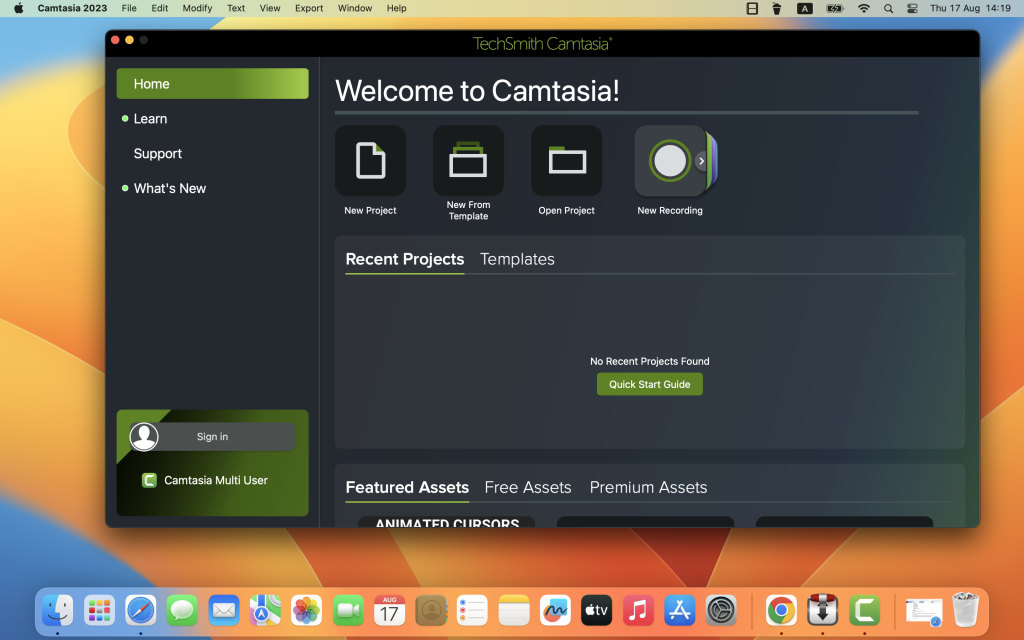
TechSmith Camtasia for Mac 2024.0.0
02 years
by Jameskarke
in Application

Name : TechSmith Camtasia
Size : 392 MB
TechSmith Camtasia for Mac free Download
Camtasia: The Ultimate Video Solution for Creating Professional Content
Camtasia is the leading video solution for creating high-quality software demonstrations, product tutorials, online lessons, and recorded presentations. It is designed to be user-friendly, making it accessible to both beginners and experienced video creators. With pre-built templates and an intuitive interface, you can produce polished videos quickly and efficiently.
Key Features
Easy to Get Started:
- Quick Learning Curve: Camtasia is easy to learn with no need for advanced video editing skills. Start with a template or record your screen and add effects.
- Screen Recording: Capture everything on your screen with high-quality screen recording.
- Import Presentations: Import PowerPoint presentations and turn them into engaging videos.
- Add Existing Footage: Enhance your videos by importing existing video footage.
Create with Confidence:
- User-Friendly Interface: A straightforward interface ensures you can start creating high-quality videos immediately, regardless of your experience level.
- Templates: Use pre-built templates to streamline the video creation process and ensure professional results.
- Drag-and-Drop Editing: Edit videos with ease using drag-and-drop functionality to add effects, transitions, and annotations.
Engage Your Audience:
- Interactive Content: Create videos that engage viewers, providing more interaction and facilitating better learning outcomes than text alone.
- Wide Range of Uses: Ideal for video tutorials, how-to videos, demo videos, meeting recordings, YouTube videos, training videos, video lessons, webinar recordings, instructional videos, explainer videos, and presentation recordings.
Powerful Editing Tools:
- Annotations and Callouts: Add annotations and callouts to highlight important information.
- Transitions: Apply smooth transitions to enhance the flow of your videos.
- Visual Effects: Use a variety of visual effects to make your videos more engaging.
- Audio Editing: Edit and enhance audio tracks for clear, professional sound.
Share Your Work:
- Export Options: Share your videos with anyone using a variety of export options.
- Direct Uploads: Upload directly to platforms like YouTube, Vimeo, or your own hosting service.
Compatibility:
- macOS: Compatible with macOS 12.0 or later.
What’s New in Version 2024.0.3:
- Release notes were unavailable at the time of this listing update.
Explore More
For more information and to download Camtasia, visit the official Camtasia homepage.
Affinity Photo for Mac Download 2.5.2
02 years

Name : Affinity Photo
Size : 772 MB
Affinity Photo for Mac free Download
Affinity Photo: Professional Photo Editing Software for Mac
Affinity Photo redefines professional photo editing on the Mac, providing sophisticated tools for enhancing, editing, and retouching images within an intuitive interface. Designed for both professional photographers and photo enthusiasts, Affinity Photo ensures you have all the power and performance needed for high-end photo editing.
Key Features
Engineered for Professionals:
- Photoshop Compatibility: Open, edit, and save Photoshop® PSD files, ensuring seamless integration with existing workflows.
- Color Spaces: Work with RGB, CMYK, Greyscale, and LAB color spaces for versatile editing capabilities.
- CMYK Workflow: End-to-end CMYK workflow with ICC color management for precise color reproduction.
- High Bit-Depth Editing: Full support for 16-bit and 32-bit per channel editing for maximum color accuracy and range.
- Standard Formats: Work with all standard image formats, including PNG, TIFF, JPG, GIF, SVG, EPS, EXR, HDR, and PDF.
- Performance: Enjoy live panning and zooming at 60fps with live previews, live tools, and real-time editing.
- Large File Handling: Open and edit massive images without compromising performance or running out of memory.
Advanced Editing Tools:
- Retouching and Correction: Use advanced tools for retouching and correcting images, including healing brushes, dodge, burn, and more.
- Layers and Masks: Work with layers, masks, and blending modes for non-destructive editing.
- Filters and Effects: Apply a wide range of filters and effects with real-time previews.
- Selection Tools: Utilize precise selection tools, including lasso, marquee, and brush-based selections.
- Adjustment Layers: Make non-destructive adjustments with a comprehensive set of adjustment layers.
Workflow Enhancements:
- Batch Processing: Automate repetitive tasks with batch processing capabilities.
- Macros: Record and apply macros for common tasks to speed up your workflow.
- Customizable Interface: Tailor the workspace to suit your editing style with a customizable interface.
- Performance Optimization: Optimized for macOS to ensure smooth and efficient performance, even with complex tasks.
What’s New in Version 2.5.2
- Release notes were unavailable at the time of this listing update.
Explore More
For more details and to download Affinity Photo, visit the official Affinity Photo homepage.

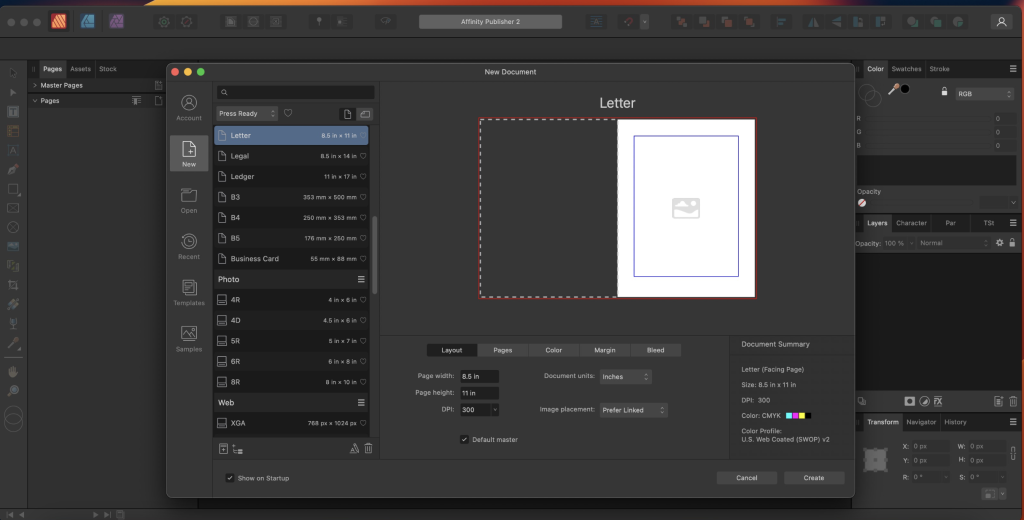
Affinity Publisher for Mac Free Download 2.5.2
02 years

Name : Affinity Publisher
Size : 766 MB
Affinity Publisher for Mac free Download
Affinity Publisher: Professional Publishing Software for Mac
Affinity Publisher is a cutting-edge publishing software designed to help you bring your creative vision to life. Perfect for creating magazines, books, brochures, posters, reports, and stationery, this application offers a smooth, intuitive experience that allows you to combine images, graphics, and text into beautiful layouts ready for publication.
Key Features
Layout Essentials:
- Double Page Spreads: Easily manage and design layouts with double page spreads.
- Live Master Pages: Utilize master pages for consistent layout designs, including nested master pages for more complex documents.
- Image Frames: Use image frames with intelligent scaling options to fit your images perfectly.
- Text Wrapping: Control text wrapping with fine padding adjustments to flow around images and objects smoothly.
- Custom Text Frames: Create text frames in custom shapes for unique designs.
- Linked Text Frames: Link multiple text frames across your document for seamless text flow.
- Guides and Grids: Advanced guides, grids, and snapping tools ensure precise alignment and layout.
- Tables: Design tables with custom formats for organized and professional-looking data presentation.
Advanced Typography:
- Professional Print Output: Prepare your documents for print with full professional print output capabilities.
- Typography Tools: Access advanced typography features to enhance the appearance of your text.
Workflow and Compatibility:
- Smooth Workflow: Experience an incredibly smooth and intuitive workflow designed to handle complex documents with ease.
- Multilingual Support: Available in multiple languages for a global user base.
- Compatibility: Requires macOS 10.15 or later.
What’s New in Version 2.5.2
- Release notes were unavailable at the time of this listing update.
Explore More
For more details and to download Affinity Publisher, visit the official Affinity Publisher homepage.
Affinity Designer for Mac Download 2.5.2
02 years

Name : Affinity Designer
Size : 767 MB
Affinity Designer for Mac free Download
Affinity Designer: Advanced Graphic Design Application for Mac
Affinity Designer is a powerful and professional-grade graphic design application tailored for Mac users. It is ideal for creating various graphic materials, including website graphics, interface designs, icons, and concept art.
Key Features
Customizable Workspace:
- Versatile UI: Choose between a docked or floating interface that integrates seamlessly with macOS features like iCloud, Full Screen, and Spaces.
- Tool Access: Instantly access a wide range of design tools such as node, pen, crop, pencil, vector brushes, gradient fill tool, text, and alignment guides from the main window.
Powerful Design Tools:
- Pixel Control: Offers accurate pixel control with real-time pixel preview, allowing for pixel editing when vector results are not sufficient.
- Raster Tools: Includes lasso tool, pixel and paint brush, eraser, blur, dodge, burn, smudge, selection brush, and sharpen tools.
- Stylus Support: Utilize stylus pressure and velocity for smooth, editable strokes, enabling natural-looking artwork with the benefits of vector editing.
Advanced Vector and Pixel Integration:
- Non-Destructive Editing: Paint inside vectors using pixel brush tools non-destructively, perfect for adding shadows, textures, and highlights with precision.
- Customizable Shapes: Use a broad collection of shapes, smart-snapping indicators, and a full set of Boolean geometry operations for precise adjustments.
File Format Support:
- Popular Formats: Supports most popular file formats, including AI, PSD, PDF, and SVG.
- Color Spaces: Work in various color spaces like RGB, LAB, CMYK, or Greyscale.
- Export Options: Export areas, layers, or objects independently in standard or retina versions.
What’s New in Version 2.5.2
- Release notes were unavailable at the time of this listing update.
Compatibility
- macOS Compatibility: Requires macOS 10.15 or later.
For more information and to download Affinity Designer, visit the official Affinity Designer homepage.
ForkLift for Mac Download 4.1.3
02 years

Name : ForkLift
Size : 13 MB
ForkLift for Mac free Download
ForkLift: Powerful File Manager and FTP Client for Mac
ForkLift is a robust file manager and an exceptionally fast FTP client designed for Mac users. With its clean and versatile user interface, it combines simplicity with powerful features, making it an ideal tool for managing files and remote connections.
Key Features
Comprehensive Connectivity:
- Remote Server Connections: Connect to a wide range of remote servers including SFTP, FTP, WebDAV, Amazon S3, Backblaze B2, Google Drive, Rackspace CloudFiles, SMB, AFP, and NFS.
- Local Network Shares: Access and manage local network shares easily.
File Management Tools:
- Folder Synchronization: Sync folders between different locations.
- Multi-Rename: Rename multiple files efficiently with advanced options.
- Archive Handling: Manage and extract archives directly within ForkLift.
- Application Deleter: Uninstall applications completely, removing all associated files.
- Remote File Editing: Edit files over remote connections without needing to download them first.
User Interface:
- Dual-Pane Interface: Work with two directories side-by-side, enhancing workflow and file management efficiency. The panes can be split vertically or horizontally.
- Finder-like Experience: The interface is intuitive and familiar, incorporating features like Quick Look and Spotlight search.
- Dark Mode: Supports dark mode for comfortable usage in low-light environments.
- Tabs and Workspaces: Organize your workflow with tabs and customizable workspaces.
Advanced Functionalities:
- ForkLift Mini: Access ForkLift’s capabilities from the menu bar for quick tasks.
- Two-Way Sync: Synchronize files in both directions between two locations.
- Quick Open: Quickly access files and applications.
- Favorite Sync: Sync your favorites using Dropbox.
- Disklet: Mount remote servers as local drives.
- Sync Browsing: Browse synchronized directories simultaneously.
- Transfer Bandwidth Throttling: Control the speed of file transfers to manage network usage.
- Tags Support: Utilize macOS tags for organizing files.
Integration and Support:
- Dropbox Integration: Directly support and manage files on Dropbox.
- Search and Selection: Search by name, extension, kind, tags, or content, and use Quick Select to manage files.
- App Deleter: Cleanly uninstall applications.
- Archive Management: Handle various archive formats.
- Keyboard Control: Efficiently manage files using keyboard shortcuts.
- FXP Copy: Directly transfer files between servers.
- Tools Integration: Support for Git and opening terminals like Terminal, iTerm, or Hyper.
- File Compare: Compare files using FileMerge, Kaleidoscope, Beyond Compare, and Araxis Merge.
Additional Features:
- Hidden Files: Show or hide hidden files.
- Multilingual Support: Available in multiple languages including English, German, Hungarian, Polish, Russian, and Ukrainian.
- Set as Default File Viewer: Option to set ForkLift as the default file manager.
Compatibility
- macOS Compatibility: Requires macOS 12.0 or later.
- Latest Version: Version 4.1.3 (release notes unavailable at the time of listing).
System Requirements
- Disable System Integrity Protection (SIP): To perform certain operations, SIP needs to be disabled.
For more information and to download ForkLift, visit the official ForkLift homepage.
