Free Macsoftware One click Download
Application
Download Native Instruments Guitar Rig 6 Pro 6.4.0 for free
02 years
by Jameskarke
in Application

Name : Native Instruments Guitar Rig 6 Pro
Size : 771.23 MB
Download Native Instruments Guitar Rig 6 Pro 6.4.0 for free
GUITAR RIG 6 PRO is a comprehensive audio processing software designed for guitarists, bassists, and music producers. It serves as a multi-effects rack and amp simulator, allowing users to create, experiment, and shape their audio in a creative and intuitive way. With a wide range of amps, effects, and a revamped interface, GUITAR RIG 6 PRO provides the tools and flexibility to craft unique tones and sonic landscapes.
Key features of GUITAR RIG 6 PRO include:
1. New Amps and Effects: GUITAR RIG 6 PRO features three newly modeled boutique and vintage amps, along with 16 additional effects from Native and Softube. These additions provide a variety of sonic options for guitar and bass processing.
2. Revamped Interface: The software comes with a redesigned, scalable interface that is clean and user-friendly. The intuitive interface enhances the overall user experience and creativity in audio processing.
3. Machine Learning Technology: GUITAR RIG 6 PRO utilizes machine learning technology to model state-of-the-art hardware accurately. This technology enables the software to emulate the warmth, grit, crunch, fuzz, and various effects faithfully.
4. Custom Processing Chains: Users can design custom processing chains to shape and customize their tones. This flexibility allows for the creation of unique sounds for various instruments, including guitar, bass, strings, drums, and synths.
5. Community-Driven Development: Native Instruments encourages its user community to contribute by suggesting the types of amps and effects they’d like to see in future updates. This approach ensures that the software continues to evolve based on user preferences and needs.
System Requirements:
- macOS 10.15 or later
- Apple Silicon or Intel Core processor
GUITAR RIG 6 PRO is an all-in-one solution for guitarists, bassists, and music producers looking to explore new sonic possibilities, fine-tune their tones, and experiment with a wide range of amps and effects. With its intuitive interface and community-driven development approach, it offers an extensive toolkit for creative audio processing.
Download Native Instruments FM8 1.4.6 free
02 years
by Jameskarke
in Application

Name : Native Instruments FM8
Size : 153.57 MB
Download Native Instruments FM8 1.4.6 free
FM8 is a software synthesizer developed by Native Instruments that leverages the power of FM (Frequency Modulation) synthesis to produce stunning, dynamic, and pristine-quality FM sounds. Here are some key features and information about FM8:
Key Features:
1. Digital Brilliance: FM8 boasts a powerful audio engine that generates sharp, crystal-clear FM sounds. It offers a wide range of 960 presets that showcase the brilliance of FM synthesis.
2. Advanced Features: The synthesizer includes an FM matrix, arpeggiator, and flexible envelopes, allowing you to shape and manipulate sound in innovative ways.
3. Classic FM Hardware Emulation: FM8 is capable of loading patches from classic FM hardware units, making it a versatile tool for both classic and contemporary FM synthesis.
4. User-Friendly Interface: Despite the intricacies of FM synthesis, FM8 features a user-friendly interface that simplifies the process, making it accessible to both beginners and advanced users.
5. Compatibility: The software is available for macOS 11.0 or later and is compatible with both Apple Silicon and Intel Core processors.
Updates in Version 1.5.8 (As of February 25, 2021):
- Removed 32-bit plugin targets on Windows.
- Fixed compatibility with macOS Big Sur.
- Fixed AU version crashes when loading in Ableton Live 11.
- Fixed an issue where the last item in the plugin File Browser wasn’t displayed when the list exceeded available space.
- Fixed an issue where the Plugin File Browser didn’t display external HDs.
- Fixed UI glitches when adjusting autoscaling in specific DAWs.
FM8 is a powerful tool for creating a wide range of FM synthesis-based sounds. It combines the strengths of digital sound generation with a user-friendly interface and advanced features. Whether you’re a sound designer, musician, or producer, FM8 offers the flexibility and sonic capabilities to help you craft unique and stunning FM sounds.
Download iZip Archiver Pro for Mac 4.5
02 years
Name : iZip Archiver Pro
Size : 8 Mb
Download iZip Archiver Pro for Mac 4.5
After Effects is a powerful motion graphics and visual effects software developed by Adobe. It is the industry-standard tool for animators, designers, and compositors to create captivating motion graphics and stunning visual effects for film, TV, video, and the web. Here are some key features and capabilities of After Effects:
1. Create Animated Titles and Graphics:
- Design animated titles, credits, and lower thirds for your videos.
- Utilize animation presets to create text animations quickly.
- Add motion to your text, making it spin, swipe, slide, or move in countless ways.
2. Visual Effects and Compositing:
- Combine videos and images to create captivating visual effects.
- Remove unwanted objects, wires, people, or other elements from your footage.
- Apply various effects, such as fog, explosions, or snow, to enhance your videos.
- Create immersive VR videos to immerse your audience in the action.
3. Animation Tools:
- Animate logos, shapes, and characters using keyframes or expressions.
- Access presets to kick-start your designs and achieve unique results.
- Craft intricate animations and bring your creative ideas to life.
4. Seamless Integration:
- Work cohesively with other Adobe applications, such as Premiere Pro, Photoshop, Illustrator, Character Animator, Adobe XD, and Animate.
- Use Adobe Dynamic Link to preview compositions in Premiere Pro.
- Collaborate on projects with editors via Team Projects, regardless of their location.
- Benefit from integration with over 300 software and hardware partners.
5. Content-Aware Fill:
- Quickly and easily remove unwanted objects or people from video clips using Content-Aware Fill.
- Avoid the need for manual masking or frame-by-frame editing.
6. Enhanced Animation Workflow:
- The jаvascript expression engine provides up to a 6x performance boost, making animations smoother and faster.
- The new Expressions Editor simplifies writing expressions and identifies errors automatically.
7. Depth Passes from 3D Elements:
- Apply depth effects, including Depth of Field, Fog 3D, and Depth Matte, to make 3D elements appear natural.
- Use depth data to simulate 3D appearances and add depth to your compositions.
After Effects offers endless possibilities for animators, designers, and visual effects artists. It empowers users to create captivating motion graphics and stunning visual effects for a wide range of projects. The software is compatible with macOS 10.15 or later and supports both Apple Silicon and Intel Core processors.
Download Adobe After Effects 2024 v24.0.1
02 years

Name : Adobe After Effects 2024
Size : 6.36 GB
Download Adobe After Effects 2024 v24.0.1
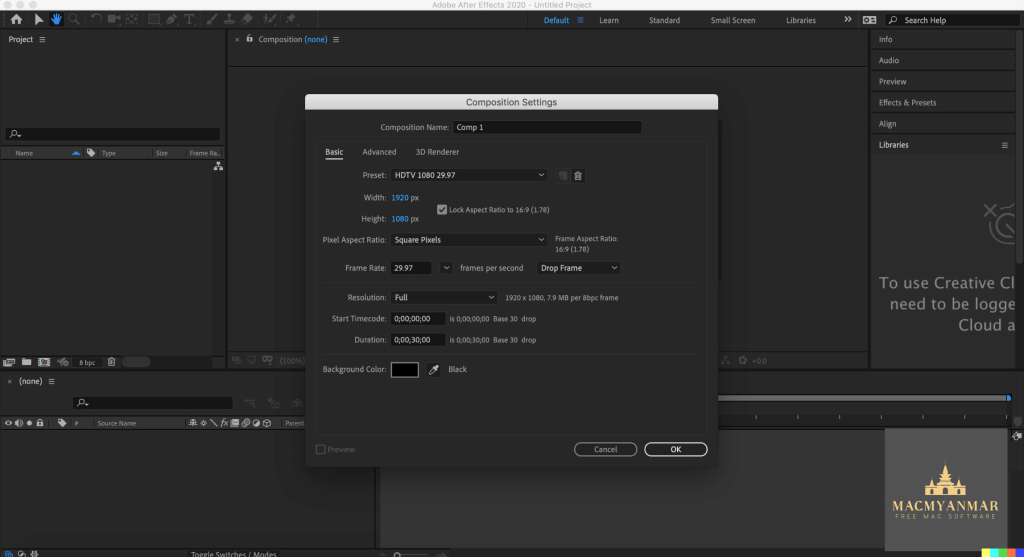
After Effects is a powerful motion graphics and visual effects software developed by Adobe. It is the industry-standard tool for animators, designers, and compositors to create captivating motion graphics and stunning visual effects for film, TV, video, and the web. Here are some key features and capabilities of After Effects:
1. Create Animated Titles and Graphics:
- Design animated titles, credits, and lower thirds for your videos.
- Utilize animation presets to create text animations quickly.
- Add motion to your text, making it spin, swipe, slide, or move in countless ways.
2. Visual Effects and Compositing:
- Combine videos and images to create captivating visual effects.
- Remove unwanted objects, wires, people, or other elements from your footage.
- Apply various effects, such as fog, explosions, or snow, to enhance your videos.
- Create immersive VR videos to immerse your audience in the action.
3. Animation Tools:
- Animate logos, shapes, and characters using keyframes or expressions.
- Access presets to kick-start your designs and achieve unique results.
- Craft intricate animations and bring your creative ideas to life.
4. Seamless Integration:
- Work cohesively with other Adobe applications, such as Premiere Pro, Photoshop, Illustrator, Character Animator, Adobe XD, and Animate.
- Use Adobe Dynamic Link to preview compositions in Premiere Pro.
- Collaborate on projects with editors via Team Projects, regardless of their location.
- Benefit from integration with over 300 software and hardware partners.
5. Content-Aware Fill:
- Quickly and easily remove unwanted objects or people from video clips using Content-Aware Fill.
- Avoid the need for manual masking or frame-by-frame editing.
6. Enhanced Animation Workflow:
- The jаvascript expression engine provides up to a 6x performance boost, making animations smoother and faster.
- The new Expressions Editor simplifies writing expressions and identifies errors automatically.
7. Depth Passes from 3D Elements:
- Apply depth effects, including Depth of Field, Fog 3D, and Depth Matte, to make 3D elements appear natural.
- Use depth data to simulate 3D appearances and add depth to your compositions.
After Effects offers endless possibilities for animators, designers, and visual effects artists. It empowers users to create captivating motion graphics and stunning visual effects for a wide range of projects. The software is compatible with macOS 10.15 or later and supports both Apple Silicon and Intel Core processors.
Download VideoProc Converter for Mac V- 6.0
02 years
by Jameskarke
in Application

Name : VideoProc Converter
Download VideoProc Converter for Mac V- 6.0
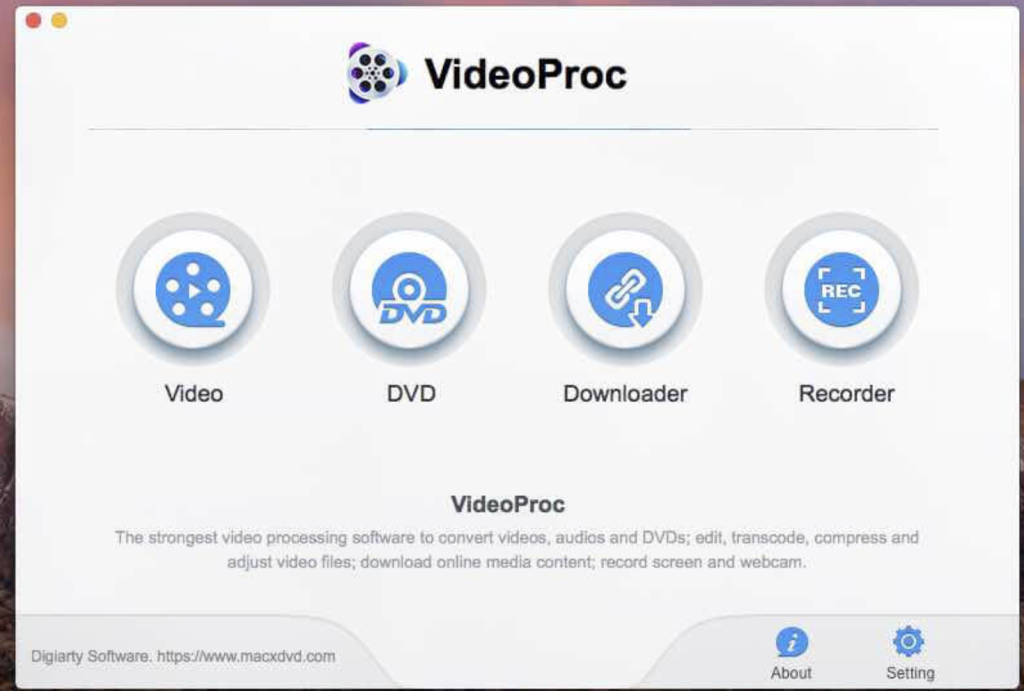
VideoProc (formerly known as MacX Video Converter Pro) is a versatile video processing software designed to handle a wide range of video-related tasks. Whether you need to convert, edit, download, record, or back up videos, VideoProc aims to be a one-stop solution for all your video needs. Here are some of its key features:
1. Video Conversion:
- VideoProc supports a broad range of video codecs, ensuring compatibility with various video formats.
- Convert videos to different formats, allowing you to watch your videos on different devices.
- Optimize videos for platforms like YouTube, Facebook, Instagram, and more.
2. Video Editing:
- Edit your videos with features like trimming, cutting, cropping, adding effects, subtitles, and watermarks.
- Stabilize shaky footage, reduce noise, and convert 3D videos to 2D.
- Copy, merge, and split video files.
3. DVD Processing:
- Backup and rip DVD collections with support for various DVD types, including 99-title DVDs.
- Convert DVDs to digital formats or mobile-friendly files.
- Fast and reliable DVD analysis and title check mechanism.
4. Video Download:
- Download videos, songs, playlists, TV shows, and more from over 1000 sites, including YouTube, Facebook, Vimeo, and Dailymotion.
- Save videos in different resolutions and formats, and even convert YouTube videos to MP3 or other audio formats.
5. Screen Recording:
- Capture your screen, specific regions, or full-screen content.
- Record gameplay, webinars, online streams, Skype calls, and presentations.
- Record video from your iPhone, webcam, and computer camera simultaneously.
6. Video Compression:
- Reduce video file sizes by up to 90% without significant loss in quality.
- Compress videos for sharing on YouTube, email, or storage.
- Upscale HD videos to 4K or downscale 4K videos to HD/SD for different screens.
7. HEVC/H.265 Encoding:
- Hardware-accelerated HEVC transcoding for faster processing of 4K videos.
- Decode HEVC to other formats for better compatibility or encode videos into HEVC for smaller file sizes with minimal quality loss.
VideoProc aims to be a complete video toolbox that addresses various video-related tasks efficiently. It supports an extensive range of codecs and formats, making it suitable for a variety of video sources and destinations. This software is compatible with macOS 10.9 or later.
VideoProc is designed to be a versatile solution for video enthusiasts, content creators, and anyone who frequently works with video content, whether for personal or professional purposes.
Download VideoProc Converter 4K 6.0 For Mac
02 years
by Jameskarke
in Application
Name : VideoProc Converter 4K
Size : 54 MB
Download VideoProc Converter 4K 6.0 For Mac
VideoProc 4K is an all-in-one video processing software designed to help you manage your video content efficiently. It offers a range of features and capabilities that make it a one-stop solution for video-related tasks. Here’s what VideoProc 4K can do:
1. Video Download:
- Batch download UHD/HD videos, audios, playlists, and channels from popular websites like YouTube, Vimeo, Facebook, and more.
- Convert downloaded videos to various formats.
2. Video Conversion:
- Supports up to 370 codecs, making it compatible with virtually any video format.
- Easily convert videos between different formats while maintaining high quality.
- Convert videos from iPhone, Android, cameras, drones, or GoPro to other formats.
3. Video Editing:
- Edit and enhance your videos with features like cutting, trimming, merging, subtitles, effects, and more.
- Adjust parameters like bit rate, frame rate, and resolution.
- Add watermarks and filters to your videos.
- Correct fisheye distortion from action camera footage.
4. Video Recording:
- Record your screen or webcam with high-quality output.
- Record gameplay, tutorials, webinars, and more.
- Record video with audio, system sound, and microphone simultaneously.
5. 47X Faster Speed:
- VideoProc 4K takes advantage of GPU hardware acceleration to achieve processing speeds up to 47 times faster.
This software aims to be a comprehensive solution for video-related tasks, from downloading and converting to editing and recording. It supports a wide range of codecs and formats, making it suitable for various video sources and destinations. Whether you need to edit your vacation videos, record tutorials, or download online content, VideoProc 4K aims to be your go-to tool.
VideoProc 4K is compatible with macOS 10.10 or later and offers 64-bit support.
Download iStatistica 6.2 for Mac free
02 years
Name : iStatistica
Size : 17 MB
Download iStatistica 6.2 for Mac free
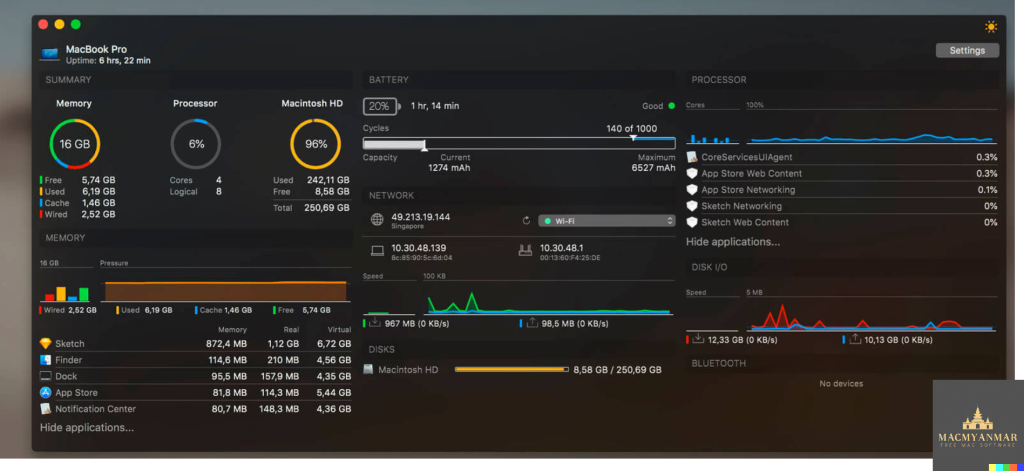
iStatistica is a system monitoring and diagnostic tool for macOS. It offers a range of features that help you keep track of your Mac’s performance and health. Here’s what you can monitor with iStatistica:
System Monitoring:
- Uptime: Check how long your Mac has been running without a restart.
- Memory Pressure: Monitor your system’s memory usage and performance.
- CPU Usage: Keep an eye on your CPU’s performance and load.
- Disk Usage: Check the space used on your Mac’s storage.
Battery Information:
- Monitor your MacBook’s battery health, cycles, and capacity.
Network Activity:
- View a network map to see connected devices and their status.
- Check your external WAN IP address.
- View your internal LAN IP address.
- Find your router’s IP address.
- Monitor incoming and outgoing network traffic.
Language Support:
- iStatistica supports multiple languages, including English, French, and Russian.
This tool is designed to provide an overview of your system’s vital statistics, making it easier to diagnose issues, track performance, and keep an eye on your Mac’s health. The information provided can be valuable for troubleshooting and optimizing your macOS system. The ability to view this data through the Notification Center widget or the status bar menu makes it accessible at a glance. iStatistica is compatible with macOS 10.11 or later.
Download iStatistica Pro for Mac V-5.2
02 years
Name : iStatistica Pro
Size : 16 MB
Download iStatistica Pro for Mac V-5.2
iStatistica Pro is a comprehensive system monitoring and performance optimization tool for macOS. It provides real-time information about your Mac’s CPU usage, RAM usage, disk space, battery status, network statistics, and more. Here are some of the key features and functions of iStatistica Pro:
System Monitoring:
- Get an overview of your Mac’s performance, including CPU usage, memory pressure, and disk usage.
- View your system’s uptime and monitor battery information, such as cycles, health, and capacity.
Network Statistics:
- Access real-time network statistics, including external, gateway, and local IP addresses, network speed, and data rate charts.
Web Access:
- Enable web access in the application settings to track CPU, memory, disk, and sensor statistics over a local area network.
- Point your web browser to your Mac’s address to access this information remotely.
Storage Visualization:
- Visualize your storage with exclusive modules for folders and drives.
- Easily find and remove unneeded files to optimize your disk space.
Network Interfaces Dashboard:
- Monitor and manage network interfaces with a comprehensive dashboard.
Detailed App Statistics:
- Get detailed statistics about your running applications, allowing you to track their resource usage over time.
History Tracking:
- View historical data for CPU and memory usage to analyze performance trends.
Temperature and Fans:
- Monitor temperature and fan speed statistics for CPU, GPU, and memory to prevent overheating and optimize cooling.
Security and Access Control:
- Restrict access to the iStatistica Pro information by IP address and passkey to ensure your data’s privacy and security.
iStatistica Pro is a valuable tool for Mac users who want to monitor and optimize their system’s performance, manage their storage, and track network statistics. It offers a range of features that are especially useful for IT professionals, system administrators, and users concerned about their Mac’s health and performance.
Download Adobe Animate 2024 v24.0
02 years

Name: Adobe Animate 2024
Size : 5.01 GB
Download Adobe Animate 2024 v24.0
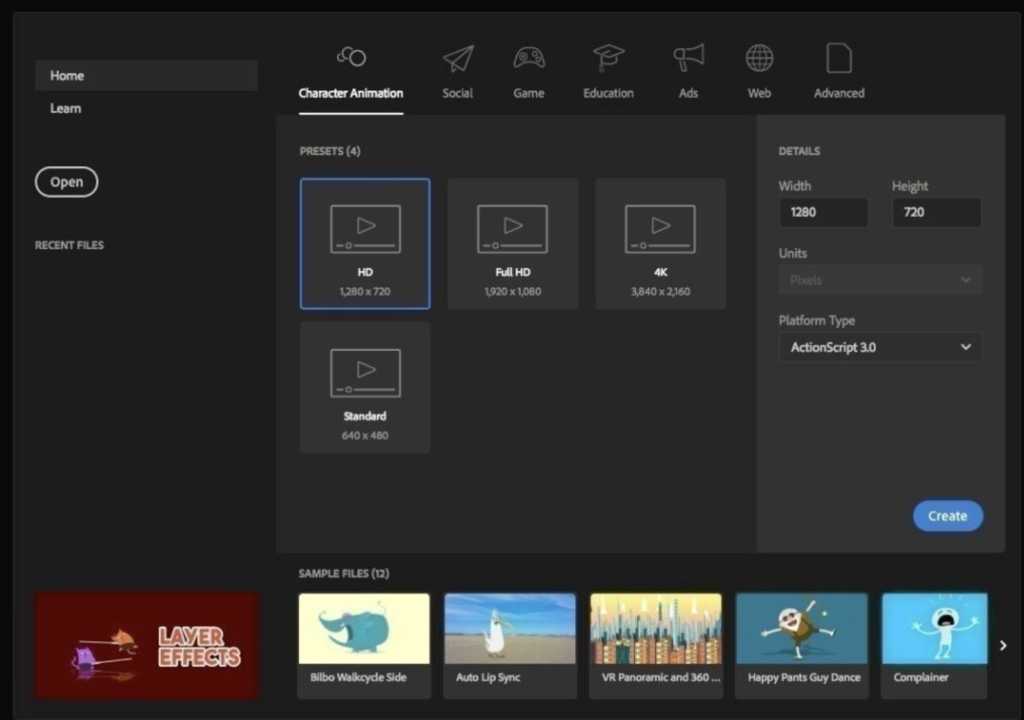
Adobe Animate CC 2024 is a professional animation tool that allows you to design interactive vector and bitmap animations for a wide range of applications, including games, web content, mobile apps, and more. It provides a robust set of animation and multimedia tools to help you create captivating and dynamic content. Here are some key features and capabilities of Adobe Animate CC 2024:
1. Cross-Platform Publishing: Animate CC allows you to create animations and interactive content that can be published and deployed across multiple platforms, including HTML5 Canvas, WebGL, Flash/Adobe AIR, and custom platforms like SVG. This cross-platform compatibility ensures that your animations can reach a broad audience, including desktop, mobile, and TV users.
2. Animation and Interaction: With Animate CC, you can design interactive animations that respond to user interactions. This is valuable for creating games, web-based applications, interactive infographics, and more. You can add actions and interactivity without the need for extensive coding.
3. Vector and Bitmap Support: Animate CC supports both vector and bitmap graphics, providing flexibility in your animation projects. You can create expressive characters using pressure- and tilt-sensitive vector brushes or work with bitmap images for detailed textures and backgrounds.
4. Asset Sculpting: The software offers asset sculpting capabilities, allowing you to create new poses for vector or raster content using mesh deformation. This feature is useful for character animations and manipulating assets.
5. Better Layer Control: Animate CC enhances layer organization with a parent-child hierarchy, making it easier to manage and animate complex scenes. This feature streamlines animation between poses and simplifies layer management.
6. Auto Lip-Sync: Thanks to Adobe Sensei, Animate CC can automatically match mouth poses to sound inflections, simplifying the process of syncing character animations with dialogue or audio.
7. VR Authoring and Publishing (Beta): The software offers beta support for VR (virtual reality) authoring and publishing, allowing you to create 360 VR animations. This feature is ideal for immersive experiences and virtual walkthroughs.
8. Seamless Integration: Adobe Animate CC seamlessly integrates with other Adobe Creative Cloud applications, such as Adobe Illustrator and Adobe Photoshop. You can import assets from these applications and leverage your 2D skills for 360 VR animations.
Adobe Animate CC 2024 is available for macOS 10.15 or later and is compatible with both Apple Silicon and Intel Core processors. It is a versatile tool for animators, game developers, interactive designers, and multimedia creators looking to bring their animations to life across various platforms.
Download Adobe Audition 2024 v24.0 For Mac
02 years

Name : Adobe Audition 2024
Size : 1.41 GB
Download Adobe Audition 2024 v24.0 For Mac
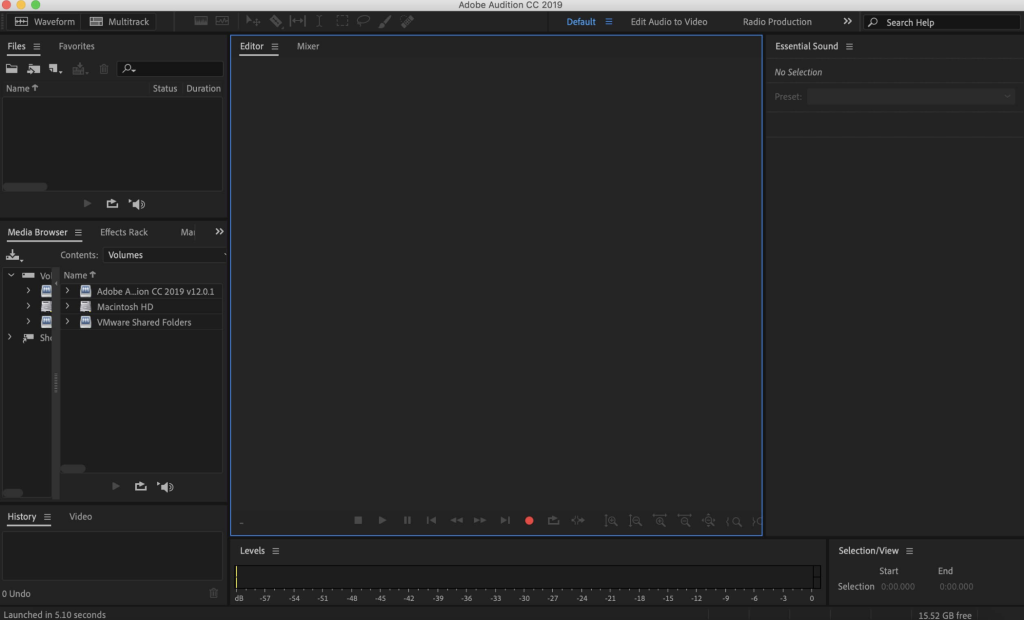
Adobe Audition 2024 is a professional audio workstation designed for creating, mixing, editing, and restoring audio content. It offers a comprehensive set of tools for audio editing and is widely used in the industry for tasks such as audio post-production, sound design, podcast production, and more. Here are some key features and capabilities of Adobe Audition 2024:
1. Multitrack Editing: Adobe Audition provides a multitrack environment that allows you to work with multiple audio tracks simultaneously. This is essential for tasks like mixing music, dialogue, and sound effects for video and audio projects.
2. Waveform and Spectral Display: The software offers both waveform and spectral display views, giving you detailed insights into your audio. Waveform view is ideal for precise editing, while spectral display helps you identify and fix audio issues visually.
3. Audio Recording: You can record audio directly within Adobe Audition, making it a versatile tool for capturing voiceovers, music, podcasts, and more. It supports recording from various sources, including microphones and external devices.
4. Audio Restoration: Audition includes tools for audio restoration and repair. You can remove noise, clicks, pops, and other imperfections from your audio recordings to achieve pristine sound quality.
5. Precision Editing: The software offers precise editing capabilities, including cut, copy, paste, time-stretching, pitch-shifting, and more. You can make surgical edits to your audio files with ease.
6. Integration with Adobe Premiere Pro: Adobe Audition seamlessly integrates with Adobe Premiere Pro, making it an excellent choice for video editors. You can send audio clips to Audition for advanced audio editing and then easily sync them back to your video project.
7. Podcast Production: Audition includes features specifically designed for podcast production, making it easier to create, edit, and export podcast episodes.
8. Remixing Audio: The Remix feature allows you to automatically rearrange any song to fit a specific duration. This is helpful for creating background music or adapting music tracks to video projects.
9. Essential Sound Panel: The Essential Sound panel provides a user-friendly way to enhance audio quality with professional-quality presets. It’s a valuable tool for users who may not be audio experts.
10. Interactive Tutorials: The software offers interactive tutorials within the application, helping users learn and master various audio editing techniques.
11. Extensive Audio Effects: Adobe Audition includes a wide range of audio effects and processors to enhance and shape your audio, including EQ, compression, reverb, and more.
Adobe Audition 2024 is available for macOS 10.15 or later and supports both Apple Silicon and Intel Core processors. It is a valuable tool for audio professionals, video editors, podcasters, and anyone working with audio content.