Free Macsoftware One click Download
Application
Download Sketch for Mac V-99
02 years

Name : Sketch
Size : 71 MB
Download Sketch for Mac V-99
Sketch is a professional graphic design software designed specifically for the digital realm. It offers powerful tools, an elegant interface, and a wide range of features for creating stunning designs. Here are some of the key highlights of Sketch:
Design Features:
- Multiple fills, borders, and shadows per layer.
- Powerful non-destructive boolean operations.
- Smart pixel alignment and automatic slicing for easy export.
- Tools for vector creation and basic shapes, suitable for designing icons, websites, interfaces, and more.
Complex Shape Creation:
- Combine shapes with non-destructive boolean operations.
- Apply advanced layer style options such as multiple shadows, fills, gradients, noise, blending, background blurring, and more.
Image Manipulation:
- Allows rotation, scaling, cropping, and masking of imported images.
Text Tool:
- Best-in-class text tool with native font rendering for accurate text representation.
Symbols:
- Symbols feature enables reuse of entire groups of content in multiple places within a design. Changes to a symbol update it everywhere it’s used in the document.
Mac Optimization:
- Takes advantage of Mac features like Versions, Auto Save, and iCloud for seamless and secure work management across multiple devices.
- Full-screen mode for maximizing the canvas.
Interface:
- Single-window interface with a simple design housing a wide array of powerful tools.
Compatibility:
- Supports macOS 12.0 or later.
For more information and updates, you can visit the Sketch website here.
Download Apple MainStage V- 3.6.5
02 years

Name : Apple MainStage
Size : 1 GB
Download Apple MainStage V- 3.6.5
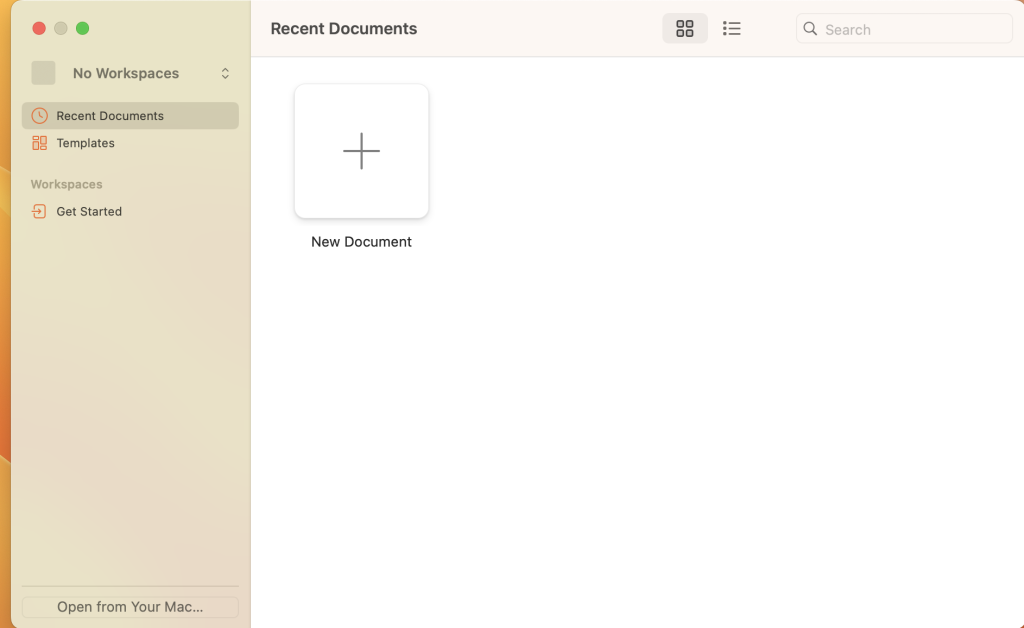
MainStage 3 is a powerful application designed for live performance that provides a range of features for musicians. It’s optimized for stage use with a customizable full-screen interface and compatibility with a wide array of instruments, effects, and MIDI plug-ins. Here’s a breakdown of its features:
The Ultimate Live Rig:
- Access over 80 instrument, effect, and MIDI plug-ins and bring sounds from Logic Pro X and GarageBand to the stage.
- Create patches that combine various instruments and live audio for a rich live performance experience.
- Effortlessly switch between patches without interrupting sound output.
Hardware Control:
- Connect and use USB and MIDI-equipped controllers like keyboards, foot pedals, and drum pads.
- Assign hardware controls to onscreen controls, allowing you to quickly set up a variety of hardware using automatic device recognition.
Designed for the Stage:
- Offers a customizable full-screen interface optimized for live performance, showing only necessary elements.
- Screen controls adapt for each patch using Smart Controls, which offer dynamic performance controls.
Instrument Plug-ins:
- Provides a variety of instrument plug-ins like Drum Kit Designer, Ultrabeat drum machine, Retro Synth, Vintage B3, Vintage Electric Piano, Vintage Clav, Alchemy, and EXS24 Sampler.
- Use new Auto Sampler plug-in to turn hardware synthesizers into sampled instruments.
MIDI Plug-ins:
- Nine MIDI plug-ins are available to transform simple ideas into elaborate performances.
- Includes Arpeggiator, Chord Trigger, Transposer, and more.
Creative and Production Effects:
- Offers Space Designer convolution reverb, multi-tap delays, vintage tape delays, stereo delays, modulation effects, EQs, dynamics, and more.
- Build custom guitar or bass rigs with Amp Designer and create your Pedalboard with various effects.
Sound Library:
- Comes with over 4,300 instrument and effect patches, more than 1,800 meticulously sampled instruments, and 10,000 Apple Loops in various genres.
What’s New in Version 3.6.5:
- The update includes stability improvements and bug fixes.
Compatibility: macOS 13.5 or later
You can access MainStage 3 via the Mac App Store here.
Download Logic Pro X Mac V-10.8.0
02 years

Name : Logic Pro X
Size : 1.13 GB
Download Logic Pro X Mac V-10.8.0
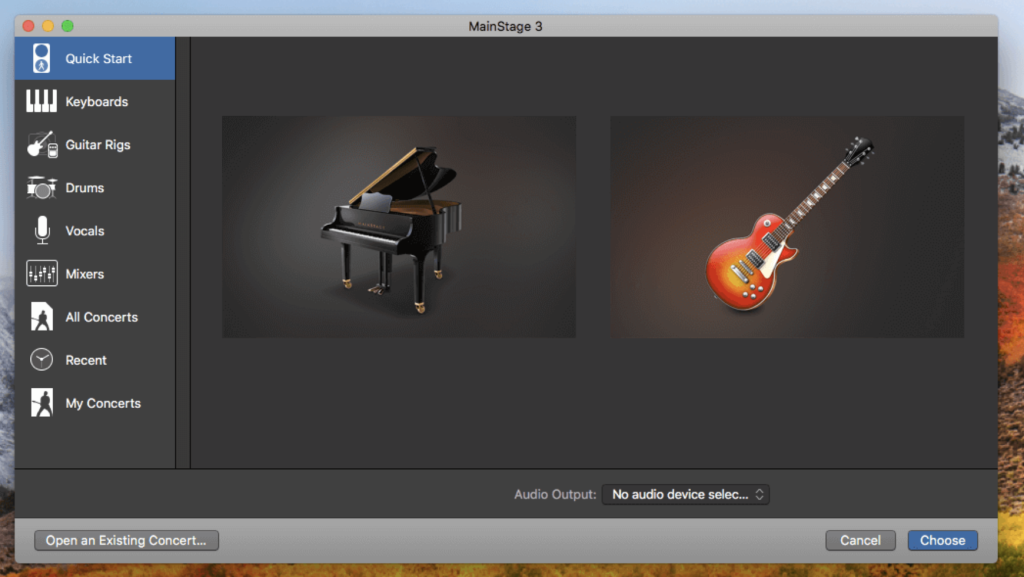
Logic Pro is a comprehensive collection of advanced tools tailored for professional music production, enabling songwriting, editing, mixing, and more. The software integrates a modern and efficient interface for streamlined results and enhanced capabilities when required. Here are some key features and improvements offered by Logic Pro:
Professional Music Production:
- Spatial Audio Tools: Offers complete spatial audio authoring tools for Dolby Atmos mixing and export.
- Live Loops: Enables quick arrangement building by combining loops, samples, and recordings.
- MIDI and Audio Editing: Provides a comprehensive set of editors and tools for recording and editing.
- Take Folders and Track Alternatives: Organize takes and quickly create comps.
- Flex Pitch and Flex Time: Perfect pitch and timing adjustments for vocals and recordings.
- Smart Tempo: Automatically adjusts imported audio to conform to the project’s BPM.
- Logic Remote: Perform and mix using an iPad or iPhone with Logic Remote.
- Score Editor: Create lead sheets or orchestral scores with the built-in editor.
Drum Production and Beat Making:
- Drum Machine Designer and Drummer: Create custom kits and build drum tracks.
- Step Sequencer: Program beats, bass lines, and melodic parts.
Sampling and Synthesis:
- Sampler and Alchemy: Create multi-sampled instruments and perform sample manipulation.
- Collection of Synths: Offers a range of synthesis methods for creating unique sounds.
- Arpeggiator: Transform simple chords into rich performances.
Guitar and Bass Gear:
- Amp Designer and Pedalboard: Customize guitar and bass rigs with vintage and modern effects.
Creative and Production Effects:
- Collection of Delays, EQs, and Compressors: Access a variety of vintage and modern effects for mixing.
- Modulation and Reverb Effects: Add movement and realistic acoustic spaces to tracks.
Sound Library:
- Over 5,900 instrument and effect patches.
- 1,200 sampled instruments and 14,750 Apple Loops in various genres.
What’s New in Version 10.8:
- Mastering Assistant: Deliver release-ready mixes with intuitive sound-shaping tools.
- Sample Alchemy: Transform audio samples into playable sound performances.
- Beat Breaker: Sophisticated time and pitch morphing plug-in for reshaping audio.
- Slip and Rotate Tools: Allow independent movement of contents within a region.
- 32-bit Float Recording: Available with supported audio devices.
- Hybrid Textures Sample Pack: Free collection of patches and loops for Sample Alchemy.
Compatibility: macOS 13.5 or later
To explore Logic Pro further or access the software, visit the homepage.
Download PatterNodes Mac V- 3.2.3
02 years
by Jameskarke
in Application
Name : PatterNodes
Size : 18 MB
Download PatterNodes Mac V- 3.2.3
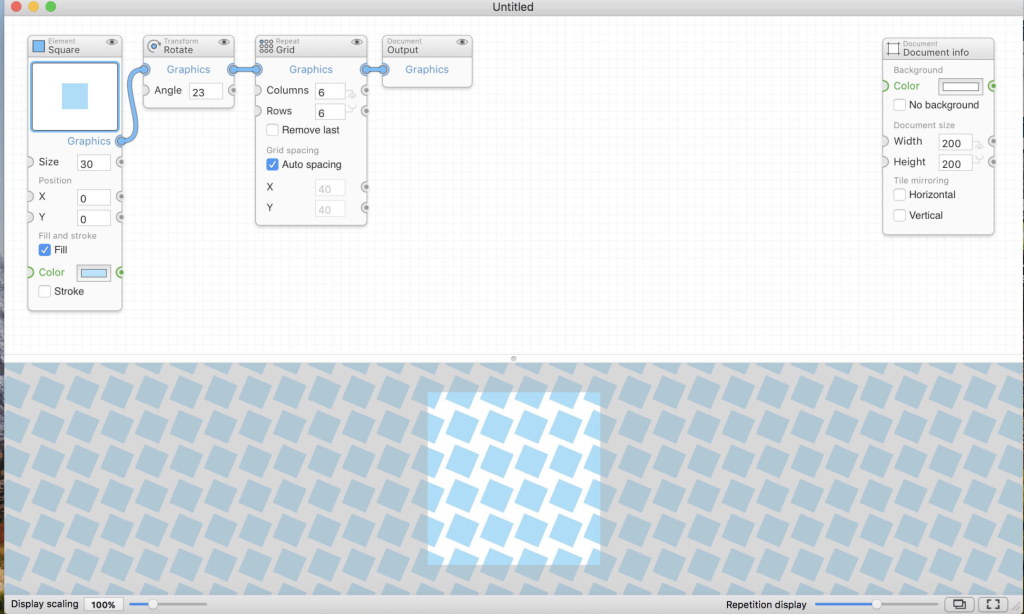
PatterNodes is a robust tool dedicated to creating graphical patterns, illustrations, gradients, or animations through a series of repetitions. It functions by defining a sequence of steps, essentially a recipe, to describe the pattern. Each operation or pattern element is represented by a node panel, and connections between these nodes form the process. This interface offers a more flexible and dynamic approach compared to traditional Illustrator-type editors.
The software provides numerous advantages over conventional design tools, allowing for a different way of thinking while offering significant benefits:
- Flexible Interface: Nodes are linked and combined freely, enabling users to instantly modify any aspect of the pattern through sliders. Changes to color, spacing, scaling, rotation, or repetition count can be made without having to undo or redo steps.
- Real-Time Preview: The pattern tile is continuously displayed in the bottom preview view, updating in real time with any alterations, providing immediate feedback on the end result.
- Convenient Features: PatterNodes comes with various nodes that automate common tasks, such as making patterns seamless by repeating elements at tile edges, or adding an element of randomness to different pattern aspects for more dynamic results.
- Export Options: Finished patterns can be copied into other illustration or graphics applications or exported as vector graphics or bitmap image files. Animations can be exported in multiple formats, including GIF, QuickTime MOV, or numbered PNG or JPG files.
Compatibility: macOS 10.14 or later
To explore PatterNodes further or to access the software, visit the homepage.
Download PDF Search for Mac V-13.6
02 years
by Jameskarke
in Application

Name : PDF Search
Size : 12 MB
Download PDF Search for Mac V-13.6
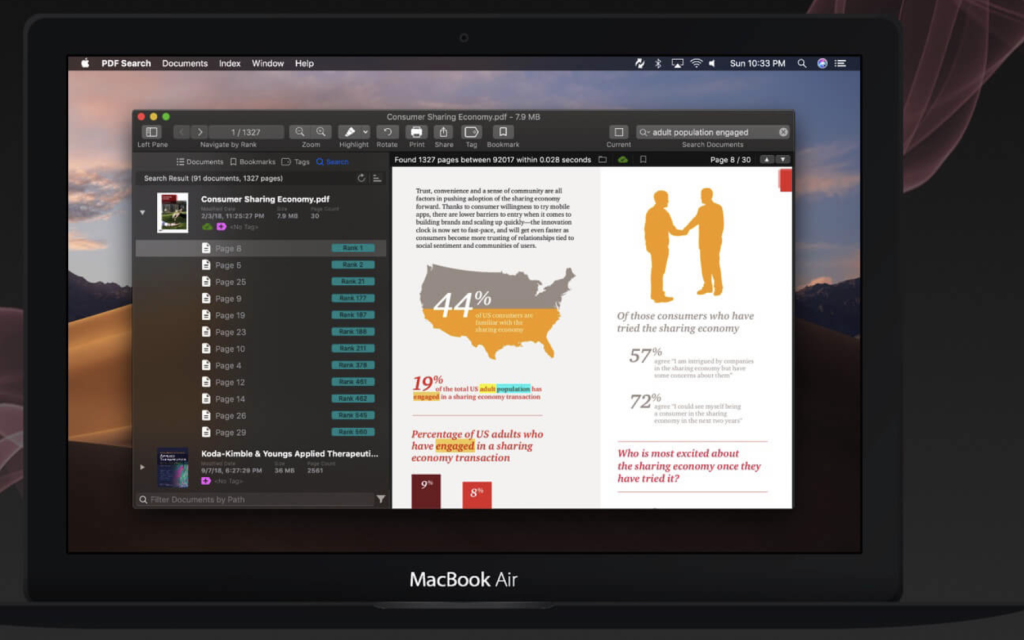
PDF Search is a utility designed with a revolutionary search algorithm tailored specifically for PDF documents. Its search mechanism significantly reduces the time needed to locate information within your PDF files, making it possible to find what you’re looking for in a vast library of documents instantaneously. Integrated into the system, it allows direct search access from the system menu bar, similar to Spotlight.
Key Features:
- Ultra-Fast Search: Utilizes an advanced search algorithm for rapid document searching.
- iOS and macOS App Synchronization: Syncs between iOS and macOS for seamless accessibility.
- Page Ranking System: Ranks search results based on relevancy and document importance.
- Word Distance Algorithm: Analyzes word placement for accurate search results.
- Typo Correction: Understands mistyped keywords to ensure accurate search results.
- Export Search Results: Compiles best pages from relevant documents into a new PDF for easy sharing.
- Wildcard Search: Ability to search words that start or end with other words.
- PDF Conversion: Converts office documents to PDF, supporting Word, PowerPoint, Pages, Keynote, and RTF documents.
- Folder and iCloud Support: Organize files with folder and iCloud support.
- Tags and Bookmarks: Tag and bookmark documents for easy access and organization.
- Emphasize Power Ranking: Detects headers, titles, and paragraphs to rank the content accurately.
- Annotate PDFs: Insert highlights, underlines, and strikethroughs to pages.
- Global Shortcut Key: Use a universal shortcut key for quick searches.
- Backup Index Database: Preserve the index database through regular backups.
Compatibility: macOS 10.13 or later
To explore further or download PDF Search, visit the homepage.
Download Screen Recorder by Omi Mac v-1.3.4
02 years
by Jameskarke
in Application
Name : Screen Recorder by Omi
Size : 24 MB
Download Screen Recorder by Omi Mac v-1.3.4
The Screen Recorder for Mac is a robust tool that offers an array of features to facilitate high-quality video recording directly from your computer screen. Its user-friendly interface enables effortless capturing of various screen activities or camera footage. The recordings are stored in MP4 format, simplifying sharing and accessibility.
Key Features:
- Full-Screen Recording: Capture the entire screen effortlessly.
- Area Recording: Specify and record a designated area on the screen.
- Camera Recording: Capture footage from your camera simultaneously with the screen recording.
- Window Recording: Record activity within a specific window.
- Voice Recording: Record audio alongside the video.
- Camera Picture-in-Picture: Include a camera view in a smaller window within the screen recording.
- Camera Virtual Background: For macOS 12.0 and above, a feature to include a virtual background for the camera footage.
- System Sound Recording: Utilize a separate sound driver plugin download and installation for system sound recording.
- Mouse Click Event Recording: Capture and highlight mouse click events during the recording.
- Customizable Recording Screen Size: Adjust the screen size and resolution to suit your preferences.
- Selectable Frame Rate: Choose the frame rate for the recordings.
- Adjustable Recording Resolution: Customize the recording resolution as needed.
- Specified Recording Duration: Set a duration for the recording sessions.
- Built-In Video Editor: Access a video editor within the app for basic editing tasks.
- Customizable Shortcut Keys: Personalize shortcuts for smoother recording operations.
In-App Purchases:
The Full (PRO) Version is included, offering enhanced functionality and additional features.
Compatibility: macOS 10.13 or later
To explore and download the Screen Recorder for Mac, visit the Mac App Store.
Download Folder-Factory Mac v- 7.6.0
02 years

Name : Folder-Factory
Size : 14 MB
Download Folder-Factory Mac v- 7.6.0
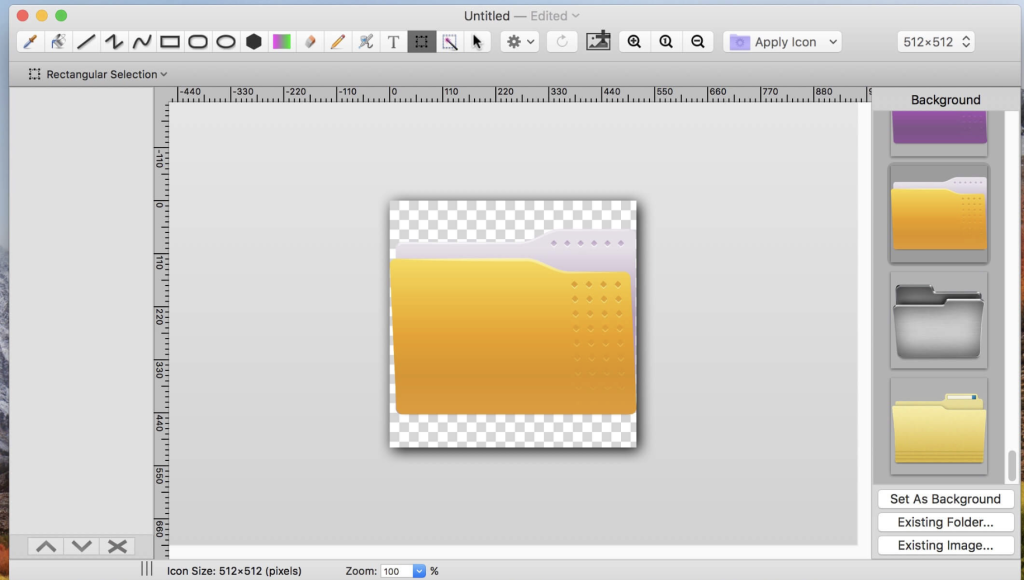
Folder-Factory is a useful icon tool designed for macOS that enables users to personalize and enhance their folder icons. With its intuitive features, you can easily customize and improve the appearance of your folders, resulting in a more organized and visually appealing system.
Key Features include:
Retina Display Support: Folder-Factory supports high-resolution retina displays, ensuring crisp and clear icon designs.
Customization of Folder Icons: Users can design and enhance folder icons by combining images, text, sketches, and shapes, providing a unique and personalized look to distinguish folders more easily.
Variety of Tools: The application offers a range of tools such as the eyedropper, fill, line, rectangle, ellipse, pen, eraser, text, image, round rectangle, and more, providing numerous options for icon customization.
Configurable Line Width and Colors: Users can configure line width, pen colors, fill colors, and other attributes to achieve their desired folder icon appearance.
Transparency Support: Full support for transparency enables the creation of icons with transparent areas.
Text Overlay on Images: Add text on top of images to label and identify folders easily.
Undo/Redo and Copy/Paste: Folder-Factory supports undo/redo functionality, as well as cut, copy, and paste features, providing a convenient and flexible workflow.
Drag and Drop Functionality: Users can drag and drop files and folders into the application for easy icon customization.
Compatibility: The application is compatible with macOS 10.10 (Yosemite) and later versions.
With its user-friendly interface and easy-to-use tools, Folder-Factory provides a convenient way to customize and organize your folder icons, resulting in an improved and more visually appealing system.
For more information and to explore Folder-Factory, you can visit its official homepage.
Download DMG Canvas for Mac 4.0.7
02 years
by Jameskarke
in Application
Name : DMG Canvas
Size : 14 MB
Download DMG Canvas for Mac 4.0.7
DMG Canvas is a user-friendly application designed to help developers build and design disk images with ease. With its intuitive drag-and-drop interface and visual editor, it simplifies the process of creating visually appealing and functional disk images. It supports easy background customization, localized licenses, and maximum compatibility, allowing you to create professional disk images for macOS applications.
Key features of DMG Canvas include:
WYSIWYG Design:
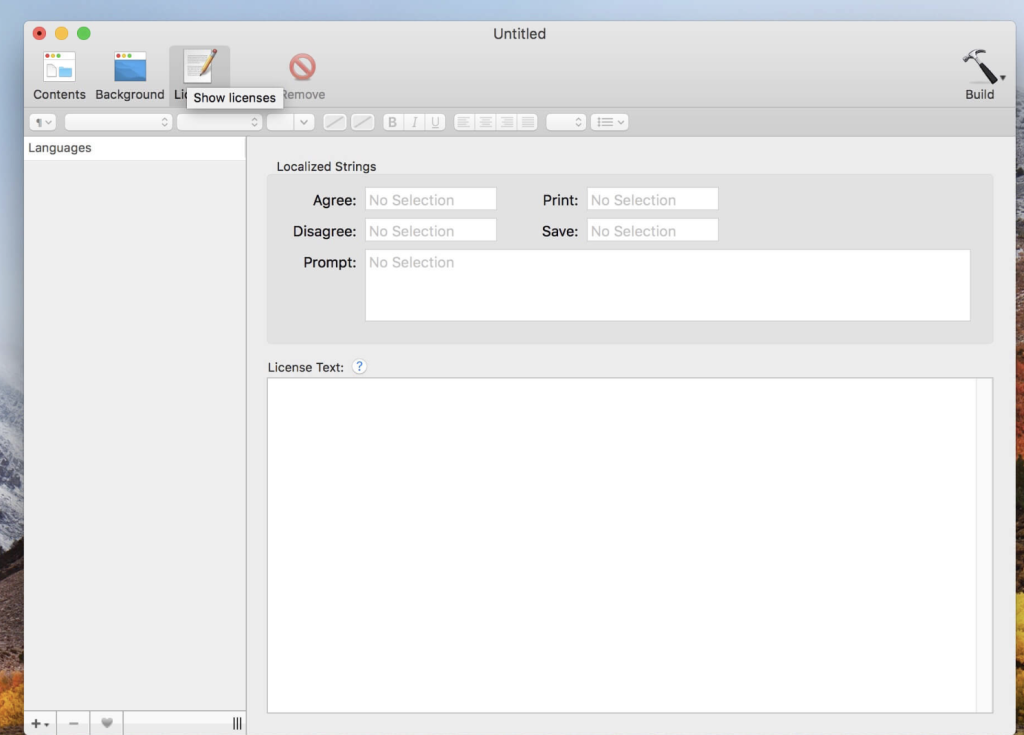
The application provides a What You See Is What You Get (WYSIWYG) environment. Users can drag and drop files onto the window view, set a background image, and simply click “Build,” ensuring the appearance matches what will be seen in Finder.
Easy Backgrounds:
Background layout views enable the creation of attractive backgrounds directly within DMG Canvas. Users can easily add images, customize text, and create appealing backgrounds without any hassle.
Localized Licenses:
You can easily include license agreements that prompt when the disk image is mounted. DMG Canvas streamlines the process, supporting various styles and multiple languages for license agreements.
Maximum Compatibility:
The software carefully creates disk images to ensure maximum compatibility, making sure they look and function properly across various macOS versions, all the way back to OS X 10.4.
Create Retina-Ready Designs:
For applications targeting OS X Lion and later, you can add high-resolution Retina images and text to the disk images, demonstrating attention to detail.
Code Signing:
DMG Canvas simplifies code signing with just a single click. This helps assure users and macOS itself that the disk image is secure.
Notarization:
In macOS Catalina and later, applications need to be notarized by Apple for security. DMG Canvas aids in notarizing the disk image and its contents, provided that Xcode is installed.
Dark Mode Support:
The software supports Dark Mode. In “None/Default” background choice, the window will adapt to the user’s system appearance settings.
Compatibility:
DMG Canvas is compatible with macOS 11.0 (Big Sur) and later.
For more information and to explore DMG Canvas, you can visit their official website.
Download FabFilter Total Bundle Macv2023.11.03
02 years
by Jameskarke
in Application

Name : FabFilter Total Bundle v2023
Size : 334 MB
Download FabFilter Total Bundle Macv2023.11.03
The FabFilter Total Bundle is a comprehensive collection of professional audio processing plug-ins designed for mixing and mastering purposes. It incorporates various tools that cater to different aspects of audio production, including equalization, compression, reverb, limiting, de-essing, gating, saturation, delay, filtering, and synthesis.
Here is a list of the FabFilter plug-ins included in the Total Bundle:
- FabFilter Pro-Q 3: An all-around EQ plug-in suitable for mixing and mastering. It features up to 24 bands and an intuitive interface for precise editing.
- FabFilter Pro-C 2: A high-quality compressor plug-in offering flexible side chain options, diverse compression styles, and a visually appealing interface.
- FabFilter Pro-R 2: A top-end algorithmic reverb plug-in providing natural, vintage, and plate algorithms with an intuitive user interface and support for surround sound.
- FabFilter Pro-L 2: A professional true peak limiter useful for transparent mastering and single instrument limiting.
- FabFilter Pro-MB: A versatile multiband dynamics plug-in with a unique workflow and exceptional signal processing capabilities.
- FabFilter Pro-DS: A highly intelligent and transparent de-essing plug-in, ideal for vocal tracks and mixes.
- FabFilter Pro-G: A high-quality gate/expander plug-in designed for mixing and mastering, featuring flexible side chain options and a well-designed interface.
- FabFilter Saturn 2: A creative multiband distortion and saturation plug-in with advanced modulation options and an innovative interface.
- FabFilter Timeless 3: A full-featured, vintage-sounding delay plug-in with extensive modulation options and a modern, innovative interface.
- FabFilter Twin 3: A high-quality, analog-style synthesizer plug-in featuring advanced modulation options, an effects section, and an easy-to-use interface.
- FabFilter Volcano 3: A versatile filter effect plug-in delivering smooth, vintage-sounding filters and rich modulation possibilities.
- FabFilter Simplon: A basic and user-friendly filter plug-in equipped with high-quality multi-mode filters and an interactive display.
- FabFilter One: A basic synthesizer plug-in with a single oscillator, fine-tuned controls, and exceptional sound and filter quality.
- FabFilter Micro: A lightweight filter plug-in offering the renowned FabFilter sound at an affordable price.
These tools are designed to cover a wide range of audio processing needs and are equipped with innovative features, intuitive interfaces, and high-quality sound output.
For more information or to explore the FabFilter Total Bundle, you can visit their official website.
Download Slidepad for Mac V-1.4.6
02 years
by Jameskarke
in Application
Name : Slidepad
Size : 13 MB
Download Slidepad for Mac V-1.4.6
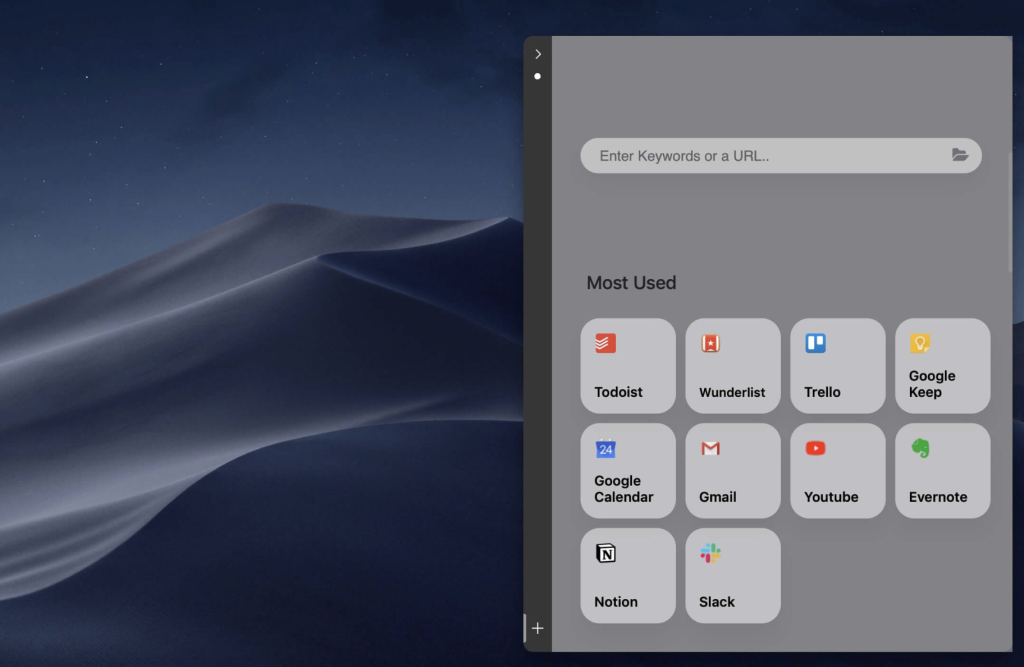
Slidepad offers an intuitive solution for Mac users by providing an iPad-style slide-over window that enables multitasking, easy switching between web apps, and quick access to various resources. Its features include:
- iPad-Style Slide-over Window: Allows for a slide-in and slide-out function, resembling iPad multitasking, making it effortless to navigate between different web applications.
- Simple Sidebar for App Switching: Uses a sidebar to transition between applications, offering a smoother experience than tabs, allowing for quick shifts between various web apps.
- Omnibox for Diverse Content: Supports the addition of any content type to Slidepad. Users can input keywords, URLs, and access various resources like websites, tutorials, or PDFs directly.
Additional Features Include:
- Minimal-style sidebar
- Corner snapping
- Developer tool accessibility
- Customizable sound settings
- Mobile/Desktop user-agent switching
- Notification display with live notifications on/off
- Multi-screen support
- Drag-and-drop support
- Picture-in-Picture support
- Quicklook icon support
- Dark theme support (macOS 10.14+)
- Global keyboard shortcut support
Compatibility: macOS 10.13.4 or later.
To learn more or to download Slidepad, you can visit the Slidepad Homepage.