Jameskarke

Jameskarke

This user hasn't shared any profile information

Home page: http://macmyanmar.com

Posts by Jameskarke

Download Topaz Photo AI for Mac V-2.0.0

0

Name : Topaz Photo AI

Size : 227 MB

Download Topaz Photo AI for Mac V-2.0.0

Topaz Photo AI is a software tool designed to enhance the quality of your photos by using artificial intelligence (AI) technology. It focuses on sharpening images, removing noise, and increasing resolution. Here are some key features and capabilities based on the provided information:

  1. Image Enhancement: Topaz Photo AI uses AI algorithms to enhance the quality of your photos. It specifically aims to make your photos sharper, clearer, and more detailed.
  2. Noise Reduction: The software includes noise reduction capabilities, which can be especially useful for improving the quality of photos taken in low-light conditions or with high ISO settings.
  3. Resolution Enhancement: It has the ability to increase the resolution of your photos. This can be beneficial when you want to upscale an image while preserving as much detail as possible.
  4. Creative Freedom: Topaz Photo AI is designed to empower photographers to focus on their creative aspects rather than spending extensive time and effort on technical image processing. The AI tools help enhance image quality.
  5. AI-Based Sharpening: The Sharpen AI module in the software is claimed to work differently from traditional sharpening techniques. It aims to naturally address issues like camera shake, motion blur, and misfocus to produce more realistic and artifact-free results.
  6. Compatibility: The software’s compatibility details are not specified, but it’s likely to work with popular operating systems and image formats.
  7. Human Creativity: The software emphasizes that AI can enhance image quality but cannot replace the artistic vision and creativity of a human photographer. It’s meant to be a tool that complements the photographer’s skills.

As with any image enhancement software, it’s important to exercise caution and use these tools judiciously to avoid overprocessing images. The software’s website, provided as “https://topazlabs.com/,” should offer more information on its features, compatibility, and user guides to help you get the most out of this AI-powered photo enhancement tool.

Download CleanMyMac 4.14.3 for Mac free

0

Name : CleanMyMac

Size : 121 MB

Download CleanMyMac 4.14.3 for Mac free

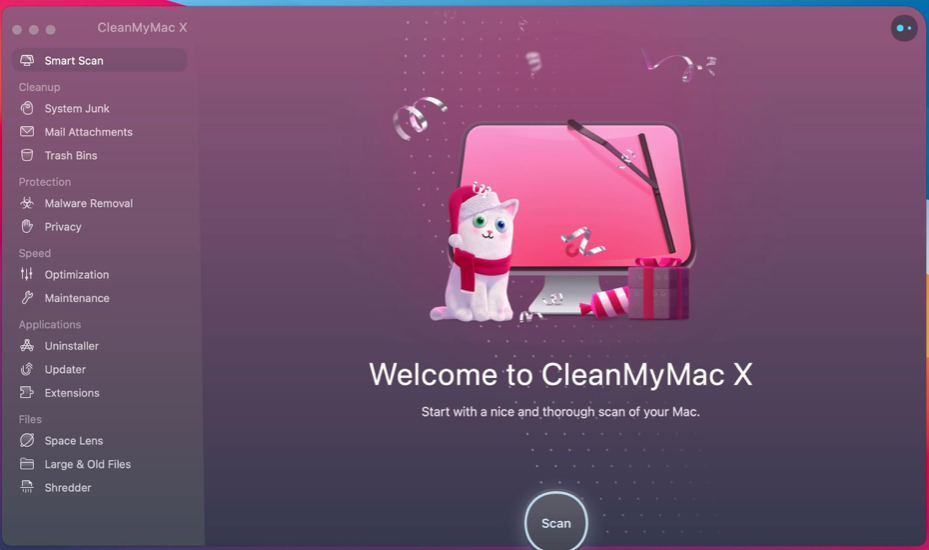
CleanMyMac X is a software application designed to optimize and clean macOS systems, claiming to make your Mac run faster and more efficiently. It offers a range of features for maintaining and enhancing the performance of your Mac computer. Here are some of the key features and functions of CleanMyMac X based on the provided information:

  1. Junk File Cleanup: CleanMyMac X is designed to locate and remove various types of unnecessary files that may accumulate on your Mac, such as outdated caches, broken downloads, logs, and language localizations that you don’t use.
  2. Large File Cleanup: It can help identify and remove large hidden files that are taking up valuable storage space on your Mac.
  3. System Optimization: The software includes tools for optimizing system performance, such as freeing up RAM, running maintenance scripts, and managing startup items like Login Items and Launch Agents to reduce system load and improve speed.
  4. Malware Protection: CleanMyMac X claims to protect your Mac from malware, adware, ransomware, and other potential threats specific to macOS. It includes a protection module with a regularly updated malware database.
  5. Uninstaller: It offers an uninstaller tool that can help you completely remove unwanted applications, widgets, plugins, and preference panes from your Mac.
  6. Updater: The updater feature can automatically keep your software up to date, ensuring that you have the latest versions of your applications, which can help prevent software conflicts.
  7. User-Friendly Interface: CleanMyMac X is designed to be user-friendly, with a drag-and-drop interface that simplifies the cleaning and optimization process.
  8. File Eraser: It includes a secure file eraser to ensure that deleted files cannot be easily recovered.
  9. Trash Monitoring: The software monitors your Trash to help you uninstall trashed applications correctly and ensure they are completely removed.
  10. Removable Device Cleanup: CleanMyMac X can also keep an eye on your removable devices to help clean up junk service files from them.

The provided information mentions that the software’s latest version is 4.14.3 and it is compatible with macOS 10.13 or later. It’s important to note that while CleanMyMac X offers various features that can be useful for optimizing and maintaining your Mac, it’s essential to be cautious when using any cleaning or optimization tools, as improper use can potentially lead to unintended consequences. Always back up your data before making significant changes to your system. Additionally, make sure to download and use software from reputable sources to avoid potential security risks.

Download Mac software Guitar Pro 8.1.1-17

0

Name : Guitar Pro

Size : 1.08 GB

Download Mac software Guitar Pro 8.1.1-17

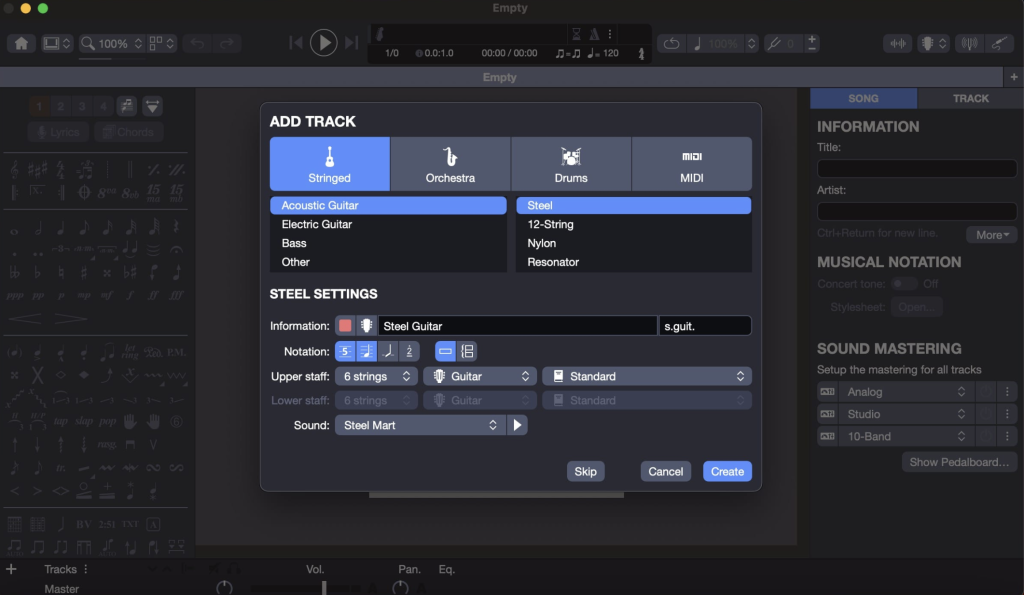
Guitar Pro 8 is a comprehensive software tool designed for guitarists and musicians. It offers a wide range of features to help you learn, create, and edit guitar tabs, and it’s widely used for composing songs, transcribing music, and sharing tabs with other musicians. Here’s an overview of its key features and specifications:

Key Features:

  1. Play Accompanied: You can play your favorite songs accompanied by the score, allowing you to learn and practice songs effectively.
  2. Create and Edit Scores: Guitar Pro 8 provides numerous editing tools for creating and editing scores. This includes features like scale and chord diagrams.
  3. Sound Customization: The software offers the ability to play with more than 100 different instruments, including guitars, basses, and drums, allowing you to create your own tabs.
  4. Customize Tabs: You can create professionally designed sheet music for your songbooks or for teaching purposes.
  5. Sharing: Guitar Pro files are widely used and shared among musicians and guitarists worldwide, making it easy to collaborate and share your music.
  6. Tablatures Editor: Guitar Pro is known for its robust tablature editing capabilities, allowing you to compose complete songs, transcribe music, and create educational content.
  7. Audio Integration: You can import audio tracks into your project to create realistic backing tracks, making transcription and practice easier.
  8. Audio Engine and Sound Options: Guitar Pro 8 supports emulating more than 100 instruments, and it offers a virtual effects chain to fine-tune your sound.
  9. Layout Options: Create professionally-looking sheet music with various layout options to edit your own songbooks and share your work.
  10. Collaboration and Sharing: Guitar Pro 8 supports the most popular file extensions and allows you to download and access thousands of free tablatures on the internet. It’s useful for music teachers, bands, solo artists, composers, and students.
  11. mySongBook Scores Library: Access thousands of quality scores made by professional transcribers. Subscribe to get access to full scores with tracks for various instruments.

What’s New in Guitar Pro 8:

  • Add an audio file to your scores, allowing you to play along with songs or backing tracks.
  • Practice along with an audio file and synchronize it with your score.
  • Easily create and edit transcriptions by synchronizing audio with your tabs.
  • Create volume contrast between tracks with the Focus/Unfocus track feature.
  • Utilize the visual metronome and countdown for rhythm practice.
  • Lock the sound of the line-in to maintain the same sound across tracks.
  • Customize your effects chain and mastering with the new pedalboard.
  • Fine-tune note duration, offset, and velocity for precise scoring.
  • Adjust the sound of each drum element separately.
  • Pre-listen to sound presets while playing your tabs.
  • Many layout and design options to improve the quality of your scores.
  • Collaborate with other musicians and share your work efficiently.

Guitar Pro 8 is compatible with macOS 10.13 or later and supports both Apple Silicon and Intel Core processors. It offers a wide range of features for guitarists, composers, and musicians, making it a versatile tool for tablature creation and music transcription. You can find more information and download options on the Guitar Pro homepage.

RarLab RAR 6.24 for macOS Download

0

Name : RarLab RAR 6.24 for macOS

Size : 6.68 MB

RarLab RAR 6.24 for macOS Download

RAR for macOS is the macOS version of the popular WinRAR archiver software that’s widely used on Windows. It provides a range of features for compressing, decompressing, and managing compressed files and archives. Here’s an overview of its key features and specifications:

Key Features:

  1. Compression and Decompression: RAR for macOS allows you to create compressed archives to save space and reduce the size of email attachments. It can also decompress various archive formats, including RAR, ZIP, and more.
  2. General and Multimedia Compression: The software offers strong compression capabilities for general and multimedia files. It automatically selects the best compression method for multimedia files, executables, and object libraries.
  3. Solid Compression: RAR introduces a compression algorithm that can significantly increase compression ratios, especially when dealing with a large number of small files.
  4. Archive Protection: It provides features to protect your archives from damage, including the ability to repair physically damaged archives.
  5. Support for Multiple Archive Formats: RAR supports popular archive formats such as RAR, ZIP, CAB, ARJ, LZH, TAR, GZip, UUE, ISO, BZIP2, Z, and 7-Zip.
  6. Multivolume Archives: RAR enables you to split archives into separate volumes for easier storage and sharing across multiple disks.
  7. Encryption: It offers 256-bit password encryption to keep your archived data secure.
  8. Authentication Signature Technology: RAR utilizes an authenticated signature technology to ensure the authenticity and integrity of your archives.
  9. Free Trial: RAR is available as a trial product, allowing you to use it free of charge for 40 days.
  10. Cross-Platform Licensing: RAR licenses are valid for all available language and platform versions. You can mix versions to suit your specific needs.

Compatibility:

  • RAR for macOS is compatible with macOS 10.8 or later.
  • It supports both Apple Silicon and Intel Core processors.

Please note that RAR for macOS primarily operates through the command-line interface. If you prefer a more user-friendly GUI client for your compression and decompression needs, alternatives like “The Unarchiver” or “unRarX” are recommended.

For more details and to download RAR for macOS, you can visit its official homepage at https://www.rarlab.com/.

Download Microsoft Office 2021 for Mac LTSC v16.78

0

Name : Microsoft Office 2021 for Mac LTSC

Size : 2 GB

Download Microsoft Office 2021 for Mac LTSC v16.78

Microsoft Office 2021 for Mac is the latest version of the popular Microsoft Office suite designed for Mac users. It is optimized to make the most of Mac’s features and offers various applications for creating, editing, and managing documents, spreadsheets, presentations, and more. Here’s an overview of its key features and supported applications:

Word:

  • Create and edit professional-looking documents.
  • Features a Design tab for easy access to formatting options.
  • Smart Lookup provides contextual information from the web directly within Word.

Excel:

  • Analyze and visualize data with a fresh user interface.
  • Includes tools like Analysis Toolpak, Slicers, and Formula Builder.
  • Offers shortcuts for increased productivity.

PowerPoint:

  • Create, collaborate, and present ideas with new slide transitions and animations.
  • Threaded comments for feedback and collaboration.
  • Presenter View shows current slide, next slide, speaker notes, and timer.

OneNote:

  • Digital notebook for taking notes, storing ideas, web pages, photos, audio, and video.
  • Sync and access notes across devices.
  • Suitable for various use cases, from school assignments to work projects.

Outlook:

  • Manage email, calendar, contacts, and tasks.
  • Supports push email to keep your inbox up to date.
  • Conversation view for organizing related messages.

System Requirements:

  • Compatibility: macOS 10.15 or higher.
  • Available in multiple languages.

Microsoft Office 2021 for Mac offers a comprehensive suite of applications tailored for Mac users, enabling them to create and manage a wide range of documents and data. It takes advantage of Mac-specific features like Retina display and full-screen view support, providing an enhanced user experience. You can find more information and download options on the Microsoft Office for Mac homepage.


Download Mac Rhizomatic Plasmonic 1.2.7

0

Name : Rhizomatic Plasmonic

Size : 90.47 MB

Download Mac Rhizomatic Plasmonic 1.2.7

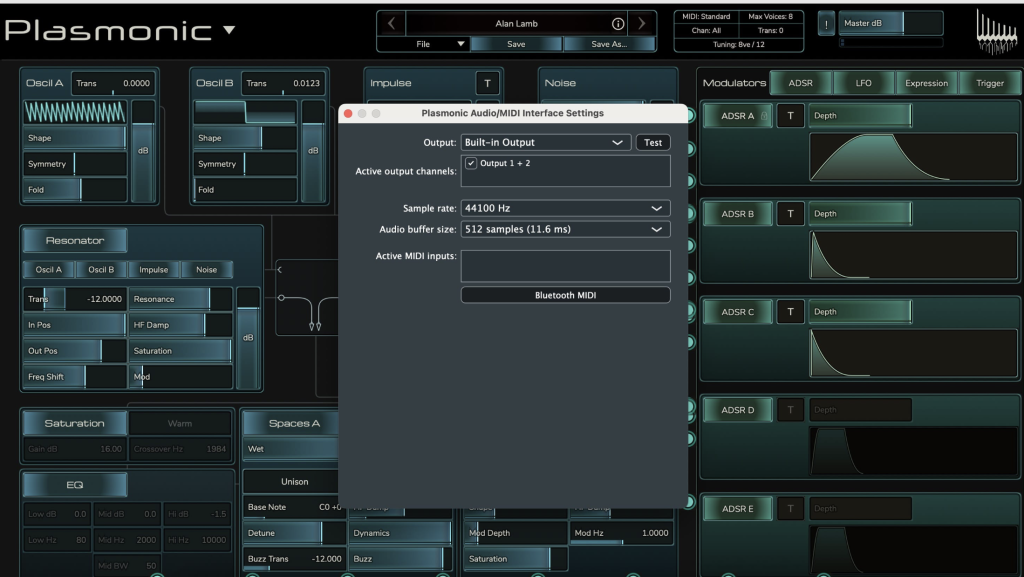
Plasmonic is a virtual instrument or software synthesizer that offers a wide range of sound synthesis capabilities and expressive control features. Here’s a breakdown of its key features and specifications:

  1. Sound Synthesis Capabilities:
  • Plasmonic combines elements of Physical Modeling and Subtractive Synthesis to create a diverse range of sounds.
  • It can produce sounds ranging from plucked strings to complex acoustic resonances, imaginary soundscapes, leads, and rhythmic textures.
  1. Factory Presets:
  • Plasmonic includes a variety of factory presets that cover a wide sonic palette, designed for maximum playability.
  • All factory presets use 8 macro controllers for easy tweaking and expressive control, making each preset function like an instrument of its own.
  1. Designed for MPE (MIDI Polyphonic Expression):
  • Plasmonic is compatible with MPE controllers, making it easy to configure for expressive and dynamic playing.
  • All factory presets are MPE-ready, and MPE Slide and Pressure are integrated into the modulation framework for expressive control.
  1. Deep Modulation:
  • Plasmonic offers extensive modulation options, allowing almost any parameter to be modulated using a variety of flexible modulators.
  • The Modulation Assignments Panel provides precise control over how each parameter is modulated, enabling the creation of responsive and expressive sounds.
  1. Unique Effects:
  • Plasmonic’s effects are as creative as the synthesis engine itself.
  • The effects include self-oscillating delay effects, ranging from transparent spaces to chaotic noise-scapes, and a unique Sympathetic effect that adds dynamic harmonic resonances in response to audio input.
  • All effect parameters are integrated into the modulation framework, making them an expressive part of the sound design process.
  1. Specs Overview:
  • 300 MPE-compatible factory presets.
  • Microtuning support with MTS-ESP and the ability to import scl and tun files.
  • Four audio sources, including wavetable oscillators, an impulse generator for resonance, and a noise generator with a resonant lowpass filter.
  • Two interacting filters: a self-oscillating resonator and a multimode self-oscillating ladder filter with various filter types.
  • Extensive modulation and expression support, including multiple ADSRs, LFOs, and MIDI Macros.
  • Unique delay effects, polyphonic saturation, and a 3-band parametric EQ.
  • Intuitive and resizable graphical interface designed for easy modulation setup.
  1. Compatibility:
  • Plasmonic is compatible with macOS 10.12 or later and supports both Apple Silicon and Intel Core processors.

For more detailed information and access to Plasmonic, you can visit its homepage at https://rhizomatic.fr/. This software synthesizer seems to be a versatile tool for electronic music producers and sound designers, offering a wide range of sound sculpting and expressive capabilities.

Download Texifier 1.9.22 (783)

0

Name : Texifier

Size : 35 MB

Download Texifier 1.9.22 (783)

Texpad is a LaTeX editor designed for macOS, offering a straightforward and efficient environment for creating, editing, and typesetting LaTeX documents of any size. It provides various features and tools to streamline the LaTeX document creation process. Here are some key features and capabilities of Texpad:

Key Features of Texpad:

  1. LaTeX, Plain TeX, and Markdown Support: Texpad supports LaTeX, Plain TeX, and Markdown, making it versatile for different types of document creation.
  2. Document Structure Navigation: Open a LaTeX root file, and Texpad will scan it, open any referenced files, and extract the document structure for display in the outline view. This allows for easy navigation through large multifile projects.
  3. Syntax Highlighting: The editor in Texpad includes syntax highlighting, a choice of themes, autocomplete of LaTeX commands (including those defined in your document), and autofill for commands like \cite and \ref.
  4. Document Outline: Texpad provides an outline that lists all labels, figures, tables, todos, and more. It helps you navigate and organize your document.
  5. Global Search: Texpad offers a global search view that allows you to search and replace text or regular expressions across your entire project.
  6. Integrated Typesetter: TexpadTeX, Texpad’s internal typesetter, is available offline and supports almost any LaTeX package. It includes PGF drivers, Native Fonts extensions, Unicode support, and more. TexpadTeX can run in Live mode, updating the output as you type.
  7. BibTeX and Makeindex Support: TexpadTeX integrates a BibTeX tool and a Makeindex compatible indexer for documents that require these tools.
  8. Package Management: Texpad’s integrated bundle manager handles the downloading, installation, and updating of LaTeX packages. This gives you access to the entire LaTeX ecosystem without using excess storage space.
  9. Cloud Typesetters: In cases where your document is not compatible with TexpadTeX, you can use the integrated cloud typesetters to typeset your document in the cloud. The results are presented as if they were typeset on your device.
  10. Error Handling: After typesetting, Texpad organizes errors and warnings in a table of issues. You can tap on an issue to jump directly to the problematic line of LaTeX source or the line in the raw log.
  11. Markdown Support: Texpad treats Markdown on an equal footing with LaTeX. You can edit your document in Texpad’s syntax-highlighting editor and easily convert and typeset it with LaTeX.

Compatibility:
Texpad is compatible with macOS 10.15 or later.

Official Homepage:
For more detailed information about Texpad, including pricing and download options, you can visit the official Texpad website: Texpad Official Homepage.

Texpad is a valuable tool for LaTeX users on macOS, providing a feature-rich environment for creating and typesetting LaTeX documents. Its support for Markdown, integrated typesetters, and document organization features make it a powerful choice for LaTeX document editing.

Download for MacTopaz Video AI 3.5.2

0

Name : Topaz Video AI

Size : 112 MB

Download for MacTopaz Video AI 3.5.2

Video Enhance AI is a powerful video quality enhancement tool designed for macOS. It utilizes advanced algorithms and deep learning techniques to improve the quality of videos in various ways, including upscaling, denoising, deinterlacing, and restoration. Unlike enhancing photos, enhancing videos is more complex due to motion-related issues, such as flickering, blockiness, and wavy artifacts. Video Enhance AI addresses these challenges by analyzing information from multiple frames to achieve high-quality results. Here are some key features and capabilities of Video Enhance AI:

Key Features of Video Enhance AI:

  1. Upscaling: Video Enhance AI can upscale video resolution by gathering detail from multiple frames. It can convert SD videos to HD and even upscale HD videos to 4K or 8K while adding crisp and natural video details.
  2. Denoising: This tool can remove noise and grain while recovering real details in your videos. It minimizes flickering and other temporal artifacts caused by frame-by-frame denoising approaches.
  3. Deinterlacing: Video Enhance AI uses deep learning to convert interlaced videos to progressive format while preserving image definition. This significantly reduces visual artifacts compared to traditional deinterlacing methods.
  4. Restoration: It can naturally restore old videos without adding visual artifacts. You can restore realistic details and remove compression artifacts from old or degraded sources.
  5. Frame Rate Conversion: The Chronos AI model introduced in version 2.3 increases video frame rate without artifacts. It generates new frames between existing ones to enhance videos with more natural results. This can be used to increase video frame rates from 24 to 60 FPS or from 30 to 60 FPS.
  6. Smooth Slow-Motion: Video Enhance AI can create a smooth slow-motion effect by generating new frames without stuttering or motion artifacts, delivering natural slow-motion results.
  7. Fewer Motion Artifacts: Unlike some video upscaling techniques that create “shimmering” or “flickering” effects, Video Enhance AI is trained to significantly reduce such artifacts.
  8. Recover Video Details: The software injects real details into your videos by utilizing additional information from multiple adjacent frames.
  9. More Natural Results: Traditional upscaling often causes artifacts, but Video Enhance AI mitigates them by using information from multiple frames.
  10. Training on Videos: Video Enhance AI was trained exclusively on video clips instead of still images, which contributes to improved results.
  11. Optimized Hardware: The software works directly with hardware manufacturers to ensure it runs as fast as possible on your machine.
  12. Convenient Workflow: You can easily convert and combine multiple videos, from SD to HD or HD to 4K, with export presets and batch processing.
  13. Flexible Import/Export: Video Enhance AI supports common video file types and image sequences as input and can export directly to MP4, MOV, or image sequences.
  14. Batch Processing: You can queue up multiple videos for enhancement, leaving Video Enhance AI running overnight to process them.

Compatibility:
Video Enhance AI is compatible with macOS 10.12 or later.

Official Homepage:
For more detailed information about Video Enhance AI, including pricing and download options, you can visit the official Topaz Labs website: Video Enhance AI Official Homepage.

Video Enhance AI is a valuable tool for content creators and video enthusiasts looking to improve the quality of their videos through upscaling, denoising, deinterlacing, and restoration, with the added benefit of frame rate conversion and more natural results.

Download for Mac app GraphicConverter 12.0.7

0

Name : GraphicConverter

Size : 248 MB

Download for Mac app GraphicConverter 12.0.7

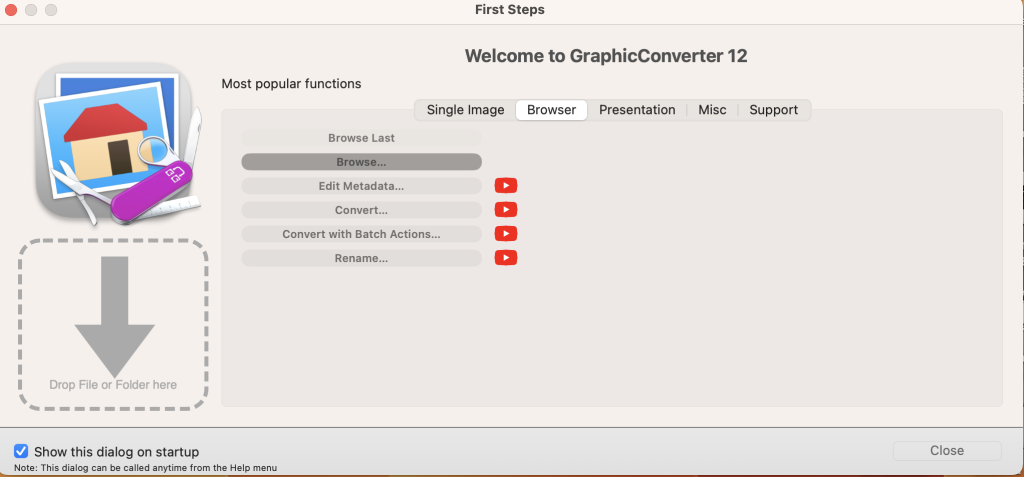
GraphicConverter is a versatile image-editing program for macOS that provides a wide range of features for importing, editing, and exporting images. It supports a broad array of graphic-based formats, allowing users to manipulate images and export them in various file formats. The program offers high-end editing tools, compatibility with Photoshop-compatible plug-ins, batch conversion capabilities, a slideshow window, batch renaming, and both batch and individual editing of metadata (EXIF, IPTC, XMP). Here are some key features and details about GraphicConverter:

Key Features of GraphicConverter:

  1. Image Import: GraphicConverter can import over 200 different graphic-based formats, making it a versatile tool for working with various image types.
  2. Image Editing: The program offers high-end image editing tools that are perfect for graphic manipulation. Users can perform various image editing tasks to enhance and modify their images.
  3. Export Options: GraphicConverter allows users to export images to any of the 80 available file formats, providing flexibility in saving and sharing edited images.
  4. RAW Developer: GraphicConverter 11 includes features for working with RAW images. It offers full-screen dialogs with controls for Exposure, Contrast, Color Corrections, and picture noise reduction.
  5. Archive Unpacking: The program can unpack archive files, including Zip, TAR, TGZ, and other formats. It allows users to see the contents of archives without the need for additional software.
  6. Wide Equalization: Wide-angle shooting can lead to distortion at the edges of images. GraphicConverter 11 offers a wide-angle equalization feature to reduce this distortion.
  7. Gradients: Users can create color gradients with up to 10 colors using the program’s gradient creation dialog. This feature is helpful for creating background gradients for collages and other projects.
  8. Duo-Tone: Duo-Tone allows users to color their images with two colors, creating a striking effect. Lighter shades are colored with one color, while darker shades are colored with another.
  9. Apple Finder Tags: If you use Finder Tags from Apple to organize your work, GraphicConverter offers support for displaying and changing these tags directly in the browser, simplifying your workflow.

Compatibility:
GraphicConverter is compatible with macOS 10.13 or later, ensuring that it can run on Mac computers running macOS High Sierra and newer versions.

Official Homepage:
For more detailed information about GraphicConverter, including pricing and download options, you can visit the official GraphicConverter page on the Lemkesoft website: GraphicConverter Official Homepage.

GraphicConverter is a comprehensive image-editing program for macOS users, offering a wide range of features for image import, editing, and export. It can be a valuable tool for users working with various image formats and seeking to enhance and manipulate their images.

Download Gemini for Mac V-2.9.11

0

Name : Gemini

Size : 48 MB

Download Gemini for Mac V-2.9.11

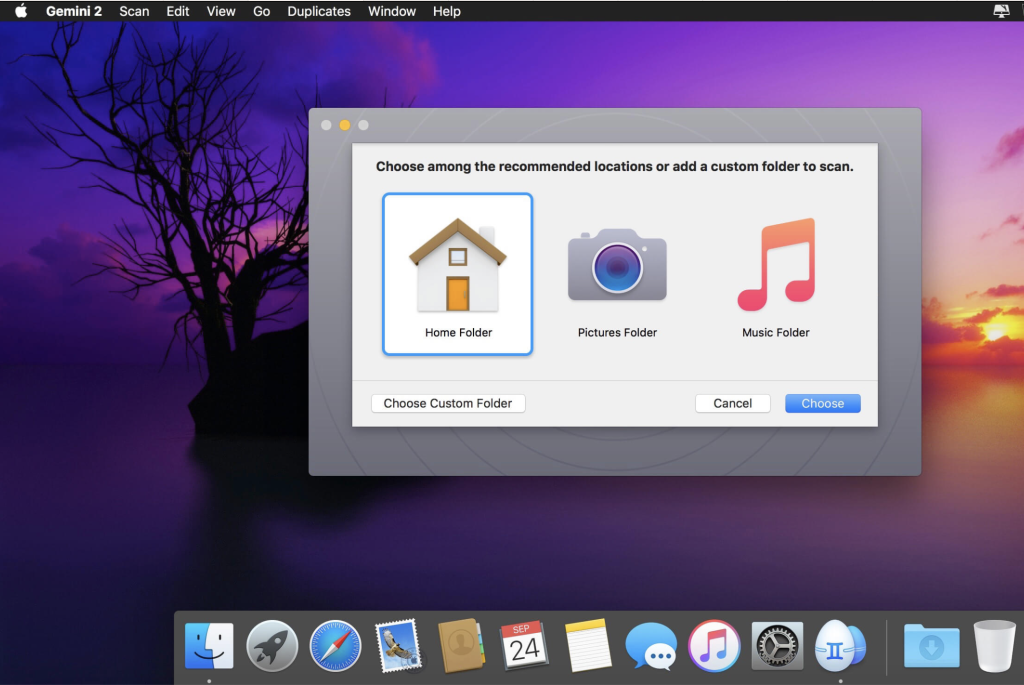
Gemini 2 is a utility application for macOS designed to help users free up disk space by identifying and removing duplicate and similar files on their Mac. The app is capable of scanning various file types and locations, including Photos, iTunes, external drives, and even cloud storage services like Google Drive and Dropbox. It employs a Smart Selection algorithm to ensure that duplicates are removed correctly and safely. Here are some key features and information about Gemini 2:

Key Features of Gemini 2:

  1. Duplicate File Detection: Gemini 2 is designed to find duplicate files of various types, including pictures, music, documents, and more. It can also identify duplicate folders.
  2. External Drives and Network Volumes: The app allows you to delete duplicates not only on your Mac’s internal drive but also on external drives and network volumes.
  3. Cloud Storage: Gemini 2 can identify and remove duplicates in cloud storage services like Google Drive and Dropbox.
  4. Organize Music and Photos: It helps you find duplicate photos in your Photos library and identifies pictures that are similar but not identical. You can also spot duplicates in your iTunes library, including similar music files differing only by format or bit rate.
  5. Smart Selection: The Smart Selection algorithm automatically selects duplicate files for removal while keeping the original files intact. It provides handy icons to help you understand how similar files differ.
  6. Custom Rules: You can add your own Smart Selection rules, such as deleting the older duplicates.
  7. Data Recovery: If you accidentally remove the wrong duplicate, you can restore it with a single click.
  8. Exclusions: You can exclude certain files and folders from the scan to avoid deleting important files.
  9. Move Duplicates: Gemini 2 allows you to move duplicates to a separate folder or onto a USB drive for safekeeping.
  10. Hardlinks: The app can replace copies with hardlinks to save space without deleting the files.
  11. User-Friendly Design: Gemini 2 features a space-themed design and offers achievements, ranks, and even an Easter Egg for a fun user experience.

System Requirements:
Gemini 2 is compatible with macOS, although specific macOS versions are not mentioned. Users can check the app’s system requirements on the official website or the App Store listing.

Official Homepage:
For more detailed information about Gemini 2, including pricing and download options, you can visit the official Gemini 2 page on the MacPaw website: Gemini 2 Official Homepage.

Gemini 2 is a handy tool for macOS users looking to free up storage space by identifying and removing duplicate files. Its Smart Selection algorithm simplifies the process, and the app offers a visually appealing and user-friendly experience.
Jameskarke's RSS Feed
Go to Top