We rank the best UK-licensed online casinos for real money and live craps in 2026, comparing bonuses, games, payouts, and mobile play. read the best online craps casino guide

Posts by Jameskarke
Capture One Pro for Mac 16.4.0.48
0
Name : Capture One Pro
Size : 1 GB
Capture One Pro for Mac free Download
Capture One 23 is a professional-grade RAW converter designed to deliver exceptional image quality, vibrant colors, and precise detail for over 500 high-end cameras. With advanced tethered capture capabilities, robust digital asset management features, and a flexible workflow, Capture One 23 empowers photographers to achieve their creative vision efficiently and effectively.
Key Features:
- Ultimate Image Quality: Capture One 23 ensures superior image quality with beautiful colors and incredible detail, making it the professional choice for demanding photographers.
- Tethered Capture: Enjoy state-of-the-art tethered capture functionality, allowing you to shoot directly into Capture One and instantly preview and adjust images as you shoot.
- Digital Asset Management: Organize and manage your digital assets with ease, thanks to Capture One’s powerful digital asset management tools.
- Extensive Adjustment Tools: Access a wide range of adjustment tools to fine-tune your images, including exposure, color, contrast, and more, ensuring precise control over your final results.
- Customizable Workspaces: Customize your workspace to suit your specific workflow preferences, allowing you to work efficiently and comfortably.
New Features and Improvements:
- Speed Edit: Quickly adjust image settings using the innovative Speed Edit feature, streamlining your editing workflow for greater efficiency.
- Dehaze: Remove haze and enhance clarity in your images with the new Dehaze tool, allowing you to achieve clearer and more vibrant results.
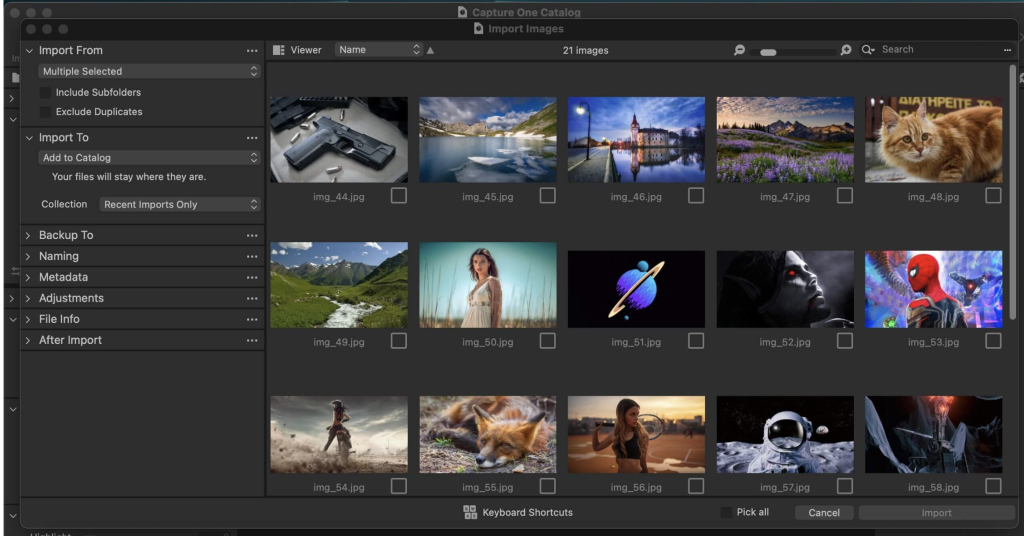
- Improved Importer: Benefit from an enhanced importer, making it easier and more intuitive to import images into Capture One.
- HEIF Support: Capture One 23 now supports HEIF (High-Efficiency Image Format), allowing you to work with this modern image format seamlessly.
- Easy Brush Adjusting: Make brush adjustments effortlessly with improved brush controls, enhancing your editing precision and workflow.
- Improved Performance: Experience enhanced performance and responsiveness, ensuring a smooth and efficient editing experience even with large RAW files.
- User Experience Enhancements: Enjoy various user experience improvements and tweaks, including colored gradients on white balance sliders, enhanced tooltips, and easy access to tutorials.
System Requirements:
- macOS 10.15 or later
Capture One 23 is the go-to software for professional photographers seeking uncompromising image quality, advanced editing capabilities, and a customizable workflow tailored to their specific needs. To learn more and explore the latest features, visit the official website at Capture One.

Capture One Enterprise for Download 16.4.0.48
0
Name : Capture One Enterprise
Size : 1 GB
Capture One Enterprise for Mac free Download
Capture One 23 Enterprise is a specialized photo editing solution tailored for image production studios and e-commerce platforms. Here’s an overview of its features and benefits:
Key Features:
- True-to-Life Color Processing: Capture One 23 Enterprise offers authentic color processing, ensuring true-to-life colors in your images.
- Seamless Editing Experience: Enjoy a seamless editing experience with advanced editing tools tailored for studio photography.
- Fastest Tethering: Benefit from the industry’s fastest tethering capabilities, allowing for efficient and real-time image capture during studio shoots.
- Tailored for Business: Capture One Enterprise is specifically built for business, addressing the unique needs and workflows of photography studios and e-commerce platforms.
Value Creation:
- Time to Market Optimization: Streamline the image production process from planning to publishing, reducing the time spent on each stage.
- Cost Reduction: Optimize efficiency and reduce costs by optimizing each step of the studio photography process.
- Risk Reduction: Secure image production and studio photography to minimize errors and costs, thanks to enterprise-exclusive features like image backup and license management.
Automated Workflows:
- Workflow Enhancement: Automate workflows within Capture One Enterprise to further improve efficiency and productivity.
- Integrations: Integrate Capture One Enterprise with other applications or systems to streamline processes and enhance functionality.
Customized Solutions:
- Specialized Needs: Address specialized needs with customized solutions tailored to your studio photography requirements.
- Ultra-Accurate Color Profiling: Achieve accurate color reproduction to reduce product returns and meet the demands of specialist product photography.
System Requirements:
- macOS 10.15 or later
Capture One 23 Enterprise empowers photography studios and e-commerce platforms with cutting-edge features and tools to optimize their image production process, boost productivity, and achieve superior results. For more information and to explore specific features, visit the official website at Capture One Enterprise.

TechSmith Camtasia for Mac 2023.3.15
0
Name : TechSmith Camtasia
Size : 392 MB
TechSmith Camtasia for Mac free Download
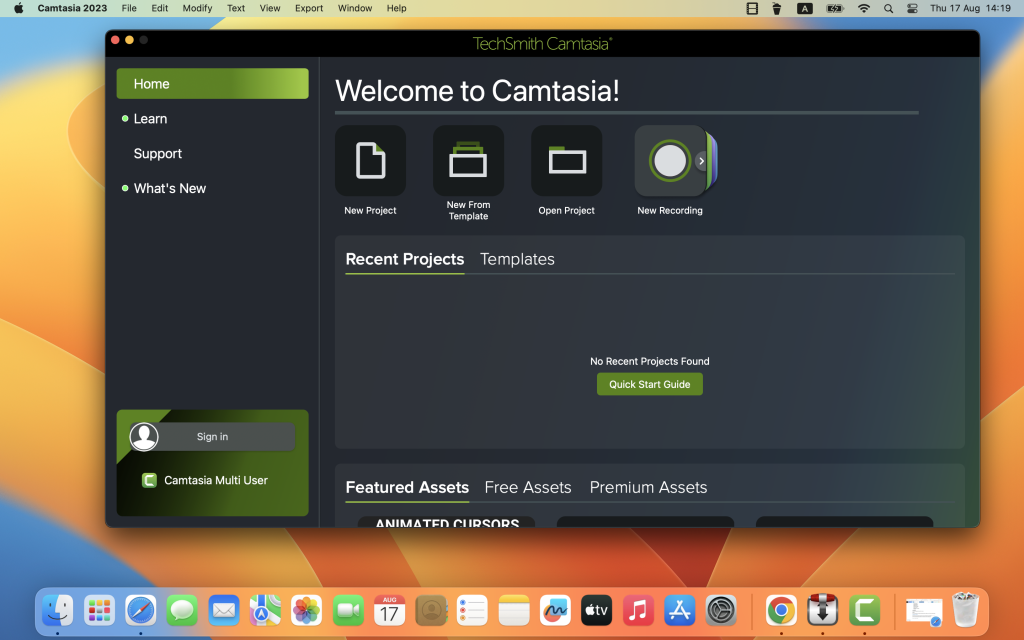
Camtasia is a versatile video solution designed for creating professional-looking software demonstrations, product tutorials, online lessons, and recorded presentations with ease, even for users with no prior video experience. Here’s a breakdown of its key features and benefits:
Key Features:
- Pre-built Video Templates: Start creating videos quickly using pre-built templates tailored for various purposes, making the video creation process more efficient.
- Screen Recording: Capture your screen, import PowerPoint presentations, or add video footage to create engaging content. Recordings can be done with ease, even for beginners.
- Drag-and-Drop Editing: Edit your videos with drag-and-drop simplicity. Add effects, annotations, transitions, and more to enhance your video content and make it visually appealing.
- Easy Sharing: Share your videos effortlessly with anyone. Camtasia provides options for exporting videos in various formats, making it convenient to distribute your content across different platforms.
Benefits:
- Quick Learning Curve: Camtasia is designed to be user-friendly, allowing users to start creating high-quality videos without the need for advanced video editing skills or a large budget.
- Confidence in Video Creation: Whether you’re a seasoned video creator or a novice, Camtasia provides all the tools and resources needed to produce professional-quality videos with confidence.
- Increased Viewer Engagement: Videos are more engaging and interactive than text alone, making them an effective way to communicate information and engage with your audience effectively.
Ideal for:
- Video tutorials
- How-to videos
- Demo videos
- Meeting recordings
- YouTube videos
- Training videos
- Video lessons
- Webinar recordings
- Instructional videos
- Explainer videos
- Presentation recordings
- And more!
System Requirements:
- macOS 11.0 or later
With Camtasia, users can create polished videos for a wide range of purposes, from educational content to marketing materials. Its intuitive interface and powerful features make it a go-to solution for anyone looking to produce professional-quality videos without the complexity of traditional video editing software.
To learn more about Camtasia and start creating engaging videos, visit the official website at https://www.techsmith.com/.

SketchUp Pro 2024 for Mac v24.0.554
0
Name : SketchUp Pro 2024
Size : 1.04 GB
SketchUp Pro 2024 for Mac free Download
SketchUp is a user-friendly 3D modeling program designed to help you explore and create various 3D models with ease. Whether you’re designing houses, sheds, decks, or even spacecraft, SketchUp provides the tools you need to bring your ideas to life in 3D.
Key Features:
- SketchUp Pro for Desktop: Enjoy fast and easy 3D modeling for any project imaginable using the desktop version of SketchUp Pro.
- SketchUp for Web: Access the powerful web-based modeler to design and visualize your projects from anywhere with an internet connection.
- Unlimited Cloud Storage: Store, share, and collaborate on your projects using Trimble Connect’s cloud storage, offering unlimited space for your creations.
- 2D Design Documentation: Create scaled drawing sets in 2D using LayOut, allowing you to generate professional design documentation.
- VR Model Viewing: Impress your clients with immersive virtual reality walkthroughs of their projects using devices like Microsoft HoloLens, HTC Vive, or Oculus, as well as on mobile devices.
- Custom Styles and Materials: Customize your projects with unique styles and materials to make them stand out. Use the Outliner feature for efficient organization and management of project elements.
- Dynamic Components: Easily create and modify dynamic components to enhance the functionality and interactivity of your models.
System Requirements:
- macOS 11.7 or later
SketchUp offers a versatile set of tools that cater to a wide range of users, from hobbyists to professionals. With its intuitive interface and robust features, SketchUp is an invaluable tool for architects, designers, engineers, and anyone else looking to bring their ideas to life in 3D.
To learn more about SketchUp and start exploring the world of 3D modeling, visit the official website at https://www.sketchup.com/.
Audio Hijack for Mac Download 4.4.1
0
Name : Audio Hijack
Size : 33 MB
Audio Hijack for Mac free Download
Audio Hijack is a versatile audio recording tool that allows you to capture audio from various sources on your Mac. Whether it’s application audio, device audio, or system-wide audio, Audio Hijack can record it all. Here are some key features and highlights of Audio Hijack:
Record Any Audio Source:
- Capture audio from any application, including VoIP calls from Skype, web streams from Safari, and more.
- Record audio from hardware devices like microphones, mixers, and other input devices.
- Capture all system audio heard on your Mac at once using the System Audio source.
More Great Features:
- Record audio in popular formats like MP3 and AAC, or in perfect-fidelity formats like AIFF, WAV, ALAC, or FLAC.
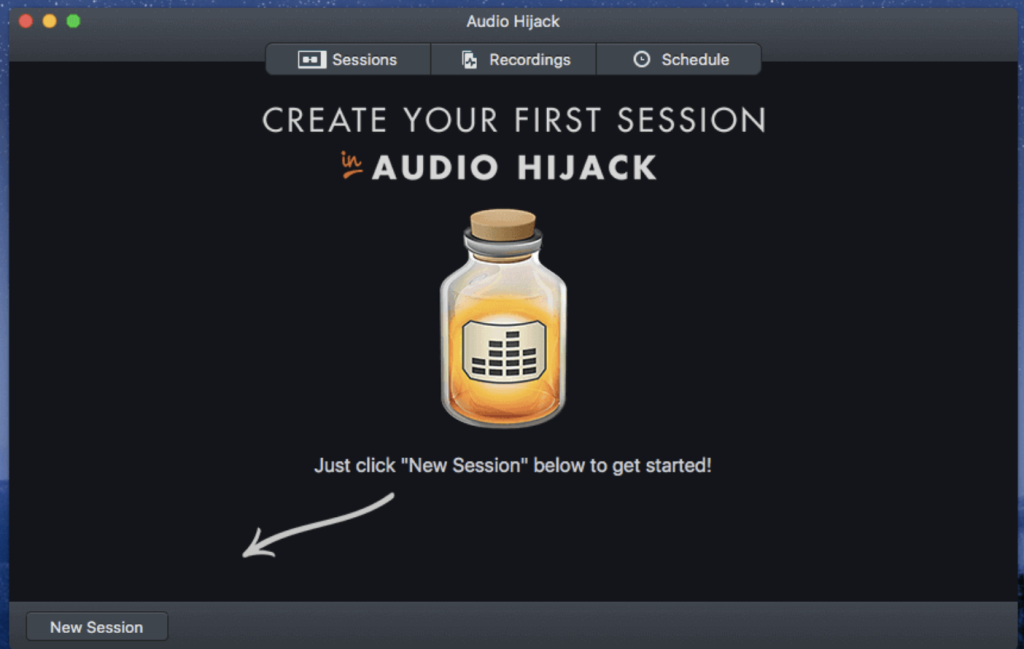
- Reuse configured Sessions for consistent recording setups.
- Organize recordings easily with the Recordings tab for quick access.
- Schedule timed recordings for convenience.
- Automatically stop recording, split to a new file, or remove audio when silence is detected.
- Enjoy bulletproof recording to prevent data loss during power outages or crashes.
- Intuitive audio grid interface provides a clear view of your audio flow.
- Access gorgeous audio effects with ease.
- Time shift your audio by pausing, delaying, and rewinding live audio.
System Requirements:
- macOS 10.14.4 or later
With its thoughtful interface and comprehensive features, Audio Hijack is an essential tool for recording audio on your Mac. Whether you’re a podcaster, musician, or simply need to capture audio from various sources, Audio Hijack has you covered.
For more information and to download Audio Hijack, visit the official website at https://www.rogueamoeba.com/audiohijack/.
schrodinger PyMOL for Mac 3.0.3
0
Name : schrodinger PyMOL
Size : 166 MB
schrodinger PyMOL for Mac free Download
PyMOL is a powerful molecular visualization software used in various scientific fields like computational chemistry and structural biology. It allows users to visualize and analyze the structures of molecules with a high level of detail and customization. In this tutorial, we’ll cover the basics of PyMOL to give you a general understanding of how to use the software effectively.
Components of PyMOL Layout:
- Display Area: This is where molecules are displayed and manipulated once loaded into PyMOL. You can rotate, zoom, and translate molecules using mouse or trackpad interactions.
Benefits of PyMOL:
- Improved Understanding: PyMOL helps improve understanding of the 3D structure of molecules, aiding in identifying essential structural features for functioning.
- Dynamic Evolution Observation: It allows observation of the dynamical evolution of systems obtained via Molecular Dynamics (MD) simulations.
- High-Quality Images: PyMOL can generate high-quality images and movies for publications or presentations.
System Requirements:
- OS: 64-bit macOS 12+ (including Apple Silicon with Rosetta 2)
- CPU: x86_64 compatible processor
- Memory: 4 GB per core
- Disk Space: 18 GB for software installation; additional 400-500 GB if databases (PDB, BLAST, etc.) are installed
- Network: Network card with configured interface
- Color Depth: 16-bit color (for Maestro)
Tutorial Outline:
- Introduction to PyMOL
- Loading Molecules
- Manipulating Molecules (Rotation, Zoom, Translation)
- Analyzing Structures
- Generating Images and Movies
- Advanced Features and Customization
Conclusion:
By the end of this tutorial, you’ll have a solid understanding of PyMOL’s basic functionalities and how to use them effectively in your research or studies. Whether you’re studying proteins, nucleic acids, or small organic molecules, PyMOL provides powerful tools for visualization and analysis.
For more detailed information and tutorials, visit the official PyMOL website at pymol.org.
Let’s dive into the fascinating world of molecular visualization with PyMOL!

CheckBook Pro for Mac 2.7.30
0
Name : CheckBook Pro
Size : 39 MB
CheckBook Pro for Mac free Download
CheckBook Pro offers more than just a basic check register and reporting tool. It combines the simplicity of CheckBook, our personal finance manager, with additional features to enhance your financial management experience. Here are some key features of CheckBook Pro:
- Comprehensive Reporting: Generate reports for all your accounts simultaneously, providing a comprehensive overview of your finances.
- Advanced Search: Conduct searches using various criteria, allowing you to quickly locate specific transactions.
- Smart Folders: Save complex searches as Smart Folders for easy access to frequently used search criteria.
- Transaction Grouping: Group transactions into folders to organize your finances efficiently, whether it’s tidying up or starting a new financial year.
- Batch Transaction Editing: Quickly update the details of multiple transactions at once, saving time and effort.
- Scheduled Transaction Reminders: View pending scheduled transactions for all your accounts with a single reminder, helping you stay on top of upcoming payments.
- Check Printing: Print your checks directly from CheckBook Pro, saving ink strokes and ensuring accurate check printing (requires pre-printed check paper).
- Importing: Import data from other personal finance apps or directly from your bank, with strong support for various file formats including OFX, QFX, QIF, CSV, and Text.
CheckBook Pro offers powerful data management tools while maintaining ease of use. Whether you’re tracking expenses, managing accounts, or preparing reports, CheckBook Pro simplifies the process and provides the tools you need to stay in control of your finances.
Please note that certain features may require pre-printed check paper or specific file formats for importing data. CheckBook Pro is designed to streamline your financial tasks and help you manage your money effectively.

Mia for Gmail for Mac free Download 2.7.2
0
Name : Mia for Gmail
Size : 6 MB
Mia for Gmail Mac free Download
Mia for Gmail is a robust email notifier that enables you to read and compose emails directly from its user-friendly interface. Seamlessly integrated with the Gmail API, Mia for Gmail ensures that you never miss an important email.
Key Features:
- Read and Compose Emails: Access your emails and compose new ones without opening a browser. Attachments are supported for added convenience.
- Labels Selection: Easily manage your emails by selecting labels within the application.
- Quick Email Overview: Get a quick overview of emails by hovering your mouse over them, allowing for efficient email management.
- Desktop Notifications: Receive desktop notifications for incoming emails, ensuring that you stay informed in real-time.
- Fast and Lightweight: Mia for Gmail is designed to be fast and lightweight, providing a smooth user experience without unnecessary bloat.
- Security: The application prioritizes security by using the oauth 2.0 protocol for authentication.
- Email Management: Perform common email management tasks such as marking as read, deleting, archiving, or marking as spam directly from the application.
- Dark Mode Support: Enjoy a comfortable viewing experience with dark mode support, reducing eye strain during extended use.
- Customization: Choose your preferred notification sound from the system sound list and set your default browser for each account.
Mia for Gmail is compatible with macOS 10.13 or later. To learn more about the application or download it, visit the homepage at https://www.miaforgmail.com/.

TominLab WonderPen for Mac 2.4.6.7366
0
Name : TominLab WonderPen
Size : 152 MB
TominLab WonderPen for Mac Free Download
WonderPen is a versatile writing application designed to meet the needs of writers, students, and enthusiasts alike. Here are some of its key features:
- Tree View: Organize your writing projects efficiently with a tree view interface. Drag and drop to reorder documents as needed for seamless navigation and organization.
- Markdown Support: WonderPen features an intuitive text editor with full Markdown support, allowing you to format your documents with ease and precision.
- Full-Screen Mode: Enter full-screen mode to eliminate distractions and focus solely on your writing. This immersive writing environment enhances productivity and concentration.
- Export Options: Export your documents in various formats, including Image, PDF, and HTML, to share or publish your work effortlessly.
- Auto-Save: WonderPen automatically saves your work while you’re editing, ensuring that your progress is never lost. Additionally, you can back up all your documents as a single file for added peace of mind.
- Memo Support: Attach memos to individual documents to provide additional context or reminders related to your writing projects.
- Focus Mode: Zero in on a specific node of the document tree to concentrate on a particular section or aspect of your writing.
- Search Functionality: Quickly search through all your documents to find specific content or references.
- Automatic Backup: WonderPen includes automatic backup functionality to safeguard your work against unexpected data loss or system failures.
Whether you’re writing essays, articles, stories, or notes, WonderPen offers a user-friendly and efficient platform to bring your ideas to life.
WonderPen is compatible with macOS 10.13 or later. For support or feedback, users can reach out via the “Feedback” option in the “Help” menu.
To learn more about WonderPen or download the application, visit its homepage at https://itunes.apple.com/us/app/wonderpen/id1173437104.
Rectangle Pro for Mac 3.0.25
0
Name : Rectangle Pro
Size : 10 MB
Rectangle Pro for Mac free Download
Rectangle (formerly known as Hookshot) is a powerful tool that allows you to snap windows quickly and efficiently on your Mac. Here are some of its key features:
- Window Management: Rectangle provides 16 predefined window sizes and positions, making it easy to arrange and organize your windows exactly how you want them.
- Keyboard Shortcuts: Use customizable keyboard shortcuts to perform various window management actions quickly and effortlessly.
- Drag and Snap: Simply drag windows to the edges of your screen to snap them into position, helping you maximize your workspace and improve productivity.
- Cursor Movement: Move and resize windows with ease by holding a key and moving your cursor, providing precise control over window placement and size.
- Snap Anywhere: Snap windows under your cursor, even if they’re not currently in focus, allowing you to manage windows without switching between applications.
- Custom Shortcuts: Create custom shortcuts for any window size and position, giving you the flexibility to tailor Rectangle to your specific workflow and preferences.
This latest version, 3.0.25, includes various improvements and bug fixes to enhance the overall user experience. Please note that you may need to disable System Integrity Protection (SIP) to perform certain actions within the application.
Rectangle is compatible with macOS 10.15 or later and can be downloaded from its homepage at https://hookshot.app.