Jameskarke

Jameskarke

This user hasn't shared any profile information

Home page: http://macmyanmar.com

Posts by Jameskarke

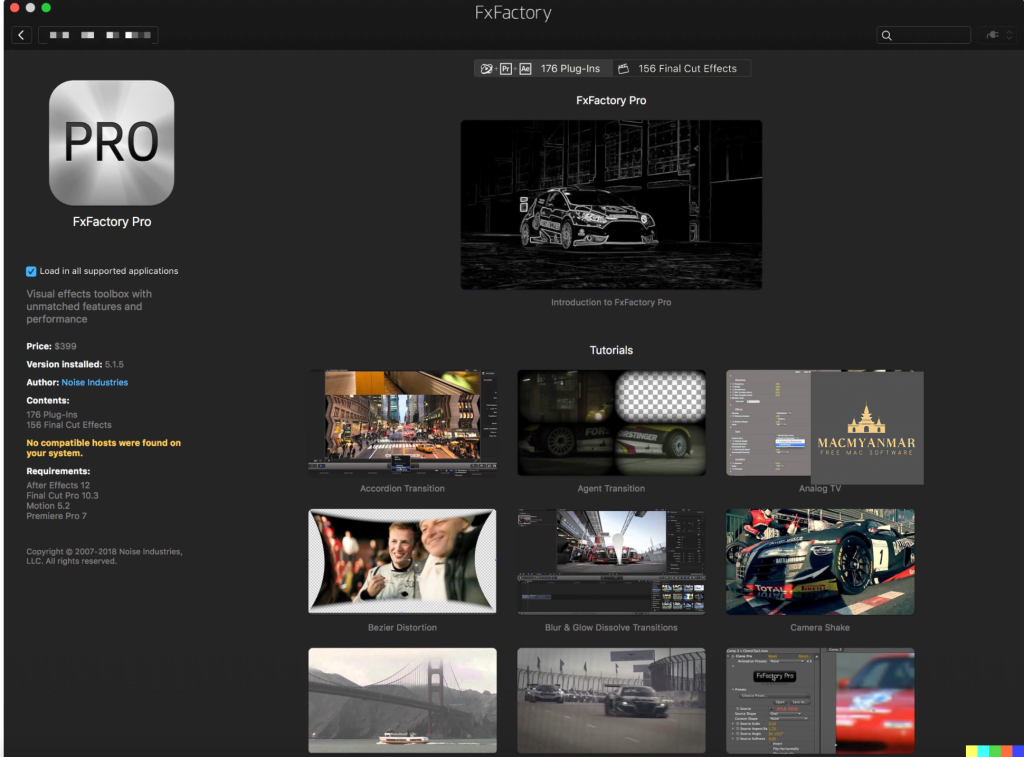
FxFactory Pro 8.0.16 Build for Mac 7877

0

Name : FxFactory Pro 8.0.16 Build

Size : 35 MB

FxFactory Pro 8.0.16 Build for Mac free Download

FxFactory Pro – Premier Visual Effects Toolbox for Video Editing

FxFactory Pro is a comprehensive visual effects package that powers an extensive collection of plug-ins for professional video editing software like Final Cut Pro, Motion, After Effects, and Premiere Pro. It offers unmatched features and an intuitive interface, making it a go-to tool for video editors and creators.

Key Features

  1. Wide Range of Visual Effects:
  • Provides quick access to a vast collection of visual effects designed to work seamlessly with Adobe After Effects, Final Cut Pro, and Motion.
  1. User-Friendly Interface:
  • Intuitive interface for browsing and managing installed effects.
  • Allows users to preview and configure effects to suit their projects.
  1. Free and Commercial Products:
  • Offers both free and commercial products, with support for purchasing and registering commercial products directly within the application.
  1. No-Code Effect Creation:
  • FxFactory Pro enables users to create their own visual effects without writing any code.
  • Users can modify existing plug-ins or create new ones from scratch.
  1. Seamless Integration:
  • Once installed, plug-ins are immediately available for use in Final Cut Pro, Motion, and After Effects.
  • Full integration with FxPlug ensures smooth operation and high performance.
  1. High-Quality Output:
  • Supports 16-bit and 32-bit moving image construction.
  • Provides tools for connecting necessary modules, applying them to content, and rendering high-quality visual effects.
  1. Plug-in Management:
  • Built-in plug-in manager offers a complete environment for managing all visual effects.
  • Simplifies the process of connecting, previewing, and rendering effects within projects.

System Requirements

  • Supported Applications:
  • Apple Final Cut Pro X 10.2+
  • Motion 5.2+
  • Adobe After Effects CC+
  • Adobe Premiere Pro CC+
  • Operating System:
  • macOS 12.6 – 14.x or higher

What’s New in Version 8.0.16 Build 7877

  • Specific release notes were not available at the time of the update.

Get FxFactory Pro

FxFactory Pro is an essential tool for any video editor looking to enhance their workflow with high-quality visual effects, offering both powerful features and ease of use.

OmniReader Pro for Mac 2.9.11

0

Name : OmniReader Pro

Size : 31 MB

OmniReader Pro for Mac free Download

GM Reader – Versatile eBook Reader for macOS

GM Reader is a comprehensive and user-friendly application designed for reading a variety of eBook formats, including EPUB, CHM, and MOBI. With its intuitive interface and robust set of features, GM Reader enhances your reading experience on macOS.

Key Features

  1. Supported Formats:
  • Read EPUB, CHM, and Kindle files (MOBI).
  1. Search Functionality:
  • Single page and full-text search capabilities.
  • Highlights search results for easy navigation.
  1. Navigation:
  • Forward and backward browsing history to easily revisit previous pages.
  • Page turning and zooming features for customized reading.
  • Sidebar shrinking to maximize reading space.
  1. Printing and Exporting:
  • Print pages directly from the app.
  • Export files to EPUB or PDF formats.
  • Extract and save all images contained in the eBook.
  1. File Information:
  • View basic file information such as title, author, and other metadata.
  1. Image Handling:
  • Adaptive image sizing to fit the page layout automatically.
  • Resolve issues with garbled text through file encoding support.
  1. Bookshelf Management:
  • Keep all your read files organized in a bookshelf for easy access.
  • Drag and drop files to add them to the bookshelf quickly.
  1. Pro Version Features:
  • The Pro version, included with top in-app purchases, offers advanced functionalities and an ad-free experience.

System Requirements

  • Compatibility: Requires macOS 10.13 or later.

Get GM Reader

GM Reader provides a seamless and efficient way to read and manage your eBooks, making it a must-have tool for avid readers who use macOS.

Capture One Enterprise for Mac 16.4.3.15

0

Name : Capture One Enterprise

Size : 1 GB

Capture One Enterprise for Mac free Download

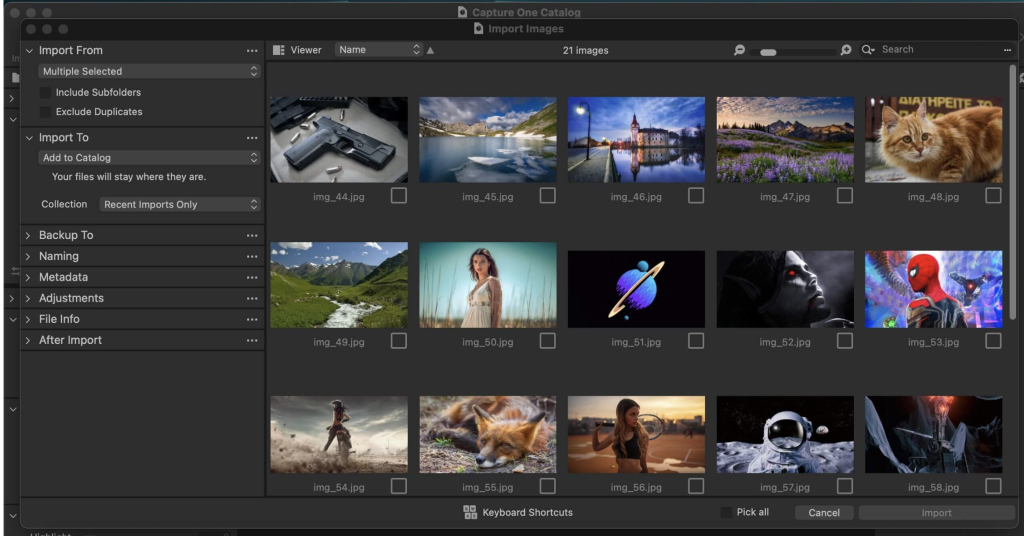
Capture One 23 Enterprise – Advanced Photo Editing Solution for Studios

Capture One 23 Enterprise is a powerful photo editing software specifically designed for image production studios and e-commerce platforms. Developed in Copenhagen, Denmark, Capture One is renowned for its high-quality RAW processing, authentic color rendering, and industry-leading tethering capabilities. The Enterprise version is tailored to meet the specific needs of professional studio photography, offering advanced features to streamline workflows and improve efficiency.

Key Features

  1. Advanced Tethering:
  • Fastest tethering in the industry for seamless shooting and instant review.
  • Barcode scanner tool for easy organization and workflow integration.
  1. High-Quality RAW Processing:
  • True-to-life color rendering with individual color profiles for accurate reproduction.
  • Optimized for popular e-commerce cameras, reducing editing time and costs.
  1. Robust Editing Tools:
  • Comprehensive suite of photo editing tools, including advanced guides and tool locks.
  • Smart adjustments and custom styles to enhance productivity and consistency.
  1. Automation and Integration:
  • Workflow enhancement features for automating repetitive tasks.
  • Integrates with other systems like PIM, DAM, and e-commerce platforms for streamlined operations.
  1. Enterprise-Specific Features:
  • Next Capture Backup to secure images during shoots.
  • Next Capture Keywords and Metadata for efficient data management.
  • Capture Pilot with enterprise enhancements for remote collaboration.
  • Dedicated studio workspaces tailored for various roles within the studio.
  1. Collaboration and Efficiency:
  • Supports multiple users, including photographers, retouchers, and project managers.
  • License management and MDM support for large-scale operations.
  • Customizable solutions to address specialized studio needs, reducing errors and costs.
  1. Security and Backup:
  • Features like Image Back-Up and secure workflow options to minimize risks and protect data.

Value Creation for Photography Studios

Capture One 23 Enterprise enhances studio productivity and cost-efficiency by optimizing key performance indicators (KPIs):

  • Time to Market: Streamlines the image production process from planning to publishing, reducing the time required to make images available on e-commerce platforms.
  • Cost per Image: Improves efficiency at every step, lowering overall production costs.
  • Reduce Risk: Ensures secure and error-free image production through advanced backup and management features.

New in Capture One 23 Enterprise

Latest Updates:

  • Compatibility with macOS 12.0 or later.
  • Enhanced features for more efficient and accurate studio workflows.

For more details and to explore the full range of features, visit the Capture One Enterprise Homepage.

Capture One 23 Enterprise is designed to meet the demanding needs of professional photography studios, providing the tools necessary to maintain high standards of quality, efficiency, and security.

Navicat Premium for Mac Download 17.0.9

0

Name : Navicat Premium

Size : 345 MB

Navicat Premium for Mac free Download

Navicat Premium Essentials – Compact Database Management Tool

Navicat Premium Essentials is a streamlined version of the comprehensive Navicat database management suite, designed to provide the essential tools required for basic database administration. This tool supports multiple database types and offers a variety of features for efficient data management and maintenance.

Key Features

  • Support for Multiple Databases:
  • Compatible with MySQL, SQL Server, PostgreSQL, Oracle, and SQLite databases.
  • Allows administration of all supported databases within a single application via Navicat Premium Essentials.
  • Basic and Necessary Features:
  • Supports latest database features including Trigger, Function, and View.
  • Provides an Import/Export tool for handling data in plain text file formats such as TXT, CSV, and XML.
  • Cross-Platform Availability:
  • Available for Microsoft Windows, macOS, and Linux.
  • Connects to both local and remote servers, providing flexibility in database management.
  • Utility Tools:
  • SQL editors for crafting and executing queries.
  • Import/Export functionalities for easy data transfer.
  • SQL script dumping and execution.
  • Server Monitor for overseeing server performance and health.
  • User-Friendly Interface:
  • Designed to simplify the process of data maintenance and administration.
  • Compact version focuses on delivering essential functionalities without unnecessary complexity.

Compatibility

  • Operating System: Requires macOS 11.0 or later
  • Security Note: You need to disable System Integrity Protection (SIP) and turn off Gatekeeper to install and use this application.

For more information and to download Navicat Premium Essentials, visit the Navicat homepage.

Navicat Premium Essentials provides a cost-effective solution for basic database administration tasks, making it an excellent choice for users who need to perform essential database operations across multiple platforms and database types.

Rhino 8 for Mac Download v8.8.24163.12482

0

Name : Rhino 8

Size : 718 MB

Rhino 8 for Mac free Download

Rhino – Versatile 3D Modeler for Professionals

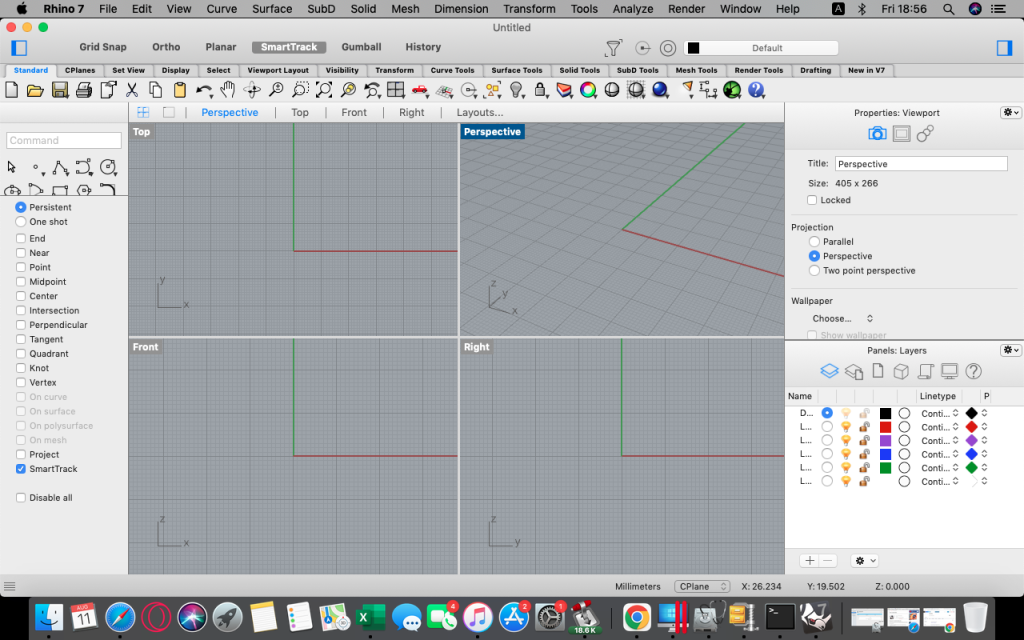
Rhino (Rhinoceros) is a powerful 3D modeling software that allows users to create, edit, analyze, document, render, animate, and translate NURBS* curves, surfaces, and solids, point clouds, and polygon meshes. Known for its flexibility and precision, Rhino is ideal for a wide range of applications from industrial design to architecture, and jewelry to automotive design.

Key Features

  • Unrestricted Free-Form 3D Modeling:
  • Offers advanced modeling tools typically found in much more expensive software.
  • Capable of modeling any shape imaginable, providing designers with ultimate creative freedom.
  • High Precision:
  • Provides the accuracy needed for designing, prototyping, engineering, and manufacturing complex products, from airplanes to fine jewelry.
  • Compatibility:
  • Seamlessly integrates with various design, drafting, CAM, engineering, analysis, rendering, animation, and illustration software.
  • Efficiently reads and repairs meshes and complex IGES files.
  • User-Friendly:
  • Designed to be intuitive and easy to learn, enabling users to focus on design and visualization rather than the software itself.
  • Provides a short learning curve, making it accessible to new users.
  • Performance:
  • Runs smoothly even on standard laptop computers without the need for special hardware.
  • Delivers fast performance, ensuring an efficient workflow.
  • Affordability:
  • Offers a reasonable purchase price with no maintenance fees, making it a cost-effective choice for professionals.

Compatibility

  • Operating System: Requires macOS 12.4 or later

For more information and to download Rhino, visit the Rhino 3D homepage.

Rhino stands out as a versatile and robust 3D modeling tool suitable for both beginners and experienced professionals, providing the capabilities needed to bring the most complex and creative designs to life.
DJ Mix Pads 2 for Mac free Download v6.0.3

0

Name : DJ Mix Pads 2

Size : 148 MB

DJ Mix Pads 2 for Mac free Download

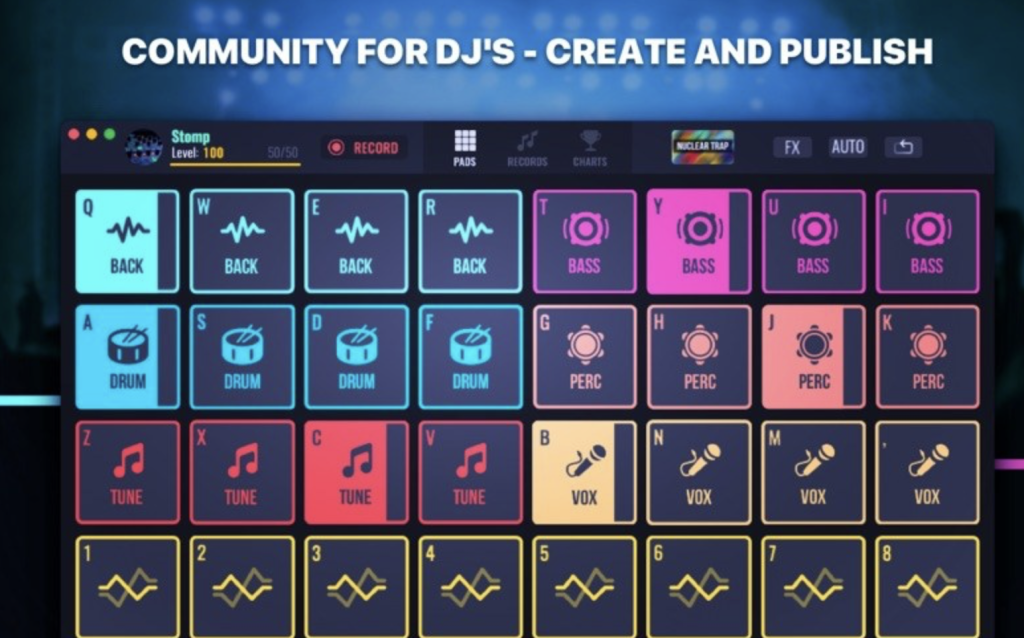
DJ Mix Pads 2 – Remix Version: Your Ultimate Beat-Making Tool

DJ Mix Pads 2 – Remix Version is an intuitive music-making board designed for users of all skill levels. Whether you’re a beginner or a professional, this app provides the tools you need to create impressive beats and tracks.

Key Features

  • User-Friendly Track Creation:
  • Intuitive soundboard with a variety of beats
  • Professional-grade sound effects
  • MIC recording feature for adding custom sounds
  • Wide Range of Music Genres:
  • Dubstep
  • EDM (Electronic Dance Music)
  • Future Bass
  • Additional genres available to suit all musical tastes
  • Engaging and Versatile:
  • Upload and mix your favorite music tracks
  • Hotkeys for each pad, turning your keyboard into a musical instrument
  • Extensive collection of oneshots to enhance your tracks

Top In-App Purchases

  • Full Version Included: Unlocks all features and removes any limitations

Compatibility

  • Operating System: Requires macOS 10.15 or later

For more details and to download DJ Mix Pads 2 – Remix Version, visit the Mac App Store.

DJ Mix Pads 2 – Remix Version is perfect for creating and mixing beats on the go, making it a must-have for aspiring and experienced music producers alike.
Master of Typing 3 – Practice for Mac 3.14.4

0

Name : Master of Typing 3 – Practice

Size : 122 MB

Master of Typing 3 – Practice for Mac free Download

Master of Typing 3: Advanced Touch Typing Course

Master of Typing 3 is a comprehensive touch typing course designed to help users master fast typing techniques using all ten fingers. The course offers a structured and effective approach to increasing typing speed and accuracy.

Key Features

  • Variety of Exercises:
  • Letters & special characters
  • Words & phrases
  • Customizable Difficulty Levels:
  • Manually select difficulty levels and lessons
  • Auto Difficulty mode to automatically progress to the next lesson upon successful completion
  • Ability to focus on specific lesson sections using left/right arrow keys
  • Skill Assessment:
  • Multiple levels of exams to test new skills
  • Detailed statistics including best & average speed and accuracy
  • Tips system for continuous improvement
  • Enhanced Learning Experience:
  • AI-powered dictation mode: Dictate text or select suggested text and type it at dictation
  • Smart timer: Automatically stops when you click outside the app window, allowing you to resume exercises at any time
  • Three themes: Light, Dark, and East for a comfortable typing environment
  • Swipe and hotkeys for quick window switching
  • Colored keyboard scheme to help memorize finger positions
  • Multilingual Support:
  • English (QWERTY)
  • Russian (ЙЦУКЕН)
  • Spanish
  • French (AZERTY)
  • German (QWERTZ)
  • Italian

In-App Purchases

  • Full Pack + No Ads: Unlocks all features and removes advertisements

Compatibility

  • Operating System: Requires macOS 10.13 or later

For more information and to download Master of Typing 3, visit the Mac App Store.

Master of Typing 3 is ideal for anyone looking to improve their typing speed and accuracy, whether for personal development, professional use, or educational purposes.

SQLPro for SQLite for Mac 2024.31

0

Name : SQLPro for SQLite

Size : 26 MB

SQLPro for SQLite for Mac free Download

SQLPro for SQLite: Advanced SQLite Editor

SQLPro for SQLite is a sophisticated SQLite editor designed to provide an intuitive and powerful environment for managing SQLite databases. Whether you’re performing basic database operations or advanced tasks, SQLPro for SQLite has the features you need.

Key Features

  • User-Friendly Interface: An easy-to-navigate interface that makes database management straightforward.
  • Syntax Highlighting and Query Intellisense/Auto-Complete: Helps improve query writing efficiency and accuracy.
  • Advanced Multi-Query Execution: Execute multiple queries simultaneously for enhanced productivity.
  • Customizable Themes: Choose from multiple included themes or design your own to personalize your workspace.
  • Automatic External Change Detection: Automatically reloads a database when it detects modifications made outside of SQLPro.
  • Version Integration: Roll back to previous versions if changes to your database need to be undone.
  • Runtime Loadable Extension Support: Extend the functionality of SQLPro with runtime loadable extensions.
  • Semiautomatic Dependency Resolution: Simplifies the management of database dependencies.
  • Data Export Options: Export your data to various formats, including CSV, MySQL, XML, and JSON.
  • Backwards Compatibility: Supports SQLite 2 databases, ensuring you can work with older database files.
  • Fullscreen Support: Utilize fullscreen mode for a more immersive database management experience.
  • Column Reordering and Inline Filters: Customize the display of your data with column reordering and inline filters.

Try Before You Buy

  • Free Read-Only Version: If you want to test the application before purchasing, you can try the free read-only version.

Compatibility

  • Operating System: Requires macOS 10.12 or later.

For more information and to download SQLPro for SQLite, visit the Mac App Store.

SQLPro for SQLite is ideal for database administrators, developers, and anyone needing a robust and feature-rich SQLite management tool.

Invisor for Mac Download 3.26

0

Name : Invisor

Size : 19 MB

Invisor for Mac free Download

Invisor is a powerful tool designed to display detailed technical information about video, audio, and photo files. It supports a wide range of file formats and provides in-depth metadata analysis, making it an essential utility for media professionals and enthusiasts.

Key Features

  • Wide Format Support:
  • Video and Audio: MPEG-1/2/4, Matroska, WMV, XVID, AVI, MXF, MOV, MJPEG, MP3, AAC, Vorbis, AC-3, DTS, WMA, ALAC, FLAC, PCM, and more.
  • Photo: JPEG, TIFF, PNG, and various raw formats from different camera manufacturers.
  • Detailed Information Display:
  • Provides comprehensive details about the file’s container and media streams, including subtitles and chapters.
  • Displays extensive metadata for photos, including EXIF, IPTC, GPS, XMP, and MakerNote tags.
  • Comparison and Export:
  • Allows comparison of collected data between different files.
  • Export data in various formats: Text, HTML, XML, JSON, and CSV.
  • Comparison tables can be exported to CSV for further analysis.
  • Privacy Protection:
  • Includes a feature to remove geolocation metadata from photos and MPEG-4 (QuickTime) movies, ensuring privacy when sharing media files.

Compatibility

  • Operating System: Requires OS X 10.7.3 or later.

For more information and to download Invisor, visit the Invisor homepage.

Invisor is an invaluable tool for anyone needing detailed media file information and metadata management, offering extensive format support and robust data export capabilities.

Vellum for Mac Download 3.7.4

0

Name : Vellum

Size : 95 MB

Vellum for Mac free Download

Vellum: Simplifying eBook Creation

Vellum is a user-friendly eBook creation tool designed to transform text manuscripts into professional eBooks effortlessly. Whether you’re starting from scratch or importing an existing manuscript, Vellum streamlines the process, offering various styles and instant previews to ensure your eBook looks perfect before publishing.

Key Features

  • Easy Manuscript Import: Import your text manuscript directly into Vellum or start writing from scratch within the application.
  • Multiple Styles: Choose from a range of pre-designed styles to give your eBook a polished, professional look.
  • Instant Previews: View real-time previews of your eBook, making it easy to see how it will appear on different devices and platforms.
  • One-Click Generation: Generate and regenerate eBooks with a single click, minimizing errors and ensuring your final product is mistake-free.
  • User-Friendly Interface: Designed for simplicity, Vellum’s intuitive interface allows you to focus on content creation without worrying about technical details.

What’s New in Version 3.7.4

  • Bug Fixes: This update addresses a crash issue that affected some users of Vellum 2.6.2, enhancing the application’s stability and performance.

Compatibility

  • Operating System: Requires OS X 10.15 or later.

For more details and to download Vellum, visit the Vellum homepage.

Vellum provides a seamless and efficient way to create beautiful eBooks, making it an ideal tool for authors, publishers, and anyone looking to produce professional-quality digital books.

Jameskarke's RSS Feed
Go to Top