Free Macsoftware One click Download

Posts by Jameskarke
Infuse Pro for Mac Download 7.8
02 years
by Jameskarke
in Application

Name : Infuse Pro
Size : 70 MB
Infuse Pro for Mac free Download
Infuse: The Beautiful Way to Watch Almost Any Video Format
Infuse is an elegant and powerful video player that supports a wide range of video formats on your iPhone, iPad, Apple TV, and Mac. Infuse eliminates the need for file conversion, offering a seamless playback experience optimized for macOS 11 with advanced streaming options, Trakt sync, and superior AirPlay & subtitle support.
Key Features
Play More Video Types
- Supports an extensive array of video formats including MP4, M4V, MOV, MKV, AVI, WMV, MTS, ISO, VIDEO_TS, FLV, OGM, OGV, ASF, 3GP, DVR-MS, WebM, and WTV.
- Certified support for Dolby® Digital Plus (AC3/E-AC3), DTS® and DTS-HD® audio for a superior sound experience.
Stream from Other Devices
- Stream videos from your Mac, PC, NAS, Wi-Fi hard drive, and popular media servers like Plex, Emby, and Jellyfin.
- Connect to cloud services such as Dropbox, Google Drive, OneDrive, Box, pCloud, Yandex.Disk, and Mega.nz without the need for syncing.
Trakt 2-Way Sync
- Sync your watched history, submit ratings, and post comments with Trakt integration.
Optimized Subtitles
- Bring your own subtitles or download them on the fly for free in virtually any language, powered by OpenSubtitles.
The Basics
- Silky-Smooth Video Player: Plays full 4K videos with HDR & Dolby Vision.
- Streaming: Stream from Mac, PC, NAS, Wi-Fi enabled hard drives, or media servers like Plex, Emby, Jellyfin, Kodi, and WMC.
- Beautiful Interface: Features a visually appealing layout with quick access to video information, artwork, and metadata.
- Picture-in-Picture: Allows multitasking while watching videos.
Supported Formats
Video: 3GP, AVI, ASF, BDMV, DIVX, DVDMEDIA, DVR-MS, FLV, ISO, M4V, MKV, MOV, MP4, M2TS, MTS, OGM, OGV, TP, TS, VIDEO_TS, WEBM, WMV, WTV.
Audio: AAC, AC3/E-AC3, Dolby TrueHD, DTS, DTS-HD MA, FLAC, MP3, OGG, PCM, WMA.
Subtitles: DVB, DVDSUB, MICRODVD, MPL2, PGS, SMI, SSA/ASS, SRT, SUB, TIMED TEXT, TMP, TXT, VOBSUB, VTT, XSUB.
Player Features
- Multiple audio tracks
- Chapters
- Gesture controls
- 8 video zoom options
- Continuous playback
- Deinterlacing
Extras
- Library Organization: Efficiently manage your media library.
- Folders: Organize your videos into folders.
- One-Click Subtitles: Download subtitles easily from OpenSubtitles.
- Trakt Scrobbling: Automatically scrobble plays to Trakt.
- Network Downloads: Download videos directly from networked devices.
- Drag and Drop: Upload files via a web browser.
- Additional Storage: Expand storage with USB drives.
Infuse Pro
Upgrade to Infuse Pro for additional features:
- Support for more video formats.
- Enhanced audio with Dolby® Digital Plus (AC3/E-AC3), DTS®, and DTS-HD® surround sound.
- Stream various video types over AirPlay and Google Cast.
- Access cloud-stored videos.
- Sync libraries, settings, watched history, and playback progress across devices.
Note: DRM-protected movies and TV shows purchased from the iTunes store are not supported.
Compatibility
- Requires macOS 11.0 or later.
For more information and to download Infuse, visit the Infuse Homepage.
Infuse offers a sleek and powerful solution for all your video playback needs, making it an essential app for media enthusiasts who demand high performance and versatility.
Rhino 8 for Mac v8.8.24170.13002
02 years

Name : Rhino 8
Size : 718 MB
Rhino 8 for Mac free Download
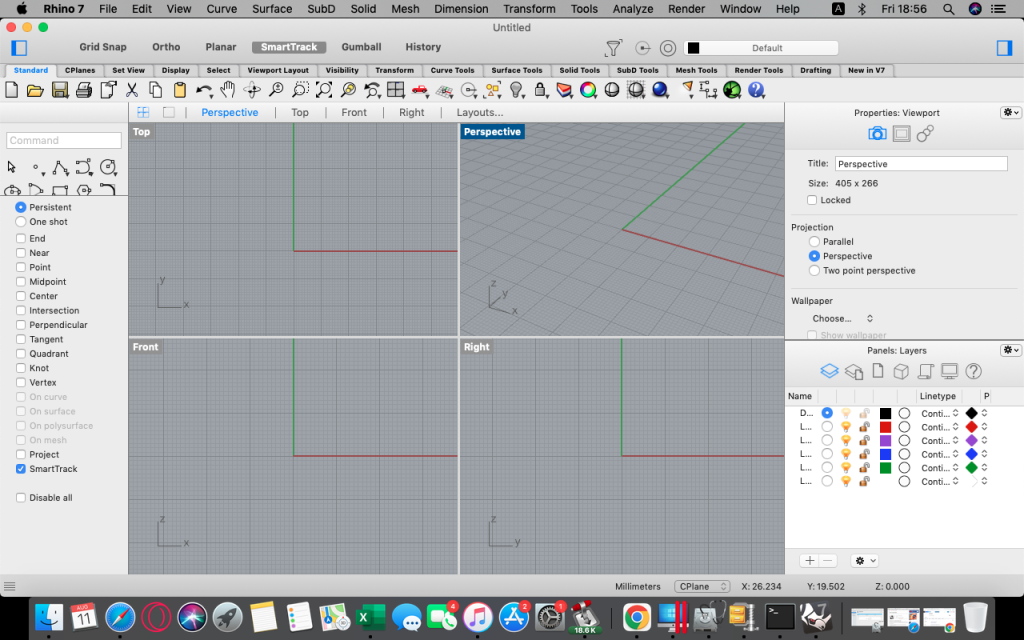
Rhino: Versatile 3D Modeler
Rhino (Rhinoceros) is a powerful 3D modeling software that excels in creating, editing, analyzing, documenting, rendering, animating, and translating NURBS* curves, surfaces, and solids, as well as point clouds and polygon meshes. With virtually no limits on complexity, degree, or size, Rhino leverages the full potential of your hardware for any design task.
Special Features
- Free-Form 3D Modeling Tools: Offers advanced 3D modeling tools comparable to those found in software costing significantly more. You can model any shape you can imagine.
- Precision: Provides the accuracy required for designing, prototyping, engineering, analyzing, and manufacturing a wide range of items from airplanes to jewelry.
- Compatibility: Seamlessly integrates with various design, drafting, CAM, engineering, analysis, rendering, animation, and illustration software.
- Mesh and IGES File Handling: Reads and repairs complex meshes and challenging IGES files with ease.
- Accessibility: Designed to be intuitive and easy to learn, allowing users to focus on design and visualization rather than the software itself.
- Performance: Optimized for speed, even on ordinary laptops without the need for special hardware.
- Affordability: Priced competitively with no ongoing maintenance fees, making it an excellent choice for professionals and hobbyists alike.
Key Advantages
- Extensive Toolset: Provides a comprehensive range of tools for free-form 3D modeling.
- High Accuracy: Ideal for precise engineering and design tasks across various industries.
- Broad Compatibility: Works well with other software tools, enhancing workflow efficiency.
- User-Friendly: Simple learning curve, ensuring quick adaptation and productivity.
- Cost-Effective: Affordable purchase price without hidden costs, making it accessible to a wider audience.
Compatibility
- macOS Requirement: Compatible with macOS 12.4 or later.
For more information and to explore Rhino’s capabilities, visit the Rhino Homepage.
Rhino’s robust feature set and user-friendly interface make it an invaluable tool for professionals in design, engineering, and manufacturing, as well as for creative enthusiasts looking to bring their 3D ideas to life.
Pixelmator Pro for Mac Download 3.6.4
02 years

Name : Pixelmator Pro
Size : 656 MB
Pixelmator Pro for Mac free Download
Pixelmator Pro: Powerful and Intuitive Image Editing for macOS
Pixelmator Pro is a high-end image editor designed exclusively for Mac, offering a wide array of professional-grade, nondestructive editing tools in a beautifully crafted, user-friendly interface. Whether you’re a beginner or a seasoned pro, Pixelmator Pro provides everything you need to bring your creative visions to life.
Exceptional Design and Functionality
- Modern, Single-Window Interface: Tailored for Mac, Pixelmator Pro’s design is intuitive and accessible, making image editing straightforward and enjoyable.
- Adaptable Appearances: Supports both dark and light modes of macOS, adapting to your preferred system appearance.
- Customizable Interface: Organize your workspace according to your needs with presets for photography, design, illustration, and painting.
- Full-Featured Photos Extension: Edit images within the Photos app while saving layered, nondestructive edits directly to your library.
Professional Tools
- Comprehensive Editing Tools: Enhance photos, create compositions, draw, paint, apply effects, and design text with ease.
- Nondestructive Editing: Adjust individual changes whenever necessary without permanently altering your images.
- Machine Learning-Powered Adjustments: Use advanced, AI-powered tools for color adjustments and enhancements.
- Superior RAW Support: Edit RAW images with full access to their extended range data.
- Digital Painting and Retouching: Use customizable brushes and a full set of retouching tools for both traditional and digital painting.
- Effects and Presets: Combine built-in effects, save custom presets, and use them across multiple projects.
Image Editing Enhanced by Machine Learning
- Repair Tool: Magically remove objects and recreate image areas with stunning realism.
- ML Enhance: Automatically enhance photos using a machine learning algorithm trained on millions of professional photos.
- ML Super Resolution: Zoom and enhance image resolution with remarkable clarity.
- ML Match Colors: Copy the look of one photo to another effortlessly.
- ML Denoise: Reduce image noise and compression artifacts while preserving details.
- Quick Selection Tool: Make accurate selections quickly and easily.
Compatibility and Integration
- Supports Popular Image Formats: Open and edit JPEG, TIFF, PNG, PSD, HEIF, SVG, PDF, GIF, BMP, TGA, WebP, and JPEG-2000 formats.
- Photoshop Compatibility: Open and edit Photoshop images with layers.
- Vector Graphics: Open and edit SVG vector images.
- Seamless Sharing: Share your creations via Photos, Mail, AirDrop, and other platforms.
Built Exclusively for Mac
- macOS Integration: Designed to work seamlessly with macOS, supporting features such as Full Screen, Split View, and more.
- Compatibility: Requires macOS 12.0 or later.
- Homepage: Pixelmator Pro
Pixelmator Pro combines powerful tools, a sleek interface, and advanced machine learning to offer a top-tier image editing experience on Mac. Whether enhancing photos, creating detailed illustrations, or designing sophisticated graphics, Pixelmator Pro provides the tools and features necessary for any project.

ForkLift for Mac free Download 4.1.4
02 years

Name : ForkLift
Size : 13 MB
ForkLift for Mac free Download
ForkLift: The Ultimate File Manager and FTP Client for macOS
ForkLift is a robust file manager and lightning-fast FTP client that combines a versatile user interface with powerful features, providing an optimal workflow for managing files on macOS. It connects seamlessly to various remote servers and local network shares, making it an all-encompassing solution for file management.
Key Features
- Wide Range of Server Connections:
- Supported Protocols: Connect to SFTP, FTP, WebDAV, Amazon S3, Backblaze B2, Google Drive, Rackspace CloudFiles, SMB, AFP, and NFS.
- Local Network Shares: Access and manage files on any shares connected to your local network.
- Comprehensive File Management Tools:
- Folder Synchronization: Sync folders across different locations with ease.
- Multi-Rename: Rename multiple files simultaneously using customizable patterns.
- Archive Handling: Compress and extract files from various archive formats.
- Application Deleter: Fully uninstall applications along with their related files.
- Remote Editing: Edit files directly on remote servers.
- Enhanced User Interface:
- Dual-Pane Interface: Split panes vertically or horizontally for easy file transfers.
- Finder-Like UI: Familiar interface with Quick Look, Spotlight search, and other macOS features.
- Dark Mode: Switch to dark mode for a comfortable viewing experience.
- Advanced Sync and Preview Options:
- ForkLift Mini: Access ForkLift features from the menu bar.
- Two-Way Sync: Keep your files synchronized between different locations.
- Preview and Quick Open: Quickly preview files and open them with a single click.
- Performance and Customization:
- Swift-Based: Rewritten entirely in Swift for enhanced performance.
- Favorite Sync via Dropbox: Synchronize your favorites across multiple devices.
- Transfer Bandwidth Throttling: Control the bandwidth used for transfers.
- Productivity Enhancers:
- Tabs and Workspaces: Organize your workflow with tabs and save workspaces.
- Search Functionality: Search by name, extension, kind, tags, or content.
- App Deleter: Remove applications and associated files completely.
- Keyboard Control: Navigate and manage files efficiently using keyboard shortcuts.
- Developer and Power User Tools:
- Git Support: Manage Git repositories directly within ForkLift.
- Terminal Integration: Open Terminal, iTerm, or Hyper from within ForkLift.
- Hidden Files: Easily toggle the visibility of hidden files.
- File Comparison: Compare files using tools like FileMerge, Kaleidoscope, Beyond Compare, and Araxis Merge.
- Multilingual Support:
- Languages: Available in English, German, Hungarian, Polish, Russian, and Ukrainian.
System Requirements and Availability
- Compatibility: Requires macOS 12.0 or later.
- Homepage: ForkLift
- Latest Version: 4.1.4 (Release notes unavailable)
ForkLift is an exceptional tool for anyone needing a powerful, efficient, and user-friendly file manager and FTP client. Its extensive feature set, combined with a familiar macOS interface, makes it a top choice for both casual users and professionals alike. Whether you need to manage local files, connect to remote servers, or perform advanced file operations, ForkLift provides the tools and flexibility to get the job done.

Sketch for Mac Download 100.1
02 years

Name : Sketch
Size : 88 MB
Sketch for Mac free Download
Sketch: Award-Winning Graphic Design Tool
Sketch is a powerful and elegant graphic design software designed for a digital world, offering an array of tools that make creating beautiful designs a joy rather than a burden. Its intuitive interface and robust feature set have made it a favorite among designers for projects ranging from icons and websites to full-fledged user interfaces.
Key Features
- Advanced Vector Tools:
- Multiple Fills, Borders, and Shadows: Apply multiple styling options to a single layer for rich, detailed designs.
- Non-Destructive Boolean Operations: Combine basic shapes into complex designs while retaining the ability to edit them later.
- Smart Pixel Alignment: Ensure your designs look sharp and pixel-perfect at all sizes.
- Layer Styles: Use advanced layer styles including multiple shadows, fills, gradients, noise, blending, and background blurring.
- Easy Exporting:
- Automatic Slicing: Simplify the export process with automatic slicing.
- Multiple Resolution Export: Export your designs in various resolutions to suit different devices and platforms.
- Powerful Image and Text Tools:
- Image Manipulation: Rotate, scale, crop, and mask imported images.
- Text Tool: Add beautiful typography with native font rendering, ensuring text looks accurate and sharp.
- Symbols and Reusability:
- Symbols: Reuse entire groups of content across your design. Update a symbol once, and it reflects changes everywhere it’s used.
- Dynamic Components: Ideal for interface elements like buttons, headers, and footers, enhancing consistency and efficiency.
- Mac Integration:
- OS X Versions and Auto Save: Benefit from macOS’s built-in versioning and auto-save features, so you can focus on your work without worrying about saving frequently.
- iCloud Sync: Keep your projects in sync across multiple Mac computers with iCloud support.
- Full Screen Mode: Maximize your canvas space and minimize distractions.
- User-Friendly Interface:
- Single-Window Design: All tools and features are easily accessible and neatly tucked away until needed, maintaining a clean workspace.
- Focus on Creativity: The simple yet powerful interface ensures that you can focus on creating without getting bogged down by complex menus.
What’s New in Sketch 3
- Symbols: Introduced to allow the reuse of entire groups of content, making it easier to maintain consistency across your design projects.
- Enhanced Layer Styles: More options for creating sophisticated designs with multiple effects and non-destructive editing.
System Requirements
- Compatibility: Requires macOS 12.0 or later.
Availability
- Homepage: Sketch Updates
Sketch is tailored for macOS, integrating seamlessly with its features and providing a streamlined design experience. Whether you’re creating icons, websites, or complete user interfaces, Sketch’s comprehensive toolset and user-friendly interface make it a powerful ally in the world of digital design.
Artstudio Pro for Mac Download 5.2.1
02 years
Name : Artstudio Pro
Size : 243 MB
Artstudio Pro for Mac free Download
Artstudio Pro: Advanced Painting and Photo Editing App
Artstudio Pro is a powerful and versatile painting and photo editing application available for both macOS and iOS. As the successor to the popular ArtStudio app, it has been redesigned to incorporate numerous new features and improvements, leveraging the latest technologies like Metal, iCloud Drive, and optimization for 64-bit multi-core processors. This results in a smooth and efficient workflow.
Key Features
- Advanced Engine:
- ArtEngine: Developed by Lucky Clan, this GPU-accelerated engine is 5-10 times faster than the previous version, enabling work with multiple documents, large canvas sizes, and unlimited layers with incredible optimization.
- Canvas Size: Up to 256 megapixels.
- Unlimited Layers: Manage complex projects with ease.
- Versatile Tools:
- 27 Tools: Includes Move, Select, Crop, Eyedropper, Paint, Wet Paint, Eraser, Fill, Smudge, Dodge, Burn, Sponge, Text, Heal, Clone, and more.
- Flexible Layer System: Features grouping, non-destructive layer effects, adjustment layers, masks, clipping masks, and text layers.
- Blending Modes: 27 different blending modes to enhance your creativity.
- Advanced Brush Engine:
- Optimized Performance: Lag-free mechanism for smooth, realistic strokes.
- Brush Customization: Over 100 built-in brushes with 80 customizable settings.
- Symmetric Painting: Custom symmetry line for creative designs.
- Professional Photo Editing:
- Non-Destructive Adjustments: 15 adjustments including Brightness/Contrast, Levels, Curves, Exposure/Gamma, Shadows/Highlights, Vibrance, Hue/Saturation, and more.
- Auto Adjustments: Auto Contrast, Levels, Lightness, Saturation.
- Filters: Real-time preview with the ability to generate seamless patterns.
- Retouching Tools: Heal, Dodge, Burn, Sponge, etc.
- Image Resizing: Resize images and canvases, crop, and trim transparent areas.
- Import/Export:
- Import Formats: PNG, JPEG, PSD, HEIC, TIFF, GIF, raw formats, ABR, TPL (brushes), ASE, ACO (color swatches), PAT (patterns), GRD (gradients), TTF, OTF (fonts).
- Export Formats: PNG, JPEG, PSD, TIFF, PDF.
- Additional Features:
- iCloud Integration: Full support for seamless file management.
- Screen Recording: Capture your process.
- Cross-Platform Availability: All features available on macOS, iPad, and iPhone.
- Advanced Selection: Display as marching ants, quick mask, or invisible.
- Guidelines and Grids: Snapping, dynamic guidelines, grid, and perspective grid assist.
- Canvas Manipulation: Mirror view, canvas rotation.
System Requirements
- Compatibility: macOS 11.0 or later
Availability
- Homepage: Artstudio Pro on Mac App Store
Artstudio Pro is a comprehensive and powerful tool for artists and photographers, offering an extensive range of features that cater to both painting and photo editing needs. Its advanced engine, versatile tools, professional photo editing capabilities, and seamless import/export functions make it a top choice for creative professionals.

Allavsoft Video Downloader Converter Mac v-3.27.2.8935
02 years

Name : Allavsoft Video Downloader Converter
Size : 95 MB
Allavsoft Video Downloader Converter for Mac Free Download
Allavsoft: Comprehensive Video Downloader and Converter
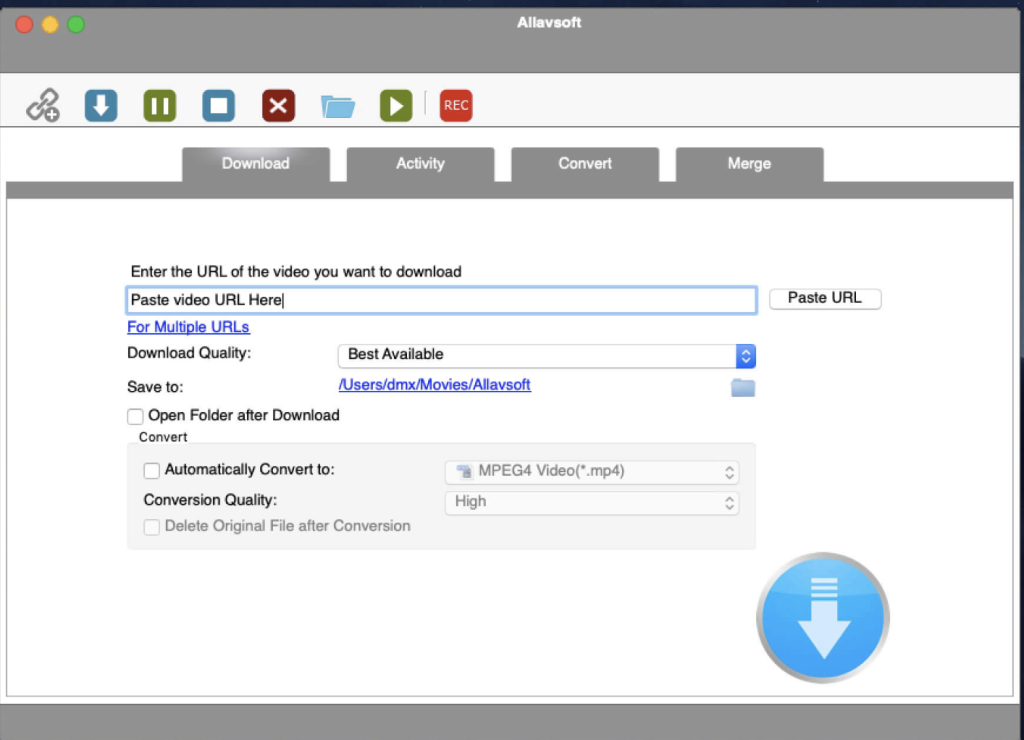
Allavsoft is a powerful video downloader and converter that supports downloading a wide range of video content from more than 100 video-sharing websites, including popular sites like Facebook, Dailymotion, and eHow. This tool not only downloads videos in their original format but also offers the convenience of converting them to various popular video and audio formats.
Key Features
- Extensive Downloading Capabilities:
- Multiple Sources: Download movies, music videos, playlists, sports videos, lectures, and more from over 100 video-sharing sites.
- High-Quality Downloads: Supports downloading videos in various qualities, including ultra-high definition (4K), 3D video, HD 2k, HD 1080p, HD 720p, and standard definition 480p, 360p, and 240p.
- Video Conversion:
- One-Click Conversion: Download and convert videos to popular formats like MP4, AVI, WMV, MOV, MPEG-1, MPEG-2, VOB, ASF, RMVB, DV, TS, Apple ProRes, WebM, FLV, and OGV.
- Audio Extraction: Extract and download audio from online music videos or movies, converting to formats like MP3, WMA, WAV, AAC, Apple Lossless M4A, AIFF, RA, FLAC, OGG, and AU.
- Batch Processing:
- Multiple URLs: Supports adding multiple video URLs for batch downloading and converting.
- Ad Detection: Automatically detects and skips advertisements during downloads.
- Convenient Features:
- Built-in Player: Preview and playback downloaded video files with the built-in video player.
- Breakpoint Resume: Pause and resume downloads at any time, ensuring convenience and flexibility.
- Post-Download Actions: Set your computer to shut down automatically after completing all download tasks.
- Download History: Keeps a history of all downloads for easy reference.
System Requirements
- Compatibility: macOS 10.10 or later
Availability
- Homepage: Allavsoft
Allavsoft provides a robust and user-friendly solution for downloading and converting online video and audio content. Its support for multiple formats, high-quality downloads, batch processing, and convenient features make it an ideal choice for users looking to manage their media files efficiently.
Downie for Mac free Download 4.7.18
02 years

Name : Downie
Size : 50 MB
Downie for Mac free Download
Downie: A Simple and Effective Video Download Manager for macOS
Downie is a user-friendly download manager designed to help you quickly and easily save videos from a variety of websites to your local disk drive. It is especially useful for users with slow internet connections, allowing them to download videos and watch them offline using their preferred media player.
Key Features
- User-Friendly Interface:
- Drag and Drop: Simply drag and drop the video URL onto Downie’s main window or Dock icon to start downloading.
- Download List Management: Easily add, start, and remove items from the download list.
- Flexible Download Options:
- Format and Location: By default, Downie downloads videos as MP4 files to your default Downloads folder. These settings can be customized via the Preferences window.
- Post Processing: Options to convert downloads to MP4 if necessary or to extract audio only.
- Extensive Website Support:
- Wide Range of Sites: Supports downloading from over 400 video hosting websites, including popular ones like YouTube, Apple, LiveLeak, Vimeo, and BBC.
- Request New Sites: If a particular website is not supported, users can send a request to the Downie developers directly from the app.
- Browser Integration:
- Extensions: Offers matching extensions for popular web browsers such as Firefox, Safari, Google Chrome, and Chromium. These add-ons can be installed from the Preferences window as needed.
- Performance:
- Offline Viewing: Ideal for users with slow internet connections, allowing them to download and view videos offline without interruptions.
System Requirements
- Compatibility: macOS 10.12.6 or later
Availability
- Homepage: Downie
Downie provides a straightforward solution for downloading video content hosted online, ensuring a smooth experience even for those with less than optimal internet speeds. Its intuitive interface, extensive website support, and flexible download options make it a valuable tool for anyone looking to save online videos for offline playback.
Keka for Mac free Download 1.4.0
02 years

Name : Keka
Size : 32 MB
Keka for Mac free Download
Keka: A Full-Featured File Archiver for macOS
Keka is a comprehensive file archiver for macOS, designed to be both powerful and user-friendly. It supports a wide range of compression and extraction formats, making it an essential tool for managing your files efficiently.
Key Features
- Easy File Compression:
- Multiple Formats: Compress files into various formats including 7Z, ZIP, TAR, GZIP, BZIP2, XZ, LZIP, and ISO.
- Simple Interface: Just drag and drop files to the Keka icon in the Dock or main window to compress them.
- Password Protection: Secure your compressed files with passwords.
- File Splitting: Easily divide large files into smaller parts for easier sharing and storage.
- Versatile File Extraction:
- Wide Format Support: Extract files from formats like 7Z, ZIP, RAR, TAR, GZIP, BZIP2, XZ, LZIP, DMG, ISO, LZMA, EXE, CAB, WIM, PAX, JAR, APK, APPX, XPI, IPA, CPGZ, CPIO, and more.
- Simple Extraction: Double-click on any supported compressed file to extract it using Keka, or drag and drop the file to the Keka icon.
- User-Friendly Experience:
- Intuitive Design: Keka’s design is straightforward, ensuring that even users with minimal technical expertise can easily compress and extract files.
- Dock Integration: The seamless Dock integration allows for quick access and operation directly from your desktop.
Supported Formats
- Compression: 7Z, ZIP, TAR, GZIP, BZIP2, XZ, LZIP, ISO
- Extraction: 7Z, ZIP, RAR, TAR, GZIP, BZIP2, XZ, LZIP, DMG, ISO, LZMA, EXE, CAB, WIM, PAX, JAR, APK, APPX, XPI, IPA, CPGZ, CPIO, and more
System Requirements
- Compatibility: OS X 10.10 or later
Availability
- Homepage: Keka
Keka is the go-to solution for anyone needing a reliable and straightforward file archiver on macOS. Its extensive format support and user-friendly interface make it ideal for both everyday users and professionals needing robust file compression and extraction capabilities.
Capture One Pro for Mac Download 16.4.3.15
02 years

Name : Capture One Pro
Size : 1 GB
Capture One Pro for Mac free Download
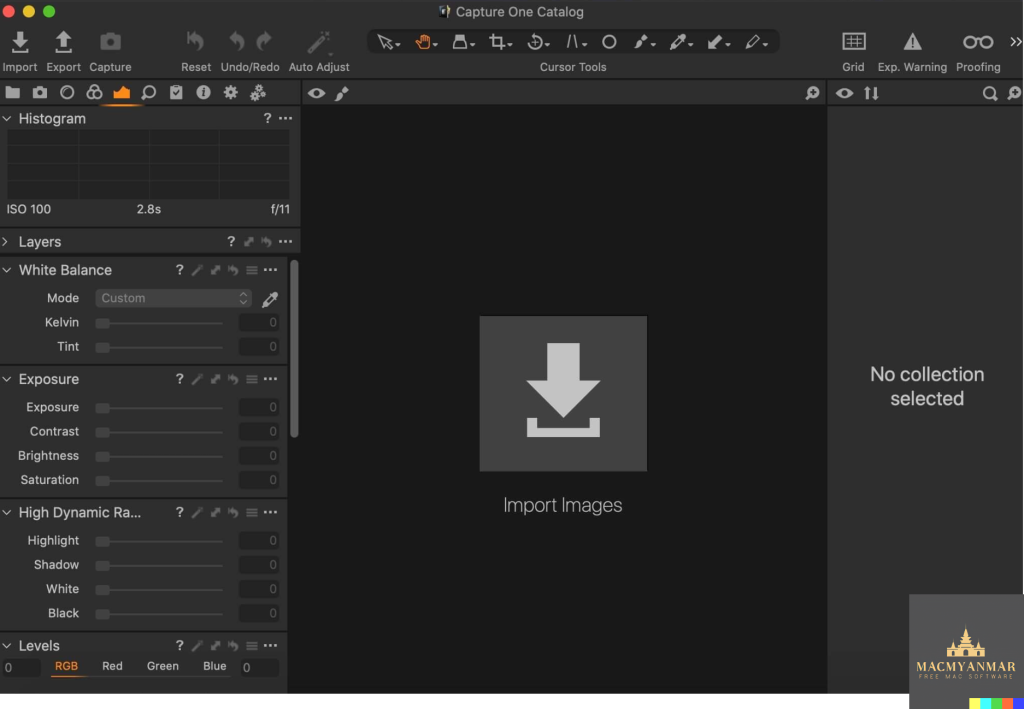
Capture One 23: Professional RAW Converter and Image Editing Software
Capture One 23 is the latest version of the renowned photo editing software, offering unparalleled image quality, advanced editing tools, and a highly customizable workflow. Designed for professional photographers, it supports over 500 high-end cameras and ensures optimal performance and efficiency in image processing.
Key Features
- Ultimate Image Quality:
- RAW Image Processing: True-to-life colors and incredible detail with tailored profiles for nearly 600 camera models and lenses.
- Detail Enhancement: Extract maximum detail from RAW files for stunning image quality.
- Tethered Capture:
- Fast Tethering: Industry-leading tethered capture for seamless shooting and workflow integration.
- Live View: Real-time adjustments and focus control during shoots.
- Editing Tools:
- Comprehensive Adjustment Tools: Extensive options for exposure, color correction, sharpening, and more.
- Layers and Masks: Advanced capabilities for precise adjustments using layers and masks.
- Styles and Presets: Apply and create custom styles and presets to streamline editing processes.
- Digital Asset Management:
- Efficient Organization: Robust catalog and session management tools for efficient image organization.
- Metadata Management: Powerful tools for handling keywords, ratings, and metadata.
- Customizable Workflow:
- Flexible Interface: Customizable interface to suit personal workflow preferences, with tailored workspaces for different tasks.
- Automation Tools: Tools to automate repetitive tasks, enhancing efficiency and saving time.
- Performance:
- Updated Processing Engine: Enhanced performance and responsiveness with the latest processing engine.
- Batch Processing: Capabilities to process large volumes of images quickly and efficiently.
New Features and Improvements in Capture One 23
- Speed Edit:
- Quickly adjust multiple settings simultaneously without the need for sliders, enhancing the editing workflow.
- Dehaze:
- A powerful tool to reduce haze and improve clarity and contrast in your images.
- Improved Importer:
- Enhanced importing process for faster and more efficient file management.
- General User Experience Improvements and Tweaks:
- Ongoing enhancements to the user interface and overall user experience for greater ease of use.
- HEIF Support:
- Support for High-Efficiency Image File (HEIF) format, allowing for more efficient storage and processing of images.
- Easy Brush Adjusting:
- Simplified adjustment of brush settings for more intuitive and efficient editing.
- Improved Performance:
- Further optimization of performance for faster and more responsive editing.
- Colored Gradients on White Balance Sliders:
- Visual enhancements to white balance sliders, making adjustments more intuitive.
- Enhanced Tooltips:
- Improved tooltips for better guidance and user understanding of features and tools.
- Easy Access to Tutorials:
- Direct access to tutorials and educational resources within the software to help users maximize their editing potential.
Compatibility
- Operating System: macOS 12.0 or later
Availability
- Homepage: Capture One
Capture One 23 continues to set the standard in professional photo editing with its advanced features, exceptional image quality, and customizable workflow, making it the go-to choice for photographers seeking the best in image processing and editing software.