Posts by Jameskarke
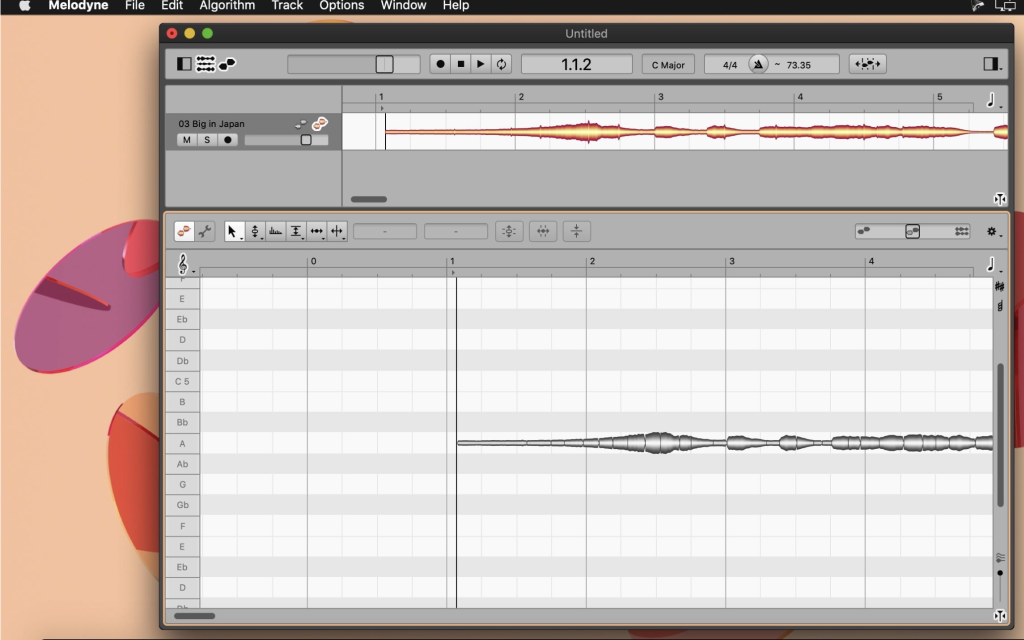
Celemony Melodyne 5 Studio v5.2
1
Name : Celemony Melodyne 5 Studio v 5.2
Size : 165.6
Celemony Melodyne 5 Studio v5.2
Melodyne is a renowned audio editing software that offers advanced capabilities for editing and manipulating audio recordings, including vocals and instruments. The latest version, Melodyne 5, introduces several new technologies and features aimed at enhancing the audio editing experience. Here are some of the key improvements and features in Melodyne 5:
1. Improved “Melodic” Algorithm: Melodyne 5 incorporates a fundamentally improved “Melodic” algorithm, making vocal editing even more precise and natural. This enhancement allows for perfect and natural corrections at the press of a key.
2. Separation of Pitched and Noise-Like Components: The new version enables users to edit pitched and noise-like components of audio recordings separately using the “Melodic” algorithm. This separation provides greater control over the editing process.
3. More Musical Pitch Analysis: Melodyne 5 offers a more musical analysis of pitch deviations, ensuring that corrections are in harmony with the musical context of the recording.
4. Chord Track and Chord Grid: The Chord Track and Chord Grid features are introduced to facilitate pitch editing. Users can adapt notes quickly to match the chords of a song, and the software includes chord recognition capabilities.
5. Fade Tool: Melodyne 5 includes a unique Fade Tool that allows users to create note-based fades. This feature is especially useful for polyphonic recordings and samples.
6. Leveling Macro: The Leveling Macro is introduced for editing dynamics, enabling users to control the volume levels of audio recordings more effectively.
7. Additional Algorithm (“Percussive Pitched”): Melodyne 5 introduces an additional algorithm called “Percussive Pitched.” This algorithm, along with other improvements, expands the range of audio materials that can be processed with precision.
8. Search Functions for Keyboard Shortcuts: The software includes search functions for keyboard shortcuts, making it easier for users to find and utilize specific shortcuts. Users can also save customized shortcut sets.
Melodyne 5 is compatible with macOS 10.12 or later (64-bit). It offers a wide range of tools and capabilities for audio professionals, music producers, and anyone involved in audio editing and manipulation. Whether you need to correct pitch, edit timing, or enhance the musicality of audio recordings, Melodyne 5 provides a powerful and versatile solution.
For more information and to explore the new features in Melodyne 5, you can visit the official Melodyne website.
Antares Auto-Tune Artist 9.2 For Mac free Download
0
Name : Antares Auto-Tune Artist 9
Size : 62 MB
Antares Auto-Tune Artist 9.2 For Mac Free Download
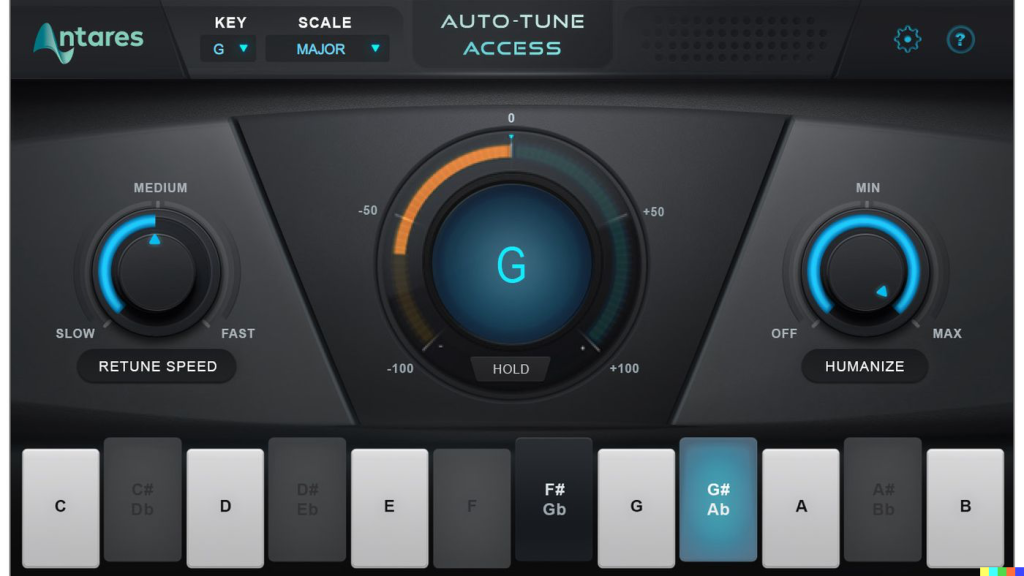
Antares Auto-Tune Artist 9 is a professional vocal processing plugin known for its exceptional pitch correction and creative effects for enhancing vocal performances. It is widely used by musicians, producers, and engineers to achieve pitch-perfect vocals and unique vocal textures. Here is an overview of its prominent advantages and key features:
Prominent Advantages:
- Flex-Tune Technology: Auto-Tune Artist 9 utilizes Flex-Tune technology to provide real-time pitch correction while preserving the natural expressiveness and nuances of the vocal performance. This ensures smooth and seamless pitch correction, maintaining the authenticity and emotional impact of the vocals.
- Creative Effects: In addition to pitch correction, the plugin offers a range of creative effects, including vibrato control, throat modeling, and formant shifting. Users can apply these effects subtly or dramatically to achieve unique vocal textures.
- User-Friendly Interface: The user interface of Auto-Tune Artist 9 is designed to be user-friendly and visually appealing. It offers a clear and organized layout, making it easy for users to navigate and access various features and controls.
- Integration with DAWs: The plugin seamlessly integrates with popular digital audio workstations (DAWs), ensuring a smooth workflow integration and efficient processing of vocal tracks.
Key Features:
- Graphical pitch editing tools for precise pitch adjustments.
- Standalone application or plugin functionality within a DAW.
- Transparent and natural-sounding pitch correction algorithms.
- Compatibility with both Mac and Windows operating systems.
- Natural vibrato control for adjusting vibrato rate and depth.
- Retune speed control for adjusting the speed of pitch correction.
- Humanize function for adding subtle variations to pitch correction.
- Fine-tune control over effect parameters for customizing vocal sound.
- MIDI control for hands-on manipulation of pitch correction and effects.
- Automatic key and scale detection for streamlined pitch correction setup.
- Automatic and manual pitch correction modes to suit different musical styles.
- Creative vocal effects including vibrato, throat modeling, and formant shifting.
- Pitch drift correction for addressing subtle pitch fluctuations in vocal recordings.
- Antares Throat Modeling technology for emulating different vocal characteristics.
- Low-latency performance for real-time processing during recording or live performances.
Technical Details:
- Software Name: Antares Auto-Tune Artist for macOS
- Version: 9.2.0
- File Extension: DMG
- File Size: 65 MB
- License Type: Full Premium Pro Version
- Compatibility: macOS 11.0 or above
- Processor: Intel 64-bit Processor
- Monitor: 1280×1024 monitor resolution
Auto-Tune Artist is a versatile tool for achieving professional vocal recordings and creative vocal effects. It offers a range of features to cater to the needs of musicians, producers, and engineers. Please note that the latest version of Auto-Tune Artist is 9.2.0, and it is compatible with various DAWs and macOS operating systems.
Auto-Tune Pro 9 for Mac Free Download
0
Name : Auto-Tune Pro 9 Free Download
Size : 562 MB
Auto-Tune Pro 9 for Mac Free Download
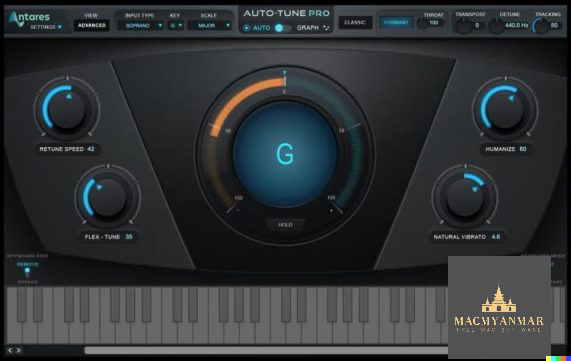
Auto-Tune Pro is a powerful audio processing software designed for pitch correction and vocal effects. It offers various modes and features to enhance your audio recordings and performances. Here are some key features and technical details of Auto-Tune Pro:
Key Features:
- Auto Mode: Allows for real-time pitch correction and vocal effects.
- Graph Mode: Provides detailed pitch and time editing capabilities for precise control over your audio.
- Auto-Key Plugin: Automatically detects the key and scale of your music, saving you time in the studio.
- Classic Mode: Recreates the sound of Auto-Tune 5 for a classic pitch correction effect.
- Flex-Tune: Offers transparent and flexible pitch correction.
- Humanize Function: Enhances the natural sound of tuned vocals.
- Throat Modeling: Allows for subtle or extreme vocal transformations.
- Vibrato Control: Create and adjust vibrato in your vocals.
- Real-Time MIDI Control: Control Auto-Tune parameters in real-time using MIDI.
- Auto-Motion Melodic Pattern Generation: Generate melodic patterns for your vocals.
- Transpose: Perform real-time pitch shifting with automatic Formant Correction.
- Graphic Pitch Editing: Edit pitch curves graphically for precise adjustments.
- Graphic Time Editing: Edit timing and duration graphically.
Technical Details:
- Software Name: Auto-Tune Pro
- Version: 9.1.0
- File Name: Auto-Tune_Pro_v9.1.0_macOS
- File Size: 230 MB
- Developer: Antares
- System Requirements: macOS 10.10 or later, 30 MB free HDD, 1 GB RAM, Intel Core 2 Duo or higher
Auto-Tune Pro is a versatile tool for musicians, producers, and audio engineers looking to achieve pitch-perfect vocals and creative vocal effects. It offers a range of modes and features to suit both beginners and professionals.

FCPX Full Access 2021 – Ultimate Bundle/M1 Compatible
0
Name : FCPX Full Access 2021 – Ultimate Bundle/M1 Compatible
Size :1.94 GB
FCPX Full Access 2021 – Ultimate Bundle/M1 Compatible
The “Ultimate Bundle for Final Cut Pro X” from FCPX Full Access appears to be a comprehensive package of Final Cut Pro plugins and tools. It offers a wide range of features and creative options for video editors using Final Cut Pro X. Here are some key highlights of this bundle:
Key Features:
- Extensive Plugin Collection: This bundle includes every single Final Cut Pro plugin created by FCPX Full Access, making it a comprehensive package for enhancing your video editing projects.
- Over 95 Pro Packs: The bundle comprises more than 95 professional packs, each offering unique effects, transitions, titles, and creative tools to enhance your video editing capabilities.
- Apple Silicon (M1) Compatibility: The plugins are 100% compatible with Apple Silicon (M1) processors, ensuring smooth performance on the latest Mac hardware.
- User-Friendly Controls: The plugins are designed with easy-to-use controls, making them suitable for editors of all levels. There is no steep learning curve, allowing you to start using them right away.
- High Customizability: The plugins are highly customizable, allowing you to tailor them to your specific project needs and creative preferences.
- Creative Options: With a vast collection of plugins, you have access to a wide range of creative options, including effects, transitions, titles, and more.
- Global Community: The bundle is used by thousands of Final Cut Pro editors worldwide, creating a global community of users who can share tips, tricks, and resources.
- Secure Checkout: The checkout process is secure, offering multiple payment options, including Visa, PayPal, and Bitcoin.
Compatibility:
- The bundle is designed for use with Final Cut Pro X, Apple’s professional video editing software.
Homepage:
You can learn more about the “Ultimate Bundle for Final Cut Pro X” and access it from its official homepage at https://fcpxfullaccess.com/products/the-ultimate-bundle-final-cut-pro-x.
This bundle is ideal for Final Cut Pro X users who want access to a wide range of plugins and creative tools to enhance their video editing projects. It appears to offer significant value by including over 95 pro packs and is suitable for both beginners and experienced editors.

FilmConvert Nitrate FCPX 3.22( plugin FCPX)
0
Name : FilmConvert Nitrate FCPX 3.22
Size : 600 MB
FilmConvert Nitrate FCPX 3.22( plugin FCPX)
FilmConvert Nitrate is a powerful color grading tool designed for video editors and filmmakers, and it offers a range of features to enhance the look and feel of your videos. Here’s an overview of its key features and compatibility:
Key Features:
- Cineon Log Film Emulation: Nitrate introduces Cineon Log versions of FilmConvert’s film stock emulations. This allows you to have more control over the final image by adjusting contrast and saturation while maintaining the authentic film stock colors.
- Custom Curve Control: Nitrate provides full custom curve controls for each FilmConvert film stock, enabling you to create the specific look you desire. You can modify highlight and shadow roll-offs or even design your own film stock from scratch.
- Advanced Film Grain Controls: With Nitrate, you can adjust the appearance of the film grain individually in the highlights, mid-tones, and shadows, giving you precise control over the grain’s effect on your footage.
- Adobe Premiere Pro & After Effects Plugin: FilmConvert offers a plugin for Adobe Premiere Pro and After Effects, making it seamless to incorporate the romantic and cinematic look of film into your digital video projects. It is compatible with Adobe Creative Cloud 2015 or later.
- Camera Profiles: FilmConvert includes camera profiles for a wide range of popular cameras, allowing for precise picture profiles. These profiles are used to match the film stocks to your camera, ensuring an accurate and stunning result.
- 6K Grain Scans: The software utilizes high-quality grain scans at 6K resolution to deliver the best results.
- 19 Film Stocks: FilmConvert offers a selection of 19 motion and photographic film stocks, including color positives, negatives, and reversals, to give your videos a cinematic and authentic look.
- Export 3D LUTs: You can create and export 3D LUTs (Look-Up Tables) using FilmConvert, making it possible to apply your desired color grades on set for consistent and professional results.
Compatibility:
- FilmConvert Nitrate is available as a plugin for Adobe Premiere Pro and After Effects, making it compatible with Adobe Creative Cloud 2015 or later.
Homepage:
You can learn more about FilmConvert Nitrate and access it from its homepage at https://www.filmconvert.com/.
FilmConvert Nitrate is a valuable tool for filmmakers and video editors who want to achieve the cinematic look and feel of film in their digital video projects. It offers advanced color grading capabilities and precise control over film emulation, making it a popular choice for enhancing video production quality.
PFS – FCPX Tracker Suite
5
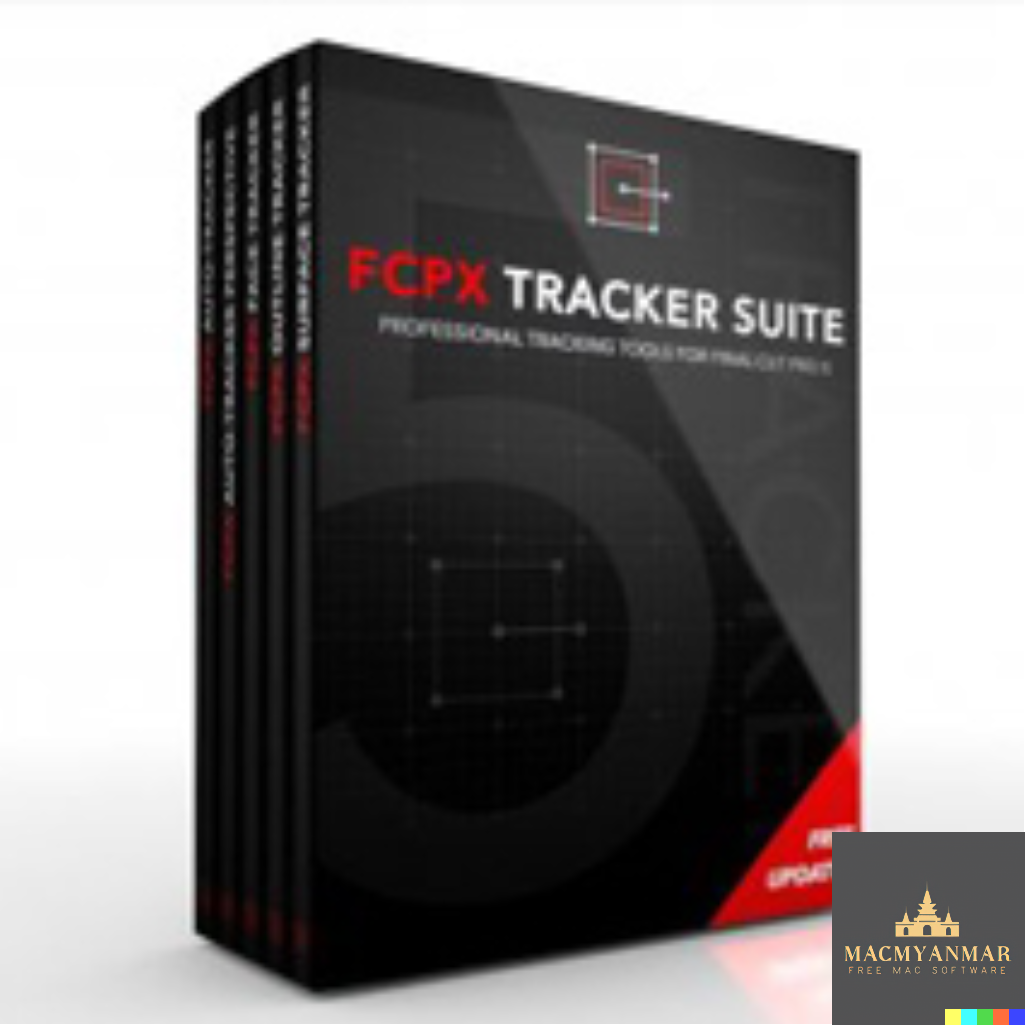
Name : PFS – FCPX Tracker Suite
Size :282 MB
PFS – FCPX Tracker Suite
The FCPX Tracker Suite from Pixel Film Studios is a bundle of motion tracking tools designed exclusively for Final Cut Pro X. It provides precise motion tracking capabilities that can significantly enhance your video editing workflow. Here’s a brief overview of what you can expect from this suite:
Key Features:
- Motion Tracking Tools: The suite includes a range of motion tracking tools that allow you to track subjects or objects in your video clips. This can be especially useful for adding effects, text, graphics, and animations that follow the movement of the tracked element.
- Improved Performance: The suite is designed to offer improved tracking performance, making it easier and more efficient to track subjects accurately within your video projects.
- Creative Possibilities: With motion tracking, there are virtually no limits to what you can create in your videos. You can add dynamic elements that respond to the movement of your subjects, opening up a wide range of creative possibilities.
- Final Cut Pro X Integration: As these tools are designed exclusively for Final Cut Pro X, they seamlessly integrate with your video editing workflow within the application.
- Professional Results: Motion tracking is a technique often used in professional video editing to achieve polished and visually appealing results. With the FCPX Tracker Suite, you can achieve professional-grade tracking in your projects.
Homepage:
You can find more information about the FCPX Tracker Suite from Pixel Film Studios and access it on their official homepage at https://store.pixelfilmstudios.com/product/fcpx-tracker-suite/.
This suite is ideal for Final Cut Pro X users who want to take their video editing to the next level by incorporating precise motion tracking into their projects. Motion tracking can be a valuable tool for adding a professional and dynamic touch to your videos.

Yate 6.16.2.1 for Mac
0
Name : Yate 6.16.2.1
Size :16 MB
Yate 6.16.2.1 For Mac
Yate is a comprehensive audio tagging application for macOS, designed to provide users with complete control over their tagging experience. It supports various audio and video file formats and offers a wide range of features to manage and edit metadata. Here’s an overview of its key features and compatibility:
Key Features:
- Audio and Video Support: Yate supports a variety of audio formats, including AIFF, DFF, DSF, FLAC, M4A, M4B, MP3, MP4, STEM.MP4, and WAV, as well as video formats like M4V and MP4.
- Tagging Control: Yate is designed for users who want precise control over their tagging experience. It allows you to manage and edit metadata (tags) associated with audio and video files.
- Scripting with Actions: Yate features an innovative scripting system called “actions.” Actions enable users to perform bulk operations on tags, making it possible to update all tags for an entire album with a single action.
- Integration: Yate supports integration with various external sources and services, including AcousticBrainz, AcoustID, Beatport, Discogs, iTunes, and MusicBrainz. This integration can help automate and enhance the tagging process.
- Revert and Undo: All changes made to tags within Yate can be easily reverted. You can also undo individual changes in any order, providing flexibility in managing your metadata.
- Automatic and Manual Tagging: Yate offers both automatic and manual tagging options. You can choose to let the software automatically tag your files or manually edit and customize the metadata as needed.
Compatibility:
- Requires macOS 10.13 or later.
Homepage:
You can learn more about Yate and download it from its homepage at https://2manyrobots.com/yate/.
Yate is a powerful tool for users who need precise control over the tagging of their audio and video files. Whether you’re organizing your music collection, ensuring accurate metadata for your media files, or automating tagging tasks, Yate provides the flexibility and features to meet your needs.

ABBYY FineReader PDF 15.2.12 Mac os
0
Name : ABBYY FineReader PDF 15.2.12 Mac os
Size : 900 MB
ABBYY FineReader PDF 15.2.12 Mac os
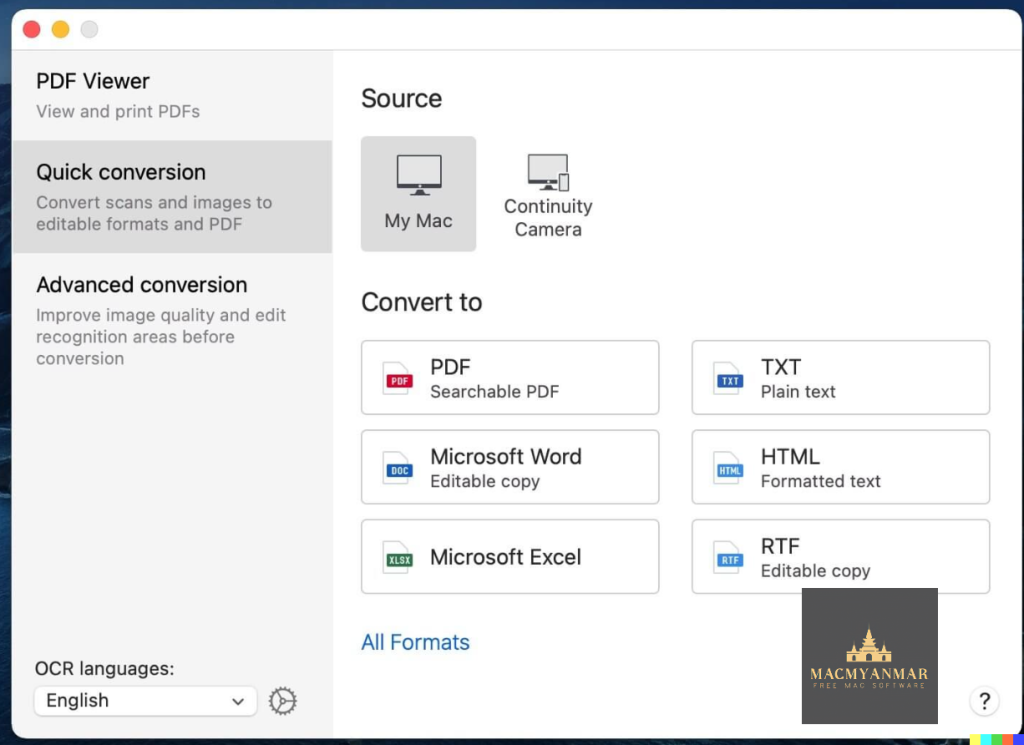
ABBYY FineReader PDF for Mac is an advanced optical character recognition (OCR) software designed to transform various types of documents into editable and searchable files with high accuracy. Here’s an overview of its key features and compatibility:
Key Features:
- Document Transformation: ABBYY FineReader PDF allows you to convert paper documents, PDFs, and digital photos of text into editable and searchable files. This eliminates the need for manual retyping or reformatting.
- Optimize Document Tasks: Manage your documents more efficiently and perform tasks related to documents quickly in digital workflows.
- PDF Handling: You can work with PDFs of any kind, converting them and viewing and reusing content with ease.
- Digitize Document Workflow: ABBYY FineReader PDF provides solutions for OCR tasks, from simple shortcuts to complex tasks with advanced settings.
- Robust Features: The software offers various features for your digital workplace, helping you work efficiently with PDFs. It simplifies document-related tasks within a single application, reducing the need for multiple software tools.
- Digitize Paper Documents and Scans: You can digitize paper and scanned documents for storage, retrieval, editing, and reuse. The software leverages AI-based OCR technology for accurate text recognition.
- Convert PDFs into Editable Formats: Convert PDFs into editable and searchable formats such as Microsoft Word, Excel, RTF, ODT, and others for further editing.
- Make PDFs Searchable: PDF-to-PDF conversion allows you to make all your PDFs searchable and properly prepared for archiving.
- Create PDFs from Document Images and Paper: You can create searchable, industry-standard PDFs from scans, document images, scanned PDFs, or paper documents. This is useful for collaboration, archiving, and accessibility.
- View Your PDFs: FineReader PDF for Mac includes a built-in PDF viewer that allows you to read, review, and reuse information from PDF documents.
- Enhanced Formats and Language Support: The software can process documents in as many as 198 languages and works with various types of image files and PDFs.
- User Experience: The software offers a genuine Mac experience with a new user interface and support for Dark Mode. It also integrates with iPhone for document capture and supports the latest macOS versions.
- Industry Standards: You can convert documents to industry-standard PDF/A and PDF/UA formats for long-term storage and accessibility.
Compatibility:
- Requires macOS 10.15 or later.
Homepage:
You can learn more about ABBYY FineReader PDF for Mac and access it from its homepage at https://pdf.abbyy.com/.
ABBYY FineReader PDF for Mac is a comprehensive OCR and document management tool that can significantly improve productivity by making documents editable, searchable, and ready for various digital workflows

Tinderbox 9.6.1 macOS free Download
0
Name : Tinderbox 9.6.1 macOS
Size : 37 MB
Tinderbox 9.6.1 macOS Free Download
Tinderbox is a powerful personal content management assistant designed for macOS. It is a versatile tool for note-taking, organization, and information management. Here’s an overview of its features and compatibility:
Key Features:
- Note Organization: Tinderbox is designed to store and organize your notes, ideas, and plans. It provides a flexible platform for capturing and managing textual information.
- Web Journals and Logs: You can use Tinderbox to create web journals and logs, making it easy to share your ideas and thoughts online.
- Agents: Tinderbox’s agents automatically scan your notes, looking for patterns and building relationships among them. They help discover relationships and ensure that important information is not overlooked. Agents are customizable and can gather and update information from the internet.
- Layouts: The application allows you to assemble multiple notes into one page, making it convenient to share your notes and updates. It supports private notes, timestamps, permanent links, and archives.
- Visual Organization: Tinderbox provides visual tools for organizing your notes. You can arrange notes, use shapes and colors, and create links to build relationships.
- Smart Views: It offers various views like maps, timelines, charts, outlines, and more to help you visualize your notes from different perspectives.
- Prototypes: Tinderbox allows you to create note prototypes, saving you time and keeping your work organized. Changes made to a prototype are inherited by its associated notes.
- Attribute Browser: You can use attribute browser tabs to view your work or selected portions categorized by attributes of your choice.
- Agents: Tinderbox’s agents continuously scan your notes, searching for notes that meet specific criteria. This can be useful for tasks like task management, identifying incomplete notes, or tracking topics of interest.
- Swift and Efficient: Tinderbox is designed to handle a large number of notes with ease, and it offers fast and efficient performance.
- Timeline View: The timeline view helps you create interactive diagrams to reconstruct events and plan projects.
- Export Flexibility: Tinderbox offers a range of export options, including HTML, XML, RSS, OPML, and more. Your data remains on your own computer, reducing dependency on remote servers.
- AI and Automation: It features AI capabilities, recognizing addresses and names mentioned in your notes, aiding in tagging and organizing your work.
- Cross-Platform Compatibility: Tinderbox works with other note-taking and information management applications like Notes, Evernote, DEVONthink To Go, Dropbox, iCloud, and more.
- Personalization: Tinderbox is highly customizable, allowing you to tailor it to your specific needs and adapt it as your requirements change.
- Community and Support: There is an active user community, forum, user screencasts, and various resources available to help users get the most out of Tinderbox.
What’s New in Version 9.6.1:
- Release notes for this version are not available in the provided information.
Compatibility:
- Requires macOS 10.13 or later.
- Supports both Apple Silicon and Intel Core processors.
Homepage:
You can learn more about Tinderbox and download it from its homepage at https://www.eastgate.com/Tinderbox/.
Tinderbox is a comprehensive personal content management tool that can be particularly useful for individuals who need to organize and manage large amounts of textual information, whether for personal or professional purposes.
Overlay 4.26 For Mac
0
Name : Overlay 4.26
Size : 5 MB
Overlay 4.26 For Mac
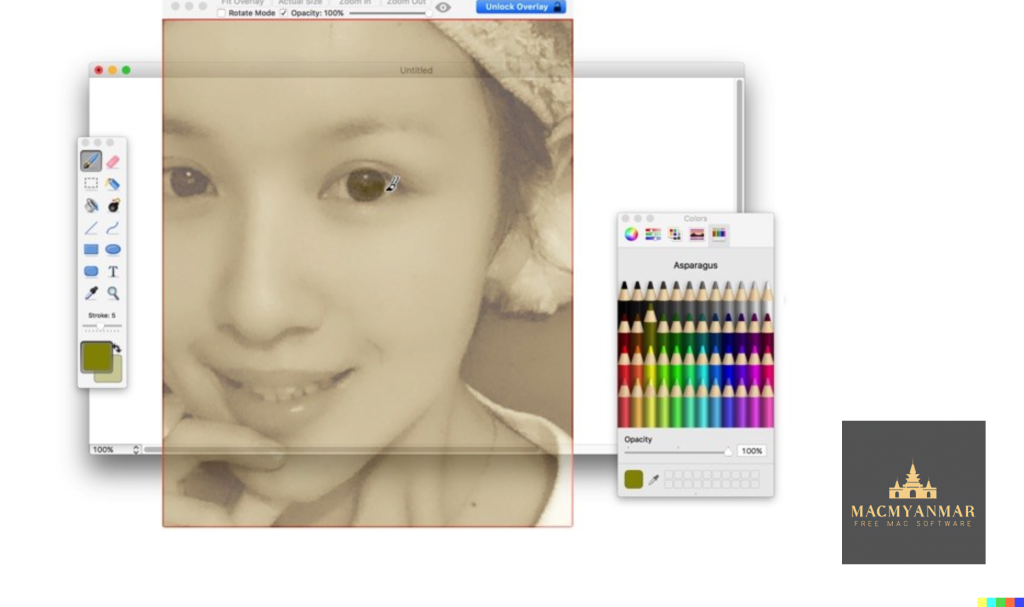
Overlay is a macOS application that provides a transparent overlay frame for displaying images or PDFs in front of everything else on your screen. This overlay frame allows you to interact with the content beneath it while still viewing and referencing the image or document. Here’s a brief overview:
Key Features:
- Transparent Overlay: Overlay creates a transparent overlay on your screen, like a sticker, which you can place over other content.
- Image and PDF Support: It allows you to display images and PDF documents in this transparent overlay.
- Click-Through: You can interact with the content beneath the overlay, making it useful for tasks such as copying, tracing, or comparing designs, images, and documents.
- Lockable Frame: You can lock the overlay frame to prevent it from being disturbed by mouse gestures, ensuring the content remains steady and in place.
- Use Cases: Overlay is particularly useful for artists, designers, and students, as it enables them to create art or design work based on or reference photos and screenshots.
Compatibility:
- Requires macOS 10.15 or later.
Homepage:
You can learn more about Overlay and download it from its homepage at https://apps.apple.com/us/app/overlay/id653092846.
Overlay appears to be a handy tool for users who need to work with reference images or documents while also interacting with the content beneath them on their Mac.