Free Macsoftware One click Download

Posts by Jameskarke
DVD-Cloner 2024 for Mac v11.10.741
02 years
Name : DVD-Cloner 2024
Size : 60 MB
DVD-Cloner 2024 for Mac free Download
DVD-Cloner for Mac is a leading DVD copy software designed to provide users with a seamless DVD copying experience on macOS. Here are some key features and enhancements of DVD-Cloner for Mac 2023:
Boosted Blu-ray/UHD Copy Speed: Benefit from enhanced Blu-ray decryption and accelerated UHD backup speed with the latest version, utilizing advanced technologies such as HST encoding acceleration. Users with NVIDIA 1660 or above graphics cards are recommended for optimal performance.
User-Friendly Interface: DVD-Cloner for Mac 2023 offers intuitive Express and Expert modes catering to both beginners and advanced users. Enjoy one-click copying with Express mode or personalize your DVD duplication settings with Expert mode.
Convert UHD to MKV (HDR10+) Format: Convert UHD discs to MKV (HDR10+) format, preserving Dolby HD Audio and HDR Video quality. Store converted files on portable hard disks and play them back on 4K UHD Players with identical quality to the source disc.
Express Mode (One-click Duplication):
- Duplicate DVD-5 to DVD-5
- Duplicate DVD-9 to DVD-5
- Duplicate Blu-ray to BD-25
- Duplicate UHD to BD-50
- Convert DVD to optimized MKV
- Convert Blu-ray to optimized MKV with HDR10+ technology
Expert Mode (Advanced Duplication):
- Flawless 1:1 DVD Duplication
- Movie Complete Duplication
- Movie-Only Duplication
- Split DVD Duplication
- Movie Customized Duplication
- Convert DVD to MKV
- Convert Blu-ray/4K UHD Blu-ray to optimized MKV with HDR10+ technology
- Burn a DVD movie from the hard disk to a DVD±R (DL)
- Combine multiple DVDs onto one DVD±R DL or BD-R/RE (DL)
- Duplicate Blu-ray/4K UHD Blu-ray films
Additional Features:
- Compatible with the latest macOS versions
- Refined DVD burning engine for improved performance
- Modern “Dazzling colorful” style software interface
- Impeccable duplication of scratched DVDs
- Enhanced Smart Analyzer module
- Manually set Read I/O pattern for customized copying
- Multi-language interface support
- Zoom in/Zoom out user interface for better visibility
- One-click installation option for convenience
- Complimentary 7-day trial before purchasing
Compatibility: DVD-Cloner for Mac is compatible with macOS 10.10 or later.
For more information and to download DVD-Cloner for Mac, visit the official homepage: DVD-Cloner Homepage
Wondershare PDFelement Pro 10.3.1.6370 (OCR)
02 years

Name : Wondershare PDFelement Pro
Size : 736 MB
Wondershare PDFelement Pro for Mac free Download
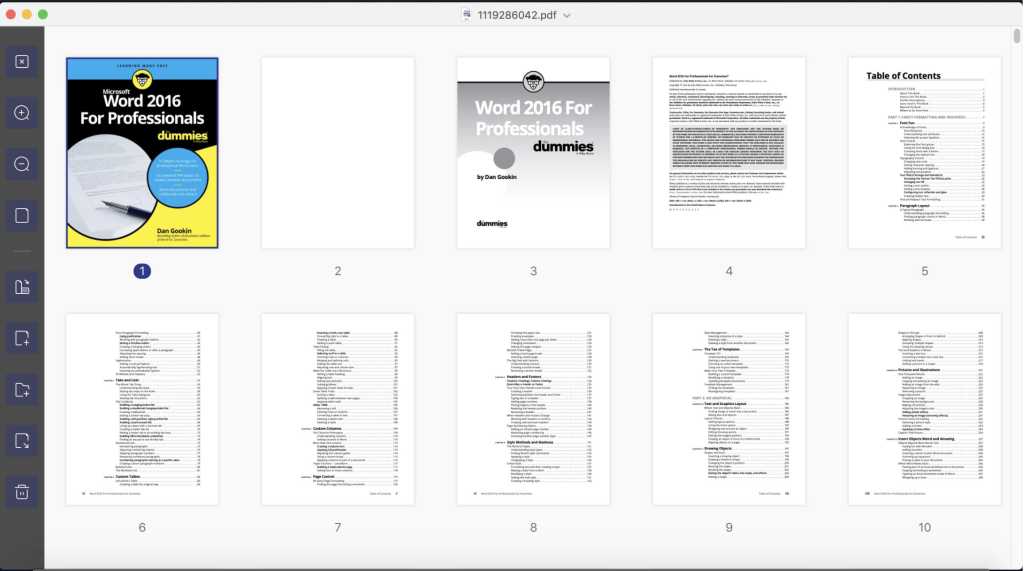
PDFelement is a comprehensive software solution designed for creating, editing, converting, and signing PDF documents. Here are some key features of PDFelement Pro:
OCR (Exclusive in Pro version): Optical Character Recognition (OCR) allows you to edit and convert characters in scanned PDF files or pictures. It supports recognition of 29 languages.
Create & Sign Forms (Exclusive in Pro version): PDFelement Pro enables you to create fillable PDF forms from interactive field objects, such as buttons, check boxes, radio buttons, list boxes, and drop-down lists. It also supports adding digital signatures to forms.
Merge PDF (Exclusive in Pro version): Combine different format files into a new PDF document for easier organization and sharing.
Convert PDF (Exclusive in Pro version): PDFelement Pro supports converting PDF files to a greater number of output formats like EPUB, HTML, Text, and RTF, providing flexibility in document distribution.
PDF/A (Exclusive in Pro version): Support for PDF/A as an available output format with ISO Standard ensures long-term archiving compliance.
Batch Processing of PDF Files (Exclusive in Pro version): Process multiple PDFs simultaneously, adding backgrounds, watermarks, headers, and footers in batches for efficiency.
Bates Numbering (Exclusive in Pro version): Apply Bates Numbering with advanced formatting to organize and manage documents effectively.
Redact PDF (Exclusive in Pro version): Redact sensitive text and images in PDFs to protect confidential information.
PDFelement 10.3.1.6370 (OCR) introduces various improvements and bug fixes. However, specific release notes were unavailable at the time of updating the listing.
Compatibility: PDFelement is compatible with macOS 10.15 or later.
For more information and to download PDFelement, visit the official homepage: PDFelement Homepage
Download Permute for Mac 3.11.8
02 years
by Jameskarke
in Application
Name : Permute
Size : 76 MB
Permute for Mac free Download
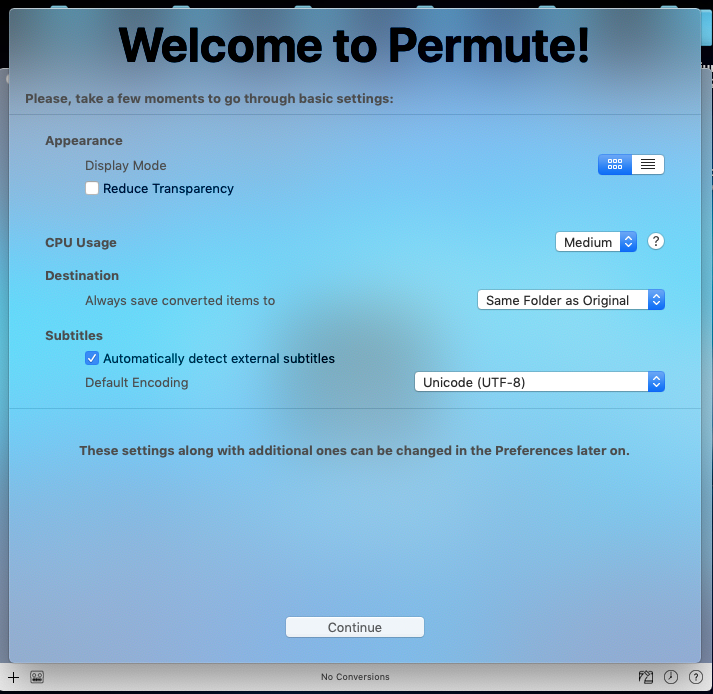
Permute is a versatile media conversion tool designed for macOS, allowing users to easily convert video, audio, and image files to various formats. Here are the key features of Permute:
Easy to Use: Permute offers a user-friendly interface with drag-and-drop functionality, making it simple to convert media files without the need for complicated options.
Insanely Fast: Engineered for speed, Permute ensures fast conversions by leveraging hardware acceleration capabilities. MP4 and HEVC presets benefit from hardware acceleration, resulting in conversions that are over three times faster than previous versions.
PDF Support: Permute 3 introduces support for stitching multiple images into a single PDF, providing users with additional versatility.
Everything Included: Whether converting home movies or processing images, Permute supports nearly every format and offers plenty of device presets to choose from.
Looks Amazing: Permute’s modern design ensures a visually pleasing experience, with support for dark mode and adaptive icon changes based on macOS theme.
Scheduled Conversions: Users can schedule conversion tasks to run at specific times, allowing for convenient batch processing, even during off-peak hours.
UI Redesign: Permute 3 features a redesigned user interface for improved performance and visual appeal.
Dark Mode Compatibility: Permute seamlessly integrates with macOS dark mode, adjusting its appearance and dock icon accordingly.
Image Stitching: Users can stitch images together to create PDF files, expanding Permute’s capabilities beyond media conversion.
HEVC Hardware Acceleration: HEVC (H.265) video encoding now supports hardware acceleration, resulting in significantly faster conversions.
Scheduled Conversions: Schedule delayed conversion start times for added convenience.
Groups: Organize files into groups and apply different settings to each group.
Customizations: Customize settings on a per-group basis without modifying presets.
Multiple Subtitles: Add or copy multiple subtitle tracks from the source file, enhancing the versatility of converted media.
Minor Fixes and Improvements: Permute includes various minor fixes and improvements to enhance user experience and performance.
Compatibility: Permute is compatible with macOS 10.11 or later.
Overall, Permute offers a comprehensive solution for media conversion on macOS, combining ease of use with powerful features for efficient and versatile file conversion. For more information and to download Permute, visit the official homepage: Permute Homepage
GoodTask for Mac free Download 7.7.0
02 years
by Jameskarke
in Application

Name : GoodTask
Size : 37 MB
GoodTask for Mac free Download
GoodTask is a robust task and project manager built upon Apple’s Reminders and Calendars, offering a wide range of features to enhance task management and productivity. Here’s an overview of its key features:
General Features:
- Syncs seamlessly with default stock Reminders & Calendars, including iCloud, Exchange, etc.
- Fully customizable recurring tasks to accommodate various scheduling needs.
- Easy management of Reminders Lists and Calendars.
- Multiple viewpoints available, including List, Day, Week, and Month views for each list.
- Quick addition of tasks using Quick Actions and Text Snippets for efficient task creation.
Smart Lists:
- Customize lists by selectively including Reminders Lists and Calendars.
- Filter tasks based on text/tags, priorities, overdue status, location, and more.
Quick Actions:
- Edit tasks quickly on the go.
- Perform bulk actions to edit, check, or delete multiple tasks simultaneously.
- Duplicate tasks, change due dates, add or switch tags/lists, and more.
Other Key Features:
- App Icon Badge and Notifications to keep you updated on task statuses.
- Dark Theme for comfortable use in low-light environments.
- Today Widget support for quick access to tasks from the Today View.
- Time Zone support to ensure accurate scheduling across different time zones.
- Subtasks, Automatic Repeat after Completion, and Manual sorting (GoodTask 3 only).
Note: Some features may require disabling System Integrity Protection (SIP) for certain actions.
Compatibility:
- macOS 10.15 or later
GoodTask offers a comprehensive solution for managing tasks and projects, whether you need a simple checklist or a more advanced project management tool. Its integration with Apple’s Reminders and Calendars makes it easy to incorporate into your existing workflow, while its customizable features cater to various task management needs.
For more information and to download GoodTask, visit the official homepage: GoodTask Homepage
Moho Pro for Mac free Download 14 v14.1
02 years
by Jameskarke
in Application

Name : Moho Pro for Mac 14
Size : 579 MB
Moho Pro for Mac 14 for Mac free Download
Moho Animation Software, also known as Moho Pro, is a comprehensive tool designed for professional animators. It offers a wide range of features and capabilities to create high-quality 2D animations with ease. Here’s an overview of its key features:
1. Powerful Rigging System:
- Moho’s rigging system is intuitive and fast, allowing you to rig characters in minutes.
- Create skeletons for humans, animals, or any creature/object you want to animate.
- Utilize Forward and Inverse kinematics, set target bones, add Pin bones for special control, and animate the hierarchy.
- Apply automatic squash and stretch to any bone, copy and paste animation between characters with similar skeletons, and more.
2. Smart Bones:
- Smart Bones enable precise control over character movement and behavior.
- Joints bend without distortion, and Smart Bones can be used as control levers for facial expressions, face rotations, or entire body turns.
- Easy to set up and animate, offering flexibility and control over character movements.
3. Drawing Tools Optimized for Animation:
- Moho’s vector system is optimized for animation and rigging, maintaining consistency in shapes while in motion.
- Draw directly inside the software or import artwork from external applications.
- Add brushes and effects for natural results, and animate various attributes such as curvature, linewidth, exposure, gradients, and more.
4. New Graphics Engine (Moho 14):
- Moho 14 introduces an advanced graphics engine, optimizing GPU utilization for enhanced performance.
- Real-time previews of effects such as blur, shadow, noise, and blending modes.
- Seamless interactions with the software’s graphics engine, providing a smoother animation experience.
5. Improved Drawing and Frame-by-Frame Tools (Moho 14):
- Enjoy an enhanced drawing experience with responsive and intuitive tools such as Freehand, Blob Brush, and Eraser.
- New features like Multi-Stroke Fill and Connect and Create streamline the drawing process.
- Seamless integration with Moho’s rigging system for a cohesive animation workflow.
6. Liquid Shapes (Moho 14):
- Create impressive 2D special effects with Liquid Shapes, allowing you to draw and animate soft shapes.
- Combine, subtract, intersect, blend, and animate shapes for dynamic animations.
- Ideal for animating fire, smoke, explosions, water, and more, with real-time feedback.
7. Vitruvian Bones:
- Inspired by Da Vinci’s Vitruvian Man, Vitruvian Bones offer a powerful way to rig characters with alternate drawings and sets of bones.
- Group and animate bones on the fly, enabling versatile character animation with traditional appeal.
8. Physics, Particles, and Dynamics:
- Create complex and realistic animation with Moho’s physics engine, particle system, and dynamics.
- Simulate gravity, rain, smoke, grass, crowds, and more to breathe life into your scenes.
- Automatic Follow Through and Overlapping animation, bone dynamics, and wind dynamics add depth and realism to animations.
9. Timeline and Graph Mode:
- Moho’s timeline offers precise control over animation details, with multiple interpolation modes for achieving desired timing.
- Edit animation curves with the Graph mode, ensuring smooth movement and transitions.
- Customize shortcuts for seamless navigation and manipulation of keyframes.
10. SVG Import and Interface Improvements (Moho 14):
- Moho 14 features improved SVG import capabilities, allowing seamless integration of vector graphics.
- Enhancements to the interface include organized windows, value display options, and more.
System Requirements:
- macOS® X 10.15 or higher (64-bit OS required)
- 2.0 GHz Intel Core i3 or higher
- 4 GB RAM or higher
- 1.6 GB free hard drive space or higher
- OpenGL 4.1 supported graphics card recommended (1920×1080 resolution recommended)
- Online connection required for online activation
Moho Animation Software provides professional animators with a comprehensive toolset for creating high-quality 2D animations efficiently and effectively. With its intuitive rigging system, powerful drawing tools, and advanced animation features, Moho Pro is a versatile solution for animators of all skill levels.
Principle for Mac free Download 6.34
02 years

Name : Principle 6.34
Size : 7 MB
Principle for Mac free Download
Principle is a powerful tool designed for creating animated and interactive user interface designs. Here’s an overview of its features and capabilities:
Key Features:
- Animation: Principle provides a timeline interface that makes it easy to create smooth and dynamic animations. You can illustrate various effects such as bounce, ease, and pop to enhance the visual appeal of your designs.
- Interaction: Experiment with new interactions and transitions without being limited to pre-defined options. Principle gives you the freedom to explore different interaction patterns and behaviors.
- Multiple Screens: Design the flow of multi-screen apps seamlessly. Principle allows you to visualize the entire user journey by providing a bird’s-eye view of all your screens.
- Artboards and Magic Animations: Principle offers familiar tools such as artboards, magic animations, and a timeline, ensuring an intuitive and user-friendly experience.
- Touch Interaction: Use Principle Mirror to interact with your designs instantly on your device or view designs shared by others. This feature allows for real-time feedback and collaboration.
- Recording Feature: Showcase your designs by exporting videos or animated GIFs that can be easily shared on platforms like Dribbble, Twitter, and more.
- Built for macOS: Principle is optimized for macOS, utilizing Core Animation for hardware-accelerated animations. It includes features like full-screen mode, Retina interface support, and Auto Save for a seamless user experience.
- Design Flexibility: Whether designing for web, desktop, mobile, or wearable devices, Principle offers device presets and customizable artboard sizes to suit your needs.
Compatibility:
- Requires macOS 10.13 or later.
Homepage: For more information and to download Principle, visit the official homepage at http://principleformac.com.
Principle is a versatile tool suitable for designers creating animated and interactive user interfaces. With its intuitive interface and powerful features, Principle empowers designers to bring their ideas to life with ease.

Nevercenter CameraBag Photo for Mac 2024.1.0
02 years
by Jameskarke
in Graphic and Design
Name : Nevercenter CameraBag Photo
Size : 58 MB
Nevercenter CameraBag Photo for Mac free Download
CameraBag is a versatile photo editing software that offers a wide range of beautiful presets and powerful professional adjustments. Whether you’re a beginner or a professional photographer, CameraBag provides intuitive tools to enhance your photos. Here are some key features and highlights:
Key Features:
- Instant Presets: Apply one of hundreds of beautiful presets to your photos instantly. Presets are available for portraits, landscapes, analog film emulation, modern photo styles, and more.
- Professional Adjustments: Dive deeper into your editing process with ultra-intuitive professional adjustments. CameraBag offers unique curve tools, adjustment re-ordering, layering, and large precise controls for advanced editing.
- Intuitive Interface: CameraBag’s interface is designed to be intuitive and user-friendly, making it accessible for users of all skill levels.
- Batch Processing: Easily apply filters and watermarking to multiple photos at once, perfect for tasks like wedding photography where you need to process large sets of photos quickly.
- Quick Comparison Tools: Compare different versions of your photos quickly and easily, allowing you to choose the best edits for your images.
- Continuous Improvement: The developers regularly update CameraBag to provide users with the latest features and improvements. Version 2024.1.0 brings unspecified enhancements and updates.
Compatibility:
- Requires OS X 10.10 or later (64-bit).
Homepage: For more information and to download CameraBag, visit the official homepage at https://nevercenter.com/.
CameraBag is the perfect solution for photographers looking for an easy-to-use yet powerful photo editing software. Whether you’re editing wedding photos or creating stunning landscapes, CameraBag’s presets and professional adjustments ensure that your photos look their best.
RAW Power for Mac free Download 3.4.20
02 years

Name : RAW Power
Size : 62 MB
RAW Power for Mac free Download
RAW Power® is a powerful photo editing application designed for macOS, offering advanced RAW editing capabilities, seamless integration with Apple’s ecosystem, and a comprehensive set of features for organizing and enhancing your photos. Here’s an overview of its functionalities:
Overview:
- Advanced RAW Editing: RAW Power leverages Apple’s RAW engine, providing advanced adjustments that enhance photos in ways impossible with other applications. It offers unique adjustments like Boost, previously only available in Aperture.
- Organize and Manage: RAW Power can organize and manage your Photos Library, fully compatible with iCloud Photo Library for seamless syncing across devices.
- Finder Support: Acting as a standalone image editor, RAW Power allows you to quickly browse any folder on your disk, providing fast, non-destructive RAW processing.
- Rate and Filter: Easily filter photos by file type, rating, flag, and edit state. Ratings and flags sync over iCloud Photos for consistent organization.
- Cross-Platform Editing: Start editing on one device and continue seamlessly on another using RAW Power 3 for iOS (separate purchase). It also functions as a Photos editing extension with all adjustments available.
- Batch Processing: Apply presets, paste adjustments, and export images in batches, streamlining your workflow.
Organization and Display:
- Zoom up to 800% for precise adjustments.
- Create, delete, and arrange albums in your Photo library.
- View metadata such as file name, shot information, and location with a map.
- Browse folders or albums, pick favorite folders, and open and edit multiple files simultaneously.
- Thumbnail Grid with badges for edit state, file type, rating, and flags.
- Export with control over size, format, profile, and name.
Real-Time Editing:
- Compatible with hundreds of cameras, including iPhone RAW.
- Unparalleled highlight recovery and real-time control of Apple’s RAW processing.
- Auto Enhance, Auto White Balance, Auto Levels, and Auto Curves for quick adjustments.
- Histogram with Clipping Indicators and Hot Pixels Overlay.
- Advanced editing features like LUTs, Crop and Straighten, Rotate and Flip, White Balance, Highlights, Shadows, Vibrancy, Local Contrast, Curves, Levels, Depth Effect, Chromatic Aberration correction, Perspective correction, Black & White conversion, Vignette, and more.
- Metal-based image processing engine for better performance.
- Fully non-destructive editing with all changes stored in sidecars.
- Real-time, GPU-accelerated sliders.
- Customizable Presets and Copy / Paste of adjustments.
Compatibility:
- Requires macOS 10.14 or later.
Homepage: For more information and to download RAW Power, visit the official homepage on the Mac App Store: RAW Power®
RAW Power® provides photographers with a comprehensive set of tools for editing, organizing, and enhancing their photos, making it a valuable asset for professionals and enthusiasts alike within the macOS ecosystem.
All to MP3 Audio Converter for Mac 3.1.6
02 years
by Jameskarke
in Application
Name : All to MP3 Audio Converter
Size : 97 MB
All to MP3 Audio Converter for Mac free Download
“All To MP3 Audio Converter” is a versatile audio utility available on the Mac App Store, designed to convert various audio formats to MP3 with ease. Here are some key features and information about this application:
Key Features:
- Input Audio Formats: Supports a wide range of input audio formats including AIF, AIFF, AIFC, CDA, CDDA, CAF, M4V, MP4, M4A, MOV, QT, WAV, WAVE, BWF, AMR, AC3, and more.
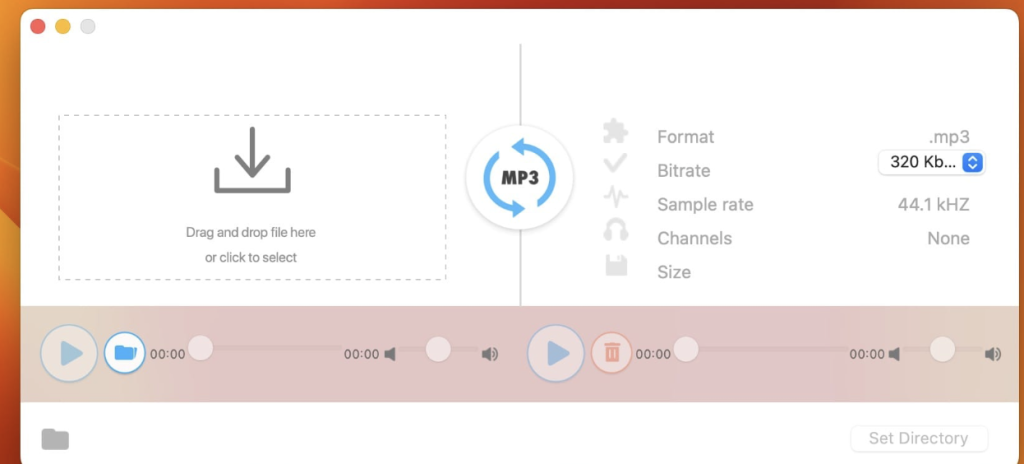
- One-Click Conversion: Convert audio files to MP3 format quickly and conveniently with a single click.
- Bitrate Setup: Customize the bitrate of the output MP3 files according to your preference, with options ranging from 320, 256, 192, to 128 kbps.
- Pre-Listening: Ability to pre-listen to uploaded and converted audio files before finalizing the conversion process.
- Playback Compatibility: Enjoy playback of converted MP3 files on any devices after conversion, ensuring universal compatibility.
- Audio Channels and Sample Rate Information: Provides detailed information about audio channels and sample rates for better control over the conversion process.
Compatibility:
- Requires macOS 10.15 or later.
Availability:
- The application is available for download on the Mac App Store.
Mac App Store Link:
With “All To MP3 Audio Converter,” users can easily convert audio files to high-quality MP3 format with customizable settings, making it a convenient solution for various audio conversion needs on macOS.
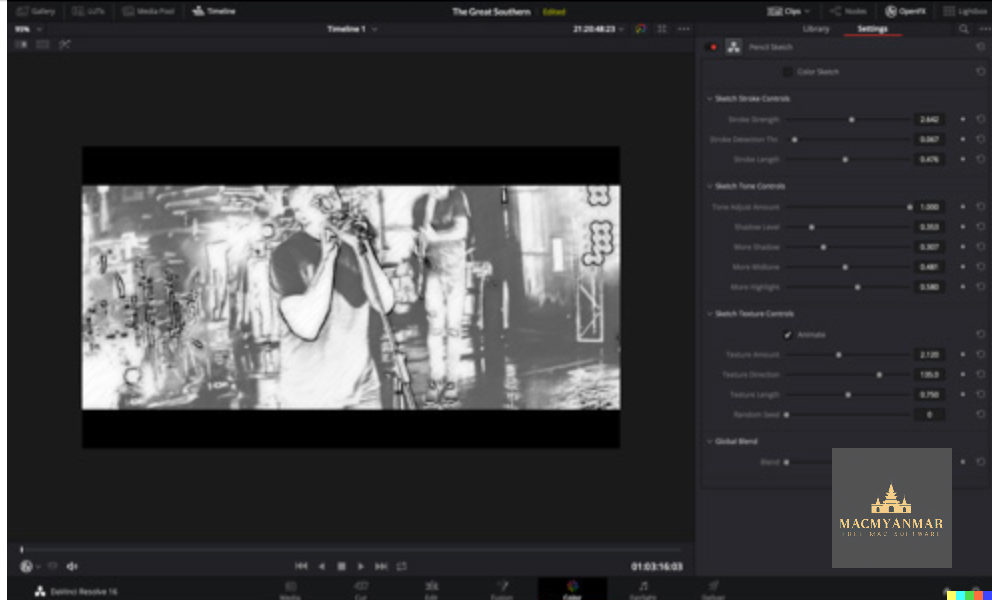
Blackmagic Design DaVinci Resolve Studio 18.6.6
02 years
by Jameskarke
in Application
Name : Blackmagic Design DaVinci Resolve Studio
Size : 4.9 GB
Blackmagic Design DaVinci Resolve Studio for Mac free Download
DaVinci Resolve stands out as the premier all-in-one solution for post-production tasks, combining editing, color correction, visual effects, motion graphics, and audio post-production within a single software tool. Here’s an overview of its features and what’s new in DaVinci Resolve 17:
Features:
- Comprehensive Suite: DaVinci Resolve encompasses editing, color correction, visual effects, motion graphics, and audio post-production, providing a complete toolkit for professionals.
- Industry-Leading Quality: It is widely regarded as Hollywood’s preferred post-production solution, offering Emmy™ award-winning image technology, advanced color science, and high-quality Fairlight audio processing.
- Unified Interface: Its modern and intuitive interface is designed for efficiency, catering to both new users and seasoned professionals.
- Page-Based Workflow: The software is divided into dedicated “pages” for specific tasks, including editing, color correction, visual effects, audio, and media organization and output.
- Advanced Color Correction: DaVinci Resolve’s color page is renowned for its advanced grading tools, including primary and secondary color grading features, PowerWindows™, qualifiers, tracking, HDR grading tools, and more.
- Media and Delivery: It supports a wide range of formats for importing, managing, and delivering final projects, with tools for syncing clips, organizing footage, adding metadata, and encoding.
- Resolve FX: Over 100 GPU and CPU-accelerated Resolve FX are available, including blurs, light effects, noise reduction, image restoration, and more. DaVinci Resolve Studio 17 introduces 11 new plugins and enhancements to existing ones.
- Color Panels: DaVinci Resolve color panels provide tactile control over multiple parameters, offering precise adjustments and unique looks that are difficult to achieve with a mouse and keyboard.
What’s New in DaVinci Resolve 17:
- New image processing for the latest wide gamut HDR
- Powerful audio engine with immersive 3D audio workflows
- HDR grading tools and AI-based magic mask for colorists
- Fairlight audio core with support for up to 2,000 tracks on a single system
- Metadata-based “slate” view with bin dividers for editors
- Smart reframing, proxies, live effect previews, and more for editors
- Fusion effects, titles, or transitions usable on edit and cut pages
System Requirements:
- macOS 10.15 or later
- Intel Core processor
Homepage: For more information about DaVinci Resolve, visit the official homepage at https://www.blackmagicdesign.com.