Free Macsoftware One click Download
Posts tagged Photography
Download DoubleTake for Mac 2.6.12 (1088)
02 years
by Jameskarke
in Application
Name : DoubleTake
Size : 3 MB
DoubleTake for Mac free Download
DoubleTake
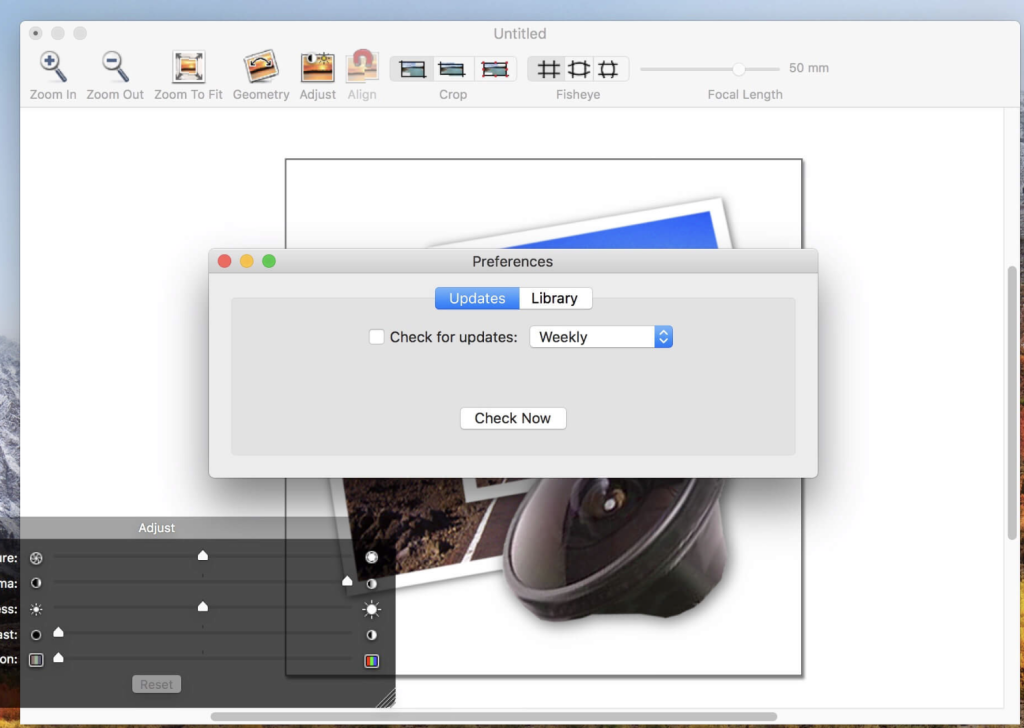
DoubleTake is designed for Mac users who appreciate the compactness of their cameras but occasionally wish for features like a wide-angle lens or additional megapixels for larger prints. This application addresses these needs by providing both automatic and manual control over the process of stitching photos seamlessly. Users can easily achieve this through simple drag-and-drop functionality.
Key Features:
- Wide-Angle Capability:
- Provides users with the option to simulate the use of a wide-angle lens.
- High Megapixel Output:
- Enables users to stitch photos for larger prints, simulating the effect of having more megapixels.
- Automatic and Manual Control:
- Offers both automatic and manual control over the stitching process.
- User-Friendly Interface:
- Simple drag-and-drop functionality for ease of use.
System Requirements:
- macOS 10.10 or later, 64-bit processor.
Homepage:
Download FoneLab HEIC Converter for Mac 1.0.22
02 years
by Jameskarke
in Application

Name : FoneLab HEIC Converter
Size : 19 MB
FoneLab HEIC Converter for Mac free Download
FoneLab HEIC Converter is a user-friendly solution designed to help you convert HEIC photos to JPG/PNG formats effortlessly. This application proves especially useful for individuals who capture numerous photos in HEIC format, providing a convenient way to convert them to widely compatible formats like JPG or PNG. Whether you need to convert a single image or an entire collection, FoneLab HEIC Converter offers a hassle-free solution.
Key Features:
- Efficient HEIC to JPG/PNG Conversion:
- Simplifies the process of converting HEIC photos to JPG or PNG formats without any complications.
- Addresses the compatibility issue associated with HEIC files, making them more widely accessible.
- Batch Conversion Support:
- Allows users to convert multiple HEIC photos in a single batch.
- Ideal for users dealing with a large number of HEIC images, streamlining the conversion process.
- Quality Adjustment Feature:
- Provides the option to set the output image quality to a user-defined value.
- Users can customize the quality of the converted images based on their preferences.
- Two Convenient Methods to Add Files:
- Users can add HEIC files to the conversion list by using the “Add HEIC” button.
- Alternatively, files can be added by directly dragging and dropping HEIC images onto the main interface.
- EXIF Information Preservation:
- Ensures that EXIF information associated with the original images is maintained during the conversion.
- Preserving metadata enhances the completeness of the converted images.
- Local and Secure Conversion:
- Performs the entire conversion process locally on the user’s Mac.
- Ensures the safety and security of the conversion process, allowing users to retain control over their data.
- Customizable Storage Path:
- Offers users the flexibility to choose the storage path for the converted images.
- Enables the creation of specific folders to organize and store the converted files conveniently.
- Free Trial with 10 HEIC Image Limit:
- Provides a free trial version that allows users to convert up to 10 HEIC images at no cost.
- Users can take advantage of this trial to assess the performance and suitability of the software.
System Requirements:
- Compatibility: macOS 10.10 or later.
Homepage:
Note: Users are encouraged to visit the official FoneLab HEIC Converter website for the latest and most detailed information.
Free Aiseesoft HEIC Converter for Mac 1.0.36
02 years
by Jameskarke
in Application
Name : Aiseesoft HEIC Converter
Size : 20 MB
Aiseesoft HEIC Converter for Mac Free Download
Aiseesoft HEIC Converter is a convenient program designed for Mac users, offering one-click solutions to convert HEIC images to JPG or PNG quickly. This application is especially useful for users with iOS devices, such as iPhone, iPad, or iPod, as it allows the easy conversion of HEIC photos from these devices to more widely supported formats like JPG or PNG.
Key Features:
- One-Click HEIC to JPG/PNG Conversion:
- Provides a quick and straightforward solution to convert HEIC images to JPG or PNG formats.
- Supports the conversion of HEIC photos from iOS devices, including iPhone, iPad, and iPod.
- Batch Conversion:
- Allows users to convert all iOS 11 photos in batch, saving time and effort.
- Convenient for users who have a large number of HEIC pictures to convert.
- Quality Adjustment:
- Offers the ability to adjust the output image quality to a designated value.
- Gives users control over the quality of the converted images.
- Two Methods to Add Files:
- Users can add HEIC files to the conversion list by clicking the “Add HEIC” button.
- Alternatively, files can be added by simply dragging and dropping HEIC images into the main interface.
- Preservation of EXIF Information:
- Ensures that EXIF information is preserved during the conversion process.
- Helps maintain details and metadata associated with the original images.
- Local and Safe Conversion:
- Enables users to perform the entire conversion process locally on their Mac.
- Offers fast and safe conversion of HEIC images with zero loss of data.
- Customizable Storage Path:
- Users have the flexibility to change the storage path for the converted images.
- Allows the creation of a specific folder to organize and save the converted files.
- Free Trial with 10 HEIC Images:
- Offers a free trial version that allows users to convert up to 10 HEIC images at no cost.
- Users can take advantage of this opportunity to try out the software before making a purchase.
System Requirements:
- Compatibility: macOS 10.10 or later.
Homepage:
Note: Users are encouraged to visit the official Aiseesoft HEIC Converter website for the latest and most detailed information.
Download Pixelmator Pro for Mac 3.5.6
02 years

Name : Pixelmator Pro
Size : 612 MB
Pixelmator Pro for Mac Free Download
Pixelmator Pro is an advanced image editor designed exclusively for Mac users, providing a wide range of professional-grade, nondestructive image editing tools. With an intuitive and accessible interface, Pixelmator Pro aims to make image editing easy for users at all levels of expertise. Whether you’re a beginner or a seasoned professional, Pixelmator Pro offers tools for enhancing photos, creating compositions and designs, drawing, painting, applying effects, designing text, and more.
Key Features:
- Exceptional Design and Functionality:
- Modern, single-window interface exclusively designed for Mac.
- Intuitive and refined design for easy accessibility.
- Native dark and light appearances adapting to macOS modes.
- Customizable interface with workspace presets for various creative tasks.
- Full-featured Photos extension for nondestructive edits directly in Photos.
- Professional Tools:
- Comprehensive image editing tools for enhancing and creating images.
- Nondestructive editing with the ability to adjust changes individually.
- Object manipulation for moving, resizing, and arranging objects.
- Machine learning-powered color adjustments for precise color control.
- Superior RAW file support for editing images with extended range data.
- Digital and traditional painting with customizable dual-texture brushes.
- Built-in effects for creating artistic or special effects.
- Presets for color adjustments, effects, layer styles, and shapes.
- Advanced retouching tools for removing imperfections or objects.
- Speed and Automation:
- Magically remove imperfections or objects with the Repair tool.
- ML Enhance for intelligent enhancement using machine learning.
- ML Super Resolution for zooming and enhancing image resolution.
- ML Match Colors to copy the look of one photo to another.
- ML Denoise for removing noise and compression artifacts.
- Quick Selection tool for making accurate selections.
- Compatibility:
- Open and edit images in popular formats, including JPEG, TIFF, PNG, PSD, HEIF, SVG, PDF, GIF, BMP, TGA, WebP, and JPEG-2000.
- Open and edit Photoshop images with layers.
- Open and edit SVG vector images.
- Share images to various locations, including Photos, Mail, and AirDrop.
- Built Exclusively for Mac:
- Designed exclusively for macOS, integrating seamlessly with macOS Big Sur.
- Supports almost every major macOS feature.
Compatibility:
- macOS 12.0 or later.
Mac App Store:

Download Sketch for Mac 99.5
02 years

Name : Sketch
Size : 71 MB
Sketch For Mac Free Download
Sketch is a graphic design software designed for the digital world, offering powerful tools and an elegant interface within a single award-winning package. It provides a joyful and efficient platform for creating beautiful designs, whether it’s for icons, websites, interfaces, or other visual elements.
Key Features:
- Versatile Design Tools:
- Multiple fills, borders, and shadows per layer.
- Non-destructive boolean operations.
- Smart pixel alignment.
- Automatic slicing and multiple resolution export.
- Vector Tools and Basic Shapes:
- Foundation for designing icons, websites, interfaces, etc.
- Combine shapes with non-destructive boolean operations.
- Advanced layer style options: shadows, fills, gradients, noise, blending, and more.
- Image Editing:
- Rotate, scale, crop, and mask imported images.
- Best-in-class text tool for accurate typography with native font rendering.
- Symbols:
- Reuse entire groups of content with Symbols.
- Update once, and changes reflect everywhere in the document.
- Mac Integration:
- Built for macOS with support for OS X’s Versions and Auto Save.
- iCloud support for syncing work across multiple Mac computers.
- Full-screen mode for maximizing canvas size.
- Single-Window Interface:
- Everything is accessible within a single-window interface.
- Simple interface design with powerful tools.
Compatibility: macOS 12.0 or later.
In summary, Sketch is a comprehensive graphic design tool that empowers users to create stunning visuals with its array of features. From versatile design tools to vector operations, image editing, and seamless integration with Mac, Sketch provides an efficient and enjoyable environment for digital design.

Topaz Photo AI for Mac 2.3.0
02 years

Name : Topaz Photo AI
Size : 228 MB
Topaz Photo AI for Mac free Download
Topaz Photo AI is an image enhancement tool that utilizes artificial intelligence (AI) to improve the quality of your photos. It focuses on sharpening images, reducing noise, and increasing resolution to enhance overall visual appeal. Here are some key features and capabilities:
- AI-Powered Enhancement:
- The software leverages AI technology to enhance the sharpness, clarity, and resolution of your photos. It aims to improve image quality by addressing common issues such as blurriness.
- Creative Focus:
- While AI is effective at enhancing technical aspects of images, the software emphasizes that true creativity comes from human vision and artistic expression. It positions itself as a tool to empower photographers to achieve their creative vision.
- Sharper Images:
- The Sharpen AI module is designed to make your photos as sharp as possible. It focuses on reversing the causes of blurriness, such as camera shake, motion blur, and misfocus. The goal is to provide crisp and clear detail without introducing artifacts like edge haloes.
- Noise Reduction:
- Topaz Photo AI includes features to reduce noise in photos. Noise reduction is a common challenge, especially in low-light conditions, and the software aims to produce cleaner and smoother images.
- Resolution Enhancement:
- The software also works on increasing the resolution of photos, allowing users to enhance details and achieve a higher level of clarity in their images.
- Minimum Hardware Requirements:
- The software has specific minimum hardware requirements, including Mac operating system Big Sur 11 and higher, an Intel CPU with AVX instructions, 16GB of system memory (RAM), and any graphics card with a minimum of 2GB video RAM.
- Compatibility:
- Topaz Photo AI is compatible with macOS Big Sur 11 and higher.
- Homepage:
- Users can find more information about the software on the official homepage of Topaz Labs.
In summary, Topaz Photo AI positions itself as a tool that combines AI technology with human creativity, allowing photographers to enhance the quality of their photos by addressing issues like blurriness and noise while preserving the artistic vision of the user. The software is designed to work on macOS Big Sur 11 and higher, with specific hardware requirements for optimal performance.
Download ACDSee Photo Studio for Mac 10.0.3
02 years

Name :ACDSee Photo Studio
Size : 181 MB
ACDSee Photo Studio for Mac free Download
ACDSee Photo Studio for Mac is presented as a speedy digital asset manager and RAW processor for managing and enhancing your photo collection. The application provides various tools and features for efficient organization, searching, and adjustment of digital images. Here are key features and information highlighted in the provided details:
- Speedy Digital Asset Manager:
- ACDSee Photo Studio for Mac is positioned as one of the speediest digital asset managers and RAW processors on the platform.
- The application offers import-free access to images, making it convenient for users to take control of their photo collections.
- Efficient Organization:
- The software provides one-click searches, drag and drop searching, and saved searches for efficient organization of images.
- Improved Browser History Support allows users to hold down the Back button to view a list of recently browsed folders.
- Customizable Batch Operations:
- ACDSee Photo Studio for Mac includes customizable batch operations, allowing users to apply actions to multiple images simultaneously.
- RAW Support:
- The application supports RAW files from over 550 camera models, providing compatibility with a wide range of digital cameras.
- Non-Destructive Adjustments:
- A full toolkit of non-destructive adjustments is available, allowing users to enhance their images without losing the original quality.
- More Ways to Control Your Collection:
- Easy-Select Tabs enable users to select or deselect multiple folders and subfolders along the file tree.
- Direct access to iCloud Drive allows easy backup and sharing of files on the iCloud drive directly through ACDSee.
- Improved keyword management includes pre-loaded frequently-used keyword sets and the ability to import and export established keyword lists.
- Saved Searches feature enables users to create searches based on specific criteria and access those results with a single click.
- Compatibility:
- ACDSee Photo Studio for Mac is compatible with macOS 12.0 or later.
- Version 10.0.3:
- Release notes for version 10.0.3 were not available at the time of the listing update.
- Homepage:
- For more information and access to the software, users can visit the official homepage at https://www.acdsee.com/en/index/.
In summary, ACDSee Photo Studio for Mac is positioned as a comprehensive solution for photographers, offering tools for efficient image organization, quick searches, and non-destructive adjustments. The software’s compatibility with a wide range of camera models and support for RAW files contribute to its versatility as a digital photography resource.
Download DxO ViewPoint for Mac 4.13.0.282
02 years
by Jameskarke
in Application

Name : DxO ViewPoint
Size : 1 GB
DxO ViewPoint for Mac free Download
DxO ViewPoint is designed to be the perfect complement for your wide-angle lens. It automatically corrects skewed perspectives, restores natural shapes, and neutralizes distortion in your photos with just one click. This software is especially useful for fixing wide-angle photos where skewed perspectives and volume deformation are common issues.
Key Features:
- Fix Skewed Perspectives:
- Correct skewed perspectives in wide-angle photos manually using anchor points or automatically with a single click.
- Restore Proportions:
- Automatically correct volume deformation of faces, bodies, and objects at the edges of wide-angle photos for natural-looking shapes.
- Neutralize Distortion:
- Utilize DxO’s Optics Module database to correct various distortions, including barrel, pincushion, and fisheye effects.
- Straighten the Horizon:
- Automatically straighten slanted horizon lines in landscape photos to achieve better balance.
- Enhance Composition:
- Achieve more aesthetically pleasing and balanced compositions by correcting perspective and distortion issues.
What’s New:
- Version 4.13.0.282: Release notes were unavailable.
Compatibility:
- macOS 10.14 or later
Homepage:
DxO PhotoLab 7 ELITE Edition for Mac 7.3.0.43
02 years

Name : DxO PhotoLab 7 ELITE Edition
Size : 753 MB
DxO PhotoLab 7 ELITE Edition for Mac free Download
DxO PhotoLab is a comprehensive photo-editing software that offers a range of smart assisted corrections along with manual fine-tuning capabilities. It provides precise control over various aspects of your photos, allowing users to eliminate noise, overcome light constraints, recover color details, apply advanced optical corrections, and enhance overall image details.
Key Features:
- Smart Assisted Corrections:
- Benefit from smart assisted corrections that can be manually fine-tuned.
- Noise Reduction with DxO DeepPRIME:
- Utilize DxO DeepPRIME, an AI-based technology, for demosaicing and denoising images simultaneously.
- Achieve superior results in noise reduction without compromising color details.
- Demosaicing and Denoising Combined:
- DxO DeepPRIME integrates demosaicing and denoising into a single process for enhanced outcomes.
- Remove noise and preserve photographic information, resulting in smoother transitions and natural details.
- Extended ISO Sensitivity:
- Gain nearly two ISO sensitivity values compared to previous versions, allowing for shooting at high sensitivities.
- Versatile Application:
- Expert photographers can leverage DxO DeepPRIME for high-sensitivity shooting.
- Amateurs can compensate for digital noise in cameras with small sensors.
- Revitalize images from low-quality or older-generation cameras with significant digital noise.
- DxO Smart Lighting:
- Enhance dynamic range and recover details in shadows and highlights.
- DxO ClearView:
- Eliminate atmospheric haze and enhance local contrast for clearer images.
- DxO PRIME:
- Leverage DxO PRIME for powerful noise reduction.
- Optical Corrections:
- Apply sophisticated optical corrections to enhance image quality.
- U Point Technology:
- Integrate U Point technology for precise and selective adjustments.
What’s New in Version 7.3.0.43:
- Release notes were unavailable when this listing was updated.
Compatibility:
- macOS 12.6.0 or later
Homepage:
DxO PhotoLab stands out as a comprehensive solution for photo editing, offering a combination of smart assisted corrections, advanced noise reduction with DxO DeepPRIME, and a range of features for enhancing image quality. Whether you’re an expert photographer or an amateur seeking to improve image outcomes, DxO PhotoLab provides the tools and capabilities to meet diverse editing needs.
Download FotoMagico for Mac 6.5.4
02 years
by Jameskarke
in Application

Name : FotoMagico
Size : 46 MB
FotoMagico for Mac free Download
FotoMagico is a powerful application designed for creating stunning slideshows on macOS. It allows users to seamlessly combine photos, videos, music, and text to craft engaging stories presented through live presentations or high-resolution videos. Whether you’re looking to share travel adventures, enhance wedding photography, or create compelling presentations, FotoMagico provides a versatile platform for storytelling.
Key Features:
- Versatile Slideshow Creation:
- Craft captivating slideshows using photos, videos, music, and text.
- Pre-built Stories and Story Parts:
- Utilize pre-built stories or story parts to expedite the slideshow creation process.
- Live Presentations:
- Knock the socks off your audience with engaging live presentations.
- Improved Text Editing:
- Easily add and edit text to express your narrative effectively.
- Snippets and Music Snippets:
- Use snippets for quick composition of complex slideshows.
- Access Music Snippets for free-to-use CC licensed music with proper attribution.
- Animation Assistant:
- Choose from various animation styles to automatically enhance your slideshow.
- Audio Marker Assistant:
- Keep music and slides in perfect harmony with this assistant.
- Audio Volume Envelopes & Fades:
- Control audio volume with envelopes and fades for a polished presentation.
- Dark User Interface:
- Enjoy a completely new dark user interface for an immersive experience.
FotoMagico Pro Features:
- Timeline View: Displays slideshow timing intuitively.
- Extra Audio Track and Recording Mode: Includes an additional audio track for narration.
- Access to Aperture and Lightroom Libraries: Directly use photos from Aperture and Lightroom.
- Teleprompter View: Supports live presentations.
- Chapters: Group slides for better organization.
- Masks and Borders: Enhance creativity with masks and borders.
- Additional Export Options: Standalone Player, ProRes video file, custom video format.
Compatibility:
- macOS 10.14 or later
Homepage:
FotoMagico is an excellent choice for users seeking to create visually stunning slideshows with ease. With its intuitive interface, powerful features, and support for various media elements, FotoMagico provides a versatile platform for storytelling, making it suitable for a wide range of applications, from personal projects to professional presentations.