Free Macsoftware One click Download
Posts tagged Photography
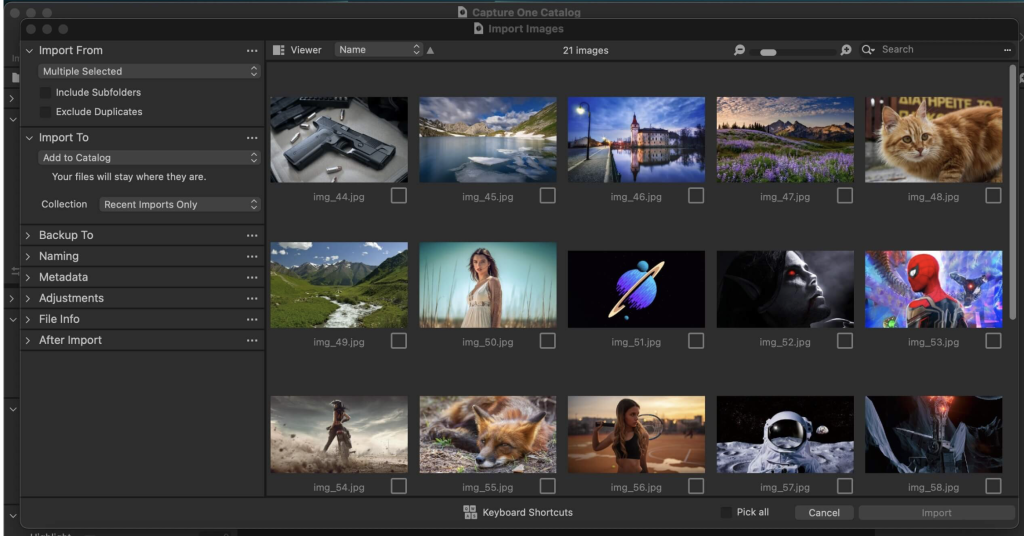
Capture One Enterprise for Mac 16.3.7.10
02 years

Name : Capture One Enterprise
Size : 963 MB
Capture One Enterprise for Mac free Download
Capture One 23 Enterprise is the ultimate photo editing solution tailored for image production studios and e-commerce platforms. Renowned for its authentic true-to-life color processing, seamless editing experience, and industry-leading tethering speed, Capture One has become a staple in studios worldwide. Based in Copenhagen, Denmark, Capture One continues to empower photographers with cutting-edge features, keeping them ahead of the curve.
The Introduction of Capture One Enterprise:
Capture One has recently introduced an “Enterprise” version specifically designed for businesses, perfectly aligned with the operational dynamics of photography studios. This enterprise edition offers the same standard features as Capture One’s flagship product, Capture One 20, customized to meet the unique requirements of studio photography.
Key Features of Capture One Enterprise:
Built for Business: Capture One Enterprise caters to the intricate needs of photography studios that involve multiple stakeholders, including photographers, studio managers, retouchers, quality assurance managers, and project leaders. It streamlines collaboration, standardizes workflows, and seamlessly integrates with various systems such as barcode scanners, PIM systems, DAM systems, and e-commerce platforms.
Value Creation: Capture One Enterprise enhances value creation for studio photography by optimizing key performance indicators (KPIs) such as “Time to Market,” “Cost per Image,” and “Risk Reduction.” Through features like Barcode scanner tool, Advanced Guides, Next Capture Backup, Tool Locks, and more, studios can enhance efficiency, reduce costs, and mitigate risks.
Automated Workflows: Capture One Enterprise enables automation and integration within studio workflows, offering features like Workflow enhancement and integrations with other applications. Customized solutions further maximize value creation by addressing specialized needs such as ultra-accurate color profiling to reduce product returns.
Exclusive Features for Studio Photography:
Capture One Enterprise provides individual color profiles tailored for businesses, ensuring accurate color reproduction and minimizing discrepancies between product images and actual products. This not only saves editing time and retoucher costs but also enhances customer satisfaction and reduces return rates.
Compatibility and Support:
Capture One 23 Enterprise is compatible with macOS 10.15 or later and is designed to meet the diverse demands of photography studios and e-commerce platforms. For more information and specific tools, users can explore the Tools and Functionality white paper and Barcode Reader white paper or reach out to the Enterprise team for personalized assistance.
To learn more about how Capture One Enterprise can benefit your business, visit the homepage: https://www.captureone.com/en/explore-features/enterprise
Download DxO FilmPack for Mac 7.5.0.513
02 years

Name : DxO FilmPack
Size : 1 GB
DxO FilmPack for Mac free Download
DxO PhotoLab offers a comprehensive suite of smart assisted corrections that empower you to manually fine-tune every aspect of your photos. From effectively removing noise and eliminating light constraints to recovering color details, applying sophisticated optical corrections, and enhancing overall image details, you have complete control over your editing process.
Digital noise reduction in RAW images has long been a challenge for photo-editing software. However, with DxO DeepPRIME, we’re pushing boundaries. As the first artificial intelligence-based (AI) technology of its kind, DeepPRIME allows for simultaneous demosaicing and denoising of images. Experience it yourself – the results are remarkable.
Traditionally, demosaicing and denoising are separate processes. But with DxO DeepPRIME, we’ve merged them to achieve even better outcomes. The results are truly spectacular. DeepPRIME effectively removes noise while preserving color detail, resulting in smoother transitions and a gain of nearly two ISO sensitivity values compared to our earlier version, DxO PRIME, which is the benchmark software for comparable programs.
Whether you’re an expert photographer looking to explore new possibilities by shooting at high sensitivities or an amateur seeking to compensate for small sensors in compact cameras that produce noise even at low ISO sensitivities, DxO DeepPRIME offers a solution. Additionally, for those dealing with low-quality or older-generation cameras affected by significant digital noise, DxO DeepPRIME breathes new life into images.
Key Features:
- DxO Smart Lighting
- DxO ClearView
- DxO PRIME
- Optical Corrections
- Introducing U Point
What’s New:
Version 7.5.0.47:
Release notes were unavailable when this listing was updated.
Compatibility: macOS 12.6.0 or later
Homepage: http://www.dxo.com
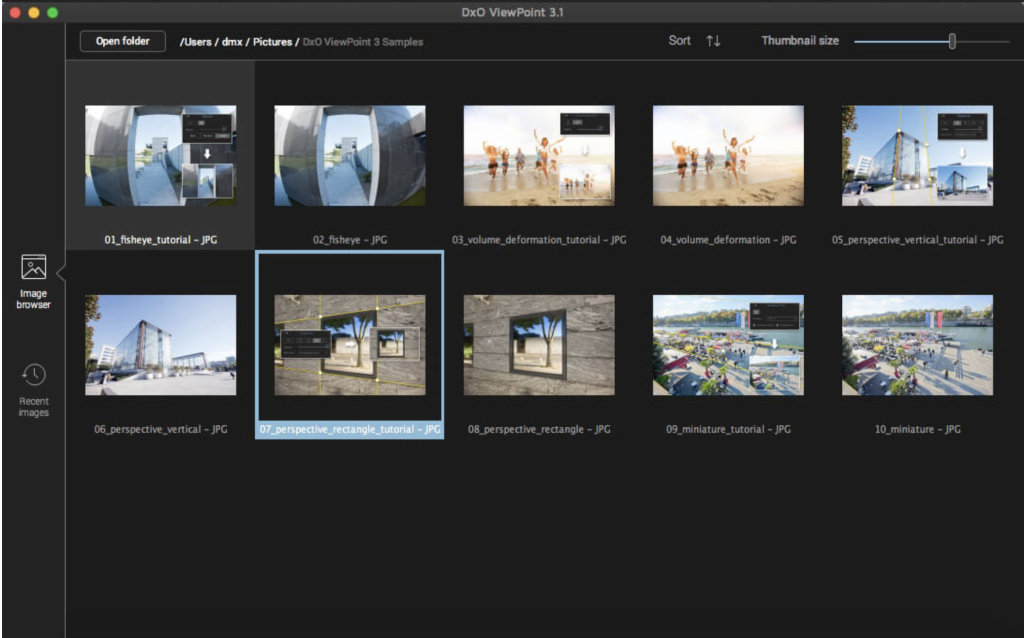
Download DxO ViewPoint for Mac 4.15.0.294
02 years

Name : DxO ViewPoint
Size : 1 GB
DxO ViewPoint for Mac free Download
DxO PhotoLab offers a comprehensive suite of smart assisted corrections that empower you to manually fine-tune every aspect of your photos. From effectively removing noise and eliminating light constraints to recovering color details, applying sophisticated optical corrections, and enhancing overall image details, you have complete control over your editing process.
Digital noise reduction in RAW images has long been a challenge for photo-editing software. However, with DxO DeepPRIME, we’re pushing boundaries. As the first artificial intelligence-based (AI) technology of its kind, DeepPRIME allows for simultaneous demosaicing and denoising of images. Experience it yourself – the results are remarkable.
Traditionally, demosaicing and denoising are separate processes. But with DxO DeepPRIME, we’ve merged them to achieve even better outcomes. The results are truly spectacular. DeepPRIME effectively removes noise while preserving color detail, resulting in smoother transitions and a gain of nearly two ISO sensitivity values compared to our earlier version, DxO PRIME, which is the benchmark software for comparable programs.
Whether you’re an expert photographer looking to explore new possibilities by shooting at high sensitivities or an amateur seeking to compensate for small sensors in compact cameras that produce noise even at low ISO sensitivities, DxO DeepPRIME offers a solution. Additionally, for those dealing with low-quality or older-generation cameras affected by significant digital noise, DxO DeepPRIME breathes new life into images.
Key Features:
- DxO Smart Lighting
- DxO ClearView
- DxO PRIME
- Optical Corrections
- Introducing U Point
What’s New:
Version 7.5.0.47:
Release notes were unavailable when this listing was updated.
Compatibility: macOS 12.6.0 or later
Homepage: http://www.dxo.com
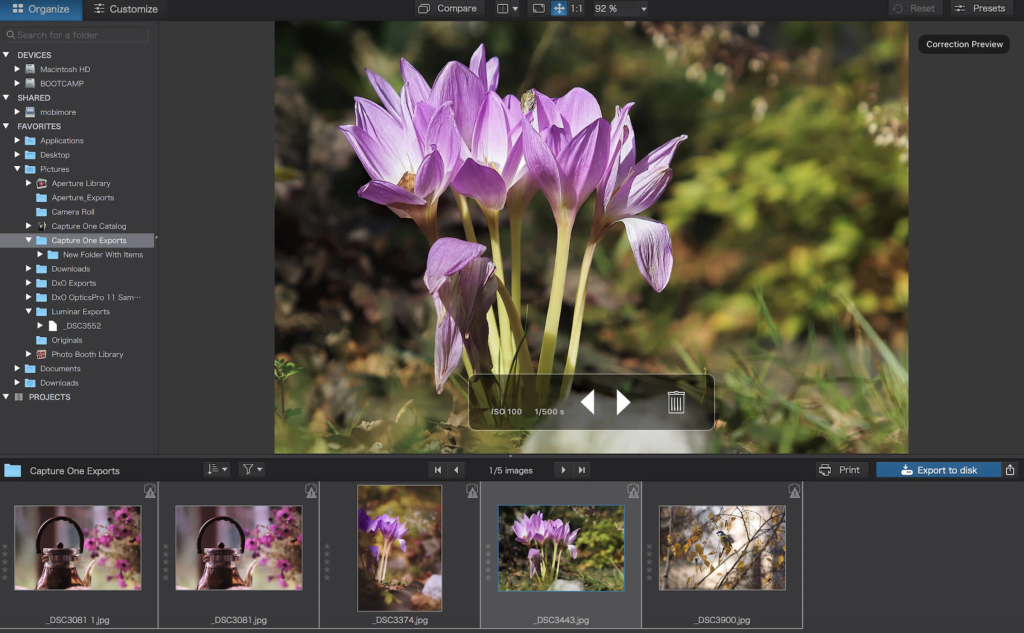
DxO PhotoLab 7 ELITE Edition for Mac 7.5.0.47
02 years

Name : DxO PhotoLab 7 ELITE Edition
Size : 753 MB
DxO PhotoLab 7 ELITE Edition for Mac free Download
DxO PhotoLab offers a comprehensive suite of smart assisted corrections that empower you to manually fine-tune every aspect of your photos. From effectively removing noise and eliminating light constraints to recovering color details, applying sophisticated optical corrections, and enhancing overall image details, you have complete control over your editing process.
Digital noise reduction in RAW images has long been a challenge for photo-editing software. However, with DxO DeepPRIME, we’re pushing boundaries. As the first artificial intelligence-based (AI) technology of its kind, DeepPRIME allows for simultaneous demosaicing and denoising of images. Experience it yourself – the results are remarkable.
Traditionally, demosaicing and denoising are separate processes. But with DxO DeepPRIME, we’ve merged them to achieve even better outcomes. The results are truly spectacular. DeepPRIME effectively removes noise while preserving color detail, resulting in smoother transitions and a gain of nearly two ISO sensitivity values compared to our earlier version, DxO PRIME, which is the benchmark software for comparable programs.
Whether you’re an expert photographer looking to explore new possibilities by shooting at high sensitivities or an amateur seeking to compensate for small sensors in compact cameras that produce noise even at low ISO sensitivities, DxO DeepPRIME offers a solution. Additionally, for those dealing with low-quality or older-generation cameras affected by significant digital noise, DxO DeepPRIME breathes new life into images.
Key Features:
- DxO Smart Lighting
- DxO ClearView
- DxO PRIME
- Optical Corrections
- Introducing U Point
What’s New:
Version 7.5.0.47:
Release notes were unavailable when this listing was updated.
Compatibility: macOS 12.6.0 or later
Homepage: http://www.dxo.com
DxO PhotoLab 6 ELITE Edition for Mac 6.15.0.68
02 years
Name : DxO PhotoLab 6 ELITE Edition
Size : 700 MB
DxO PhotoLab 6 ELITE Edition for Mac free Download
DxO PhotoLab (formerly DxO Optics Pro) offers a comprehensive suite of intelligent corrections that you can fine-tune manually at any time. With precise control over every aspect of your photos, you can effectively eliminate noise, overcome lighting limitations, recover color details, apply advanced optical corrections, and enhance overall image details.
The challenge of reducing digital noise in RAW images has persisted in photo-editing software. However, with DxO DeepPRIME, we are revolutionizing this process. Leveraging artificial intelligence (AI) technology, DeepPRIME allows you to simultaneously demosaic and denoise images, delivering exceptional results. Give it a try – the outcomes speak for themselves.
Traditionally, demosaicing and denoising are treated as separate processes. But with DxO DeepPRIME, we’ve merged them to achieve superior outcomes. The results are truly remarkable. DeepPRIME effectively removes noise while preserving color detail, resulting in smoother and more natural transitions. Compared to our previous version, DxO PRIME, which sets the benchmark for similar programs, DeepPRIME offers nearly two ISO sensitivity values.
For professional photographers, DxO DeepPRIME unlocks new possibilities by enabling shooting at high sensitivities. Amateur photographers can benefit by compensating for noise in compact and bridge cameras with small sensors, even at low ISO sensitivities. Additionally, for those struggling with low-quality or older-generation cameras affected by significant digital noise, DxO DeepPRIME revitalizes images.
Key Features:
- DxO Smart Lighting
- DxO ClearView
- DxO PRIME
- Optical Corrections
- Introducing U Point
Compatibility: macOS 11.6 or later
Homepage: http://www.dxo.com
Download FotoMagico for Mac 6.5.7
02 years

Name : FotoMagico
Size : 75 MB
FotoMagico for Mac free Download
FotoMagico is a user-friendly application designed for macOS, offering a seamless experience for creating stunning slideshows using your photos, videos, music, and text. Whether you’re crafting a live presentation or producing a high-resolution video, FotoMagico empowers you to tell your story with ease and creativity.
Key Features:
- Impress your audience with captivating live presentations
- Elevate your wedding photography with memorable slideshows
- Recount and share your travel adventures in an engaging format
- Streamline the process of animating stills for your Final Cut Pro X projects
- Enhance your storefront window or Point of Sales signage
- Unleash your creativity and achieve impressive results quickly
- Make your photos and videos shine with exceptional quality
Highlights of FotoMagico 5:
- Snippets feature provides a quick and easy way to compose complex slideshows by selecting from pre-built story parts and adding your own media
- Music Snippets offer free-to-use CC licensed music with proper attribution, ensuring compliance with copyright regulations
- Animation Assistant offers a variety of styles to automatically animate your slideshow
- Improved Text Editing and Text Placeholders simplify the process of adding text to your slideshow
- Audio Marker Assistant ensures synchronization between music and slides
- Audio Volume Envelopes & Fades allow you to control the volume of music and video for a seamless viewing experience
- Dark user interface for enhanced visual appeal
Additional Features in FotoMagico Pro:
- Timeline View provides a clearer representation of slideshow timing
- Extra audio track and recording mode for narration
- Direct access to Aperture and Lightroom photo libraries
- Teleprompter view assists during live presentations
- Chapters for grouping slides
- Masks and Borders for creative customization
- Additional export options including Standalone Player, ProRes video file, and custom video format
Compatibility: macOS 10.14 or later
Explore FotoMagico and unleash your storytelling potential: https://fotomagico.com/
Adobe Photoshop 2024 for Mac v25.5.0
02 years

Name : Adobe Photoshop 2024
Size : 5.6 GB
Adobe Photoshop 2024 for Mac free Download
Welcome to the dawn of the AI generation, where the full power of generative AI meets your favorite Adobe tools, ushering in a new era of creativity and productivity.
In Adobe Photoshop, from photo editing and compositing to digital painting, animation, and graphic design, the possibilities are limitless. Whether you’re working on desktops or iPads, artificial intelligence technology enables lightning-fast editing, empowering you to bring your ideas to life like never before. Learn new skills and share your creations with the community effortlessly, thanks to our latest release.
Adobe Photoshop stands as a timeless classic in photo-enhancing software, boasting a vast array of tools capable of transforming your inspiration into breathtaking images, photos, composites, 3D artwork, paintings, and graphics on any device.
Since its inception in 1988, Photoshop has been the preferred choice of creative professionals worldwide, maintaining its status as the leading image-editing software.
Featuring an intuitive and clean user interface, Photoshop for Mac offers unparalleled usability. Recent enhancements have made the photo-editor even more enjoyable to use, ensuring a seamless experience from start to finish. Stay informed about new features, access recent files effortlessly, and navigate seamlessly between projects with ease.
Experience the convenience of the new Content-Aware Fill workspace, allowing you to remove unwanted objects or distractions from your images with unprecedented ease and precision. Take full control over your edits, resizing, rotating, scaling, and mirroring content effortlessly.
Discover a wealth of new tools, including the Frame Tool for simpler masking and the default multiple undo feature for added flexibility. With the new auto-commit feature, rest assured that your project changes are saved automatically, eliminating any worries about losing progress.
Explore the latest version of Adobe Photoshop, version 2024 v25.5.0, available in a multilingual interface for macOS v10.15 or later, compatible with both Intel and Apple silicon processors. Unleash your creativity and elevate your digital artistry with Adobe Photoshop today.
Download Topaz Photo AI for Mac 2.4.0
02 years

Name : Topaz Photo AI
Size : 341 MB
Topaz Photo AI for Mac free Download
Unleash the power of tomorrow’s technology today with Topaz Photo AI, a revolutionary tool that enhances your image quality, allowing you to focus on the creative aspects of photography.
Key Features:
- Focus on Creativity: AI technology excels at improving image quality, allowing you to focus on your artistic vision while Photo AI handles the technical aspects.
- Sharper Photos: Ensure your photos are as sharp as possible, even if they were captured with slight blurriness. Topaz Photo AI’s Sharpen AI module naturally reverses the root causes of blurriness, such as camera shake, motion blur, or misfocus, resulting in crisp, clear detail without edge haloes or artifacts.
- Supercharged Resolution: Increase the resolution of your photos without sacrificing quality. Photo AI utilizes advanced algorithms to upscale your images, preserving details and enhancing overall clarity.
- Noise Reduction: Remove noise from your photos to achieve cleaner and smoother results. Photo AI intelligently reduces noise while retaining important details, ensuring your images look their best.
- Minimum Hardware Requirements: To run Photo AI smoothly, ensure your Mac meets the following minimum hardware requirements: macOS Big Sur 11 and higher, Intel CPU with AVX instructions, 16GB of system memory (RAM), any graphics card, and at least 2GB of video RAM.
Compatibility:
- Topaz Photo AI is compatible with macOS Big Sur 11 and higher, providing seamless integration with your Mac system.
Experience the future of photography editing with Topaz Photo AI and unlock new levels of image quality and creativity.
Homepage:
For more information and to explore the capabilities of Topaz Photo AI, visit the official homepage: Topaz Labs – Photo AI
Download Topaz Gigapixel AI for Mac 7.0.3
02 years

Name : Topaz Gigapixel AI
Size : 230 MB
Topaz Gigapixel AI for Mac free Download
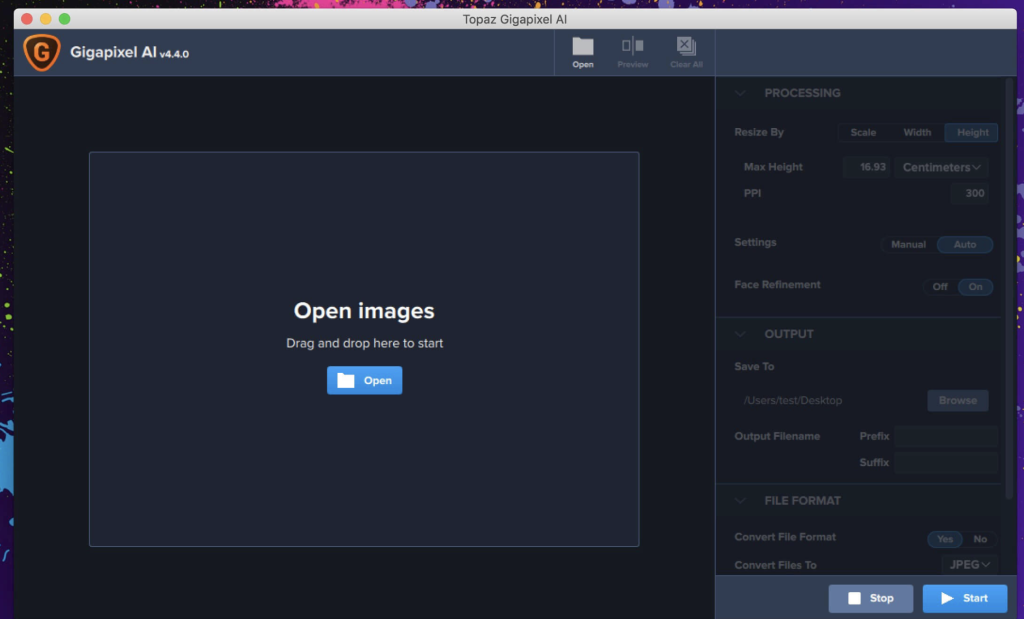
Upscale your photos with unprecedented quality using AI Gigapixel, the leading photo enlargement software powered by machine learning technology. With Gigapixel AI, you can enlarge your images by up to 600% while preserving stunning detail and sharpness.
Key Features:
- High-Quality Enlargements: Create breathtaking enlargements, including prints up to 80 x 60 inches or transforming DSLR photos into ultra-detailed 100MP images.
- Truly Intelligent Upscaling: Gigapixel AI has been trained with millions of sample images to deliver exceptional quality enlargements with remarkable detail.
- Crisp and Clear Results: With around 2 million operations per pixel, Gigapixel AI ensures crisp and clear results, surpassing traditional interpolation-based methods.
- Detail Recovery: Unlike traditional methods that simply increase edge contrast, Gigapixel AI recovers real details in your image, resulting in genuine sharpness and clarity.
- Noise Suppression: Gigapixel AI intelligently distinguishes between image features and noise, accentuating detail while suppressing noise for pristine results.
- Used by Professionals: Trusted by leading photographers, video game modders, and major motion studios, Gigapixel AI is the go-to solution for high-quality image enlargement.
Comparison: Interpolation vs. Machine Learning
- Interpolation: Traditional methods approximate new pixels based on surrounding colors, resulting in smoothed transitions without adding detail.
- Neural Network (Gigapixel AI): Gigapixel AI utilizes deep learning to analyze photo pairs and learn how details are lost, effectively adding new detail to your images based on its training.
Experience the Future of Image Enlargement
Gigapixel AI represents a significant leap forward in image enlargement technology, leveraging state-of-the-art machine learning to deliver unparalleled quality in upscaled images.
Compatibility:
- Gigapixel AI is compatible with macOS 10.14 or later, ensuring seamless integration with your Mac system.
Homepage:
For more information and to try Gigapixel AI, visit the official homepage: AI Gigapixel
Download Affinity Photo for Mac 2.4.0
02 years

Name : Affinity Photo
Size : 924 MB
Affinity Photo for Mac free Download
Affinity Photo is a professional photo editing software for Mac that redefines the boundaries with its powerful features and intuitive interface. Here are some key highlights of Affinity Photo:
Key Features:
- Professional Editing Tools:
- Offers sophisticated tools for enhancing, editing, and retouching images.
- Meticulous focus on workflow for efficient editing.
- Compatibility:
- Open, edit, and save Photoshop PSD files.
- Supports RGB, CMYK, Greyscale, and LAB color spaces.
- End-to-end CMYK workflow with ICC color management.
- Full 16 and 32-bit per channel editing.
- Works with standard formats like PNG, TIFF, JPG, GIF, SVG, EPS, EXR, HDR, and PDF.
- Performance:
- Panning and zooming operate at 60fps with live previews, tools, and real-time editing.
- Can handle massive images without compromising performance or running out of memory.
What’s New in Version 2.4.0:
- Specific release notes were unavailable at the time of this listing.
Compatibility:
- Compatible with macOS 10.15 or later.
For more information and to download Affinity Photo, visit the official homepage: Affinity Photo Homepage
