Free Macsoftware One click Download
Posts tagged Photography
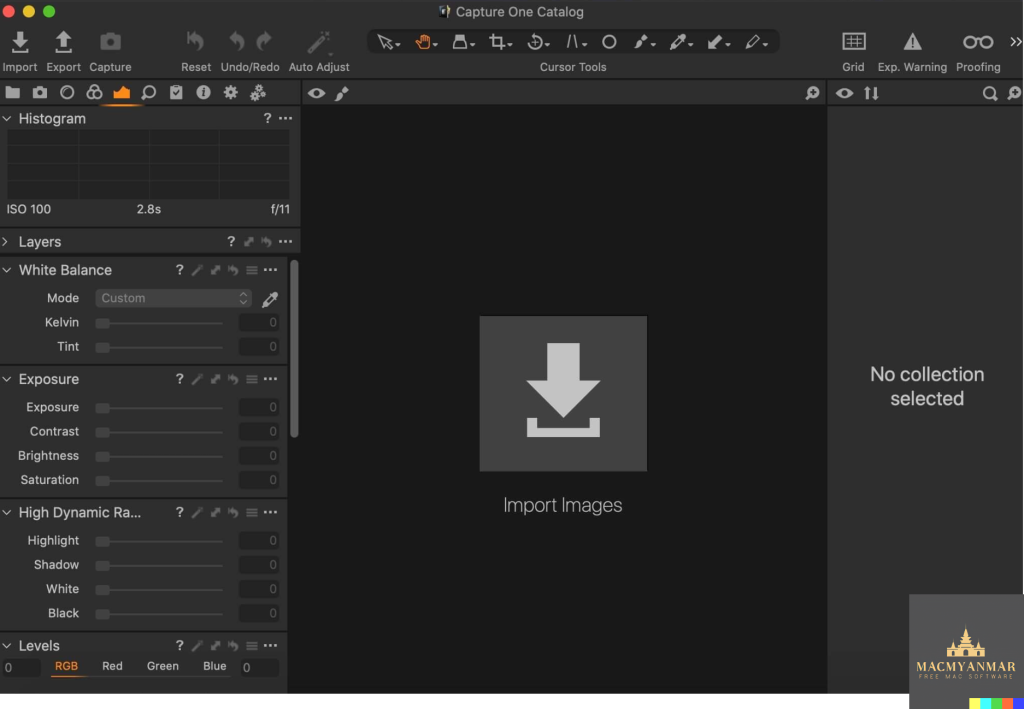
Capture One Pro for Mac 16.4.2.1
02 years

Name : Capture One Pro
Size : 1 GB
Capture One Pro for Mac free Download
Capture One is a professional RAW converter and image editing software designed to deliver ultimate image quality with beautiful colors and incredible detail for over 500 high-end cameras. Here’s a detailed overview of what Capture One offers and why it is a top choice for photographers:
Key Features of Capture One
- Ultimate Image Quality:
- RAW Processing: Renowned for its exceptional RAW image processing.
- True-to-Life Colors: Tailored profiles for nearly 600 camera models and lenses ensure accurate and vibrant colors.
- Tethered Capture:
- State-of-the-Art Tethering: Industry-leading tethered capture for instant image transfer and review.
- Lightning-Fast Performance: Real-time viewing and adjustments during shoots to ensure the perfect shot.
- Digital Asset Management:
- Organize and Manage: Powerful tools to organize, cull, and manage a large volume of images efficiently.
- Metadata and Keywords: Comprehensive metadata editing and keywording options for better file management.
- Extensive Adjustment Tools:
- Precision Editing: Highly responsive tools for detailed and precise image adjustments.
- Creative Control: A wide range of adjustment options, including color correction, exposure adjustments, and retouching tools.
- Flexible Workflow:
- Customizable Interface: Personalize your workspace to fit your workflow needs with customizable workspaces.
- Batch Processing: Efficiently process large numbers of images with batch processing capabilities.
- Capture One Studio:
- Enhanced Studio Features: Includes all features of Capture One Pro, plus additional tools tailored for studio photographers.
- Workflow Enhancements: Tools for barcode scanner integration, advanced guides, and capture backup.
What’s New in Capture One
- Updated Processing Engine: Enhanced performance and new features for more efficient and powerful image processing.
- Market-Leading Performance: Improvements in speed and responsiveness for a smoother editing experience.
- New Tools and Features: Continued development of new features and tools to keep up with the evolving needs of professional photographers.
Compatibility
- Operating System: macOS 12.0 or later.
Homepage
For more information and to explore Capture One further, visit the Capture One Homepage.
Why Choose Capture One?
Capture One is ideal for professional photographers seeking high-quality image processing, efficient workflow management, and precise editing tools. Whether working in a studio or on location, Capture One’s robust features and customizable interface help photographers bring their creative vision to life quickly and efficiently. The addition of Capture One Studio further enhances its capabilities, making it a comprehensive solution for professional and studio photographers alike.
Capture One Enterprise for Mac 16.4.2.1
02 years

Name : Capture One Enterprise
Size : 1 GB
Capture One Enterprise for Mac free Download
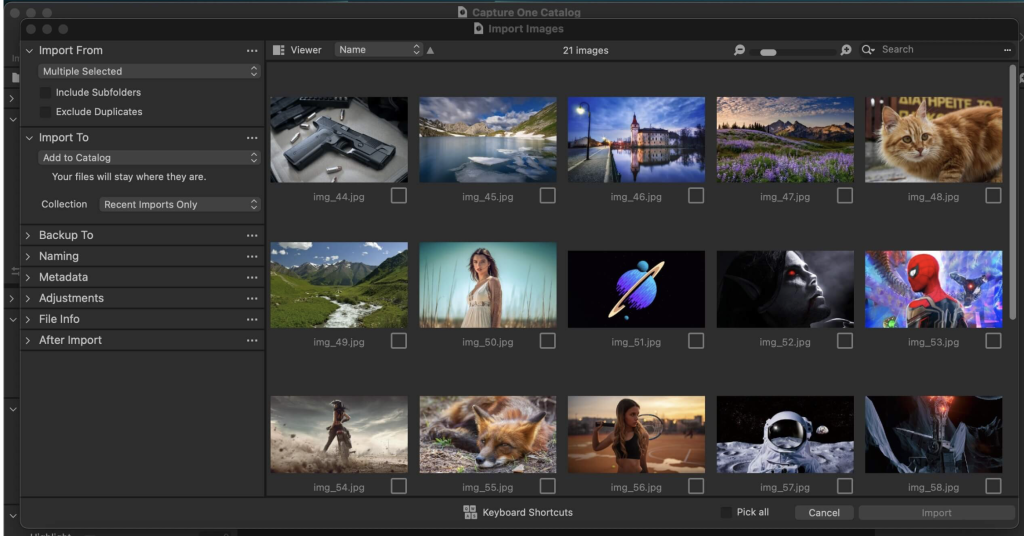
Capture One 23 Enterprise is an advanced photo editing solution tailored for image production studios and e-commerce platforms. This software is renowned for its true-to-life color processing, seamless editing experience, and industry-leading tethering capabilities, making it a staple for photographers and studios around the globe.
Key Features of Capture One 23 Enterprise
- World-Class Tethering:
- Fastest Tethering: Industry-leading speed for instant image capture and transfer.
- Reliable Connection: Ensures a stable and uninterrupted workflow during shoots.
- High-Quality RAW Processing:
- True-to-Life Colors: Authentic color processing for accurate and vivid images.
- State-of-the-Art Tools: Advanced tools for detailed and precise editing.
- Enterprise-Specific Features:
- Barcode Scanner Tool: Streamline the organization and management of photos.
- Advanced Guides: Enhance composition and alignment during shoots.
- Next Capture Backup: Automatically back up images to prevent data loss.
- Next Capture Keywords and Metadata: Simplify tagging and data entry for better organization.
- Tool Locks: Secure specific tool settings to maintain consistency across shoots.
- Capture Pilot Enhancements: Improved collaboration with real-time image review and feedback.
- Optimized Workflows:
- Automated Workflows: Automate repetitive tasks to save time and increase efficiency.
- Integration with IT Infrastructure: Seamlessly integrate with barcode scanners, PIM systems, digital asset management systems, and e-commerce platforms.
- Custom Solutions:
- Color Profiling: Custom color profiles for accurate color reproduction, reducing product returns due to color discrepancies.
- Dedicated Workspaces: Tailored workspaces for different roles (photographers, retouchers, etc.) to optimize workflow and collaboration.
Value Creation with Capture One Enterprise
- Time to Market: Speeds up the image production process, from planning to publishing.
- Cost Per Image: Increases efficiency and reduces costs at each step of the workflow.
- Reduce Risk: Secures image production with features like Image Backup, License Management, and MDM support.
What’s New in Capture One 23 Enterprise
- New Instruments and Tools: Enhanced features and tools for improved performance and creativity.
- Enhanced Effects: New effects for greater modulation and realism in images.
- Resizable Browser: Easier navigation and sound selection with a new, resizable browser interface.
Compatibility
- Operating System: macOS 12.0 or later.
Learn More
For more information and to explore specific tools, visit the Capture One Enterprise Homepage. You can also check out the Tools and Functionality white paper and Barcode Reader white paper for detailed insights into specific features.
Capture One 23 Enterprise is designed to meet the rigorous demands of studio photography, providing tools and features that optimize workflows, improve efficiency, and ensure high-quality results. Whether for large-scale image production or specialized e-commerce photography, Capture One Enterprise offers a comprehensive solution for professional photographers and studios.
Nevercenter CameraBag Photo for Mac 2024.2.0
02 years
by Jameskarke
in Application
Name : Nevercenter CameraBag Photo
Size : 58 MB
Nevercenter CameraBag Photo for Mac free Download
CameraBag is the photography world’s best-kept secret, and it just got even better! With CameraBag, you can instantly enhance your photos with hundreds of beautiful presets and then fine-tune them with ultra-intuitive professional adjustments.
Key Features:
- Instant Presets: Choose from hundreds of stunning presets to enhance your photos with just one click.
- Intuitive Adjustments: Dive deeper into your edits with intuitive professional adjustments that are easy to use.
- Designed for Portraits: Find presets specifically designed for portraits, ensuring your subjects always look their best.
- Analog Film Emulation: Enjoy faithful emulation of analog film stock from the past, giving your photos a timeless, vintage feel.
- Professional Tools: CameraBag offers unique curve tools, adjustment re-ordering and layering, and precise controls that set it apart from other photo editors.
CameraBag is perfect for:
- Wedding Photography: Easily filter and watermark batches of photos, compare large sets of images, and access tons of presets designed specifically for wedding photography.
What’s New in Version 2024.2.0:
- Release notes were unavailable when this listing was updated.
Compatibility: macOS 10.10 or later, 64-bit
Visit the homepage to learn more: CameraBag
FotoMagico for Mac Download 6.6.0
02 years
by Jameskarke
in Application

Name : FotoMagico
Size : 75 MB
FotoMagico for Mac free Download
FotoMagico is the ultimate tool for creating stunning slideshows on your Mac, combining photos, videos, music, and text to tell your story in a captivating live presentation or high-resolution video. Whether you’re a professional photographer, filmmaker, or just someone who loves to share memories, FotoMagico has everything you need to create polished and impressive slideshows with ease.
Key Features:
- Create Stunning Presentations: Knock the socks off your audience with live presentations that showcase your photos and videos in the best possible light.
- Perfect for Weddings and Events: Step up your wedding photography game and delight the newlyweds with beautiful slideshows that capture the magic of their special day.
- Relive Your Adventures: Take your viewers on a journey through your travel adventures, reliving the sights and sounds of your experiences.
- Time-Saving Tools: Save time animating stills for your Final Cut Pro X projects, or spice up your storefront window with eye-catching signage.
- Endless Creativity: Be endlessly creative with FotoMagico’s intuitive interface and impressive results that can be achieved quickly and easily.
FotoMagico 5 Highlights:
- Snippets: Compose complex slideshows quickly using pre-built story parts and adding your own photos and videos.
- Music Snippets: Access free-to-use CC licensed music and proper attribution to enhance your slideshows.
- Animation Assistant: Choose from a variety of animation styles to bring your slideshow to life automatically.
- Improved Text Editing: Express yourself with ease using improved text editing features and placeholders.
- Audio Marker Assistant: Keep music and slides in perfect harmony with this pro feature.
- Audio Volume Envelopes & Fades: Control audio volume to enhance the mood of your slideshow.
Features in FotoMagico Pro:
- Timeline View: Display the timing of your slideshow in a more intuitive way.
- Extra Audio Track: Add narration or additional audio tracks to your slideshow.
- Direct Access to Photo Libraries: Import photos directly from Aperture and Lightroom libraries.
- Teleprompter View: Get support during live presentations with the teleprompter view.
- Chapters: Group your slides for better organization.
- Masks and Borders: Add creative effects to your slides.
- Additional Export Options: Export your slideshow in various formats, including standalone player, ProRes video file, and custom video formats.
Compatibility: macOS 10.14 or later
Visit the homepage to learn more: FotoMagico
Capture One Pro for Mac 16.4.0.48
02 years
Name : Capture One Pro
Size : 1 GB
Capture One Pro for Mac free Download
Capture One 23 is a professional-grade RAW converter designed to deliver exceptional image quality, vibrant colors, and precise detail for over 500 high-end cameras. With advanced tethered capture capabilities, robust digital asset management features, and a flexible workflow, Capture One 23 empowers photographers to achieve their creative vision efficiently and effectively.
Key Features:
- Ultimate Image Quality: Capture One 23 ensures superior image quality with beautiful colors and incredible detail, making it the professional choice for demanding photographers.
- Tethered Capture: Enjoy state-of-the-art tethered capture functionality, allowing you to shoot directly into Capture One and instantly preview and adjust images as you shoot.
- Digital Asset Management: Organize and manage your digital assets with ease, thanks to Capture One’s powerful digital asset management tools.
- Extensive Adjustment Tools: Access a wide range of adjustment tools to fine-tune your images, including exposure, color, contrast, and more, ensuring precise control over your final results.
- Customizable Workspaces: Customize your workspace to suit your specific workflow preferences, allowing you to work efficiently and comfortably.
New Features and Improvements:
- Speed Edit: Quickly adjust image settings using the innovative Speed Edit feature, streamlining your editing workflow for greater efficiency.
- Dehaze: Remove haze and enhance clarity in your images with the new Dehaze tool, allowing you to achieve clearer and more vibrant results.
- Improved Importer: Benefit from an enhanced importer, making it easier and more intuitive to import images into Capture One.
- HEIF Support: Capture One 23 now supports HEIF (High-Efficiency Image Format), allowing you to work with this modern image format seamlessly.
- Easy Brush Adjusting: Make brush adjustments effortlessly with improved brush controls, enhancing your editing precision and workflow.
- Improved Performance: Experience enhanced performance and responsiveness, ensuring a smooth and efficient editing experience even with large RAW files.
- User Experience Enhancements: Enjoy various user experience improvements and tweaks, including colored gradients on white balance sliders, enhanced tooltips, and easy access to tutorials.
System Requirements:
- macOS 10.15 or later
Capture One 23 is the go-to software for professional photographers seeking uncompromising image quality, advanced editing capabilities, and a customizable workflow tailored to their specific needs. To learn more and explore the latest features, visit the official website at Capture One.
Capture One Enterprise for Download 16.4.0.48
02 years
Name : Capture One Enterprise
Size : 1 GB
Capture One Enterprise for Mac free Download
Capture One 23 Enterprise is a specialized photo editing solution tailored for image production studios and e-commerce platforms. Here’s an overview of its features and benefits:
Key Features:
- True-to-Life Color Processing: Capture One 23 Enterprise offers authentic color processing, ensuring true-to-life colors in your images.
- Seamless Editing Experience: Enjoy a seamless editing experience with advanced editing tools tailored for studio photography.
- Fastest Tethering: Benefit from the industry’s fastest tethering capabilities, allowing for efficient and real-time image capture during studio shoots.
- Tailored for Business: Capture One Enterprise is specifically built for business, addressing the unique needs and workflows of photography studios and e-commerce platforms.
Value Creation:
- Time to Market Optimization: Streamline the image production process from planning to publishing, reducing the time spent on each stage.
- Cost Reduction: Optimize efficiency and reduce costs by optimizing each step of the studio photography process.
- Risk Reduction: Secure image production and studio photography to minimize errors and costs, thanks to enterprise-exclusive features like image backup and license management.
Automated Workflows:
- Workflow Enhancement: Automate workflows within Capture One Enterprise to further improve efficiency and productivity.
- Integrations: Integrate Capture One Enterprise with other applications or systems to streamline processes and enhance functionality.
Customized Solutions:
- Specialized Needs: Address specialized needs with customized solutions tailored to your studio photography requirements.
- Ultra-Accurate Color Profiling: Achieve accurate color reproduction to reduce product returns and meet the demands of specialist product photography.
System Requirements:
- macOS 10.15 or later
Capture One 23 Enterprise empowers photography studios and e-commerce platforms with cutting-edge features and tools to optimize their image production process, boost productivity, and achieve superior results. For more information and to explore specific features, visit the official website at Capture One Enterprise.
ON1 Effects 2024.3 for Mac v18.3.0.15358
02 years

Name : ON1 Effects 2024.3
Size: 1.7 GB
ON1 Effects 2024.3 for Mac free Download
ON1 Effects offers photographers and creative professionals an extensive collection of photo effects, filters, LUTs, borders, textures, and presets to enhance and stylize their images. Here are some key features and highlights of ON1 Effects:
- Wide Range of Effects: ON1 Effects includes hundreds of built-in photo effects, filters, and presets that cover various styles and creative looks. From HDR effects and black-and-white conversions to lens blur, glows, color enhancers, and more, there are endless possibilities to explore.
- Customization: Each effect and preset in ON1 Effects is fully customizable, allowing users to fine-tune settings and adjustments to suit their individual style and preferences. Whether you’re color grading, creating HDR images, or aiming for a specific look, ON1 Effects provides the tools to achieve your vision.
- Versatility: With ON1 Effects, photographers can apply a wide range of effects to their images, including HDR looks, black-and-white conversions, split tones, film looks, and more. The software caters to various photography genres and styles, offering versatility and flexibility in creative expression.
- Ease of Use: ON1 Effects features an intuitive interface that makes it easy for users to navigate and apply effects to their photos. The software’s user-friendly design ensures a smooth workflow, allowing photographers to focus on their creativity without being overwhelmed by complex tools.
- Presets and Customization: ON1 Effects comes with a collection of pre-built presets that users can apply to their photos with a single click. Additionally, photographers can create and save their own presets, enabling them to quickly apply their favorite looks to future projects.
- Compatibility: ON1 Effects is compatible with macOS 10.15 or later, ensuring that users can seamlessly integrate the software into their existing workflow.
Overall, ON1 Effects provides photographers and creative professionals with a comprehensive set of tools for enhancing and stylizing their images. With its vast collection of effects, customizable presets, and intuitive interface, ON1 Effects empowers users to unleash their creativity and achieve stunning results in their photography projects.
To learn more about ON1 Effects and explore its features, you can visit the official homepage: ON1 Effects
Sketch for Mac Download 100
02 years

Name : Sketch
Size : 88 MB
Download Sketch for Mac Free
Sketch is a powerful graphic design tool specifically tailored for the digital world. Here are some key features and highlights:
- Multiple Fills, Borders, and Shadows: Sketch allows you to apply multiple fills, borders, and shadows per layer, providing flexibility in design.
- Non-Destructive Boolean Operations: It offers powerful non-destructive boolean operations, allowing you to combine shapes seamlessly while retaining editability.
- Smart Pixel Alignment: Sketch ensures precise alignment of elements with smart pixel alignment, ensuring your designs look polished and professional.
- Automatic Slicing and Multiple Resolution Export: Exporting assets is made easy with automatic slicing and support for exporting in multiple resolutions, streamlining your workflow.
- Vector Tools and Basic Shapes: Sketch provides a robust set of vector tools and basic shapes as the foundation for designing icons, websites, interfaces, and more.
- Layer Styles and Effects: Apply advanced layer style options such as multiple shadows, fills, gradients, noise, blending, background blurring, and more to enhance your designs.
- Text Tool: The text tool in Sketch is best-in-class, allowing you to add beautiful typography to your designs with native font rendering for accurate text representation.
- Symbols: Symbols enable you to reuse entire groups of content across your designs, ensuring consistency and efficiency in your workflow. Update once, and changes reflect everywhere in your document.
- Mac-Friendly Features: Sketch is built for macOS, supporting OS X’s Versions and Auto Save features for seamless workflow management. It also integrates with iCloud for syncing work across multiple Mac computers.
- Single-Window Interface: Sketch features a single-window interface that neatly organizes all its powerful tools, ensuring everything is easily accessible when needed.
With its elegant interface and comprehensive feature set, Sketch makes designing beautiful digital assets a joy rather than a burden. It’s a versatile tool suitable for various design tasks, from icons and interfaces to websites and more. You can learn more and download Sketch from its homepage.
Download Topaz Gigapixel AI Mac 7.1.3
02 years

Name : Topaz Gigapixel AI
Size : 236 MB
Topaz Gigapixel AI for Mac free Download
Topaz Gigapixel AI revolutionizes the way you enlarge your photos, utilizing machine learning to upscale images while preserving stunning detail and clarity. Here’s a closer look at its key features:
- Extreme Enlargement Capability:
- Enlarge your images by up to 600%, allowing you to create large prints or transform DSLR photos into ultra-detailed 100MP images.
- Intelligent Upscaling:
- Trained with millions of sample images, Gigapixel AI employs truly intelligent upscaling techniques to deliver remarkable quality without sacrificing detail.
- Crisp and Clear Results:
- With around 2 million operations per pixel, Gigapixel AI ensures your upscaled images maintain maximum detail and sharpness.
- Detail Recovery Technology:
- Unlike traditional methods that rely on increasing edge contrast, Gigapixel AI recovers real details in your images, resulting in genuine sharpness and clarity.
- Noise Suppression:
- By distinguishing between image features and noise, Gigapixel AI effectively accentuates detail while suppressing noise, producing crisp photos that appear untouched by enlargement.
- Widely Trusted Solution:
- Gigapixel AI is trusted by leading photographers, video game modders, and major motion studios for its exceptional results in image enlargement.
- Machine Learning Approach:
- Unlike interpolation-based methods that simply approximate new pixels, Gigapixel AI leverages deep learning algorithms to analyze and add new details to your images.
- Continuous Innovation:
- With ongoing updates and improvements, Gigapixel AI remains at the forefront of image enlargement technology, offering the highest-quality results available.
Whether you’re a professional photographer, graphic designer, or enthusiast, Gigapixel AI provides unmatched image enlargement capabilities, allowing you to upscale your photos with unparalleled detail and sharpness. Visit the homepage to learn more about Gigapixel AI and experience the future of photo enlargement.
GraphPad Prism for Mac 10.2.3.347
02 years

Name : GraphPad Prism
Size : 103 MB
GraphPad Prism for Mac free Download
GraphPad Prism is a powerful software tool designed for scientists, researchers, and students to effectively analyze, graph, and present scientific data. Here’s an overview of its key features:
Organize Your Data Effectively:
- Prism offers eight different types of data tables specifically formatted for various analyses, making it easier to enter data correctly and choose suitable analyses.
Perform The Right Analysis:
- Prism provides a wide range of analyses from common to highly specific, presented in clear language to avoid statistical jargon. It includes nonlinear regression, t tests, ANOVA, contingency tables analysis, survival analysis, and more.
Get Actionable Help As You Go:
- Prism’s online help features extensive guides, a graph portfolio, and tutorial data sets to help users understand analyses, graph types, and interpretation of results.
One-Click Regression Analysis:
- Simplifies curve fitting with one-click regression analysis. Users can select an equation, and Prism automatically fits the curve, displays results, and interpolates unknown values.
Focus on Your Research, Not Your Software:
- Graphs and results are automatically updated in real time, reflecting any changes to the data or analyses instantly without requiring coding.
Automate Your Work Without Programming:
- Users can replicate their work easily by creating templates, duplicating families, or cloning graphs, saving time on set up. Prism Magic allows for applying a consistent look to a set of graphs with one click.
Countless Ways to Customize Your Graphs:
- Prism offers extensive customization options for creating graphs, allowing users to focus on storytelling in their data. Users can customize graph types, data arrangement, styles, labels, fonts, colors, and more.
Compatibility:
- Compatible with macOS X 10.9 (Mavericks) or later.
GraphPad Prism simplifies data analysis and graphing tasks, allowing users to focus on their research rather than software complexities. It is widely used by scientists, researchers, and students worldwide for its comprehensive features and ease of use. Visit the homepage to learn more about GraphPad Prism and its applications in scientific data analysis and presentation.