Free Macsoftware One click Download
Posts tagged Graphic
Planner 5D Premium for Mac free Download 4.17
02 years

Name : Planner 5D Premium
Size : 345 MB
Planner 5D Premium for Mac free Download
Planner 5D is a versatile home design tool that simplifies the process of remodeling, renovating, or designing your dream home. With user-friendly features that allow you to create detailed 2D and 3D floor plans, browse an extensive catalog of furniture and decor, and generate photo-realistic images of your designs, Planner 5D is ideal for both beginners and professionals.
Key Features:
- 2D & 3D Design: Easily drag and drop elements to create floor plans in both 2D and 3D modes, making the design process intuitive and accessible to everyone.
- User-Friendly Interface: No special skills are required to create detailed designs. The tool is designed for ease of use.
- Extensive Catalog: Access a regularly updated catalog of over 3,000 items, including furniture, appliances, decor, and more, for both interior and exterior design.
- Photo-Realistic Snapshots: Use the “Snapshot” function to generate high-quality images of your designs, complete with realistic lighting, textures, and shadows.
- Multi-Platform Access: Sign in via Google+ or Facebook to access your projects across various devices, including laptops and mobile devices.
- Measurement Flexibility: Switch between Metric and Imperial measurement systems to suit your preferences and needs.
- Project Sharing: Save and share your designs with friends, family, or home professionals for feedback and collaboration.
- Offline Access: Work on your projects without needing an internet connection.
- Ad-Free Experience: Enjoy a seamless, uninterrupted design process with no ads.
Versions:
- Free Version:
- Includes the 2D and 3D editor
- Access to a 150+ item catalog
- Unlimited number of projects
- Multi-platform synchronization
- Access to 600+ items for personalizing designs with various colors, textures, and patterns
- Premium Version:
- Full access to the 3,000+ item catalog
- Ability to customize the size and appearance of all furniture
- Additional premium features included with in-app purchases
Other Notable Features:
- Apple Pencil Support: Enhance your design precision with Apple Pencil support on compatible devices.
- 3D Touch Support: Utilize 3D Touch for improved design control.
- Accessibility: Basic accessibility features for visually impaired users are included.
- Split-Screen Multitasking on iPad: Work efficiently by using Planner 5D in split-screen mode.
Compatibility:
- Supported OS: macOS 10.15 or later
- Homepage: Planner 5D
Whether you’re a homeowner planning renovations or a designer working on multiple projects, Planner 5D provides the tools you need to bring your ideas to life.
Live Home 3D Pro for Mac 4.9.5
02 years

Name : Live Home 3D Pro
Size : 596 MB
Live Home 3D Pro for Mac free Download
Live Home 3D Pro is a comprehensive home design app ideal for both homeowners and professional designers. As a successor to Live Interior 3D, the Pro edition provides enhanced tools for advanced home design, superior export quality, and an exclusive Elevation View mode.
General Features:
- 2D Floor Plans: Create detailed 2D floor plans effortlessly.
- 3D Rendering: Enjoy beautiful real-time 3D rendering.
- Unlimited Floors: Add unlimited floor levels (Pro edition only).
- Tutorials & Support: Access in-depth video tutorials, built-in Help Assistant, and free, quick tech support.
- Project Gallery: Utilize house projects and sample rooms from the gallery.
- Live Interior 3D Compatibility: Seamlessly work with Live Interior 3D projects.
Floor Plan Tools:
- Room Tool: Draw complete rooms efficiently.
- Wall Tools: Use Arc and Straight Wall tools for drawing walls.
- Elevation View: Visualize your project in Elevation View (Pro edition only).
- Real-Time Measurements: View measurements for walls, ceilings, and floors in 2D Plan view.
- Dimension Tool: Set distances between objects or walls precisely.
- Object Snapping: Ensure precise positioning with smart guides.
Real-Time 3D Environment:
- 3D Adjustments: Modify lighting, move objects, apply materials, and more in real time.
- Walkthroughs: Explore your interior in a virtual walkthrough.
- Multiple Cameras: Set different camera angles to view the project from various perspectives.
- Lighting: Achieve natural lighting with true Geo positioning, daylight settings, and light fixtures.
- Light Editor: Add light sources to imported objects (Pro edition only).
- Complex Openings: Create corner windows and complex openings.
- Shadow Maps: Enhance realism with professional shadow mapping.
3D Models and Materials:
- Extensive Library: Access over 2,000 furniture models and 2,100 materials.
- Model Import: Import models from Trimble 3D Warehouse™ or SketchUp, and use formats like COLLADA, FBX, OBJ, and more.
- Custom Materials: Apply custom materials and edit them with advanced tools (Pro edition only).
- Polygonal Tools: Draw balconies, porches, and more using the polygonal-based Block tool (Pro edition only).
Roofs and Dormers:
- Roof Assistant: Choose from 12 customizable roof templates.
- Custom Roofs: Design custom-shaped roofs and add segments (Pro edition only).
- Dormers: Customize 16 different dormer styles.
Export and Share:
- Social Sharing: Share your designs on Facebook, Twitter, Vimeo, or YouTube.
- Image Export: Export 3D views in formats like JPEG, TIFF, PNG, and BMP.
- 360° Panoramas: Create 360° Panorama JPEG images and share them on Facebook.
- Video Walkthroughs: Render realistic video walkthroughs, including Stereo 3D and 360° video formats.
- Project Export: Export projects or objects in various formats such as COLLADA, SketchUp™, VRML, X3D, 3DS, FBX, USDZ, and OBJ (Pro edition only).
Compatibility:
- macOS: 10.14 or later
Homepage:
Live Home 3D Pro offers a robust toolset for detailed home design, making it an ideal choice for both amateur and professional designers seeking to create visually stunning and highly accurate projects.
CADintosh X for Mac free 8.8.7
02 years

Name : CADintosh X
Size : 63 MB
CADintosh X for Mac free Download
CADintosh is a 2D-CAD software tailored for technical and architectural drawings, providing users with a comprehensive set of tools and features to meet all their design needs. The program is designed to be both user-friendly and highly functional, making it suitable for professionals who require precision and flexibility in their work.
Key Features:
Drawing and Editing:
- Interactive Window Redrawing: Allows you to continue working while the window redraws, improving workflow efficiency.
- Unlimited Elements: The number of drawing elements is only limited by the memory available on your system.
- Pen-Oriented Mode: Offers 8 line widths, colors, and pens, allowing for consistent and detailed drawing.
- Individual Mode: Provides customizable line widths from 0.0 to 99.99 mm, along with pattern and color options.
- Comprehensive Toolset: Includes tools for lines, arcs, dimensions, splines, hatching, and more.
File Import and Export:
- Supported Formats: Import and export drawings in HPGL, DXF, and PICT formats, ensuring compatibility with other CAD software.
Line Types and Layers:
- Line Types: Choose from 6 line types, including solid, dash, dot-dash, phantom, zigzag, and dotted.
- Layer Management: Supports up to 32,000 groups and 1,024 layers, allowing for detailed and organized designs.
- Alternative Units: Offers the ability to work in inches or freely definable units for greater flexibility.
Symbols and Filters:
- Internal Symbols: The shareware version supports internal symbols, with the number only limited by available memory.
- External Symbol Libraries: The registered version allows the use of external symbol libraries, enhancing the ease of symbol management.
- Layer Filters: The shareware version provides a simple layer filter, while the registered version includes an extended layer filter with named filter sets and a palette for filter names.
User Preferences and Compatibility:
- Preferences: User preferences are saved directly in the drawing, making it easy to maintain consistency across projects.
- Native macOS Support: Runs natively on macOS X, ensuring seamless integration with your operating system.
Compatibility:
- Operating System: macOS 10.11 or later.
Availability:
- Homepage: CADintosh on Lemkesoft
CADintosh is a robust and versatile tool for anyone involved in technical and architectural drawing, offering a range of professional features that cater to both simple and complex design tasks.
iCalamus for Mac Download 2.27
02 years

Name : iCalamus
Size : 19.5 MB
iCalamus for Mac free Download
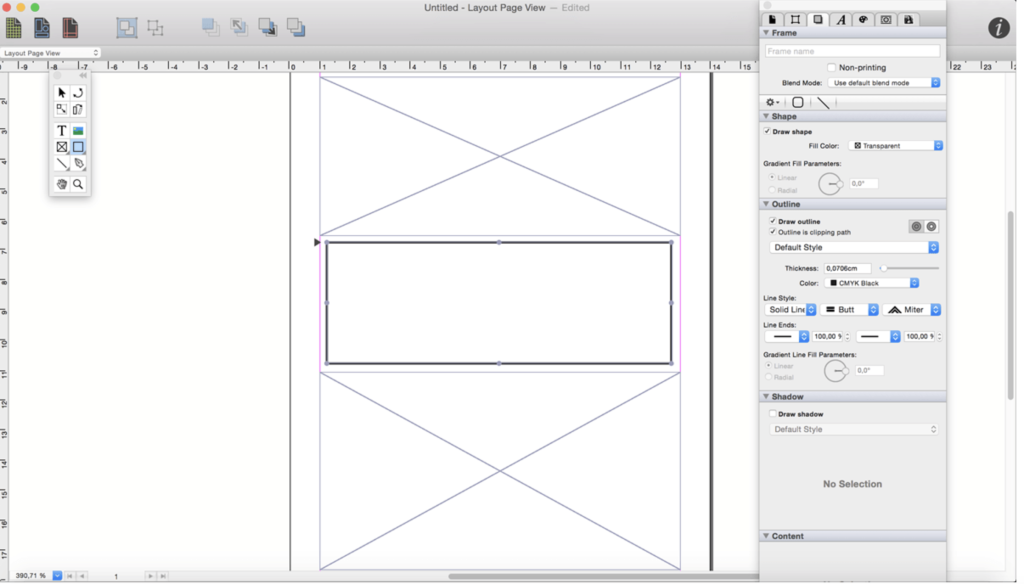
iCalamus is a powerful desktop publishing software designed for macOS, offering a versatile platform for creating and managing various types of documents, including text, photos, and other visual elements. Whether you’re working on a simple poster, a business letter, or complex publications like magazines, books, and scientific works, iCalamus provides the tools you need to bring your creative vision to life.
Key Features:
Comprehensive Layout Capabilities:
- Versatile Document Creation: Create a wide range of documents, from simple to complex, using text, images, and other visual elements.
- Photo Books & Calendars: Even in the unregistered version, users can create professional photo books and calendars and order high-quality prints from the Photographerbook company. iCalamus also supports iPhoto calendars and will soon support iPhoto books for printing.
- Full Unicode Support: Ensures compatibility with a wide range of characters and languages, making it ideal for multilingual projects.
- PDF Import and Editing: Smart PDF import allows easy access to content for further editing and layout work.
User Interface & Ease of Use:
- Intuitive Interface: Designed with a low learning curve, the user interface is both reasoned and user-friendly, allowing for quick and efficient layout work.
- Customizable Layouts: Unlike other programs that offer pre-set layouts, iCalamus provides tools that allow for complete creative freedom, enabling users to design their own unique layouts.
Modular Design:
- Expandable with Modules: iCalamus is a modular program, with future growth possible through external modules, including those developed by third-party developers. An Open Development Area (ODA) will be created to facilitate this expansion.
- Objective-C and Cocoa-Based: The software is developed in Objective-C with extensive use of Apple’s Cocoa library, ensuring a robust and reliable experience.
Extensive Format Support:
- Image & Text Import: Supports a wide range of image and text formats, including those from digital cameras, scanners, and iPhoto libraries. It also supports importing whole web page content and PDF documents.
- Masking & Frame Shapes: Offers advanced masking options and dynamically changeable frame shapes for enhanced creativity.
- Virtual Copies: Allows for easy duplication of document elements, with the ability to make changes to multiple instances with just a few clicks.
Output Options:
- Printing: Supports all printers compatible with macOS.
- PDF Output: Provides options to output documents in various PDF formats, including PDF-X, encrypted PDFs, and PDF for faxing.
Language Support:
- Multilingual Interface: Available in English, Czech, Danish, Dutch, French, German, Italian, Latvian, Polish, Spanish, and Swedish.
Compatibility:
- Operating System: macOS 10.11 or later, 64-bit processor.
Availability:
- Homepage: iCalamus
iCalamus is an excellent choice for anyone needing a powerful and flexible desktop publishing solution, with the added benefit of expanding capabilities through its modular design. Whether you’re a professional designer or someone working on personal projects, iCalamus offers the tools and flexibility to meet your needs.
GraphicConverter for Mac 12.2.0 (6570)
02 years

Name : GraphicConverter
Size : 261 MB
GraphicConverter for Mac free Download
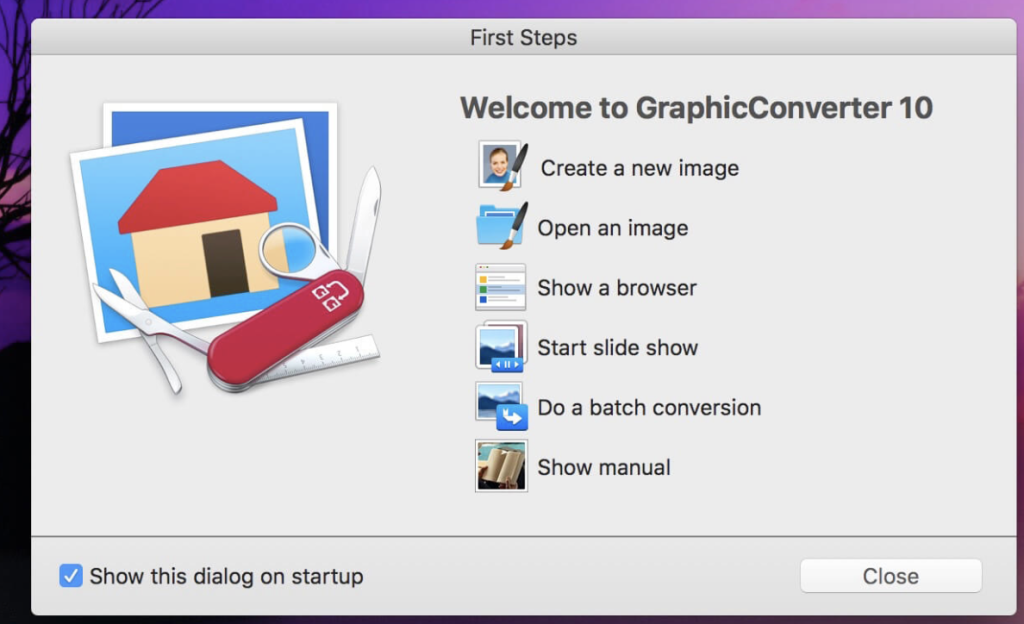
GraphicConverter is a versatile image-editing program designed to handle a wide range of graphic formats and editing tasks. Known for its ability to import over 200 different graphic formats and export to 80 formats, GraphicConverter is a go-to tool for graphic manipulation, offering powerful editing features and support for Photoshop-compatible plug-ins.
Key Features:
Comprehensive Format Support:
- Import and Export: Supports importing from 200 graphic formats and exporting to 80 formats, making it a highly versatile tool for any image editing or conversion task.
- Batch Conversion: Capable of converting multiple images in a batch process, saving time and effort.
Advanced Editing Tools:
- High-End Editing: Offers a variety of advanced editing tools suitable for both basic and complex image manipulation.
- Photoshop Plug-ins: Compatible with Photoshop plug-ins, extending its functionality with additional effects and features.
RAW Image Developer:
- Enhanced RAW Editing: Provides a full-screen dialog for editing RAW images, offering controls for Exposure, Contrast, and Color Corrections. The tool also allows for significant noise reduction, making it ideal for working with high-detail RAW images.
- No Gray Haze: Unlike some JPG edits, RAW images edited in GraphicConverter maintain clarity and avoid gray haze, even when brightening.
Unpack Archives:
- Archive Content Preview: Easily preview or extract content from various archive formats, including Zip, TAR, and TGZ. This feature is particularly useful for managing image archives.
Specialized Tools:
- Wide-Angle Equalization: Corrects distortion in wide-angle photos, particularly useful for reducing the stretching effect at the edges of images.
- Gradient Creation: Allows the creation of gradients with up to 10 colors, ideal for backgrounds or creative design projects.
- Duo-Tone Effects: Apply duo-tone effects by coloring lighter and darker shades with two different colors, adding a unique and artistic touch to images.
Metadata Management:
- Batch and Individual Editing: Offers tools for both batch and individual editing of metadata, including EXIF, IPTC, and XMP data.
Apple Finder Tags:
- Finder Tag Integration: Integrates with Apple’s Finder Tags, allowing users to organize and manage images efficiently. Tags can be viewed and edited directly within the browser via the context menu.
Additional Features:
- Slide-Show Window: Conveniently view and manage images in a slide-show format.
- Batch Rename: Rename multiple files simultaneously with batch processing, enhancing workflow efficiency.
Compatibility:
- Operating System: macOS 10.13 or later
Availability:
- Homepage: GraphicConverter
GraphicConverter is an all-in-one image editing and conversion tool that caters to both beginners and professionals. With its broad format support, advanced editing capabilities, and specialized tools, it’s a powerful resource for anyone working with images on macOS.
Autodesk Maya for Mac 2025.2
02 years

Name : Autodesk Maya
Size : 4 GB
Autodesk Maya 2025 for Mac free Download
Autodesk Maya: Comprehensive 3D Animation Software
Autodesk Maya is a powerful 3D animation, modeling, simulation, rendering, and compositing software. Renowned for its advanced capabilities and extensibility, Maya is a staple in the fields of animation, visual effects, and game development.
Key Features:
Advanced 3D Modeling:
Create sophisticated three-dimensional models with precision and flexibility.
Simulation Tools:
Simulate natural and environmental elements such as climate changes, water, fire, and vegetation.
Modeling and Data Management Tools:
Access a variety of tools for efficient modeling and data management.
Transfer properties from one object to another seamlessly.
Clothing and Hair Design:
Design realistic clothes, hair, and other materials for detailed scenarios.
Compatibility:
Coordinate effortlessly with other modeling and animation software.
NURBS Support:
Utilize Non-uniform Rational B-spline (NURBS) mathematical models for advanced design tasks.
2D and 3D Integration:
Combine elements from two-dimensional and three-dimensional models for hybrid designs.
Scripting and Development:
Enhance software functionality with scripting languages such as MEL (Maya Embedded Language), C++, and Python.
System Requirements:
Operating System: Apple® macOS® 13.x, 12.x, 11.x
Processor: 64-bit Intel® or AMD® multi-core processor with SSE4.2 instruction set
Memory: 8 GB of RAM (16 GB or more recommended)
Homepage:
Autodesk Maya
Maya’s extensive feature set and robust tools make it ideal for professionals seeking to create high-quality animations, simulations, and 3D models. Whether you are working on films, games, or visual effects, Maya offers the capabilities to bring your creative visions to life.
Luxion KeyShot Enteprise 2024.2 Mac v13.1.0.161
02 years

Name : Luxion KeyShot Enteprise 2024.2
Size : 1.46 GB
Luxion KeyShot Enteprise 2024.2 for Mac free Download
KeyShot: The Easiest Way to Create Stunning 3D Renderings and Animations
KeyShot is a powerful 3D rendering and animation software designed to simplify the process of creating high-quality visuals. It enables you to apply materials and lighting quickly, ensuring accurate material appearances and real-world lighting effects within an intuitive, real-time interface. KeyShot caters to both beginners and experienced 3D professionals, allowing users to focus on their designs rather than the software itself.
Key Features:
User-Friendly Interface:
- Achieve photographic results in minutes with a simple, workflow-based interface.
- Provides advanced capabilities for experienced 3D render professionals.
Speed and Agility in Workflow:
- Supports the widest range of 3D file formats for a smooth workflow from concept to final product.
- Enhances the product development process by allowing quicker presentation of ideas.
High-Quality Materials:
- KeyShot materials offer scientifically accurate properties for the highest quality visuals.
- Use presets, exclusive partner materials, or create your own custom materials.
Computing Power and Performance:
- Utilize CPU or NVIDIA GPUs for rendering.
- Scales linearly for unmatched performance, taking full advantage of your computing power.
Advanced Lighting Capabilities:
- Create accurate lighting for both simple studio shots and complex interior scenes.
- Advanced lighting options ensure realistic lighting effects.
Real-Time Rendering:
- See all changes in real-time, from materials and lighting to cameras and animations.
- Real-time rendering is integrated into the core of KeyShot, not just an added feature.
High-Quality Visuals:
- Produce the highest quality visuals for still images, animations, and interactive web and mobile content.
- KeyShot’s capabilities ensure that your visualization needs are met with the best tools available.
System Requirements:
- Operating System: macOS 11.7 Big Sur or newer.
- Memory: 2GB RAM.
- Storage: 2GB Disk Space.
- Processor: Dual core CPU, Intel or AMD 64-bit processor with SSE4.1 or higher.
- Graphics: OpenGL 2.0 capable system.
- Resolution: 1920 x 1080 or higher.
- Internet: Internet connection required for product activation.
Homepage:
KeyShot is designed to streamline the 3D rendering and animation process, offering a combination of ease-of-use and advanced features. Whether you’re a beginner or a seasoned professional, KeyShot enables you to create stunning visuals efficiently and effectively.
Marvelous Designer 11 for Mac
02 years
Name : Marvelous Designer
Size : 1.39 GB
Marvelous Designer 11 for Mac Free Download
Marvelous Designer: Cutting-Edge 3D Virtual Clothing Design Software
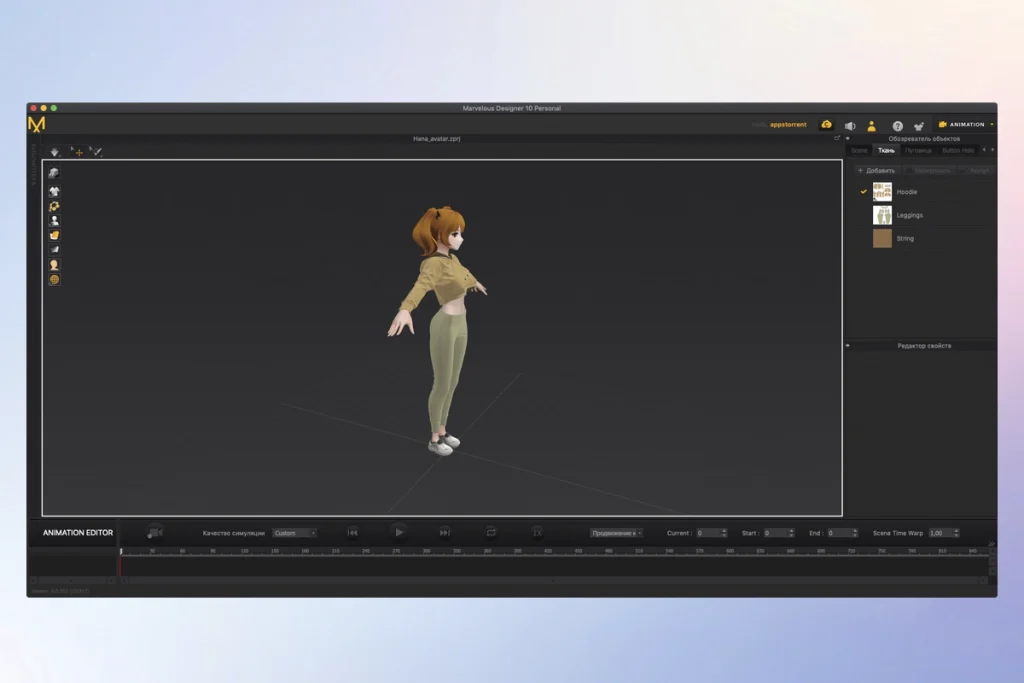
Marvelous Designer is your go-to tool for creating stunning 3D virtual clothing. Whether you’re designing basic shirts, intricate pleated dresses, or rugged uniforms, this software allows you to breathe life into your designs with unparalleled quality and efficiency.
Key Features:
Versatile Design Capabilities:
- Realistic Fabric Simulation: Replicate fabric textures and physical properties down to the last button, fold, and accessory.
- Interactive Design Interface: Instantly edit and drape garments onto 3D forms with high-fidelity simulation.
- Pattern-Based Approach: Adopted by top game studios like EA and Konami, and used in films such as The Hobbit and The Adventures of Tintin.
Rich Character Wardrobe:
- Expandable Wardrobe: Build a diverse collection of garments for your characters that can be modified and reused.
- Mix and Match: Easily create varied outfits by mixing and matching garments between different characters.
User-Friendly Interface:
- Intuitive Tools: Designed to be easy for users without a fashion design background.
- Online Curriculum: Master the software with comprehensive online tutorials.
Authentic Animation:
- High-Polygon Modeling: Capture realistic movements of clothing on moving characters, whether running, jumping, or twirling.
- Animation Cache Functionality: Simplifies the process of animating realistic clothing movements.
Innovative Pattern Creation and Editing:
- Expansive Design Features: Easily create and edit patterns of any shape.
- Smart Sewing Tools: Define sewing direction and range accurately, with more freedom compared to other 3D CAD software.
Compatibility and Efficiency:
- Cross-Software Compatibility: Seamlessly integrate with other 3D software.
- Efficient Simulation: Save time and effort with advanced textural coordinate packaging and fabric simulation.
System Requirements:
- Compatibility: macOS 10.13 or later
Learn More:
- Homepage: Marvelous Designer
Marvelous Designer revolutionizes the way you create 3D virtual clothing, offering a powerful, intuitive, and efficient solution for all your design needs. Start creating stunning virtual garments today!
Rhino 8 for Mac v8.8.24170.13002
02 years

Name : Rhino 8
Size : 718 MB
Rhino 8 for Mac free Download
Rhino: Versatile 3D Modeler
Rhino (Rhinoceros) is a powerful 3D modeling software that excels in creating, editing, analyzing, documenting, rendering, animating, and translating NURBS* curves, surfaces, and solids, as well as point clouds and polygon meshes. With virtually no limits on complexity, degree, or size, Rhino leverages the full potential of your hardware for any design task.
Special Features
- Free-Form 3D Modeling Tools: Offers advanced 3D modeling tools comparable to those found in software costing significantly more. You can model any shape you can imagine.
- Precision: Provides the accuracy required for designing, prototyping, engineering, analyzing, and manufacturing a wide range of items from airplanes to jewelry.
- Compatibility: Seamlessly integrates with various design, drafting, CAM, engineering, analysis, rendering, animation, and illustration software.
- Mesh and IGES File Handling: Reads and repairs complex meshes and challenging IGES files with ease.
- Accessibility: Designed to be intuitive and easy to learn, allowing users to focus on design and visualization rather than the software itself.
- Performance: Optimized for speed, even on ordinary laptops without the need for special hardware.
- Affordability: Priced competitively with no ongoing maintenance fees, making it an excellent choice for professionals and hobbyists alike.
Key Advantages
- Extensive Toolset: Provides a comprehensive range of tools for free-form 3D modeling.
- High Accuracy: Ideal for precise engineering and design tasks across various industries.
- Broad Compatibility: Works well with other software tools, enhancing workflow efficiency.
- User-Friendly: Simple learning curve, ensuring quick adaptation and productivity.
- Cost-Effective: Affordable purchase price without hidden costs, making it accessible to a wider audience.
Compatibility
- macOS Requirement: Compatible with macOS 12.4 or later.
For more information and to explore Rhino’s capabilities, visit the Rhino Homepage.
Rhino’s robust feature set and user-friendly interface make it an invaluable tool for professionals in design, engineering, and manufacturing, as well as for creative enthusiasts looking to bring their 3D ideas to life.
Rhino 8 for Mac Download v8.8.24163.12482
02 years
Name : Rhino 8
Size : 718 MB
Rhino 8 for Mac free Download
Rhino – Versatile 3D Modeler for Professionals
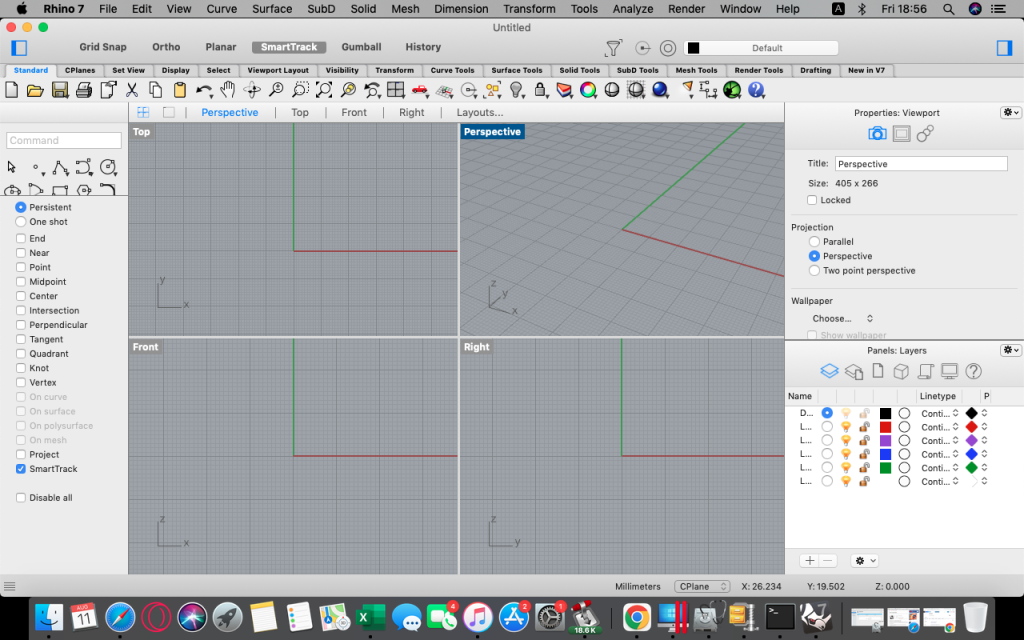
Rhino (Rhinoceros) is a powerful 3D modeling software that allows users to create, edit, analyze, document, render, animate, and translate NURBS* curves, surfaces, and solids, point clouds, and polygon meshes. Known for its flexibility and precision, Rhino is ideal for a wide range of applications from industrial design to architecture, and jewelry to automotive design.
Key Features
- Unrestricted Free-Form 3D Modeling:
- Offers advanced modeling tools typically found in much more expensive software.
- Capable of modeling any shape imaginable, providing designers with ultimate creative freedom.
- High Precision:
- Provides the accuracy needed for designing, prototyping, engineering, and manufacturing complex products, from airplanes to fine jewelry.
- Compatibility:
- Seamlessly integrates with various design, drafting, CAM, engineering, analysis, rendering, animation, and illustration software.
- Efficiently reads and repairs meshes and complex IGES files.
- User-Friendly:
- Designed to be intuitive and easy to learn, enabling users to focus on design and visualization rather than the software itself.
- Provides a short learning curve, making it accessible to new users.
- Performance:
- Runs smoothly even on standard laptop computers without the need for special hardware.
- Delivers fast performance, ensuring an efficient workflow.
- Affordability:
- Offers a reasonable purchase price with no maintenance fees, making it a cost-effective choice for professionals.
Compatibility
- Operating System: Requires macOS 12.4 or later
For more information and to download Rhino, visit the Rhino 3D homepage.
Rhino stands out as a versatile and robust 3D modeling tool suitable for both beginners and experienced professionals, providing the capabilities needed to bring the most complex and creative designs to life.