Free Macsoftware One click Download
Utility
MacDroid Pro For Mac V-1.8
03 years

Name : MacDroid Pro 1.8
Size : 21 MB
MacDroid Pro For Mac V- 1.8
MacDroid is a macOS application designed to facilitate the seamless connection and file transfer between Mac computers and Android devices. It bridges the gap between these two operating systems, which do not natively integrate, allowing users to access and transfer various types of content easily. Here are some key features and details about MacDroid:
Key Features:
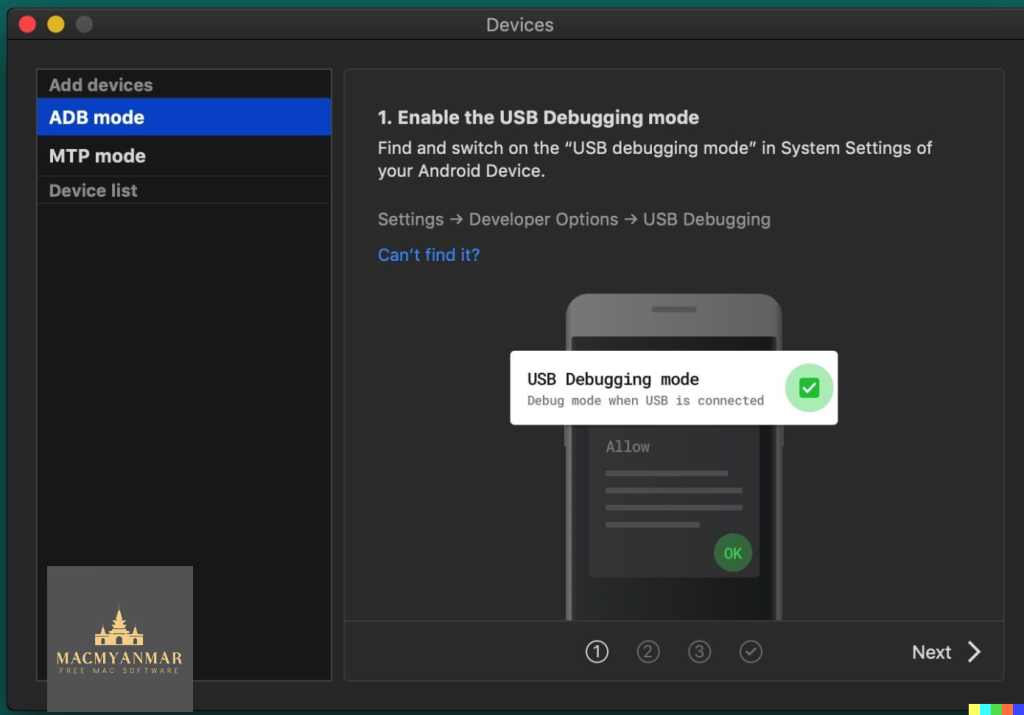
- Connect Mac and Android: MacDroid provides a convenient way to connect your Mac or MacBook with an Android phone or tablet. This enables you to access and manage the content on your Android device directly from your Mac.
- File Transfer: You can transfer files, including photos, music, videos, and entire folders, between your Mac and Android device. This is done using a USB cable to connect the devices, and MacDroid takes care of the rest.
- Photo Transfer: MacDroid allows you to access your Android photos in the Finder app on your Mac. You can easily drag and drop photos to any folder on your Mac for organization and backup.
- Music Transfer: You can transfer your favorite music tracks between your Mac and Android device, giving you the freedom to enjoy your music on the go.
- Video Transfer: Transfer videos between your Mac and Android device, allowing you to watch them offline, whether you’re traveling or on the move.
- Edit Android Files: MacDroid enables you to edit Android files directly from your Mac using your preferred Mac applications. You can make changes to Android files without having to save them to your computer first.
Compatibility:
MacDroid is compatible with macOS 10.10 or later, ensuring it works with a wide range of Mac computers and operating system versions.
Homepage:
You can find more information about MacDroid and download the application from the official homepage at https://www.macdroid.app.
MacDroid is a valuable tool for individuals who use both Mac and Android devices. It simplifies the process of transferring and managing files between these platforms, making it easier to keep your content organized and accessible across your devices. Whether you need to transfer photos, music, videos, or other files, MacDroid provides a user-friendly solution.
Keka For Mac 1.3.3 free Download
03 years

Name : Keka 1.3.3
Size : 30 MB
Keka For Mac 1.3.3 free Download
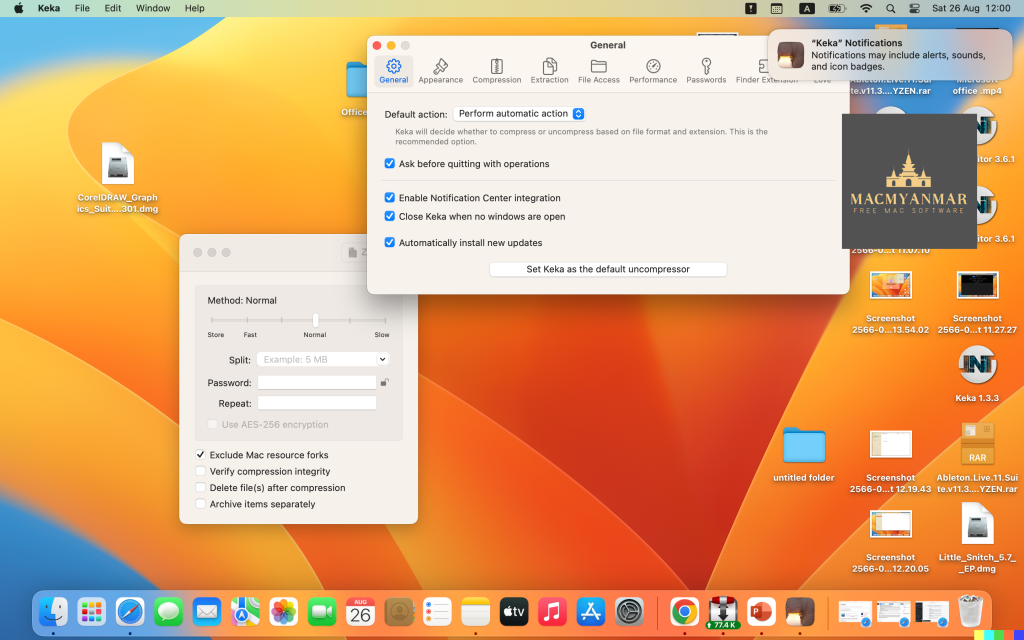
Keka is a comprehensive file archiver designed for macOS. It provides a range of features for compressing and decompressing files in various formats. Here are some key features and details about Keka:
Key Features:
- User-Friendly Interface: Keka offers an intuitive and user-friendly interface, making it easy for users to compress and extract files.
- Compression: You can use Keka to compress multiple files into a variety of formats. This includes formats like 7Z, ZIP, TAR, GZIP, BZIP2, XZ, LZIP, and ISO.
- Password Protection: Keka allows you to protect your compressed files with a password, ensuring that only authorized users can access the contents.
- Drag and Drop: To compress files, simply drag and drop them onto the Keka icon in the Dock or the main window, making the process convenient and efficient.
- Extraction: Keka can also extract files from a wide range of compressed formats, including ZIP, RAR, TAR, GZIP, BZIP2, XZ, LZIP, DMG, ISO, LZMA, EXE, CAB, WIM, PAX, JAR, APK, APPX, XPI, IPA, CPGZ, CPIO, and more.
- Parted Archives: Keka is capable of handling parted archives, which are archives split into multiple parts. It can extract them seamlessly.
- Compatibility: Keka is compatible with macOS 10.10 or later and runs on 64-bit processors.
Homepage:
You can find more information about Keka and download the application from the official homepage at https://www.keka.io/en/.
Keka is a versatile file archiver that simplifies the process of compressing and extracting files in various formats on macOS. Whether you need to create compressed archives for storage or share files with others, Keka provides an easy-to-use solution with support for a wide range of archive formats and password protection for added security.
RAR Extractor – The Unarchiver 8.2 for Mac OS
03 years
by Jameskarke
in Utility

Name : RAR Extractor – The Unarchiver 8.2
Size : 12 MB
RAR Extractor – The Unarchiver 8.2 For Mac OS
The software you’re describing is a versatile archive extraction and compression tool available for macOS. It supports a wide range of archive formats and offers several useful features. Here’s a summary of its key features and compatibility details:
Archive Formats Supported:
- RAR
- ZIP
- 7Z
- TAR
- GZIP (GZ)
- BZIP2
- LZIP
- ACE
- ISO
- PAX
- PKG
- APK
- JAR
- XZ
- LZMA
- BZ
- LZH
- CAB
- CPIO
- SWF
- and over 50+ formats in total.
Password Protection:
- You can generate password-protected 7Z and ZIP archives, ensuring the security of your compressed files.
Image Extraction from PDFs:
- The software allows you to extract images from PDF files, which can be handy for various purposes, such as graphics or content extraction.
Additional Features:
- The ability to extract encrypted archives, ensuring that you can access protected content when needed.
- Previewing archives before extraction, which can help you confirm the contents of an archive.
- Extracting any file from an archive, allowing you to selectively retrieve specific files from compressed folders.
- Compression to encrypted 7Z and ZIP formats using the AES256 encryption algorithm, enhancing the security of your compressed files.
- Convenient options for extracting multiple archives simultaneously with a double-click or directly from the right-click context menu.
- Extraction to the same folder as the archive, simplifying file management.
In-App Purchases:
- The full version of the software appears to be available as an in-app purchase.
Compatibility:
- The software is compatible with macOS 10.13 (High Sierra) or later, making it suitable for a wide range of macOS users.
This tool seems to offer a comprehensive set of features for working with archive files on macOS, including extraction, compression, encryption, and more. It can be a valuable asset for users who frequently deal with different archive formats and require secure compression options.
Folder-Factory 7.2.2 For Mac Free download
03 years
by Jameskarke
in Utility

Name : Folder-Factory 7.2.2
Size : 15.5 MB
Folder-Factory 7.2.2 for Mac Free Download
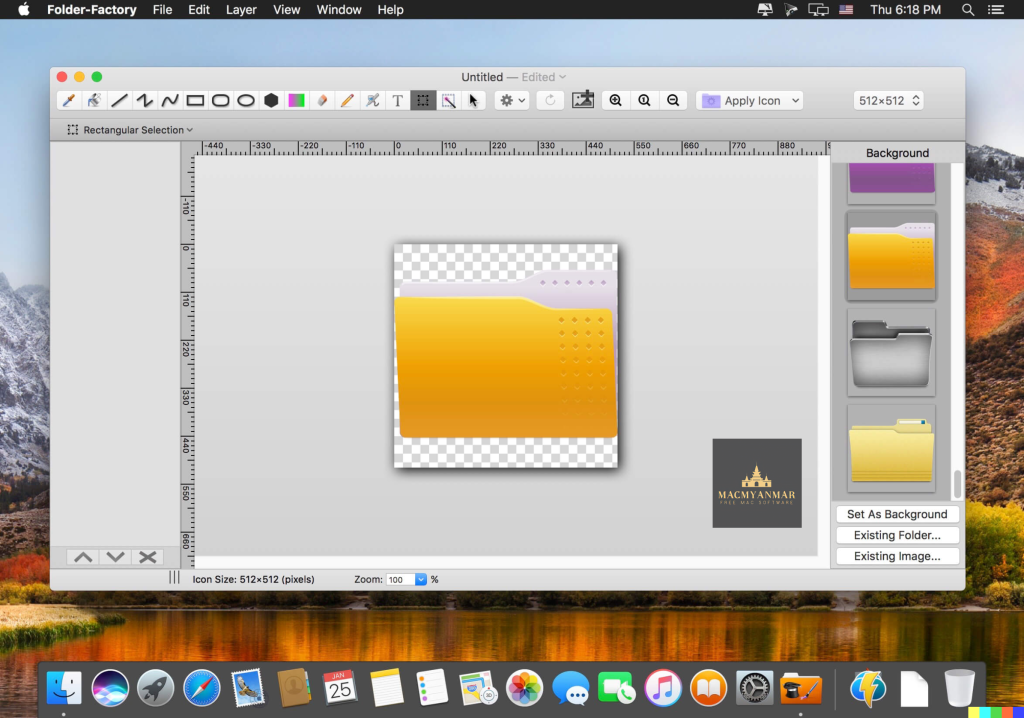
Folder-Factory is a utility tool designed for macOS that enables users to customize and enhance their folder icons. This application offers several key features to help users personalize their folder icons and improve their overall system organization and productivity:
- Retina Display Support: Folder-Factory is optimized for Retina displays, ensuring that the customized folder icons look crisp and clear on high-resolution screens.
- Customization Options: Users can customize and design their folder icons using a variety of tools and elements, such as images, text, sketches, and shapes. This customization allows for a unique and visually appealing folder organization system.
- Tool Variety: The application provides various tools for customization, including an eyedropper, fill tool, line drawing, rectangle and ellipse shapes, pen tool, eraser, text insertion, image insertion, and round rectangle creation.
- Color Configuration: Users have control over line width, pen color, fill color, and other color-related settings, enabling them to tailor the appearance of folder icons to their preferences.
- Transparency Support: Folder-Factory fully supports transparency, allowing users to create folder icons with transparent backgrounds or semi-transparent elements for a more modern and sleek look.
- Text Overlay: Users can add text to their folder icons, making it easier to identify folders and their contents without relying solely on folder names.
- Undo/Redo and Copy/Paste: The application includes standard editing features like undo, redo, cut, copy, and paste, enhancing the user experience and making it easy to refine folder icon designs.
- Drag and Drop: Users can easily drag and drop files and folders into Folder-Factory for quick customization, streamlining the process of updating folder icons.
- System Compatibility: Folder-Factory is compatible with macOS 10.10 (Yosemite) and later versions of the operating system, ensuring that a wide range of Mac users can take advantage of its features.
- User-Friendly Interface: The application is designed with a clean and user-friendly interface, making it accessible and straightforward for users to customize their folder icons.
Overall, Folder-Factory is a versatile tool for macOS users who want to enhance the visual organization of their files and folders while also improving productivity through more easily identifiable icons. It provides a range of customization options and is suitable for various macOS versions. Users can find more information about Folder-Factory on its official homepage or download it from the iTunes App Store.
Dato 5.0.7 Mac OS
03 years
by Jameskarke
in Utility

Name : Dato 5.0.7 Mac
Size : 17 MB
Dato 5.0.7 Mac Os
Dato is a versatile macOS app that enhances your menu bar with a local clock, date, calendar, world clocks, and more. It offers various features and customization options to help you manage your time and events efficiently. Here’s an overview of its features and how to use it:
Key Features:
- Menu Bar Enhancements: Dato replaces or complements the system menu bar clock with customizable date and time formats. You can choose to display seconds in the menu bar clock or in the menu.
- Calendar: Dato provides a calendar feature that includes week numbers, event indicators, and the ability to highlight specific days of the week. You can customize how many upcoming events are displayed and for how many days.
- Upcoming Events: Dato shows your upcoming calendar events in the menu bar. You can customize the number of events displayed and how many days ahead to show. Events can include HTML-formatted notes for additional information.
- World Clocks: Dato allows you to add multiple world clocks to your menu bar, complete with custom names. It also offers offline city search for over 15,000 cities.
- Integration: Dato supports various calendar services, including iCloud, Google, Outlook, and more. It also integrates with Zoom, Google Meet, and Microsoft Teams, displaying icons on events and providing quick access buttons.
- Customization: You can customize the format of the date and time in the menu bar, choose from different menu bar icons (e.g., date in a calendar style), and even enable large text mode.
- Global Shortcuts: Dato offers a global keyboard shortcut to open and close the app. It also includes numerous in-app keyboard shortcuts for power users.
How to Use Dato:
- Installation: Download and install Dato from the MacMyanmar.com
- Configuration: Once installed, open Dato from the Applications folder or by clicking its menu bar icon. You can configure Dato’s settings, including date and time formats, calendar preferences, world clocks, and more.
- Upcoming Events: Dato displays your upcoming calendar events in the menu bar. Customize the number of events shown and how many days ahead to display. Clicking on an event allows you to reveal it in your default calendar app.
- World Clocks: Add and customize world clocks in the menu bar. You can set custom names for cities and search for cities offline.
- Calendar: Access the built-in calendar with week numbers, event indicators, and day highlighting. Customize calendar settings as needed.
- Integration: Dato integrates with popular meeting and video conferencing apps like Zoom, Google Meet, and Microsoft Teams, making it easy to join meetings directly from your calendar events.
- Customization: Explore the various customization options in Dato to personalize the app to your preferences.
Dato is a versatile and highly customizable macOS app that enhances your menu bar with useful time and calendar-related features. It’s suitable for users who want quick access to their calendar events, world clocks, and a customizable menu bar clock.

Little Snitch 5.7 Mac OS
03 years
by Jameskarke
in Utility

Name : Little Snitch 5.7 Mac OS
Size : 34.09 MB
Little Snitch 5.7 Mac OS
Little Snitch is an excellent macOS application for monitoring network traffic and enhancing your privacy. It’s especially useful for those who want to have more control over their network connections and protect their data. Here’s an overview of its features and how to use it:
Key Features:
- Network Monitoring: Little Snitch provides a visual interface to monitor network traffic in real-time. It displays informative diagrams, bandwidth usage, traffic history, and more.
- Filter Connections: You can filter network connections based on the process name or server port. This allows you to focus on specific apps or services.
- Silent Mode: Little Snitch has a Silent Mode that lets you work without interruptions from network-related notifications. However, all connection attempts are logged for later review.
- Profiles: You can create different profiles for various scenarios, such as home, work, or public Wi-Fi. Each profile can have its own set of rules, making it easy to switch between them.
- Automatic Profile Switching: Little Snitch can automatically switch profiles based on the network you’re connected to. For example, it can use different rules for your home network and a public cafe network.
- Temporary Rules: You can set rules that are effective only for a limited period, providing flexibility in managing your connections.
- Rule Analysis: Little Snitch analyzes your ruleset and alerts you to overlapping, redundant, or invalid rules, helping you maintain an efficient ruleset.
How to Use Little Snitch:
- Install and Activate: Download and install Little Snitch. Activate it using your license key.
- Network Monitoring: Open Little Snitch from the menu bar. You’ll see a list of active network connections. Click on a connection to see details.
- Creating Rules: When a connection request appears, you can choose to allow or deny it. Little Snitch will ask you whether to create a rule for future connections by that app or service. You can customize these rules.
- Silent Mode: If you want to work without interruptions, enable Silent Mode. All connection attempts are logged in the Silent Mode Log, where you can review them later.
- Profiles: Create different profiles for various network environments and scenarios. Each profile can have its own set of rules.
- Automatic Profile Switching: Set up automatic profile switching based on the Wi-Fi network you’re connected to. For example, use a more restrictive profile on public Wi-Fi.
- Temporary Rules: You can create temporary rules for connections that should only be allowed or denied for a limited time.
- Rule Analysis: Periodically check the rule analysis for any issues with your ruleset and make necessary adjustments.
Little Snitch is a powerful tool for enhancing your online privacy and monitoring network activity on your Mac. It allows you to control which apps and services can access the internet and provides valuable insights into your network traffic. It’s particularly useful for users who want to keep their data secure and maintain control over their online connections.
Please note that when using Little Snitch, it’s essential to strike a balance between security and convenience. Overly restrictive rules can cause applications to malfunction, so it’s a good practice to review and adjust rules as needed.
Lasso 1.5.7 For Mac
03 years
by Jameskarke
in Utility

Name : Lasso 1.5.7
Size : 11 MB
Lasso 1.5.7 for Mac
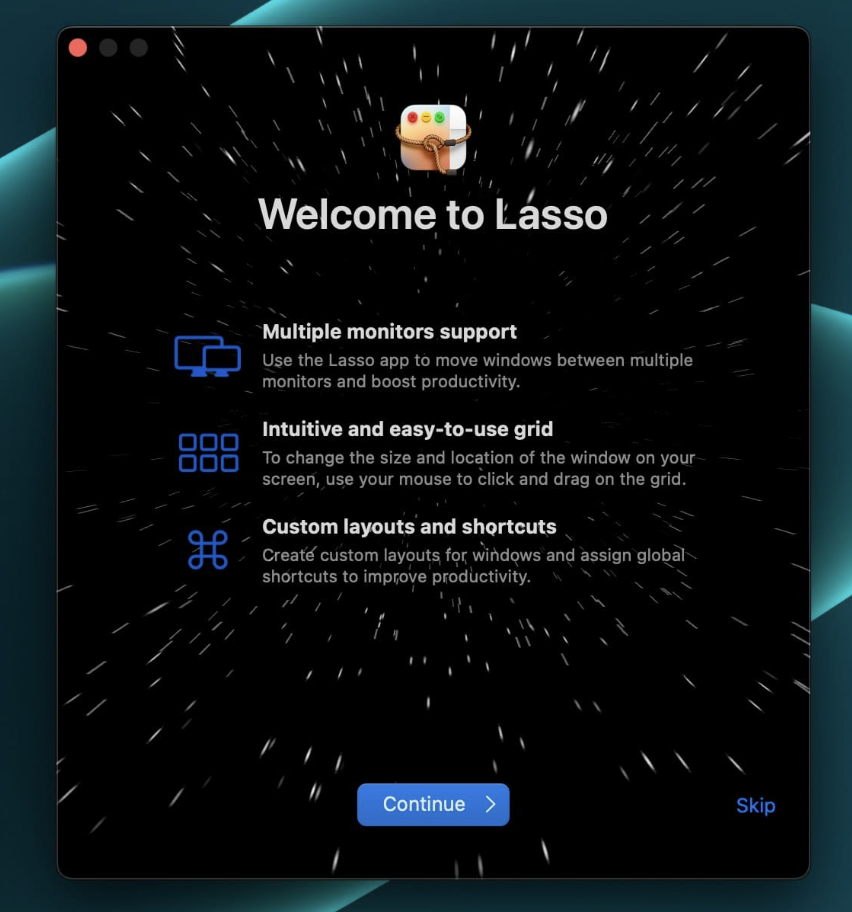
Lasso is a window manager application designed for macOS, and it seems to provide users with an efficient way to move and resize windows on their desktop. Here’s a brief overview of its features and compatibility:
Key Features:
- Mouse-Based Window Management: Lasso allows users to move and resize windows on their Mac desktop simply by clicking and dragging, making window management more intuitive.
- Custom Layouts: Users can quickly arrange and resize windows using custom layouts, which can be especially useful for optimizing their workspace.
- Keyboard Shortcuts: The application offers the ability to assign unique keyboard shortcuts to individual layouts, streamlining workflow and increasing productivity.
- Multi-Screen Support: Lasso supports multiple screens, making it adaptable for users with various monitor setups.
- Customization Options: Users can customize their workspace by adjusting the space around windows, selecting grid sizes for layouts, and more, tailoring their desktop to their specific needs.
What’s New in Version 1.5.7:
Unfortunately, there are no release notes available for this version in the provided information.
Compatibility:
- Requires macOS 12.0 or later.
Homepage:
You can learn more about Lasso and download it from its homepage at https://thelasso.app/.
Lasso appears to be a tool aimed at helping users better manage and organize their desktop windows on macOS, which can be especially helpful for individuals who frequently work with multiple applications and screens.
Widgetter 1.14.10.3W For Mac Free Download
03 years
by Jameskarke
in Utility

Name : Widgetter 1.14.10.3W
Sise : 215.9 Mb
Widgetter 1.14.10.3W For Mac free Download
Widgetter appears to be a desktop customization application designed for Mac users. It allows you to create a custom desktop setup with widgets and themes tailored to your specific needs. Here’s a summary of its features and compatibility:
Main Features:
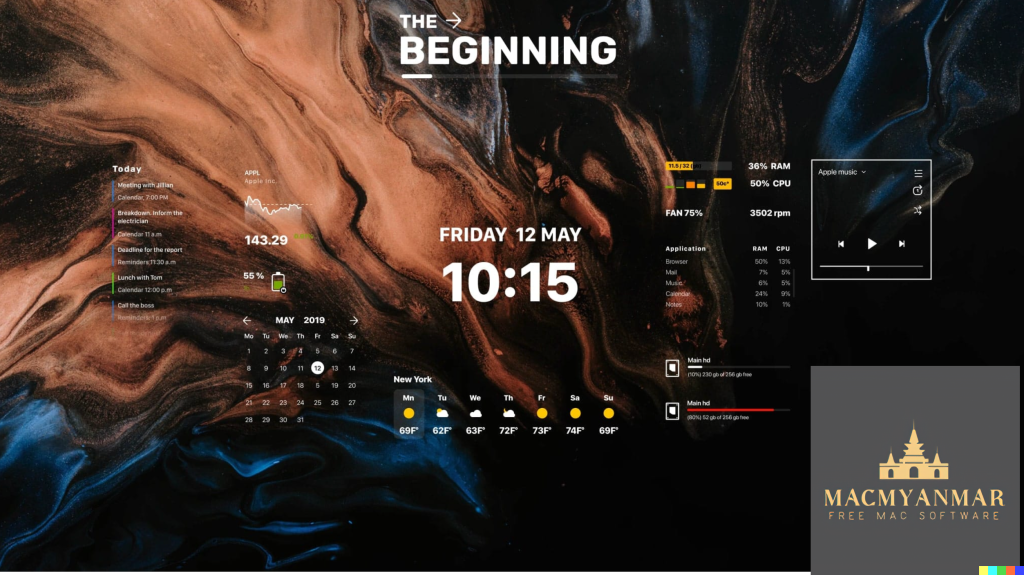
- Custom Desktop: Widgetter enables you to transform your Mac’s screen background into a personalized workstation with widgets and essential functions readily accessible.
- Widgets: The application offers a variety of widgets that you can add to your custom desktop. These widgets include weather updates, stock market information, task and reminder lists, HDD/SSD monitoring, music player controls, date and time displays, calendar events, battery status, and more.
- Unique Desktop Themes: Widgetter provides unique design desktop themes, allowing you to customize the look and feel of your desktop.
Compatibility:
- Requires macOS 10.13.2 or later.
Homepage:
You can learn more about Widgetter and download it from its homepage at https://widgetter.com/.
Widgetter appears to be a tool for users who want to create a more customized and information-rich desktop environment on their Mac computers, with easy access to various widgets and themes to suit their preferences and needs. Please note that my knowledge is based on information available up to September 2021, and there may have been updates or changes to Widgetter since then.
PDF Reader Pro 2.9.5 For Mac free Download
03 years
Name : PDF Reader Pro 2.9.5
Size : 67 MB
PDF Reader Pro 2.9.5 For Mac Free Download
PDF Reader Pro seems to be a comprehensive PDF editing and management application for macOS. Here’s a breakdown of its features and other relevant information:
Main Features:
- Annotation Tools: PDF Reader Pro provides a wide range of annotation tools, including highlights, underlines, lines, circles, and freehand writing, to help you mark up your PDF documents.
- PDF Form Handling: You can create, edit, and fill PDF forms. This includes creating fillable PDF forms with interactive field objects like buttons, checkboxes, radio buttons, list boxes, and drop-down lists.
- Table Creation: The application allows you to create tables within your PDF documents, which can be useful for organizing data and information.
- Signature Support: You can create multiple signatures for various situations using a trackpad, keyboard, or images.
- Stamps, Comments, and Notes: PDF Reader Pro enables you to insert stamps, comments, and notes into your PDF documents.
- Hyperlinks: You can add hyperlinks to your PDFs, allowing you to redirect to other destinations within the document or external websites.
- PDF Export: The application supports exporting PDFs to various formats, including Microsoft Word (.docx), PowerPoint (.pptx), Excel (.xlsx), RTF, HTML, Text, Image, CSV, and more, even in offline mode.
- PDF to Image Conversion: It allows you to convert PDFs to image formats such as JPG, PNG, BMP, GIF, TIFF, TGA, and JP2.
- OCR (Optical Character Recognition): PDF Reader Pro supports OCR, which means it can convert scanned PDFs and images into editable and searchable PDFs or TXT files, supporting over 50 languages.
- Annotation History: You can access previous annotations and important sections of your documents instantly.
- Page Editing: The app provides tools to edit pages with headers, footers, page numbers, and watermarks.
- Document Management: You can merge, split, extract, append, rotate, delete, replace, and crop PDF pages. It also allows you to combine multiple files into one document.
- Presentation Mode: The presentation mode is designed to help you showcase your PDF documents to others.
- Reading Modes: You can choose different reading modes, including full-screen, page-fit, horizontal or vertical orientation, continuous, and page break.
- Bookmarks and Outlines: PDF Reader Pro supports bookmarking specific pages or sections of PDFs and allows you to create, edit, and search outlines for easy navigation.
- Night Mode: There’s a night mode for comfortable reading in low-light conditions.
- Reduce PDF Size: The application can help reduce PDF size to make your documents lighter.
- Clipboard Import: You can create a new PDF by importing content from your clipboard.
- Text-to-Speech (TTS): It offers Text-to-Speech functionality in six different languages, allowing the app to read documents aloud.
- Password Protection: You can set passwords and authorization to restrict editing, modification, or printing of PDFs.
Compatibility:
- Requires macOS 10.13 or later.
Homepage:
You can learn more about PDF Reader Pro and download it from its homepage at https://apps.apple.com/pk/app/pdf-reader-pro-lite-edition/id919472673.
SponsorBlock for YouTube 5.4.13 For Mac Free Download
03 years
by Jameskarke
in Utility

Name : SponsorBlock for YouTube 5.4.13
Size : 5MB
SponsorBlock for YouTube 5.4.13 For Mac Free Download
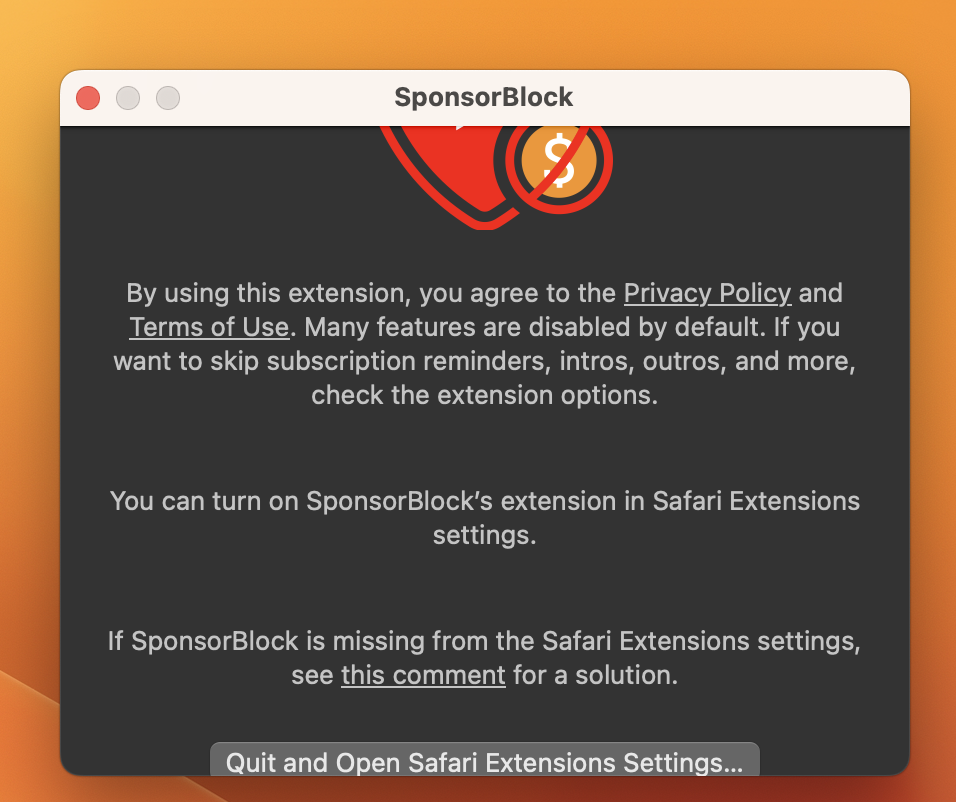
SponsorBlock for YouTube is a browser extension designed to enhance your YouTube experience by allowing you to skip over sponsors, intros, outros, subscription reminders, and other annoying parts of YouTube videos. It is a crowdsourced extension where users can submit the start and end times of sponsored segments and other segments in YouTube videos. Here are some key features and benefits of SponsorBlock for YouTube:
Features:
- Skip Over Sponsors: SponsorBlock enables you to automatically skip over sponsored segments in YouTube videos. When someone submits the start and end times of a sponsor segment, everyone with the extension skips it.
- Skip Intros and Outros: In addition to sponsors, you can skip video intros and outros, saving you time and getting right to the content you want to watch.
- Crowdsourced Data: The extension relies on a crowdsourced database of timestamps for various video segments. Users can contribute to this database by submitting timestamps for sponsors and other segments.
- Customization: You have control over what types of segments to skip. You can choose to skip sponsors, intros, outros, subscription reminders, and more based on your preferences.
- Skip Non-Music Sections: For music videos, SponsorBlock can skip over non-music sections, allowing you to enjoy the music without interruptions.
Benefits:
- Save Time: By automatically skipping over unwanted segments, you can save time when watching YouTube videos.
- Enhanced Viewing Experience: Enjoy YouTube content without interruptions from sponsors and lengthy intros or outros.
- Crowdsourced Community: Contribute to the community by submitting timestamps and help others have a better viewing experience.
System Compatibility:
SponsorBlock for YouTube is compatible with macOS 10.14.6 or later.
In summary, SponsorBlock for YouTube is a browser extension that enhances your YouTube watching experience by allowing you to skip over unwanted segments in videos. It relies on crowdsourced data, making it a collaborative effort to improve the viewing experience for all users. Whether you want to skip sponsors, intros, or other segments, this extension can help you tailor your YouTube experience to your preferences.