Free Macsoftware One click Download
Utility
CleanMyMac X 4.14.2 for Mac OS
03 years

Name : CleanMyMac X 4.14.2
Size : 120.36 MB
CleanMyMac X 4.14.2 for Mac OS
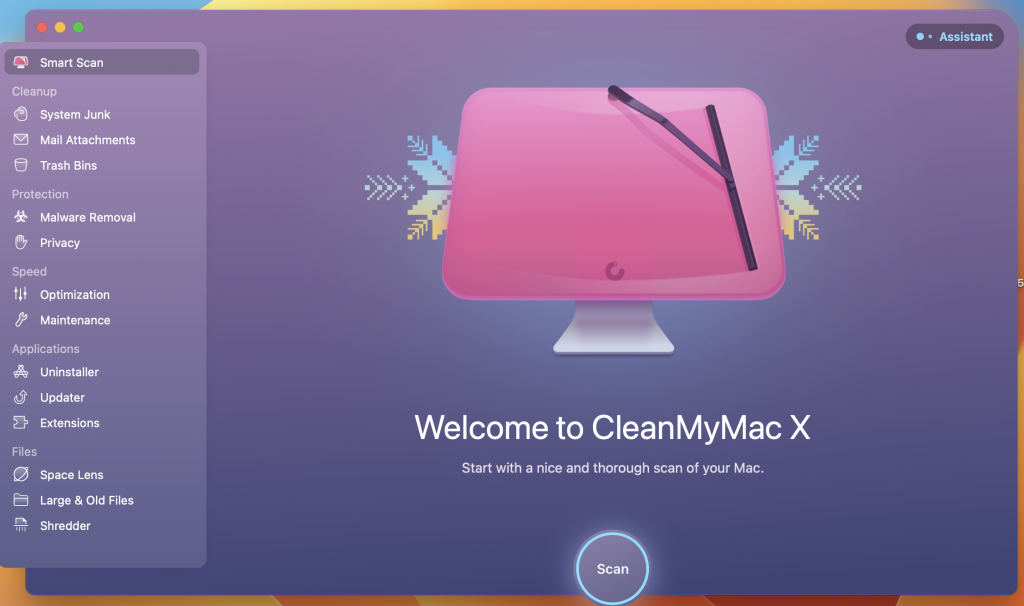
CleanMyMac X is a comprehensive utility tool for macOS that aims to optimize your Mac’s performance by cleaning up junk files, improving system speed, and enhancing security. It provides a wide range of features to help you maintain and optimize your Mac. Here are some of its key features and details:
- Junk File Cleanup: CleanMyMac X scans your Mac to identify and remove various types of junk files, including outdated caches, broken downloads, logs, and unnecessary localizations. This process helps free up valuable storage space.
- Application Cleanup: It can locate and remove clutter from specific applications such as iTunes, Mail, and Photos. This includes removing old attachments, outdated backup files, and more.
- Hidden Large Files: The tool helps you find and delete large hidden files that might be taking up significant space on your Mac.
- Speed Optimization: CleanMyMac X provides various speed optimization tools to improve your Mac’s performance. It can free up RAM, run maintenance scripts, manage login items, launch agents, and identify hung applications to reduce system load and enhance speed.
- Malware Protection: It includes a malware detection and removal feature to protect your Mac from various types of malicious software, including adware, ransomware, and malware specific to macOS.
- Uninstaller: The Uninstaller feature allows you to completely remove unwanted applications, including all associated files and folders, to keep your Mac clean and organized.
- Updater: CleanMyMac X can automatically update your software to ensure that you’re using the latest and most secure versions of your apps.
- User-Friendly Interface: It offers an easy-to-use, drag-and-drop interface, making it accessible to both novice and experienced users.
- File Eraser: You can securely erase files, ensuring that they cannot be recovered, which is especially useful when selling or disposing of old Macs.
- Compatibility: CleanMyMac X is compatible with macOS 10.13 (High Sierra) and later versions.
- Regular Updates: MacPaw, the developer of CleanMyMac X, regularly updates its malware database to provide ongoing protection against new threats.
Please note that specific changes in version 4.14.2 were not available at the time of this listing.
In summary, CleanMyMac X is a comprehensive Mac optimization and cleaning tool that helps improve performance, clean up clutter, and enhance security. It offers a range of features to keep your Mac running smoothly and efficiently.

Softorino YouTube Converter PRO Mac V- 5.1.5
03 years

Name : Softorino YouTube Converter PRO
Size : 12 MB
Softorino YouTube Converter PRO Mac V- 5.1.5
Softorino YouTube Converter is a software tool that allows you to download videos and audio from YouTube and Vimeo, convert them to various formats, and enjoy offline playback without ads. It’s designed to provide a simple and efficient way to save your favorite online content for offline use. Here are some key features and details about Softorino YouTube Converter:
- Ad-Free YouTube: Softorino YouTube Converter enables you to watch YouTube videos without advertisements, ensuring a seamless and uninterrupted viewing experience.
- Offline Viewing: You can download videos from YouTube and Vimeo to your Mac or iOS device for offline viewing. This is particularly useful when you want to watch videos without an internet connection.
- Background Playback: The software allows for background playback of downloaded videos, enhancing your multitasking capabilities while enjoying your favorite content.
- Simple Process: Using the application is straightforward. Copy the link to the video you want to download, open the Softorino YouTube Converter app, and choose the desired quality and location to save the video. The software automatically recognizes the copied link and begins the download process.
- Quality Selection: You can choose from various video quality options, including 60fps, 2160p 4K, 1080p HD, 720p, 360p, or audio-only. This flexibility lets you tailor the download quality to your preferences and device capabilities.
- Audio Extraction: Softorino YouTube Converter allows you to extract the audio track from videos and listen to it using the standard player on your iOS device.
- No Internet Required: Once you’ve downloaded the content, you can view it without an internet connection, reducing data usage and ensuring access to your favorite videos even when offline.
- Battery Efficiency: Watching downloaded videos can be more battery-efficient than streaming online content, making it a suitable option for mobile devices.
- Free to Use: Softorino YouTube Converter provides these features without requiring a subscription or payment.
- Global Availability: The software works worldwide, offering the advantages of YouTube Red without geographic restrictions.
- Compatibility: Softorino YouTube Converter is compatible with macOS 10.15 (Catalina) or later and supports both Apple Silicon and Intel Core processors.
Please note that the specific changes in version 5.1.5 were not available at the time of this listing.
In summary, Softorino YouTube Converter is a user-friendly solution for downloading and enjoying YouTube and Vimeo content offline, free from ads, and with the flexibility to choose video quality and audio extraction options. It offers the convenience of watching your favorite videos whenever and wherever you like.
SponsorBlock for YouTube for Mac V- 5.4.18
03 years

Name : SponsorBlock for YouTube
Size : 5MB
SponsorBlock for YouTube for Mac V- 5.4.18
SponsorBlock for YouTube is a browser extension designed to enhance your YouTube viewing experience by allowing you to skip over various parts of videos that you may find annoying or uninteresting. Here’s an overview of its features and purpose:
- Skip Over Unwanted Segments: SponsorBlock lets you skip over specific segments of YouTube videos, including sponsors, intros, outros, subscription reminders, and other parts that users may collectively find bothersome.
- Crowdsourced Data: The extension operates on crowdsourced data. Users can submit the start and end times of segments they want to skip, such as sponsored content. Once this information is submitted, other users with the extension can benefit from it by automatically skipping those segments when watching the same video.
- Community-Driven: The power of SponsorBlock comes from the YouTube community. Users collectively contribute to identifying and marking segments to be skipped, making it easier for everyone to enjoy the content they want without interruptions.
- Skip Non-Music Sections: In addition to skipping sponsors and other video segments, SponsorBlock also allows you to skip non-music sections within music videos, enhancing the experience for those who primarily want to listen to the music.
- Compatibility: The macOS version of SponsorBlock is compatible with macOS 10.14.6 (Mojave) and later versions of the macOS operating system.
- Mac App Store: SponsorBlock for YouTube can be found on the Mac App Store, making it easy for users to download and install the extension on their Mac devices.
In summary, SponsorBlock for YouTube is a community-driven browser extension that helps users skip over unwanted segments in YouTube videos, improving the viewing experience by eliminating interruptions and uninteresting content. It relies on user contributions to identify and skip these segments, making it a valuable tool for YouTube viewers.

Mac Data Guardian V-7.6.1Mac
03 years

Name : Data Guardian 7.6.1
Size : 51 MB
Mac Data Guardian V-7.6.1Mac
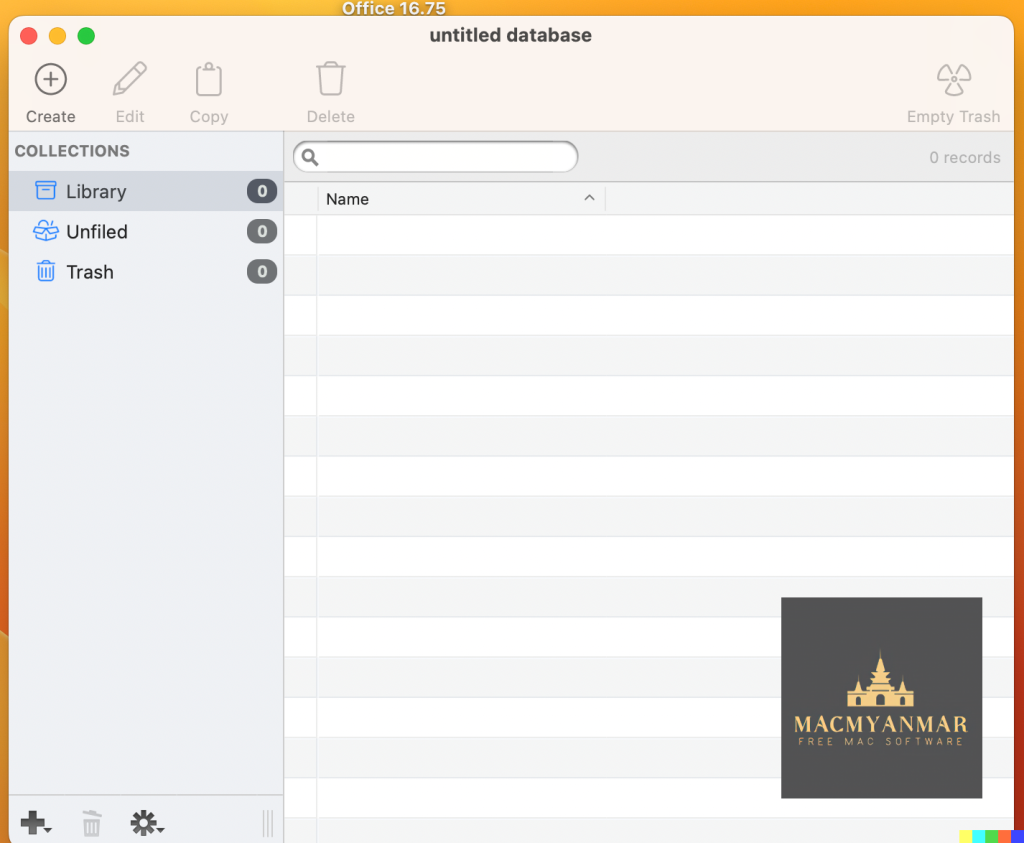
Mac Data Guardian is a secure database application designed to help users manage and protect sensitive information. It prioritizes security and privacy by offering robust encryption and a range of features for organizing and accessing data. Here are some key features and details about Data Guardian:
- Strong Encryption: Data Guardian employs up to 448-bits of Blowfish encryption to ensure that your data remains secure, regardless of its sensitivity. This level of encryption is designed to protect your information from unauthorized access.
- Versatile Use Cases: Users can create multiple databases within Data Guardian, each serving different purposes. Some common use cases include an address book, customer database, Christmas shopping list, journal, password manager, or notepad.
- Categories and Customization: Data Guardian allows you to create categories to store your records, and you can apply custom color labels and icons to better organize your data. You have the flexibility to customize the view options for each category, tailoring them to display the specific information you need.
- Custom Data Fields: Unlike some rigid database applications, Data Guardian offers the flexibility to add your own custom data fields. This means you can structure your data exactly as you want it, rather than being constrained by predefined fields.
- Keychain Integration: Data Guardian integrates with macOS Keychain, making it easy to autofill passwords on websites. This feature enhances convenience and security when managing online accounts.
- Additional Tools: Data Guardian includes various tools and features to enhance your records. For example, you can dial phone numbers through your modem with a single click, create new email messages, generate secure passwords (based on your chosen algorithm), and even synchronize data between two databases.
- Compatibility: Data Guardian is compatible with macOS 10.14 (Mojave) and later versions of the macOS operating system.
In summary, Data Guardian is a versatile and secure database application that emphasizes data protection and customization. It offers robust encryption, flexible data structuring, and integration with macOS Keychain for password management. Whether you need a secure password manager, a way to organize sensitive information, or a tool for other data-related tasks, Data Guardian aims to provide a comprehensive solution.
iTubeGo YouTube Downloader for Mac V-7.0.3
03 years

Name : iTubeGo YouTube Downloader
Size :57 MB
iTubeGo YouTube Downloader for Mac V-7.0.3
iTubeGo HD Video Downloader is a powerful tool designed for downloading high-quality videos from a wide range of websites, including popular platforms like YouTube, Facebook, Instagram, and more. It offers several features that make it a convenient choice for users who want to download and save videos. Here’s an overview of its key features:
- High-Speed Downloads: iTubeGo claims to provide 10X faster download speeds, allowing you to download videos quickly and efficiently.
- Built-in Browser: The software includes a built-in browser that enables you to browse video and music content on various websites and download them directly from within the application.
- Video Quality Options: iTubeGo offers various video quality options, including standard definition (SD) and ultra-high definition (UHD) resolutions such as 480p, 720p, 1080p, 2K, 4K, and even 8K. This flexibility allows you to choose the video quality that suits your preferences.
- Support for Various Websites: You can download videos from a wide range of websites, including YouTube, Facebook, Instagram, Dailymotion, Vimeo, TikTok, Pornhub, Xvideos, SpankBang, xHamster, and many others.
- Audio Extraction: In addition to video downloads, iTubeGo can extract audio from videos and save it in high-quality 320kbps MP3 format. This feature is particularly useful for creating audio collections or downloading music.
- MP3 Downloads: iTubeGo supports MP3 downloads from most music websites, making it a versatile tool for downloading music tracks.
- Compatibility: iTubeGo HD Video Downloader is compatible with macOS 10.10 (Yosemite) and later versions of the macOS operating system.
Please note that the specific changes in version 7.0.3 were not available at the time of this listing.
In summary, iTubeGo HD Video Downloader is a feature-rich application for downloading videos and audio from various online sources. It offers high-speed downloads, supports multiple websites, provides various video quality options, and includes an integrated browser for easy access to online content. Whether you’re looking to save videos for offline viewing or extract audio from videos, iTubeGo aims to provide a comprehensive solution.
ExactScan Enterprise For Mac OS V- 23.5
03 years

Name : ExactScan Enterprise 23.5
Size : 19 MB
ExactScan Enterprise For Mac OS V- 23.5
ExactScan Enterprise is a professional scanning solution designed for Mac users who require advanced scanning capabilities for a paperless office environment. Here are some key features and details about ExactScan Enterprise:
- Scanner Compatibility: ExactScan Enterprise provides support for over 400 professional document scanners from various manufacturers, including Avision, Canon DR-series, Fujitsu fi-series, Kodak, Oki, Panasonic, Visioneer, and Xerox. These drivers are native to ExactScan and enable users to utilize scanners that may not have built-in Mac drivers.
- Third-Party Scanner Support: In addition to the built-in drivers, ExactScan Enterprise also allows you to use third-party scanners through ImageCapture and TWAIN drivers, expanding your scanning options.
- Scan Formats: You can save scanned documents in various formats, including PDF, TIFF, JPEG, JPEG 2000, PNG, BMP, and PNM.
- Image Processing: ExactScan Enterprise offers advanced and intelligent image processing algorithms, including auto-crop and de-skew, as well as blank page removal. This ensures that your scanned documents are of high quality.
- Direct Scan to Print: You have the option to scan documents directly to a printer, making it convenient for tasks like copying documents.
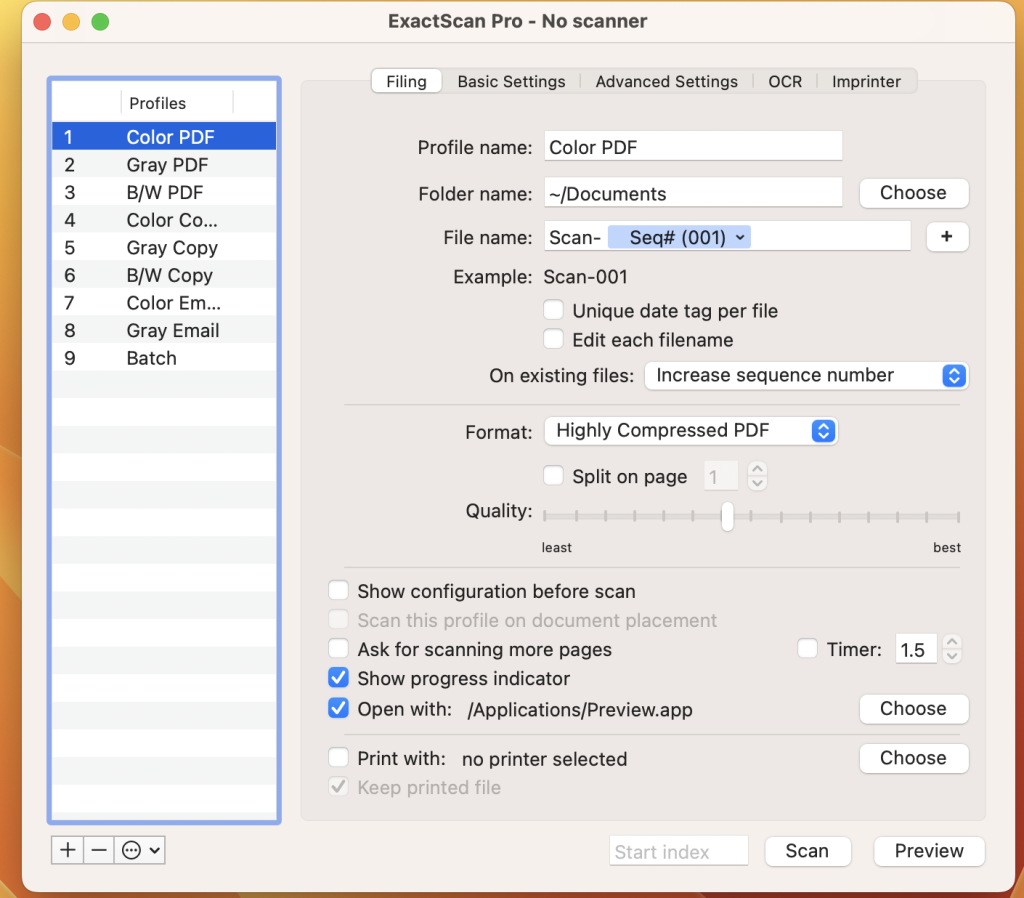
- Scan Profiles: The software allows you to configure scan workflows using profiles, which can streamline your scanning process for different types of documents or tasks.
- AppleScript Support: Professionals can take advantage of AppleScript support to automate and customize scanning workflows.
- OCR (Optical Character Recognition): ExactScan Pro, which is an additional feature, offers OCR capabilities to create searchable PDF files. It supports multiple languages for OCR, including English, German, French, Spanish, and more.
- Content-Based Page De-Skew: This feature automatically corrects the orientation of scanned pages based on content.
- Automatic Rotation and Source Detection: The software can automatically rotate pages and detect color sources.
- Imprinter: You can print flexible text directly onto scanned images.
- Barcode Recognition: ExactScan Enterprise can recognize 1D barcodes and, in the Enterprise version, it also supports 2D barcode recognition, including Datamatrix and PDF-417 codes.
- Batch Processing: The software supports batch processing of existing image files, which can be useful for handling large volumes of scanned documents.
- PDF/A Support: The Enterprise version includes support for PDF/A-1b, which is a standardized format for long-term archival of electronic documents.
- High-Speed Scanners: ExactScan Enterprise is optimized for high-speed volume scanners, capable of scanning at speeds of 100 pages per minute and higher.
- Spotlight Integration: The software enables you to find searchable PDF documents easily using Spotlight search on your Mac.
- System Compatibility: ExactScan Enterprise is compatible with macOS 10.9 (Mavericks) and later versions.
In summary, ExactScan Enterprise is a comprehensive scanning solution for Mac users, particularly those in professional or office settings, offering a wide range of features for document scanning, processing, and management. It supports a variety of scanners, formats, and automation options to enhance efficiency and organization in a paperless office environment.
Magic Disk Cleaner For Mac V-2.3.3
03 years

Name : Magic Disk Cleaner
Size : 5 MB
Magic Disk Cleaner For Mac V-2.3.3
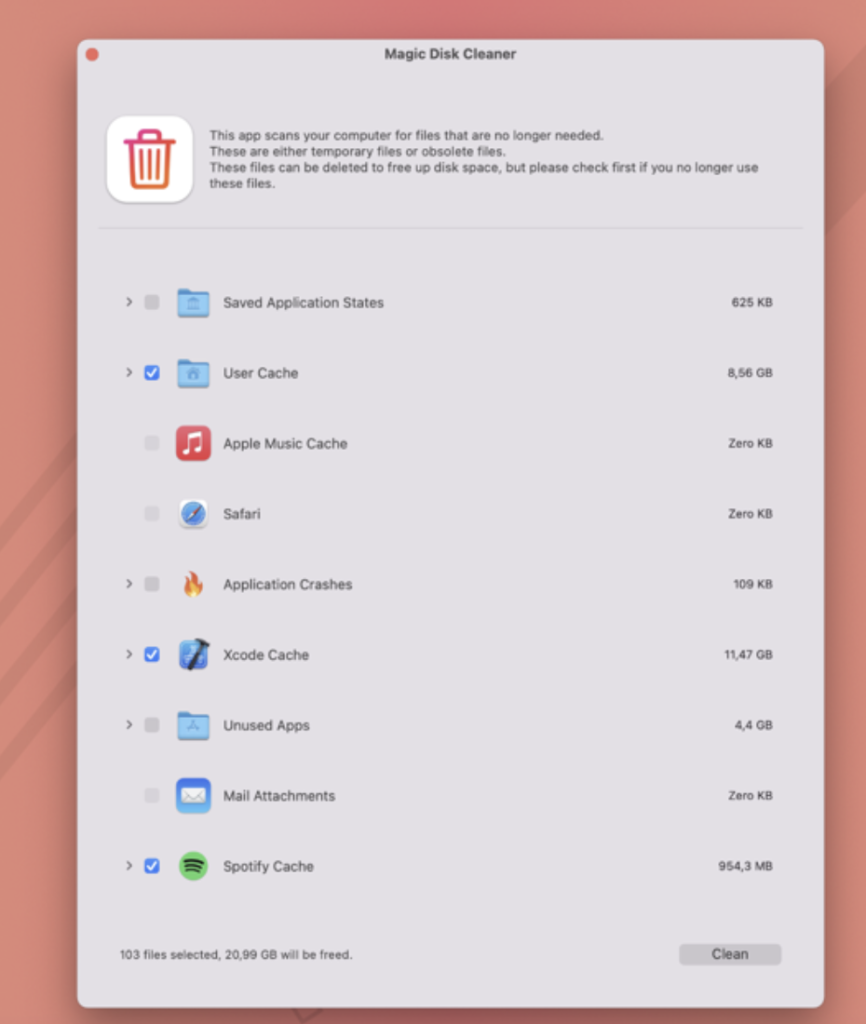
Magic Disk Cleaner is a macOS application designed to help users find and delete temporary files that take up unnecessary space on their computers. Here are some key features and information about the app:
- Fast Search: Magic Disk Cleaner is known for its speed. It quickly scans your computer for temporary files that can be safely removed. This can help free up valuable disk space, potentially improving your computer’s performance.
- Ease of Use: The application is designed to be extremely user-friendly. As soon as you start the app, it begins searching for temporary files, and you can delete them with just one click. This simplicity makes it accessible to users of all experience levels.
- Manual Deletion: Magic Disk Cleaner prioritizes user control and safety. It does not automatically delete any files without your explicit consent. You have the freedom to review the list of temporary files it finds and choose which ones you want to delete and which ones you want to keep.
- System Requirements: Magic Disk Cleaner is compatible with macOS 11.0 or later, ensuring that it can run on newer versions of the macOS operating system.
- Mac App Store: You can find Magic Disk Cleaner on the Mac App Store, making it easy to download and install on your Mac device.
It’s important to note that while applications like Magic Disk Cleaner can be useful for freeing up disk space and optimizing your Mac’s performance, it’s always a good practice to review the files it identifies for deletion to ensure that you don’t accidentally remove any important data. Temporary files are generally safe to delete, but it’s still wise to exercise caution and make informed choices when using disk cleaning tools.
Master of Typing 3 – Practice your Typing On Mac 3.13.23
03 years

Name : Master of Typing 3 – Practice your Typing On Mac 3.13.23
Size : 131 MB
Master of Typing 3 – Practice your Typing On Mac 3.13.23
“Master of Typing 3” is a typing course designed to help users improve their touch typing skills using all ten fingers simultaneously. It offers a range of features and exercises to enhance your typing speed and accuracy. Here are some of its key features and information:
Features:
- Variety of Exercises: The course includes exercises for typing letters, special characters, words, and phrases. This variety helps users practice typing in different contexts.
- Difficulty Settings: You can customize the difficulty level of the exercises. Auto Difficulty can be turned on to automatically progress to the next lesson after successfully completing an exercise. Alternatively, you can manually select a lesson if you want to focus on specific letters or skills.
- Check New Skills: The course includes multiple levels of exams to assess your typing skills. It provides accurate statistics on your best and average typing speed and accuracy.
- Tips System: Master of Typing 3 offers a tips system to provide guidance and suggestions for improving your typing technique.
- AI-Powered Dictation Mode: This feature allows you to dictate text and then type it, or select suggested text and type it as a dictation exercise.
- Smart Timer: The timer stops when you click outside the app window, allowing you to return to the exercise and continue at any time.
- Themes: You can choose from three themes: Light, Dark, and East, to customize the app’s appearance to your preference.
- Navigation: The app supports swipe and hotkeys for quickly switching between windows, making it convenient to use.
- Colored Keyboard Scheme: To help users memorize finger positions, the app uses a colored keyboard scheme.
- Multiple Languages: Master of Typing 3 supports typing in different languages, including English (QWERTY), Russian (ЙЦУКЕН), Spanish, French (AZERTY), German (QWERTZ), and Italian.
- Compatibility: The app is compatible with macOS 10.13 or later.
In-App Purchases:
- Top In-App Purchases include the “Full Pack” and “No Ads” options, which likely provide additional content and remove advertisements.
This app appears to be a comprehensive tool for those looking to improve their typing skills through structured lessons and exercises. It supports multiple languages and offers customization options to suit individual preferences. Users interested in enhancing their touch typing abilities may find “Master of Typing 3” to be a valuable resource.
Keep It for Mac V-2.2.12
03 years
by Jameskarke
in Utility

Name : Keep It for Mac V-2.2.12
Size : 28 MB
Keep It for Mac V-2.2.12
Keep It is a comprehensive note-taking and information management application available for Mac, iPhone, and iPad. It is designed to help users organize, store, and retrieve various types of content, including notes, web links, documents, and more. Here are the key features and details about Keep It:
Key Features:
- Notes and Links:
- Make Notes: Create notes with various styles, including checklists, bulleted and numbered lists, images, links, and attachments.
- Save Web Links: Easily save web links to Keep It, view them within the app, open them in your browser, or save them as PDFs for offline reading.
- Files:
- Add Anything: Keep It allows you to add any type of file to its database or folders. You can also open and edit files in their original applications.
- Preview and Edit: The app generates thumbnails and summaries for most files, and it offers editing capabilities for its own notes, rich and plain text files, and previews for PDFs, images, web pages, and more.
- Search and Filter:
- Search: Keep It offers a robust search functionality that can search the content of most files. It provides suggestions as you type and allows you to save searches for later use.
- Tag Filter: The Tag Filter feature makes it easy to find items by their tags, allowing you to drill down further and organize your content efficiently.
- Organize:
- Folders: You can use folders to organize items hierarchically for better categorization.
- Bundles: Bundles help you gather related items into one place. Items can be in multiple bundles simultaneously.
- Labels: Use labels to color-code items for quick visual recognition. Labels are listed in the sidebar for easy access.
- More Lists: Keep It provides additional lists, including Recents (to see recently added or viewed items), Favorites (for quick access), and Deleted Items (which are automatically removed after 30 days).
- Where You Need It:
- Compact Mode: Keep It offers a compact mode for Mac, making it ideal for using alongside other apps or in split-screen mode.
- Works with Other Apps: You can drag and drop content into Keep It, and it also supports the share extension, allowing you to add content from various apps.
Compatibility:
Keep It is compatible with macOS 11.3 or later.
Homepage:
For more information about Keep It and to download the application, you can visit the official homepage via the provided link.
Keep It is a versatile information management tool suitable for users who need to store, organize, and retrieve various types of content, from notes and web links to documents and files. Its search, organization, and synchronization capabilities make it a valuable tool for maintaining a well-organized digital workspace across Mac and iOS devices.
MouseBoost Pro for Mac V- 3.2.0
03 years

Name : MouseBoost Pro for Mac V- 3.2.0
Size : 13 MB
MouseBoost Pro for Mac V- 3.2.0
MouseBoost Pro is a macOS application designed to enhance productivity by offering a variety of tools and functions that can be quickly accessed and activated through the right-click context menu. Here are the main features and details about MouseBoost Pro:
Key Features:
- Customizable Menus: MouseBoost Pro provides menus with customizable sorting, allowing you to arrange functions and tools according to your preferences.
- File Creation: Quickly create various types of commonly used files. You can also customize the creation of different file types based on your needs.
- Open Applications: Easily launch applications such as the terminal, iTerm2, and specific directories. You can also configure the applications you want to open.
- Code Editors: Quickly open code editors like VSCode, Sublime Text, and Emacs. Customize the list of applications you want to open for efficient coding.
- Path Copying: Quickly copy the current file or directory path, which can be handy for various tasks, including scripting and file management.
- File Operations: Perform file operations such as deletion, moving, copying, and cutting directly from the right-click context menu.
- File Compression: Supports the encryption and compression of files for secure and efficient storage and sharing.
- Favorite Directories: Easily open your favorite directories with a single click.
- File Information: Quickly retrieve file information such as MD5, SHA1, and SHA256 hashes for verification and identification purposes.
- File Visibility: Customize the visibility of specified files, allowing you to hide or display them as needed.
- Folder Icon Modification: Modify folder icons for better organization and recognition.
Compatibility:
MouseBoost Pro is compatible with macOS 10.11 or later and can run on both Apple Silicon and Intel Core processors.
Homepage:
For more information about MouseBoost Pro and to download the application, you can visit the official homepage on the Mac App Store via the provided link.
MouseBoost Pro appears to be a versatile tool for macOS users who want to streamline various file and system-related tasks through a right-click context menu. Its customization options, file management features, and quick access to applications and tools make it a potentially valuable addition for improving productivity and workflow efficiency on a Mac.