Free Macsoftware One click Download
Utility
Download Macgo Blu-ray Player Pro V-3.3.22
02 years

Name : Macgo Blu-ray Player Pro
Size : 46 MB
Download Macgo Blu-ray Player Pro V-3.3.22
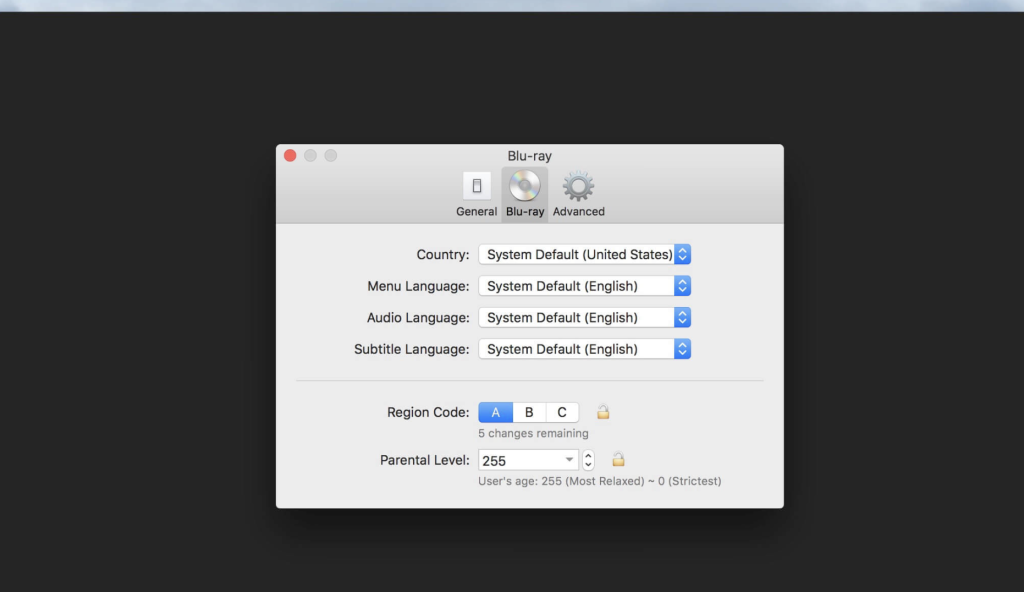
Macgo Mac Blu-ray Player Pro is a specialized software designed for Mac computers that allows users to enjoy high-quality entertainment through Blu-ray discs, Blu-ray menu navigation, ISO files, and BDMV folders. Here are some of the key features and capabilities of Macgo Mac Blu-ray Player Pro:
Blu-ray Menu Support: Mac Blu-ray Player Pro supports the original Blu-ray menu, allowing users to navigate and interact with Blu-ray content just like they would on a dedicated Blu-ray player.
Blu-ray Disc and ISO Playback: The software enables users to play Blu-ray Discs, ISO files, and BDMV folders, offering flexibility in accessing and enjoying high-definition content.
Enhanced 4K Video Playback: The Pro version enhances the 4K video viewing experience, ensuring that users can enjoy ultra-high-definition video quality on their Mac.
Original Audio Quality: Mac Blu-ray Player Pro preserves the original audio quality of Blu-ray content, delivering a superior audio experience while watching movies or other media.
Improved Player Performance: The software is optimized with better hardware acceleration, which enhances overall player performance and ensures smooth playback of high-definition content.
Compatibility: Mac Blu-ray Player Pro is compatible with Mac OS X 10.8 or later, making it accessible to a wide range of Mac users.
Macgo Mac Blu-ray Player Pro is a valuable tool for those who want to enjoy high-quality Blu-ray entertainment on their Mac computers, complete with menu navigation and excellent audio and video quality. You can find more information about the software and download it from the provided homepage link (http://www.macblurayplayer.com/macgo-mac-bluray-menu-player-pro.htm).
download Sonoma Cache Cleaner 19.0
02 years

Name : Sonoma Cache Cleaner
Size : 170 MB
download Sonoma Cache Cleaner 19.0
Sonoma Cache Cleaner is a utility software designed for macOS X that offers a range of tools and features for system maintenance, optimization, customization, disaster planning, and antivirus protection. Here are some of the key features and functions of Sonoma Cache Cleaner based on the provided information:
- System Maintenance: Sonoma Cache Cleaner provides a comprehensive set of maintenance tools for macOS X. It can perform various tasks to keep your system running smoothly, including virus scanning for internet downloads and automatically repairing permissions after software installations.
- Optimization: The software offers optimization features that can improve system performance. It includes tuning internet and file cache settings, implementing RAM disks, and cleaning out cached and stale data. Sonoma Cache Cleaner can also recover disk space by eliminating unnecessary language localization files and slimming Universal Binaries.
- Customization: Users can customize their macOS X experience using Sonoma Cache Cleaner. It allows you to control features like Spotlight, Dashboard, and Login Items Folder, tailoring them to your preferences without making permanent or harmful changes to the system.
- Disaster Planning: Sonoma Cache Cleaner helps with disaster planning by allowing you to create bootable Installer USB drives from your Sonoma download. These bootable drives can be used to install Sonoma on any supported machine. Additionally, the software can create bootable Emergency Disks with system repair utilities and cache cleaning functions. In case of system issues, you can access Sonoma Cache Cleaner through the command prompt in Single User Mode.
- Antivirus Protection: The software includes antivirus features to protect your system from malware. It adds three additional layers of malware protection to macOS Big Sur and includes the ClamAV antivirus built-in. Sonoma Cache Cleaner can scan your downloads in real-time, offering robust virus protection from both Mac and Windows threats.
- Compatibility: Sonoma Cache Cleaner is compatible with a wide range of macOS X versions, from 10.4 to 14.0 (Big Sur).
Sonoma Cache Cleaner is described as an award-winning maintenance tool with millions of downloads worldwide, offering a one-stop solution for various macOS X maintenance and optimization needs. The provided homepage link (https://www.northernsoftworks.com/sonomacachecleaner.html) offers more information, updates, and access to the software. Please note that it’s important to exercise caution and ensure the reliability and authenticity of any utility software used on your system.
Download CleanMyMac 4.14.3 for Mac free
02 years

Name : CleanMyMac
Size : 121 MB
Download CleanMyMac 4.14.3 for Mac free
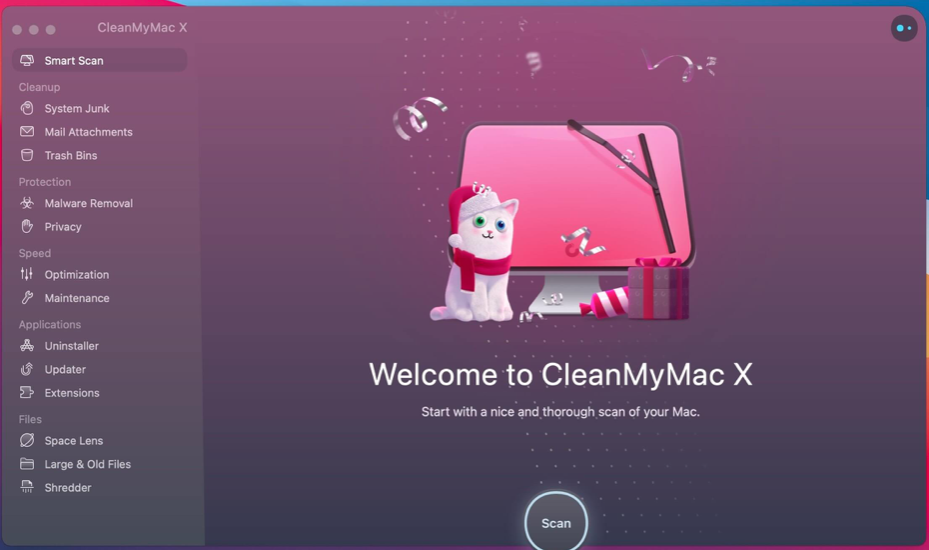
CleanMyMac X is a software application designed to optimize and clean macOS systems, claiming to make your Mac run faster and more efficiently. It offers a range of features for maintaining and enhancing the performance of your Mac computer. Here are some of the key features and functions of CleanMyMac X based on the provided information:
- Junk File Cleanup: CleanMyMac X is designed to locate and remove various types of unnecessary files that may accumulate on your Mac, such as outdated caches, broken downloads, logs, and language localizations that you don’t use.
- Large File Cleanup: It can help identify and remove large hidden files that are taking up valuable storage space on your Mac.
- System Optimization: The software includes tools for optimizing system performance, such as freeing up RAM, running maintenance scripts, and managing startup items like Login Items and Launch Agents to reduce system load and improve speed.
- Malware Protection: CleanMyMac X claims to protect your Mac from malware, adware, ransomware, and other potential threats specific to macOS. It includes a protection module with a regularly updated malware database.
- Uninstaller: It offers an uninstaller tool that can help you completely remove unwanted applications, widgets, plugins, and preference panes from your Mac.
- Updater: The updater feature can automatically keep your software up to date, ensuring that you have the latest versions of your applications, which can help prevent software conflicts.
- User-Friendly Interface: CleanMyMac X is designed to be user-friendly, with a drag-and-drop interface that simplifies the cleaning and optimization process.
- File Eraser: It includes a secure file eraser to ensure that deleted files cannot be easily recovered.
- Trash Monitoring: The software monitors your Trash to help you uninstall trashed applications correctly and ensure they are completely removed.
- Removable Device Cleanup: CleanMyMac X can also keep an eye on your removable devices to help clean up junk service files from them.
The provided information mentions that the software’s latest version is 4.14.3 and it is compatible with macOS 10.13 or later. It’s important to note that while CleanMyMac X offers various features that can be useful for optimizing and maintaining your Mac, it’s essential to be cautious when using any cleaning or optimization tools, as improper use can potentially lead to unintended consequences. Always back up your data before making significant changes to your system. Additionally, make sure to download and use software from reputable sources to avoid potential security risks.
RarLab RAR 6.24 for macOS Download
02 years

Name : RarLab RAR 6.24 for macOS
Size : 6.68 MB
RarLab RAR 6.24 for macOS Download
RAR for macOS is the macOS version of the popular WinRAR archiver software that’s widely used on Windows. It provides a range of features for compressing, decompressing, and managing compressed files and archives. Here’s an overview of its key features and specifications:
Key Features:
- Compression and Decompression: RAR for macOS allows you to create compressed archives to save space and reduce the size of email attachments. It can also decompress various archive formats, including RAR, ZIP, and more.
- General and Multimedia Compression: The software offers strong compression capabilities for general and multimedia files. It automatically selects the best compression method for multimedia files, executables, and object libraries.
- Solid Compression: RAR introduces a compression algorithm that can significantly increase compression ratios, especially when dealing with a large number of small files.
- Archive Protection: It provides features to protect your archives from damage, including the ability to repair physically damaged archives.
- Support for Multiple Archive Formats: RAR supports popular archive formats such as RAR, ZIP, CAB, ARJ, LZH, TAR, GZip, UUE, ISO, BZIP2, Z, and 7-Zip.
- Multivolume Archives: RAR enables you to split archives into separate volumes for easier storage and sharing across multiple disks.
- Encryption: It offers 256-bit password encryption to keep your archived data secure.
- Authentication Signature Technology: RAR utilizes an authenticated signature technology to ensure the authenticity and integrity of your archives.
- Free Trial: RAR is available as a trial product, allowing you to use it free of charge for 40 days.
- Cross-Platform Licensing: RAR licenses are valid for all available language and platform versions. You can mix versions to suit your specific needs.
Compatibility:
- RAR for macOS is compatible with macOS 10.8 or later.
- It supports both Apple Silicon and Intel Core processors.
Please note that RAR for macOS primarily operates through the command-line interface. If you prefer a more user-friendly GUI client for your compression and decompression needs, alternatives like “The Unarchiver” or “unRarX” are recommended.
For more details and to download RAR for macOS, you can visit its official homepage at https://www.rarlab.com/.
Download Texifier 1.9.22 (783)
02 years

Name : Texifier
Size : 35 MB
Download Texifier 1.9.22 (783)
Texpad is a LaTeX editor designed for macOS, offering a straightforward and efficient environment for creating, editing, and typesetting LaTeX documents of any size. It provides various features and tools to streamline the LaTeX document creation process. Here are some key features and capabilities of Texpad:
Key Features of Texpad:
- LaTeX, Plain TeX, and Markdown Support: Texpad supports LaTeX, Plain TeX, and Markdown, making it versatile for different types of document creation.
- Document Structure Navigation: Open a LaTeX root file, and Texpad will scan it, open any referenced files, and extract the document structure for display in the outline view. This allows for easy navigation through large multifile projects.
- Syntax Highlighting: The editor in Texpad includes syntax highlighting, a choice of themes, autocomplete of LaTeX commands (including those defined in your document), and autofill for commands like
\citeand\ref. - Document Outline: Texpad provides an outline that lists all labels, figures, tables, todos, and more. It helps you navigate and organize your document.
- Global Search: Texpad offers a global search view that allows you to search and replace text or regular expressions across your entire project.
- Integrated Typesetter: TexpadTeX, Texpad’s internal typesetter, is available offline and supports almost any LaTeX package. It includes PGF drivers, Native Fonts extensions, Unicode support, and more. TexpadTeX can run in Live mode, updating the output as you type.
- BibTeX and Makeindex Support: TexpadTeX integrates a BibTeX tool and a Makeindex compatible indexer for documents that require these tools.
- Package Management: Texpad’s integrated bundle manager handles the downloading, installation, and updating of LaTeX packages. This gives you access to the entire LaTeX ecosystem without using excess storage space.
- Cloud Typesetters: In cases where your document is not compatible with TexpadTeX, you can use the integrated cloud typesetters to typeset your document in the cloud. The results are presented as if they were typeset on your device.
- Error Handling: After typesetting, Texpad organizes errors and warnings in a table of issues. You can tap on an issue to jump directly to the problematic line of LaTeX source or the line in the raw log.
- Markdown Support: Texpad treats Markdown on an equal footing with LaTeX. You can edit your document in Texpad’s syntax-highlighting editor and easily convert and typeset it with LaTeX.
Compatibility:
Texpad is compatible with macOS 10.15 or later.
Official Homepage:
For more detailed information about Texpad, including pricing and download options, you can visit the official Texpad website: Texpad Official Homepage.
Texpad is a valuable tool for LaTeX users on macOS, providing a feature-rich environment for creating and typesetting LaTeX documents. Its support for Markdown, integrated typesetters, and document organization features make it a powerful choice for LaTeX document editing.
Download for MacTopaz Video AI 3.5.2
02 years

Name : Topaz Video AI
Size : 112 MB
Download for MacTopaz Video AI 3.5.2
Video Enhance AI is a powerful video quality enhancement tool designed for macOS. It utilizes advanced algorithms and deep learning techniques to improve the quality of videos in various ways, including upscaling, denoising, deinterlacing, and restoration. Unlike enhancing photos, enhancing videos is more complex due to motion-related issues, such as flickering, blockiness, and wavy artifacts. Video Enhance AI addresses these challenges by analyzing information from multiple frames to achieve high-quality results. Here are some key features and capabilities of Video Enhance AI:
Key Features of Video Enhance AI:
- Upscaling: Video Enhance AI can upscale video resolution by gathering detail from multiple frames. It can convert SD videos to HD and even upscale HD videos to 4K or 8K while adding crisp and natural video details.
- Denoising: This tool can remove noise and grain while recovering real details in your videos. It minimizes flickering and other temporal artifacts caused by frame-by-frame denoising approaches.
- Deinterlacing: Video Enhance AI uses deep learning to convert interlaced videos to progressive format while preserving image definition. This significantly reduces visual artifacts compared to traditional deinterlacing methods.
- Restoration: It can naturally restore old videos without adding visual artifacts. You can restore realistic details and remove compression artifacts from old or degraded sources.
- Frame Rate Conversion: The Chronos AI model introduced in version 2.3 increases video frame rate without artifacts. It generates new frames between existing ones to enhance videos with more natural results. This can be used to increase video frame rates from 24 to 60 FPS or from 30 to 60 FPS.
- Smooth Slow-Motion: Video Enhance AI can create a smooth slow-motion effect by generating new frames without stuttering or motion artifacts, delivering natural slow-motion results.
- Fewer Motion Artifacts: Unlike some video upscaling techniques that create “shimmering” or “flickering” effects, Video Enhance AI is trained to significantly reduce such artifacts.
- Recover Video Details: The software injects real details into your videos by utilizing additional information from multiple adjacent frames.
- More Natural Results: Traditional upscaling often causes artifacts, but Video Enhance AI mitigates them by using information from multiple frames.
- Training on Videos: Video Enhance AI was trained exclusively on video clips instead of still images, which contributes to improved results.
- Optimized Hardware: The software works directly with hardware manufacturers to ensure it runs as fast as possible on your machine.
- Convenient Workflow: You can easily convert and combine multiple videos, from SD to HD or HD to 4K, with export presets and batch processing.
- Flexible Import/Export: Video Enhance AI supports common video file types and image sequences as input and can export directly to MP4, MOV, or image sequences.
- Batch Processing: You can queue up multiple videos for enhancement, leaving Video Enhance AI running overnight to process them.
Compatibility:
Video Enhance AI is compatible with macOS 10.12 or later.
Official Homepage:
For more detailed information about Video Enhance AI, including pricing and download options, you can visit the official Topaz Labs website: Video Enhance AI Official Homepage.
Video Enhance AI is a valuable tool for content creators and video enthusiasts looking to improve the quality of their videos through upscaling, denoising, deinterlacing, and restoration, with the added benefit of frame rate conversion and more natural results.
Download Gemini for Mac V-2.9.11
02 years

Name : Gemini
Size : 48 MB
Download Gemini for Mac V-2.9.11
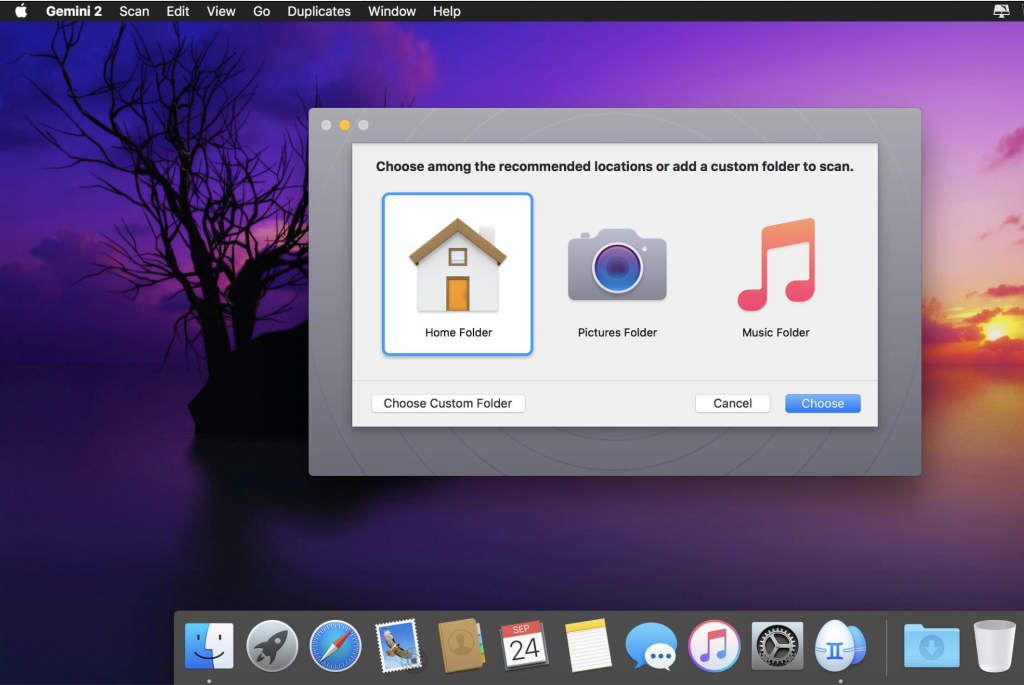
Gemini 2 is a utility application for macOS designed to help users free up disk space by identifying and removing duplicate and similar files on their Mac. The app is capable of scanning various file types and locations, including Photos, iTunes, external drives, and even cloud storage services like Google Drive and Dropbox. It employs a Smart Selection algorithm to ensure that duplicates are removed correctly and safely. Here are some key features and information about Gemini 2:
Key Features of Gemini 2:
- Duplicate File Detection: Gemini 2 is designed to find duplicate files of various types, including pictures, music, documents, and more. It can also identify duplicate folders.
- External Drives and Network Volumes: The app allows you to delete duplicates not only on your Mac’s internal drive but also on external drives and network volumes.
- Cloud Storage: Gemini 2 can identify and remove duplicates in cloud storage services like Google Drive and Dropbox.
- Organize Music and Photos: It helps you find duplicate photos in your Photos library and identifies pictures that are similar but not identical. You can also spot duplicates in your iTunes library, including similar music files differing only by format or bit rate.
- Smart Selection: The Smart Selection algorithm automatically selects duplicate files for removal while keeping the original files intact. It provides handy icons to help you understand how similar files differ.
- Custom Rules: You can add your own Smart Selection rules, such as deleting the older duplicates.
- Data Recovery: If you accidentally remove the wrong duplicate, you can restore it with a single click.
- Exclusions: You can exclude certain files and folders from the scan to avoid deleting important files.
- Move Duplicates: Gemini 2 allows you to move duplicates to a separate folder or onto a USB drive for safekeeping.
- Hardlinks: The app can replace copies with hardlinks to save space without deleting the files.
- User-Friendly Design: Gemini 2 features a space-themed design and offers achievements, ranks, and even an Easter Egg for a fun user experience.
System Requirements:
Gemini 2 is compatible with macOS, although specific macOS versions are not mentioned. Users can check the app’s system requirements on the official website or the App Store listing.
Official Homepage:
For more detailed information about Gemini 2, including pricing and download options, you can visit the official Gemini 2 page on the MacPaw website: Gemini 2 Official Homepage.
Gemini 2 is a handy tool for macOS users looking to free up storage space by identifying and removing duplicate files. Its Smart Selection algorithm simplifies the process, and the app offers a visually appealing and user-friendly experience.
Download Allavsoft Video Downloader Converter 3.25.9.8679
02 years

Name : Allavsoft Video Downloader Converter
Size : 88 MB
Download Allavsoft Video Downloader Converter 3.25.9.8679
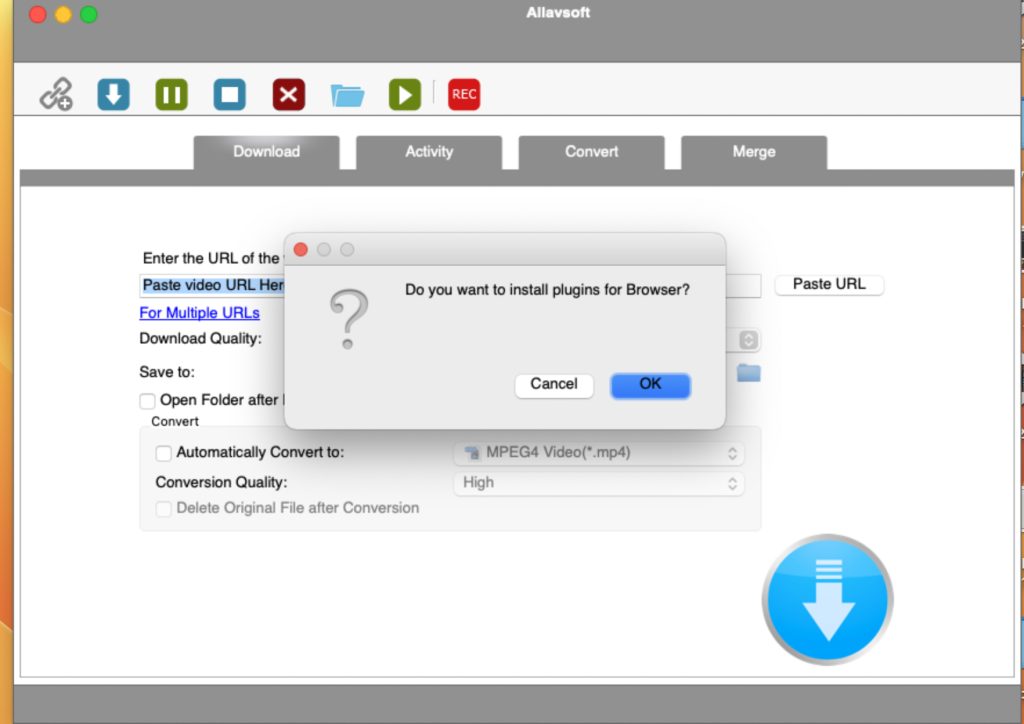
Allavsoft is a versatile video downloader application for macOS that provides a powerful solution for downloading videos from various online sources, including video-sharing websites such as Facebook, Dailymotion, and more than 100 other platforms. It offers a range of features, including the ability to download videos in their original format, convert downloaded videos to popular video formats, choose from various video qualities, extract audio from online videos, and perform batch downloads and conversions. Here are some key features and information about Allavsoft based on the details you provided:
Key Features of Allavsoft:
- Wide Video Source Compatibility: Allavsoft supports downloading videos from a wide range of video-sharing websites, making it versatile for various video sources.
- Video Download Formats: You can download videos in their original format, preserving their quality.
- Video Format Conversion: Allavsoft allows one-click download and conversion of downloaded videos to popular video formats, such as MP4, AVI, WMV, MOV, MPEG-1, MPEG-2, VOB, ASF, RMVB, DV, TS, Apple ProRes, WebM, FLV, OGV, and more.
- Video Quality Options: Users can choose from various video qualities, including ultra-high definition (4K), 3D video, HD 2k, HD 1080p, HD 720p, and standard definition 480p, 360p, and 240p.
- Audio Extraction: The tool helps extract audio from online music videos or movies and allows conversion to popular audio formats like MP3, WMA, WAV, AAC, AAC, Apple Lossless M4A, AIFF, RA, FLAC, OGG, AU, and more.
- Batch Download and Conversion: Allavsoft supports adding multiple video URLs and batch downloading and converting multiple videos at once.
- Ad Detection: The software automatically detects advertisements and prevents their download.
- Video Preview and Playback: It includes a built-in video player for previewing and playing downloaded video files.
- Pause and Resume: Users can pause and resume downloads at any time, making it convenient for managing large download tasks.
- Automatic Shutdown: You can set the application to automatically shut down your computer after all download tasks are completed.
- Download History: Allavsoft keeps a record of your download history for reference.
Compatibility:
Allavsoft is compatible with macOS 10.10 or later, ensuring that it can run on Mac computers running Yosemite and later versions.
Official Homepage:
For more detailed information about Allavsoft, including pricing and download options, you can visit the official Allavsoft website using the provided link: Allavsoft Official Homepage.
Allavsoft is a useful tool for users who need to download videos from various online sources and convert them to different formats. It provides a comprehensive set of features to facilitate video downloading and conversion tasks.
Mac software ScreenFloat 1.5.21
02 years
Name : ScreenFloat
Size : 7 MB
Mac software ScreenFloat 1.5.21
ScreenFloat is a versatile macOS app that enhances your screenshot capabilities by allowing you to create floating screenshots that stay on top of all other windows. It’s designed to provide quick and easy access to information from your screenshots without the need to constantly resize or move windows. Here are some key features and uses of ScreenFloat:
Key Features:
- Floating Screenshots: ScreenFloat allows you to capture screenshots and have them appear as floating windows on top of all other open applications and windows. This means you can reference information from your screenshots without switching between windows.
- Quick Access: With ScreenFloat, you can quickly access information from your screenshots, making it a convenient tool for referencing data, copying and pasting information, or taking notes.
- Organization: The app includes a “Shots Browser” that enables you to organize your screenshots efficiently. You can tag and name your shots, creating a structured system for storing and categorizing your screenshots.
- Collections: ScreenFloat allows you to create “Collections” and “Smart Collections” to further organize your shots based on criteria you specify. This feature helps you keep your screenshots well-organized for easy retrieval.
Use Cases:
- Research: ScreenFloat is perfect for researchers who need to reference information from multiple sources while working on a project. You can keep relevant screenshots floating above your research documents for quick access.
- Data Entry: If you need to input data from a screenshot into another application, you can simply keep the screenshot floating while you work on the data entry task.
- Note-taking: ScreenFloat can be used for taking notes based on information from screenshots. You can create a floating screenshot of a reference material and add notes alongside it.
- Comparisons: When comparing data or visuals from multiple sources, you can capture screenshots and float them side by side for easy comparison.
- Documentation: If you’re creating documentation or tutorials, you can use ScreenFloat to capture screenshots and keep them visible as you write or create content.
ScreenFloat is a valuable tool for users who frequently work with screenshots and need a more efficient way to reference, organize, and use screenshot information in their daily tasks.
Download Soulver 3.9.1 for Mac
02 years

Name : Soulver
Size : 26 MB
Download Soulver 3.9.1 for Mac
Soulver 3 is a versatile notepad and calculator app for macOS that allows you to perform calculations and work with numbers in a natural and intuitive way. It combines the functionality of a text editor and a calculator to simplify various mathematical tasks. Here are some key features and capabilities of Soulver 3:
Math Features:
- Instant calculations: You can perform calculations without the need for the equals sign, making it more intuitive.
- Use words alongside numbers to create human-readable calculations.
- Calculate totals and subtotals of multiple lines.
- Calendar calculations, such as adding or subtracting dates and times.
- Easily calculate percentages, unit conversions, and currency conversions.
- Access to live real-world and cryptocurrency exchange rates for up-to-date calculations.
- Line references allow you to build documents with interconnected calculations.
- Support for variables and auto-completion for variable names.
- Global variables and custom units for customized calculations.
App Features:
- Dark mode support for a comfortable interface in low-light environments.
- A sidebar for organizing and managing your sheets and calculations.
- Support for headings, comments, and labels to structure your documents.
- Customize syntax coloring and fonts to suit your preferences.
- Automatic number formatting with spaces around operators and thousand separators.
- Number scrubbing: Hold Shift and hover over a number to adjust it.
- Integration with macOS features, including Touch Bar support, Quick Look, and Calculate anywhere services.
- Automation tools: Command-line interface, Alfred workflow, and Automator action for integrating Soulver into your workflow.
What’s New in Version 3.00:
Soulver 3 introduces numerous new features and improvements, including:
- Redesigned user interface with dark mode support and a sidebar for managing sheets.
- Enhanced calculator capabilities, including calendar calculations, proportion functions, and Unix time calculations.
- Improved organization with folder support, trash for recovering deleted files, and sorting options.
- Variables enhancements, including auto-complete, variable redeclaration, and shift-hover for variable values.
- Editing improvements like scrubbable numbers, auto-thousands separator insertion, and QuickOperators.
- Touch Bar support for quick access to operators and functions.
- Custom unit support, additional scientific units, and better answer formatting.
- Support for 16 popular cryptocurrencies and improved unit calculations.
- Enhanced lines and references management, including rearranging and deleting lines.
- Automation tools like the command-line interface, URL schemes, and Automator actions.
- Various miscellaneous improvements, including locale conversion, JSON-based file format, and more.
Soulver 3 is designed to provide an efficient and user-friendly way to perform calculations and work with numbers, making it a valuable tool for various tasks, including financial calculations, conversions, and more.