Free Macsoftware One click Download
Utility
Download Final Draft for Mac 12.0.10
02 years

Name : Final Draft
Size : 120 MB
Final Draft for Mac free Download
Final Draft
Final Draft is a leading application designed for writing movie scripts, television episodics, and stage plays. It seamlessly combines powerful word processing with professional script formatting, making it an ideal choice for writers in the entertainment industry. Final Draft simplifies the writing process, automatically paginating and formatting scripts to industry standards as users focus on content creation.
Top Writing Features:
- Scene View:
- Outline your script and reorder scenes using a simple drag-and-drop interface.
- Navigator:
- View, sort, and filter important details of scenes, Scriptnotes, and characters.
- Index Cards:
- Easily outline your story and restructure your script one scene at a time.
- ScriptNotes:
- Make general or element-specific color-coded notes without affecting script pagination.
- Templates:
- Over 100 classic and current templates for television shows, screenplays, stage plays, and graphic novels.
- Pagination:
- Automatically paginates scripts to industry standards universally for macOS, PC, or iPad.
- Watermarking in Printing and PDF Options:
- Print watermarked scripts to any printer or save directly to PDF in flawless script format.
- Panels System:
- Split your screen to view scene outlines while simultaneously writing your script.
- Final Draft Courier Font:
- Specially designed screenwriting font that is easy to read while meeting industry requirements.
- Writing Management:
- Check content written to help manage writing goals.
- Format Assistant:
- Run Format Assistant after the first draft to ensure no formatting errors.
- Retina and Full Screen Support:
- Distraction-free writing in full-screen mode with retina display compatibility.
- Mac OSX Dictation Support:
- Mac’s built-in OSX dictation feature works with Final Draft for hands-free writing.
Top Production Features:
- Title Page:
- Create and include a professional Title Page with your script.
- Revision Mode:
- Revise your script as often as needed, save different revisions for production purposes.
- Page Locking:
- Omit scenes, lock pages, A-pages, and set revision colors for the entire script.
- Colored Production Pages for Revisions:
- Colored border for writing ease, solid color production pages in PDF for distribution.
- Character Highlighting:
- Highlight specific characters’ lines for table reads or when writing to track dialogue.
- Customizable Reporting:
- Seven different reports for production, including Scene, Character, and Location reports.
Compatibility:
Final Draft is compatible with macOS 10.14 or later.
Homepage:
For more details and to explore the features of Final Draft, users can visit the official Final Draft homepage.
Final Draft is a robust solution for screenwriters and playwrights, offering a range of features to streamline the writing and production processes. With its professional formatting, writing management tools, and production features, Final Draft is a go-to application for those in the entertainment industry.

Download XnViewMP for Mac 1.6.4
02 years

Name : XnViewMP
Size : 92 MB
XnViewMP for Mac free Download
XnView MP
XnView MP stands as the enhanced version of XnView Classic, offering a powerful and cross-platform solution for media browsing, viewing, and conversion. With compatibility for over 500 image formats and support for various export options, XnView MP provides users with a versatile tool for handling a wide range of media files.
Key Features:
- Unrivaled Compatibility:
- XnView MP supports more than 500 image formats, including multipage and animated still formats such as APNG, TIFF, GIF, ICO, and more. It also allows users to export to about 70 different file formats.
- Batch Conversion:
- The application includes an easy-to-use yet powerful batch conversion module, providing users with the capability to convert multiple files simultaneously. This module is also utilized by XnConvert, offering enhanced batch conversion capabilities.
- Vast Format Support:
- XnView MP is compatible with a wide array of image formats, ensuring users can work with diverse media files. From popular formats to specialized and less common ones, the application caters to different user needs.
- Preservation of XnView Classic Features:
- Many of the standard features that users appreciate in XnView Classic have been preserved in XnView MP. The transition to the enhanced version maintains the familiarity of beloved features while introducing improvements.
- Tweaked and Enhanced Features:
- Various features from the classic version have been tweaked and enhanced in XnView MP, providing users with an optimized and updated experience. These adjustments contribute to improved functionality and usability.
Compatibility:
XnView MP is compatible with macOS 10.13 or later, supporting 64-bit systems. This ensures broad compatibility with recent versions of the macOS operating system.
Homepage:
For more details and to explore the capabilities of XnView MP, users can visit the official XnView homepage.
XnView MP serves as a comprehensive media browser, viewer, and converter, making it a valuable tool for users dealing with a diverse range of image formats. With support for batch conversion, extensive compatibility, and preservation of familiar features, XnView MP caters to users seeking a versatile solution for managing and manipulating media files.
Download SimpleMind Pro for Mac 2.3.0
02 years

Name : SimpleMind Pro
Size : 6MB
Download SimpleMind Pro for Mac free
SimpleMind Desktop
SimpleMind Desktop is a mind-mapping tool designed to transform your Mac into a platform for brainstorming, idea collection, and thought structuring. The application facilitates the creation of mind maps, offering an intuitive interface for organizing and visualizing ideas. Additionally, SimpleMind Desktop connects with the companion SimpleMind app for iPhone and iPad, providing users with a seamless experience across devices.
Key Features:
- Intuitive Editing:
- SimpleMind Desktop provides an easy-to-use interface for dragging, arranging, and editing mind maps directly on the Mind Map page. Users can seamlessly navigate and modify the structure of their mind maps.
- Node Well for Adding Topics:
- Users can add new topics to their mind maps by tapping or dragging the Node Well. This feature simplifies the process of expanding and customizing mind maps with additional topics.
- Undo/Redo Functionality:
- The application includes full Undo/Redo functionality in the editor, allowing users to backtrack or redo actions for effective and flexible mind map creation.
- Visual Styles:
- SimpleMind Desktop offers visual styles that enable users to change colors, borders, and lines within their mind maps. This feature enhances the presentation impact of mind maps, providing customization options.
- Color Palette and Custom Colors:
- Users can pick colors from a style palette or utilize custom colors to personalize the appearance of their mind maps. This flexibility allows for creative and visually appealing mind map designs.
- Cut/Copy/Paste:
- The application supports standard editing functions such as Cut, Copy, and Paste, enabling users to move or duplicate topics between mind maps. This functionality streamlines the organization of content.
- Create New Mind Map:
- Users have the option to create a new mind map from a selection or clipboard, facilitating efficient content creation and organization.
- Reconnect Topics with Drag-and-Drop:
- SimpleMind Desktop allows users to reconnect topics using drag-and-drop, assisted by topic auto-layout. This feature enhances the fluidity of mind map creation and modification.
Compatibility:
SimpleMind Desktop is compatible with macOS 10.13 or later, ensuring broad compatibility with various versions of the macOS operating system.
In-App Purchases:
The application includes Pro Functionality as part of its features, providing users with enhanced capabilities.
Homepage:
For more information and to explore the application’s features, users can visit the official SimpleMind Desktop homepage.
SimpleMind Desktop serves as a versatile mind-mapping tool, offering an accessible and feature-rich environment for users to organize, visualize, and expand their ideas. With intuitive editing, visual customization, and seamless connectivity across devices, the application empowers users to create dynamic and engaging mind maps.

Download PDF Reader Pro for Mac 3.2.2
02 years

Name : PDF Reader Pro
Size : 119 MB
PDF Reader Pro for Mac Free Download
PDF Reader Pro Overview:
PDF Reader Pro is positioned as a versatile PDF powerhouse designed to meet a variety of document needs. The application encompasses a range of features, including annotation, editing, form filling, OCR (Optical Character Recognition), conversion, creation, signing, bookmarking, and PDF file protection. With a focus on providing comprehensive tools for working with PDFs, PDF Reader Pro facilitates users in efficiently navigating and managing their PDF documents.
Key Features:
- Annotation and Editing:
- PDF Reader Pro provides robust annotation tools, allowing users to add comments, notes, and annotations to PDF documents. It also supports text editing within PDF files.
- Form Filling:
- Users can fill out interactive PDF forms using the form-filling feature of PDF Reader Pro. This functionality is particularly useful for completing various types of forms electronically.
- OCR (Optical Character Recognition):
- The application features OCR capabilities, enabling the conversion of scanned documents or images into editable and searchable text.
- Conversion and Export:
- PDF Reader Pro supports the conversion of PDF files to various formats, including Microsoft Word (.docx), PowerPoint (.pptx), Excel (.xlsx), RTF, HTML, plain text, images, CSV, and more. This flexibility allows users to export PDF content to different file types.
- Create and Merge PDFs:
- Users can create new PDF documents from scratch or merge and combine multiple PDF files into a single document. This feature facilitates document organization and customization.
- Presentation Mode:
- PDF Reader Pro includes a presentation mode that allows users to showcase PDF documents in a presentation format. This mode enhances the user experience during presentations and collaborative discussions.
- Security and Protection:
- The application enables users to protect PDF files by adding passwords and encryption. This ensures the security and confidentiality of sensitive documents.
- Microsoft Office® Compatibility:
- PDF Reader Pro supports the conversion of PDF files to Microsoft Office® formats, making it convenient for users to work with PDF content in applications like Word, PowerPoint, and Excel.
Compatibility:
PDF Reader Pro is compatible with macOS 10.13 or later, ensuring compatibility with a range of macOS versions.
Homepage:
For additional details and exploration of features, users can visit the official PDF Reader Pro homepage.
PDF Reader Pro emerges as a comprehensive solution for working with PDF documents, offering a diverse set of tools for annotation, editing, conversion, and more. With features designed to enhance productivity and document management, users can efficiently handle various tasks related to PDF files.
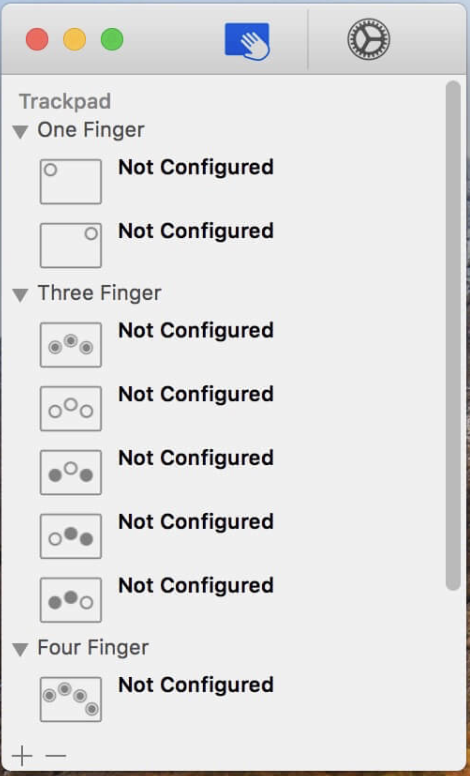
Download Multitouch for Mac 1.27.24
02 years

Name : Multitouch
Size : 11 MB
Multitouch for Mac free Download
Multitouch
Multitouch is an application designed to enhance the macOS user experience by allowing users to easily add custom actions to specific gestures performed on magic trackpads or magic mice. This tool enables the customization of actions tied to various gestures, providing users with the flexibility to optimize their workflow. By associating gestures with specific actions, users can streamline tasks, execute keyboard shortcuts, control browser tabs, perform middle mouse clicks, and more.
Key Features:
- Gesture Customization:
- Multitouch empowers users to customize actions associated with magic trackpad or magic mouse gestures. This enables the creation of a personalized and efficient user experience.
- Growing List of Gestures and Actions:
- The application offers a growing list of gestures and actions, providing users with a versatile set of options for enhancing their interactions with macOS.
- One-Time Purchase and Free Updates:
- Users can make a one-time purchase of Multitouch and receive free updates, ensuring access to the latest features and improvements over time.
- Privacy:
- The app prioritizes user privacy and does not gather any user data. This commitment to privacy enhances the user experience by ensuring data security.
- No Accessibility Privileges Required:
- Multitouch operates without requiring Accessibility privileges to run, simplifying the setup process for users.
What’s New:
- The release notes for version 1.27.24 were not available at the time of this update.
Compatibility:
Multitouch is compatible with macOS 10.15 or later, ensuring that users can seamlessly integrate it into their workflow on the latest operating systems.
Homepage:
For more information about Multitouch and its features, users can visit the official homepage.
Multitouch serves as a valuable tool for macOS users seeking to enhance their productivity and streamline interactions with magic trackpads and magic mice. With its customizable gestures and actions, along with a commitment to user privacy, the application provides a versatile and user-friendly solution for optimizing the macOS user experience.
Download Receipts for Mac 1.15
02 years

Name : Receipts
Size : 15 MB
Receipts for Mac free Download
Receipts: Invoices Management Tool Overview:
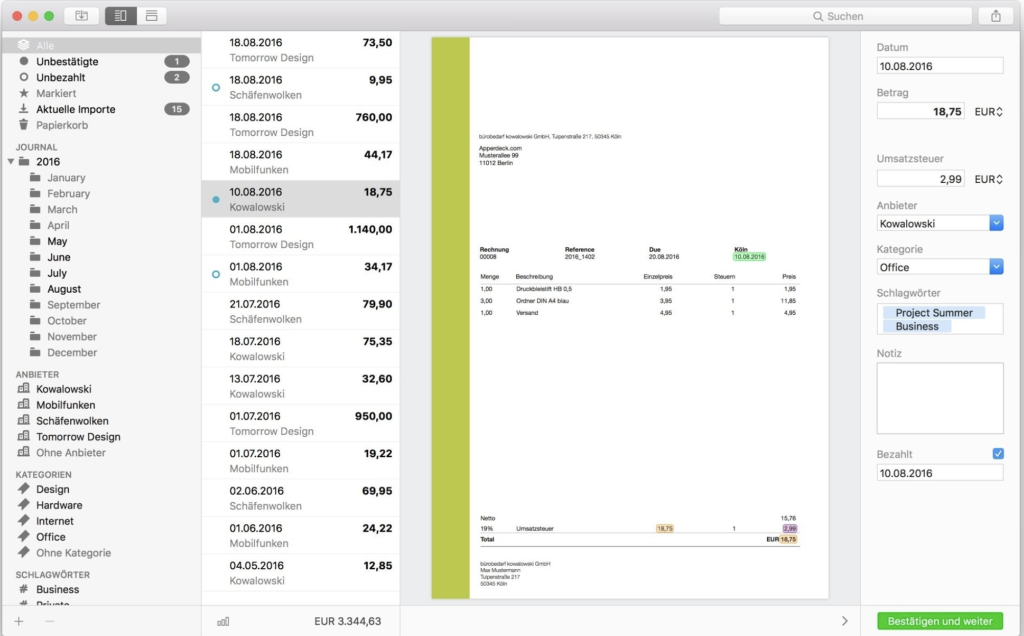
Receipts is an invoicing management tool designed to streamline the process of organizing and managing incoming invoices efficiently. This tool incorporates advanced features to simplify the handling of invoices, offering automatic detection of key details such as the invoice amount, date, declared sales tax, currency, and bank account information. Additionally, Receipts aids users in sorting entries by provider or category, providing an organized approach to invoice management.
Key Features:
- Automatic Recognition:
- Receipts automatically recognizes essential invoice details, including the gross amount, slip date, declared sales tax, currency, and bank account information.
- Smart Content Recognition:
- The smart content recognition feature identifies previously recorded providers automatically, ensuring accurate capture of recurring documents and proper assignment to the correct category.
- Classification:
- Efficient classification of documents is achieved through automatic recognition and organization by provider or category.
- Analysis and Visualization:
- Receipts offers visual representation of expenditures through bar graphs and pie charts in the dashboard. Users can analyze data by periods, providers, and categories to gain insights.
- Export Function:
- The export function allows users to analyze recorded data individually, providing flexibility and aiding in tax declaration.
Compatibility:
- Compatibility: macOS 10.11 or later
Homepage:
For more detailed information about Receipts and its features, users can visit the official homepage.
Receipts serves as a comprehensive tool for managing and organizing incoming invoices effectively. By automating the recognition of crucial invoice details and providing features for classification, analysis, and visualization, it aims to enhance the efficiency of the invoicing process. The ability to export data further contributes to a seamless experience in managing financial documents.
Download Navicat for MongoDB for Mac 16.3.4
02 years

Name : Navicat for MongoDB
Size : 184 MB
Navicat for MongoDB for Mac free Download
Navicat for MongoDB Overview:
Navicat for MongoDB is a robust graphical user interface (GUI) designed to facilitate the management, administration, and development of MongoDB databases. Offering connectivity to both local and remote MongoDB servers, the application is also compatible with MongoDB Atlas. With a comprehensive set of features, Navicat for MongoDB simplifies routine operations, making it easier to manage, monitor, query, and visualize MongoDB data.
Key Features:
- Database Management:
- Efficient GUI interface for MongoDB database management, providing users with the tools needed for various tasks.
- Server Connectivity:
- Connect to both local and remote MongoDB servers seamlessly, ensuring accessibility for different MongoDB environments.
- Compatibility with MongoDB Atlas:
- Compatibility with MongoDB Atlas, allowing users to connect to MongoDB Atlas instances for streamlined database management.
- Data Visualization:
- Visualize MongoDB data for better insights and understanding, enhancing the overall user experience.
- Monitoring Capabilities:
- Monitor MongoDB databases to ensure optimal performance and identify potential issues proactively.
- Querying Data:
- Perform advanced queries on MongoDB data, enabling users to extract specific information efficiently.
- Development Tools:
- Tools and features designed to enhance the development process for MongoDB databases.
Compatibility:
- Compatibility: macOS 10.14 or later
Note:
- The user may need to disable the System Integrity Protection (SIP) to perform certain actions in the application.
Homepage:
For more detailed information about Navicat for MongoDB and its features, users can visit the official homepage.
Navicat for MongoDB stands out as an effective GUI tool for MongoDB database management, offering a range of features for developers and administrators. With its compatibility with MongoDB Atlas and diverse capabilities, it aims to streamline routine MongoDB operations and enhance productivity in handling MongoDB databases.
Download Navicat for PostgreSQL Mac 16.3.4
02 years

Name : Navicat for PostgreSQL
Size : 63.73 MB
Navicat for PostgreSQL for Mac free Download
Navicat for PostgreSQL :
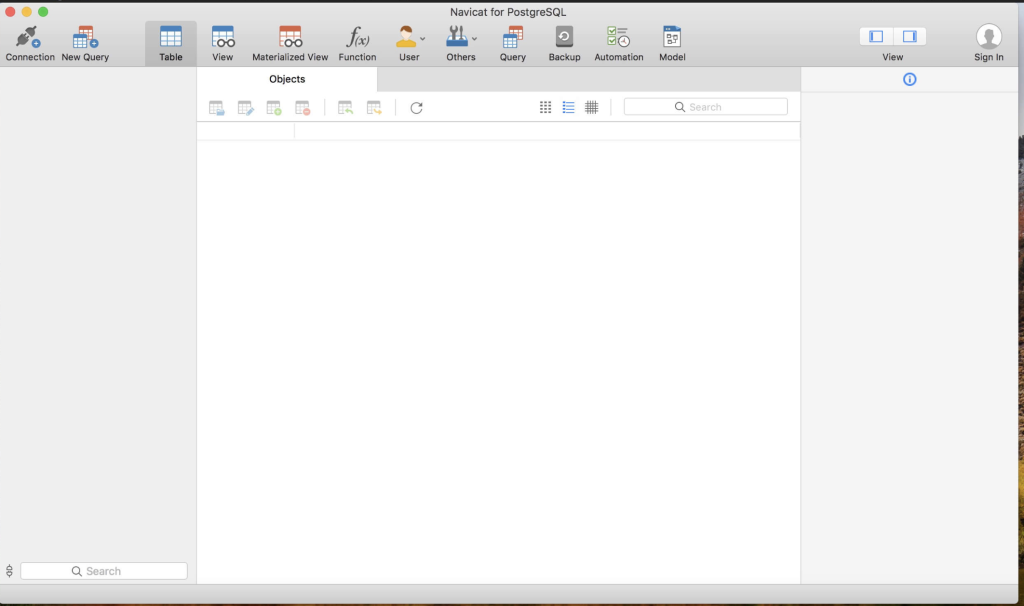
Navicat for PostgreSQL is a powerful and user-friendly graphical interface designed for managing and developing PostgreSQL databases. As a feature-rich solution, it caters to both professional developers and new users, offering extensive functionality to facilitate tasks such as creating database models, importing/exporting data, backing up databases, transferring data, executing queries, and managing both local and remote PostgreSQL servers.
Key Features:
- Graphical Interface:
- User-friendly graphical interface that simplifies database management and development tasks.
- Suitable for both professional developers and users new to PostgreSQL.
- Database Modeling:
- Advanced tools for creating and managing database models, allowing users to design and visualize their database structures.
- Data Import/Export:
- Efficiently import and export data between different databases, providing flexibility in managing data across platforms.
- Backup and Transfer:
- Robust backup and transfer capabilities for safeguarding data and transferring databases between servers.
- Query Execution:
- Create, execute, and optimize queries with ease, enabling users to interact with their PostgreSQL databases effectively.
- User and Privilege Management:
- Full-featured graphical manager for setting user accounts and access privileges, enhancing security and control over database access.
Compatibility:
- Compatibility: macOS 10.14 or later
Homepage:
For more detailed information about Navicat for PostgreSQL and its features, users can visit the official homepage.
Navicat for PostgreSQL stands out as a comprehensive PostgreSQL management and development tool with its blend of powerful features and user-friendly design. Whether for database modeling, data manipulation, or user privilege management, this graphical interface provides the necessary tools for users of varying levels of expertise in PostgreSQL.
Download Aiseesoft FoneTrans for Mac 9.2.28
02 years

Name : Aiseesoft FoneTrans
Size : 79 MB
Aiseesoft Fonetrans for Mac free Download
Aiseesoft Mac iOS Transfer 9.2.28
Aiseesoft Mac iOS Transfer is a software designed for managing and transferring content between Mac and iOS devices. It facilitates the transfer of contacts, photos, songs, videos, and more. Additionally, it offers features for editing playlists and podcasts, providing users with effective control over their digital content.
Key Features:
- Content Transfer:
- Transfer contacts, photos, songs, videos, and more between Mac and iOS devices.
- Playlist and Podcast Editing:
- Edit playlists and podcasts for effective content management.
What’s New in Version 9.2.28:
- Release notes for this version were not provided.
System Requirements:
- Compatibility: macOS 10.12 or later.
Homepage:
For more information about Aiseesoft Mac iOS Transfer 9.2.28 and to explore its features, you can visit the official homepage.
Aiseesoft Mac iOS Transfer aims to simplify the management of digital content between Mac and iOS devices. Users can conveniently transfer and edit various types of content, enhancing their control over the digital aspects of their iOS experience.
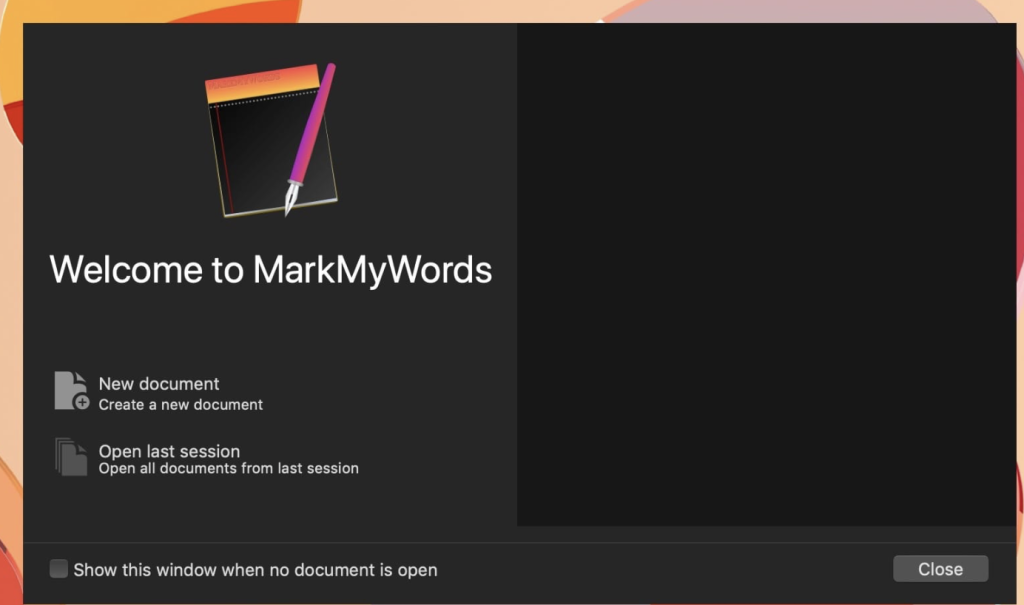
Download MarkMyWords for Mac 2.9.0
02 years

Name : MarkMyWords
Size : 8 MB
MarkMyWords for Mac free Download
MarkMyWords – Plain Text Editor with Markup Language Support
MarkMyWords is a versatile plain text editor designed for easy formatting and structuring of articles intended for web publication. It remains platform-independent by utilizing plain text documents and provides features to streamline the writing process.
Key Features:
- Markup Language Support:
- MarkMyWords supports a variety of markup languages, including BBCode, Markdown, MultiMarkdown, MarkdownExtra, Smark, Textile, and Wikitext.
- Live Preview:
- Live-preview of content with the ability to add custom CSS stylesheets for visualizing how the formatted output will appear on webpages.
- Text Templates and Markers:
- Use text templates and markers for quick text navigation, making it efficient to structure and organize content.
- Easy Import:
- Import text data easily from popular RSS readers and web browsers, streamlining the process of gathering information.
- Flexible Fullscreen Mode:
- Enjoy a flexible fullscreen mode for distraction-free writing and editing.
- Plugin System:
- MarkMyWords features a plugin system, allowing users to extend functionality based on their specific needs.
- Little Tricks:
- Includes various little tricks to enhance the writing task and improve user experience.
Compatibility:
- OS X 10.10 or later (64-bit)
Screenshots:
For a visual preview of MarkMyWords, you can visit the official homepage.
MarkMyWords offers writers a platform-independent solution with support for popular markup languages, live preview, and additional features to streamline the creation of content for the web.