Free Macsoftware One click Download
Utility
Download PullTube for Mac 1.8.5.24
02 years

Name : PullTube
Size : 119 MB
PullTube for Mac free Download
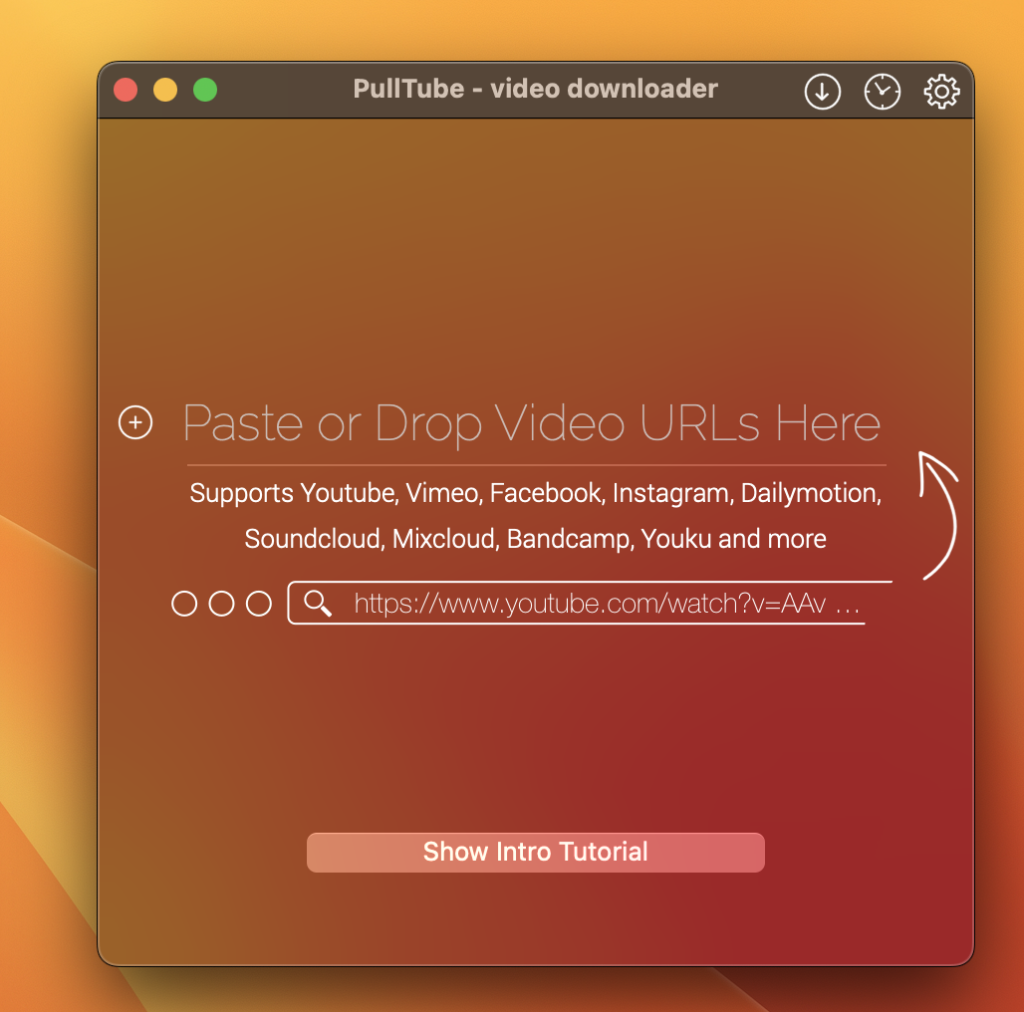
PullTube is an elegant online video downloader designed for Mac users. It streamlines the process of downloading videos from popular platforms like YouTube or Vimeo, offering control over output quality and the option to extract audio to MP3 or M4A files. The application supports videos of various durations and sizes, and users can monitor the download progress within the main window. Additionally, PullTube integrates with the Notification Center to provide completion alerts.
Key Features:
- Video Download:
- Download videos from YouTube and Vimeo.
- Support for additional platforms based on user requests.
- Quality Options:
- Download videos in 4K, HD, and 60fps formats.
- Video to Audio Conversion:
- Convert and save videos to MP3 and M4A audio formats.
- User-Friendly Interface:
- Beautiful and flexible dark user interface.
- Streamlined workflow for a quick downloading experience.
- Notification Integration:
- Receive completion alerts through the Notification Center.
What’s New in Version 1.8.5.24:
- Release notes were unavailable when this listing was updated.
System Requirements:
- macOS 10.12 or later.
Language:
- Multilingual.
Homepage:
Download Notebooks for Mac 3.3.5
02 years
Name : Notebooks
Size : 18 MB
Notebooks for Mac free Download
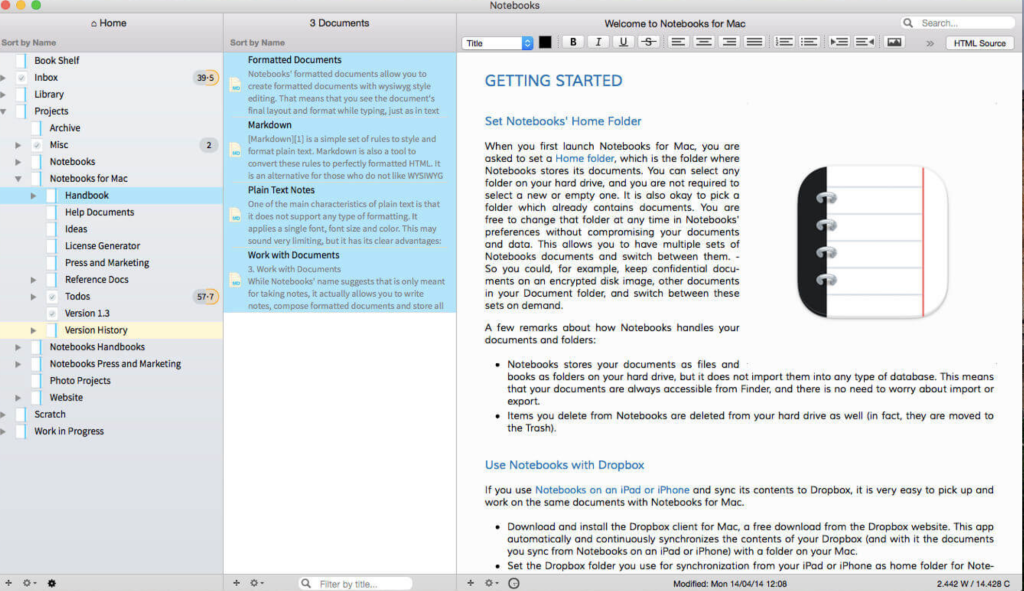
Notebooks is a versatile application designed for creating, storing, and organizing various types of documents, including journals, ideas, notes, drafts, stories, diaries, projects, task lists, and more. It serves as a comprehensive repository for users to structure their details of life, offering a distraction-free writing environment for both plain text and formatted documents.
Key Features:
- Document Creation and Formatting:
- Create formatted documents with styles and embedded photos.
- Support for plain text notes and Markdown formatting.
- Distraction-free writing environment.
- Multifunctional Storage:
- Store and display almost any type of document, including plain text, formatted text, PDF, web pages, MS Office documents, photos, videos, music, and more.
- Organize documents in a structured manner.
- Task Lists and Project Organization:
- Keep task lists and mark off completed to-dos.
- Organize projects into nested sub-projects for better management.
- Cross-Platform Syncing:
- Share files with mobile versions of Notebooks on iPad and iPhone.
- Synchronize with Dropbox and many WebDAV servers.
- File Storage and Access:
- Store documents as regular files on the computer’s hard drive.
- Access documents through Finder and edit with other applications.
System Requirements:
- macOS 10.12 or later.
Homepage:
Note: Users may need to disable the System Integrity Protection (SIP) to perform certain functions within the application.
Download OmniGraffle Pro for Mac 7.22.5
02 years

Name :OmniGraffle Pro
Size : 62 MB
OminiGraffle Pro for Mac Free Download
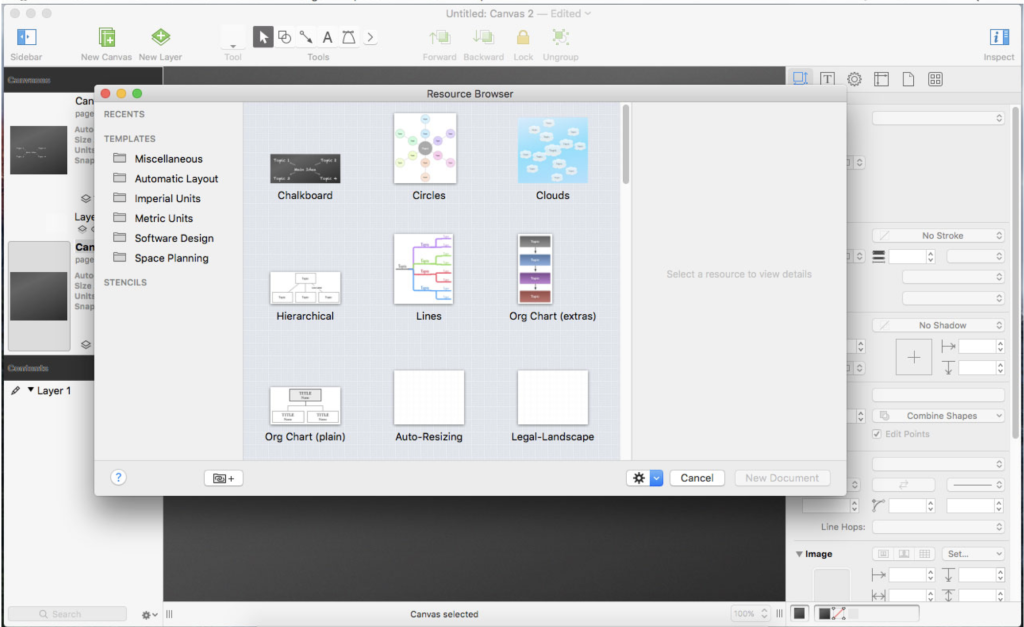
OmniGraffle Pro is a versatile application designed for drawing diagrams, family trees, flowcharts, org charts, layouts, and various types of graphs. It provides a powerful toolset for creating and editing advanced documents. Users can utilize OmniGraffle Pro to plan plotlines, create operating system overviews, illustrate the evolution of computers, and visualize the spread of diseases in closed populations. It is a comprehensive tool for organizing thoughts, projects, and visualizing complex relationships using boxes and lines.
Key Features:
- Diagramming and Graph Creation:
- Create beautiful diagrams, family trees, flowcharts, org charts, and more.
- Support for directed or non-directed graphs.
- Advanced Document Creation (Pro Version Exclusive):
- Additional tools and features for in-depth diagramming.
- Tailored for professional users who require advanced document creation and editing options.
- Versatility:
- Suitable for organizing thoughts, projects, and relationships graphically.
- Used for planning plotlines, illustrating operating system overviews, and more.
Compatibility:
- macOS 10.10 or later, 64-bit processor.
Homepage:
Note: Users are encouraged to check the official OmniGroup website for the latest information and updates.
Wondershare PDFelement Pro 10.2.7.6248 (OCR)
02 years

Name : Wondershare PDFelement Pro
Size : 753 MB
Wondershare PDFelement Pro for Mac Free Download
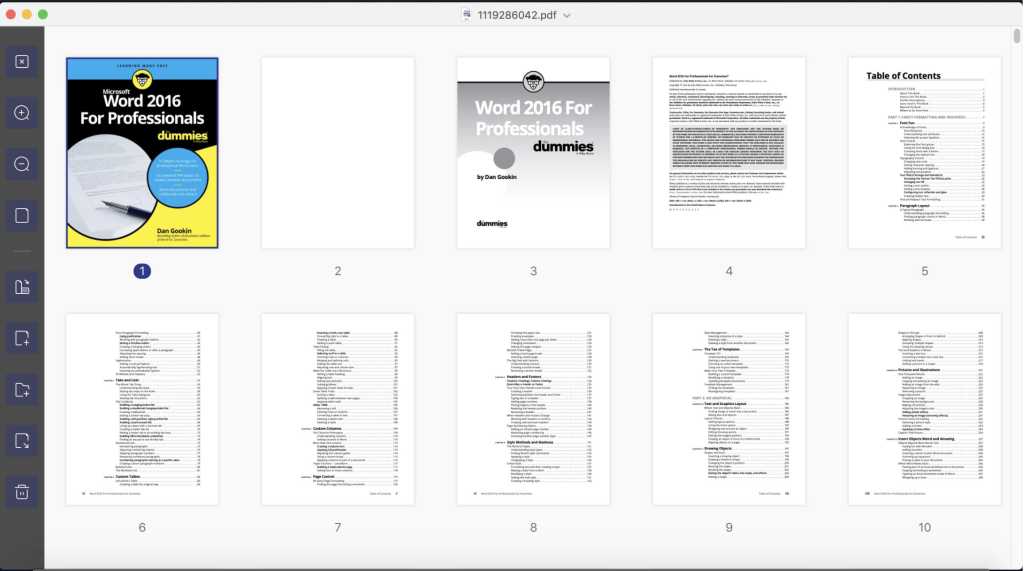
PDFelement is a versatile application designed to simplify the creation, editing, conversion, and signing of PDF documents. The latest version, PDFelement 8, introduces a redesigned user interface, enhanced writing tools, advanced collaboration features, powerful conversion tools, a user management console, and more. This tool is available in both standard and Pro versions, with the Pro version offering additional features like OCR, form creation, PDF merging, advanced batch processing, Bates numbering, and redaction.
Key Features:
- OCR (Pro Version Exclusive):
- Optical Character Recognition (OCR) for editing and converting characters in scanned PDF files or images.
- Supports recognition of 29 languages.
- Create & Sign Forms (Pro Version Exclusive):
- Create fillable PDF forms with interactive field objects.
- Add digital signatures to forms.
- Merge PDF (Pro Version Exclusive):
- Combine different format files into a new PDF document.
- Convert PDF (Pro Version Exclusive):
- Convert PDF files to various output formats like EPUB, HTML, Text, and RTF.
- PDF/A (Pro Version Exclusive):
- Supports PDF/A as an available output format for long-term archiving, complying with ISO standards.
- Batch Processing of PDF Files (Pro Version Exclusive):
- Process PDFs in batches.
- Add backgrounds, watermarks, headers, and footers in batches.
- Bates Numbering (Pro Version Exclusive):
- Apply Bates numbering with advanced formatting.
- Redact PDF (Pro Version Exclusive):
- Redact sensitive text and images in PDFs.
What’s New in Version 10.2.7.6248 (OCR):
- Detailed release notes were unavailable when this listing was updated.
Compatibility:
- macOS 10.15 or later.
Homepage:
Note: Users are encouraged to check the official Wondershare website for the latest information and updates.
Download MacLoggerDX for Mac 6.49
02 years

Name : MacLoggerDX
Size : 57.6 MB
MacLoggerDX for Mac free Download
MacLoggerDX is a comprehensive application designed for organizing, filtering, and managing spots from your favorite DX Cluster for DXing, contesting, or casual rag-chewing. It supports nearly a hundred radios, automatically tuning to the spots you are interested in, helping you swing your beam around. The application alerts you to rare contacts, band openings, and provides features for looking up, displaying on 2D, 3D, and Satellite Maps, as well as logging your contacts to a fast SQL database. With features such as awards tracking, band activity display, schedules, memories, QSL generation, ADIF import/export, Club Log integration, eQSL, LoTW confirmations, and more, MacLoggerDX is a versatile tool for amateur radio enthusiasts.
Key Features:
- DXCluster Spot Management:
- Organize and filter spots from your favorite DX Cluster for DXing, contesting, or casual communication.
- Radio Support:
- Supports close to a hundred radios, automatically tuning to the spots you are interested in.
- Alerts and Notifications:
- Provides alerts for rare contacts, band openings, and other specified conditions.
- Mapping and Logging:
- Displays spots on 2D, 3D, and Satellite Maps and logs your contacts to a super-fast SQL database.
- Propagation Display:
- 2D and 3D display of DX Cluster propagation by band, aiding in understanding radio wave conditions.
- Awards Tracking:
- Tracks awards, band activity, schedules, memories, QSL generation, and more.
- Data Export and Import:
- Exports and imports ADIF files, supports Cabrillo files, and offers ADIF 3.0 compatibility.
- Club Log Integration:
- Integrated Real-Time Club Log QSO upload and support for other services like eQSL and LoTW.
- Automation and Scripting:
- AppleScriptable, allowing automation of various tasks.
- QRZ XML Support:
- Supports QRZ XML, HamCall, HamQTH, QRZCQ, and WM7D Call Books.
- Contest Helper:
- Contest Helper with features like call completion, by-band dupe checking, and more.
- Radio Control:
- Rig control and memory scanning capabilities.
- Compatibility:
- Requires OS X 10.6.8+ and Intel 64-bit Processor. Ready for Yosemite.
Version 5.57 Updates:
- Ready for Yosemite.
- Added SKCC to Log, ADIF, and Reports. Log updated to v6 db.
- Support for QRZ XML Secondary Calls (OS X 10.9+).
- Support for K9JM CI-V Router.
- Support for Kenwood TS-590SG.
- Various bug fixes and improvements.
Homepage:
Download Micromat Lifespan for Mac 2.0.2
02 years

Name : Micromat Lifespan
Size : 17.2 MB
Micromat Lifespan for Mac free Download
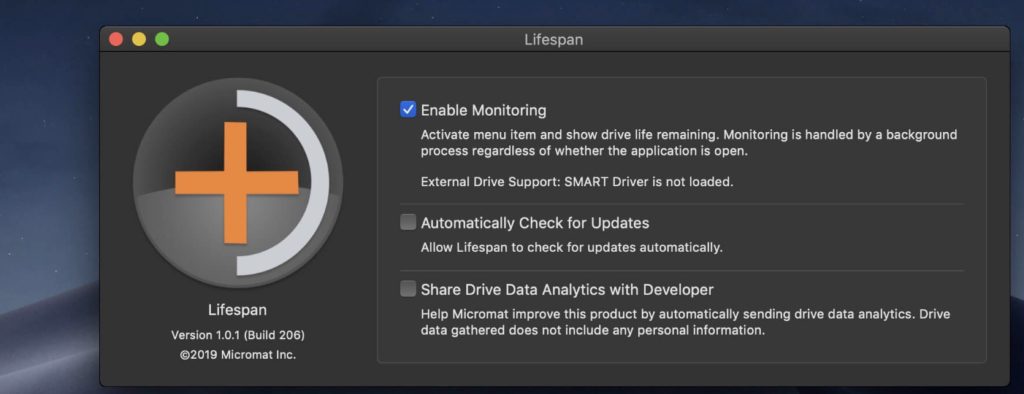
Lifespan is a macOS Menu Bar application designed to monitor the remaining useful life of flash-based storage devices. As the use and reliance on flash-based storage increase, understanding the remaining lifespan of these devices becomes crucial. Flash-based storage, such as solid-state drives (SSDs), has a finite life, and once it exceeds this lifespan, performance degradation or complete failure may occur. Lifespan helps users track and be aware of the available life remaining on their flash-based storage devices.
Key Features:
- Flash-Based Storage Monitoring:
- Monitors the remaining useful life for flash-based storage devices, especially SSDs.
- NAND Solid State Memory:
- Tracks the program erase cycles (p/e cycles) of non-volatile NAND solid-state memory used in flash-based storage.
- Life Expectancy:
- Flash-based storage devices have a limited number of program erase cycles, and Lifespan helps users estimate the remaining useful life.
- Drive Variability:
- Takes into account the variability in program erase cycles based on the type and quality of NAND chips used in the flash-based storage.
- Middle of the Road SSD:
- Provides estimates, and for a typical solid-state drive, this translates to about 100 TB of useful life.
- Alerts and Notifications:
- Displays current life usage and alerts users when the device is approaching or falls below the threshold of useful life remaining.
- Data Safety:
- Helps users make informed decisions about retiring flash-based storage devices before the risk of data loss becomes likely.
Compatibility:
- Mac OS X 10.10 or greater, including macOS 10.15 ‘Catalina.’
Homepage:
Download Slidepad for Mac 1.4.7
02 years

Name : Slidepad
Size : 13 MB
Slidepad for Mac free Download
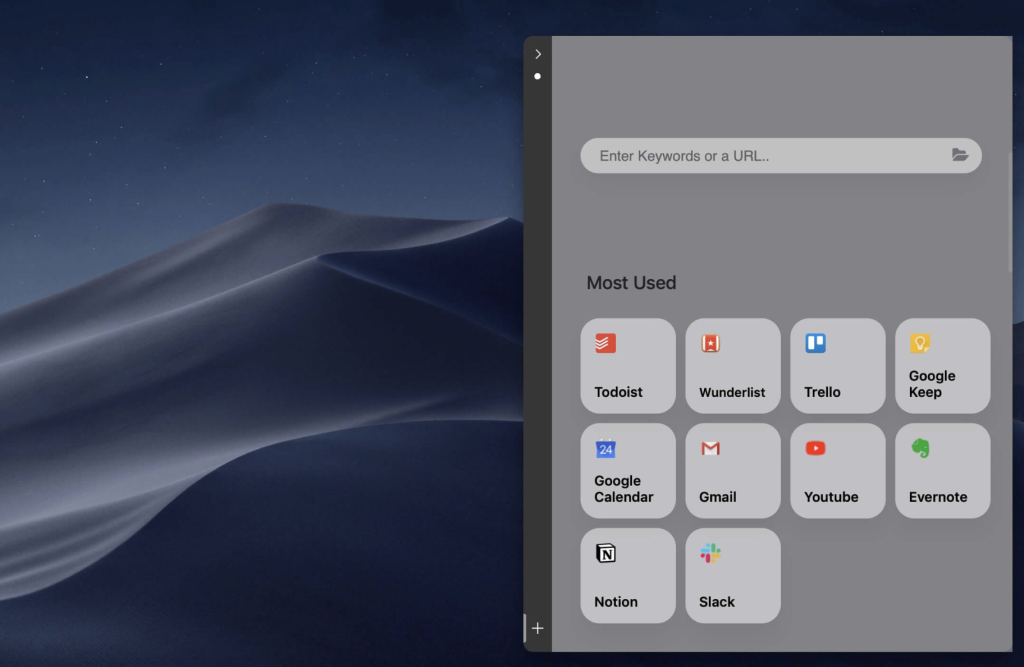
Slidepad is a productivity application that brings an iPad-style slide-over window to your web apps on macOS. Developed to simplify multitasking and streamline the process of accessing different web apps, Slidepad allows users to create an iPad-style window that can be easily slid in and out, reducing the hassle of switching between multiple browser tabs. The app offers a simple sidebar for quick app switching, an omnibox for opening various content types, and additional features to enhance the overall user experience.
Key Features:
- iPad-Style Slide Over Window:
- Introduces an iPad-style multitasking window for web apps on macOS.
- Smooth slide-in and slide-out functionality, similar to using the dock.
- Simple Sidebar for App Switching:
- Features a minimal-style sidebar for quick switching between different web apps.
- Provides a more straightforward approach compared to traditional tabs.
- Omnibox for Versatile Content:
- An omnibox allows users to type keywords, URLs, or any content similar to common browsers.
- No limitations on the type of content that can be placed on Slidepad.
- Additional Features:
- Minimal-style sidebar design for a clean interface.
- Corner snapping for improved user experience.
- Developer tool support enabled.
- Customizable sound settings.
- Mobile/Desktop user-agent switching.
- Display badge for new notifications.
- Live notification toggling.
- Multi-screen support.
- Drag-and-drop support.
- Picture in Picture (PiP) support.
- Quick Look icon support.
- Dark theme support (macOS 10.14 and later).
- Global keyboard shortcut support.
Compatibility:
- macOS 10.13.4 or later.
Homepage:
Slidepad aims to enhance the macOS user experience by introducing an intuitive slide-over window concept for web apps. The app’s features, including the simple sidebar, omnibox, and additional customization options, provide users with a convenient and efficient way to manage and access their web applications.
Download Dash for Mac v- 7.2.1
02 years

Name : Dash
Size : 21 MB
Dash for Mac free Download
Dash Overview:
Dash is a versatile tool serving as both an API Documentation Browser and Code Snippet Manager. It aids users in storing and managing code snippets while offering instant search and navigation through documentation for a wide range of APIs. With support for offline documentation and numerous features for developers, Dash aims to streamline coding workflows.
Documentation Browser Features:
- Offline Documentation:
- Access offline documentation for various platforms and languages, including iOS, OS X, Swift, Java, Python, JavaScript, and many more.
- API Support:
- Provides documentation for an extensive list of APIs, covering web development, programming languages, frameworks, and more.
- Offline Availability:
- Access documentation without an internet connection, ensuring availability even in offline environments.
- Highlighted Search:
- Perform in-page searches with highlighted results for quick navigation.
- Bookmarks and Profiles:
- Save bookmarks for frequently used documentation pages.
- Create search profiles to switch between docsets easily.
- Integration Plugins:
- Integrated with various development tools and applications, including Xcode, Sublime Text, Atom, Eclipse, and more.
- Search Filters:
- Define keyword filters to search specific docsets, enhancing search precision.
- Integration with Other Apps:
- Support for integration with applications using the “dash://” URL scheme or the “Look up in Dash” system service.
- Remote Screen for iOS:
- Use Dash for iOS to turn an iOS device into a remote screen dedicated to documentation.
- Annotation Support:
- Annotate documentation pages and view public annotations for collaboration.
Snippet Manager Features:
- Code Snippet Collection:
- Collect and manage snippets of code that are frequently reused.
- Syncing with Dropbox:
- Sync the snippet library using Dropbox for seamless access across devices.
- Syntax Highlighting:
- Supports over 80 syntaxes for code highlighting.
- Variable Placeholders:
- Edit variable placeholders before pasting to customize snippets.
- Abbreviation Expansion:
- Expand abbreviations wherever they are typed for efficient coding.
- Special Snippet Placeholders:
- Includes placeholders like @clipboard, @cursor, @date, and @time for dynamic snippet insertion.
- Fuzzy Search:
- Utilizes fuzzy search to accommodate for misspellings during searches.
- Retina-Ready and Multi-Touch:
- Provides a high-resolution Retina display and supports multi-touch gestures.
Compatibility:
- macOS 10.14 or later (64-bit).
What’s New in Version 7.2.1:
- Release notes were unavailable at the time of the update.
Homepage:
Dash offers a comprehensive solution for developers, providing quick access to offline documentation and efficient management of reusable code snippets. With a user-friendly interface and integration support with popular development tools, Dash is designed to enhance productivity in coding tasks.
Download 2Do for Mac 2.8.5
02 years

Name : 2Do
Size : 63 MB
2Do for Mac free Download
2Do is a task management application designed to offer users a flexible and powerful approach to managing their tasks, checklists, and projects. With a user-friendly interface and a comprehensive set of features, 2Do aims to provide a versatile task management solution without enforcing a specific methodology. Here are some key features and information about 2Do:
- Task Management:
- Create simple tasks, checklists, and projects with sub-tasks.
- Tasks can include notes, attachments, and multiple alarms.
- Set tasks to repeat with flexible options.
- Lists and Smart Lists:
- Create multiple lists to organize tasks.
- Smart Lists allow users to customize views based on search options, filters, and presets.
- Focus lists provide convenient views of upcoming, starred, or scheduled tasks.
- Project View:
- Quickly focus on projects and their sub-tasks.
- Access project view directly from the list view or using keyboard shortcuts.
- Apply focus filters and sort options separately to individual projects.
- Tags:
- Manage tags within tag groups.
- Assign tags to tasks and leverage integration with Smart Lists for filtering.
- Easily find used vs. unused tags.
- Locations:
- Create, edit, and assign locations to tasks.
- Use locations to create powerful Smart Lists.
- Sync:
- Stay in sync across multiple Macs and devices using various sync methods: Dropbox, Reminders (CalDAV), 3rd Party CalDAV Servers (iCal, Fruux, ownCloud), or Toodledo.
- Supports automatic background sync for Dropbox, Reminders (CalDAV), and CalDAV.
- Quick Entry:
- Save thoughts quickly using a global hotkey.
- Add tasks from any app or any space.
- Quick Look:
- Preview tasks using Quick Look similar to Finder or other OS X apps.
- Alarms and Notifications:
- Set up alarms for tasks to receive notifications.
- Supports Notification Center and a built-in notification system.
- Password Protection:
- Protect individual lists or the entire app with a single click using password protection.
- Automatic Backups:
- Periodic automatic backups are created for user data.
- Backups can be transferred between machines or between the Mac and iOS versions of 2Do.
- Fluid Interface:
- Fast adding and editing of tasks using in-place editors and popovers.
- Supports both mouse users with shortcuts and keyboard power-users with dozens of keyboard shortcuts.
- Compatibility:
- 2Do is compatible with macOS 10.10 or later.
In summary, 2Do is a feature-rich task management application that offers users flexibility in managing tasks, projects, and checklists. It includes advanced features such as Smart Lists, tags, locations, sync options, quick entry, password protection, and more. The application is designed to be fast, user-friendly, and customizable, making it suitable for a variety of task management needs.
Download SponsorBlock for YouTube for Mac 5.5.2
02 years

Name : SponsorBlock for YouTube
Size : 5 MB
SponsorBlock for YouTube Mac Free Download
SponsorBlock is a crowdsourced browser extension designed to enhance the YouTube viewing experience by allowing users to skip over unwanted segments in videos. It provides a community-driven platform where users can contribute information about the start and end times of sponsors, intros, outros, subscription reminders, and other potentially annoying parts of YouTube videos. Here are some key features and information about SponsorBlock:
- Segment Skipping:
- SponsorBlock enables users to skip over specific segments of YouTube videos, including sponsors, intros, outros, and other non-music sections. This helps users quickly bypass content they may find less interesting or repetitive.
- Crowdsourced Data:
- The extension relies on crowdsourced data, allowing users to submit information about the time stamps for various segments in YouTube videos. Once submitted, this data becomes available to other users who have the extension installed.
- Community Contribution:
- Users are encouraged to contribute by submitting the start and end times of sponsored segments and other segments in YouTube videos. This collaborative effort ensures that the extension’s database remains comprehensive and up-to-date.
- Improved Viewing Experience:
- By utilizing SponsorBlock, users can have a more streamlined and enjoyable viewing experience on YouTube, as they have the option to skip parts of videos that may not be of interest to them.
- Compatibility:
- SponsorBlock is compatible with macOS 10.14.6 or later.
- Mac App Store:
- Users can find SponsorBlock on the Mac App Store, making it easy to download and install on their macOS devices.
In summary, SponsorBlock is a browser extension that enhances the YouTube viewing experience by allowing users to skip over unwanted segments in videos. The extension relies on crowdsourced data, and users can contribute information about the time stamps for various segments. This collaborative effort ensures that the extension remains effective in skipping over specific parts of YouTube videos. SponsorBlock is available on the Mac App Store for users running macOS 10.14.6 or later.