Free Macsoftware One click Download
Utility
Download SponsorBlock for YouTube Mac 5.5.5
02 years

Name : SponsorBlock for YouTube
Size : 5 MB
SponsorBlock for YouTube for Mac free Download
SponsorBlock is a convenient browser extension designed to alleviate the frustration of sitting through unwanted sections of YouTube videos. Whether it’s sponsors, intros, outros, subscription reminders, or non-music sections of music videos, SponsorBlock empowers users to skip directly to the content they want to watch.
Key Features:
- Skip Unwanted Segments: Easily bypass sponsors, intros, outros, subscription reminders, and more.
- Crowdsourced Data: Utilizes crowdsourced data to identify and skip over unwanted segments of YouTube videos.
- Collaborative Extension: Users can submit start and end times for sponsored segments and other sections of videos, benefiting the entire community of users.
- Music Video Support: Skip non-music sections of music videos to focus on the content you enjoy.
Compatibility: macOS 10.14.6 or later
By harnessing the power of crowdsourcing, SponsorBlock provides a seamless solution for skipping over unwanted parts of YouTube videos, enhancing your viewing experience and saving you valuable time. With SponsorBlock, you can enjoy your favorite content without interruptions or distractions.
Download Valentina Studio Pro for Mac 13.9
02 years

Name : Valentina Studio Pro
Size : 167 MB
Valentina Studio Pro for Mac free Download
Valentina Studio: The Ultimate Database Management Tool
Valentina Studio is a comprehensive data management tool designed for database administrators. Packed with a wide array of features, it offers powerful database administration tools to streamline your workflow. With the option to upgrade to Valentina Studio Pro, you can unlock advanced data modeling tools, report design capabilities, and more.
Key Features:
- Schema Editor:
- Create and modify all schema objects including tables, views, fields, constraints, triggers, and more.
- Utilize tree view and column view for easy navigation and editing.
- Diagram Editor:
- Design new diagrams or perform reverse engineering to explore existing databases visually.
- Visualize database structures and relationships for better understanding.
- Data Editor:
- Browse table records, modify data, and perform inline edits with ease.
- Sort, filter, and preview images directly within the editor.
- Related Data Editor:
- Manage linked records between two tables effortlessly.
- Perform set operations over linked records with a few clicks.
- SQL Editor:
- Write and execute SQL queries with syntax highlighting, auto-completion, and error reporting.
- Access recent and saved favorite queries for quick reference.
- Query Editor:
- Build SQL queries visually using intuitive controls.
- Create complex queries with just a few mouse clicks.
- Server Admin:
- Manage users, logs, and server parameters conveniently from one interface.
- Additional Utilities:
- Import/export data, diagnose issues, clone databases, and more.
- Open multiple editors simultaneously for different databases/servers.
Valentina Studio Pro Features (In-App Purchase):
- Report Editor: Design and edit Valentina Reports with support for various datasources.
- Form Editor: Create and customize Valentina Forms for enhanced data visualization.
- Data Editor Enhancements: Go to parent record function, multiple update, and layout customization.
- Data Transfer: Copy data between different databases seamlessly.
- And many more advanced features for power users.
Compatibility: macOS 10.13 or later
Mac App Store: Valentina Studio on Mac App Store
Valentina Studio is your go-to solution for efficient and comprehensive database management on macOS. Whether you’re a beginner or an experienced database administrator, Valentina Studio’s intuitive interface and powerful tools will help you streamline your workflow and optimize your database operations.
Download Pocket cleaner Pro for Mac 1.6.2
02 years

Name : Pocket cleaner Pro
Size : 7 MB
Pocket cleaner Pro for Mac free Download
Pocket Cleaner Pro: Your Disk Cleanup Toolkit
Pocket Cleaner Pro is the ultimate application for efficiently cleaning up disk space on your Mac by removing unneeded junk files. Equipped with a comprehensive Toolkit, it offers a range of features to streamline the cleanup process and optimize your Mac’s performance.
Key Features:
1. Uninstaller Tool:
- Completely remove applications and associated leftover files.
- Ensure thorough cleanup of apps that were incorrectly removed in the past.
2. Disk Cleanup Toolkit:
- Delete application remainder files left behind by previously removed apps.
- Clear application cache files to speed up application performance and free up disk space.
- Remove application logs files to eliminate unnecessary clutter.
- Find and delete installation package files that are no longer needed.
- Clean up mail attachments stored on your disk after opening emails.
- Clear browsers’ data such as cookies and caches to reclaim disk space.
- Identify and remove unnecessary screenshots.
- Scan files and quickly select and delete those that are no longer needed.
3. Uninstaller:
- Remove installed applications directly from a list or by drag-and-drop.
- Easily delete applications that have not been used for a long time.
- Reset applications to their initial state for cleanup or troubleshooting purposes.
4. Unwanted Files Finder:
- Preview files in various categories, including apps, archives, documents, pictures, movies, music, and packages.
- Sort files by size or last open date for efficient cleanup.
- Permanently remove or move files to the Trash as needed.
Compatibility: macOS 10.12 or later
Mac App Store: Pocket Cleaner Pro on Mac App Store
Pocket Cleaner Pro is your go-to solution for optimizing disk space on your Mac and keeping it running smoothly. With its intuitive interface and powerful cleaning capabilities, it ensures that your Mac remains clutter-free and performs at its best.
Download Wirecast Pro for Mac 16.2.0
02 years

Name : Wirecast Pro
Size : 626 MB
Wirecast Pro for Mac free Download
Wirecast: Professional Live Streaming Production
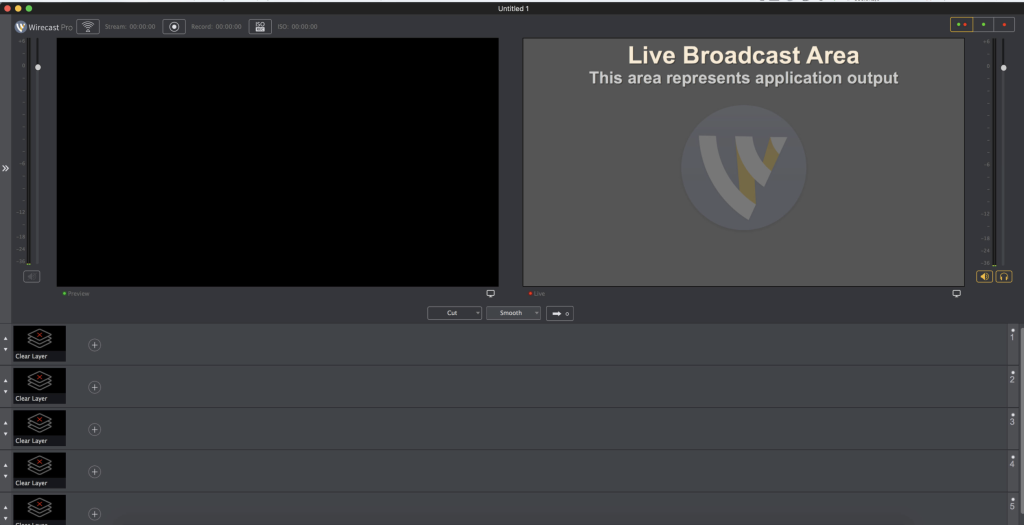
Wirecast is a comprehensive live streaming production application designed to capture, encode, and broadcast video to multiple servers and platforms simultaneously. With support for various camera inputs and advanced compositing features, Wirecast empowers users to create high-quality live streams for a wide range of purposes.
Key Features:
- Multi-Camera Support:
- Wirecast allows users to connect an unlimited number of camera inputs, including webcams, SDI cameras, IP cameras, and wireless devices. Simply plug in the device, and Wirecast will automatically recognize it as a live feed.
- Live Compositing:
- With support for up to 35 layers of live compositing, users can overlay watermarks, background music, titles, and lower thirds to enhance their live broadcasts.
- Professional Titles and Transitions:
- Access over 30 built-in broadcast title themes to add professional-looking titles and lower thirds to your live stream. Wirecast also offers real-time transition and effect generation for seamless transitions between scenes.
- Green and Blue Screen Support:
- Wirecast features a built-in GPU-accelerated green and blue screen solution, allowing users to create high-quality chroma key effects for dynamic backgrounds.
- MPEG-4 Video Streaming:
- Generate fully ISO-compliant MPEG-4 video streams for compatibility with a wide range of devices and platforms.
- Core Image Filter Library:
- Utilize Wirecast’s GPU-accelerated Core Image filter and transition library to enhance your live streams with a variety of visual effects and filters.
- Keynote Integration:
- Seamlessly integrate Keynote presentations into your live stream for dynamic presentations and demonstrations.
- H.264 Video Codec Support:
- Wirecast supports the H.264 video codec, ensuring high-quality video encoding and playback for your live streams.
Compatibility:
- Wirecast is compatible with macOS 11.0 or later, providing support for the latest Mac operating systems and hardware.
Homepage:
- Visit the Wirecast homepage to learn more about its features, download the application, and start creating professional live streams for your audience.
Download Moom for Mac 3.2.26
02 years
by Jameskarke
in Utility

Name : Moom
Size : 9 MB
Moom for Mac free Download
Moom: Effortless Window Management for macOS
Overview:
Moom revolutionizes window management on macOS, offering a seamless experience for moving, resizing, and arranging windows with ease. Whether you prefer mouse gestures or keyboard shortcuts, Moom provides intuitive controls to optimize your workspace.
Key Features:
- Preset Size/Location Options:
- Hover over the green button on any window and choose from five preset size and location options presented in a convenient pop-up palette.
- Grid-Based Window Sizing:
- Utilize a grid system to precisely “draw” a window’s desired size and location on your display, ensuring accuracy and consistency.
- Custom Controls:
- Define custom controls to perform various window management tasks, including moving, zooming, centering, resizing, and more, tailored to your specific workflow.
- Chain Custom Controls:
- Combine multiple custom controls into sequences to execute complex window management actions with a single click or keystroke.
- Save Window Layouts:
- Save window layouts to preserve your preferred arrangement, making it easy to recreate your workspace configuration at any time.
- Automatic Layout Activation:
- Automatically activate saved window layouts in response to changes in monitor configuration, such as disconnecting from an external display or reconnecting your laptop.
- Keyboard Mode:
- Perform all window management tasks using keyboard shortcuts, eliminating the need to rely on mouse interactions for efficient workflow optimization.
Benefits:
- Enhanced Productivity: Streamline your workflow and maximize productivity by effortlessly organizing and managing your windows.
- Customization: Tailor Moom’s controls and presets to suit your unique preferences and workflow requirements.
- Consistency: Maintain consistency in your workspace layout by saving and quickly accessing preferred window arrangements.
- Seamless Integration: Enjoy seamless integration with macOS, ensuring a smooth and intuitive user experience across your Mac devices.
Compatibility:
- Moom is compatible with macOS 10.13 or later, providing broad accessibility and support for a wide range of Mac systems.
Homepage:
- Visit the Moom homepage to learn more about its features, download the application, and enhance your window management experience on macOS.
Download Coming soon for Mac 3.20
02 years

Name : Coming soon
Size : 6 MB
Coming Soon for Mac free Download
Coming Soon – Movie Release Information App
Overview:
“Coming Soon” is a comprehensive macOS application that provides users with the latest information on upcoming movie releases. Whether you’re a movie enthusiast, a critic, or simply looking for entertainment options, this app offers a range of features to keep you informed about upcoming releases.
Key Features:
- Movies Calendar:
- Access a calendar view of upcoming movie releases, allowing users to plan their movie-watching schedules in advance.
- Movie Details:
- View detailed information about each movie, including plot summaries, genres, release dates, and more.
- Movie Trailers:
- Watch trailers for upcoming movies directly within the app, giving users a sneak peek into what to expect.
- Movie Photos:
- Browse through a collection of movie photos, including promotional images, posters, and stills.
- Movie Releases by Country and Type:
- Filter movie releases based on country and type (e.g., genre, language), making it easier to find movies of interest.
- Crew and Casts:
- Explore information about the cast and crew involved in each movie, including actors, directors, producers, and more.
- Search Functionality:
- Search for specific movies, genres, actors, or directors to quickly find relevant information.
- Person Details:
- Access detailed profiles of individuals involved in the movie industry, including biographical information, filmography, awards, and more.
- IMDB Rating:
- View IMDB ratings for movies, providing users with an indication of the overall quality and popularity of each film.
System Requirements:
- macOS 10.15 or later.
Homepage:
“Coming Soon” offers a user-friendly interface and a wealth of information to help users stay up-to-date with the latest movie releases and related details. Whether you’re planning a movie night or simply curious about upcoming releases, this app has you covered.

Download iStat Menus 6.73 for Mac (1238)
02 years

Name : iStat Menus
Size : 27.13 MB
iStat Menus for Mac free Download
iStat Menus Overview:
iStat Menus is a comprehensive system monitoring tool that provides users with real-time insights into various aspects of their Mac system directly from the menu bar. With eight menu extras, users can monitor CPU, GPU, memory, network activity, disk usage, sensor readings, date and time, battery status, and more.
Key Features:
- New Design:
- iStat Menus 6 features a redesigned interface with new menu bar icons, dropdown menus, and overall cleaner design to blend seamlessly with macOS Yosemite and later versions.
- Per-App Stats:
- Track read and write disk activity on a per-app basis.
- Monitor upload and download activity per app for better bandwidth management.
- Expanded Stats:
- Detailed network information, including router address, subnet mask, DNS, and MAC address.
- Wi-Fi stats such as channel, signal-to-noise ratio, and more.
- Improved GPU monitoring with active GPU displayed in the menu bar.
- Time & World Clocks:
- Enhanced time menu with sunrise, noon, sunset, dawn, dusk, sun azimuth, sun altitude, and light map for over 120,000 cities.
- Daylight indication on the clock face with fading near sunrise and sunset.
- Localization:
- Menubar and dropdown menus localized for over 30 languages.
- CPU & GPU Monitoring:
- Real-time CPU graphs and top 5 CPU resource hogs.
- GPU memory and processor usage tracking with active GPU indication.
- Memory Management:
- Memory stats displayed as a pie chart, graph, percentage, bar, or combination.
- List of apps using the most memory available in the menu.
- Network Activity:
- Realtime graph to monitor network activity for all connections.
- Bandwidth breakdown for the top 5 apps.
- Disk Usage & Activity:
- Display used and free space for multiple disks in the menubar.
- S.M.A.R.T. status monitoring and detailed disk I/O indicators.
- Sensor Readings:
- Realtime sensor readings for temperatures, hard drive temperatures (where supported), fans, voltages, current, and power.
- Fan speed control with customizable rules.
- Date & Time:
- Highly configurable date, time, and calendar display in the menubar.
- Fuzzy clock, moon phase, and world clock with sunrise, sunset, moonrise, and moonset times.
- Battery & Power:
- Detailed battery information with configurable menu item for charging, draining, or fully charged status.
- Battery levels for Magic Mouse, Magic Trackpad, and Apple wireless keyboard.
System Requirements:
- macOS 10.13 or later.
- Apple Silicon or Intel Core processor.
Homepage:
Download NCH PicoPDF Plus for Mac 6.00
02 years

Name : NCH PicoPDF Plus
Size : 7.9 MB
NCH PicoPDF Plus for Mac free Download for Mac
The PDF Editor offered by NCH Software provides comprehensive features for editing PDF documents, making it one of the best PDF editors on the market. Here are some of its key features:
- Edit Text: Easily edit existing text in your PDF documents or add new text as needed. This feature allows you to make changes to the content of your PDF files quickly and efficiently.
- Text and Graphics Rearrangement: Rearrange both text and graphics within your PDF documents to achieve the desired layout and formatting.
- Notes and Comments: Add notes and comments to your PDF documents for collaboration or reference purposes. This feature enables you to provide feedback or additional information directly within the PDF file.
- Image Management: Delete or move embedded images within your PDF files, allowing you to customize the visual elements of your documents.
- Add Images: Insert new images into your PDF documents to enhance their visual appeal or provide additional context.
- Fillable Forms: Type into blank spaces within PDF forms to fill them out electronically. This feature simplifies the process of completing forms and documents.
- Digital Signatures: Add a digital signature to your PDF files for authentication and security purposes. This feature allows you to sign documents electronically without the need for printing or scanning.
- Offline Editing: The PDF Editor works offline, meaning you can edit your documents without an internet connection. This ensures flexibility and convenience, especially in situations where internet access may be limited.
- Local Editing: Edit your PDF documents locally on your computer, eliminating the need to upload sensitive documents to online platforms for editing.
Overall, NCH Software’s PDF Editor offers a user-friendly interface and robust features for editing PDF documents efficiently. Whether you need to make minor text edits, rearrange content, or add signatures, this PDF editor provides the tools you need to accomplish your tasks effectively.
For more information and to download the PDF Editor, you can visit the official homepage: NCH Software PDF Editor Homepage
FonesGo Android Unlocker for Mac 7.6.0
02 years

Name : FonesGo Android Unlocker
Size : 34 MB
FonesGo Android Unlocker for Mac free Download
FonesGo Android Unlocker is a reliable tool designed to help you bypass Google Account Verification (FRP) on various Android devices quickly and easily. Whether you’ve purchased a used Android phone without knowing the Google account password or have forgotten your credentials after factory resetting your device, FonesGo Android Unlocker has you covered. Here are some key features of the tool:
- FRP Bypass: Easily bypass FRP or Google account verification on popular Android phone brands such as Samsung, Xiaomi, Redmi, Vivo, and OPPO. This feature allows you to access your device without the need for the previous Google account credentials.
- Screen Lock Removal: Unlock various types of Android phone screen locks, including password, pattern, PIN, fingerprint, and face recognition. With FonesGo Android Unlocker, you can regain access to your device even if you’ve forgotten your lock screen credentials.
- One-Click Factory Reset: Quickly perform a factory reset on Samsung devices with just one click. This feature is convenient for users who need to reset their devices to their factory settings.
- Wide Compatibility: FonesGo Android Unlocker supports over 6000 Android phone and tablet models, ensuring compatibility with a wide range of devices.
Overall, FonesGo Android Unlocker provides a convenient solution for bypassing FRP and unlocking screen locks on Android devices, helping users regain access to their devices without hassle.
For more information and to download FonesGo Android Unlocker, you can visit the official homepage: FonesGo Android Unlocker Homepage
Download CleanMyMac X For Mac 4.15.0
02 years

Name : CleanMyMac X
Size : 115 MB
Download CleanMyMac X For Mac free
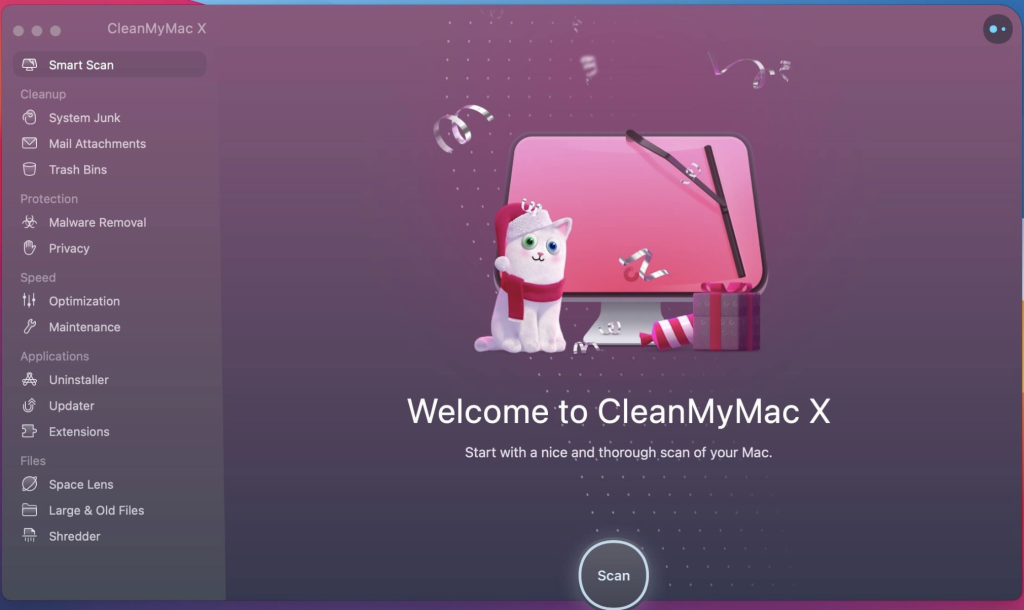
CleanMyMac X is an all-in-one package designed to optimize your Mac’s performance by cleaning up junk files, freeing up RAM, and protecting against malware. Here are some key features of CleanMyMac X:
- Junk File Cleanup: Removes unnecessary files such as caches, broken downloads, logs, and unused localizations to free up disk space.
- Speedup Tools: Includes tools to free up RAM, run maintenance scripts, manage Login Items, Launch Agents, and Hung Applications to improve system performance.
- Malware Protection: Fights against malware, adware, ransomware, and other threats specific to macOS. The Protection module regularly updates its malware database to ensure comprehensive protection.
- Uninstaller: Allows you to easily uninstall unwanted applications, widgets, plugins, and preference panes, ensuring complete removal without leaving behind any traces.
- Updater: Automatically updates all your software to the latest versions, helping to resolve software conflicts and keep your Mac up-to-date and secure.
- User-Friendly Interface: Features an intuitive drag-and-drop interface for easy navigation and operation.
- Secure File Eraser: Provides a quick and secure method to erase sensitive files, ensuring they cannot be recovered by unauthorized users.
- Removable Device Cleanup: Monitors removable devices and removes junk service files to keep them clean and optimized.
CleanMyMac X is compatible with macOS 10.13 or later and offers a user-friendly experience with powerful optimization tools to keep your Mac running smoothly and efficiently.
For more information and to download CleanMyMac X, visit the homepage: CleanMyMac X Homepage