Free Macsoftware One click Download
Utility
4K YouTube to MP3 Pro for Mac Download 5.5.4
02 years

Name : 4K YouTube to MP3 Pro
Size : 164 MB
4K YouTube to MP3 Pro for Mac free Download
4K YouTube to MP3 is a straightforward tool designed to extract audio from various online platforms, such as YouTube, VEVO, SoundCloud, and Facebook. This software is specifically created to convert videos into audio formats like MP3, M4A, and OGG, allowing you to enjoy your favorite tracks offline.
Key Features of 4K YouTube to MP3:
- Easy Audio Extraction: Simply drag and drop links to the songs you love, and the software will quickly convert them into MP3 files, which are saved directly to your computer.
- Multiple Format Support: In addition to MP3, you can also convert audio into M4A and OGG formats, providing flexibility depending on your preferred audio format.
- Device Compatibility: Transfer the converted songs directly to your iPod, iPhone, and iPad, enabling you to carry your music with you wherever you go.
- User-Friendly Interface: The application is designed with simplicity in mind, offering a clean, functional interface without any complicated settings or unnecessary options.
Compatibility:
- Operating System: Requires macOS 10.13 or later.
Availability:
- Homepage: 4K YouTube to MP3
This tool is ideal for anyone looking to easily convert and download audio from online videos for offline listening, with minimal hassle and a user-friendly experience.
Battery Indicator for Mac Download 2.17.1
02 years

Name : Battery Indicator
Size : 6 MB
Battery Indicator for Mac free Download
Battery Indicator App for macOS
Battery Indicator is a handy app designed to provide detailed battery information directly in your Mac’s menu bar. It’s particularly useful for users who want to monitor their battery percentage and remaining time without cluttering their screen.
Key Features:
Menu Bar Display:
- Shows remaining battery time and percentage directly in the menu bar for quick and easy access.
Adaptive Menu Bar Icon:
- Option to hide the menu bar icon when the power plug is connected, useful for those who only care about battery status when unplugged.
System Battery Indicator Replacement:
- Allows hiding the default system battery indicator by dragging its icon out of the menu bar while holding the Command key.
- You can reorder menu bar icons by dragging them while holding the Command key, so you can place the Battery Indicator app icon exactly where the system indicator used to be.
Battery Notifications:
- Set preferences to receive notifications when the battery is fully charged or reaches specific percentages.
Shortcuts Support:
- Includes support for Shortcuts on macOS 12, enabling automation and integration with other macOS features.
Additional Battery Information:
- Press the Option key while the menu is open to view additional details such as battery condition and health.
System Requirements:
- Requires: macOS 14.1 or later
- Compatible Devices: MacBook, MacBook Pro, or MacBook Air
Download:
- Mac App Store: Battery Indicator
The Battery Indicator app is an excellent tool for anyone looking to keep a close eye on their MacBook’s battery status. Its customizable settings and integration with macOS features make it a seamless addition to your productivity toolkit.
SweetScape 010 Editor for Mac 15.0
02 years

Name : SweetScape 010 Editor
Size : 33.6 MB
SweetScape 010 Editor for Mac free Download
SweetScape 010 Editor: Professional Text and Hex Editor
SweetScape 010 Editor is a comprehensive text and hex editor designed for professionals who need to edit any file or drive on their computer. It combines an easy-to-use interface with a wide range of powerful editing tools, making it an invaluable resource for anyone working with text or binary files.
Key Features:
Text Editing:
- Edit various text files, including XML, HTML, Unicode, UTF-8 files, and C/C++ source code.
- Enjoy unlimited undo capabilities and powerful editing and scripting tools.
- Handle huge files, with support for files over 50 GB.
- Utilize column mode editing for efficient layout management.
Hex Editing:
- Experience unrivaled binary editing performance for files of any size.
- Use Binary Templates technology to understand and edit binary data.
- Edit over 200 formats seamlessly.
- Fix problems with hard drives, memory keys, flash drives, CD-ROMs, and more.
- Investigate and modify memory from processes, useful for digital forensics, reverse engineering, and data recovery.
Binary Templates:
- Parse any binary file into a hierarchical structure using Binary Templates, making data more understandable than raw hex bytes.
- Templates are easy to write, resembling C/C++ structs, and can include complex programming logic.
- Automatically run templates when files are loaded.
- Share templates with the community via the Template Repository.
Reverse Engineering:
- Analyze binary formats with disassembly support for X86, ARM, MIPS, PowerPC, SPARC, SystemZ, and XCore architectures.
- Interpret binary data in various formats.
Forensic Analysis:
- Conduct digital forensics and malware analysis with powerful search tools and visualizations.
- Analyze memory and processes to uncover hidden data.
Data Recovery:
- Use low-level hard drive editing capabilities.
- View NTFS, FAT16, FAT32, exFAT, and HFS drives.
- Inspect MBR and EFI partitions, directories, file blocks, and slack space.
Analysis Tools:
- Utilize comprehensive find, replace, and binary comparison tools.
- Visualize data with the Mini Map or Visualize tab.
- Compute checksums and hash algorithms (CRC-16, CRC-32, Adler32, MD2, MD4, MD5, RIPEMD160, SHA-1, SHA-256, TIGER, etc.).
- Use the Histogram tool to count and visualize byte occurrences.
Scripting:
- Automate editing operations with a scripting syntax similar to C/C++.
- Access over 350 functions for data manipulation.
- Integrate scripting with Binary Templates for intuitive file editing.
- Share and download scripts from the Script Archive.
- Run scripts from the command line for batch processing.
Column Mode:
- Make column selections or insertions with ease using Ctrl and mouse drag.
- Copy, paste, and move columns around efficiently.
Themes:
- Choose between dark and light themes for a comfortable editing environment.
Drive Editing:
- Edit various drive formats (NTFS, FAT16, FAT32, exFAT, HFS).
- Parse logical and physical drives, including MBR and EFI partitions.
- View directories, files, and slack space.
Additional Features:
- View line numbers dynamically by hovering over the left-most column.
- Powerful workspace view with integrated file explorer.
- Convert data between various formats (ASCII, EBCDIC, Unicode, UTF-8, etc.).
- Use the Inspector for quick data interpretation.
- Bookmark important bytes for easy reference.
- Use the integrated expression calculator for on-the-fly calculations.
- Apply highlighting rules to identify byte patterns.
- Import/export data in multiple formats (Intel Hex, Motorola S-Records, Hex Text, C/C++/Java Code, Base64, Uuencoding, RTF, HTML).
- Print with full preview, headers, footers, and margins.
- Integrated debugger for templates and scripts.
System Requirements:
- OS: macOS 10.12 or higher.
Homepage:
SweetScape 010 Editor stands out as a professional-grade tool for text and hex editing, offering an unparalleled range of features and customization options for both simple and complex tasks.
OmniOutliner Pro for Mac 5.13.1
02 years

Name : OmniOutliner Pro
Size : 46 MB
OmniOutliner Pro for Mac free Download
OmniOutliner 5 Pro: Outline, Think, Write, Do
OmniOutliner 5 Pro is a powerful, versatile tool for Mac designed to help you create perfect outlines effortlessly. Whether you’re brainstorming ideas, organizing your thoughts, or preparing detailed plans, OmniOutliner 5 Pro offers a robust set of features to enhance your productivity and streamline your workflow.
Key Features:
- Saved Filters Pro: Instantly search your document for keywords or checked boxes and save those filters in the sidebar for quick access.
- Document Stats: Keep track of your document’s word count, character count, and other statistics at a glance.
- Distraction-Free Mode: Focus on your writing without distractions by hiding unnecessary interface elements.
- Resource Search: Quickly find and access resources within your document.
- Touch Bar Support: Utilize the context-aware Touch Bar on Apple’s latest MacBook Pro for quick access to relevant controls.
- Typewriter Mode: Keep your writing centered vertically on the screen for a consistent typing experience.
- Dark Mode: Reduce eye strain and work comfortably in low-light environments with Dark Mode.
- Customizable Keyboard Shortcuts Pro: Customize shortcuts to match your workflow or replicate shortcuts from other applications.
- Slide-In Sidebars Pro: Improve your full-screen mode experience with slide-in sidebars that provide quick access to the Sidebar or Inspectors.
- Multiple-Row Focus Pro: Focus on multiple rows simultaneously to maintain context while working on your document.
- OPML Mode: Export your outlines in OPML format, widely used for sharing outlines between applications.
- Excel Export Pro: Export your outlines to Excel for further analysis and reporting.
- Column Width Improvements Pro: Adjust column widths easily to fit your content perfectly.
- Style Preview Pro: Preview style changes instantly to see how they affect your document.
- Touch Bar: Context-aware support for quick access to the most relevant controls on Apple’s latest MacBook Pro.
- Password Protection: Encrypt documents with a password to keep your information secure.
- Smart Columns: Add and customize columns for summarizing data or selecting multiple choice options.
- Audio Recording: Record audio while taking notes. The recordings are stored within the document for easy playback and reference.
- Customizable Keyboard Shortcuts: Set up shortcuts that work best for you, enhancing your efficiency.
- Saved Filters: Save and quickly access custom filters for keyword searches and checked boxes.
- Slide-in Inspectors: Automatically hide sidebars when not in use, providing a cleaner full-screen experience.
- AppleScript Support: Automate tasks using AppleScript combined with OmniOutliner’s documented library.
- Custom Toolbars: Create and save document-specific toolbars for a tailored working experience.
System Requirements and More:
- Compatibility: Requires macOS 11.0 or later.
- Homepage: OmniOutliner 5 Pro – The Omni Group
OmniOutliner 5 Pro is your all-purpose tool for creating structured, organized, and detailed outlines. Its advanced features and customizable options make it an essential application for anyone looking to enhance their productivity and organization skills.
FileMaker Pro for Mac 21.0.1.53
02 years

Name : FileMaker Pro
Size : 394.4 MB
FileMaker Pro for Mac free Download
Claris FileMaker: Build Custom Apps with Ease
Claris FileMaker is a robust platform designed to help you quickly build custom apps that address your business needs today and prepare you for future challenges. Whether you’re tackling digital transformation, unlocking your team’s creative potential, or driving better outcomes, FileMaker equips you with the tools you need.
Key Features:
- DIY or Team Up: FileMaker provides all the tools needed to build apps from scratch or collaborate with professional developers for advanced solutions.
- Immediate Start: With built-in templates, drag-and-drop design, and an intuitive graphical user interface, you can start building apps immediately and deploy them across all devices as soon as they’re ready.
Ready-to-Use App Inspirations:
- Explore the FileMaker Marketplace for templates and components, or fully-completed vertical market apps to kickstart your projects:
- CRM
- Project Management
- Content Library
- Asset Manager
- Invoicing Details
- Contract Management
- Event Planning
- Field Research
- Supply Management
- Tour Dashboard
Device Compatibility:
- Universal Access: Secure, real-time sharing on any device, including mobile, desktop, web, on-premise, and cloud, ensuring your apps are accessible anytime, anywhere.
Advanced Features for Problem Solvers:
- Prebuilt Add-Ons: Instantly enhance app development with drag-and-drop add-ons like charts, calendars, kanban boards, activity timelines, and more.
- Mobile AI: Leverage Core ML for image and sentiment recognition, Siri Shortcuts for voice interactions, and NFC reading on mobile devices.
- Zero to Cloud: Create apps directly in the cloud with no configuration or deployment hassles. Integrate fully with JavaScript for custom apps.
- Complete Tooling: Utilize scripts, triggers, calculation functions, graphical design tools, and relational data modeling to build scalable apps.
- Total Security: Built on Claris Core, FileMaker ensures industry-standard data protection both in the cloud and on-premise.
Integration and Automation:
- Claris Connect: Seamlessly connect to various web services and apps in minutes, automating workflows and enhancing productivity.
Compatibility:
- Operating Systems: Compatible with macOS Sonoma 14.0 and macOS Ventura 13.0.
Learn More:
- Homepage: Claris FileMaker
Claris FileMaker empowers you to build powerful, custom apps with ease, providing flexibility, security, and integration capabilities to meet your business needs.
Multitouch for Mac free Download 1.27.32
02 years

Name : Multitouch
Size : 11 MB
Multitouch for Mac free Download
Multitouch for macOS: Custom Gesture Control
Multitouch is a powerful utility that enhances your workflow by allowing you to assign custom actions to specific gestures on your Magic Trackpad or Magic Mouse. With Multitouch, you can perform tasks faster and more efficiently, increasing your productivity.
Key Features:
- Customizable Gestures: Assign a variety of actions to gestures like three-finger clicks, swipes, taps, and more.
- Enhanced Workflow: Use gestures to execute keyboard shortcuts, control browser tabs, perform middle mouse clicks, and many other actions.
- One-Time Purchase: Buy once and get free updates with an ever-growing list of supported gestures and actions.
- Privacy-Focused: The app does not gather any user data, ensuring your privacy.
- No Accessibility Privileges Required: Runs smoothly without needing special system permissions.
What’s New in Version 1.27.32:
- Updates: Release notes for this version were not available at the time of this listing.
System Requirements:
- Compatibility: macOS 10.15 or later
Learn More:
- Homepage: Multitouch
Multitouch is an excellent tool for macOS users looking to streamline their tasks with customizable gestures. It provides a seamless way to enhance your productivity without compromising your privacy.
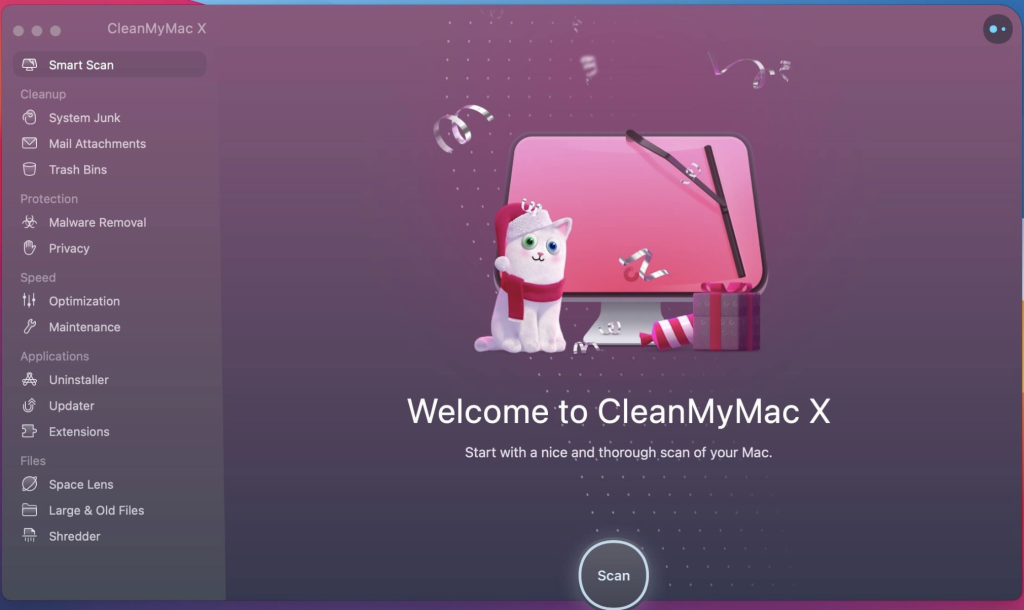
CleanMyMac X For Mac Download 4.15.4
02 years

Name : CleanMyMac X
Size : 119 MB
CleanMyMac X for Mac free Download
CleanMyMac X: All-in-One Mac Optimization Tool
CleanMyMac X is a comprehensive software designed to enhance your Mac’s performance by removing junk files and optimizing system operations. With an intuitive interface and powerful features, it keeps your Mac running smoothly, just like it did on day one.
Key Features:
Junk Cleaning:
- Comprehensive Scan: Cleans outdated caches, broken downloads, logs, and useless localizations.
- Storage Optimization: Frees up space by removing clutter from iTunes, Mail, Photos, and large hidden files.
- Quick and Secure File Eraser: Deletes files securely to free up storage space.
Performance Boost:
- Speedup Tools: Includes tools to free up RAM, run maintenance scripts, manage login items, launch agents, and resolve hung applications.
- System Optimization: Reduces system load and tunes your Mac for maximum performance.
Security and Protection:
- Malware Removal: Detects and removes malware, adware, ransomware, and other threats specific to macOS.
- Regular Updates: Continuously updated malware database ensures ongoing protection.
App Management:
- Uninstaller: Fully removes unwanted apps and their associated files.
- Updater: Instantly updates all your software to prevent software conflicts and keep your Mac running efficiently.
- Widget, Plugin, and Preference Pane Management: Manages various system components to keep your Mac clean.
User-Friendly Interface:
- Drag and Drop: Simple drag-and-drop functionality for ease of use.
- Trash Monitoring: Ensures that trashed applications are completely uninstalled.
Additional Features:
- Universal Binary Slimming: Removes unnecessary code to slim down applications.
- Language File Removal: Deletes useless language translations to save space.
- Removable Device Cleaning: Cleans junk files from removable devices.
System Requirements:
- Compatibility: macOS 10.13 or later
Changes:
- Helper Upgrade: Always uncheck “Remove Full Disk Access” to all CleanMyMac X instances before replacing and running, then recheck after updating.
Learn More:
- Homepage: CleanMyMac X
CleanMyMac X offers a full suite of tools to keep your Mac clean, fast, and secure. Start optimizing your Mac today and experience improved performance and efficiency.
System Dashboard Pro for Mac free 2.0.3
02 years
Name : System Dashboard Pro
Size : 6 MB
System Dashboard Pro for Mac free Download
System Dashboard Pro: The Ultimate System Monitoring Tool
System Dashboard Pro offers a comprehensive and modern approach to system monitoring, providing more information than ever before. Completely redeveloped and optimized for the latest systems, this app is an essential tool for keeping track of your computer’s performance and health.
Key Features:
Processor Usage:
- Detailed Metrics: Displays current and recent processor load.
- Top Processes: Lists processes with the highest processor utilization.
Memory Usage:
- Memory Load: Shows current and recent memory usage.
- Memory-Hungry Processes: Lists processes using the most memory.
Network Information:
- Basic Network Stats: Displays local and external IP addresses.
- WLAN Transfer Rate: Shows the transfer rate of the WLAN connection.
Network Usage:
- Speed Monitoring: Shows current download and upload speeds.
- Connection Count: Displays the number of open connections.
Internal Battery:
- Battery Health (MacBook Only): Displays battery parameters, including charging cycles and health status.
Hard Disk:
- Storage Monitoring: Shows used and free space on the hard drive.
- Current Speed: Displays the current speed of the hard drive.
External Drives:
- SD Cards and USB Sticks: Displays connected external drives.
- Eject Options: Allows ejection of devices either individually or all at once.
System Requirements:
- Compatibility: macOS 14.0 or later
Learn More:
- Mac App Store: System Dashboard Pro
System Dashboard Pro is a powerful tool that ensures you have all the necessary information about your system at your fingertips, helping you maintain optimal performance and health of your computer.
FonePaw Screen Recorder for Mac 3.7.0
02 years

Name : FonePaw Screen Recorder
Size : 31 MB
FonePaw Screen Recorder for Mac free Download
FonePaw Screen Recorder: Professional Screen Recording Software
FonePaw Screen Recorder is a robust and user-friendly video screen recording software designed for both Windows and Mac computers. It allows you to capture your screen, record specific regions, and even include webcam footage and audio.
Key Features:
1. Versatile Recording Options:
- Full Screen or Custom Region: Choose to record your entire screen or select a specific area.
- Webcam Integration: Record from your webcam simultaneously with your screen.
- Audio Recording: Capture system sounds, microphone input, or both.
2. High-Quality Output:
- HD Recording: Produce high-definition recordings with clear audio and video quality.
- Multiple Formats: Save recordings in various formats suitable for different uses.
3. Easy to Use:
- Intuitive Interface: User-friendly design that makes recording straightforward.
- Quick Setup: Start recording in just a few simple steps.
4. Additional Features:
- Scheduled Recording: Set up a recording schedule for capturing at specific times.
- Annotation Tools: Add annotations, texts, or drawings during the recording process.
System Requirements:
- Compatibility: macOS 10.10 or later (64-bit)
Learn More:
- Homepage: FonePaw Screen Recorder
FonePaw Screen Recorder is ideal for creating tutorials, recording webinars, capturing gameplays, and more. With its advanced features and ease of use, it provides a comprehensive solution for all your screen recording needs.
Microsoft NTFS for Mac by Tuxera for Mac 2022
02 years

Name : Microsoft NTFS for Mac by Tuxera
Size : 102 MB
Microsoft NTFS for Mac by Tuxera for Mac free Download
Tuxera NTFS: High-Performance NTFS Driver for macOS
Tuxera NTFS is a commercial NTFS driver developed from the popular open-source NTFS-3G driver. It ensures high performance and data safety when accessing NTFS drives on macOS, with additional features and commercial support.
Key Features
Full Interoperability
- Read-Write Compatibility: Provides full read-write support for NTFS drives on macOS, overcoming the default read-only limitation of macOS for NTFS-formatted drives.
Fast Speeds & Full Data Protection
- High-Speed Transfers: Delivers the fastest NTFS file transfer speeds on macOS.
- Smart Caching: Features a smart caching layer to protect data and enhance performance.
Feature-Rich
- Extended Support: Fully supports macOS versions from 10.4 (Tiger) to the latest.
- NTFS Extended Attributes: Includes support for NTFS extended attributes.
- Virtualization & Encryption: Compatible with virtualization and encryption solutions like Parallels Desktop® and VMware Fusion®.
General Features
- Kernel Modes: Works in both 32-bit and 64-bit kernel modes.
- NTFS Versions: Supports all NTFS versions.
- Partition Management: Allows creation of NTFS partitions and disk images.
- Volume Maintenance: Includes tools to verify and repair NTFS volumes.
Advanced Features
- Smart Caching: Provides high-performance read/write operations.
- File Name Translation: Automatically translates file names.
- Extended Attributes: Supports native NTFS extended attributes.
Compatibility with Other Software
- Virtualization: Compatible with Parallels Desktop® and VMware Fusion®.
- Encryption: Works with TrueCrypt.
What’s New in Version 2022
- Release notes were unavailable at the time of the update.
Compatibility
- macOS: Requires OS X 10.8 or later (64-bit).
Homepage
For more information, visit the Tuxera NTFS Homepage.
Tuxera NTFS offers a robust solution for macOS users needing full read-write access to NTFS drives, ensuring high performance and data safety across various applications and use cases.