Free Macsoftware One click Download
Graphic and Design
DxO PhotoLab 5 ELITE Edition 5.14.1.97 download Mac
03 years

Name : DxO PhotoLab 5 ELITE Edition
Size : 699 Mb
DxO PhotoLab 5 ELITE Edition 5.14.1.97 Download Mac
DxO PhotoLab is a powerful photo-editing software that offers a comprehensive set of tools and features for enhancing and fine-tuning your digital photos. It is particularly known for its advanced noise reduction technology, including the groundbreaking DxO DeepPRIME, which uses artificial intelligence (AI) to simultaneously demosaic and denoise images. Here are some of the key features of DxO PhotoLab:
Smart Assisted Corrections:
- DxO PhotoLab provides a complete set of smart assisted corrections that you can manually fine-tune at any time. This allows you to take control over every aspect of your photos, from noise reduction to optical corrections and color enhancement.
DxO DeepPRIME:
- DxO DeepPRIME is an AI-based technology designed to reduce digital noise in RAW images while preserving color detail. It combines demosaicing and denoising into a single process, resulting in smoother transitions and better ISO sensitivity values compared to earlier versions.
DxO Smart Lighting:
- Smart Lighting helps optimize exposure and contrast in your photos, improving their overall balance and natural appearance.
DxO ClearView:
- ClearView enhances visibility in hazy or low-contrast photos, providing more clarity and vibrancy.
DxO PRIME:
- PRIME is a powerful noise reduction tool that effectively removes noise from your images while maintaining sharpness and detail.
Optical Corrections:
- DxO PhotoLab can automatically correct optical distortions such as lens distortion, chromatic aberration, and vignetting to improve image quality.
U Point Technology:
- This technology allows you to make precise local adjustments to your photos using control points, giving you full control over specific areas of your images.
Compatibility:
- DxO PhotoLab is compatible with macOS 10.15 or later.
Please note that the specific release notes for version 5.14.1.97 were not available at the time of this listing.
To learn more about DxO PhotoLab and download it, you can visit the official website: DxO PhotoLab Homepage
DxO PhotoLab is a versatile photo-editing tool suitable for both expert photographers and amateurs looking to enhance and fine-tune their digital images, reduce noise, and apply various corrections and enhancements to achieve desired results.
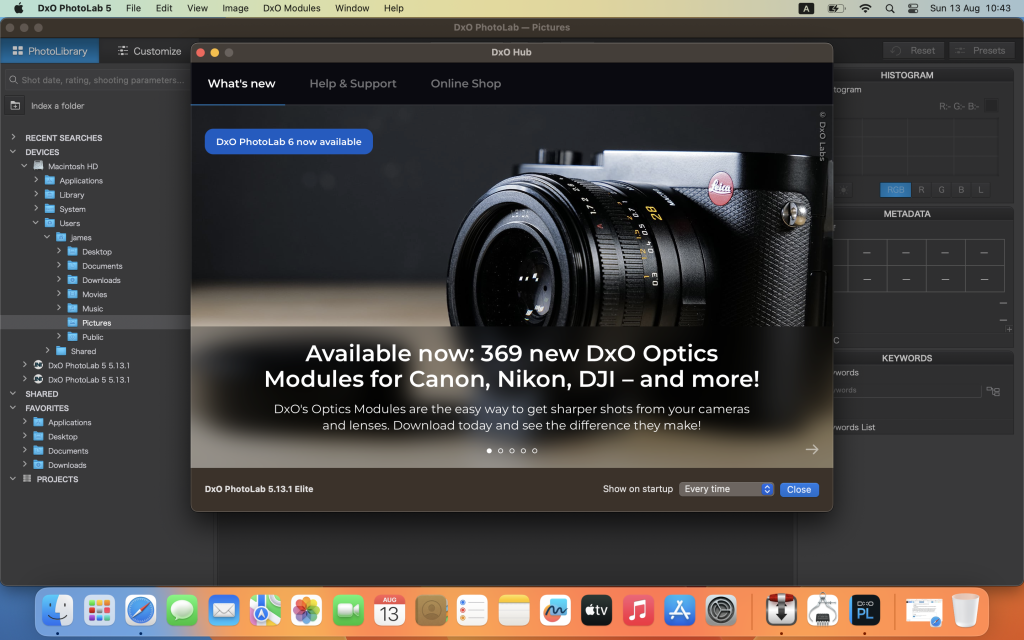
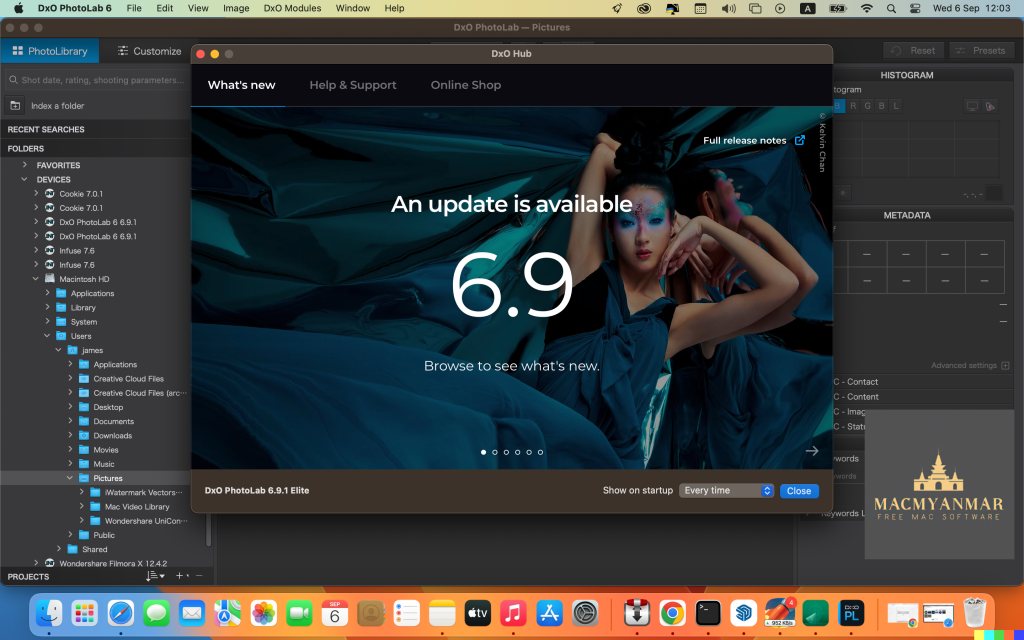
DxO PhotoLab 6 ELITE Edition for Mac free 6.9.1.56
03 years

Name : DxO PhotoLab 6 ELITE Edition
Size : 700 MB
DxO PhotoLab 6 ELITE Edition 6.9.1.56 for Mac
DxO PhotoLab, previously known as DxO Optics Pro, is a comprehensive photo-editing software that offers a wide range of powerful tools and features for enhancing and correcting your digital photographs. Whether you’re a professional photographer or an amateur, DxO PhotoLab provides you with the tools to improve your photos. Here are some of its key features:
Smart Assisted Corrections:
- DxO PhotoLab provides a set of smart assisted corrections that you can manually fine-tune at any time. You can effectively remove noise, eliminate light constraints, recover color details, apply advanced optical corrections, and enhance fine details in your photos.
DxO DeepPRIME:
- This feature uses artificial intelligence (AI) technology to simultaneously demosaic and denoise images. It’s particularly effective at reducing digital noise in RAW images while preserving color detail and delivering smoother transitions. DxO DeepPRIME can enable you to shoot at higher sensitivities and improve image quality, especially for low-quality or older-generation cameras.
DxO Smart Lighting:
- Smart Lighting helps you optimize the exposure and contrast in your photos, making them look more balanced and natural.
DxO ClearView:
- ClearView enhances the visibility of objects in hazy or low-contrast photos, providing more clarity and vibrancy.
DxO PRIME:
- PRIME is a powerful noise reduction tool that helps clean up digital noise in your images while maintaining sharpness and detail.
Optical Corrections:
- DxO PhotoLab can automatically correct optical distortions such as lens distortion, chromatic aberration, and vignetting to improve the overall image quality.
U Point Technology:
- This technology allows you to make precise local adjustments to your photos using control points. You can selectively edit specific areas of an image with ease.
Soft Proofing Mode:
- Soft Proofing mode ensures that your images look accurate and consistent across different screens and print types. It helps you prepare your images for different output formats.
Nested Projects:
- You can organize your virtual collections of images more efficiently with nested Projects, creating a hierarchy of Projects for better organization.
ReTouch Tool:
- The ReTouch Tool provides advanced control when cloning and repairing images, allowing you to rotate, flip, or transform source points and edit source areas with precision.
Color Labels and Exif/IPTC Fields:
- The software supports color tags for easier image classification and organization, and it offers improved metadata management with Exif and IPTC fields.
Crop Tool Improvement:
- You can now rotate images when in Crop mode, making it easier to adjust the composition of your photos.
Perspective Tools:
- Perspective correction tools (keystoning) are natively available in the ELITE version.
Keyword Tokens Improvement:
- Keyword tokens display the full hierarchy if children have the same name, simplifying keyword organization.
Sticky Headers and More:
- The user interface enhancements include sticky headers in the source tree and other improvements.
DxO PhotoLab supports over 77,000 camera/lens combinations, making it a versatile tool for photographers using various equipment.
Compatibility:
- macOS 11.6 or later
For more information and to download DxO PhotoLab, you can visit the official website: DxO PhotoLab Homepage
DxO PhotoLab is a powerful tool for photographers who want to enhance and fine-tune their digital photos, correct optical imperfections, and apply various adjustments and enhancements to achieve the desired results.
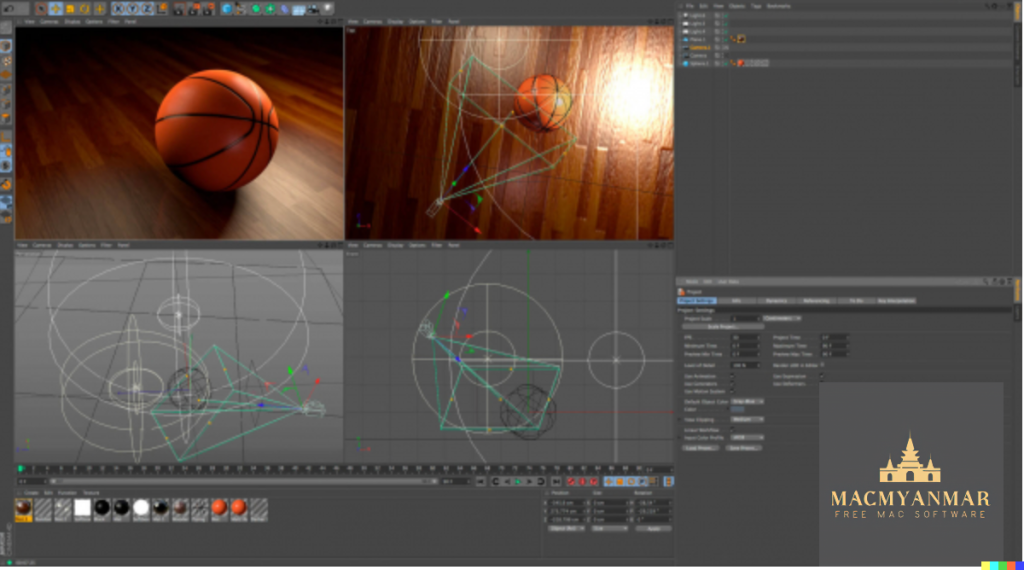
MAXON Cinema 4D Studio For Mac Free 2023.2.0
03 years
Name : MAXON Cinema 4D Studio For Mac Free
Size : 2.8 GB
MAXON Cinema 4D Studio For Mac Free 2023.2.0
Cinema 4D is a powerful 3D modeling, animation, and rendering software package that caters to both beginners and seasoned professionals. It is known for its ease of use, intuitive interface, stability, and a wide range of tools and features. Here are some key highlights of Cinema 4D:
- Ease of Use: Cinema 4D is designed to be easy to learn and use. Beginners can quickly create impressive 3D results, and professionals appreciate the software’s user-friendly interface.
- Intuitive Interface: The software’s interface is logically arranged, making it easy for users to find the tools and functions they need. It can also be customized to suit individual preferences and workflows.
- Stability: Cinema 4D is known for its stability, making it a reliable choice for demanding 3D production work. New features and functions undergo thorough testing before being released, and regular service packs optimize the software’s performance.
- Powerful Help System: Users can quickly access documentation and answers to their questions by right-clicking on specific functions within the software.
- Procedural Workflows: Cinema 4D offers flexibility and non-destructive workflows. Users can work with parametric modeling, procedural shaders, textures, and more, allowing for easy adjustments and changes throughout a project. The Cinema 4D Take System enables the management of multiple scene versions within a single file.
- Regular Updates: The software is actively developed and updated. Version 2023.2.0, for example, brings new features and improvements to the software, ensuring that users have access to the latest tools and technologies.
- Compatibility: Cinema 4D is compatible with macOS 10.15 or later and supports both Apple Silicon and Intel Core processors.
Cinema 4D is widely used in various industries, including animation, visual effects, product design, and architectural visualization. Its combination of accessibility and powerful capabilities makes it a popular choice for 3D artists and designers looking to create stunning 3D content.
The Foundry MODO for Mac 16.1 v2
03 years

Name : The Foundry MODO for Mac 16.1 v2
Size : 603 MB
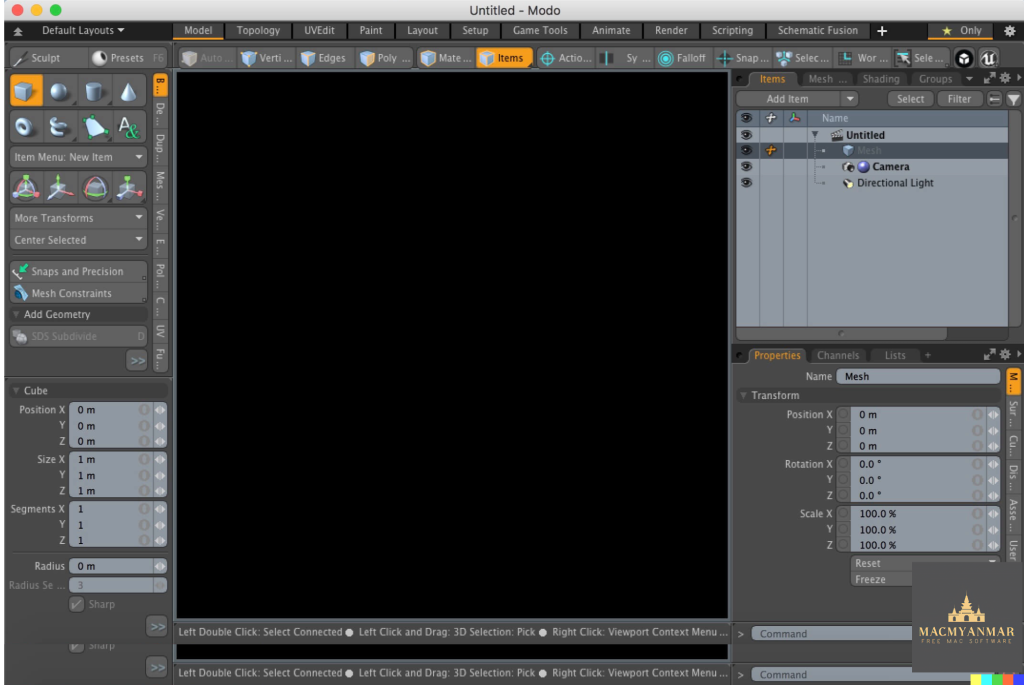
The Foundry MODO for Mac 16.1 v2
Modo is a versatile 3D modeling, texturing, and rendering software that is popular among artists and designers. Here are some of the key features and highlights of Modo:
- Powerful 3D Modeling: Modo boasts a powerful and flexible 3D modeling toolset that includes fast direct modeling, procedural modeling, the MeshFusion Boolean toolset, and sculpting tools. This range of modeling options allows artists to explore and create 3D models with ease.
- Creative Exploration: Modo is designed to be an artist-friendly and intuitive tool, allowing users to focus on their creative ideas without being bogged down by technical complexities. It provides a sandbox for creative exploration, from roughing out basic shapes to crafting intricate designs.
- Faster Iterations: The software offers advanced photorealistic viewports and a progressive renderer. This allows artists to visualize their designs as they work on them, making it easier to iterate and discover the full potential of their creations in less time.
- Customizable Workflow: Modo’s flexible tool assembly system enables users to create their own specialized toolkits by combining different operations. This customization can lead to increased efficiency in various tasks.
- Comprehensive Content Creation: Modo includes modeling, sculpting, texturing, painting, and photorealistic rendering tools within a single package. It’s an all-in-one solution for 3D content creation, and it also supports unlimited network rendering.
- Pipeline Integration: Modo seamlessly integrates into existing pipelines with support for Python and C++ APIs. It offers a fully customizable user interface and supports industry-standard formats like OpenSubdiv, OpenColorIO, OpenEXR, OpenVDB, and Alembic.
- Updates and Enhancements: Modo 14.0, mentioned in the description, introduces several improvements and features, such as animation markup, boolean embossing, topology workflows, viewport enhancements, and enhancements in modeling, UV tools, and procedurals.
- System Requirements: Modo is compatible with macOS (OS X) 10.9 or later and requires a 64-bit processor.
Modo is a valuable tool for 3D artists, designers, and creators who need robust modeling and rendering capabilities along with the flexibility to bring their creative ideas to life in the 3D space. It is known for its user-friendly interface and powerful features that cater to both beginners and experienced professionals.
Exposure X7 Bundle for Mac Free V -7.1.7.15
03 years
Name : Exposure X7 Bundle
Size : 649 MB
Exposure X7 Bundle for Mac Free V -7.1.7.15
The Exposure X Bundle is a comprehensive photo editing and organizing software package developed by Alien Skin. It combines several award-winning photo editing applications into one unified product. Here are the key components and features of the Exposure X Bundle:
- Exposure X7: This is the flagship application within the bundle. It serves as a non-destructive RAW photo editor and offers a wide range of editing tools and features. Users can edit and enhance their photos while maintaining the original image quality. Exposure X7 also includes organizing and cataloging capabilities to help photographers manage their photo collections efficiently.
- Snap Art 4: Snap Art is an integrated component of the bundle that focuses on transforming photos into stunning, handcrafted paintings and artwork. It provides various artistic styles and effects to give photos a unique and creative look.
- Blow Up 3: Blow Up is another integrated tool in the bundle that specializes in high-quality photo enlargement. It utilizes advanced resizing technology to upscale photos without compromising image quality. This is particularly useful for creating large prints from smaller images.
- Plug-ins for Lightroom and Photoshop: The Exposure X Bundle includes plug-ins that seamlessly integrate with Adobe Photoshop and Adobe Lightroom. This integration allows users to access the editing capabilities of Exposure X7, Snap Art 4, and Blow Up 3 within these popular photo editing applications.
- System Requirements: The software is compatible with macOS (OS X) 10.11 or later. Additionally, for the plug-in functionality, it requires Adobe Photoshop CS6 or Adobe Photoshop CC 2015 (or newer) and Adobe Lightroom 6 or Adobe Lightroom CC 2015 (or newer).
Overall, the Exposure X Bundle offers a comprehensive set of tools for photographers, including powerful editing capabilities, creative artistic effects, and high-quality photo enlargement. Its integration with Adobe Photoshop and Lightroom makes it a valuable addition to the workflow of photographers who use these applications for their post-processing needs.

DxO PhotoLab 6 ELITE Edition For Mac 6.9.0.55
03 years
Name : DxO PhotoLab 6 ELITE Edition 6.9.0.55
Size : 699.76 MB
DxO PhotoLab 6 ELITE Edition For Mac 6.9.0.55
DxO PhotoLab 6 formerly known as DxO Optics Pro, is a powerful photo editing software designed to help photographers enhance and optimize their images. It offers a wide range of features and advanced technologies for improving the quality of photos. Here are some of the key features and improvements in DxO PhotoLab:
Key Features:
- Smart Assisted Corrections: DxO PhotoLab provides a comprehensive set of smart assisted corrections that users can fine-tune manually. These corrections include noise reduction, exposure adjustments, color detail recovery, optical corrections, and detail enhancement.
- DxO DeepPRIME: DxO DeepPRIME is an AI-based technology designed to reduce digital noise in RAW images. It combines demosaicing and denoising processes simultaneously, resulting in smoother transitions, improved color detail preservation, and a significant reduction in noise. It allows photographers to shoot at high sensitivities while maintaining image quality.
- DxO Smart Lighting: This feature optimizes exposure and dynamic range, helping users recover details in both shadow and highlight areas.
- DxO ClearView: DxO ClearView reduces haze and enhances image clarity, making it particularly useful for landscape and outdoor photography.
- Optical Corrections: DxO PhotoLab includes sophisticated optical corrections to automatically correct lens distortions, chromatic aberrations, and other optical imperfections in photos.
- Selective Editing with U Point: The software introduces U Point technology, allowing users to perform selective editing by placing control points on specific areas of an image.
What’s New in Version 6:
- DxO Wide Gamut Working Color Space: DxO PhotoLab 6 introduces a new color space called DxO Wide Gamut, which allows users to harness the potential of the latest printers and monitors, avoiding clipping in highly saturated areas.
- Soft Proofing Mode: This new mode ensures accurate color reproduction, whether viewing images on screens or preparing them for various types of prints.
- DeepPRIME XD Denoising Option: In addition to DeepPRIME, DeepPRIME XD offers even better noise reduction, more detail, and smoother bokeh when needed.
- ReTouch Tool: The new ReTouch Tool provides precise control when cloning and repairing images, allowing for transformations and edits of source points and areas.
- Nested Projects: Users can organize their collections of images more efficiently with nested Projects and groups of Projects.
- Crop Tool Improvement: The Crop tool now allows users to rotate images while cropping.
- Embedded Perspective Tools: Perspective correction tools (keystoning) are now natively available in the ELITE version.
- Color Labels Support: Easily identify, classify, and cull images using color tags.
- Exif & IPTC Fields: Improved metadata management with additional fields.
- Sticky Headers in Source Tree: The user interface of the source tree has been redesigned for improved usability.
- Keyword Tokens Improvement: Keyword tokens now show the full hierarchy if children have the same name.
- Camera and Lens Database: More than 77,000 camera/lens combinations are now available for enhanced image processing.
Compatibility: DxO PhotoLab 6 requires macOS 11.6 or later.
For more information and to explore DxO PhotoLab, you can visit the official website at DxO PhotoLab. DxO PhotoLab is a comprehensive photo editing solution for photographers looking to enhance their images with advanced corrections and AI-based technologies.
DxO PhotoLab 5 ELITE Edition Mac V- 5.14.0.96
03 years
Name : DxO PhotoLab 5 ELITE Edition
Size : 700.14 MB
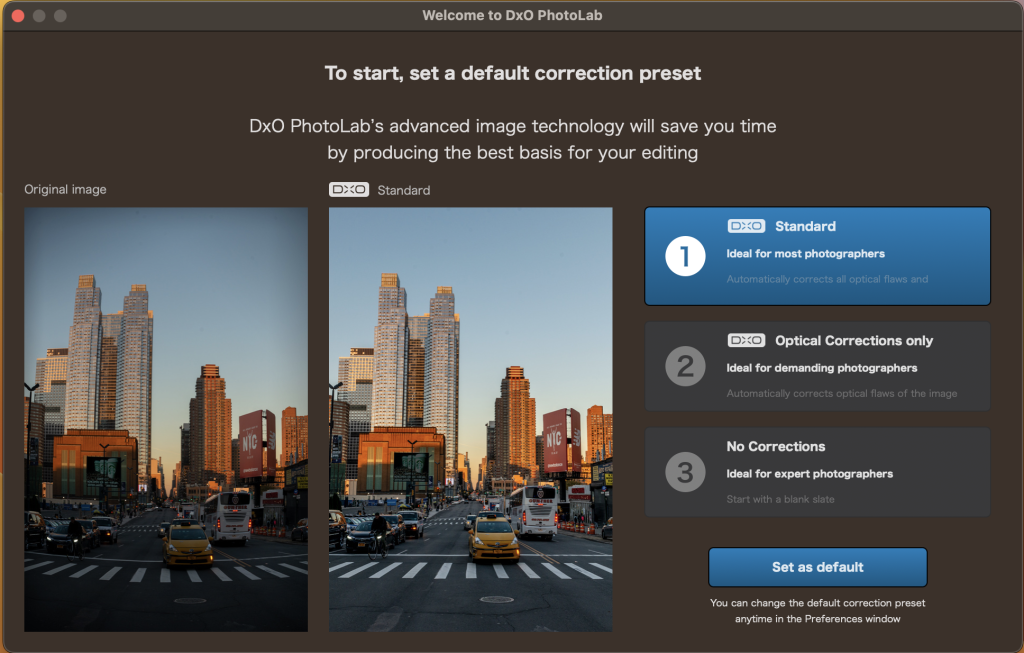
DxO PhotoLab 5 ELITE Edition Mac V- 5.14.0.96
DxO PhotoLab is a powerful photo editing and correction software that offers a range of features for enhancing and optimizing your photos. Here are some of the key features and capabilities of DxO PhotoLab:
- Smart Assisted Corrections: DxO PhotoLab provides a set of smart assisted corrections that can be manually fine-tuned at any time. This allows you to take control of various aspects of your photos, including noise reduction, light adjustments, color detail recovery, optical corrections, and detail enhancement.
- DxO DeepPRIME: DxO DeepPRIME is an artificial intelligence-based technology designed for reducing digital noise in RAW images. It combines demosaicing and denoising processes simultaneously, resulting in smoother transitions and improved color detail preservation. This technology can significantly enhance image quality, especially in high ISO settings.
- Noise Reduction: DxO PhotoLab offers advanced noise reduction capabilities to help you clean up noisy images, making them appear smoother and more polished.
- Optical Corrections: The software provides sophisticated optical corrections that can automatically correct lens distortions, chromatic aberrations, and other optical imperfections in your photos.
- DxO Smart Lighting: This feature intelligently optimizes the exposure and dynamic range of your photos, helping you recover details in both shadows and highlights.
- DxO ClearView: DxO ClearView is designed to reduce haze and enhance the clarity of your photos, particularly useful for landscape and outdoor photography.
- U Point Technology: DxO PhotoLab introduces U Point technology, which allows for selective editing by placing control points on your image. This enables precise adjustments to specific areas without affecting the entire photo.
- User-Friendly Interface: The software features an intuitive and user-friendly interface that makes it accessible to photographers of all skill levels.
- Compatibility: DxO PhotoLab is compatible with macOS 10.15 or later, ensuring it can run on modern Mac systems.
Please note that the specific features and capabilities may vary across different versions and updates of DxO PhotoLab. For the most up-to-date information and detailed release notes, you can visit the official DxO PhotoLab homepage at http://www.dxo.com. DxO PhotoLab is a valuable tool for photographers looking to enhance the quality and appearance of their photos through advanced editing and correction techniques.
Pixelmator Pro for Mac Free V-3.3.13
03 years

Name : Pixelmator Pro
Size : 594 MB
Pixelmator Pro is a powerful and user-friendly image editor designed exclusively for Mac. It offers a wide range of professional-grade image editing tools, making it easy to enhance photos, create stunning compositions, design graphics, and apply various effects. Here are some key features and details about Pixelmator Pro:
Key Features:
- Modern Interface: Pixelmator Pro features a modern and intuitive single-window interface designed for working with images on a Mac. It provides a streamlined and accessible design that caters to both beginners and experienced users.
- Dark and Light Appearances: The app adapts to macOS’s light and dark modes, ensuring a cohesive visual experience.
- Customizable Interface: Users can customize the interface to organize their creative environment according to their preferences. The software offers workspace presets tailored for photography, design, illustration, and painting.
- Photos Extension: Pixelmator Pro seamlessly integrates with the Photos app, allowing users to edit images without leaving Photos. Nondestructive edits are saved directly to the Photos library.
- Professional Tools: The software provides a comprehensive set of image editing tools, supporting nondestructive editing for fine-tuning changes at any time. Users can easily manipulate and arrange objects for creating captivating compositions.
- Color Adjustments: Pixelmator Pro offers machine learning-powered color adjustments, enabling precise control over colors in images.
- RAW Support: The software excels in handling RAW files, preserving extended range data for editing RAW images effectively.
- Brushes: Users can create digital or traditional paintings using fully customizable dual-texture brushes. The software offers extensive support for digital graphics tablets.
- Effects and Presets: Pixelmator Pro includes a range of built-in effects and presets for color adjustments, layer styles, and shapes. Users can save their combinations as presets and share them.
- Retouching Tools: The retouching tools allow users to remove imperfections, clone parts of photos, and make precise adjustments to light and dark areas.
- Vector Graphics: The software provides customizable vector graphics designed by the Pixelmator Team, along with the ability to create custom vector graphics using the Pen tool.
- Typography: Designing text is made easy with a full set of typography tools, including curved, circular, and path text options.
- Batch Processing: Users can batch process images with built-in Automator actions and automate workflows using AppleScript support.
- Machine Learning Enhancements: Pixelmator Pro leverages machine learning for tasks such as object removal, intelligent photo enhancement, super resolution, color matching, denoising, and quick selections.
- Compatibility: The software supports various image formats, including JPEG, TIFF, PNG, PSD, HEIF, SVG, PDF, GIF, BMP, TGA, WebP, and JPEG-2000. It also opens and edits Photoshop images with layers and SVG vector images.
- Built for Mac: Pixelmator Pro is designed exclusively for macOS and integrates seamlessly with macOS Big Sur.
Pixelmator Pro provides a robust set of image editing tools, enhanced by machine learning capabilities, making it an excellent choice for photographers, designers, illustrators, and digital artists. It’s compatible with macOS 11.0 or later.
You can find Pixelmator Pro on the Mac App Store.

JixiPix Artista Impresso Pro Free for Mac V-1.8.20
03 years

Name : JixiPix Artista Impresso Pro 1.8.20
Size : 121 MB
JixiPix Artista Impresso Pro Free for Mac V-1.8.20
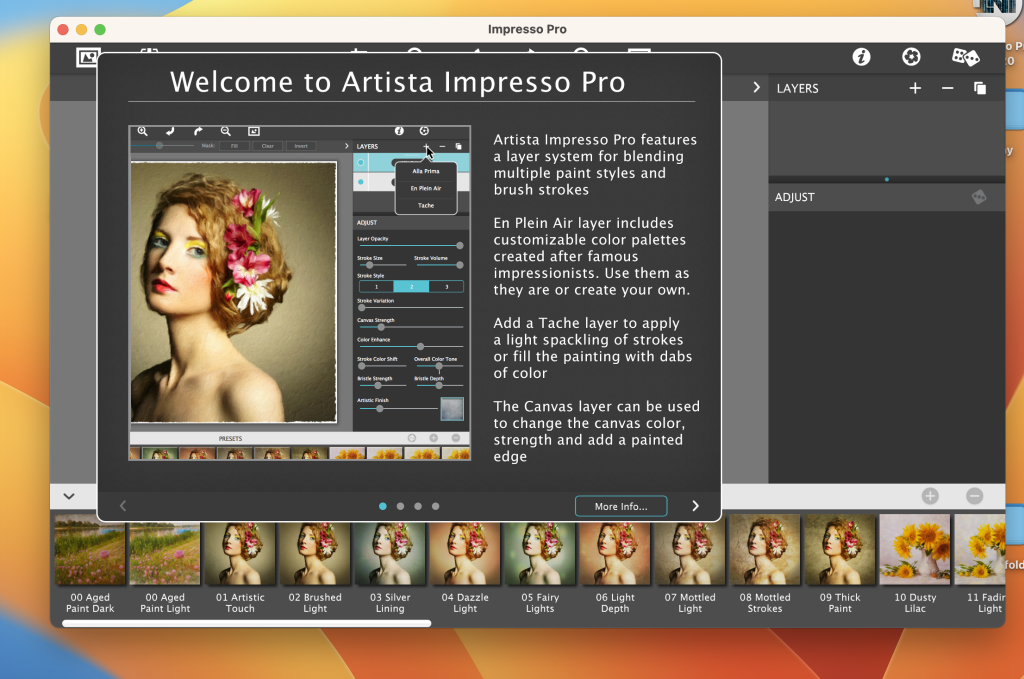
Artista Impresso Pro is a software application designed for creative professionals who want to have control over their artwork and create stunning Impressionist-style paintings from their photos. This software offers a range of features and tools to transform your photos into multi-textured, stroke-filled masterpieces inspired by the Impressionist art movement. Here are some key features and details about Artista Impresso Pro:
- Layered Workflow: Artista Impresso Pro allows for a professional workflow with the ability to add impressionism styles per layer. Users can blend styles using brushes to paint on or off areas in the painting, offering creative control over the final result.
- Ellipse Detail Tool: This powerful tool lets you add finely painted details to specific areas of your artwork, such as faces, flowers, or focal points in landscapes. You can control the size of the brushstrokes and render small brushstrokes inside the ellipse for added detail.
- Impressionism Styles: The software offers three main impressionism styles:
- Alla Prima: Ideal for portraits, this style fills the painting with an abundance of brushstrokes. It provides a library of artistic finishes with controls over strength, light, color, and movement.
- En Plein Air: Perfect for landscapes, this style offers eight artists’ palettes created by famous impressionists. You can use them as they are or customize the paint colors to create your own palette.
- Tache: This style applies broken brushstrokes throughout the image, creating a textured look as if the paint stands out from the surface. You can control the density and size of these brushstrokes.
- Canvas Layer: Each painting created in Artista Impresso Pro includes a canvas layer, similar to traditional painting methods. This layer can be turned on or off for viewing strokes created on previous layers, preventing accidental deletion.
- Smart Brushes: The software includes smart brushes that can both add and remove impressionism effects from your artwork. These brushes offer precise control over the application of the effect.
- Artistic Finishes: You have access to 70 artistic finishes to further enhance and customize your artwork.
- Impressionist Palettes: Artista Impresso Pro provides eight Impressionist palette styles for use in your paintings.
- Compatibility: The software is compatible with macOS 10.9 (Mavericks) and later versions of the macOS operating system. It can also function as a plugin for Adobe Photoshop CS3+, Lightroom, and Elements on both Mac and Windows platforms.
In summary, Artista Impresso Pro is a versatile tool for creative professionals who want to transform their photos into stunning Impressionist-style paintings. With a layered workflow, ellipse detail tool, and various impressionism styles, it offers the tools and flexibility needed to create captivating and unique artworks.
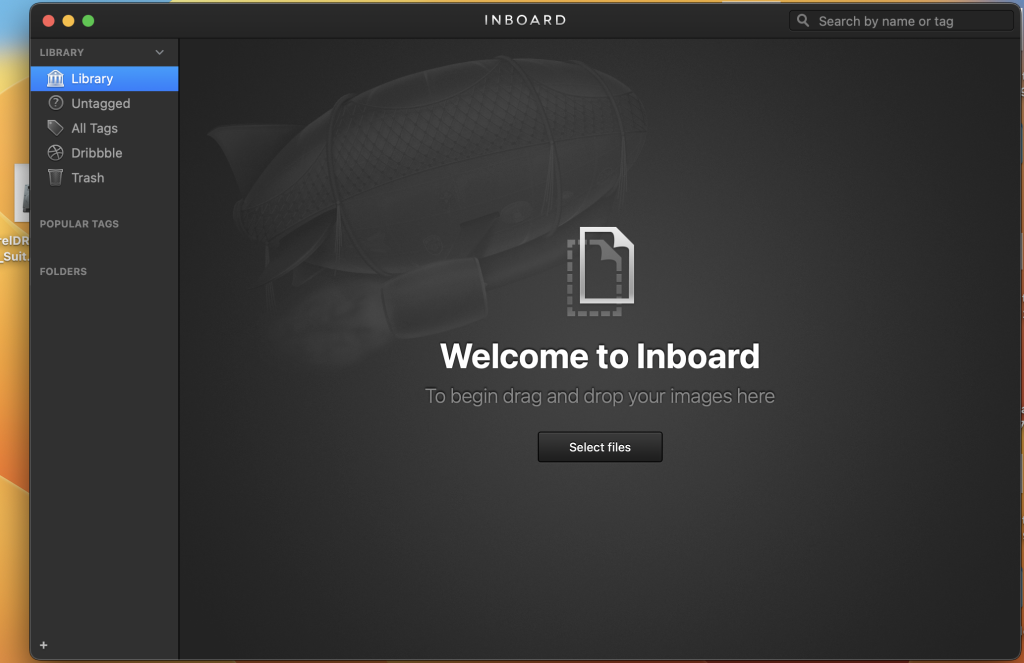
Inboard – Image Organizer for Mac OS V- 1.1.7
03 years

Name : Inboard – Image Organizer
Size : 10 MB
Inboard – Image Organizer for Mac OS V- 1.1.7
Inboard is an application designed to help you organize and manage your screenshots and photos effectively. It offers a visual and Pinterest-like approach to organizing your images, making it easier to find and browse through them for inspiration or reference. Here are some key features of Inboard:
Key Features:
- Pinterest-Like Display: Inboard provides a visually pleasing and organized display of your images, resembling the Pinterest layout. This makes it easy to view and manage your image collection.
- Webpage Screenshot Capture: You can capture full-height screenshots of websites you love, which is useful for saving web design inspiration or referencing specific web content.
- Dribbble Likes Import: Inboard allows you to import your liked shots from Dribbble, making it convenient to keep track of design inspiration from the Dribbble community.
- Import/Export Library: You can import and export your image library as a .zip file, simplifying the process of migrating your image collection to another system or device.
- Tagging and Folders: Inboard offers the ability to organize your images using tags and folders, helping you categorize and sort your collection for easy retrieval.
- Masonry Image Grid: The software utilizes a masonry image grid layout, maximizing screen space usage and allowing you to see more images at once.
- Compatibility: Inboard is compatible with macOS 12.0 (or later), making it suitable for use on the latest Mac operating systems.
Inboard is a valuable tool for individuals who work with a large number of images and screenshots and need an efficient way to organize, categorize, and access their visual content. Whether you’re a designer, photographer, or anyone who relies on visual inspiration or references, Inboard can help streamline your image management workflow.