Free Macsoftware One click Download
Graphic and Design
Download Acorn 7.4.3
03 years

Name : Acorn
Size : 20 MB
Download Acorn 7.4.3
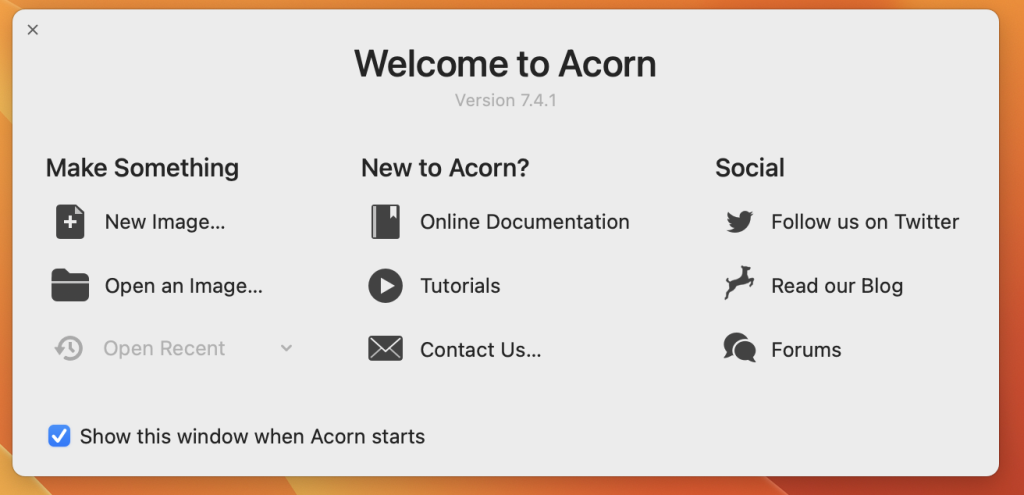
Acorn is a macOS image editor designed with simplicity in mind. It offers a fast, easy-to-use, and fluid image editing experience without unnecessary complexity. Here are the key features and functionalities of Acorn:
Image Editing:
- Acorn provides a range of essential image editing tools, making it easy to perform common editing tasks quickly.
Screenshots and Editing:
- You can take screenshots using Acorn and edit them right away, streamlining your workflow.
Image Filters:
- Acorn allows you to chain together image filters to create stunning visual effects for your images.
Layer-Based Editing:
- The application supports layer-based image editing, which is an industry-standard approach. This allows for greater flexibility and creativity in editing your images.
Built-In iSight:
- Acorn enables you to create new images and layers using your Mac’s built-in iSight camera.
Canvas Resizing:
- You can easily resize images and canvases by changing the size of your window.
Full-Screen Editing:
- Acorn takes advantage of your monitor’s full screen for immersive image editing.
Tablet Support:
- The application is tablet-sensitive, allowing for pressure strokes and utilizing the tablet’s eraser for precise editing.
Vector Shapes and Text Layers:
- Acorn supports vector shape and text layers, providing greater flexibility for creating and editing graphics.
Selection Tools:
- You can make selections using freeform, elliptical, rectangular, and magic wand selection tools.
Gradients and Text Styles:
- Acorn includes features for creating and applying gradients and custom text styles.
Layer Control:
- You have control over layer opacity and blending modes for fine-tuning your designs.
Scripting Support:
- Acorn supports scripting in Python and Objective-C, allowing users to create custom plugins and extend its functionality.
GPU Powered:
- The application utilizes GPU acceleration for efficient and smooth graphics operations, providing a fast editing experience.
Compatibility:
- Acorn is compatible with macOS 10.14 or later.
Acorn is an ideal choice for users who want an image editing tool that balances simplicity with functionality. It offers essential features for image editing and supports advanced capabilities like layer-based editing, vector shapes, and scripting, making it a versatile tool for a wide range of creative projects.
Mac PhotoMill X 2.4.2 Download
03 years
by Jameskarke
in Graphic and Design

Name :PhotoMill X
Size : 54 MB
Mac PhotoMill X 2.4.2 Download
PhotoMill is a versatile macOS application designed to help you manage and enhance your image files efficiently. Whether you need to convert, rename, resize, watermark, adjust colors, or edit metadata in bulk, PhotoMill provides a range of features to streamline these tasks. Here’s an overview of PhotoMill’s key capabilities:
Image Conversion:
- PhotoMill allows you to convert a bulk of images into popular image formats, including BMP, GIF, JPEG, JPEG 2000, PDF, PNG, and TIFF.
- You can choose from various color models, such as RGB, Gray, and CMYK, with different color depths (8/16/32 bits) and the option to include an alpha channel.
Metadata Editor:
- The application enables you to correct and modify EXIF and IPTC metadata tags in your photos.
- You can add GPS coordinates, remove private information, adjust or set capture dates, and add your own copyright, keywords, or ratings to your images.
Photo Browser:
- PhotoMill features a user-friendly photo browser with three panels: Image Info (displays detailed information about selected photos), Groups (organizes photos into groups/subgroups based on criteria like capture dates), and Search (provides a multi-criteria search function).
Batch Renaming:
- You can rename photos in bulk, giving them meaningful names constructed using text and tags. Available tags include index, capture date, original name, image width, and find & replace options.
- Additionally, PhotoMill allows you to rename photos without converting them.
Image Resizing:
- The application offers various geometry actions for resizing images, including scaling, cropping, adding borders, trimming, changing resolution, and more.
- You can automate image rotation based on EXIF orientation.
Watermarking:
- PhotoMill provides flexible watermarking options, including text, image, and rectangle watermarks.
- Text watermarks can use metadata information (e.g., capture date, keywords) or custom text. You can control font size, rotation, shadow, tiling, and other features.
- Image watermarks can be sized relative to the main image and support tiling.
- Rectangle watermarks offer background options, including square or rounded shapes, and allow for half-transparent fill and stroke colors.
Color Adjustment:
- PhotoMill includes a range of color adjustment filters, such as auto contrast, auto white balance, gamma correction, exposure adjustment, sharpness, grayscale conversion, sepia tone, colorization, temperature control, and more.
- The application supports working with transparency, color matching, color profiles, and other color-related features.
PhotoMill is compatible with macOS 10.12.2 or later and provides a versatile set of tools for managing and enhancing your image collections efficiently. While the release notes for version 2.4.2 were unavailable at the time of this response, you can visit the official PhotoMill website for more information and updates.

Download ImageRanger Pro Edition 1.9.5.1881
03 years
by Jameskarke
in Graphic and Design

Name :ImageRanger Pro Edition
Size : 103 MB
Download ImageRanger Pro Edition 1.9.5.1881
ImageRanger is an advanced picture finding and organizing tool designed to help you manage and enhance your photo collections efficiently on macOS. Whether you have a large image library or just want to streamline your photo organization, ImageRanger offers a range of features to simplify the process. Here are some of the key capabilities of ImageRanger:
Image Indexing and Quick Loading:
- ImageRanger can index and catalog photos on your Mac or external storage drives, allowing you to quickly load and access thousands of images.
- This indexing process makes it easier to search, filter, and organize your images.
Image Organization:
- The software offers tools to help you organize your photos effectively.
- You can sort and filter images, categorize them by various criteria (e.g., year, location), and manually create collections from multiple folders.
- ImageRanger can automatically find and categorize portraits and faces within your image collection.
Image Enhancement:
- ImageRanger provides auto-enhancement features that can be applied to multiple images simultaneously.
- You can manually fine-tune your photos by adjusting settings such as brightness, contrast, sharpness, and saturation.
- The software includes an UNDO function to correct any changes if needed.
Duplicate Detection:
- ImageRanger can find duplicate images within your photo library, helping you free up storage space by removing unnecessary copies.
Batch Processing:
- Advanced users can take advantage of powerful batch-processing capabilities to apply actions to entire folders while processing only relevant photos.
- This feature is useful for performing bulk image operations.
Image Quality Improvement:
- ImageRanger can automatically identify and categorize low-quality images, making it easier for you to locate and enhance them.
Cropping and Resizing:
- You can quickly crop and resize images within the application, saving you time on basic photo editing tasks.
General Photo Management:
- ImageRanger offers various tools for managing your photos effectively, including sorting, filtering, and organizing options.
Printing:
- The software supports printing hundreds of photos directly from the application.
System Compatibility:
- ImageRanger is compatible with macOS 10.10 or later.
ImageRanger streamlines the process of managing and enhancing your photo collections, making it a valuable tool for both amateur and professional photographers. While the release notes for version 1.9.5.1881 were unavailable at the time of this response, you can visit the official ImageRanger website for more information and updates.

Download Red Giant Magic Bullet Suite 2024.0 Mac
03 years

Name : Red Giant Magic Bullet Suite
Size : 553 MB
Download Red Giant Magic Bullet Suite 2024.0 Mac
Magic Bullet Suite 14 is a comprehensive set of plugins designed to enhance and improve the look of your video footage directly on your editing timeline. It offers a wide range of tools for color correction, stylization, skin retouching, noise reduction, and more. Here are some key features and components of Magic Bullet Suite 14:
Components and Tools:
- Colorista: Balance and adjust the color of your footage with powerful color correction tools. Create custom looks and enhance the visual appeal of your videos.
- Denoiser III: Reduce video noise and clean up footage shot in low-light conditions or at high ISO settings. Preserve details while eliminating unwanted noise.
- Mojo II: Add a cinematic and stylized look to your footage with Mojo II. Achieve the sophisticated color palettes and contrast found in big-budget movies.
- Cosmo II: Enhance the appearance of skin tones, reduce wrinkles, and remove blemishes quickly and easily. Achieve natural-looking results for your talent.
- Renoiser: Reintroduce subtle texture and natural film grain to your footage, giving it an authentic and unprocessed look.
- Film: Simulate the look of real film stocks and add cinematic grain and vignettes to your videos. Create the aesthetics of classic movies.
- Magic Bullet Looks: A powerful and versatile tool for creating custom looks and color grading. Choose from a variety of presets based on popular movies and TV shows.
Compatibility:
- macOS 10.11 or later
- Adobe Creative Cloud (2017 – 2021)
Magic Bullet Suite 14 is a valuable asset for video editors and filmmakers looking to enhance the visual quality of their projects. Whether you need to perform color correction, stylization, skin retouching, or noise reduction, this suite of tools provides intuitive and real-time solutions directly within your editing workflow. For more information and access to Magic Bullet Suite, you can visit the official website: Red Giant – Magic Bullet Suite.
Download Live Home 3D Pro 4.8 for Mac
03 years

Name : Live Home 3D Pro
Size : 487 MB
Download Live Home 3D Pro 4.8 for Mac
Live Home 3D Pro is a comprehensive and feature-rich home design application suitable for homeowners and professional designers. It allows users to create detailed 2D floor plans, visualize their designs in real-time 3D rendering, and manage various aspects of home design. Here are some of its key features:
General:
- Create detailed 2D floor plans.
- Real-time 3D rendering for visualizing designs.
- Unlimited floor levels (Pro edition only).
- Extensive collection of video tutorials.
- Built-in Help Assistant and quick tech support.
- Project Gallery with house projects and sample rooms.
- Native support for Live Interior 3D projects.
Floor Plan Tools:
- Draw complete rooms using the Room tool.
- Utilize Arc and Straight Wall tools for drawing walls.
- Elevation view (Pro edition only).
- Vector-based 2D representation for furniture with “Auto outline.”
- Real-time measurements for walls, ceilings, and floors in 2D Plan view.
- Smart Dimension tool for precise positioning.
- Smart guides and object snapping for accurate placement.
Real-Time 3D Environment:
- Make adjustments to lighting, add and move objects, apply materials, and more in real-time 3D.
- Changes made in 2D or 3D are rendered instantly in 3D.
- Walk through your 3D interior.
- Field of view (FOV) and parallel camera projection (Pro edition only).
- Set multiple cameras to view the project from different angles.
- Achieve natural lighting by configuring the Geo position, daytime, and weather conditions.
- Adjust light fixtures for realistic lighting.
- Create corner windows and complex openings.
- Level of details tool for optimizing 3D objects.
- Professional Shadow Map technique for natural-looking shadows.
3D Models and Materials:
- Over 2,000 furniture and other models.
- Seamless import of models from Trimble 3D Warehouse (formerly Google 3D Warehouse).
- Edit furniture in SketchUp (Pro edition only).
- More than 2,100 supplied materials.
- Drag and drop images from Finder to apply custom materials.
- Advanced material editor (Pro edition only).
- Specify material tile size for accurate material estimation.
- Import objects in various formats (SketchUp, COLLADA, KMZ, FBX, OBJ, 3DS).
- Block tool for drawing balconies, porches, and more (Pro edition only).
Roofs and Dormers:
- Roof Assistant with 12 customizable roof templates.
- Custom-shaped roofs (Pro edition only).
- Add custom segments for full roof customization.
- 16 customizable dormers.
Export and Share:
- Share designs to social media platforms (Facebook, Twitter, Vimeo, YouTube).
- Export 3D views to various image formats.
- Share 360° Panorama JPEG images.
- Create realistic video walkthroughs.
- Export projects or objects to COLLADA, Trimble SketchUp, VRML, X3D, 3DS, FBX, USDZ, and OBJ formats (Pro edition only).
Compatibility:
- macOS 10.14 or later
Live Home 3D Pro is a versatile tool for creating and visualizing home designs with precision and flexibility. For more information and to explore the features in detail, you can visit the official website: Live Home 3D.

Download Hype 4 Pro Mac 4.1.14
03 years

Name : Hype 4 Pro
Size : 17 MB
Download Hype 4 Pro Mac 4.1.14
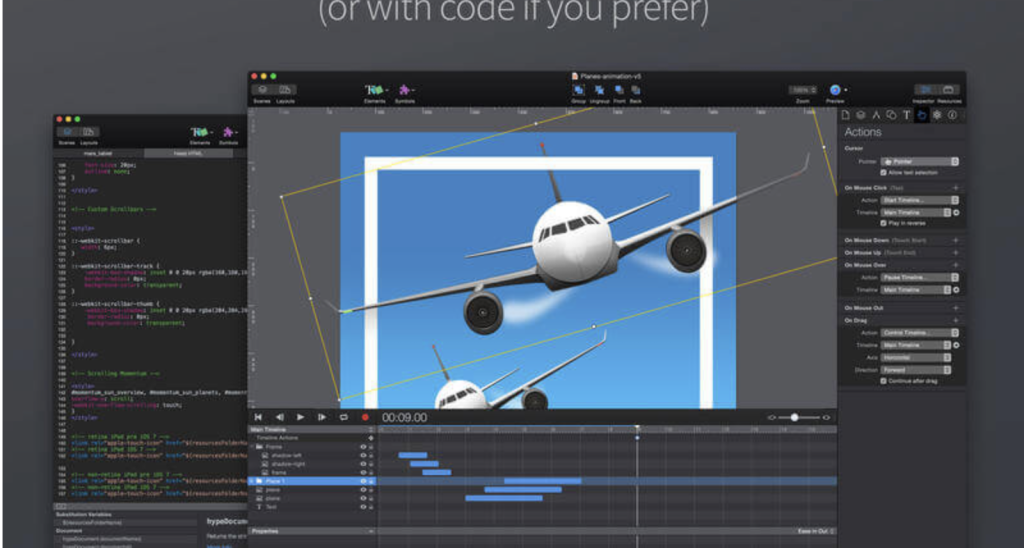
Hype is a versatile software tool designed for creating stunning animated and interactive web content without requiring extensive coding skills. It’s particularly useful for web designers and developers who want to add eye-catching animations and interactivity to websites, digital media, presentations, and more. Here are some key features of Hype:
Key Features:
- Easy Animation Creation:
- Hype offers a keyframe-based animation system that’s user-friendly.
- Record mode tracks your actions and generates keyframes automatically.
- Create smooth motion curves using bezier paths.
- Organize your content into scenes for better organization and flow.
- Utilize multiple simultaneous timelines to run animations concurrently.
- Interactivity:
- Implement interactivity with action handlers that can control timelines, transition between scenes, or execute custom JavaScript.
- Visually build action handlers to respond to user interactions like taps, clicks, and animation events.
- Stunning Content Creation:
- Use the WYSIWYG (What You See Is What You Get) scene editor based on WebKit.
- Benefit from intelligent guidelines, arrangement, and sizing tools.
- Seamlessly integrate video and audio for multimedia documents.
- Apply cutting-edge effects such as blur, hue shift, brightness, saturation, shadows, reflection, and 3D transforms.
- Add Google Fonts or use your own CSS web fonts.
- The flexible layout system ensures your content adapts to various screen sizes.
- Supports retina image quality for high-resolution displays.
- Perfect for Mobile:
- HTML5 output generated by Hype works effectively on mobile devices.
- Easily incorporate swipe and touch actions.
- Bind drag events to timeline positions for rich interactivity.
- Preview your projects on iPhones and iPads using the Hype Reflect companion iOS app.
- Hype Reflect’s Mirror Mode allows you to see live edits as you make them.
- Extend with Code:
- Edit the Inner HTML of any element.
- Includes an integrated JavaScript editor for creating custom functions triggered by user actions.
- Utilize Hype’s JavaScript API to control scenes, timelines, and more.
- Export to HTML:
- Exports state-of-the-art HTML5, CSS3 styles, and JavaScript.
- Ensures compatibility across all modern browsers, including Internet Explorer, Chrome, and others.
- Self-contained directory holds all resources and JavaScript for your document.
- Easily integrate your Hype content into existing web pages with just a few lines of HTML.
- Suitable for fast-loading ads and mobile optimization.
- Collaboration and Sharing:
- Share your work by publishing directly to Dropbox for easy collaboration.
System Requirements:
- macOS 10.10 or later
Hype empowers designers and developers to create visually stunning and interactive web content without the need for extensive coding knowledge. It’s a versatile tool for enhancing websites, digital publications, presentations, and more. For more information and access to Hype, you can visit the official website: Hype by Tumult.
Download Affinity Photo for Mac v- 2.2.0
03 years

Name : Affinity Photo
Size : 924 MB
Download Affinity Photo for Mac v- 2.2.0
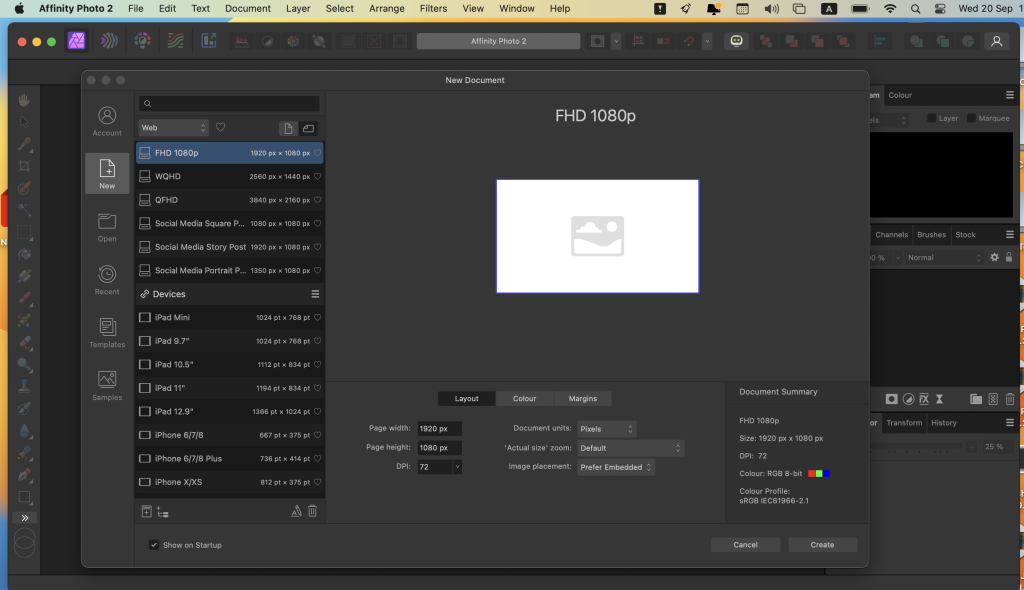
Affinity Photo is a powerful and comprehensive photo editing software designed for professional photographers and visual artists. It offers a wide range of features and tools for editing and enhancing photos, making it a competitive alternative to other popular and expensive photo editing applications. Here are some key features and information about Affinity Photo:
Key Features:
- Performance and Speed: Affinity Photo is known for its focus on performance and speed, ensuring that your photo editing tasks are carried out efficiently.
- Five “Personas”: The software provides five built-in design environments known as “Personas”: Photo, Liquify, Develop, Macro, and Export. Each Persona offers specific tools and functions for different editing needs.
- Photo Persona: This is the main mode for basic photo editing tasks and includes essential tools for image adjustments and retouching.
- Liquify Persona: It offers special warping effects and retouching tools for creative image manipulation.
- Develop Persona: Designed for RAW photo processing, this Persona provides full control over adjusting image tones and colors.
- Macro Persona: Useful for building and applying macro presets to streamline your editing workflow.
- Export Persona: Allows you to export images, layers, or image slices to various formats with ease.
- User Interface: Affinity Photo’s interface follows a common layout for photo editing applications, with panels on the left and right sides. However, some users may find the small buttons a downside, especially on Retina displays.
- Editing Tools: The software offers a wide range of editing tools, including overlays, basic adjustments (clarity, contrast, exposure, etc.), lens distortion correction, chromatic aberration correction, layers and layer operations, retouching effects, filters, brushes for local adjustments, and more.
Compatibility: Affinity Photo is compatible with macOS 10.15 (Catalina) or later versions of the operating system.
Homepage: You can find more information about Affinity Photo and explore its features on the official website at https://affinity.serif.com.
Affinity Photo is a versatile and powerful photo editing solution that caters to the needs of professional photographers and visual artists. Its focus on performance and a wide range of editing tools make it a valuable tool for those looking for an alternative to other high-end photo editing applications.
Download Affinity Designer for Mac v- 2.2.0
03 years

Name : Affinity Designer
Size : 824 MB
Download Affinity Designer for Mac v- 2.2.0
Affinity Designer is an advanced graphic design application designed for Mac users, providing a comprehensive set of tools and features for a wide range of graphic design tasks, including website design, interface design, icon creation, and concept art. Here are some key features and information about Affinity Designer:
Key Features:
- Versatile Workspace: Affinity Designer offers a customizable workspace that seamlessly integrates with macOS’s workflow features, such as iCloud, Full Screen, and Spaces. You can choose between docked or floating UI options to suit your preferences.
- Graphic Tools: The software provides a wide variety of design and graphic tools, including node editing, pen tool, crop tool, pencil tool, vector brushes, gradient fill tool, text tool, alignment guides, and more.
- Pixel Control: Affinity Designer offers accurate pixel control with real-time pixel preview, allowing you to edit in pixels when needed, in addition to vector editing. This is useful for achieving precise results in both vector and raster designs.
- Raster Tools: The software includes a set of raster tools such as the lasso tool, pixel and paint brush, eraser, blur, dodge, burn, smudge, selection brush, and sharpen. These tools expand your creative possibilities.
- Pressure and Velocity Support: You can take advantage of stylus pressure and velocity to create smooth, clean strokes with variable opacity and brush texture. This allows for natural-looking artwork while benefiting from vector editing capabilities.
- Non-Destructive Editing: Affinity Designer enables non-destructive editing with pixel brush tools, allowing you to paint shadows, textures, and highlights onto vector shapes while maintaining editability.
- Vector Editing: The software offers a wide range of vector editing features, including smart-snapping indicators, Boolean geometry operations, and a collection of customizable shapes.
- Color Space Support: You can work in various color spaces, including RGB, LAB, CMYK, and Greyscale, to meet your specific design needs.
- File Format Support: Affinity Designer supports popular file formats, including AI, PSD, PDF, and SVG. It also allows you to export areas, layers, or objects independently in standard or retina versions.
Compatibility: Affinity Designer is compatible with macOS 10.15 (Catalina) or later versions of the operating system.
Homepage: You can find more information about Affinity Designer and explore its features on the official website at https://affinity.serif.com/en-us/.
Affinity Designer is a powerful and versatile graphic design application suitable for both beginners and professionals. It offers a wide range of creative tools and supports various design tasks, making it a valuable tool for graphic designers, illustrators, and digital artists.

Download Affinity Publisher Mac v- 2.2.0
03 years

Name : Affinity Publisher
Size : 815 MB
Download Affinity Publisher Mac v- 2.2.0
Affinity Publisher is a professional publishing software designed for creating a wide range of publications, including magazines, books, brochures, posters, reports, stationery, and more. It offers a variety of features and tools to help you bring your creative vision to life. Here are some key features and information about Affinity Publisher:
Key Features:
- Versatile Layouts: Affinity Publisher allows you to combine images, graphics, and text to create beautiful layouts for various types of publications. Whether it’s a magazine, book, or poster, the software provides the tools you need.
- Master Pages: The software includes master pages, allowing you to establish consistent layouts across your publication. You can also create nested master pages for more complex designs.
- Double Page Spreads: Affinity Publisher supports double page spreads, making it suitable for projects that require facing page layouts.
- Image Frames: You can work with image frames that offer intelligent scaling options, giving you control over how images are displayed in your layouts.
- Text Wrapping: Affinity Publisher provides precise control over text wrapping with fine padding adjustments. This feature is useful for creating text layouts around images and graphics.
- Custom Shaped Text Frames: You can create text frames in custom shapes, allowing for creative text placement within your designs.
- Text Flow: The software lets you link multiple text frames together across your document, ensuring a smooth and consistent flow of text.
- Guides, Grids, and Snapping: Affinity Publisher offers advanced guides, grids, and snapping options to help you align and position elements precisely.
- Tables: You can create tables and apply custom table formats to your documents, making it easy to present data and information effectively.
Compatibility: Affinity Publisher is compatible with macOS 10.15 (Catalina) or later versions of the operating system.
Homepage: You can find more information about Affinity Publisher and explore its features on the official website at https://affinity.serif.com/en-us/.
Affinity Publisher is a versatile and powerful tool for individuals and professionals in the field of publishing and graphic design. It provides the essential features and advanced capabilities required to create stunning layouts and publications, making it suitable for a wide range of projects and creative endeavors.

Download full Version of Adobe Photoshop 2024 v25.0
03 years

Name : Adobe Photoshop 2024
Size : 5.55 GB
Download full Version of Adobe Photoshop 2024 v25.0
Adobe Photoshop is a powerful and versatile image-editing software that is widely used by creative professionals for a wide range of design and editing tasks. Here are some key features and information about Adobe Photoshop:
Key Features:
- Comprehensive Image Editing: Adobe Photoshop offers a wide range of tools for photo editing, compositing, digital painting, animation, 3D artwork, and graphic design. It is known for its versatility and ability to handle various creative tasks.
- Artificial Intelligence (AI) Technology: Photoshop incorporates AI technology to enable fast and intelligent editing. Features like Content-Aware Fill make it easier to remove objects or distractions from images seamlessly.
- Cross-Platform Compatibility: You can use Adobe Photoshop on both desktop computers and iPads, allowing you to work on your creative projects across different devices.
- User-Friendly Interface: Adobe has improved the user interface to make it more intuitive and user-friendly. It provides quick access to recent files, learning content, and cloud storage, making it easier to start or continue your creative work.
- Content-Aware Fill Workspace: The Content-Aware Fill workspace is a powerful tool for removing unwanted elements from images. It allows for precise control over which parts of the image are used to replace undesired areas.
- New Tools: Adobe Photoshop introduces new tools, such as the Frame Tool for simpler masking and the ability to place shapes and text into placeholder frames. Multiple undo is also enhanced, allowing you to easily review changes before applying them.
Compatibility: Adobe Photoshop is compatible with macOS v10.15 (Catalina) or later and is available for both Intel and Apple silicon-based Macs.
Homepage: You can find more information about Adobe Photoshop and subscribe to Adobe Creative Cloud on the official Adobe website at https://www.adobe.com/products/photoshop.html.
Adobe Photoshop is an industry-standard image-editing software that provides creative professionals with a wide range of tools and features to bring their creative ideas to life. Its integration with AI technology and cross-platform compatibility make it a go-to choice for many designers, photographers, and artists.