Free Macsoftware One click Download
Application
Download CleanMyMac X 4.14.5
22 years

Name : CleanMyMac X
Size : 288 MB
Download CleanMyMac X free 4.14.5
CleanMyMac X: All-in-One Mac Optimization
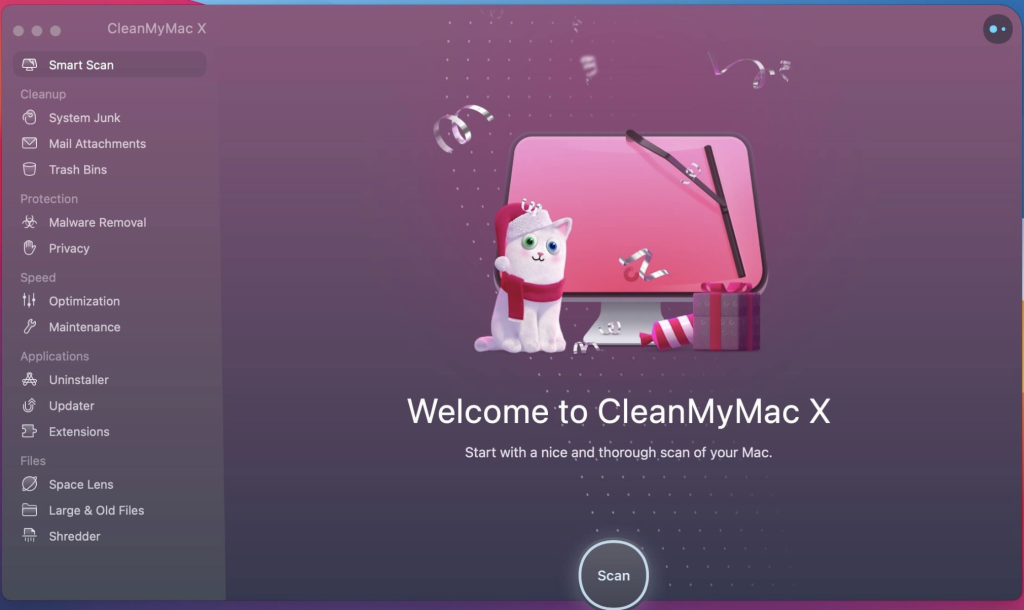
CleanMyMac X is a comprehensive utility designed to optimize and clean your Mac. It offers a range of features to enhance your Mac’s performance, clean up junk files, and ensure a smooth user experience. Here are some key features of CleanMyMac X:
- Junk Cleanup:
- Removes unneeded files, such as caches, broken downloads, logs, and localizations, freeing up valuable disk space.
- Performance Optimization:
- Provides tools to free up RAM, run maintenance scripts, and manage login items, launch agents, and hung applications for improved system performance.
- Malware Protection:
- Fights against malware, adware, ransomware, and other macOS-specific threats, ensuring the security of your system.
- Uninstaller and Updater:
- Completely removes unwanted apps, widgets, plugins, and preference panes, and keeps your software up to date for optimal functionality.
- User-Friendly Interface:
- Features an easy-to-use, drag-and-drop interface for a seamless user experience.
- File Eraser:
- Provides a quick and secure file eraser to remove sensitive data permanently.
- Monitors Trash:
- Keeps an eye on your Trash, helping you uninstall trashed applications correctly and manage removable devices.
What’s New in Version 4.14.5:
- Unfortunately, release notes were unavailable when this listing was updated.
Compatibility:
- macOS 10.13 or later.
Homepage: CleanMyMac X
Download HitPaw Photo Enhancer for Mac 2.7.0
02 years
Name : HitPaw Photo Enhancer
Size : 1 GB
Download HitPaw Photo Enhancer for Mac free 2.7.0
HitPaw Photo Enhancer for Mac: Clear and Enlarge Your Photos
HitPaw Photo Enhancer is a tool designed to make your photos clearer and allow you to enlarge them without losing quality. Whether you have a blurry photo, a screenshot that needs enhancement, or you want to enlarge images for better clarity, HitPaw Photo Enhancer aims to improve the quality of your pictures.
Key Features:
- Clear Landscape Photos:
- Enhance the clarity of your landscape photos to preserve memorable moments.
- Enlarge Anime Images:
- Enlarge anime images as much as you want with the best effect and no quality loss.
- Fix Blurry Building Footage:
- Correct blurry images of buildings and increase photo size for better clarity.
- Upscale Print Resolution:
- Improve print resolution for a better overall experience.
What’s New in Version 2.7.0:
- Unfortunately, release notes were unavailable when this listing was updated.
Compatibility:
- macOS 10.12 or later.
Homepage: HitPaw Photo Enhancer
HitPaw Photo Enhancer for Mac is designed to address common issues with photos, offering clarity enhancement and the ability to enlarge images without compromising quality. Whether it’s landscapes, anime images, or building footage, this tool aims to make your photos look better and more detailed.

Download HitPaw Video Converter for Mac 3.1.0
02 years
by Jameskarke
in Application

Name : HitPaw Video Converter
Size : 698 MB
Download HitPaw Video Converter for Mac free V-3.1.0
HitPaw Video Converter for Mac: Ultimate Multimedia Converter
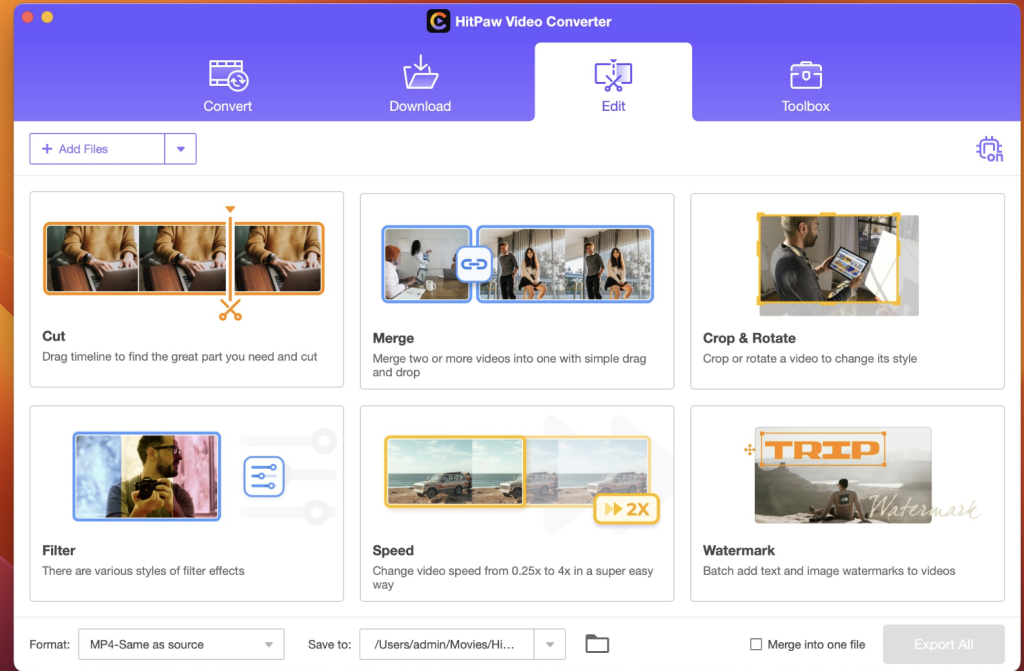
HitPaw Video Converter is a versatile tool that serves as both a video downloader and a multimedia converter. It empowers users to download videos, audio, and subtitles from over 10,000 popular websites and convert them to various formats, including MP4, WebM, MP3, WAV, and more. Explore the key features of this multimedia converter:
Key Features:
- Super Multimedia Converter:
- Converts video and audio between 1000 formats while preserving 100% original quality.
- Efficient YouTube Playlist Download:
- Easily download entire playlists from YouTube with the Downloader feature.
- Smartly parses all videos from the playlist and saves them in one go.
- Supports video quality up to 1080p, 2k, 4k, or even 8k.
- Convert Apple Music and Audiobooks:
- Converts Apple Music, iTunes M4P music, M4B audiobooks, and Audible AA/AAX books to various formats.
- Retains original quality during conversion.
- Video Trimming:
- Essential video trimming function allows you to cut a video into different segments.
- Rearrange clips, remove unnecessary parts, and customize your video.
- Convert to 1000+ Formats and Devices:
- Convert videos to a wide range of formats compatible with various devices.
- Batch Conversion:
- Batch video converter allows you to convert up to 5000 videos or audios simultaneously.
Compatibility:
- macOS 10.15 or later.
Homepage: HitPaw Video Converter
HitPaw Video Converter for Mac is a comprehensive multimedia solution, offering video downloading, conversion, and editing features. With support for a vast array of formats and efficient batch conversion, it simplifies the process of managing and converting multimedia content.
Download HitPaw Video Editor for Mac 2.0.0.23
02 years
by Jameskarke
in Application

Name : HitPaw Video Editor
Size : 281 MB
Download HitPaw Video Editor for Mac 2.0.0.23
HitPaw Video Editor for Mac: Easy-to-Use Video Editing Software
HitPaw Video Editor is designed to be an easy-to-master video editing software with a range of features to cater to your video editing needs. Explore the key features of this video editor:
- Efficient Video Editing:
- Handles various tasks such as video editing, merging, cropping, and more.
- Easy-to-use interface for quick and efficient video editing.
- Creative Elements:
- Add stickers and transition effects to make your videos unique.
- Enhance the visual appeal of your videos with creative elements.
- Track Management:
- All elements from other tracks are linked to the main video automatically.
- Materials move together when you drag the main video.
- Precise time in the track saves time when targeting specific positions.
- Unlimited tracks for flexible video creation.
What’s New in Version 2.0.0.23:
- Unfortunately, release notes were unavailable when this listing was updated.
Compatibility:
- macOS 10.15 or later.
Homepage: HitPaw Video Editor
HitPaw Video Editor for Mac aims to provide a user-friendly experience while offering essential video editing features. With creative elements like stickers and transition effects, this software helps you make standout videos effortlessly.

Download HitPaw Video Enhancer free 2.0.0
02 years
by Jameskarke
in Application

Name : HitPaw Video Enhancer
Size : 739 MB
Download HitPaw Video Enhancer free for Mac V- 2.0.0
HitPaw Video Enhancer for Mac: AI-Powered Video Enhancement
HitPaw Video Enhancer is a powerful tool designed to upscale and enhance video quality using advanced AI models. Here are the key features of this video enhancement software:
1. General Denoise Model:
- Improves video quality for most old videos.
- Removes video noise for clearer and refreshed videos.
2. Animation Model:
- Exclusive AI model tailored for enhancing animation videos.
- Perfectly restores clarity, providing AI-upscaled anime videos.
3. Face Model:
- Specialized in repairing details of human faces in videos.
- Enhances video quality, making faces in videos appear flawless.
Compatibility:
- macOS 10.15 or later.
Homepage: HitPaw Video Enhancer
Whether you need to enhance the overall quality of old videos, restore clarity to animation videos, or improve facial details in your footage, HitPaw Video Enhancer for Mac utilizes AI-powered models to elevate your video content and make it visually impressive.

Download HitPaw Photo Object Remover 1.2.1
02 years

Name :HitPaw Photo Object Remover
Size : 331 MB
Download HitPaw Photo Object Remover for Mac free 1.2.1
HitPaw Photo Object Remover for Mac: AI-Powered Object Removal
HitPaw Photo Object Remover for Mac leverages cutting-edge AI technology to automatically track and identify objects in your photos, allowing you to remove unwanted elements with ease. Here’s a rundown of its key features:
World-Class AI Photo Object Remover:
- Remove objects from photos with a simple 1-2-3 process.
- AI-powered technology ensures swift and accurate removal of unwanted objects.
- Effortlessly retouch photos by eliminating humans, clutter, and even shadows.
- Fastest and most intuitive object remover.
AI-Powered Technology for Portrait Photo Enhancement:
- Locate and remove facial blemishes for stunning portrait photos.
- Eliminate wrinkles, erase acnes, freckles, and remove defects seamlessly.
Strong Neural Networks for General Photo Object Removal:
- Remove strangers, tourists, or unwanted elements from vacation and travel photos effortlessly.
- Clear clutter and intelligently remove texts or watermarks from your images.
Inpainting Algorithm for Old Photo Restoration:
- Utilize the fastest AI-powered object remover to efficiently repair old photos.
- Remove creases, stains, grain, and perform spot removal to restore old photos to their original glory.
One-Click Object Removal with AI Eraser:
- Streamlined and user-friendly interface for a hassle-free object removal experience.
Compatibility:
- macOS 10.12 or later.
Homepage: HitPaw Photo Object Remover
Whether you’re a professional photographer looking to enhance portrait photos or someone wanting to remove unwanted elements from vacation pictures, HitPaw Photo Object Remover for Mac offers an efficient and AI-powered solution.

Download HitPaw Screen Recorder free for 1.0.5
02 years

Name : HitPaw Screen Recorder
Size : 96 MB
Download HitPaw Screen Recorder free for Mac V- 1.0.5
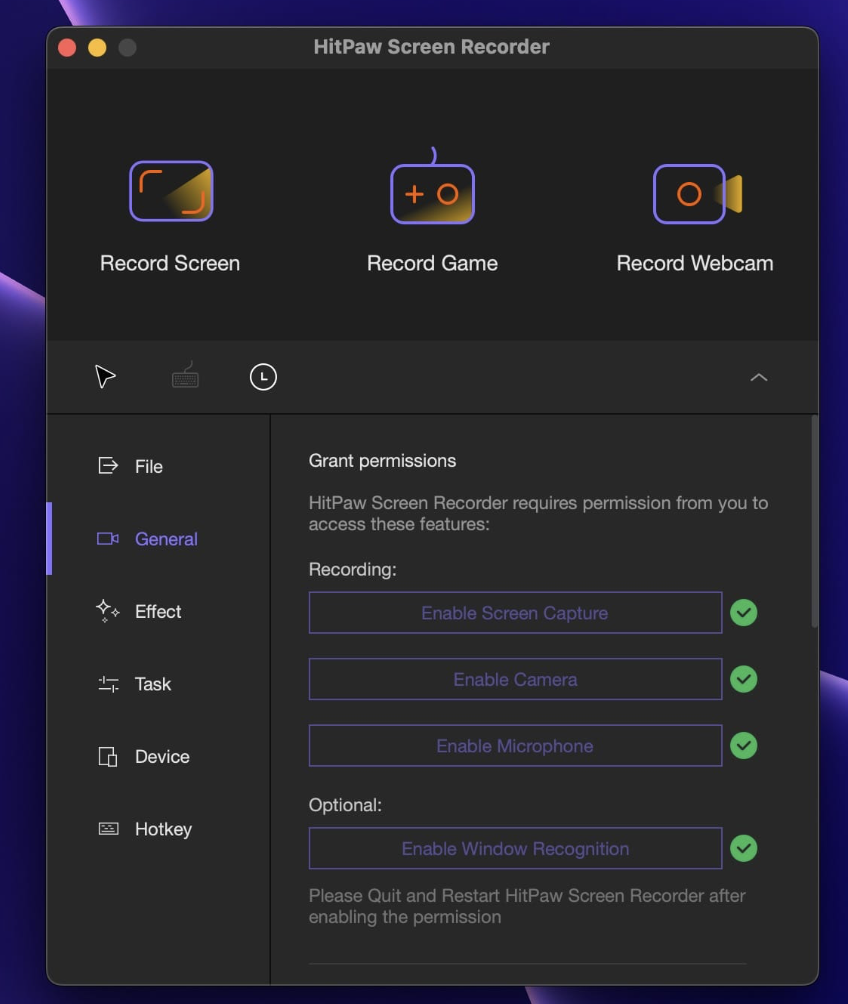
HitPaw Screen Recorder for Mac is a versatile tool that offers three simple modes for users to record screen, webcam, and picture-in-picture videos with ease. Here’s a breakdown of its key features:
1. Picture-in-Picture Recording:
- Choose from four options for charming recordings.
- Opt for a big screen with a small camera for presentations.
- Use big camera recording and a small screen for meetings.
- Quickly switch to webcam recording.
2. Record Screen/Webcam:
- Record with or without audio.
- Capture the full or selected screen with a zoom feature.
- Record the webcam and easily adjust the resolution.
- Record the screen with audio for specific use cases.
- Capture screenshots while recording.
What’s New in Version 1.0.5:
- Unfortunately, release notes were unavailable when this listing was updated.
Compatibility:
- macOS 10.12 or later.
Homepage: HitPaw Screen Recorder
With its intuitive interface and multiple recording modes, HitPaw Screen Recorder aims to make the screen recording process straightforward for users on macOS.
Download Logic Pro X for Mac 10.8.1
02 years

Name : Logic Pro X
Size : 1.13 GB
Download Logic Pro X for Mac 10.8.1
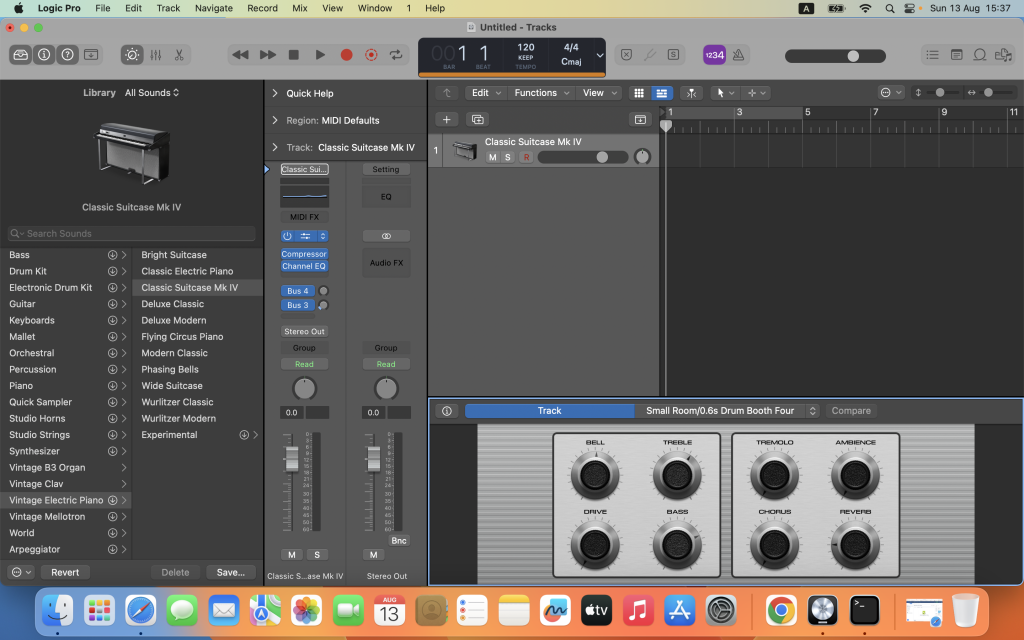
Logic Pro stands as a comprehensive suite of advanced creative tools tailored for professional songwriting, beat-making, editing, and mixing. Crafted around a modern interface that prioritizes both efficiency and power, Logic Pro provides an extensive collection of instruments, effects, loops, and samples, making it an all-encompassing toolkit for producing exceptional music.
Professional Music Production
- Utilize spatial audio authoring tools for mixing and exporting music in Dolby Atmos.
- Employ Live Loops to quickly build arrangements by mixing and matching loops, samples, and recordings.
- Record and edit MIDI or audio with a comprehensive set of editors and tools.
- Stay organized with take folders and quickly build comps using Quick Swipe Comping.
- Utilize Track Alternatives to create and switch between different playlists of regions and edits.
- Correct out-of-tune vocals and adjust audio melodies with Flex Pitch.
- Manipulate timing and tempo with ease using Flex Time and import audio with Smart Tempo adjustments.
- Perform and mix wirelessly using Logic Remote on iPad or iPhone.
- Produce lead sheets or orchestral scores with the built-in Score editor.
Drum Production and Beat Making
- Build and perform custom kits with Drum Machine Designer.
- Program beats, bass lines, and melodic parts with Step Sequencer.
- Create authentic drum tracks with Drummer, a virtual session player and beat producer.
Sampling
- Use Sampler to create and edit sophisticated multi-sampled instruments.
- Import audio files or record directly into Quick Sampler to build playable instruments instantly.
Keyboards and Synths
- Explore a collection of synths offering analog, wavetable, FM, additive, granular, spectral, and modeling synthesis.
- Use Alchemy, a powerful sample manipulation synthesizer, to find or create unique sounds.
- Turn simple chords into rich performances with the Arpeggiator.
- Play models of classic organs, keyboards, and vintage synths.
Guitar and Bass Gear
- Build guitar or bass rigs with Amp Designer using vintage and modern amps, cabinets, and mics.
- Design custom Pedalboards with a variety of delay, distortion, and modulation stompboxes.
Creative and Production Effects
- Access vintage and modern delays, EQs, and compressors.
- Add movement to tracks with modulation effects.
- Play sounds through realistic acoustic spaces or synthesized reverbs.
Sound Library
- Over 5,900 instrument and effect patches.
- 1,200 meticulously sampled instruments.
- 14,750 Apple Loops in various genres.
Compatibility
- Expand your library with third-party Audio Units-compatible plug-ins.
- Share projects between Logic Pro and GarageBand via iCloud.
- Import/export XML for Final Cut Pro workflows.
- Export spatial audio mixes as Dolby Atmos ADM files for Apple Music.
- Export and share songs directly to SoundCloud.
Storage Requirements
- 6GB available storage space for minimum install / 72GB storage space for full Sound Library installation.
What’s New in Version 10.8.1
- Stability improvements and bug fixes.
Compatibility: macOS 13.5 or later.
For more details, visit the official homepage. Logic Pro delivers a refined, powerful experience where creativity thrives and professional music production is elevated.
Compressor for Mac free 4.7.0
02 years
Name : Compressor
Size : 355.55 MB
Compressor for Mac free 4.7.0
Optimize your video conversions with Compressor, a seamlessly integrated tool designed to enhance the power and flexibility of your video processing, tightly integrated with Final Cut Pro. With a user-friendly interface, Compressor allows you to swiftly customize output settings, refine images, and prepare your film for distribution on the iTunes Store. Harness the potential of distributed encoding for expedited conversions using multiple Mac computers.
Advanced Encoding for Final Cut Pro
- Customize encoding settings for Final Cut Pro using Compressor.
- Save custom settings in Compressor for automatic integration into Final Cut Pro.
- Streamline large file encoding with batch processes.
- Build custom Destinations to combine encoding with additional tasks like file movement or copying.
- Create self-contained Droplets for desktop encoding with drag-and-drop simplicity.
- Share settings seamlessly, even with editors without Compressor installed on their systems.
- Send Final Cut Pro and Motion projects to Compressor for HEVC format video encoding.
iTunes Store Package Creation
- Import and organize movie elements, trailers, closed captions, and subtitles into an iTunes Store-compliant package.
- Audition video with any audio, caption, or subtitle to verify sync.
- Built-in error detection identifies issues with your iTunes Store Package and navigates to the source.
- Deliver HDR video in P3 D65 PQ, Rec. 2020 HLG, and Rec. 2020 PQ for HDR10.
- Support for linking a Dolby Vision graded video file to a Dolby Vision XML in the iTunes Store Package.
Support for Industry Standards
- Encode to industry standard formats, including MPEG-4, H.264, MXF, and ProRes.
- Themed menus for DVD or Blu-ray disc encoding.
- Generate files for HTTP live streaming in a single step.
- Import and encode image sequences (Targa, DPX, TIFF, PSD, PNG, OpenEXR).
- Advanced encoding features for closed captioning, metadata, and more.
Pristine Format Conversions
- Convert files between formats (e.g., NTSC to PAL, SD to HD, progressive to interlaced).
- Import and manipulate wide color video, deliver in standard Rec. 601 and Rec. 709 or wide Rec. 2020 color space.
- Deliver HDR video with controls for color space conversions and HDR metadata.
- Utilize CABAC entropy multipass H.264 encoding for superior results with hardware-accelerated export.
- Enhance content with image filters, timecode overlays, and watermarks.
- Adjust video speed, duration, or frame rate for precise runtime matching.
Distributed Encoding
- Save time with distributed encoding across multiple workstations.
- Activate any Mac with Compressor as a node for distributed encoding.
- Expedite Final Cut Pro encoding by choosing a group of shared computers for exporting.
System Requirements
Ensure optimal performance with macOS 12.6 or later, 4GB of RAM (8GB recommended for advanced editing), Metal-capable graphics card, and 1GB of VRAM. ProRes RAW requires Metal support. Blu-ray recorder needed for burning Blu-ray discs.
What’s New in Version 4.7
- Export HEVC and H.264 files faster by simultaneously processing video segments across available media engines (requires macOS Sonoma or later and a Mac with Apple M1 Max, M1 Ultra, M2 Max, M2 Ultra, or M3 Max).
- Create, configure, and build stereoscopic packages for the iTunes Store.
- Preview Log encoded video with or without Log applied.
- Adds support for JSON and XML output to batch submissions when using the command line.
- HDR content now displays in the correct color space in the viewer.
Compatibility: macOS 13.5 or later.
For more details, visit the official homepage. Optimize your video workflow with Compressor – where customization meets efficiency.
Download Motion for Mac 5.7.0
02 years
Name : Motion
Size : 2.43 GB
Download Motion for Mac free 5.7.0
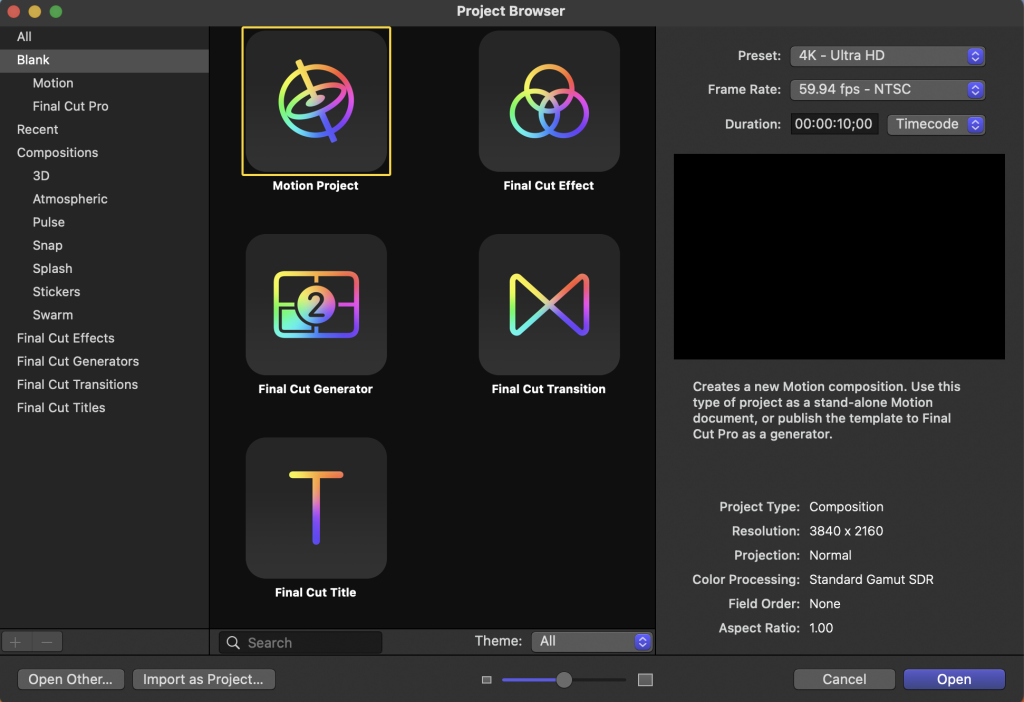
Elevate your video editing prowess with Motion, a dynamic motion graphics tool meticulously designed for video editors. Seamlessly craft cinematic 2D and 3D titles, fluid transitions, and lifelike effects in real time, unlocking a world of creative possibilities.
2D and 3D Titles
With Motion, you have the flexibility to import 360° media and design corresponding titles, generators, and effects. Whether building 3D titles from scratch, using templates, or converting existing 2D titles into 3D, Motion empowers you with over 90 Apple-designed 3D materials, including metal, wood, and stone surfaces. Animate titles effortlessly with more than 100 drag-and-drop behaviors and intuitive text animation tools.
Motion Graphics for Final Cut Pro
Integrate seamlessly with Final Cut Pro by saving titles, effects, transitions, or generators directly in Motion. Customize Final Cut Pro elements by opening them in Motion, and create Motion Templates with adjustable parameters for enhanced control within Final Cut Pro. Craft templates supporting multiple aspect ratios using Display Aspect Ratio snapshots.
Stunning Effects
Choose from a vast array of over 230 behaviors for natural animation without the need for keyframes. Achieve precise chroma keying with the one-step Keying filter. Leverage advanced capabilities such as changing focus points or depth effects for video shot in Cinematic mode on iPhone (requires macOS Monterey or later). Design your own particle emitters or choose from 200 presets for real-world effects like smoke and sparkles. Rotoscope effortlessly with professional masking tools.
Effortless 3D
Motion seamlessly transitions from 2D to 3D space with the addition of cameras. Create 3D scenes within a 360° project for ultra-realistic environments. Dynamic shadows animate realistically with the movement of cameras and lights. Transform any shape, video plane, or paint stroke into a reflective surface in 3D space. Import third-party USDZ objects or choose from 60 premade objects in the Motion Library.
Breakthrough Speed, Quality, and Output
Import wide color HDR images, view them on supported Mac computers, and export in standard Rec. 709 or wide Rec. 2020 color space. Experience improved performance and efficiency on Mac computers with Apple silicon, with unrivaled optimizations for the M1 Pro, M1 Max, and M1 Ultra chips on the new Mac Studio and MacBook Pro.
System Requirements
Ensure optimal performance with macOS 12.6 or later, 4GB of RAM (8GB recommended for 4K editing, 3D titles, and 360° video editing), a Metal-capable graphics card, and 1GB of VRAM recommended for advanced editing. Allocate 4.7GB of available disk space (3.5GB for the app, 1.2GB for supplemental content).
What’s New in Version 5.7
- Enhanced results using the Object Tracker’s all-new machine-learning model to analyze the movement of faces and objects on Mac computers with Apple silicon.
- Title template backgrounds are now disabled by default.
- Fixes an issue causing FxPlug-based plug-ins to stop responding when canceling an analysis.
Compatibility: macOS 13.4 or later.
For more details, visit the official homepage. Unleash your creativity with Motion – where innovation meets precision in motion graphics.