Jameskarke

Jameskarke

This user hasn't shared any profile information

Home page: http://macmyanmar.com

Posts by Jameskarke

Exposure X7 for Mac free Download 7.2.0.25

0

Name : Exposure X7

Size : 551 MB

Exposure X7 for Mac free Download

Exposure X7

Exposure X7 by Exposure Software is the ultimate photo editor for creative photographers who want to create artistic images. It offers a comprehensive set of tools and features that streamline your workflow and inspire creativity. With a vast library of beautiful presets, Exposure X7 provides a starting point for your edits, while unique creative tools help your photos stand out.

Key Features

Creative Editing Tools

  • Large Library of Gorgeous Looks: Provides inspiring starting points that you can customize.
  • Unique Creative Tools: Includes tools not found in other photo editors to help your photos stand out.

Efficient Workflow

  • Complete Photo Editor: Master your full workflow from start to finish.
  • Plug-In Capability: Use as a plug-in for Adobe Photoshop or Lightroom for your creative edits.

New Enhancements in Exposure X7

  • New Masking Tool: Easily separate a subject from the background. Draw a rough border, and Exposure’s intelligent algorithm creates a precise mask.
  • Selectable Workspaces: Organize the panels needed for specific tasks with built-in layouts for culling, editing, and retouching, or create customized workspaces.
  • Unified Crop and Transform Panels: Simplified interface for cropping and transforming images.
  • New Composition Guides: Includes golden ratio, golden spiral, golden triangle, and diagonal guides.
  • Defective Pixel Removal: For raw photos to enhance image quality.
  • Improved Color Fidelity: More faithful color reproduction with custom DCP color profiles and better color fidelity with DNG files.
  • Fine Texture Noise: Adds detail with aggressive noise reduction.

Integration and Compatibility

Plug-In Requirements

  • Adobe Photoshop: Compatible with Adobe Photoshop CS6 and Adobe Photoshop CC 2015 or newer.
  • Adobe Lightroom: Compatible with Adobe Lightroom 6 and Adobe Lightroom CC 2015 or newer.

System Requirements

  • macOS: OS X 10.11 or later

Homepage

For more information and to download Exposure X7, visit the Exposure Software Homepage.

Exposure X7 is designed to keep photographers in the creative zone with its efficient workflow and comprehensive toolset. Whether used as a standalone photo editor or as a plug-in for Photoshop or Lightroom, Exposure X7 provides everything needed to create stunning, artistic images.

Exposure X7 Bundle for Mac free 7.2.0.2

0

Name : Exposure X7 Bundle

Size : 670 MB

Exposure X7 Bundle for Mac free Download

Exposure X Bundle

Exposure X Bundle by Alien Skin is a comprehensive photo editor and organizer that integrates all of Alien Skin’s award-winning photo editing apps into a single product. The centerpiece of the bundle is Exposure X, which streamlines your workflow and provides a rich set of creative tools. Two additional apps expand the creative possibilities: Blow Up 3 enlarges your photos into large prints with the sharpest resizing technology available, and Snap Art 4 transforms your photos into gorgeous, handcrafted paintings.

Key Components

Exposure X7

  • Non-Destructive RAW Editor: Offers a complete solution for photo editing and organizing without altering the original files.
  • Creative Tools: Includes advanced editing features, presets, and adjustments to enhance your photos.
  • Seamless Workflow: Integrates with your workflow for efficient editing.

Snap Art 4

  • Natural Media Integration: Transforms your photos into beautiful, handcrafted paintings.
  • Artistic Filters: Offers a variety of styles such as oil painting, watercolor, and pencil sketch.

Blow Up 3

  • High-Quality Enlargement: Enlarges your photos for large prints with the sharpest resizing technology available.
  • Detailed Enlargements: Maintains image quality and sharpness during enlargement.

Integration and Compatibility

Plug-In Integration

  • Photoshop: Compatible with Adobe Photoshop CS6 and Adobe Photoshop CC 2015 or newer.
  • Lightroom: Compatible with Adobe Lightroom 6 and Adobe Lightroom CC 2015 or newer.

System Requirements

  • macOS: OS X 10.11 or later

Features

Comprehensive Photo Editing

  • RAW Editing: Supports a wide range of RAW formats for professional-quality editing.
  • Organizing Tools: Includes features for sorting, categorizing, and managing your photo library.

Creative Enhancements

  • Presets: Access a variety of presets to quickly apply creative looks to your photos.
  • Adjustments: Fine-tune your images with precise adjustment tools for exposure, color, contrast, and more.

Seamless Integration

  • Photoshop and Lightroom Plug-Ins: Use Exposure X, Snap Art, and Blow Up as plug-ins within Adobe Photoshop and Lightroom, enhancing your editing capabilities.

Advanced Features

  • Layer Support: Work with multiple layers for complex edits.
  • Masking Tools: Apply adjustments selectively with advanced masking tools.

Homepage

For more information and to download the Exposure X Bundle, visit the Exposure Software Homepage.

The Exposure X Bundle is an essential tool for photographers seeking a complete editing and organizing solution, combining powerful tools with creative enhancements to take your photos to the next level.

App Cleaner & Uninstaller Pro for Mac 8.3.1

0

Name : App Cleaner & Uninstaller Pro

Size : 28 MB

App Cleaner & Uninstaller Pro for Mac free Download

App Cleaner & Uninstaller

App Cleaner & Uninstaller by Nektony is a robust utility designed to help you uninstall applications on your Mac completely, ensuring that no service files are left behind. This app not only removes the main application but also eliminates all associated files that might be taking up valuable space on your system.

Key Features

Complete Uninstallation

  • Remove Service Files: Deletes all types of service files, including caches, logs, and preferences.
  • Remove Remains: Cleans up leftover files from previously uninstalled applications.
  • System Extensions: Identifies and removes unneeded system extensions.

Manage Startup Items

  • Login Items: Preview and disable login items to speed up your Mac’s startup time.
  • Launch Agents and System Daemons: Disable unneeded agents and daemons to enhance performance.

Easy to Use

  • User-Friendly Interface: Simple and intuitive design makes it easy to scan for and remove applications.
  • In-App Assistance: Provides help and guidance within the app for a seamless user experience.

Advanced Features

  • Reset Applications: Reset apps to their first-launch state.
  • Quick Preview: Preview any file or app quickly.
  • Skip List: Option to skip specific files or applications from being scanned or removed.

Free and Pro Modes

  • Free Mode: Allows you to preview all installed apps, view service files, reset apps, and disable launch agents and startup items.
  • Pro Mode: Unlocks the ability to remove executable parts of applications, system extensions, and disable ads.

How to Use App Cleaner & Uninstaller

  1. Launch App Cleaner: Open the app to start the uninstallation process.
  2. Scan Applications: The app will scan your system and list all installed applications and their service files.
  3. Select Applications: Choose the application you want to remove from the left view.
  4. Remove Service Files: Select all service files in the right view and click “Remove.”
  5. Manual Removal: If some applications require administrator privileges, switch to Finder and move them manually to the Trash.

Compatibility

  • macOS: 10.13 or later

Homepage

For more information and to download App Cleaner & Uninstaller, visit the Nektony Homepage.

App Cleaner & Uninstaller is an essential tool for Mac users looking to maintain a clean and efficient system by thoroughly removing unwanted applications and their associated files.

ViWizard Audio Capture for Mac 2.5.0

0

Name : ViWizard Audio Capture

Size : 37 MB

ViWizard Audio Capture for Mac free Download

ViWizard Audio Capture for macOS

ViWizard Audio Capture is a versatile audio recording tool designed to capture any sound playing through your computer. Whether it’s streaming music, live radio, game sounds, background music, or online meetings, ViWizard ensures you can save your audio recordings in popular formats while preserving original quality and ID3 tags.

Key Features

Capture Any Sound

  • Streaming Music: Record music from streaming services like Spotify, Apple Music, and more.
  • Live Radio: Capture live radio broadcasts.
  • Game Sounds: Record in-game audio.
  • Background Music: Capture background music from any source.
  • Online Meetings: Record audio from online meetings and conferences.

High-Quality Recordings

  • Audio Formats: Save recordings in MP3, AAC, and other universal audio formats.
  • Original Quality: Maintain the original audio quality during recording.
  • ID3 Tags: Preserve and edit ID3 tags for organized music libraries.

User-Friendly Interface

  • Easy to Use: Simple and intuitive interface for hassle-free audio recording.
  • Editing Capabilities: Basic editing tools to trim and cut audio recordings.

Compatibility

  • macOS: 10.10 or later

Homepage

For more information and to download ViWizard Audio Capture for macOS, visit the ViWizard Homepage.

ViWizard Audio Capture is an ideal tool for anyone needing to record high-quality audio from various sources on their Mac, offering flexibility and ease of use.

FontLab for Mac 8.4.0.8890.0

0

Name : FontLab

Size : 133 MB

FontLab for Mac free Download

FontLab 7 for macOS

FontLab 7 is a modern, professional font editor designed for type designers and font enthusiasts. It offers a comprehensive suite of tools to create, modify, draw, space, kern, hint, and export fonts. FontLab 7 supports a wide range of Unicode writing systems, including Latin, Cyrillic, Greek, Arabic, Hebrew, Indic, Chinese, Japanese, emoji, symbols, and icons.

Key Features

Comprehensive Font Editing

  • Font Creation and Modification: Create, open, and modify desktop, web, color, and variable OpenType fonts.
  • Drawing Tools: Advanced and responsive contour operations for efficient font design.
  • Spacing and Kerning: Precise control over spacing and kerning to fine-tune your fonts.
  • Hinting: Improve font rendering on low-resolution screens.

Unicode Writing Systems

  • Wide Range of Support: Latin, Cyrillic, Greek, Arabic, Hebrew, Indic, Chinese, Japanese, emoji, symbols, and icons.

Color and Variable Fonts

  • Color Fonts: Design and export color fonts for modern usage.
  • Variable Fonts: Explore and create variable fonts to expand creative possibilities.

Professional Tools

  • Advanced Metrics: Tools for precise control over font metrics.
  • Hinting and Exporting: Hint and export fonts with ease.

User-Friendly Interface

  • For All Skill Levels: Suitable for both experts and beginners in font design.

What’s New in Version 8.4.0.8890.0

  • Latest Updates: Release notes were unavailable when this listing was updated.

Compatibility

  • macOS: 10.13 or later

Homepage

For more information and to download FontLab 7 for macOS, visit the FontLab Homepage.

FontLab 7 is a versatile and powerful tool for professional type designers and font geeks, offering an extensive range of features to create high-quality fonts for various writing systems and modern typographic needs.

My PaintBrush Pro for Mac download 2.4.5

0

Name : My PaintBrush Pro

Size : 7 MB

My PaintBrush Pro for Mac free Download

My PaintBrush for Mac

My PaintBrush is a powerful multilayer paint and drawing application designed for Mac users. It offers a wide range of tools and brushes to help you create and save smooth images. Whether you’re a professional artist or a hobbyist, My PaintBrush provides the flexibility and features needed to bring your artistic visions to life.

Key Features

High-Quality Brushes

  • Variety of Brushes: Over 100 types of high-quality natural brushes.
  • Brush: 25 types
  • Pencil: 6 types
  • Pen: 16 types
  • Airbrush: 11 types
  • Decoration: 25 types
  • Blur: 19 types
  • Eraser: 4 types

Adjustable Brush Parameters

  • Transparency: Control the transparency of your brushes.
  • Pressure-Sensitive: Brushes respond to pressure for a natural drawing experience.
  • Radius: Adjust the size of your brushes.
  • Hardness: Control the hardness of your brush strokes.

Layer Management

  • Multiple Layers: Build up and manage multiple layers for complex drawings.
  • Merge/Combine Layers: Merge layers together.
  • Alpha Value: Set the transparency of individual layers.
  • Visibility: Customize whether a layer is visible or not.
  • Layer Order: Freely change the order of layers.
  • Delete Layers: Remove unwanted layers.

Layer Operations

  • Undo/Redo: Customized times for undoing and redoing actions.
  • Flip: Flip layers horizontally or vertically.
  • Move: Move selected zones within a layer.

Preset Tools

  • Erasers, Fill Tools, Color Picker, Zoom In: Essential tools for painting and drawing.
  • Shapes: Create straight lines, curves, rectangles, rounded rectangles, and ellipses.
  • Text Tool: Customize the font, size, and color of your text.
  • Palette: Set the foreground and background colors for your tools.

Export Options

  • File Formats: Export your work to PNG, JPEG, TIFF, BMP, GIF.
  • MPB Format: Save your work in MPB format to retain layer information.

Compatibility

  • macOS: 10.9 or later

Mac App Store

For more information and to download My PaintBrush for Mac, visit the Mac App Store.

My PaintBrush is an ideal choice for artists looking for a versatile and powerful painting application on their Mac, offering an extensive range of brushes, layers, and customization options to create stunning digital art.

AudFree Audio Capture for Mac Download 3.5.0

0

Name : AudFree Audio Capture

Size : 36 MB

AudFree Audio Capture for Mac free Download

AudFree Mac Audio Capture

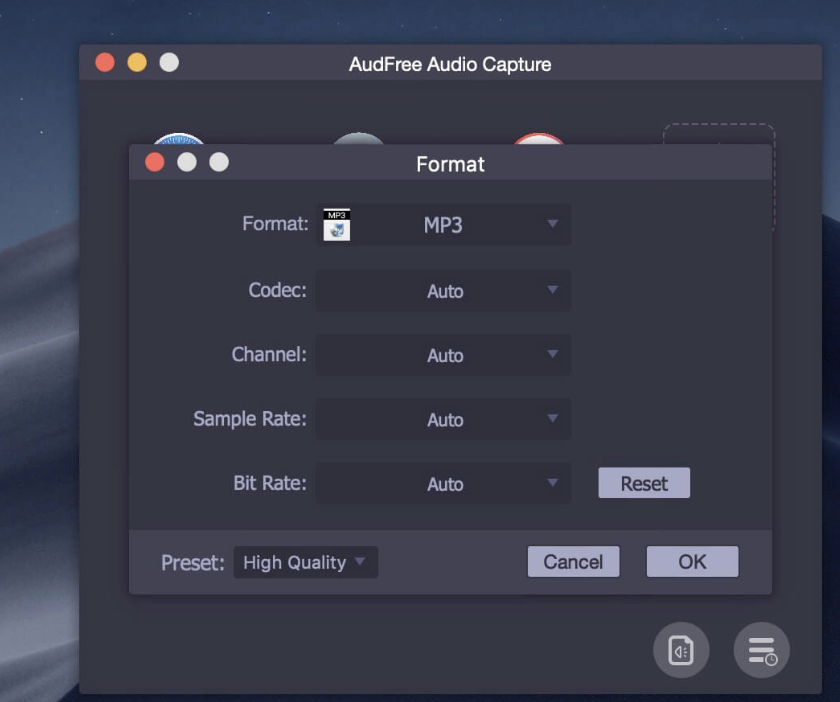
AudFree Mac Audio Capture is a versatile audio recorder designed to capture any sound playing through all Mac applications, including web browsers like Safari and Chrome, as well as local and web media players such as iTunes, QuickTime, and VLC. This tool provides a comprehensive solution for recording streaming music, live broadcasts, game music, online radios, and more, while preserving lossless quality and retaining ID3 tags.

Key Features

Universal Audio Recording

  • Application Compatibility: Record audio from any Mac app, including Safari, Chrome, iTunes, QuickTime, VLC, and other local or web media players.
  • Streaming Services: Capture streaming music from services like Spotify, Pandora, Apple Music, YouTube, and more.

High-Quality Recording

  • Lossless Quality: Ensure high-quality audio recordings with lossless sound.
  • ID3 Tags Retention: Retain ID3 tags for easy organization and identification of recorded tracks.

Wide Range of Uses

  • Live Broadcasts and Online Radios: Record live broadcasts and online radio streams.
  • Game Music: Capture music from games to relive your favorite gaming moments.

Recent Updates

  • Version 3.5.0: Release notes were unavailable when this listing was updated.

Compatibility

  • macOS: 10.10 or later

Homepage

For more information and to download AudFree Mac Audio Capture, visit the AudFree Homepage.

AudFree Mac Audio Capture is a robust and user-friendly tool for capturing and recording audio from a wide range of sources on your Mac, making it ideal for music lovers, gamers, and anyone looking to save their favorite audio content.
DRmare Audio Capture for Mac Download 2.5.0

0

Name : DRmare Audio Capture

Size : 36 MB

DRmare Audio Capture for Mac free Download

DRmare Audio Capture for Mac

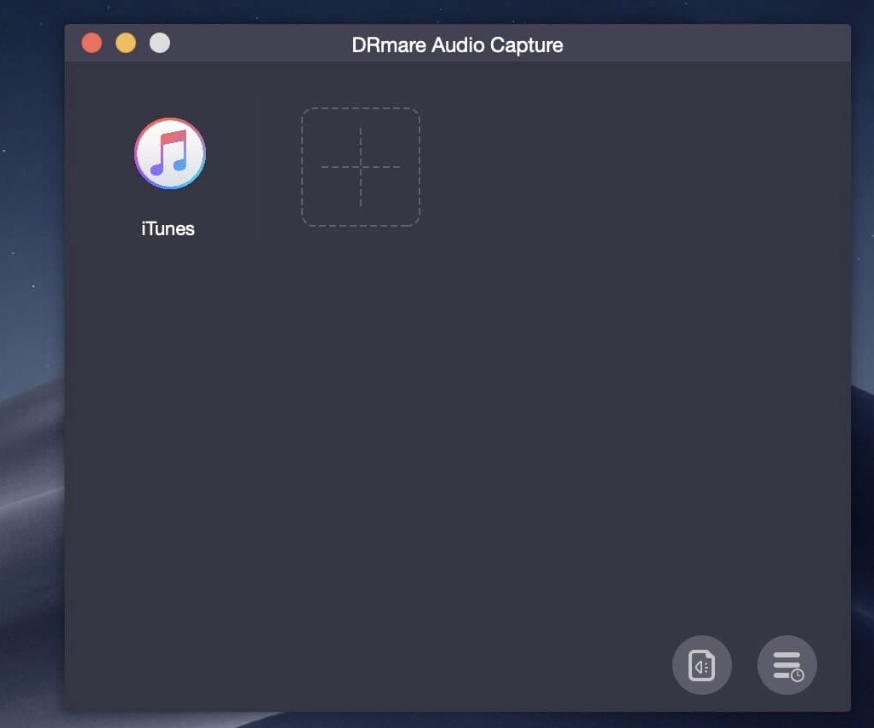
DRmare Audio Capture for Mac is a professional and versatile audio grabber that enables you to capture songs from any streaming apps, players, and web browsers on your Mac. This powerful music recorder allows you to download and edit music to meet various requirements, providing an easy solution to save your favorite tunes from different sources.

Key Features

Universal Audio Capture

  • Streaming Apps: Capture songs from streaming apps like Apple Music, Spotify, Pandora, YouTube, Hulu, Netflix, and Amazon Prime.
  • Media Players: Record audio from media players such as iTunes, QuickTime, VLC, RealPlayer, and KMPlayer.
  • Web Browsers: Record audio directly from web browsers like Chrome and Firefox.

Seamless Download and Editing

  • Offline Downloads: Download music offline from any player or streaming media app on your Mac.
  • One-Click Recording: Easily record audio with a single click.
  • Editing Capabilities: Edit captured audio to suit your preferences and requirements.

Recent Updates

  • Version 2.5.0: Solved the issue where output audio files might contain abnormal data.

Compatibility

  • macOS: 10.9 or later, 64-bit processor

Homepage

For more information and to download DRmare Audio Capture for Mac, visit the DRmare Homepage.

DRmare Audio Capture for Mac offers a robust solution for capturing and editing audio from a wide range of sources, making it an essential tool for music enthusiasts and professionals alike.
EditReady for Mac Download 24.3

0

Name : EditReady

Size : 148 MB

EditReady for Mac free Download

EditReady: Fast and Powerful Transcoding for Video Professionals

EditReady offers an intuitive and efficient transcoding solution for video professionals, making it easy to convert media without the complexities of outdated formats or overwhelming interfaces. It supports MOV, MP4, and MXF media, converting them swiftly into edit-ready QuickTime movies in ProRes or DNxHD.

Key Features

Beyond Transcoding

  • Professional Formats: Transcode to ProRes, DNxHD, and H.264.
  • LUT Application: Apply LUTs during conversion to set specific looks or convert Log footage into Linear.
  • Framerate Override: Change the framerate of your converted files for slow-motion effects with 60p or 120p footage.

Smart Metadata Editing

  • Rich Metadata Viewer and Editor: View and edit metadata, including GPS data, lens settings, and diagnostic data.
  • Add Location Data: Manually input location data if not stored by your camera.
  • Reel Name Setting: Assign reel names to your files.
  • Metadata-Based Filenames: Generate filenames for transcoded files using metadata.

Modern and Blazing Fast

  • Hardware Acceleration: Utilizes hardware-accelerated video decoding.
  • OpenCL Image Processing: Leverages OpenCL for efficient image processing.
  • Maximized CPU Usage: Takes advantage of all available CPU power for fast performance.
  • Future-Ready: Designed to accommodate new formats and workflows as they emerge.

Compatibility

  • macOS: 10.15 or later

Homepage

For more information and to download EditReady, visit the EditReady Homepage.

EditReady combines ease of use with powerful transcoding capabilities, making it a valuable tool for video professionals seeking efficient and high-quality conversion solutions.

KeyKey for Mac free Download 2.9.13

0

Name : KeyKey

Size : 62 MB

KeyKey for Mac free Download

KeyKey: The Manageable Typing Tutor for macOS

KeyKey is a user-friendly typing tutor designed to enhance your typing skills through a minimalist and responsive learning experience. By dedicating just 15 minutes each day, you can significantly boost your words per minute (WPM) without the need for traditional lessons or tests.

Key Features

Responsive Learning

  • Customizes lessons based on your typing level.
  • Adapts practice wordlists to focus on problematic letter combinations.
  • Presents lessons as a continuous line of words, adjusting difficulty based on your performance.
  • Tracks errors, completed words, and elapsed time to provide feedback.

Keyboard Trainer

  • Includes a built-in virtual keyboard to teach proper finger placement.
  • Models hand placement in real time and indicates optimal finger use for each letter.
  • Helps you develop efficient hand motions for faster typing.

Real World, Real Words

  • Generates practice words from a database of over 3,000 books and articles.
  • Provides wordlists ranked from common to uncommon for practical typing practice.
  • Supports both English and Cyrillic practice, helping you improve typing in multiple languages.

Expert Mode

  • Designed to push your typing speeds beyond 60 words per minute.
  • Offers more complicated and challenging words and phrases for advanced practice.

Precision Over Speed

  • Encourages accurate typing by reducing reliance on the backspace key.
  • Focuses on developing both speed and precision in your typing.

Compatibility

  • macOS: 10.11 or later

Mac App Store

For more information and to download KeyKey, visit the Mac App Store.

KeyKey provides a structured yet flexible approach to improving your typing skills, making it suitable for both beginners and experienced typists looking to refine their abilities.

Jameskarke's RSS Feed
Go to Top