We rank the best UK-licensed online casinos for real money and live craps in 2026, comparing bonuses, games, payouts, and mobile play. read the best online craps casino guide
Posts by Jameskarke
Colibri For Mac V- 2.1.6
0
Name : Colibri For Mac V- 2.1.6
Size : 23 MB
Colibri For Mac V- 2.1.6
Colibri is a native macOS audio player designed to provide high-quality and efficient playback of various audio formats. Here are some key features and details about Colibri:
Key Features:
- High-Quality Playback: Colibri is built on top of the BASS audio technology, which allows it to offer crystal-clear bit-perfect playback of popular lossless and lossy audio formats.
- Minimal Resource Usage: The application is optimized for minimal resource consumption, making it energy-efficient and suitable for use on Mac laptops, helping to save battery power.
- Supported Audio Formats: Colibri supports a wide range of audio formats, including FLAC, ALAC, WAV, AIFF, APE, TTA, DSD, WavPack, Ogg Vorbis, MP1, MP2, MP3, AAC, and M4A. It can also handle network streams and online radio.
- CUE Sheets: Colibri reads, processes, and to some extent, sanitizes CUE sheets, which are used to organize audio tracks within a single file. It also attempts to extract metadata from audio file headers if the CUE sheet lacks certain information.
- Gapless Playback: Colibri is designed to provide true gapless playback, ensuring a smooth listening experience, whether you’re using a CUE sheet or individual audio files.
- Playlist Management: The app saves your current playlist upon quitting and restores it when you reopen the app, preserving your song data between sessions.
- Privacy-Focused: Colibri respects your privacy and does not collect usage data or modify files. It only remembers your playlist and settings.
- Album Art Display: The app displays embedded cover art for FLAC files and uses ID3/iTunes artwork metadata for other formats. It also searches for cover art in the folder where the current song is located.
- Menu Bar Integration: Colibri can place an unobtrusive icon in the Menu Bar for easy access to playback controls, song information, and cover art.
- Finder Integration: Colibri integrates with macOS Finder, allowing it to appear as an option in “Open With” when you select a supported audio file.
- Display Compatibility: The interface elements of Colibri scale smoothly on various screen resolutions and pixel densities.
Compatibility:
Colibri is compatible with macOS 10.10 or later.
Mac App Store:
You can download Colibri from the Mac App Store via the following link: Colibri on the Mac App Store.
Colibri is a native macOS audio player that offers a clean and efficient way to enjoy your music library, supporting a wide range of audio formats and providing features like gapless playback, CUE sheet support, and low resource consumption for an improved listening experience on your Mac.


MacDroid Pro For Mac V-1.8
0
Name : MacDroid Pro 1.8
Size : 21 MB
MacDroid Pro For Mac V- 1.8
MacDroid is a macOS application designed to facilitate the seamless connection and file transfer between Mac computers and Android devices. It bridges the gap between these two operating systems, which do not natively integrate, allowing users to access and transfer various types of content easily. Here are some key features and details about MacDroid:
Key Features:
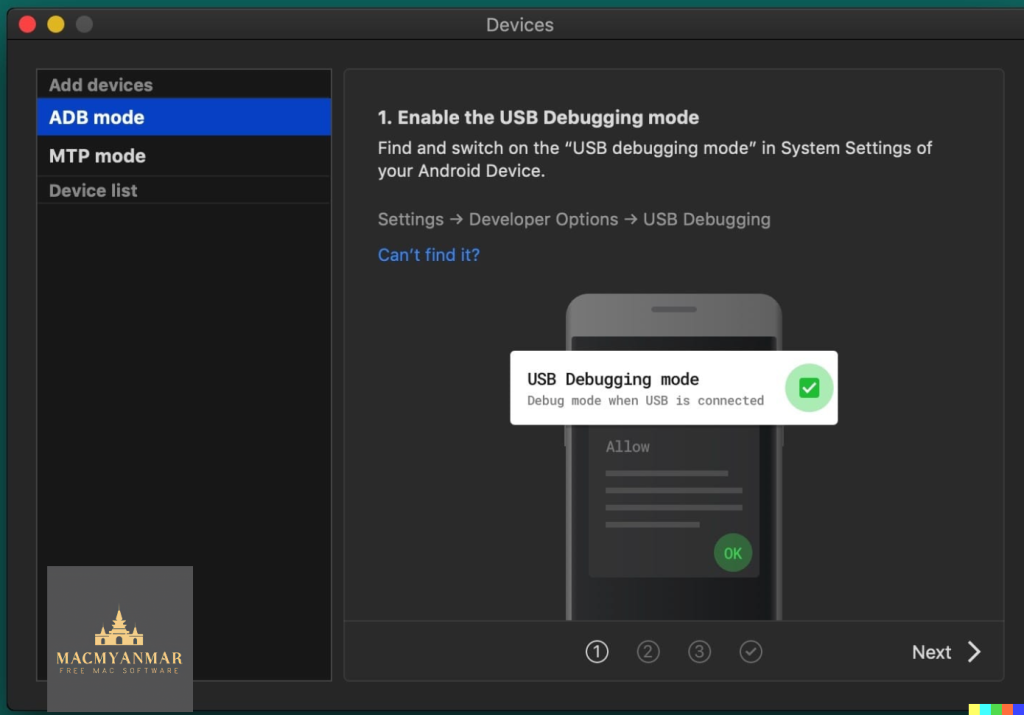
- Connect Mac and Android: MacDroid provides a convenient way to connect your Mac or MacBook with an Android phone or tablet. This enables you to access and manage the content on your Android device directly from your Mac.
- File Transfer: You can transfer files, including photos, music, videos, and entire folders, between your Mac and Android device. This is done using a USB cable to connect the devices, and MacDroid takes care of the rest.
- Photo Transfer: MacDroid allows you to access your Android photos in the Finder app on your Mac. You can easily drag and drop photos to any folder on your Mac for organization and backup.
- Music Transfer: You can transfer your favorite music tracks between your Mac and Android device, giving you the freedom to enjoy your music on the go.
- Video Transfer: Transfer videos between your Mac and Android device, allowing you to watch them offline, whether you’re traveling or on the move.
- Edit Android Files: MacDroid enables you to edit Android files directly from your Mac using your preferred Mac applications. You can make changes to Android files without having to save them to your computer first.
Compatibility:
MacDroid is compatible with macOS 10.10 or later, ensuring it works with a wide range of Mac computers and operating system versions.
Homepage:
You can find more information about MacDroid and download the application from the official homepage at https://www.macdroid.app.
MacDroid is a valuable tool for individuals who use both Mac and Android devices. It simplifies the process of transferring and managing files between these platforms, making it easier to keep your content organized and accessible across your devices. Whether you need to transfer photos, music, videos, or other files, MacDroid provides a user-friendly solution.
TechSmith Camtasia For Mac 2023.2.1
0
Name : TechSmith Camtasia For Mac 2023.2.1
Size : 369 MB
TechSmith Camtasia For Mac 2023.2.1
Camtasia is a widely-used software solution for creating professional-quality videos, particularly focused on tutorials, presentations, and demonstrations. It offers a range of features to help users create, edit, and share videos with ease. Here are some key features and details about Camtasia:
Key Features:
- Screen Recording: Camtasia allows you to record your computer screen. This feature is ideal for creating software demonstrations, tutorials, and other educational content.
- Pre-Built Templates: The software provides pre-built video templates that simplify the video creation process. These templates can help you get started quickly.
- Import PowerPoint Presentations: You can import PowerPoint presentations into Camtasia and enhance them with video footage, animations, and other effects.
- Video Editing: Camtasia includes a video editor with drag-and-drop functionality, making it easy to edit your recorded or imported videos. You can add effects, transitions, annotations, and more.
- No Video Editing Experience Required: Camtasia is designed to be user-friendly and doesn’t require advanced video editing skills. It’s accessible for both beginners and experienced video creators.
- Engagement: Videos created with Camtasia can engage viewers more effectively than text alone, making it a valuable tool for educational content, marketing materials, and more.
Typical Uses:
Camtasia is suitable for a wide range of video-related tasks, including but not limited to:
- Video Tutorials
- How-to Videos
- Software Demonstrations
- Meeting Recordings
- YouTube Videos
- Training Materials
- Webinar Recordings
- Instructional Videos
- Explainer Videos
- Presentation Recordings
Compatibility:
Camtasia is compatible with macOS 11.0 or later, ensuring it works with the latest macOS versions.
Homepage:
You can find more information about Camtasia and download the software from the official homepage at https://www.techsmith.com/.
Camtasia is a popular choice for individuals and professionals who need to create polished and engaging video content. Its screen recording, video editing, and template features make it a versatile tool for various purposes, from creating educational materials to marketing videos and beyond.

Keka For Mac 1.3.3 free Download
0
Name : Keka 1.3.3
Size : 30 MB
Keka For Mac 1.3.3 free Download
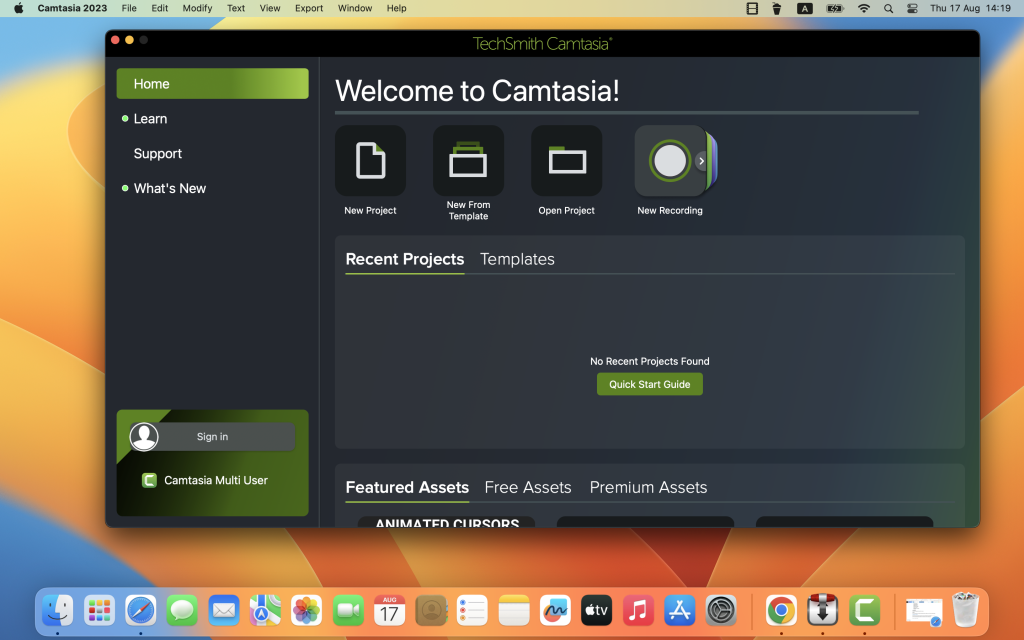
Keka is a comprehensive file archiver designed for macOS. It provides a range of features for compressing and decompressing files in various formats. Here are some key features and details about Keka:
Key Features:
- User-Friendly Interface: Keka offers an intuitive and user-friendly interface, making it easy for users to compress and extract files.
- Compression: You can use Keka to compress multiple files into a variety of formats. This includes formats like 7Z, ZIP, TAR, GZIP, BZIP2, XZ, LZIP, and ISO.
- Password Protection: Keka allows you to protect your compressed files with a password, ensuring that only authorized users can access the contents.
- Drag and Drop: To compress files, simply drag and drop them onto the Keka icon in the Dock or the main window, making the process convenient and efficient.
- Extraction: Keka can also extract files from a wide range of compressed formats, including ZIP, RAR, TAR, GZIP, BZIP2, XZ, LZIP, DMG, ISO, LZMA, EXE, CAB, WIM, PAX, JAR, APK, APPX, XPI, IPA, CPGZ, CPIO, and more.
- Parted Archives: Keka is capable of handling parted archives, which are archives split into multiple parts. It can extract them seamlessly.
- Compatibility: Keka is compatible with macOS 10.10 or later and runs on 64-bit processors.
Homepage:
You can find more information about Keka and download the application from the official homepage at https://www.keka.io/en/.
Keka is a versatile file archiver that simplifies the process of compressing and extracting files in various formats on macOS. Whether you need to create compressed archives for storage or share files with others, Keka provides an easy-to-use solution with support for a wide range of archive formats and password protection for added security.
iThoughtsX 9.4 For Download Mac
0
Name : iThoughtsX 9.4
Size : 34 MB
iThoughtsX 9.4 for Mac Download
iThoughtsX is a versatile mind mapping application designed for macOS. It provides a range of features for brainstorming, organizing ideas, and planning various types of projects. Here are some key features and typical use cases for iThoughtsX:
Key Features:
- Elegant Interface: iThoughtsX offers an elegant and user-friendly interface to assist users in organizing their thoughts effectively.
- Mind Mapping: The app allows you to create mind maps, helping you visually represent and connect ideas, concepts, and information.
- Remember and Connect: You can quickly capture and remember important information and explore connections between different ideas, facilitating creative thinking.
- Various Use Cases: iThoughtsX is versatile and can be used for a variety of purposes, including:
- Course Notes/Revision: Organize and review course materials and notes.
- Project Planning: Create project plans and visual timelines.
- Task Lists: Manage to-do lists and tasks efficiently.
- Brainstorming: Generate and organize ideas during brainstorming sessions.
- Goal Setting: Plan and track your goals effectively.
- WBS (Work Breakdown Structure): Break down complex projects into manageable tasks.
- Meeting Notes: Capture and organize meeting notes.
- GTD (Getting Things Done): Implement the GTD productivity method using mind maps.
- Import and Export: iThoughtsX supports various file formats for importing and exporting your mind maps, making it easy to work with other applications. Supported formats include Mindjet MindManager, Freemind/Freeplane, XMind, iMindmap, and more.
- Markdown and Text: You can import and export content in Markdown, plain text, and rich text formats, making it flexible for different types of users and workflows.
- Compatibility: iThoughtsX is compatible with macOS 10.11 or later, ensuring that it can be used on a wide range of Mac computers.
Homepage:
You can find more information about iThoughtsX and download the app from the official homepage at http://toketaware.com/ithoughts-osx/.
iThoughtsX seems to be a comprehensive tool for individuals and professionals who want to enhance their brainstorming, planning, and organization processes using mind maps. Its compatibility with various file formats and versatile use cases make it a valuable addition to the toolbox of anyone looking to capture and organize their ideas effectively.

Audio Editor 1.6.1 for Mac
0
Name : Audio Editor 1.6.1
Size : 199 MB
Audio Editor 1.6.1 For Mac
Audio Editor – Merge, Split And Edit appears to be a sound editing program designed for macOS users. It offers a range of features for editing audio files. Here’s a summary of its key features and compatibility:
Key Features:
- Open and Save Audio Files: You can use this software to open existing audio files and save your edited projects.
- Precise Audio Editing: The program allows for precise audio editing by providing a waveform view, which lets you see the audio’s graphical representation. This can help you make accurate edits.
- Create Ringtones and Jingles: You can use this tool to create custom ringtones and jingles by editing audio files.
- Cut, Copy, Paste, and Delete: You can perform standard audio editing operations such as cutting, copying, pasting, and deleting selected areas of audio.
- Fine Selection: The software enables fine selection on the waveform, which is useful for making detailed edits to your audio.
- Timeline Editing: You can perform your audio editing on a timeline, making it convenient for arranging and editing audio tracks.
- Zoom In/Out: You can zoom in and out on the timeline to find and edit specific moments within the audio.
Compatibility:
- This software is compatible with macOS 10.13.2 or later.
It seems like Audio Editor – Merge, Split And Edit offers a user-friendly interface and basic audio editing features, making it suitable for tasks like creating custom ringtones, making simple edits to audio recordings, and more. Users interested in these functionalities can find it on the Mac App Store through the provided homepage link.

MotionVFX – mTransition Light 2 – 50 Luminous Transitions for FCPX
0
Name : MotionVFX – mTransition Light 2 – 50 Luminous Transitions for FCPX
Size : 3.01 GB
MotionVFX – mTransition Light 2 – 50 Luminous Transitions for Final Cut Pro X
mTransition Light 2 is a plugin designed exclusively for Final Cut Pro X (FCPX) that adds dynamic light leak transitions to your video projects. Here are some key features and information about this plugin:
- Exclusively for FCPX: mTransition Light 2 is specifically created for Final Cut Pro X, ensuring seamless integration and easy access to its features from within the application.
- Published Parameters: The plugin offers published parameters, making it simple to customize the transitions according to your project’s requirements. You can adjust various settings to achieve the desired look and feel.
- Drag & Drop: The plugin is designed for an efficient workflow, allowing you to drag and drop transitions onto your clips in the FCPX timeline. This simplifies the process of adding and adjusting transitions.
- High-Resolution Ready: mTransition Light 2 is built to support high-resolution video editing. You can use these transitions in your projects without the need for additional transformations, ensuring compatibility with a wide range of resolutions and quality standards.
- Spectacular Light Leaks: Light leaks are a popular stylistic element in video editing, adding a touch of glamour and excitement to your transitions. These transitions can help create smooth and visually appealing shifts between shots.
- MotionVFX: The plugin is created by MotionVFX, a well-known provider of plugins and templates for video editing software. They specialize in creating high-quality, easy-to-use assets for video editors.
- Compatibility: As of my last knowledge update in September 2021, the plugin is designed for use with Final Cut Pro X. It’s advisable to check the MotionVFX website or contact them directly for the most up-to-date compatibility information and any potential updates or newer versions of the plugin.
To learn more about mTransition Light 2, its features, and how to use it, you can visit the MotionVFX website using the provided homepage link. Additionally, you can explore their documentation or tutorials to see how this plugin can enhance your video editing projects in Final Cut Pro X.

Motionvfx – mTitle Abstract FCPX Free Mac OS
2
Name : Motionvfx – mTitle Abstract FCPX
Size : 11.9 MB
Motionvfx – mTitle Abstract FCPX Free Mac OS
Compressor 4.6.5 For Mac free Download
1
Name : Compressor 4.6.5
Size : 352MB
Compressor 4.6.5 For Mac Free Download
Compressor is a powerful video conversion and compression tool designed to work seamlessly with Final Cut Pro. It offers a range of features to enhance and customize your video projects. Here’s a summary of its key features and system requirements:
Advanced Encoding for Final Cut Pro:
- Customize encoding settings for Final Cut Pro.
- Save custom settings in Compressor, and they will appear automatically in Final Cut Pro.
- Set up batch processes for efficient encoding of large numbers of files.
- Create custom Destinations to combine encoding with additional tasks like file moving or copying.
- Create self-contained Droplets for desktop encoding with drag-and-drop convenience.
- Share settings with other editors, even if they don’t have Compressor installed.
- Send Final Cut Pro and Motion projects to Compressor for HEVC video encoding.
iTunes Store Package Creation:
- Import and organize movie, trailer, closed captions, and subtitles into an iTunes Store-compliant package.
- Audition video with audio, captions, or subtitles for sync verification.
- Built-in error detection helps identify issues with the iTunes Store Package.
- Deliver HDR video in various formats, including P3 D65 PQ, Rec. 2020 HLG, and Rec. 2020 PQ for HDR10.
- Support for linking a Dolby Vision graded video file to a Dolby Vision XML in the iTunes Store Package.
Support for Industry Standards:
- Encode to a range of industry-standard formats, including MPEG-4, H.264, MXF, and ProRes.
- Create DVD or Blu-ray discs with themed menus.
- Generate files for HTTP live streaming in a single step.
- Import various image sequences and encode them to any setting.
- Access advanced encoding features for closed captioning, metadata, and more.
Pristine Format Conversions:
- Convert files between formats, such as NTSC to PAL or SD to HD.
- Manipulate wide color video and deliver in standard Rec. 601, Rec. 709, or wide Rec. 2020 color spaces.
- Deliver High Dynamic Range (HDR) video with color space conversions and HDR metadata controls.
- Use CABAC entropy multipass H.264 encoding for superior results with hardware-accelerated export on supported systems.
- Customize content with image filters, timecode overlays, and watermarks.
- Adjust video speed, frame rate, or duration as needed.
Distributed Encoding:
- Save time by distributing encoding tasks among multiple workstations.
- Install Compressor on any Mac to activate it as a node for distributed encoding.
- Speed up encoding in Final Cut Pro by choosing shared computers for exporting.
System Requirements:
- macOS 12.6 or later.
- 4GB of RAM (8GB recommended for 4K editing, 3D titles, and 360° video editing).
- Metal-capable graphics card.
- 1GB of VRAM recommended for 4K editing, 3D titles, and 360° video editing.
- 1.2GB of available disk space.
- ProRes RAW requires a Mac computer that supports Metal.
- Blu-ray recorder required for burning Blu-ray discs.
What’s New in Version 4.6.5:
- Enhanced the Settings and Locations sidebar to be resizable when the Inspector is open.
- Improved reliability when processing 4:2:2-based H.264 media on Mac computers with Apple silicon.
- Addressed an issue where the color space of a Photo-JPEG source was incorrect when Color space was set to Automatic.
- Fixed an issue where an exported IMF supplemental package was one frame shorter than the original package.
Compressor is a valuable tool for video professionals who work with Final Cut Pro, providing advanced encoding options, format conversions, and the ability to create iTunes Store-compliant packages. It’s optimized for macOS and offers features for both individual and distributed encoding workflows.
Motionvfx – mTitle Cinematic 2
0
Name :Motionvfx – mTitle Cinematic 2
Size :8.1 MB
Motionvfx – mTitle Cinematic 2