Free Macsoftware One click Download

Posts by Jameskarke
Mac OS Omni Toolbox Version 1.4.7
03 years

Name : Omni Toolbox 1.4.7
Size : 78 Mb
Mac OS Omni Toolbox Version 1.4.7
Omni Toolbox, as described, appears to be a collection of tools designed to enhance the functionality and user experience of iPhones and iPads running on iOS. Here are some of the key features and functionalities of Omni Toolbox:
- Check iPhone iPad Battery Health: Omni Toolbox provides a way to check the battery health of your iPhone or iPad. It can offer recommendations on whether the battery needs to be replaced, which is important for maintaining device performance.
- Fix Common iOS System & iPhone Software Glitches: This tool aims to provide solutions for common iOS system issues and software glitches that can affect the performance of iPhones. It can be particularly useful for troubleshooting and resolving software-related problems.
- Powerful Tools for Fixing iPhone Won’t Update: Ensuring that your iPhone or iPad is running the latest iOS version is essential for security and feature updates. Omni Toolbox offers assistance in updating iOS and recovering from update failures.
- Clean Up and Free Up iPhone or iPad Storage: Storage management is crucial to maintain the functionality of iOS devices. Omni Toolbox provides methods to clear caches, offload media files, and erase content to free up storage space.
- Create Your Own Ringtone: Users can create custom ringtones from audio clips of their choice, including those from platforms like TikTok, SoundCloud, or Twitter. This feature allows for personalization of the device’s audio notifications.
- Download TikTok Videos and Save As Ringtone Or Music: Omni Toolbox includes a feature to download TikTok videos and save them as MP4 or MP3 files, which can be used as ringtones or music on the iPhone.
- Download & Convert Videos To MP3 On iPhone: This tool allows users to download high-definition videos from various websites, including Vimeo and BBC, and convert them into MP3 files. These files can then be added to the iPhone for offline playback.
Compatibility:
- Omni Toolbox is compatible with macOS 10.10 or later, suggesting that it is designed to run on Mac computers.
- It appears that Omni Toolbox interacts with iOS devices like iPhones and iPads to provide these features and functionalities.
The software seems to provide a comprehensive set of tools to manage and enhance the performance of iOS devices, especially in terms of battery health, software troubleshooting, and multimedia management. Users interested in these features can visit the official website at https://www.minicreo.com for more information and to download the software. Please note that the availability and functionality of such software can change over time, so it’s advisable to check the website for the most up-to-date information.
Omni Recover 3.6.1 For Mac free Download
03 years

Name : Omni Recover 3.6.1
Size :23 MB
Omni Recover 3.6.1 for Mac free Download
Omni Recover for macOS is a data recovery software designed to help users retrieve deleted messages, photos, WhatsApp chats, and various other types of iOS data from their iPhone, iPad, or iPod touch. Here are some key features and information about Omni Recover:
- Data Recovery: Omni Recover is designed to assist users in recovering lost iOS data due to various scenarios, including accidental deletion, water damage, or other unexpected iOS disasters. Unlike some situations where deleted data is permanently lost, Omni Recover aims to make it recoverable.
- File Types: The software can recover up to 20+ types of iOS data. This includes photos, messages, WhatsApp chats, notes, contacts, call history, Safari bookmarks, and more. This versatility ensures that users can potentially recover a wide range of important data.
- Ease of Use: The software is designed to be user-friendly, making it accessible even to individuals without extensive technical knowledge. It provides step-by-step guidance to help users through the recovery process.
- Compatibility: Omni Recover is compatible with macOS 10.10 or later, ensuring that it can run on a variety of Mac systems.
- No Trash Bin for iOS: The software addresses the issue that iOS devices don’t have a traditional “Trash bin” like a computer, making it difficult to recover accidentally deleted data. Omni Recover aims to bridge this gap by offering a recovery solution.
- Peace of Mind: With Omni Recover, users are encouraged to have peace of mind knowing that their iOS data can be recovered, even in cases of data loss due to accidents or disasters.
- Website: The official website for Omni Recover is https://www.minicreo.com, where users can find more information, download the software, and access support resources.
It’s important to note that data recovery success may vary depending on factors such as the extent of data overwritten, the cause of data loss, and the timeliness of using recovery tools. Always ensure that you have regular backups of your important data to minimize the risk of data loss.
SyncBird Pro For Mac Free 4.0.4
03 years

Name : SyncBird Pro
Size : 61 MB
SyncBird Pro For Mac Free 4.0.4
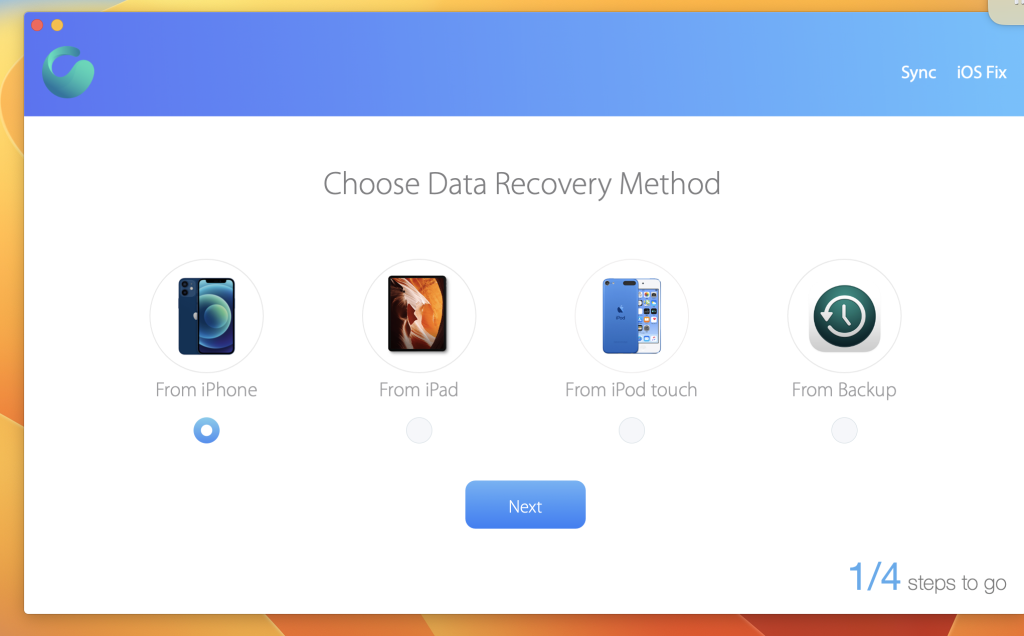
SyncBird Pro is the ultimate iPhone file manager that revolutionizes iOS synchronization and iTunes maintenance on your Mac. Say goodbye to iTunes and effortlessly transfer music, playlists, photos, videos, books, and more between your iPhone, iPad, iPod, and Mac. SyncBird also boasts exclusive features, PhoneCare and TunesClean, designed to reclaim valuable space on your iPhone and optimize your iTunes library for a seamless experience. With SyncBird, maintaining your iOS devices and iTunes is a breeze, ensuring you stay free from storage constraints.
Key Features:
- Flash Sync: Tailored for Flash/SSD storage, SyncBird offers lightning-fast iOS content management with an instant Add-to-iPhone feature.
- 4K Support: Leveraging the power of the A10 chip and M10 coprocessor, SyncBird enables smooth 4K video playback on your iPhone and iPad.
- Auto-Conversion: SyncBird automatically transcodes your videos into .m4v, .mp4, and .mov formats, ensuring compatibility with Apple devices.
- Two-Way Sync: Effortlessly transfer music, videos, photos, and all your iOS content to and from your iPhone and iPod, breaking free from iTunes limitations.
- Unlimited Import: Add new songs and movies to your iOS devices from multiple iTunes libraries on different computers, all without involving iTunes itself.
- Drag-and-Drop: Simplify populating your iPhone media library by dragging-and-dropping, making managing your iOS content as intuitive as using Finder.
Design Excellence:
Our commitment to design excellence brings the Google Material Design philosophy to the macOS platform. Every element of SyncBird, from surface and motion to color, is carefully chosen to deliver an exciting and delightful user experience.
System Requirements:
- macOS 10.10 or later (Apple Silicon compatible)
Unlock the full potential of iOS synchronization and iTunes management with SyncBird Pro. Experience the future of iOS file management and discover more at our homepage https://www.minicreo.com
Reader Mac OS V- 5.0
03 years

Name : Reader 5.0
Size : 8 MB
Reader Mac OS V- 5.0
“Unlock the full potential of your reading experience with Reader, the ultimate tool for academics and anyone who values efficient document consumption. This is the complete version of Reader, which comes with essential annotation features, including text highlighting and yellow note-taking. If you’ve been using the free version ‘Reader | Basic,’ it’s time to take your reading to the next level.
Key Features:
- Streamlined Design: Our minimalist design ensures a distraction-free reading environment while providing powerful tools to enhance your reading experience.
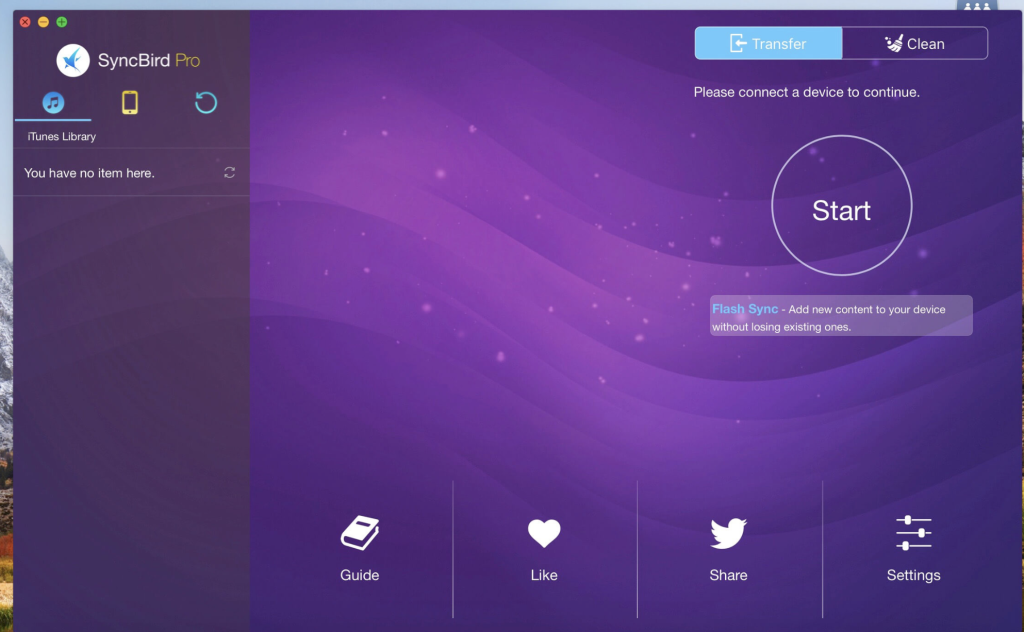
- Text Selection Magic: Select text and hit cmd-F to instantly focus on sentences containing the selected text, streamlining your research and understanding.
- Annotations Made Easy: Highlight important passages with ‘H’ or apply a grey highlight with cmd-shift-H. For strikethroughs, select text and press ‘X’ to mark it with a red line. Add yellow notes for further clarity.
- Effortless Navigation: Press ‘ESC’ to seamlessly switch between fullscreen and regular view. Navigate effortlessly with spacebar for page down or arrow keys.
- Optimized Viewing: Enjoy a white background in full-screen view, providing a clean reading space that complements your documents.
- Author Integration: Seamlessly integrate with the Author word processor for instant citations. Use the Visual-Meta method for quick and efficient citation management.
- Advanced Functionality: Discover additional features like ‘N’ to identify names in the document, and cmd-shift-C to copy text as citations.
- Liquid Integration: Access hundreds of commands within seconds through Liquid, enhancing your text selection’s versatility.
- Visual-Meta Support: If your document contains Visual-Meta from the Author word processor, use cmd- to collapse it into an outline, particularly useful for documents with headings.
System Requirements:
- macOS 10.14 or later
Elevate your reading game with Reader. Visit our homepage to learn more and unlock the full potential of your reading experience. Upgrade to the complete version today by downloading it from the Mac App Store.”
Mac OS Dynamic Wallpaper Enginer V-15.6
03 years

Name : Dynamic Wallpaper Enginer 15.6
Size : 27 Mb
Mac OS Dynamic Wallpaper Enginer V-15.6
Dynamic Wallpaper Engine is the ultimate solution for bringing your desktop to life with captivating live wallpapers and screensavers. This powerful application for Mac ensures a seamless and resource-efficient experience while offering thousands of hand-picked videos that are updated daily. It’s your Wallpaper Engine for Mac!
Key Features:
- 2000+ Hand-Picked Videos: Discover a diverse collection of videos, including 4K Ultra HD options, spanning anime, scenic beauty, gaming, creativity, nostalgia, movies, and more.
- Effortless Searching: Easily find the perfect wallpaper with keyword searching in videos.
- Dynamic-ScreenSaver: Customize your lock screen with Dynamic-ScreenSaver, adding a personal touch to your Mac.
- Local Video Import: Bring your own videos into the mix effortlessly.
- Playlist and Looping: Create playlists, loop lists, or shuffle them for a dynamic wallpaper experience.
- Multi-Screen Support: Set different wallpapers on different displays and tailor your experience to your setup.
- User Control: Manually pause, resume, or mute videos as you please.
- Productivity Enhancements: Stay on top of your tasks with break reminders, and let the app automatically pause videos when other apps are active or when your Mac is unplugged.
- Desktop Icon Management: Easily hide desktop icons for a clean look.
- Resource Efficiency: Enjoy an immersive experience without draining your system resources.
System Requirements:
- macOS 10.12 or later
Transform your desktop into a dynamic canvas with Dynamic Wallpaper Engine. Explore our Workshop for an ever-expanding selection of live wallpapers and screensavers. Ready to elevate your desktop experience? Visit our homepage at [ https://geo.itunes.apple.com/app/id1453504509 ] to learn more and download the app from the Mac App Store.”
Fix My iPhone for Mac Version 2.4.5
03 years
by Jameskarke
in Application
Name : Fix My iPhone for Mac Version 2.4.5
Size : 15 MB
Fix My iPhone for Mac Version 2.4.5
Fix My iPhone which is designed to address various iOS system issues without data loss. This can be a helpful tool for iPhone users experiencing problems such as being stuck on the Apple logo, black screen, frozen screen, or encountering iTunes update/restore errors, especially after upgrading to iOS 15. Here’s a revised version of your promotion:
“Introducing ‘Fix My iPhone,’ the ultimate macOS desktop app for resolving iOS system issues. Whether your iPhone is stuck on the Apple logo, displaying a black screen, frozen, or plagued by iTunes update/restore errors, our powerful tool has got you covered. With over 50 solutions tailored for iOS 15 upgrade failures and more, ‘Fix My iPhone’ offers a swift and effective remedy, all while safeguarding your precious iOS data.
Key Features:
- Rescue your iPhone from the Apple logo, black screen, and more.
- Tackle iTunes update and restore problems with ease.
- Compatible with iOS 15 and supports various upgrade issues.
- Works seamlessly with devices in recovery mode or exhibiting startup loops.
System Requirements:
- macOS 10.10 or later
Don’t let iOS glitches disrupt your iPhone experience. Visit our homepage https://www.minicreo.com to learn more about ‘Fix My iPhone’ and restore your device’s functionality today.”
Pixelmator Pro for Mac Free V-3.3.13
03 years

Name : Pixelmator Pro
Size : 594 MB
Pixelmator Pro is a powerful and user-friendly image editor designed exclusively for Mac. It offers a wide range of professional-grade image editing tools, making it easy to enhance photos, create stunning compositions, design graphics, and apply various effects. Here are some key features and details about Pixelmator Pro:
Key Features:
- Modern Interface: Pixelmator Pro features a modern and intuitive single-window interface designed for working with images on a Mac. It provides a streamlined and accessible design that caters to both beginners and experienced users.
- Dark and Light Appearances: The app adapts to macOS’s light and dark modes, ensuring a cohesive visual experience.
- Customizable Interface: Users can customize the interface to organize their creative environment according to their preferences. The software offers workspace presets tailored for photography, design, illustration, and painting.
- Photos Extension: Pixelmator Pro seamlessly integrates with the Photos app, allowing users to edit images without leaving Photos. Nondestructive edits are saved directly to the Photos library.
- Professional Tools: The software provides a comprehensive set of image editing tools, supporting nondestructive editing for fine-tuning changes at any time. Users can easily manipulate and arrange objects for creating captivating compositions.
- Color Adjustments: Pixelmator Pro offers machine learning-powered color adjustments, enabling precise control over colors in images.
- RAW Support: The software excels in handling RAW files, preserving extended range data for editing RAW images effectively.
- Brushes: Users can create digital or traditional paintings using fully customizable dual-texture brushes. The software offers extensive support for digital graphics tablets.
- Effects and Presets: Pixelmator Pro includes a range of built-in effects and presets for color adjustments, layer styles, and shapes. Users can save their combinations as presets and share them.
- Retouching Tools: The retouching tools allow users to remove imperfections, clone parts of photos, and make precise adjustments to light and dark areas.
- Vector Graphics: The software provides customizable vector graphics designed by the Pixelmator Team, along with the ability to create custom vector graphics using the Pen tool.
- Typography: Designing text is made easy with a full set of typography tools, including curved, circular, and path text options.
- Batch Processing: Users can batch process images with built-in Automator actions and automate workflows using AppleScript support.
- Machine Learning Enhancements: Pixelmator Pro leverages machine learning for tasks such as object removal, intelligent photo enhancement, super resolution, color matching, denoising, and quick selections.
- Compatibility: The software supports various image formats, including JPEG, TIFF, PNG, PSD, HEIF, SVG, PDF, GIF, BMP, TGA, WebP, and JPEG-2000. It also opens and edits Photoshop images with layers and SVG vector images.
- Built for Mac: Pixelmator Pro is designed exclusively for macOS and integrates seamlessly with macOS Big Sur.
Pixelmator Pro provides a robust set of image editing tools, enhanced by machine learning capabilities, making it an excellent choice for photographers, designers, illustrators, and digital artists. It’s compatible with macOS 11.0 or later.
You can find Pixelmator Pro on the Mac App Store.

MacX DVD Ripper Pro for Mac OS V- 6.8.1
03 years
by Jameskarke
in Application
Name : MacX DVD Ripper Pro
Size : 56 Mb
MacX DVD Ripper Pro for Mac OS V- 6.8.1
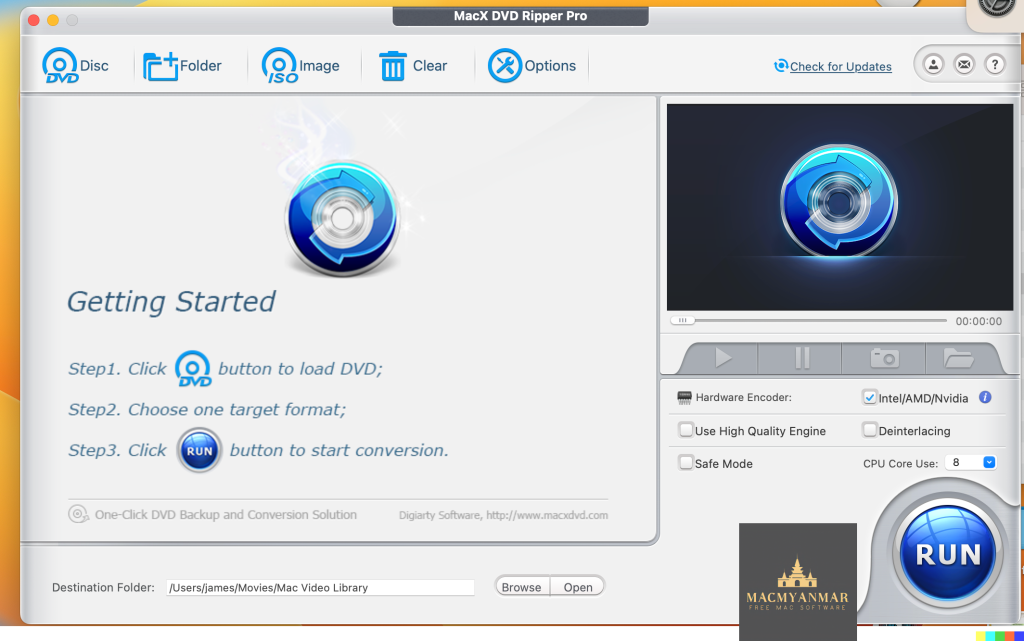
MacX DVD Ripper Pro is a powerful Mac DVD ripper designed to help you back up and rip your DVD collection on your Mac. It provides a convenient way to convert your DVDs into various video and audio formats, making them compatible with a wide range of devices and platforms. Here are some key features and details about MacX DVD Ripper Pro:
Key Features:
- DVD Ripping: MacX DVD Ripper Pro allows you to rip your DVDs to various video formats, including MP4, H.264, MOV, M4V, FLV, MPEG4, AVI, QT, and more. It also supports extracting audio tracks in formats like MP3.
- 350+ Preset Profiles: The software offers over 350 preset profiles, making it easy to convert DVDs for specific devices and platforms, such as Mac, iTunes, QuickTime, iPhone, iPad, Android, Apple TV, and more. This ensures hassle-free compatibility.
- Bypass Copy Protections: MacX DVD Ripper Pro can bypass various copy protections found on DVDs, including DVD CSS, region code, RCE, Sony ArccOS, UOPs, Disney X-project DRM, and more. This means you can rip both commercial and homemade DVDs.
- Copy Feature: The software also provides a copy feature, allowing you to create 1:1 DVD copies to ISO images, MKV, or MPEG2 files. This is useful for preserving your DVDs and protecting them from physical damage.
- Fast Ripping Speed: MacX DVD Ripper Pro boasts a high ripping speed, with up to 36X faster conversion. It ensures that you can complete the ripping process quickly without compromising on quality.
- Quality Output: The software maintains the quality of your videos and audio during the conversion process, delivering outstanding results.
MacX DVD Ripper Pro simplifies the process of converting your DVD collection into digital formats that can be played on various devices and platforms. Whether you want to watch DVDs on your Mac, iPhone, iPad, or other devices, this software provides a solution. It also ensures that you can back up and protect your DVD content.
Please note that MacX DVD Ripper Pro is compatible with macOS 10.8 or later.
Feeder For Mac OX V-4.5.4
03 years
Name : Feeder
Size : 12 Mb
Feeder For Mac OX V-4.5.4
Feeder is a comprehensive application designed for creating, editing, and publishing RSS and iTunes podcast feeds. It offers a range of features that simplify the process of managing and sharing content through feeds. Here are some key features and details about Feeder:
Key Features:
- Feed Editing: Feeder provides an intuitive and efficient feed editing interface. It supports quick and easy editing with features like auto-complete, templates, HTML tags, and Markdown. You can create and customize your feeds with ease.
- HTML Preview: Feeder offers an HTML preview feature, allowing you to visualize how your feed will appear before publishing it. This helps ensure that your feed looks the way you want it to.
- Podcast Support: For podcasters, Feeder offers specific features such as drag-and-drop episode creation, automatic tagging of audio and video files with artwork, and compatibility with the iTunes Store. It also provides an iTunes Store preview for your podcast.
- Publishing Options: Feeder allows you to publish your feeds, images, and media files through various methods, including FTP, SFTP, WebDAV, or Amazon S3. You can also set it to post to a blog when publishing and announce new content on Twitter and Facebook once it’s online.
- macOS Big Sur Compatibility: Feeder 4 has been fully updated to work seamlessly with macOS Big Sur. It adapts to Apple’s transition from iTunes to the Podcasts app.
- iCloud Integration: Feeder supports iCloud, enabling you to access your feeds on all your Mac devices. This makes it convenient for users who work across multiple Macs.
- Collaboration: Feeder allows collaboration with other Feeder users via iCloud, making it easier to work on feeds together and share content.
Please note that to use Feeder, you may need to disable System Integrity Protection (SIP) for certain actions. This is a security measure in macOS, and disabling SIP should be done with caution.
Feeder is a valuable tool for content creators, podcasters, and anyone who wants to manage and publish RSS and podcast feeds with ease. It streamlines the process of creating and sharing content while offering compatibility with the latest macOS updates.
Feeder is compatible with macOS 10.14 or later.
Beamer For Mac Free V- 4.1.17
03 years

Name : Beamer 4.1.17
Size : 17 MB
Beamer For Mac Free V- 4.1.17
Beamer 4 is a media streaming application designed to effortlessly stream your favorite videos from your Mac directly to various devices, including Apple TV and Chromecast. With a user-friendly interface and improved performance, Beamer 4 offers a seamless streaming experience. Here are some key features and details about Beamer 4:
Key Features:
- Drag-and-Drop: Simply drag your video files onto Beamer 4, and it will handle all the necessary conversion and streaming to your chosen device. This makes it easy to start watching on your TV immediately.
- Redesigned Interface: Beamer 4 features a sleek, modern, and user-friendly interface that enhances the overall streaming experience. The interface is designed to make streaming your favorite content easier than ever.
- Chromecast Ultra Support: You can stream 4K Ultra HD and HDR content with stunning visuals and vibrant colors using Chromecast Ultra, ensuring high-quality video playback.
- Improved Performance: Beamer 4 offers faster loading times, smoother streaming, and overall better performance compared to previous versions. This ensures a more enjoyable streaming experience.
- Playlist and Queue Features: Organize your content with custom playlists and queues, allowing you to create a personalized lineup of videos to watch. Alternatively, let Beamer 4 suggest a lineup based on your preferences.
- Enhanced Subtitle Support: Beamer 4 provides improved subtitle detection and synchronization, ensuring a seamless multi-language viewing experience. Subtitles can enhance your video content.
- tvOS 16 & AirPlay 2 Support: Beamer 4 is fully compatible with the latest Apple TV devices, tvOS 16, and AirPlay 2. This ensures high-quality streaming and seamless integration with Apple’s ecosystem.
Overall, Beamer 4 simplifies the process of streaming your favorite videos from your Mac to various devices, making it easy to enjoy your content on a bigger screen. Whether you have an Apple TV, Chromecast, or other compatible devices, Beamer 4 provides a convenient and efficient solution for media streaming.
Please note that Beamer 4 is compatible with macOS 10.15 or later.