Free Macsoftware One click Download
Utility
PDF Expert for Mac free download v. 3.4.1
03 years

Name : PDF Expert
Size : 104 MB
PDF Expert for Mac free Download v.3.4.1
PDF Expert is a feature-rich PDF viewer and annotation tool designed to streamline your PDF document handling experience on macOS. It offers a wide range of functionalities for viewing, editing, annotating, and sharing PDFs. Here are some key features of PDF Expert:
Fast Document Handling:
- PDFs open instantly, whether they are small email attachments or large 2000-page reports. The application offers smooth scrolling and fast search capabilities, ensuring efficient document navigation.
Professional Annotation Tools:
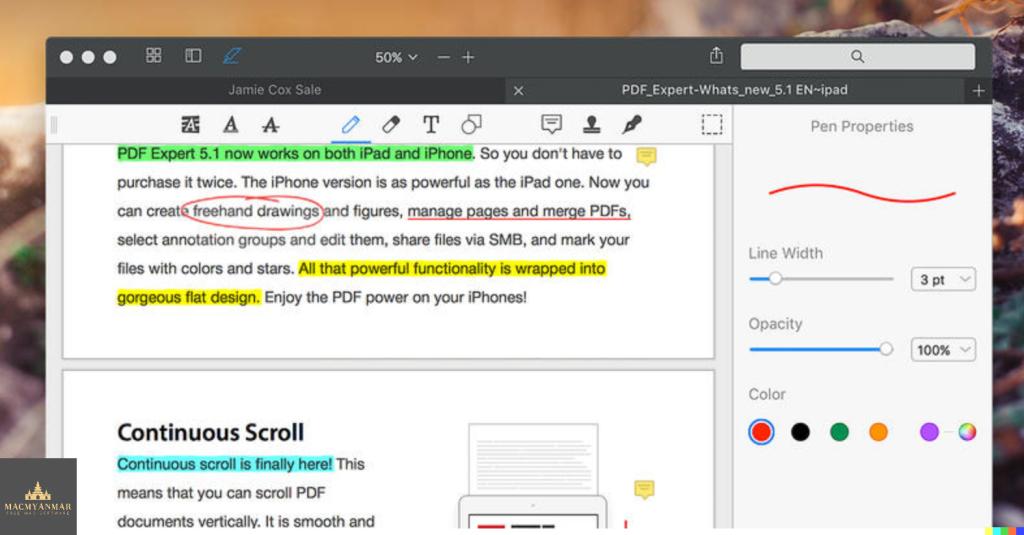
- PDF Expert provides powerful yet user-friendly annotation tools, making it easy to mark up PDFs with comments, highlights, shapes, and other annotations. It’s suitable for simple changes or in-depth editing sessions.
Tabbed Document Viewer:
- The app features a tabbed document viewer that allows you to work with multiple PDFs simultaneously, making it easier to switch between documents.
Form Filling:
- PDF Expert excels at form filling, providing an excellent experience for completing PDF forms. It supports text fields, checkboxes, radio buttons, and other form elements, ensuring that your entries are saved within the form. Even complex interactive forms with JavaScript work seamlessly.
Digital Signatures:
- Signing documents on your Mac is straightforward with PDF Expert. You can type your name on the keyboard, and PDF Expert will transform it into beautiful handwriting. Alternatively, you can use your Macbook’s trackpad to write with your finger. The app also supports using signatures created in PDF Expert for iOS.
Sharing Options:
- PDF Expert offers extensive sharing options, including integration with macOS’s system-wide share sheet and other apps. You can easily send documents to clients, coworkers, and collaborators using various methods.
Cross-Device Compatibility:
- PDF Expert works across all your Apple devices, including Mac, iPad, and iPhone. You can use Apple’s Continuity and Handoff features to seamlessly transfer documents between devices and continue editing where you left off.
Compatibility:
- macOS 10.13 or later
PDF Expert is a versatile tool for anyone who regularly works with PDF documents and needs a reliable solution for viewing, editing, annotating, and sharing PDFs. Its user-friendly interface and feature set make it a valuable addition to your document management workflow.
To learn more about PDF Expert and download it, you can visit the official iTunes App Store page: PDF Expert on the App Store
Cookie for Mac Free V-7.0.1
03 years

Name : Cookie
Size : 8 MB
Cookie for Mac Free V-7.0.1
Cookie prevents third parties from hijacking your browsing experience. The sites you visit store “cookies” in your browser without your knowledge or consent. Some are helpful, but others are frustrating and invasive. Cookie can help.
Features:
- Consolidate all your browser privacy settings
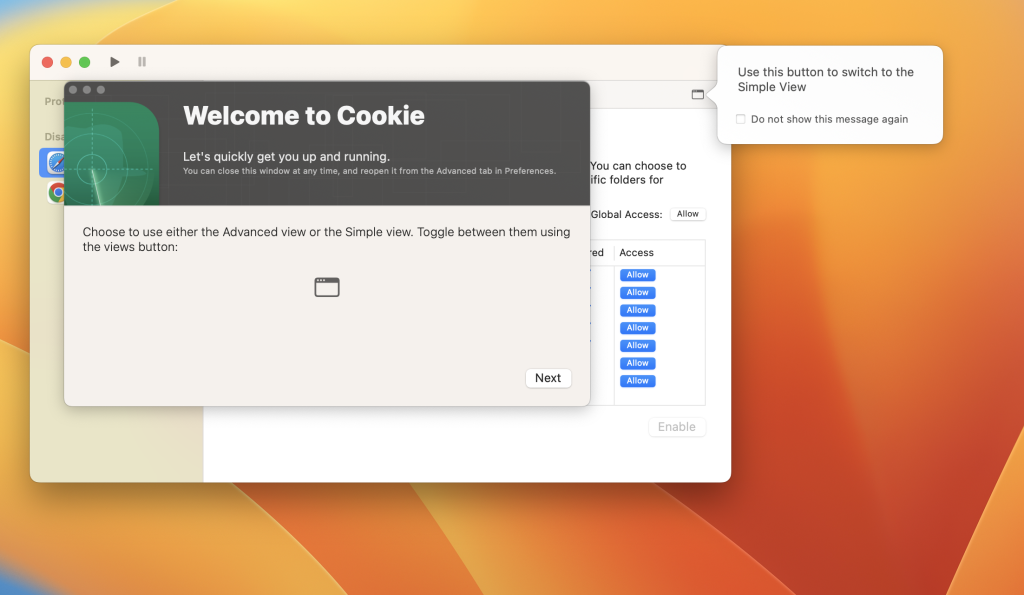
- Simplified View that takes care of all the technical details for you
- Advanced View which puts you in total control of all your privacy settings
- Combined cookie view displaying all cookie/flash/localStorage data in one easy to manage view
- Cookie’s can be favorited on a per domain, or per cookie basis. You decide
- Individual Browser settings. It is possible to configure different automatic removal options for each browser. In the case of Chrome/Chromium/Canary/Brave you can even configure settings per user!
- A number of removal schedules are possible: When quitting Cookie, when a Browser is Quit, on computer login, On computer waking from sleep, on a customizable time schedule, or entirely manually
- Hotkey support, so you can remove all unwanted data quickly and easily
- Customizable tracking cookie definitions
- Whitelist individual tracking cookies
- Clean, modern and Intuitive User Interface
- Helpful setup window
- Browser extension protection
- Full Screen support
- iCloud support
- Dark/Regular theme
Compatibility: macOS 12.0 or later
Homepage https://sweetpproductions.com/
All Video Player Infuse Pro 7.6.0
03 years

Name : Infuse Pro
Size : 73 MB
All Video Player Infuse Pro 7.6.0
Infuse is a versatile video player application designed to enhance your media playback experience on various Apple devices, including iPhone, iPad, Apple TV, and Mac. Infuse supports a wide range of video formats and offers several features to make your video-watching experience enjoyable. Here are some key features of Infuse:
Play More Video Types:
- Infuse is capable of playing a variety of video formats, including standard formats like MP4, M4V, and MOV, as well as less common formats like MKV, AVI, WMV, MTS, ISO, VIDEO_TS, FLV, OGM, OGV, ASF, 3GP, DVR-MS, WebM, and WTV.
- It includes full support for certified audio formats such as Dolby Digital Plus (AC3/E-AC3), DTS, and DTS-HD audio.
Stream from Other Devices:
- You can browse and play videos stored on your Mac, PC, NAS (Network-Attached Storage), Wi-Fi hard drive, or from media server applications like Plex, Emby, and Jellyfin. It also supports cloud services such as Dropbox, Google Drive, OneDrive, Box, pCloud, Yandex.Disk, and Mega.nz without the need for syncing.
Trakt 2-Way Sync:
- Infuse offers integration with Trakt, a platform that allows you to sync watched history, submit ratings, and post comments about the content you’re watching.
Optimized Subtitles:
- It supports subtitles and allows you to bring your own subtitles or download them on the fly for free in multiple languages from OpenSubtitles.
Player Features:
- Multiple audio tracks.
- Chapter navigation.
- Gesture controls.
- Video zoom options.
- Continuous playback.
- Deinterlacing.
Extras:
- Library organization.
- Folders.
- One-click subtitle downloads from OpenSubtitles.
- Scrobble plays to Trakt.
- Download videos from networked devices.
- Drag and drop uploads via a web browser.
- Extra onboard storage by adding USB drives.
Infuse Pro (In-App Purchase):
- Infuse Pro offers additional features, including support for more video formats, Dolby Digital Plus (AC3/E-AC3) and DTS audio, streaming over AirPlay and Google Cast, accessing videos stored in various cloud services, and syncing libraries, settings, watched history, and playback progress between devices.
Please note that DRM-protected movies and TV shows purchased from the iTunes Store are not supported by Infuse.
Compatibility:
- macOS 11.0 or later
To learn more about Infuse and download it, you can visit the official Apple App Store page: Infuse on the App Store
Infuse is a comprehensive media player that enhances your ability to watch and enjoy a wide range of video formats on your Apple devices while providing additional features for a premium experience.
Aiseesoft FoneEraser for Mac Download v-1.0.18
03 years

Name : Aiseesoft FoneEraser
Size : 33 MB
Aiseesoft FoneEraser for Mac Download v-1.0.18
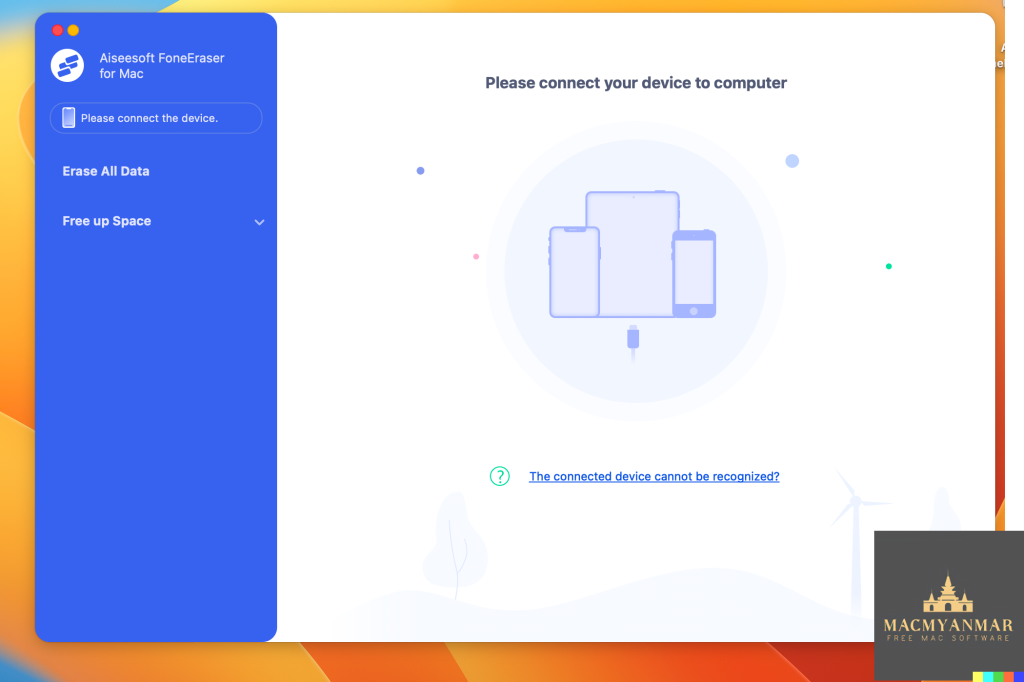
Aiseesoft FoneEraser is a powerful utility designed to permanently and thoroughly erase all content and settings on iPhone, iPad, or iPod devices. It provides multiple erasing levels to ensure the complete removal of data, thus protecting your privacy and security. Here are some key features of Aiseesoft FoneEraser:
- Erase Various Content and Settings: FoneEraser is capable of erasing a wide range of iPhone content and settings permanently. This includes text contents (contacts, text messages/iMessages, call history, calendar, notes, reminders, and Safari bookmarks), media files (music, videos, photos, iBooks, podcasts, iTunes U, TV shows, music videos, ringtones, audio books, and voice memos), apps, documents, and system settings.
- Protect Your Privacy: When you want to sell or dispose of your old iOS devices, simply deleting content or performing a factory reset may not be enough to safeguard your data. FoneEraser ensures that your files are unrecoverable by thoroughly wiping out all content and settings on your device and overwriting the storage space.
- Three Erasing Levels: The software offers three erasing levels to meet different privacy needs:
- Low level: Erases data quickly with a single overwrite pass.
- Medium level: Provides two overwrite passes for more secure data erasure.
- High level: Utilizes three overwrite passes, making it the most secure and radical method for data destruction.
Aiseesoft FoneEraser is a useful tool for individuals who want to ensure their personal data is completely removed from their iOS devices before selling or giving them away. It provides different erasing options to match your specific requirements for data security.
Compatibility:
- macOS 10.10 or later
To learn more about Aiseesoft FoneEraser and download the software, you can visit the official website: https://www.aiseesoft.com
Please use data erasure tools responsibly and ensure you have backups of any important data before performing permanent erasure operations, as the erased data cannot be recovered.
AnyGo For Mac V-6.3.2
03 years

Name : AnyGo
Size : 78 MB
AnyGo For Mac V-6.3.2
AnyGo is a tool designed for iOS devices that allows you to easily simulate GPS locations on your iPhone or iPad. This can be useful for various purposes, including gaming, accessing location-based content, and testing location-based services. Here are some of the key features of AnyGo:
- Spoofing Location in LBS Games: AnyGo enables you to spoof your GPS location in location-based service (LBS) games without physically moving or walking. This can help you explore virtual environments without leaving your actual location.
- Access Restricted Content: You can use AnyGo to access videos, music, movies, and services that may be restricted based on your physical location. This can be helpful when content is region-locked.
- Share Virtual Locations: AnyGo allows you to share a virtual location on social media platforms to prank or trick your friends, making it appear as if you are in a different place.
- Testing LBS and Games: AnyGo is a valuable tool for developers and testers who need to simulate different GPS locations for testing location-based services and games.
- Hide Your Location: You can use AnyGo to hide your actual location from apps and services that track your GPS coordinates.
- Set Real Location: In cases where your GPS is unable to accurately determine your real location, AnyGo allows you to manually set your true coordinates.
Compatibility:
- macOS 10.10 or later
Please note that while tools like AnyGo can have legitimate uses, they can also potentially be used for deceptive or malicious purposes. Always use such tools responsibly and in compliance with local laws and terms of service for the apps and services you interact with.
For more information and to download AnyGo, you can visit the official website: https://itoolab.com/


Blocs For Mac OS V-5.1.2
03 years
Name : Blocs
Size : 62 MB
Blocs For Mac OS V-5.1.2
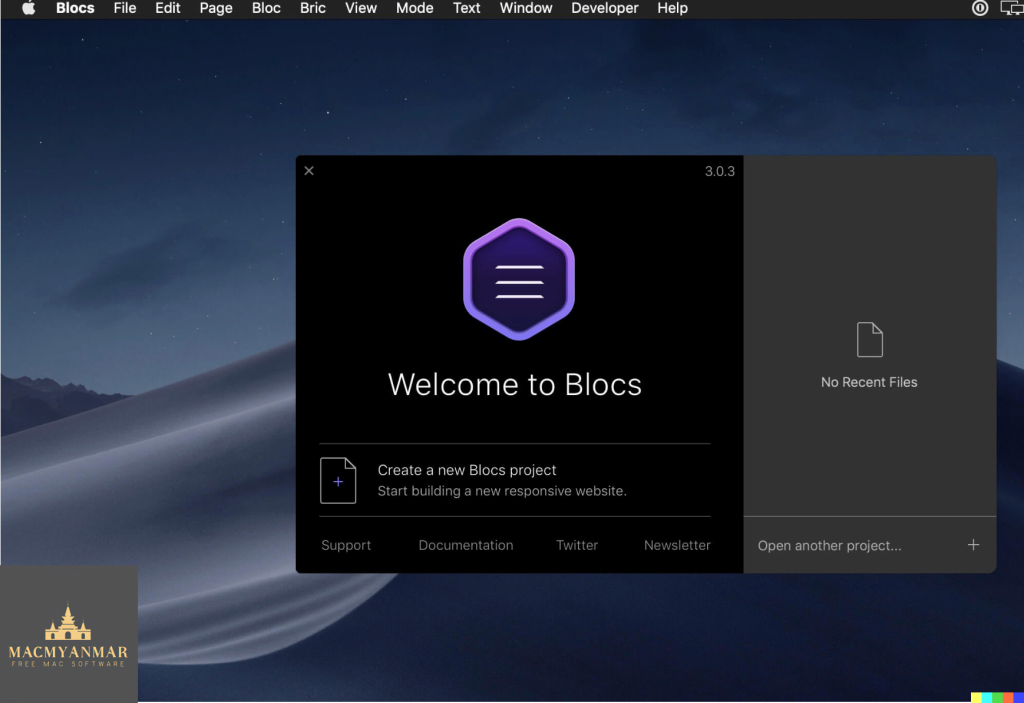
Blocs is a visual web design tool that simplifies the process of creating websites, making it accessible to both beginners and those familiar with web design. Here’s a summary of its features:
- Designed for Simplicity: Blocs offers an intuitive interface that allows you to create websites quickly. You can simply click, select, edit, and stack blocks to build your website, making it easy for users of all skill levels.
- Powerful Styling Features: While Blocs is designed for simplicity, it also includes advanced styling features for users who want to get creative with their designs. As your web design skills grow, Blocs can accommodate your needs.
- Create CMS-Driven Websites: Blocs supports a range of premium and open-source content management systems (CMS). This enables you to build dynamic websites that can be easily updated and managed directly from your web browser.
- Time-Saving Features: Blocs includes time-saving features such as paint mode, global swatches, auto text coloring, and one-click animations. These features help you create websites more efficiently.
System Requirements:
- macOS 10.15 or later
For more information and to download Blocs for Mac, you can visit the official website: https://blocsapp.com/
Blocs appears to be a user-friendly option for web designers and developers looking for a tool to create websites visually without the need to write code. It’s worth exploring if you’re interested in web design and want a Mac-compatible solution.
System Toolkit For Mac 6.0.1
03 years

Name : System Toolkit 6.0.1
Size: 9 MB
System Toolkit For Mac 6.0.1
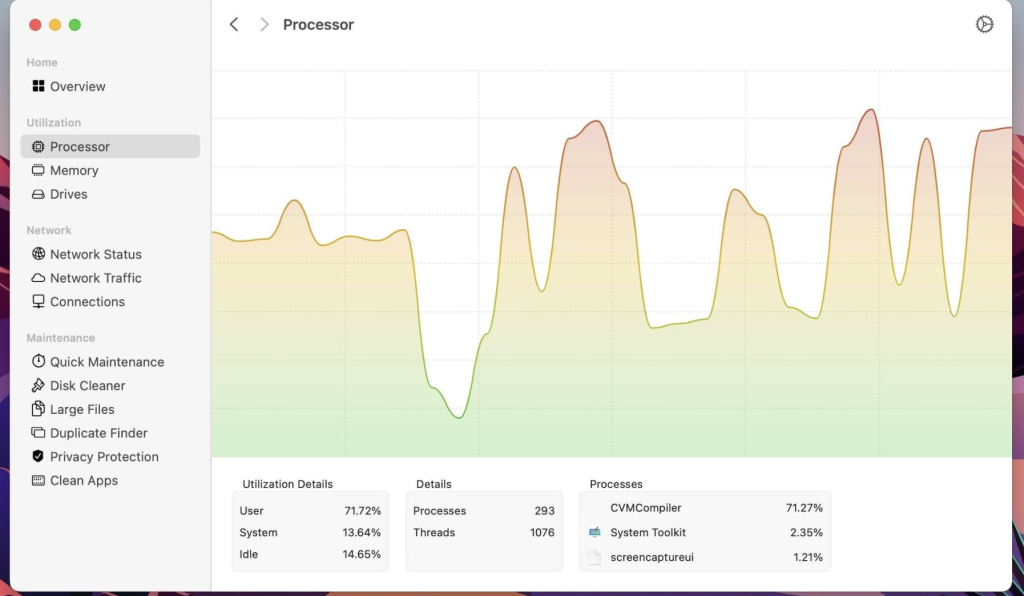
The System Toolkit is an all-in-one information and maintenance app designed for macOS. It provides users with a range of features to monitor system information, Bluetooth device battery levels, and perform various maintenance tasks. Here’s an overview of its features:
Information:
- System Information: Monitor system loads, including CPU load, memory usage, network speeds, traffic, and open network connections. This information can be displayed in both the menu bar and an overlay window.
- Menu Bar Extra: Customize and add menu bar widgets to display specific system information.
- Info Panel: View essential system information in a separate window.
- Bluetooth Device Battery Levels: Check and display battery levels for supported Bluetooth devices, including Apple peripherals and earphones like AirPods and Beats.
- Battery Information: Access detailed information about the internal battery on Mac laptops (hidden if using a Mac without a battery).
Maintenance Features:
- Fast Maintenance: Perform a one-click system cleanup to optimize your Mac’s performance.
- Disk Cleaner: Search for and delete temporary or cached files across your hard disk to free up disk space. Categories include application and user cache, developer cache, browser cache, and more.
- Duplicate Finder: Identify and remove duplicate files on your system, helping you recover valuable storage space.
- Big Files Finder: Locate large files on your hard disk, making it easy to identify and delete space-consuming files directly from the app.
- Privacy Protector: Safeguard your privacy by erasing private data from your system, including browsing history from major web browsers.
- App Cleaner: Find and remove files associated with specific apps, helping you uninstall apps completely.
Compatibility: The System Toolkit is compatible with macOS 11.0 or later.
If you’re interested in using the System Toolkit, you can find it on the Mac App Store using the following link: System Toolkit on the Mac App Store.
This application seems to be a comprehensive tool for macOS users who want to monitor their system’s performance, check Bluetooth device battery levels, and perform maintenance tasks to keep their Mac running smoothly.
Dato 5.0.9 for Mac free Download
03 years

Name : Dato 5.0.9
Size : 17 MB
Dato 5.0.9 for Mac Free Download
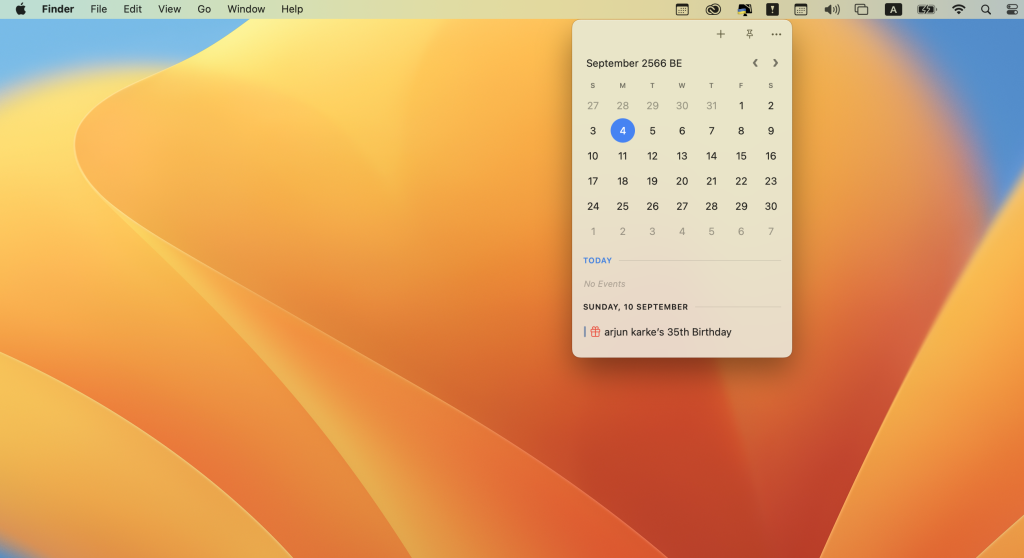
Dato is a macOS application that provides a range of features related to time, date, and calendar management, primarily displayed in the menu bar. Here’s an overview of its features and compatibility:
Features:
- Upcoming Events: Dato allows you to view your upcoming events at a glance. You can customize how many events to display and for how many days. It also supports HTML-formatted notes and lets you quickly access events in your default calendar app.
- Calendar: Dato includes features such as week numbers, event indicators, and the ability to highlight specific days of the week.
- World Clocks: You can display world clocks in either the Dato menu or the menu bar, with custom names. It also includes an offline city search for 15,000 cities.
- Calendar Services: Dato supports all calendar services that macOS supports, including iCloud, Google, Outlook, and more.
- Customization: You can customize the date and time format in the menu bar, integrate with Zoom, Google Meet, and Microsoft Teams, and choose from various menu bar icons. Dato also allows you to show seconds in the menu bar clock and provides global keyboard shortcuts for quick access.
- Event Integration: Dato integrates with calendar events, allowing you to open them directly in Google Calendar on the web.
- macOS 11-Only Features: These features are specific to macOS 11:
- Show upcoming events in the menu bar.
- Create events with a global keyboard shortcut.
- Widgets for date & time and calendar.
- Join the next meeting (Zoom/Meet/Teams) with a customizable global keyboard shortcut.
- macOS 10.15-Only Features: A feature specific to macOS 10.15 includes a Today widget in the Notification Center for time zones. Please note that macOS 11 broke custom color options for the date & time menu bar item.
Compatibility: Dato is compatible with macOS 13.3 or later.
Pricing: Dato offers a one-time purchase with free upgrades forever and is not subscription-based.
If you’re interested in using Dato, you can find it on the Mac App Store using the following link: Dato on the Mac App Store.
Dato appears to be a versatile tool for macOS users who want enhanced control and customization of their menu bar’s time, date, and calendar information, with added features for event management and world clocks.
System Dashboard For Mac Free V-4.8.0
03 years

Name : System Dashboard
Size : 6.14 MB
System Dashboard For Mac Free V-4.8.0
The System Dashboard Pro is a macOS application that provides users with a lightweight window displaying essential system information at a glance. Here’s an overview of its features and what’s new in version 4.8.0:
Features:
- System Overview: The main window of the app offers a single-page overview of critical system parameters, allowing you to quickly assess your system’s health.
- Processor: This category provides information about your computer’s CPU usage, including the total, user, and system CPU usage. It also displays the number of threads and tasks currently active on your system.
- Memory: In this section, you can see details about your system’s memory usage, including used, wired, compressed, and free memory.
- Network: The network category offers real-time data on your network activities, such as current download and upload speeds, the number of open connections, and your internet IP address.
- Batteries: The app also monitors the battery status of connected Bluetooth devices, with support for all Apple peripherals.
What’s New in Version 4.8.0:
- New Icon: Version 4.8.0 features a new app icon designed by Hugo Santos. You can find a link to his portfolio in the app’s description.
- Compatibility: The app requires macOS 11.5 or later to run.
If you’re interested in downloading and using System Dashboard Pro, you can find it on the Mac App Store using the following link: System Dashboard Pro on the Mac App Store.
This application appears to be a useful tool for macOS users who want a convenient way to monitor their system’s performance and network activity in real-time.
AirMail Pro For Mac Free Download V- 5.6.4
03 years
Name : AirMail Pro
Size : 43 MB
AirMail Pro For Mac Free Download V-5.6.4
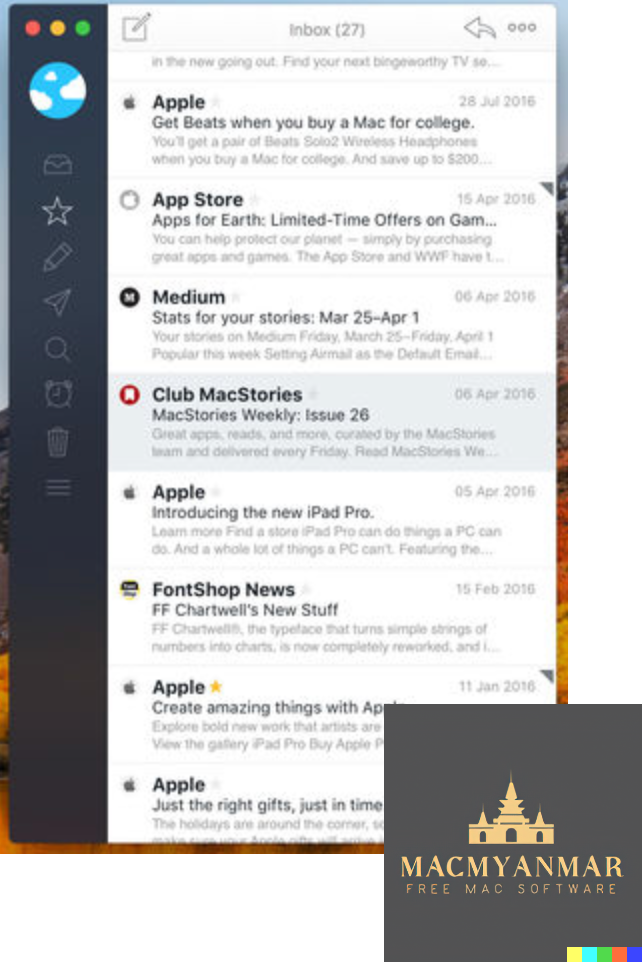
Airmail 5 is a modern and feature-rich mail client designed specifically for macOS High Sierra and later. It offers support for a wide range of email services, including iCloud, MS Exchange, Gmail, Google Apps, IMAP, POP3, Yahoo, AOL, Outlook.com, and Live.com. Here are some of the key features and functionalities of Airmail 5:
User Experience and Design:
- Airmail 5 is designed with performance and intuitive interaction in mind.
- It aims to provide a quick, modern, and easy-to-use user experience.
- The design is clean and focused on allowing users to access their emails without interruption.
Email Account Support:
- Airmail 5 supports a variety of email account types, including iCloud, Exchange, Gmail, IMAP, POP3, Google Apps, Yahoo, AOL, Outlook.com, and Live.com.
- It allows for unified management of multiple email accounts.
Key Interactions and Features:
- Quick Reply: Enables users to respond to emails quickly.
- Undo History: Provides the ability to undo actions.
- Offline Operations: Allows for working with emails even when not connected to the internet.
- Multi-Touch Gestures: Supports gestures for easy navigation.
- Exchange Meeting Invites: Handles meeting invitations for Exchange accounts.
- Gmail Shortcuts: Includes shortcuts for Gmail users.
Attachments and Integration:
- Drag and drop support for attachments.
- Quick Look preview for attachments.
- Integration with cloud storage services like Google Drive, Dropbox, CloudApp, Box, OneDrive, Droplr, and FTP.
- Inline image attachments and support for Winmail.dat preview.
Conversation Management:
- Grouping emails by ID or subject.
- Chronological reverse view.
- Muted CC’d conversation.
Visual Themes and Modes:
- Multiple visual themes to customize the appearance.
- Minimal and extended modes for different views.
- Plain text rendering for simplified email display.
Notifications:
- Per account notifications.
- Notification center support.
- Notification alerts with custom actions.
Contacts and Address Book:
- Integration with Gmail, Exchange, and macOS Contacts.
- Contact groups.
- Filtering by address.
- Open Directory search.
Composer Features:
- Support for Google App Directory, Exchange Global Address List, and LDAP directory.
- Markdown, HTML (with HTML source for templates), and text-only composing.
- Custom settings per single account.
- Bullet and numbered list support.
Sending Options:
- Auto CC and BCC.
- Pending operations.
- Send delay.
- Redirect, send again, and bounce options.
Advanced Features:
- Split-screen support.
- Time Machine-friendly.
- Deckles mode for a classic look.
- EML import/export.
- Option to disable GPU for improved battery life.
- Applescript support.
- Activity monitor.
- Data detectors for recognizing information in emails.
Signatures:
- Multiple account signatures.
- Support for Markdown, rich text, HTML source, and text-only signatures.
- Option to place signatures above or below the quoted text.
Search and Filtering:
- Global search across multiple accounts.
- Real-time powerful filters.
- Sorting messages by date, attachments, conversations, and more.
- Flags and filters for organizing emails.
Folders and Labels:
- Nested folders.
- Create, delete, and edit folders.
- Custom folder colors synced via iCloud.
- Custom folder mappings.
- ToDo, Done, and Memo labels.
Integration with Other Apps:
- Integration with productivity apps like Omnifocus, Fantastical, Evernote, Apple Reminders, Calendar, BusyCal, Things, 2Do, Wunderlist, and Todoist.
Privacy and Security:
- Options to control the loading of remote images.
- Disable icon detection.
Compatibility:
- Requires macOS 10.15 or later.
Airmail 5 aims to provide a modern and efficient email client for macOS users, offering a wide range of features and customization options to streamline email management. Users can find more information and download the app on the official Apple App Store page: Airmail 5 on the App Store.