Free Macsoftware One click Download
Utility
Download PDF Reader Pro Mac V-2.9.9
02 years

Name : PDF Reader Pro
Size : 67 MB
Download PDF Reader Pro Mac V-2.9.9
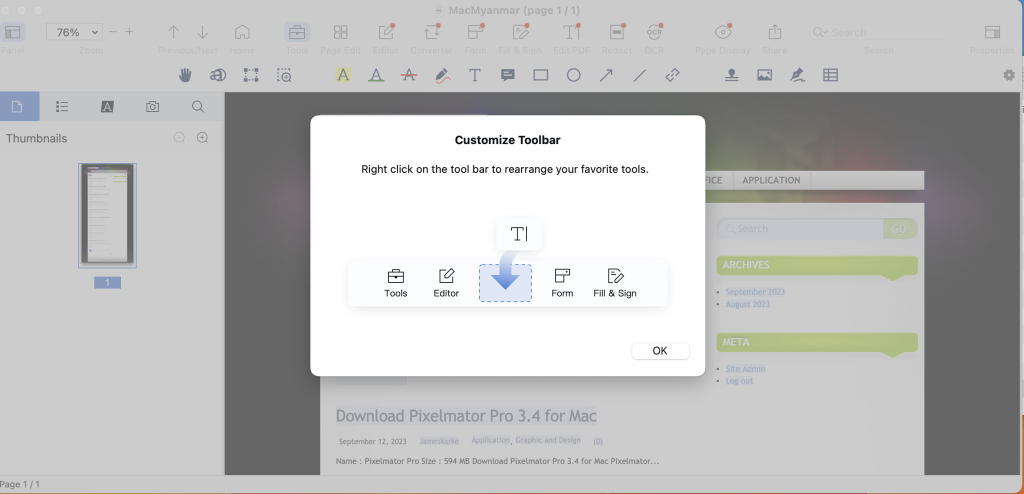
PDF Reader Pro is a comprehensive PDF editing application designed to empower users with a wide range of tools and features for handling PDF documents. The application offers functionalities for annotation, form filling, OCR, and more. Here are the main features provided by PDF Reader Pro:
Key Features:
- Annotation Tools: Offers various annotation tools such as highlights, underlines, lines, circles, freehand writing, and more to annotate PDF documents.
- Create and Edit Fillable PDF Forms: Allows the creation and modification of fillable PDF forms using interactive field objects like buttons, check boxes, radio buttons, and more.
- Table Creation: Enables the creation of tables consisting of rows and columns, making it easier to organize and present information within the PDF.
- Digital Signatures: Facilitates the creation of multiple signatures using a trackpad, keyboard, or images for different situations.
- Stamps, Comments, and Notes: Provides options to insert stamps, add comments, and notes to the PDF documents.
- Hyperlinks: Allows the addition of hyperlinks to redirect to other destinations within the document and edit links as needed.
- File Conversion: Offers the capability to export PDF files to various formats such as Microsoft Word (.docx), PowerPoint (.pptx), Excel (.xlsx), RTF, HTML, Text, Image, CSV, and more offline. Also supports PDF to Image conversion.
- OCR (Optical Character Recognition): Recognizes and converts scanned PDFs and images into editable and searchable PDFs or TXT files with support for 50+ languages.
- Annotation History: Allows quick access to important sections of documents through an annotation history feature.
- Document Editing: Provides options to edit pages by adding headers, footers, or page numbers, and add watermarks to PDF documents.
- File Management: Offers capabilities to merge, split, extract, append, rotate, delete, replace, and crop PDF pages, as well as combine multiple files into a single document and more.
- Reading and Navigation Features: Supports various reading modes, bookmarks, outlines, night mode, and text-to-speech engine for reading aloud.
- Password Protection: Allows setting passwords and authorization to control editing, modifying, or printing of PDF documents.
System Requirements:
- Compatibility: macOS 10.13 or later
Where to Find PDF Reader Pro:
- Homepage: PDF Reader Pro
PDF Reader Pro offers a comprehensive suite of tools for managing, editing, and manipulating PDF files. It supports various functionalities, ranging from annotation to document management and conversion, making it a versatile solution for handling PDF documents on Mac systems.
Download Air Printer – Printer Server Pro 5.1.4
02 years
Name : Air Printer – Printer Server Pro
Size : 50 MB
Download Air Printer – Printer Server Pro 5.1.4
The Air Printer software acts as a virtual printer for Mac devices, allowing users to share their local printers wirelessly with other nearby Mac or devices. With Air Printer, users can print documents, photos, web pages, emails, and other content directly from their computer to various printers. Here is an overview of its features and the recent updates:
Air Printer Features:
- Wireless Printing: Enables wireless printing of various document types from Mac devices to other printers available nearby.
- Printing to PDF: Allows printing documents to PDF format, eliminating the need for physical printers and reducing paper usage.
- Automatic Printer Configuration: Automatically determines print details such as paper type, page range, print quality, and orientation based on the content being printed.
- Direct Wireless Printing: Supports printing photos, emails, web pages, and documents directly, creating PDF documents that are saved on the Mac disk.
- PDF Document Handling: Provides options to open, read, and transfer PDF files, including e-mailing, opening in other apps, and transferring to iPhone or iPad through iTunes File Sharing.
- Custom Printer Properties: Allows users to set printer properties such as color, two-sided printing, quality, and paper sizes, aiding in reducing printing costs.
- Content Printing Support: Enables the printing of various content types, including email attachments, iWork and MS Office documents, Safari web pages, and files from other applications.
Upgrade to Pro:
- Provides the ability to print longer documents (over 2 pages) and access other premium features without ads. Users can upgrade to the paid version to enjoy additional benefits.
Recent Update (Version 5.1.4):
- Support for macOS Sonoma 14.0: Enhanced compatibility with the latest macOS.
- Printer Driver Improvements: Improved printer driver functionality.
- Bug Fixes and Performance Improvements: Addressed known bugs and enhanced overall performance.
System Requirements:
- Compatibility: macOS 10.12 or later
Where to Find Air Printer:
- Homepage: Air Printer on iTunes
Air Printer offers convenient wireless printing, PDF creation, and customization of printer properties for users seeking to print content from their Mac devices. The recent update further improves compatibility and addresses known issues for a smoother user experience.
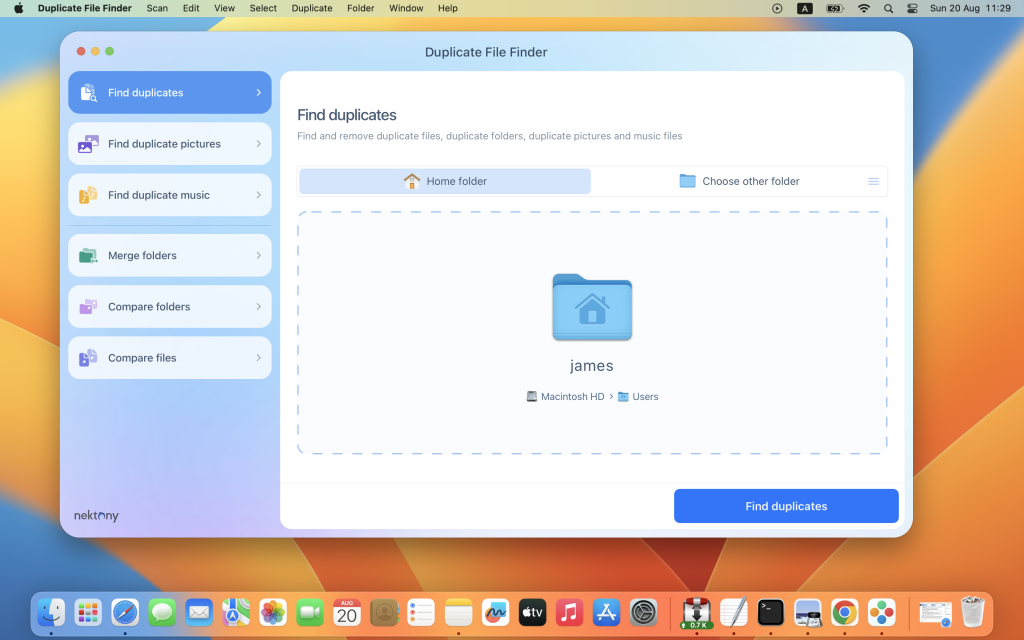
Download Duplicate File Finder Pro Mac v- 7.3.2
02 years
Name : Duplicate File Finder Pro
Size : 39 MB
Download Duplicate File Finder Pro Mac v- 7.3.2
Duplicate File Finder PRO is a powerful and comprehensive tool designed for Mac users to identify and eliminate duplicate files across their system, ensuring better organization and optimization of storage space. Here’s an overview of its features and capabilities:
Main Features:
- Fast and Accurate Duplicate Search:
- Employs a swift scanning algorithm for effectively detecting duplicates across folders, drives, and Photos Libraries.
- Supports multiple drives, external disks, and network storage.
- Incorporates “Recents” to keep track of previously scanned folders.
- Scan and Preview Duplicate Files:
- Displays a visual preview of files grouped by category, enabling users to quickly analyze and compare duplicates.
- Provides a quick look at every duplicate item and its location.
- Lists the largest similar folders and offers a chart of similar folder sizes.
- Removal and Organization:
- Offers the ability to remove duplicate files and folders efficiently.
- Provides a visual progress bar during the selection of files for removal.
- Facilitates a one-click selection of multiple duplicate files.
- Includes smart auto-selection for duplicates based on specific criteria.
- Offers options to confirm the list of duplicates before removal, moving to the Bin, or permanent deletion.
- Handling Similar Media Files:
- Can identify a series of similar photos and audio files in the Photos Library.
- Allows users to compare and review similar photos and audio files in groups.
- Enables the selection of the best files and removal of others within a series, optimizing storage space.
- Folder Merging:
- Facilitates the merging of similar folders or any two folders.
- Provides options to merge two folders into a new folder, managing unique file movement and copying.
- Allows for tagging merged files for easy identification.
Recent Updates:
- Version 7.3.0 has introduced enhancements, primarily focused on improving the duplicate search within the Photos library and implementing user-requested improvements.
Compatibility: macOS 10.12 or later
Homepage: Duplicate File Finder PRO
Download App Cleaner & Uninstaller Pro Mac V- 8.2.4
02 years

Name : App Cleaner & Uninstaller Pro
Size : 25 MB
Download App Cleaner & Uninstaller Pro Mac V- 8.2.4
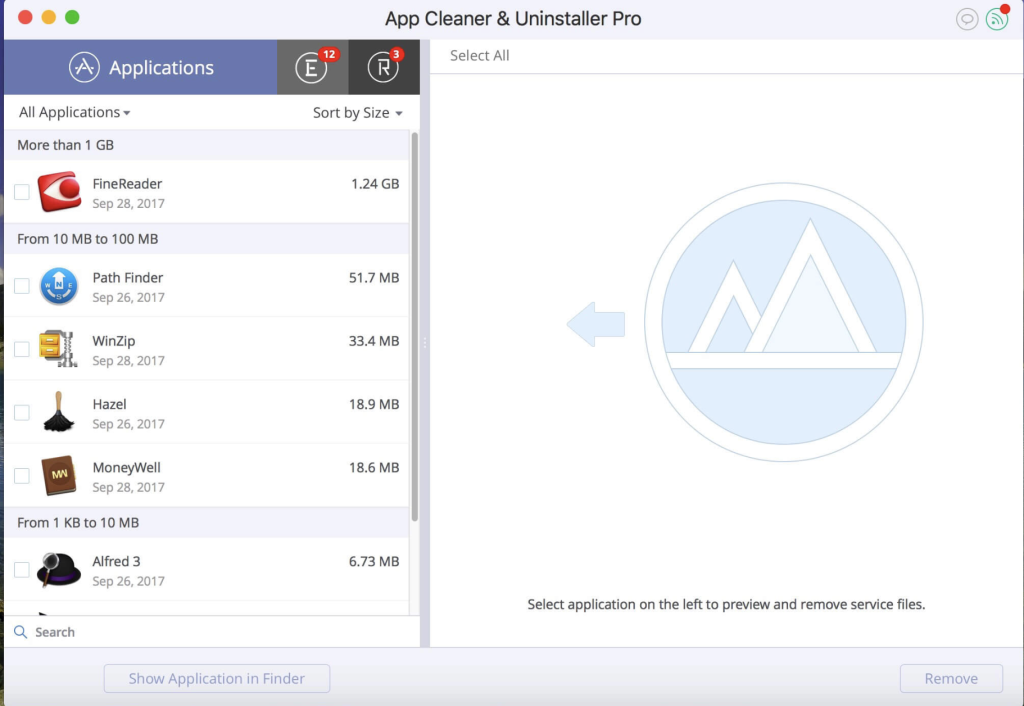
App Cleaner 8 is a comprehensive application designed to help manage and optimize the uninstallation process on your macOS. Here are the key features and functionalities provided by App Cleaner:
Features:
- Preview Installed Applications:
- Allows users to scan the system and preview all installed applications.
- Service Files Management:
- Removes various types of service files such as caches, logs, preferences, etc., associated with applications.
- Deletes remains or leftovers of previously uninstalled apps.
- Startup Optimization:
- Manages login items and launch agents for a faster Mac startup.
- Disables unneeded login items to enhance the speed of the Mac’s boot process.
- System Extensions Management:
- Finds and previews installed System Extensions.
- Removes unwanted System Extensions for better system performance.
- Uninstallation Process:
- Guides users through the uninstallation process for applications.
- Removes service files linked to applications for a complete uninstallation.
- File Preview and Assistance:
- Provides quick file previews associated with specific applications.
- Offers in-app assistance for user convenience.
- Additional Functions:
- Identifies and shows unused applications.
- Features a skip list option for customizing the cleaning process.
App Removal Guide:
To uninstall an application using App Cleaner:
- Launch App Cleaner.
- Scan for all applications installed on your Mac.
- Select the application you want to uninstall.
- Choose the associated service files displayed on the right.
- Click “Remove” to uninstall the selected application and its related service files.
- For some applications that can’t be removed automatically, follow the prompts and manually move the application files to Trash.
Mode Distinctions:
- FREE Mode offers basic functionalities to preview and remove service files for apps and extensions.
- PRO Mode includes more advanced features, such as removing the executable part of applications, disabling ads, and removing system extensions.
Compatibility: macOS 10.13 or later
Download Money Pro for Mac V-2.9.5
02 years

Name : Money Pro
Size : 48 MB
Download Money Pro for Mac V-2.9.5
Money Pro is a comprehensive financial management application that offers tools for bill planning, budgeting, and tracking accounts, making it suitable for both personal and business use. It enables users to manage their financial transactions, set budgets, and stay organized with their finances. Here are some key features of Money Pro:
Calendar:
- Mark days on the calendar when your bills are due.
- Schedule recurring bills with custom periodicity.
- Filter transactions by selecting dates on the calendar.
- Quickly glance at bills due in the “Today” view.
- Predicts transactions for the day that may not have been scheduled manually.
Bills Due Notifications:
- A system of reminders alerts you of upcoming bills.
- Quick rescheduling option to manage bills due soon.
Budgets:
- Create budgeted entries for both income and expenses.
- Set budget limits for each entry.
- Customize budget limits for different periods.
- Track the progress of each category and overall budget.
- Monitor visual indicators for budget overspending.
- Analyze budget trends with on-the-fly charts.
Budget Rollover:
- Set budgets to transfer the leftover amount from the current period to the next.
- Automatically limit your spending if you overspent in previous periods.
Checkbook Register:
- Manage an unlimited number of accounts (checking, savings, credit card, etc.) in one place.
- Set transactions as recurring or one-time.
- Track balance change history.
- Organize records with additional fields like payee, description, check number, and class (personal/business travel expenses).
- Attach receipt photos to transactions.
Account Reconciliation:
- Record transactions and reconcile them.
- Automatically calculate available balance and cleared balance.
Additional Features:
- Supports multiple languages including English, Spanish, Italian, German, and others.
- Easy sync with iPhone/iPad versions for seamless financial management.
System Requirements:
- macOS 10.12 or later
- 64-bit processor
Money Pro is a versatile financial management tool that helps users plan their bills, set budgets, track transactions, and stay organized with their accounts. It’s a valuable application for managing personal and business finances efficiently.
Download iZip Archiver Pro for Mac 4.5
02 years
Name : iZip Archiver Pro
Size : 8 Mb
Download iZip Archiver Pro for Mac 4.5
After Effects is a powerful motion graphics and visual effects software developed by Adobe. It is the industry-standard tool for animators, designers, and compositors to create captivating motion graphics and stunning visual effects for film, TV, video, and the web. Here are some key features and capabilities of After Effects:
1. Create Animated Titles and Graphics:
- Design animated titles, credits, and lower thirds for your videos.
- Utilize animation presets to create text animations quickly.
- Add motion to your text, making it spin, swipe, slide, or move in countless ways.
2. Visual Effects and Compositing:
- Combine videos and images to create captivating visual effects.
- Remove unwanted objects, wires, people, or other elements from your footage.
- Apply various effects, such as fog, explosions, or snow, to enhance your videos.
- Create immersive VR videos to immerse your audience in the action.
3. Animation Tools:
- Animate logos, shapes, and characters using keyframes or expressions.
- Access presets to kick-start your designs and achieve unique results.
- Craft intricate animations and bring your creative ideas to life.
4. Seamless Integration:
- Work cohesively with other Adobe applications, such as Premiere Pro, Photoshop, Illustrator, Character Animator, Adobe XD, and Animate.
- Use Adobe Dynamic Link to preview compositions in Premiere Pro.
- Collaborate on projects with editors via Team Projects, regardless of their location.
- Benefit from integration with over 300 software and hardware partners.
5. Content-Aware Fill:
- Quickly and easily remove unwanted objects or people from video clips using Content-Aware Fill.
- Avoid the need for manual masking or frame-by-frame editing.
6. Enhanced Animation Workflow:
- The jаvascript expression engine provides up to a 6x performance boost, making animations smoother and faster.
- The new Expressions Editor simplifies writing expressions and identifies errors automatically.
7. Depth Passes from 3D Elements:
- Apply depth effects, including Depth of Field, Fog 3D, and Depth Matte, to make 3D elements appear natural.
- Use depth data to simulate 3D appearances and add depth to your compositions.
After Effects offers endless possibilities for animators, designers, and visual effects artists. It empowers users to create captivating motion graphics and stunning visual effects for a wide range of projects. The software is compatible with macOS 10.15 or later and supports both Apple Silicon and Intel Core processors.
Download iStatistica 6.2 for Mac free
02 years
Name : iStatistica
Size : 17 MB
Download iStatistica 6.2 for Mac free
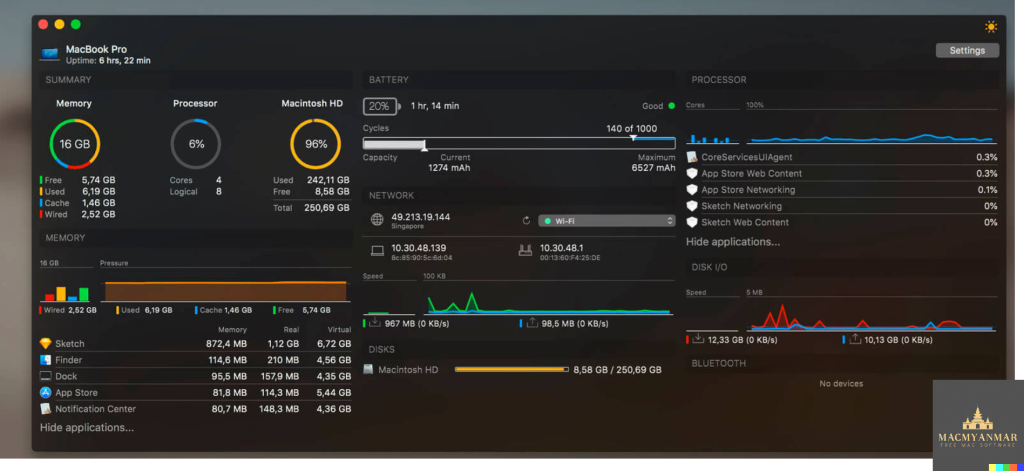
iStatistica is a system monitoring and diagnostic tool for macOS. It offers a range of features that help you keep track of your Mac’s performance and health. Here’s what you can monitor with iStatistica:
System Monitoring:
- Uptime: Check how long your Mac has been running without a restart.
- Memory Pressure: Monitor your system’s memory usage and performance.
- CPU Usage: Keep an eye on your CPU’s performance and load.
- Disk Usage: Check the space used on your Mac’s storage.
Battery Information:
- Monitor your MacBook’s battery health, cycles, and capacity.
Network Activity:
- View a network map to see connected devices and their status.
- Check your external WAN IP address.
- View your internal LAN IP address.
- Find your router’s IP address.
- Monitor incoming and outgoing network traffic.
Language Support:
- iStatistica supports multiple languages, including English, French, and Russian.
This tool is designed to provide an overview of your system’s vital statistics, making it easier to diagnose issues, track performance, and keep an eye on your Mac’s health. The information provided can be valuable for troubleshooting and optimizing your macOS system. The ability to view this data through the Notification Center widget or the status bar menu makes it accessible at a glance. iStatistica is compatible with macOS 10.11 or later.
Download iStatistica Pro for Mac V-5.2
02 years
Name : iStatistica Pro
Size : 16 MB
Download iStatistica Pro for Mac V-5.2
iStatistica Pro is a comprehensive system monitoring and performance optimization tool for macOS. It provides real-time information about your Mac’s CPU usage, RAM usage, disk space, battery status, network statistics, and more. Here are some of the key features and functions of iStatistica Pro:
System Monitoring:
- Get an overview of your Mac’s performance, including CPU usage, memory pressure, and disk usage.
- View your system’s uptime and monitor battery information, such as cycles, health, and capacity.
Network Statistics:
- Access real-time network statistics, including external, gateway, and local IP addresses, network speed, and data rate charts.
Web Access:
- Enable web access in the application settings to track CPU, memory, disk, and sensor statistics over a local area network.
- Point your web browser to your Mac’s address to access this information remotely.
Storage Visualization:
- Visualize your storage with exclusive modules for folders and drives.
- Easily find and remove unneeded files to optimize your disk space.
Network Interfaces Dashboard:
- Monitor and manage network interfaces with a comprehensive dashboard.
Detailed App Statistics:
- Get detailed statistics about your running applications, allowing you to track their resource usage over time.
History Tracking:
- View historical data for CPU and memory usage to analyze performance trends.
Temperature and Fans:
- Monitor temperature and fan speed statistics for CPU, GPU, and memory to prevent overheating and optimize cooling.
Security and Access Control:
- Restrict access to the iStatistica Pro information by IP address and passkey to ensure your data’s privacy and security.
iStatistica Pro is a valuable tool for Mac users who want to monitor and optimize their system’s performance, manage their storage, and track network statistics. It offers a range of features that are especially useful for IT professionals, system administrators, and users concerned about their Mac’s health and performance.
Download Parallels Desktop Business Edition 19.0.0.54570 for Mac free
02 years

Name : Parallels Desktop Business Edition
Size : 293 MB
Download Parallels Desktop Business Edition 19.0.0.54570 for Mac free
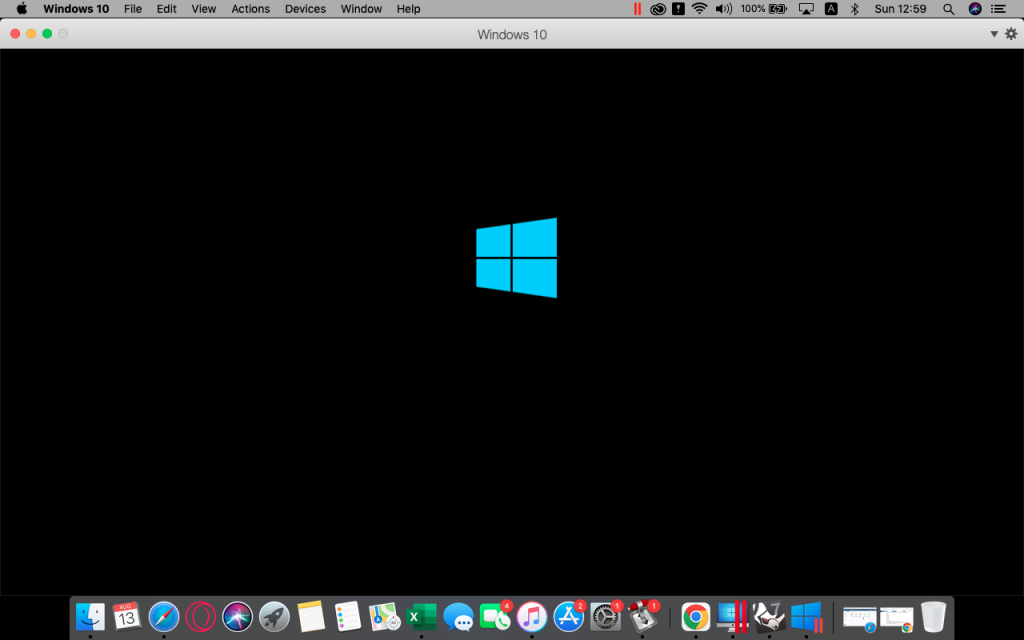
Parallels Desktop for Mac is a powerful virtualization software that allows you to run Windows and macOS applications simultaneously on your Mac computer. It provides a seamless and convenient way to switch between different operating systems without the need to reboot your Mac. Here are some of the key features and benefits of Parallels Desktop for Mac:
- Run Windows on Mac: Parallels Desktop allows you to run Windows applications on your Mac computer. This is particularly useful for Mac users who need to access Windows-only software or perform tasks that require Windows compatibility.
- Efficient Workflow: With Parallels Desktop, you can run Windows and macOS applications side by side, making it easy to switch between them. You can share files and folders, copy and paste text and images, and even drag and drop files between Mac and Windows applications.
- Convenient Setup: The software makes the setup process straightforward. It automatically detects the requirements for running Windows and guides you through the installation process. You can install various versions of Windows, Linux, Ubuntu, or use Boot Camp.
- High Performance: Parallels Desktop is optimized for performance, allowing resource-intensive Windows applications like graphics software to run smoothly without compromising your Mac’s performance.
- Coherence Mode: In Coherence mode, the Windows interface can be hidden while using Windows applications, providing a more integrated experience for users transitioning from Windows to Mac.
- Compatibility: Parallels Desktop supports a wide range of operating systems, including macOS, Windows 10, 8.1, 7, Linux, Unix, and macOS Server. You can switch between these systems as needed.
- Touch Bar Support: You can add Windows applications to the MacBook Pro Touch Bar for quick access and customization.
- Device Connectivity: Parallels Desktop allows you to connect USB, Thunderbolt, and FireWire devices to your Windows virtual machine. Bluetooth devices, pens, and printers can work with both Windows and macOS.
- Retina Display Support: The software offers intelligent resizing and independent screen resolution adjustments for individual displays, ensuring optimal visuals on Retina displays.
- Instant Setup: Parallels Desktop optimizes your virtual machine settings and performance based on your primary use case, whether it’s for office work, gaming, design, testing, or software development.
- Office 365 Integration: You can open Microsoft Office documents in their respective Windows Office desktop applications through Safari, enhancing productivity.
- Compatibility: Parallels Desktop is compatible with macOS 12.0 and later.
- Travel Mode: There’s a “Travel Mode” that helps extend battery life when your Mac is not connected to a power source.
Overall, Parallels Desktop for Mac is a versatile tool that offers a convenient solution for running Windows and other operating systems on your Mac. It’s particularly useful for individuals who need access to Windows applications without having to switch between different computers.
Download CrossOver for Mac OS V- 23.6.0
02 years

Name : CrossOver
Size : 426 MB
Download CrossOver for Mac OS V- 23.6.0
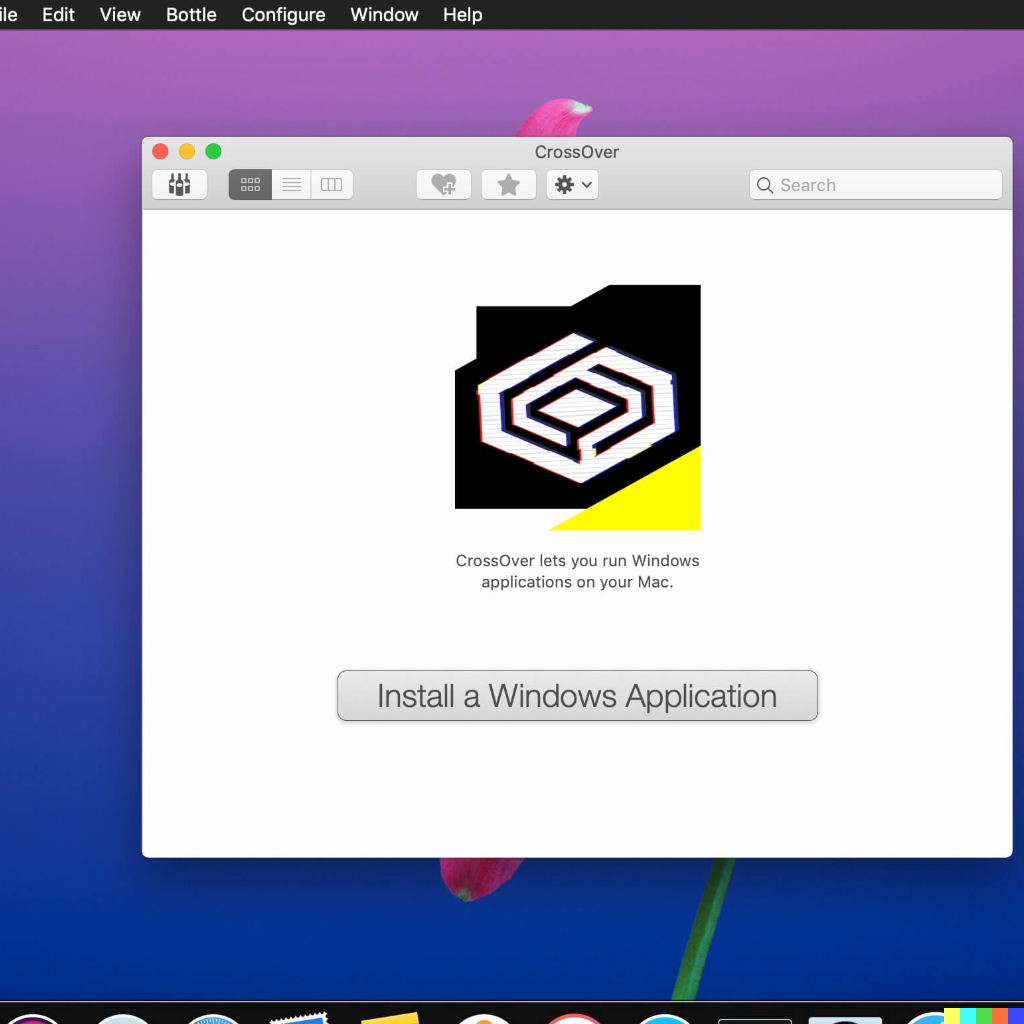
CrossOver Mac is a software tool that allows you to run Microsoft Windows applications on your Mac computer without the need to buy a Windows license, reboot your computer, or use a virtual machine. It provides a convenient way to run Windows apps natively on your Mac, integrating with the macOS operating system to offer a seamless experience.
Key Features of CrossOver Mac:
- Native Windows App Support: CrossOver Mac enables you to launch Windows applications directly from the macOS dock, providing a native feel for running Windows software on your Mac.
- Cross-Platform Functionality: The software offers cross-platform features such as copy and paste between Windows and macOS applications, as well as shared file systems that allow you to work with your Windows programs effortlessly.
- Easy Installations: CrossOver Mac simplifies the installation process for many Windows applications. If your Windows software is listed in the CrossOver Compatibility Database and you have the installer for your application, you can click a button to automatically install it using CrossOver.
Use Cases for CrossOver Mac:
- Running Windows-Only Software: CrossOver Mac is a valuable tool for Mac users who need to run Windows-specific applications that are not available for macOS. This is particularly useful for businesses or individuals who rely on Windows software.
- Gaming: CrossOver Mac can be used to play Windows games on a Mac without needing to dual-boot or use a separate Windows PC. This is great for gamers who want to enjoy Windows-only titles on their Macs.
- Business Applications: Many businesses use Windows-specific applications for various tasks, and CrossOver Mac allows Mac users to access and use these tools without needing a Windows PC.
- Productivity Software: CrossOver Mac can be employed to run popular Windows productivity software, such as Microsoft Office applications, on a Mac.
CrossOver Mac provides an alternative to running virtual machines or dual-booting between macOS and Windows, saving time and effort. It’s particularly useful for Mac users who occasionally require specific Windows applications but prefer to stay within the macOS environment. If you need to run Windows software on your Mac without the complexities of traditional virtualization, CrossOver Mac is a valuable solution.
Before installing CrossOver 23.0.0, make sure to read the README.pdf document located in the “Extra” folder. The software is compatible with macOS 10.13 or later, and you can find more information on the CodeWeavers website (https://www.codeweavers.com/).