Free Macsoftware One click Download
Utility
Download PDF Expert for Mac 3.9.2
02 years

Name : PDF Expert
Size : 109 MB
PDF Expert for Mac free Download
PDF Expert is a powerful PDF management tool that offers a wide range of features to enhance your PDF experience. Here’s an overview of its key features:
Fast Document Handling:
- Open PDFs instantly, whether they’re small email attachments or large reports.
- Smooth scrolling and fast search capabilities make navigating through documents effortless.
Professional Annotation Tool:
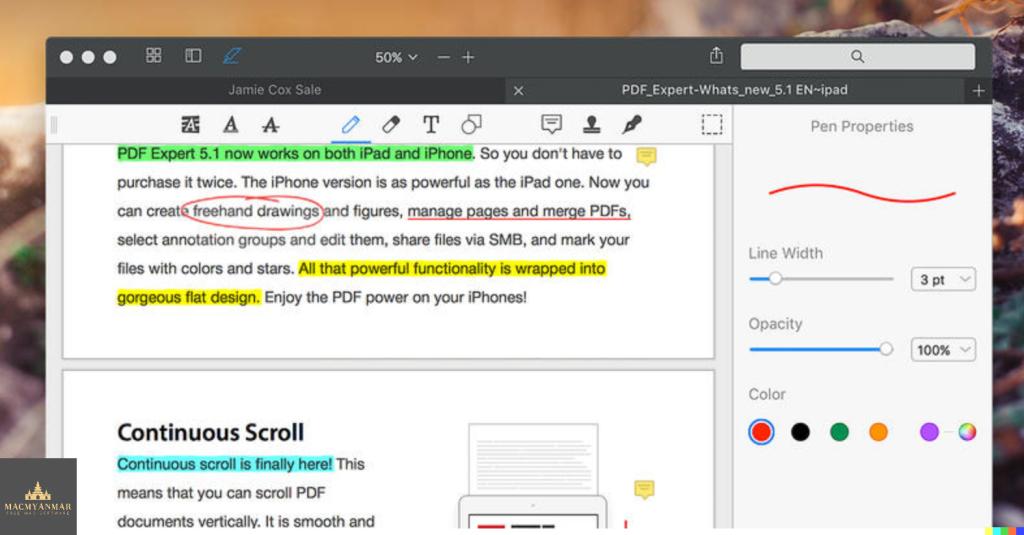
- Easily annotate PDFs with powerful yet user-friendly tools.
- Make simple changes or engage in marathon editing sessions with ease.
- Access tools like highlighting, underlining, and adding comments with just a click.
Tabbed Document Viewer:
- Award-winning tabbed document viewer allows you to work through multiple PDFs efficiently.
Form Filling:
- PDF Expert provides an excellent experience for filling out PDF forms.
- Text fields, checkboxes, radio buttons, and other form elements function smoothly.
- All entered information is saved within the form, including in complex interactive forms with JavaScript.
Document Signing:
- Sign documents easily on your Mac using your keyboard or trackpad.
- Transform typed names into beautiful handwriting or use your finger on the trackpad.
- Access signatures created in PDF Expert for iOS.
Wide Sharing Options:
- Share documents seamlessly with clients, coworkers, and others using the Mac’s system-wide share sheet and other apps.
- PDF Expert supports top-notch sharing options to ensure your documents reach their destination efficiently.
Cross-Device Compatibility:
- Use PDF Expert across all your Apple devices, including Mac, iPad, and iPhone.
- Seamlessly transfer documents between devices using Apple’s Continuity and Handoff features.
Compatibility:
- Compatible with macOS 10.13 or later.
For more information and to download PDF Expert, visit the official homepage: PDF Expert Homepage
Download Micromat Drive Scope Download 1.2.22
02 years

Name : Micromat Drive Scope
Size : 24 MB
Micromat Drive Scope 1.2.22
Drive Scope is a comprehensive utility designed to provide users with detailed insights into the health of their hard drives and solid-state drives (SSDs) connected to their Mac. Here are some key features of Drive Scope:
- SMART Monitoring: Drive Scope leverages the Self-Monitoring, Analysis, and Reporting Technology (SMART) built into drives to provide in-depth health analysis. It goes beyond basic pass/fail reports and offers granular information about each aspect monitored by SMART.
- Early Warning System: The utility offers advance warnings when a drive is showing signs of potential failure. It provides detailed information about errors that have occurred, their frequency, and whether they indicate temporary issues or impending failure.
- Complete Drive Information: Users can access comprehensive information about their drives, including model details, capacity, and specific attributes contributing to overall health. Drive Scope offers a detailed overview of drive health, including attributes related to potential failure.
- Support for SSDs: Drive Scope supports modern SSDs, including those with NVMe connections used in the latest Macs. It provides access to SMART data for these SSDs, allowing users to monitor their health effectively.
- Manual Testing: Users have the option to manually trigger the drive’s internal tests to ensure that SMART data is up-to-date. Drive Scope allows users to check the testing log to see when the last test was performed.
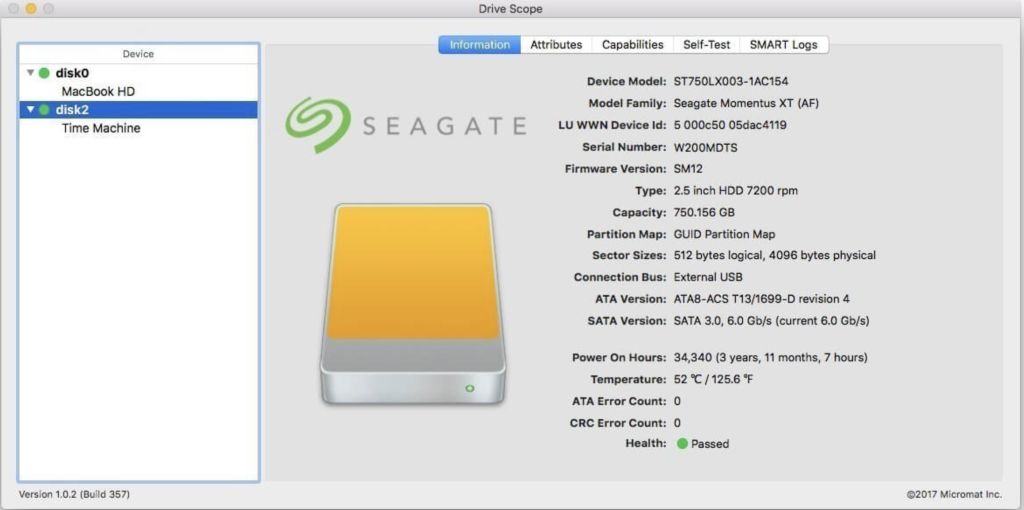
- Information Dashboard: Upon opening Drive Scope, users are presented with an information page summarizing critical details about their drives. This includes Drive Scope’s health assessment, error count, model information, and drive capacity.
- Compatibility: Drive Scope is compatible with Intel-based Macs running OS X 10.8.5 or later, including macOS 10.13 ‘High Sierra’.
Overall, Drive Scope offers users a comprehensive solution for monitoring the health of their drives, providing advanced warnings, detailed insights, and control over testing to ensure optimal drive performance and reliability.
Download GM EPUB Reader Pro for Mac2.6.2
02 years

Name : GM EPUB Reader Pro
Size : 21 MB
GM EPUB Reader Pro for Mac free Download
The GM EPUB Reader is a comprehensive ebook reader designed to provide users with a seamless reading experience and a variety of useful features. Here’s an overview of its key features:
- EPUB and Mobi Support: The reader supports EPUB and Mobi file formats, allowing users to access a wide range of ebooks.
- Search Functionality: Users can perform single-page and full-text searches within ebooks, with the ability to highlight search results for easy reference.
- Browsing History: The reader keeps track of browsing history, enabling users to navigate forward and backward through pages they’ve visited.
- Reading Controls: Users can customize their reading experience with features like page turning, zooming, and sidebar shrinking. The reader also supports page printing for physical copies.
- File Management: Users can view basic information about files, such as title and author, and quickly switch between pages using page number display and quick page switching.
- Conversion Tools: The reader offers conversion capabilities, allowing users to convert EPUB to PDF, Mobi to EPUB, and Mobi to PDF. It also supports image extraction from EPUB and Mobi files.
- Bookshelf: All read files are saved in the bookshelf for easy access and quick review. Users can also add files to the bookshelf via drag and drop.
- Reading Experience Enhancements: The reader remembers the last reading location, enabling users to resume reading from where they left off. It features photo adaptation for improved layout and supports page zooming using keyboard shortcuts. Additionally, users can quickly navigate pages and view history pages using keyboard shortcuts.
The GM EPUB Reader offers a Pro Version through in-app purchases, which includes additional features and enhancements. It is compatible with macOS 10.13 or later and is available for download on the Mac App Store.
Overall, the GM EPUB Reader provides users with a user-friendly interface, robust functionality, and a pleasant reading experience, making it an excellent choice for ebook enthusiasts.
TG Pro (Temperature Gauge Pro) for Mac v2.90
02 years

Name : TG Pro (Temperature Gauge Pro)
Size : 13 MB
TG Pro (Temperature Gauge Pro) for Mac free Download
Temperature Gauge Pro is a comprehensive utility designed for Mac users to monitor and manage their system’s temperature and fan speeds effectively. With its range of features, users can ensure optimal performance and prevent overheating issues. Here are the key features of Temperature Gauge Pro:
- Temperature Monitoring: Users can view the current and maximum recorded temperatures for every sensor in their Mac. The app provides detailed insights into temperature levels, allowing users to stay informed about their system’s thermal performance. Additionally, users have the option to choose between Celsius or Fahrenheit temperature units based on their preference.
- Fan Speed Control: Temperature Gauge Pro enables users to adjust fan speeds manually, providing greater control over their Mac’s cooling system. By tuning the fan speeds, users can regulate the temperature and ensure that their Mac runs cooler, thereby enhancing overall performance and longevity. Moreover, the app offers an Auto Boost feature that automatically increases fan speeds when a specific temperature threshold is reached, helping to prevent overheating.
- Diagnostics and Alerts: The built-in diagnostics feature allows users to identify faulty fans and temperature sensors, enabling them to address hardware issues promptly. Additionally, Temperature Gauge Pro provides notifications via the Notification Center or Growl when a temperature threshold is reached or when Auto Boost is enabled. This real-time alert system helps users stay informed about temperature fluctuations and potential issues with their Mac’s cooling system.
- Data Logging: The app logs all temperature and fan speed information to a CSV file, allowing users to track system performance over time and analyze data for trends or anomalies. This feature enables users to graph temperature and fan speed data in external applications, providing valuable insights into system behavior and performance optimization.
Temperature Gauge Pro is compatible with macOS 10.13 or later and works seamlessly on all Macs, including laptops and desktops. Its user-friendly interface and powerful features make it an essential tool for monitoring and managing system temperature and fan speeds, ensuring optimal performance and reliability. Users can learn more about Temperature Gauge Pro and download the software from its homepage at tunabellysoftware.com.

Download Magic Disk Cleaner for Mac 2.6.2
02 years

Name : Magic Disk Cleaner
Size : 6 MB
Magic Disk Cleaner for Mac free Download
Magic Disk Cleaner is a utility app designed to help you quickly and efficiently find and delete temporary files that are consuming unnecessary disk space on your Mac. Here are some key features of Magic Disk Cleaner:
- Fast Search: The app rapidly scans your computer to locate temporary files that can be safely deleted. This process is quick and efficient, allowing you to reclaim disk space in no time.
- Easy Handling: Magic Disk Cleaner offers a user-friendly interface that makes it incredibly easy to use. Simply launch the app, and it will start searching for temporary files immediately. With just one click, you can delete the identified files and free up space on your disk.
- Manual Deletion: Magic Disk Cleaner does not automatically delete any files without your consent. You have full control over which files are deleted and which ones you want to keep. This ensures that you won’t accidentally remove any important data.
Overall, Magic Disk Cleaner provides a convenient solution for managing temporary files and optimizing disk space on your Mac. It offers fast performance, simple operation, and manual control over the deletion process.
You can download Magic Disk Cleaner from the Mac App Store for macOS 11.0 or later.
Download Rectangle Pro for Mac 3.0.18
02 years

Name : Rectangle Pro
Size : 10 MB
Rectangle Pro for Mac free Download
Rectangle formerly known as Hookshot, is a feature-rich tool designed to help you snap windows faster and more efficiently on your Mac. Here are some key features of Rectangle:
- Window Sizes & Positions: Rectangle offers 16 predefined window sizes and positions to quickly arrange your windows on the screen.
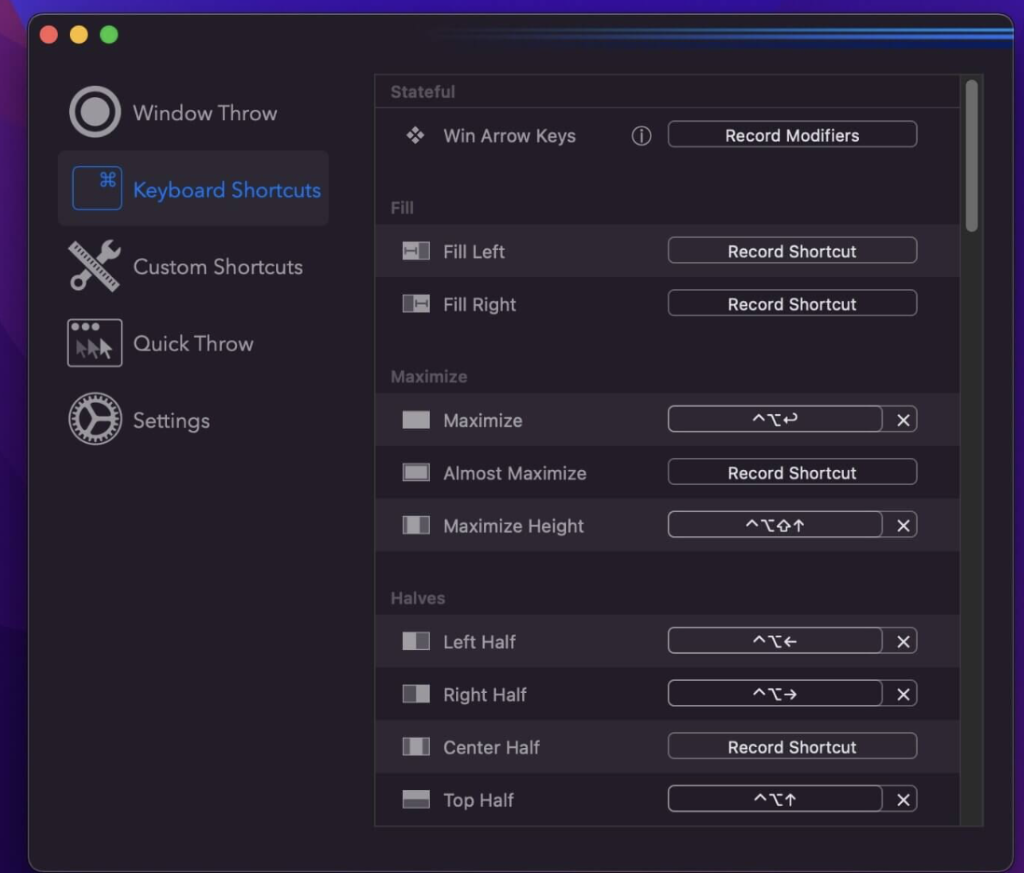
- Keyboard Shortcuts: You can create custom keyboard shortcuts for various window sizes and positions, allowing you to snap windows with ease.
- Drag to Snap: Simply drag windows to the edges of your screen to snap them into place.
- Move and Resize with Key + Cursor: Hold down a key and move your cursor to move or resize windows quickly.
- Snap Windows Under Cursor: Rectangle allows you to snap windows even if they are not in focus, making it easier to manage multiple windows simultaneously.
- Custom Shortcuts: In addition to predefined sizes and positions, you can create custom shortcuts for any window size and position according to your preferences.
- System Integrity Protection (SIP): Note that you may need to disable System Integrity Protection (SIP) to perform certain actions with Rectangle.
Overall, Rectangle provides a convenient way to organize and manage windows on your Mac, enhancing productivity and workflow efficiency.
Visit the homepage for more information and to download Rectangle.
Download Pro Microphone for Mac 1.6.0
02 years

Name : Pro Microphone
Size : 67 MB
Pro Microphone for Mac free Download
Pro Microphone is a versatile voice and music recording studio designed for beginner singers or anyone looking to enhance their vocal recordings. With a variety of microphone types and effects, as well as features for recording and editing, Pro Microphone offers a professional studio experience right on your Mac. Here are some key features of Pro Microphone:
Key Features:
- Various Mic Types: Choose from dynamic, stage, valve, condenser, and other microphone types, each offering unique sound effects. Detailed information about each mic, including its frequency response, is provided.
- Recording and Looping: Record vocals and music with multiple slots for recordings and loops. Experiment with different backing tracks to enhance your recordings.
- Custom Backing Tracks: Easily import your own backing tracks by dragging and dropping files into the app. Edit tracks as needed to customize your recordings.
- New Features: The latest version of the app includes a how-to-use tutorial to help you get started, cloud storage for saving your recordings, and bug fixes for improved performance.
Compatibility:
- Pro Microphone is compatible with macOS 10.15 or later, ensuring compatibility with a wide range of Mac systems.
Experience the convenience of a professional recording studio right on your Mac with Pro Microphone. Visit the homepage for more information and to download the application.
Download CrossOver for Mac 24.0.0
02 years

Name : CrossOver
Size : 402 MB
CrossOver for Mac free Download
CrossOver Mac offers a seamless solution for running Microsoft Windows software on your Mac without the need to purchase a Windows license, reboot, or use a virtual machine. Here’s what you can expect from CrossOver Mac:
Native Windows App Support
- Launch Windows applications directly from the Mac dock.
- Integration with Mac operating system functionality such as cross-platform copy & paste and shared file systems for Windows programs.
Easy Installation
- Utilize CrossTie technology for easy installation of many Windows titles. Simply click the button in the Compatibility Database if you have CrossOver installed and the installer for your Windows software.
Important Note
- Before installing CrossOver 23.0.0, it’s essential to read the README.pdf file located in the Extra folder for instructions and guidelines.
Compatibility
- CrossOver Mac is compatible with macOS 10.15 or later.
Experience the convenience of running your favorite Windows applications seamlessly on your Mac with CrossOver Mac. Visit the homepage for more information and to get started.
Download Master of Typing 3 – Practice 3.14.3
02 years

Name : Master of Typing 3 – Practice
Size : 122 MB
Master of Typing 3 – Practice for Mac free Download
Master of Typing 3 is your ultimate TOUCH typing course designed to help you master fast typing techniques using all 10 FINGERS simultaneously. Here’s what you can expect from Master of Typing 3:
INCREASE YOUR TYPING SPEED
- Various exercises: practice letters, special characters, words, and phrases.
- Customize settings to adjust difficulty levels and select specific lesson sections.
- Auto Difficulty feature allows you to progress to the next lesson automatically upon successful completion of exercises.
CHECK NEW SKILLS
- Multiple levels of exams to assess your typing proficiency.
- Accurate statistics provide insights into your best and average speed, as well as accuracy.
- Tips system to offer guidance and support throughout your typing journey.
ENJOY BENEFITS
- AI-powered dictation mode lets you dictate text and then type it, or select suggested text and type it during dictation.
- Smart timer pauses when you click outside the app window, allowing you to resume exercises at any time.
- Choose from three themes (Light, Dark, and East) to suit your preferences.
- Swipe and hotkeys for quick switching between windows.
- Colored keyboard scheme helps you memorize finger positions for efficient typing.
- Ideal for self-study anytime, anywhere.
TYPE IN DIFFERENT LANGUAGES
- Supports multiple languages including English (QWERTY), Russian (ЙЦУКЕН), Spanish, French (AZERTY), German (QWERTZ), and Italian.
Top In-App Purchases: Full Pack + No Ads
Compatibility: macOS 10.13 or later
Experience the joy of mastering touch typing with Master of Typing 3. Download it from the Mac App Store today!
OmniZip – Universal Extractor Pro 2.1.6
02 years

Name : OmniZip – Universal Extractor Pro
Size : 12 MB
OmniZip – Universal Extractor Pro for Mac free Download
OmniZip is the ultimate decompression tool for macOS. With support for over 100 file formats, including RAR, 7Z, ZIP, TAR, and GZIP, OmniZip ensures that no compressed file is beyond your reach. Here are some key features:
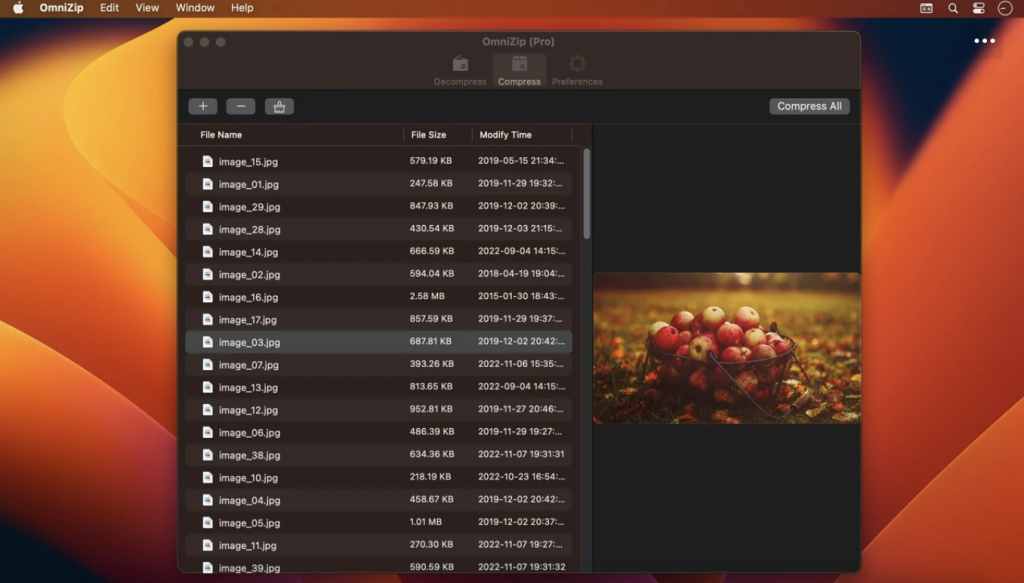
Comprehensive Format Support: Decompress RAR, 7Z, ZIP, TAR, GZIP, and more than 100 other file formats with ease.
Intuitive Interface: Double-click on a compressed file to preview its contents or decompress it. Customize your configuration to suit your preferences.
Easy Compression: Select a file and compress it effortlessly with OmniZip.
Drag and Drop: Simply drag and drop files to unzip them directly, saving you time and hassle.
Batch Decompression: Decompress multiple files at once with support for batch processing.
Volume Package Support: Decompress volume packages while ensuring that the compressed file of the volume remains in the same directory.
Compression Formats: OmniZip supports popular compression formats like ZIP and 7Z, providing flexibility in your file management.
Encryption and Volume Separation: Enjoy support for encryption compression and volume separation compression for added security and organization.
User-defined Filters: Define filters for compression and decompression according to your specific needs.
Preview Recording: OmniZip records previewed compressed files for future reference and operations.
OmniZip is compatible with macOS 10.13 or later, ensuring broad compatibility with your Mac system.
Experience the convenience and power of OmniZip by downloading it from the Mac App Store today!